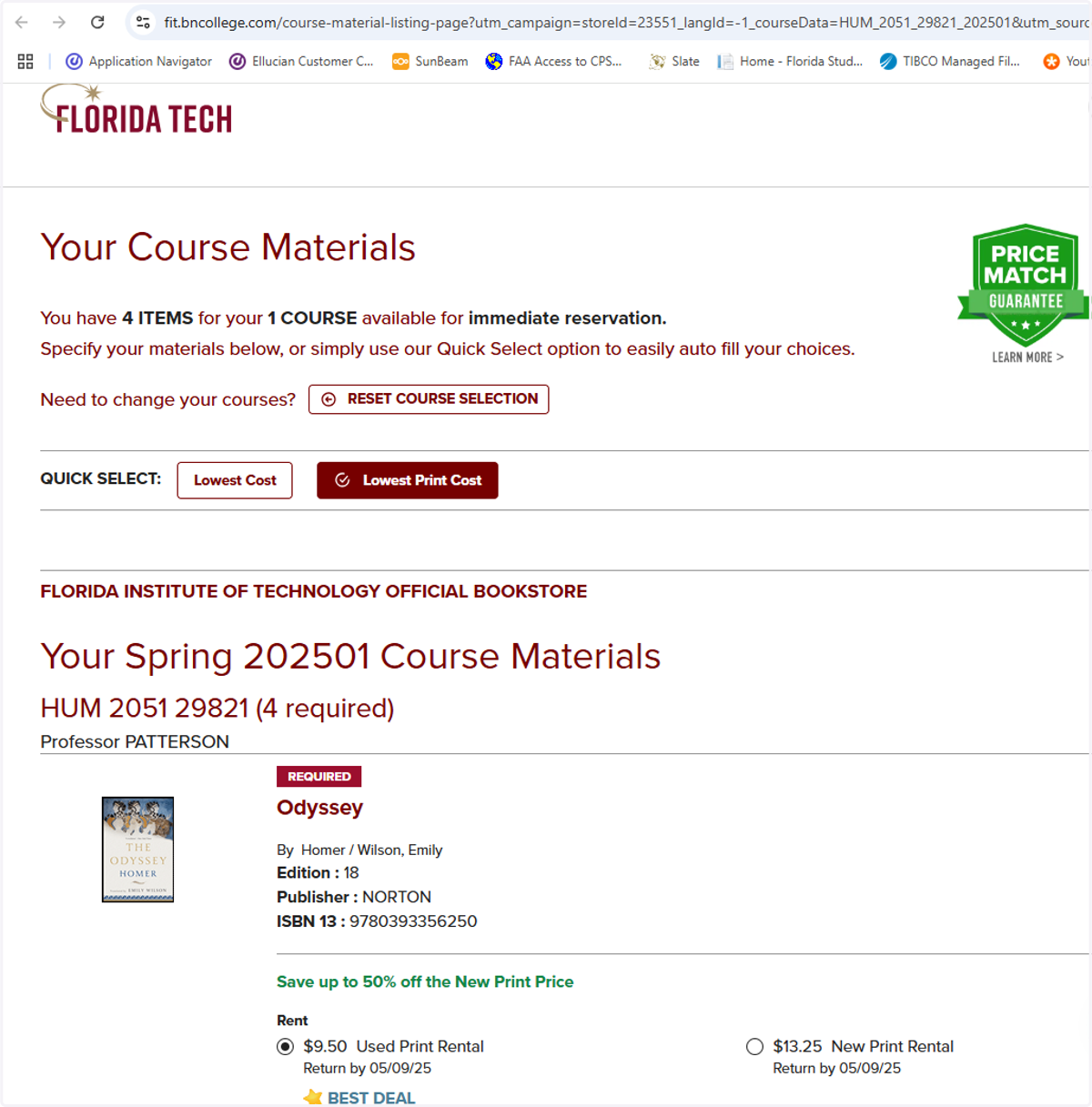
PAWS - How to view and purchase books for main campus classes
Home - PAWS Experience
1. Click on Registration
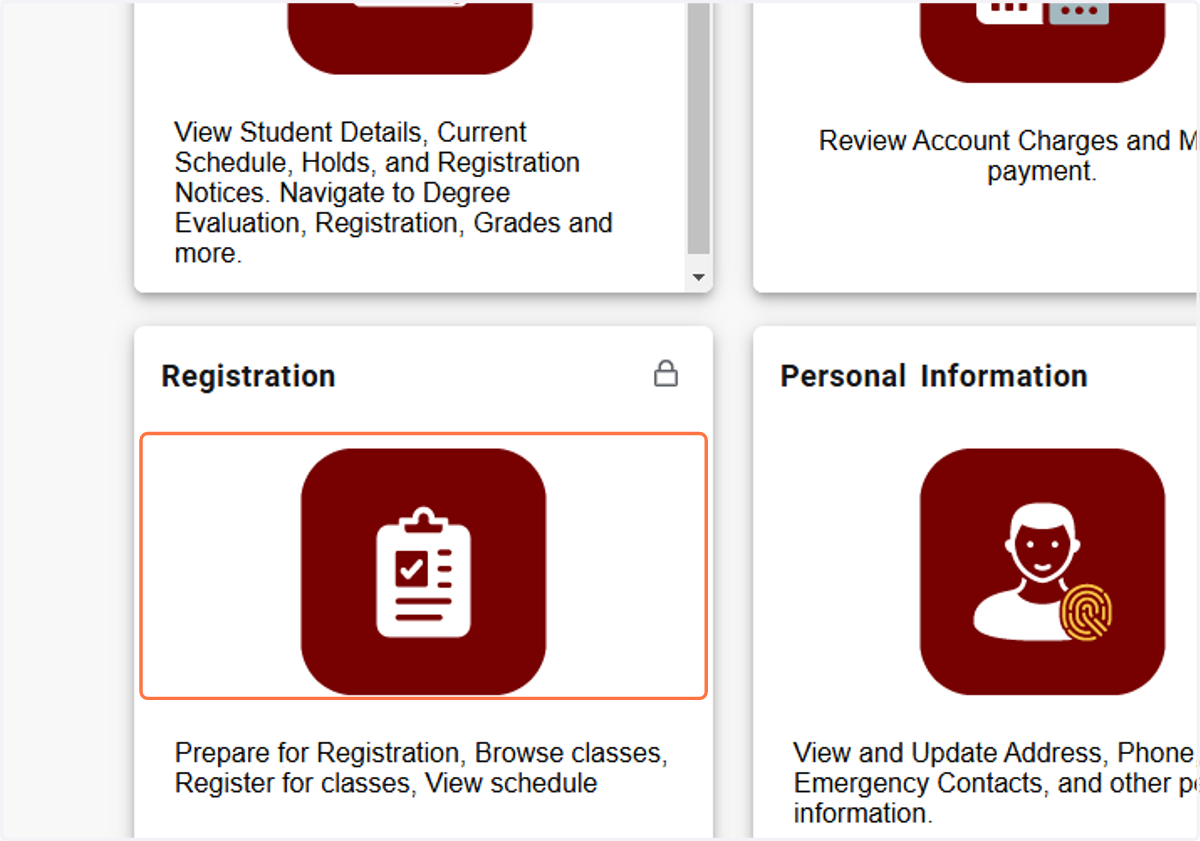
ssb-prod1.fit.edu:8001/StudentRegistrationSsb/
2. Click on View Registration Information…
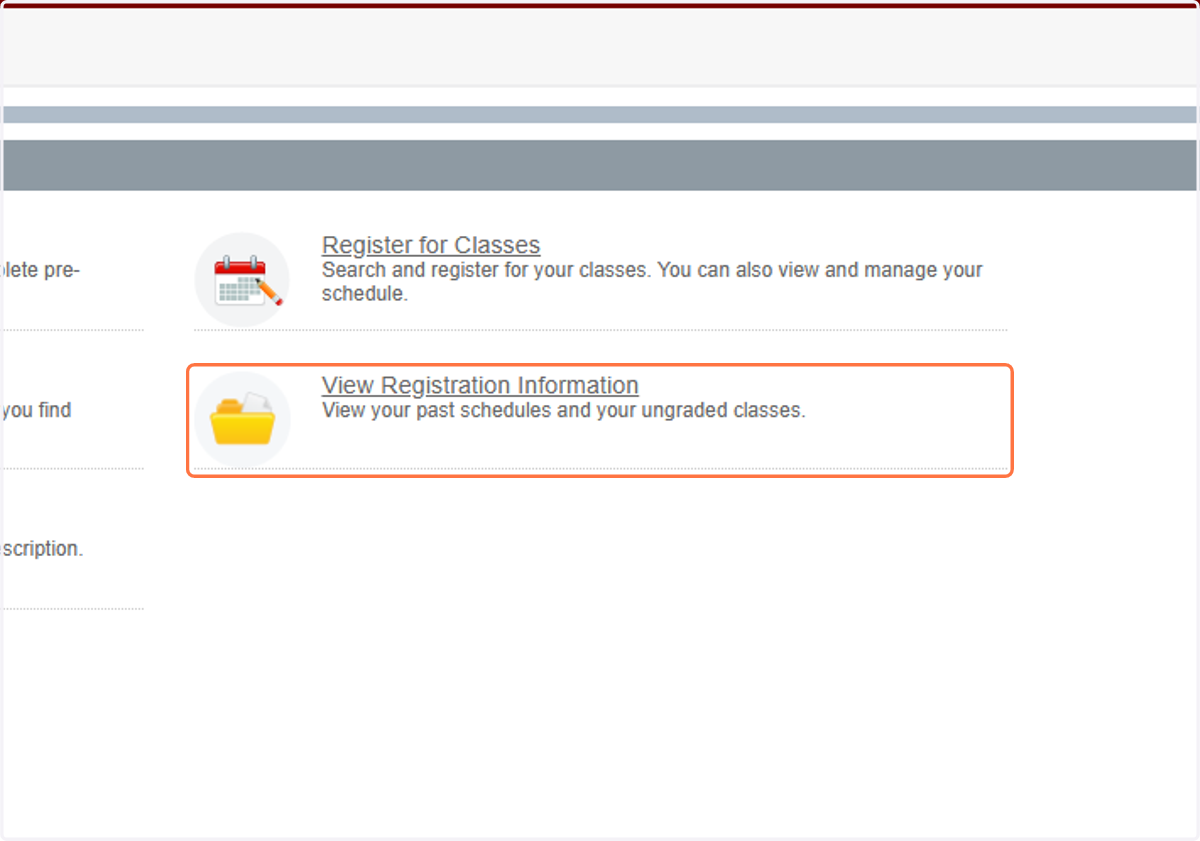
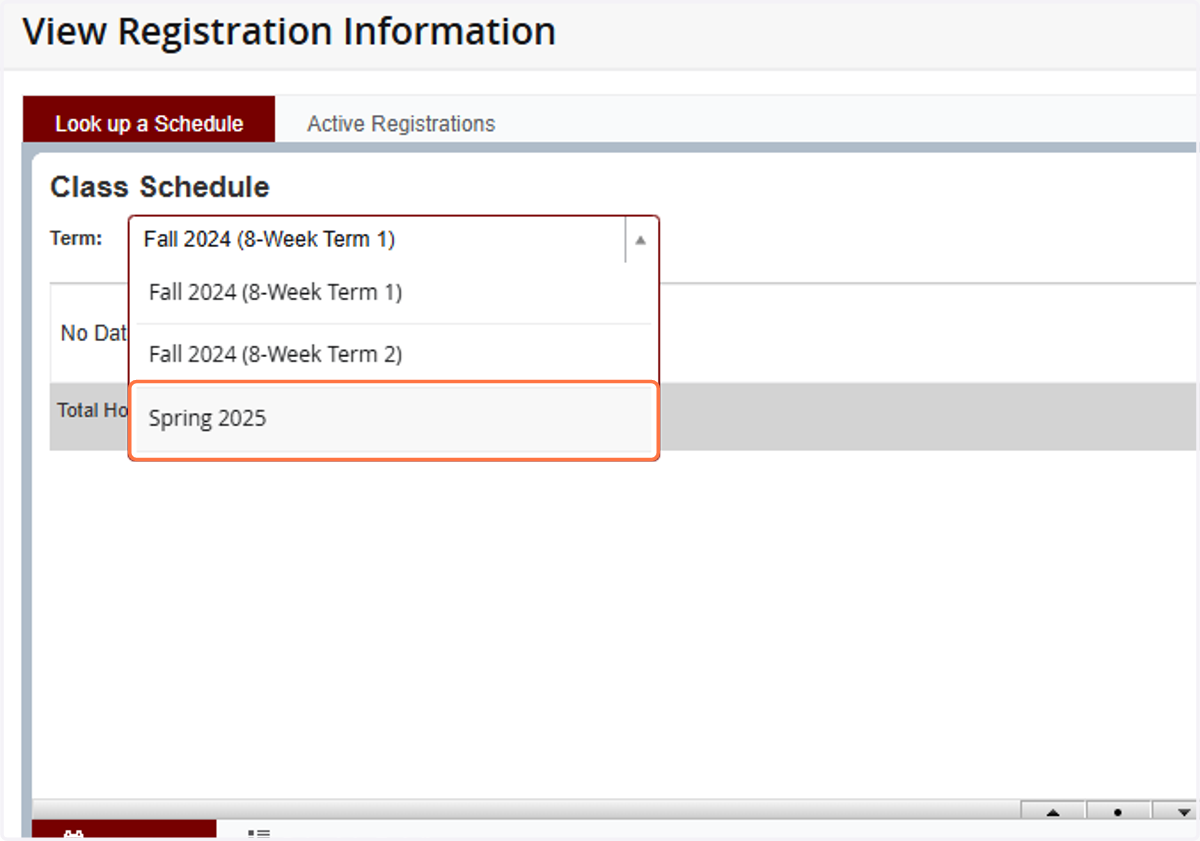
3. Click on Drop-down for terms
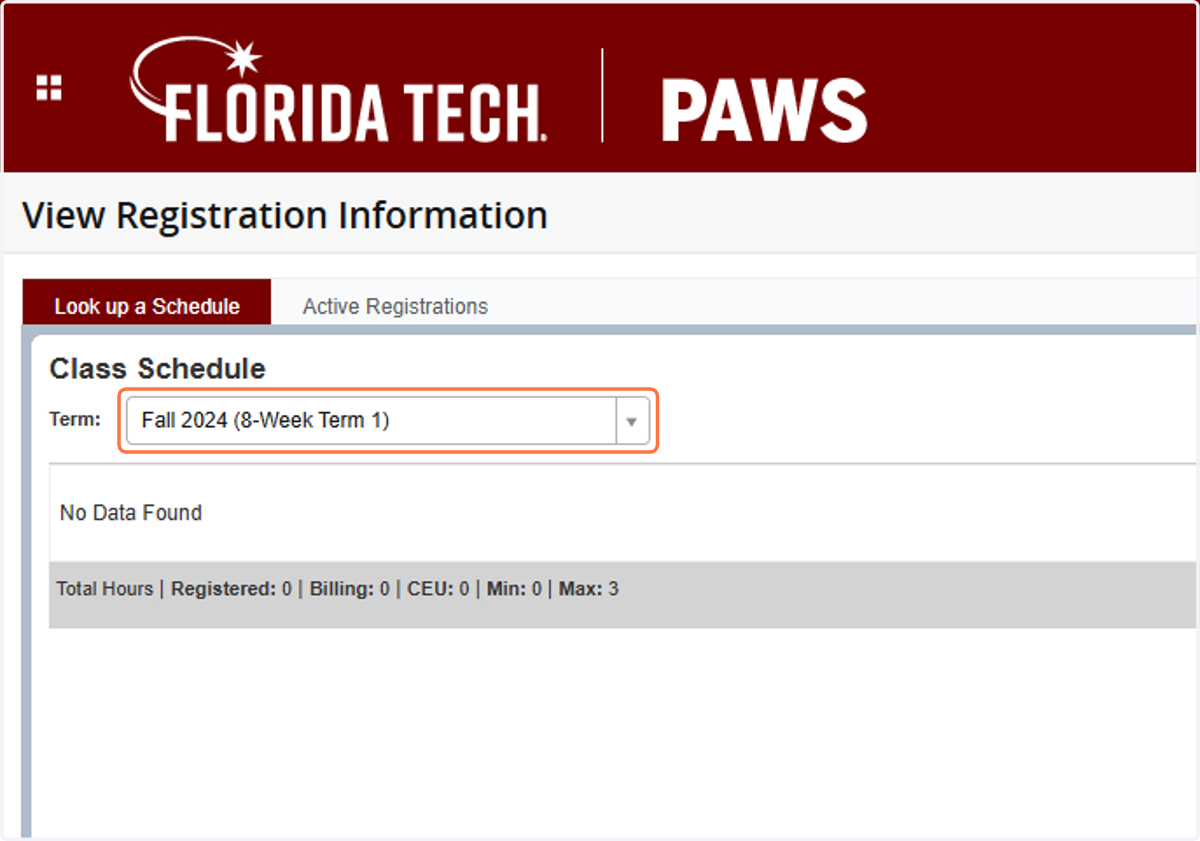
4. Click on appropriate term
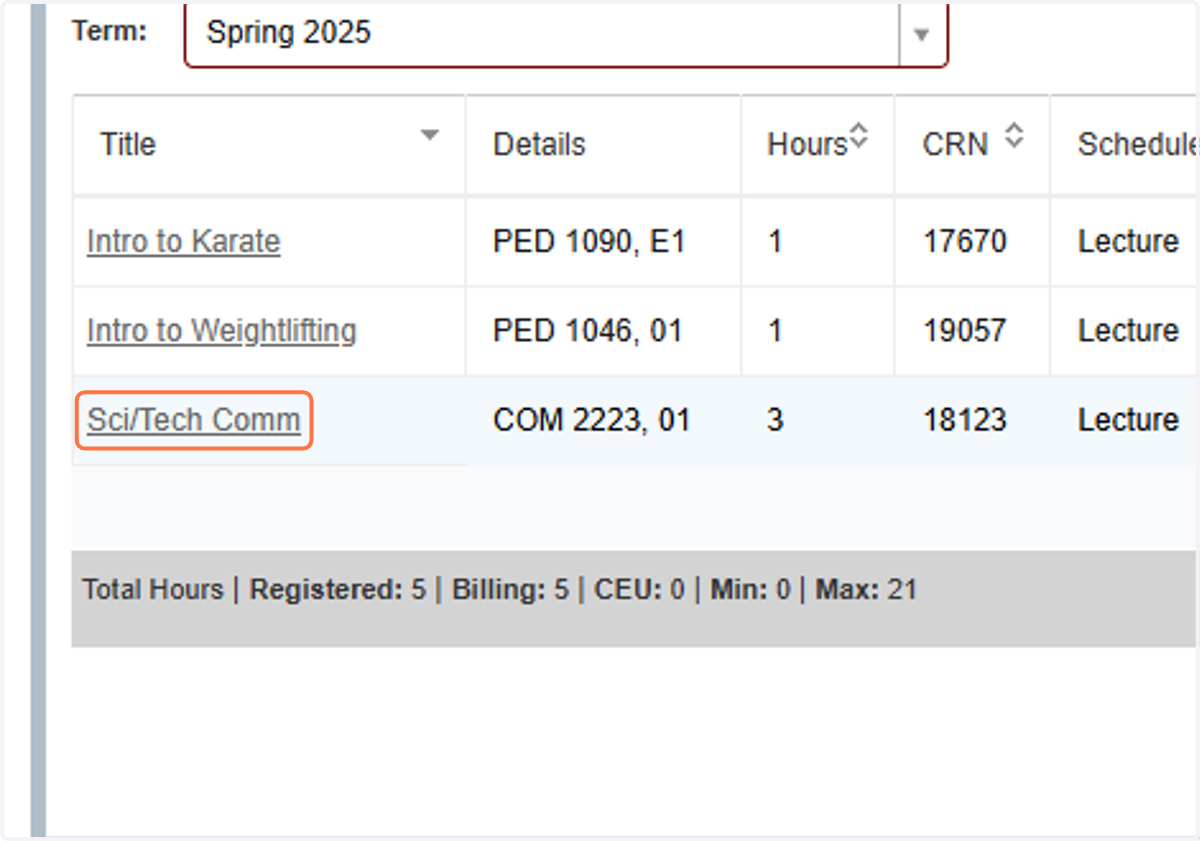
5. Click on Class Title
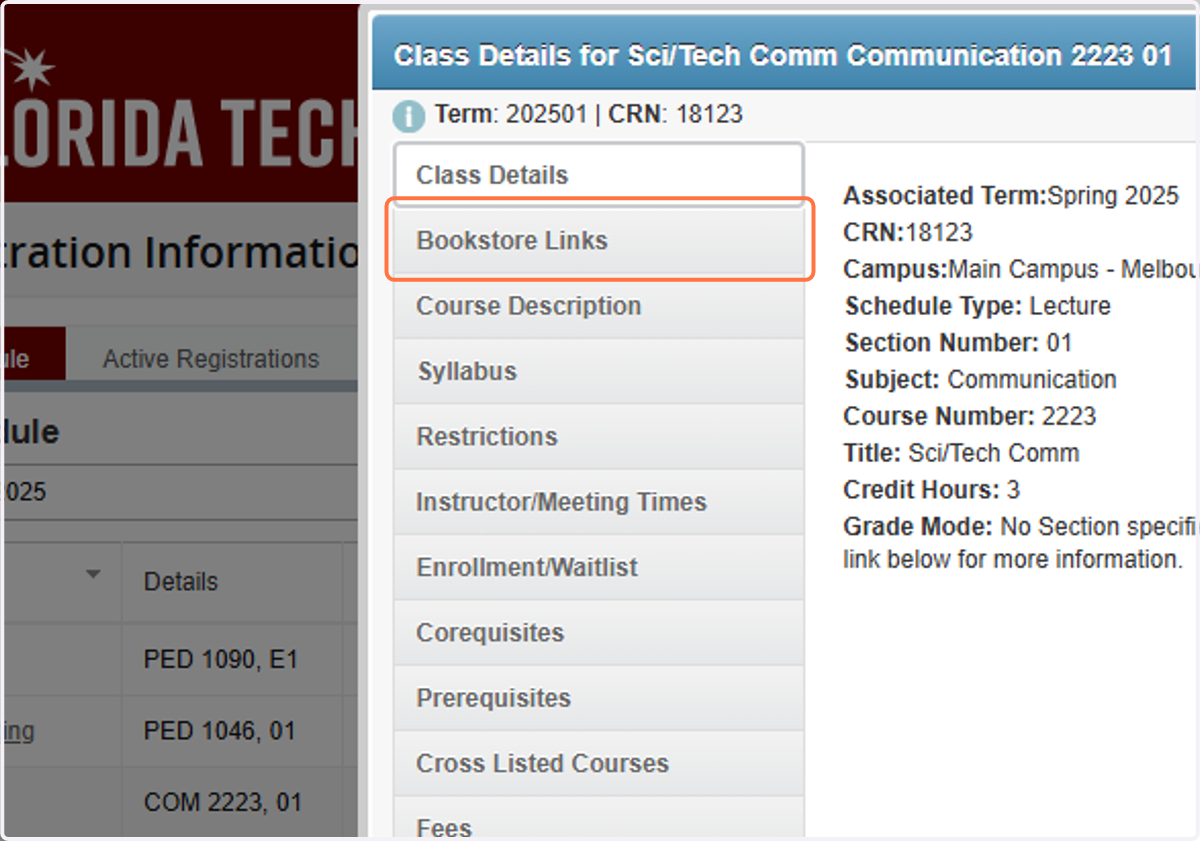
6. Click on Bookstore Links
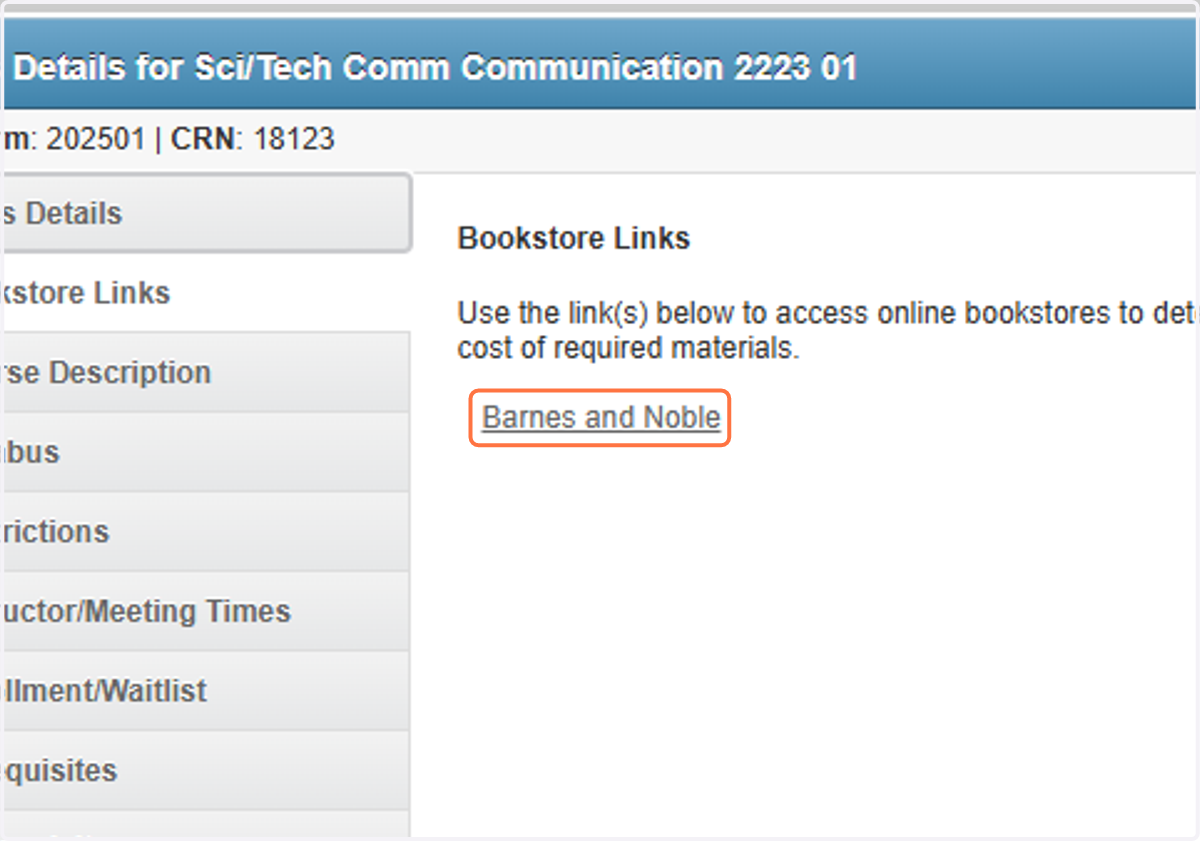
7. Click on Barnes and Noble
floridainstitutetech
8. You will get directed to the Florida Tech Barnes & Noble site where you can view and/or purchase your books.