Update Household Address in Infinite Campus
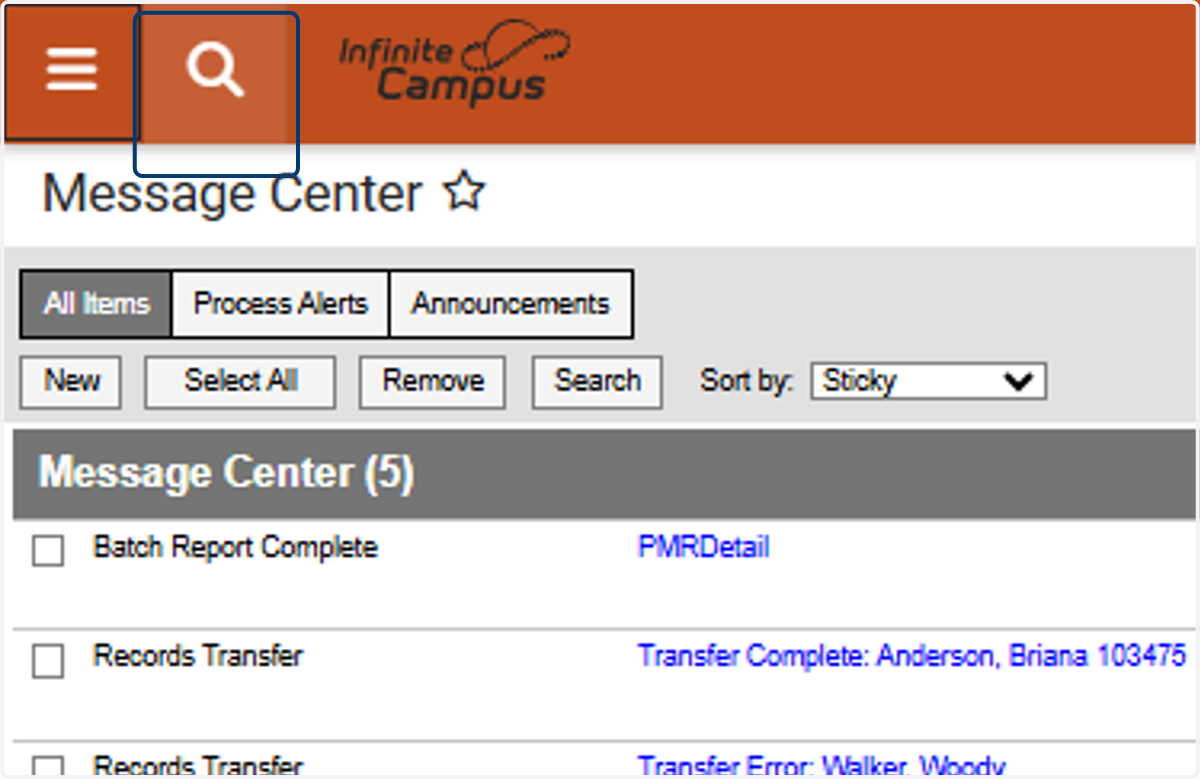
1. From the Landing Page, Click on the Magnifying Glass to Search
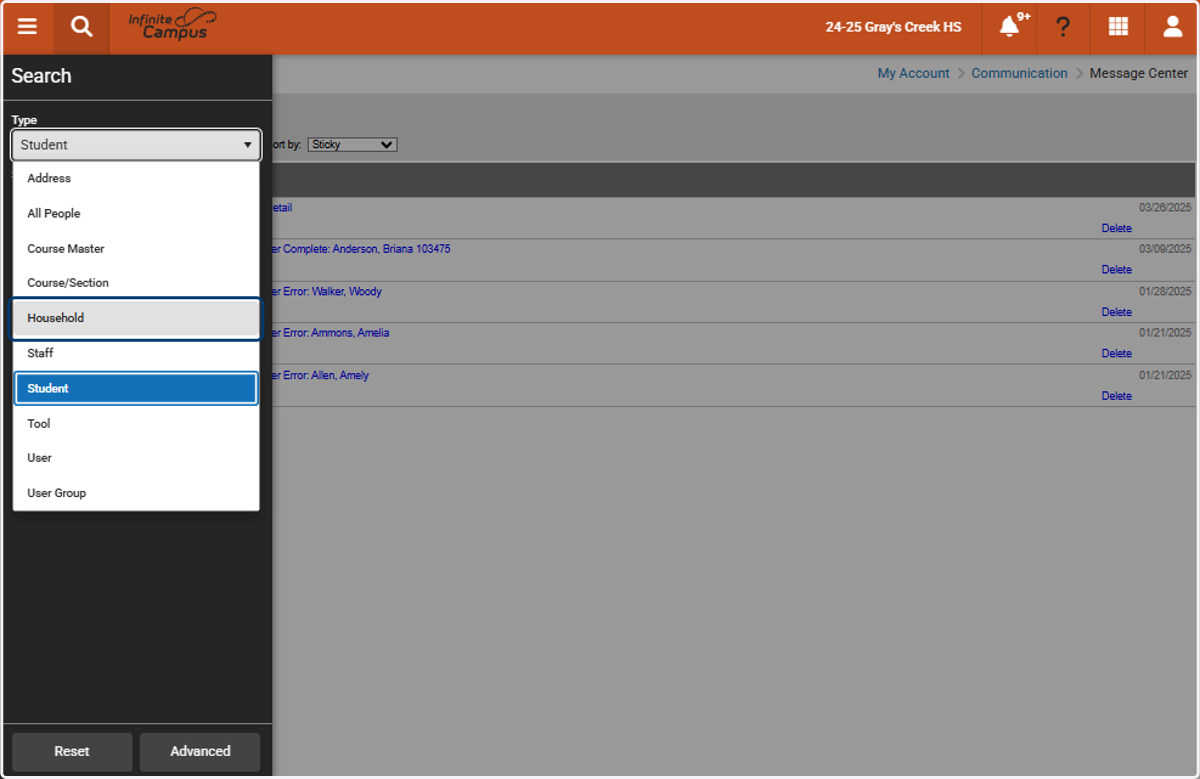
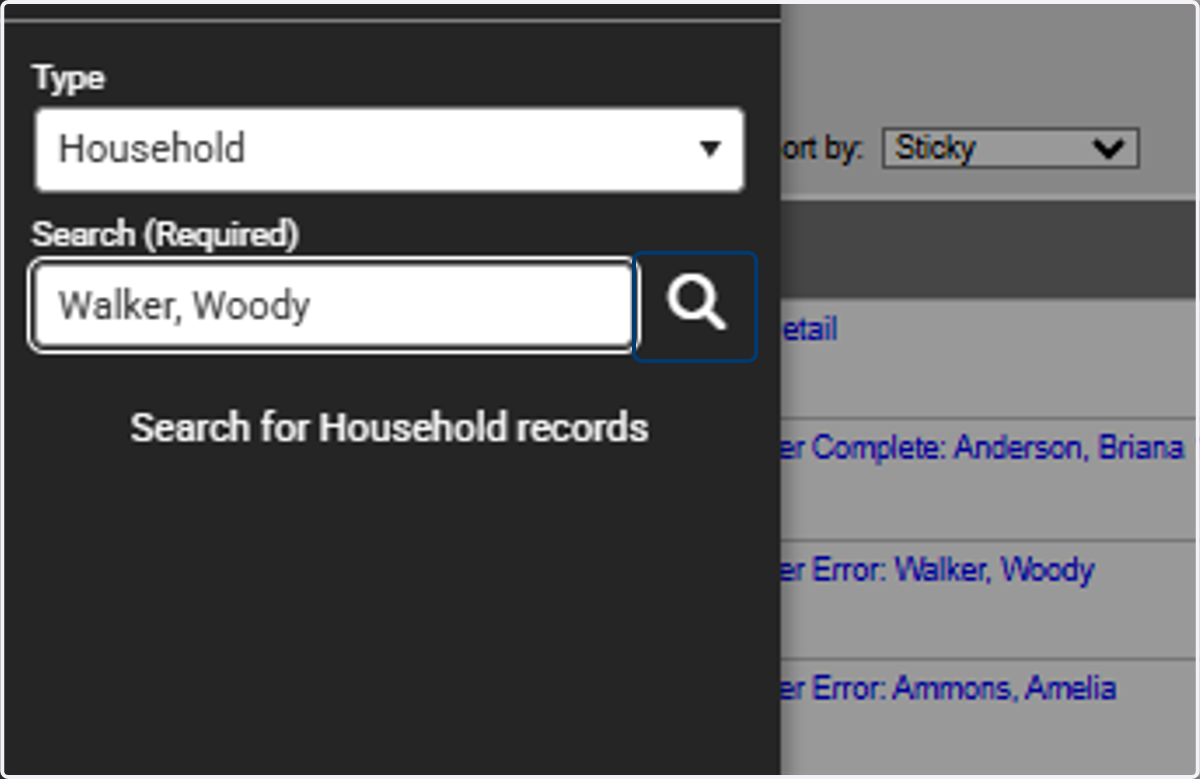
2. Under Type, Select Household
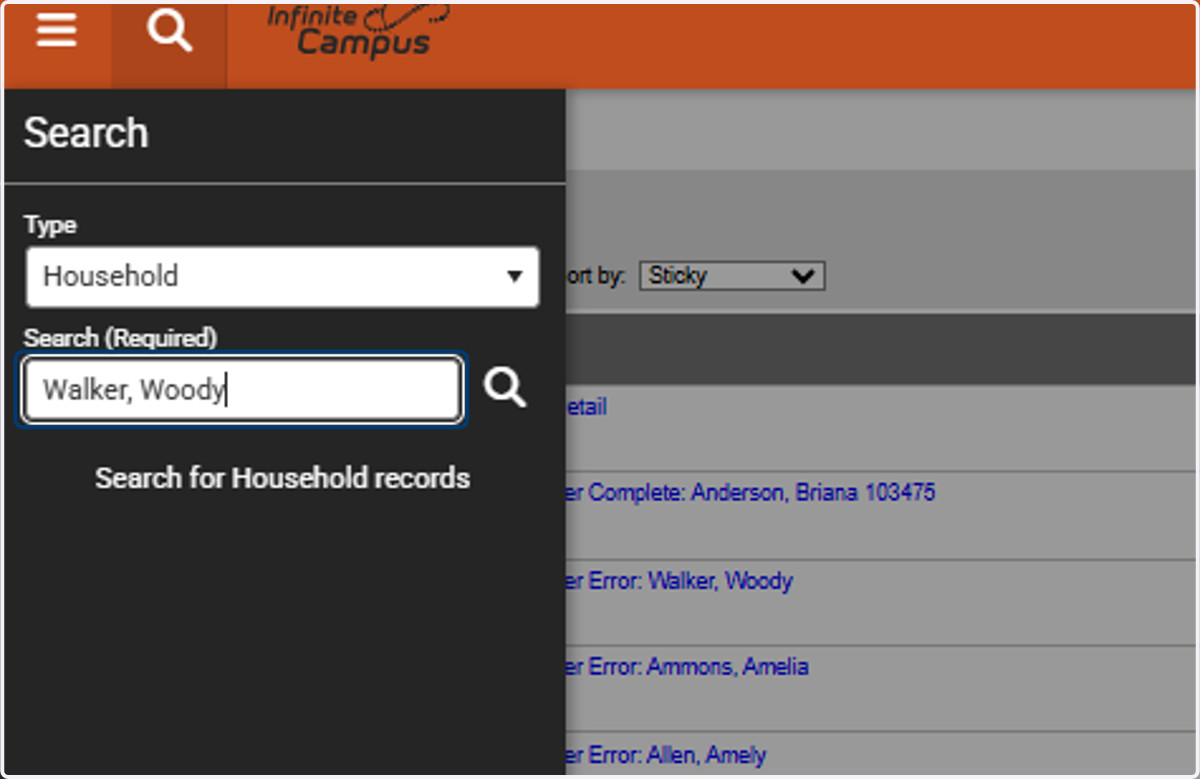
3. Enter the Household Name or a Household Member's Name
Example: "Walker, Woody"
4. Click on Search
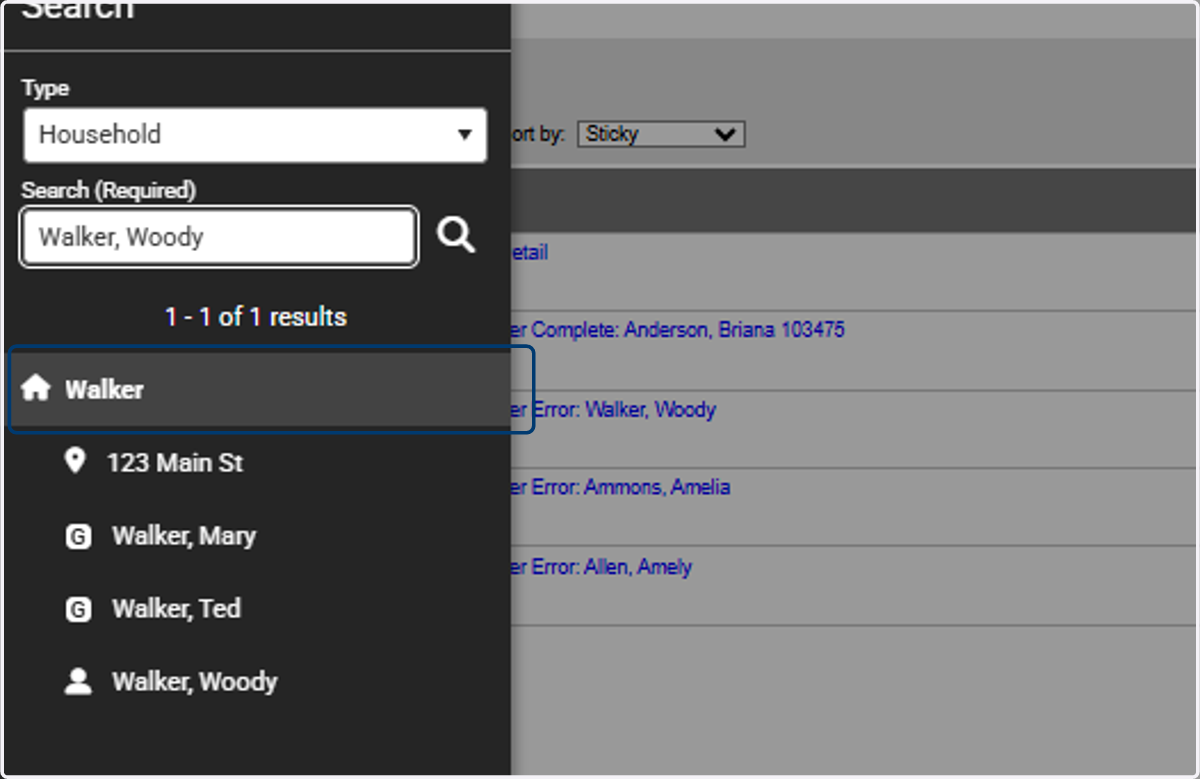
5. Click on the Household Name
Example: Walker
Note: Do Not click on the Address
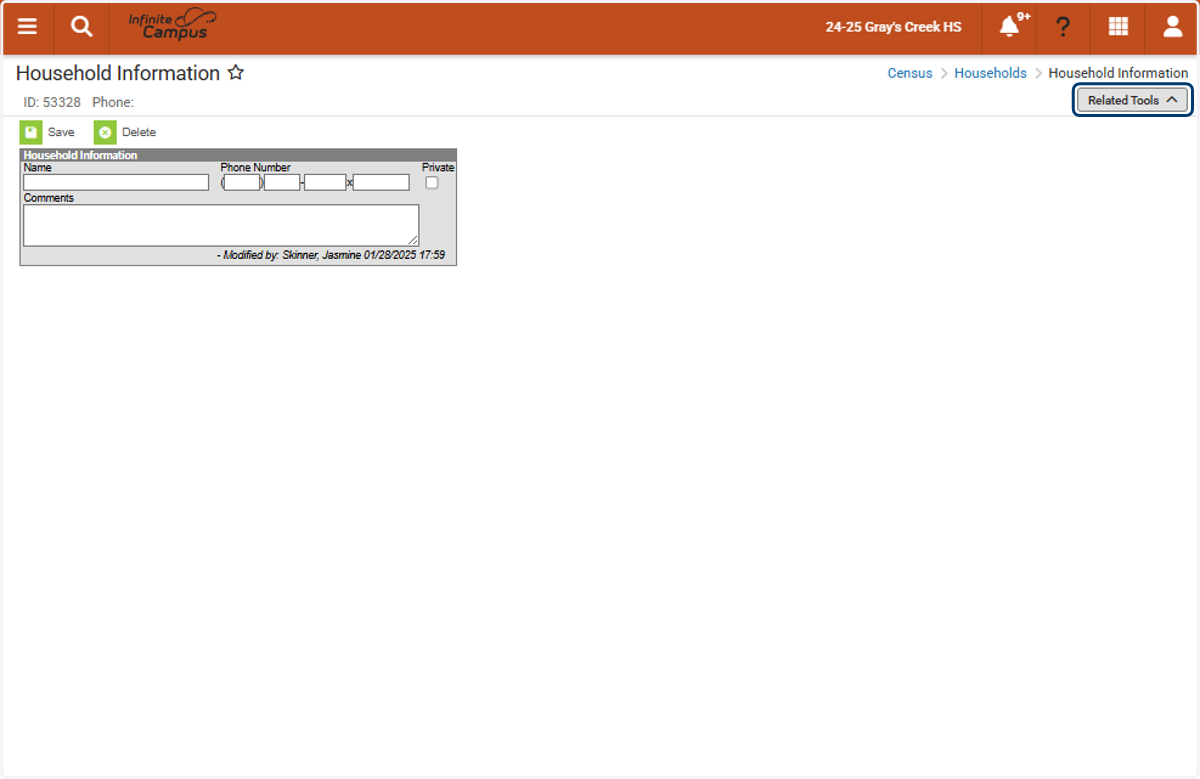
6. Click on Related Tools on the Right Hand Side
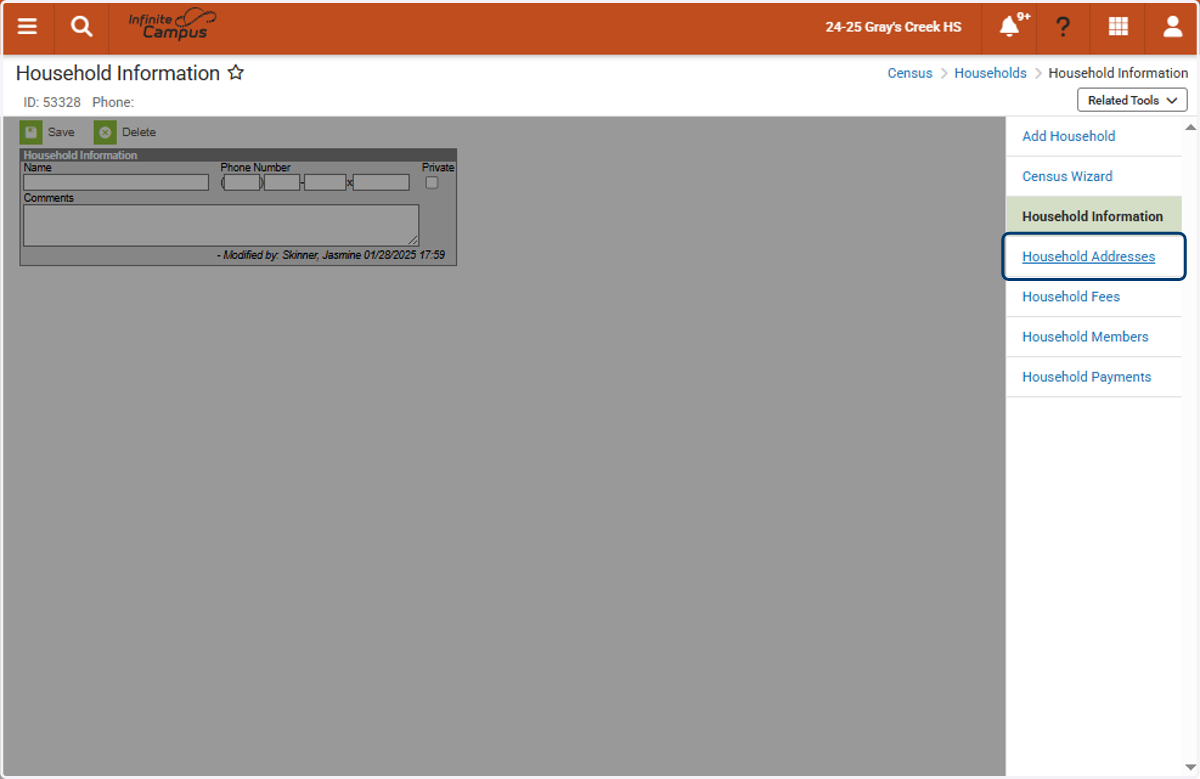
7. Click on Household Addresses
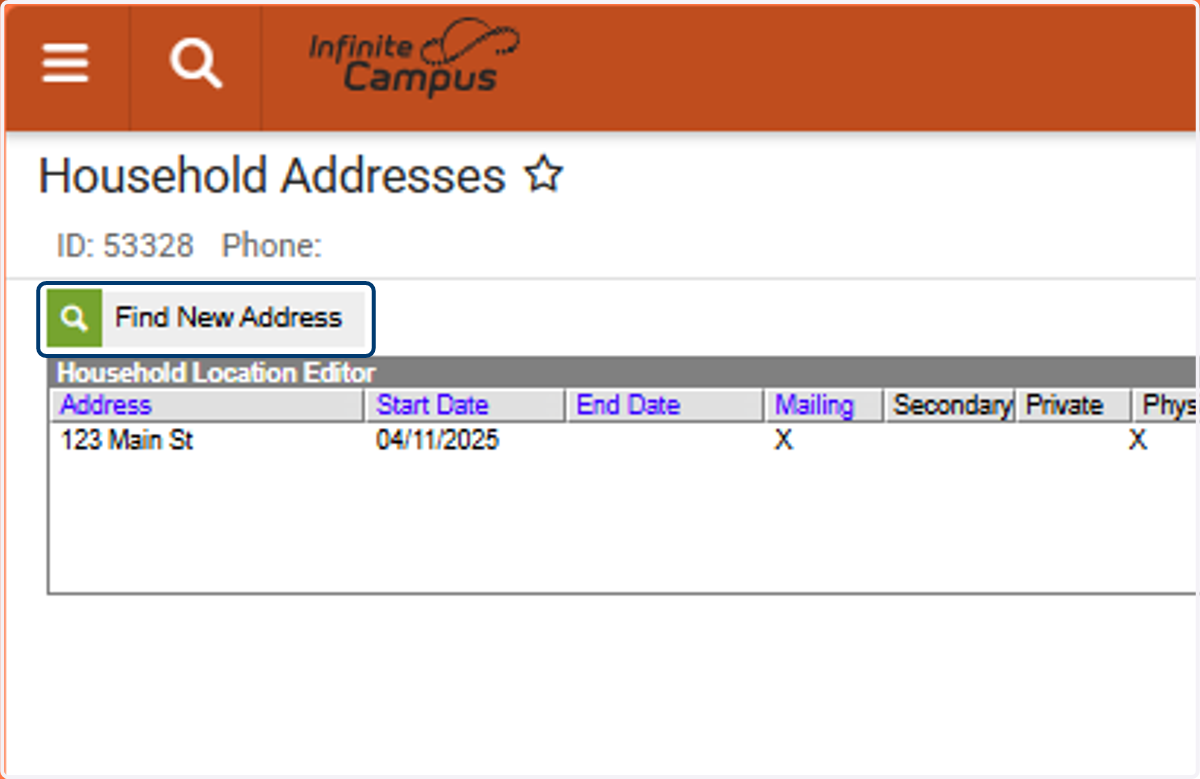
8. Click on Find New Address
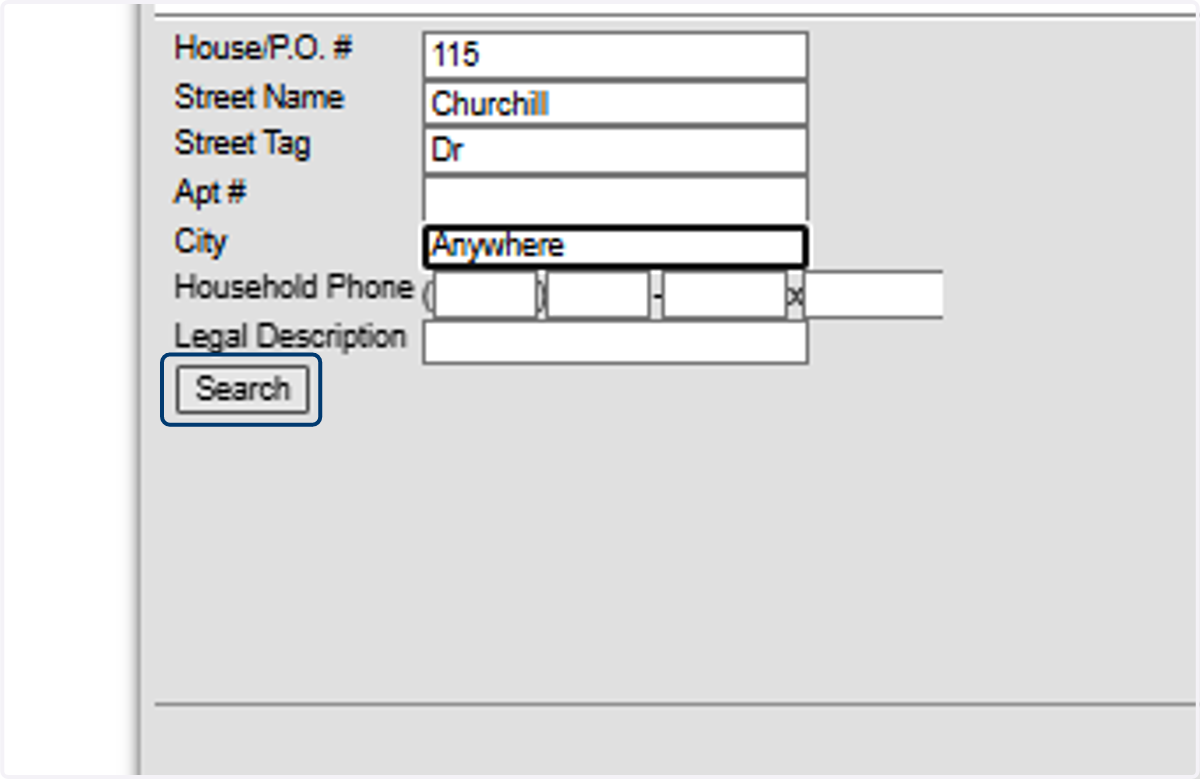
9. Enter the New Address Information & Select Search
Example: 115 Churchill Dr Anywhere
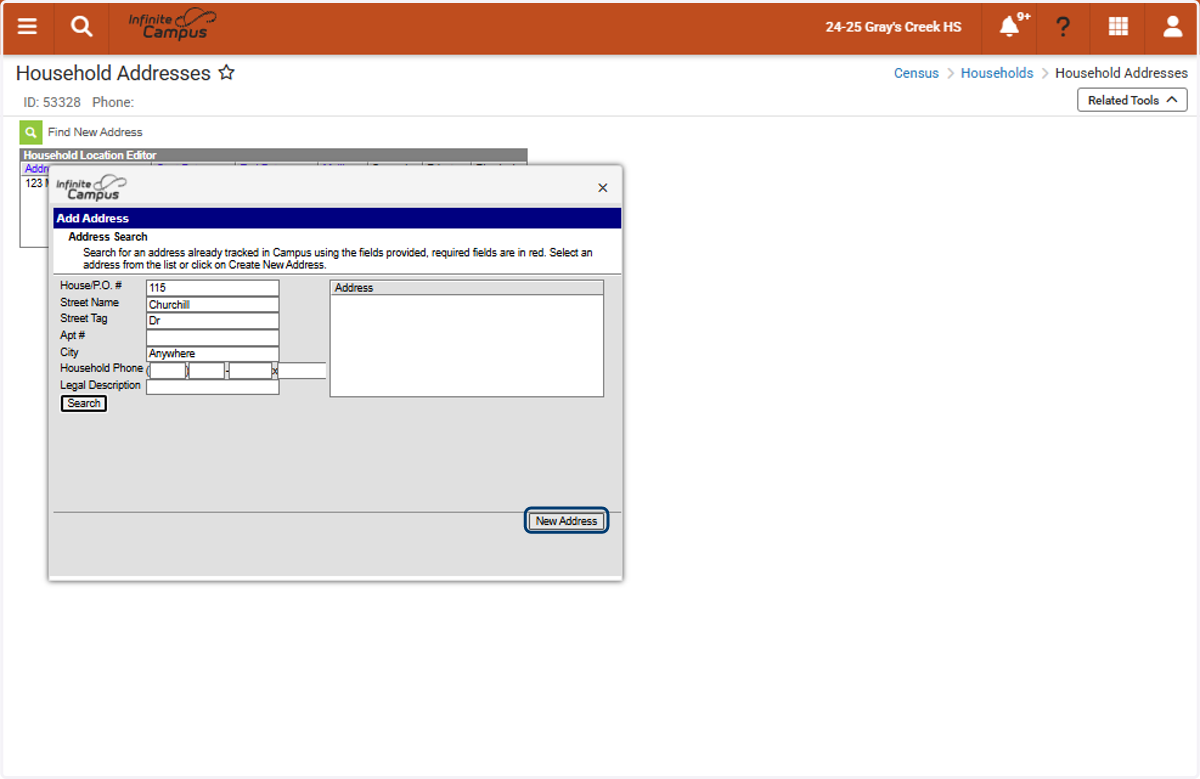
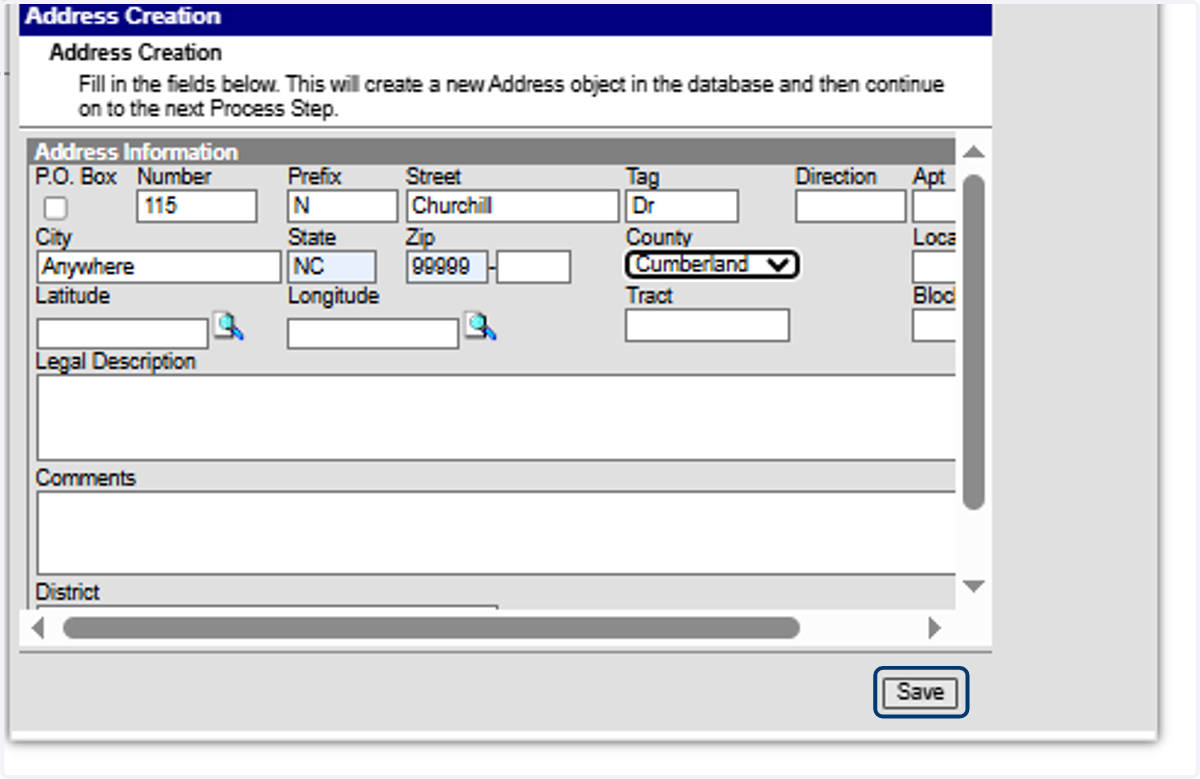
10. If the address does not exist, click “New Address.” If an existing address appears in your search results, select that address instead.
11. Complete the Address Fields
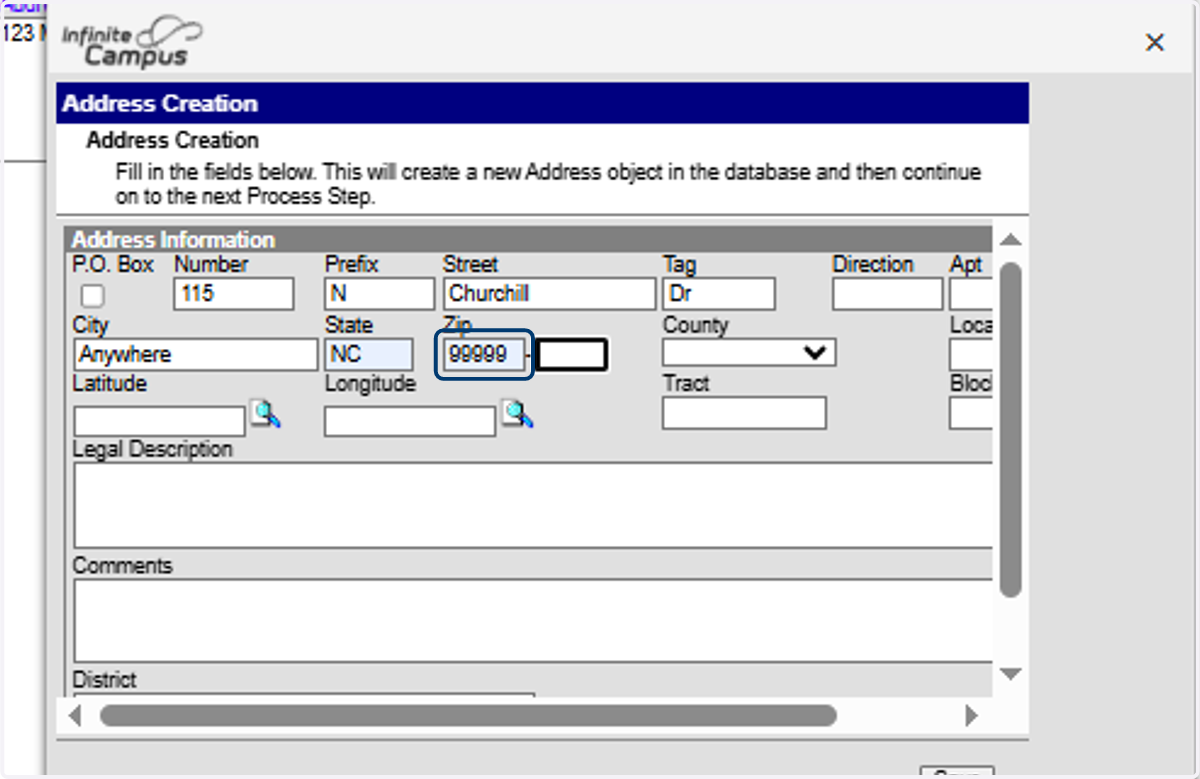
12. Click on Save
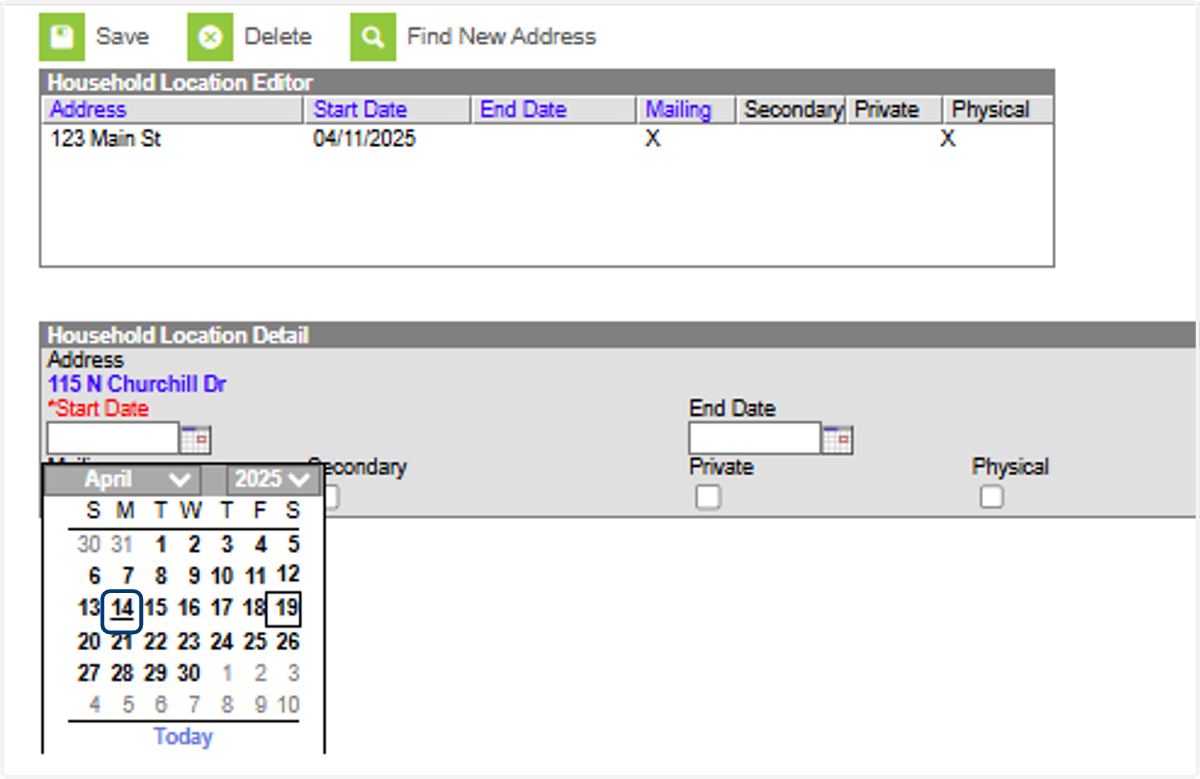
13. Select the Address Start Date
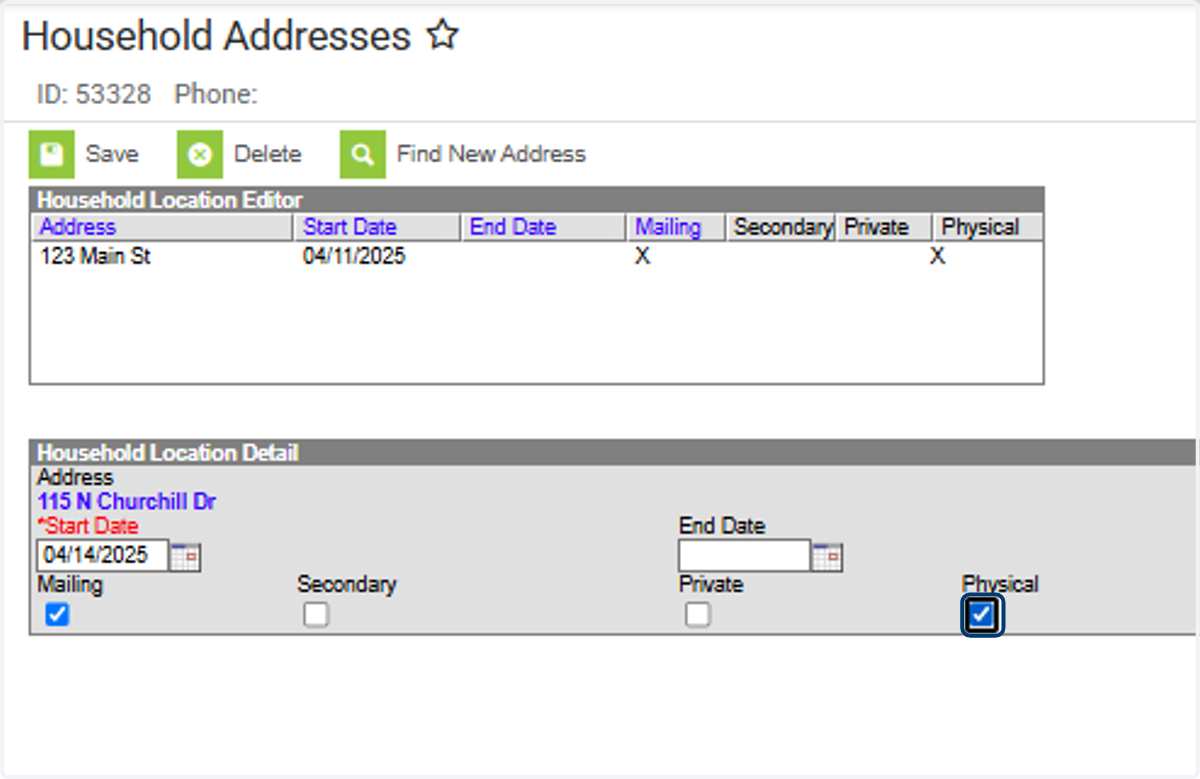
14. Check Mailing and Physical as applicable.
15. Click on Save
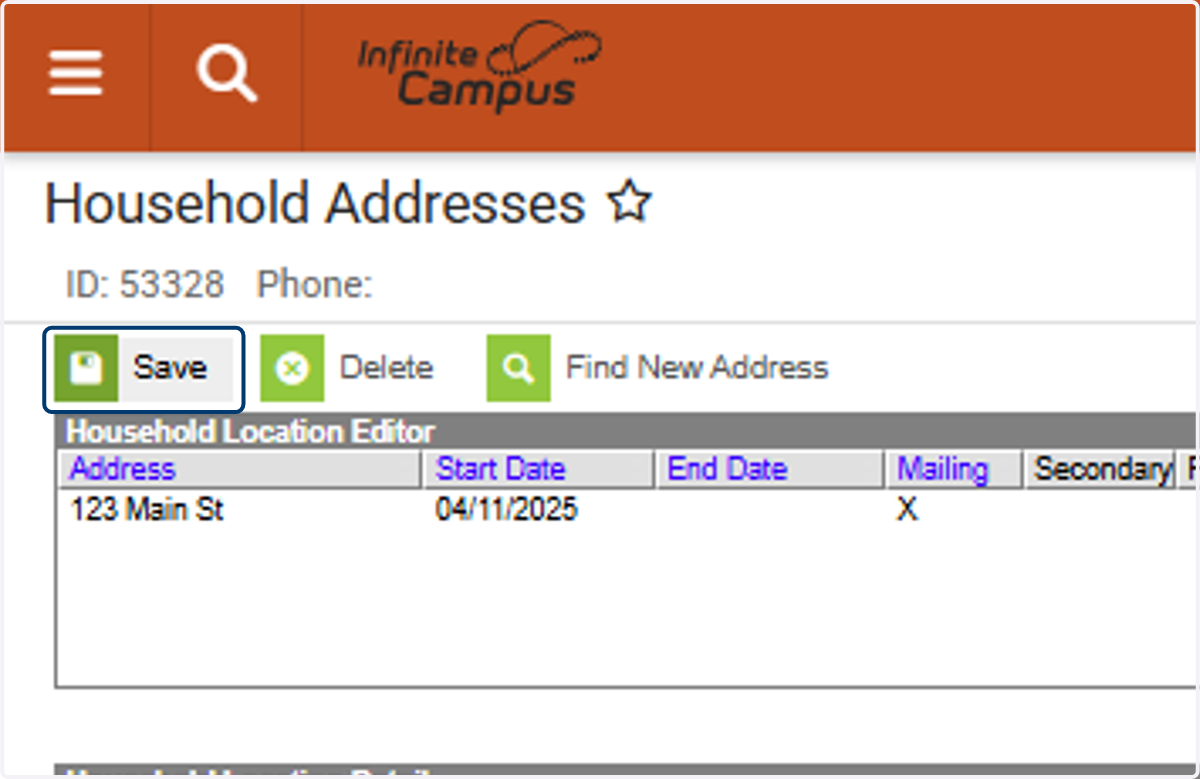
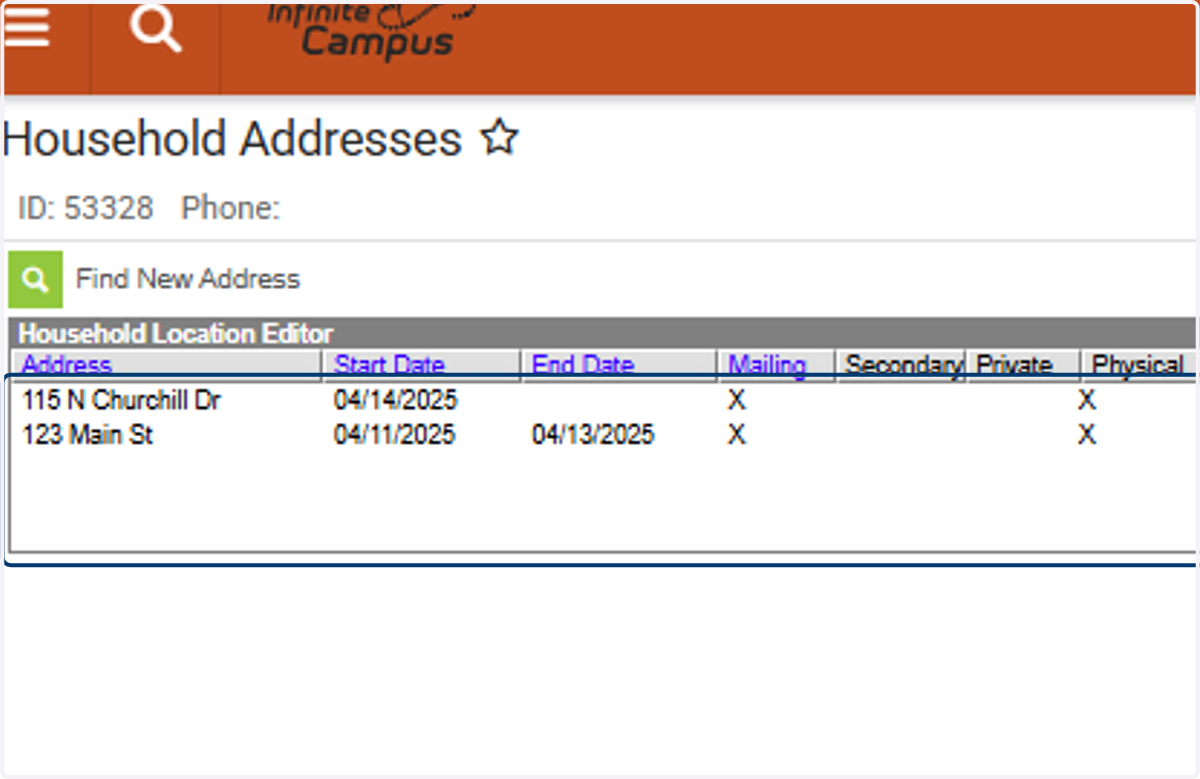
16. Review the Address Information. X…
Previous address information will be automatically ended by the system. Do not delete past addresses—just verify that an end date has been applied.