Edit DAO Analytics

  1. 1. On the main page, click on Other Actions
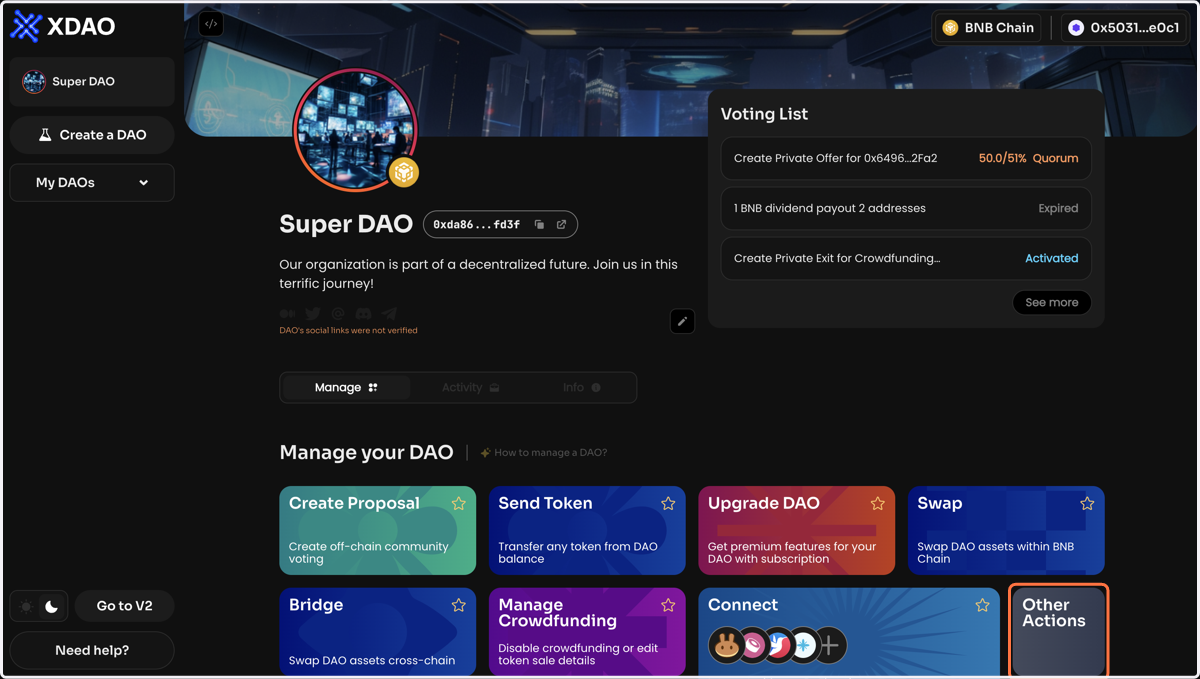
    On the main page, click on Other Actions
  2. 2. Click Edit DAO Analytics on the Manage page of your DAO
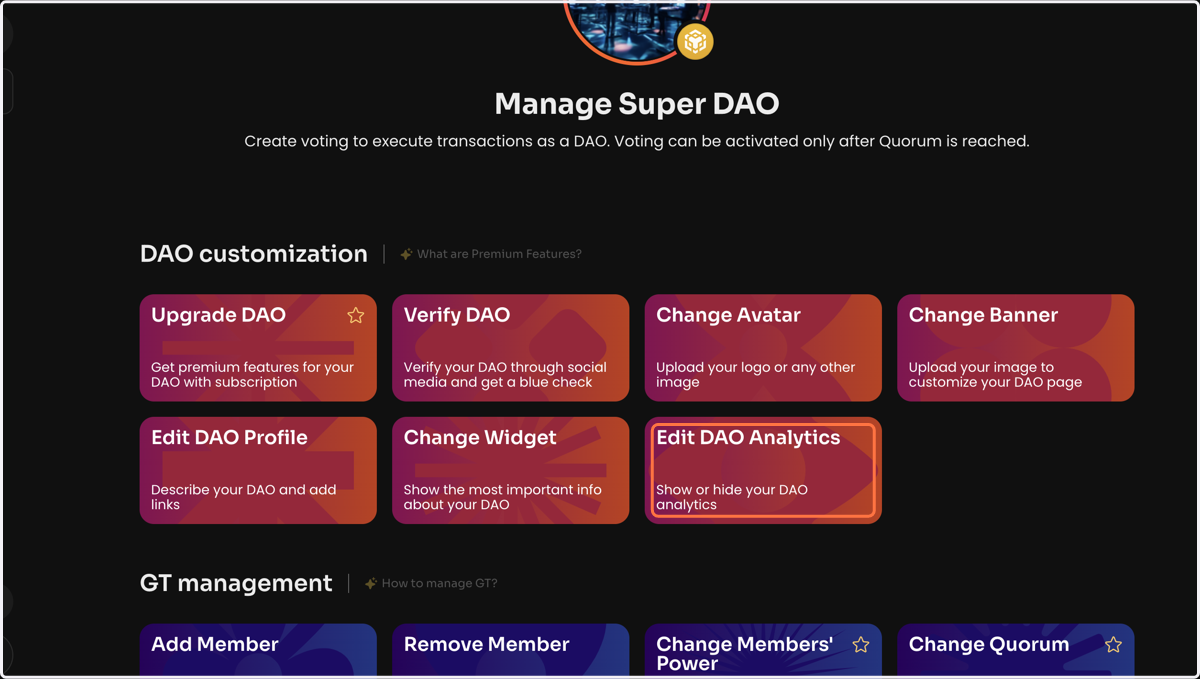
    Click Edit DAO Analytics on the Manage page of your DAO
  3. 3. Select the analytics cards that won't be displayed on your DAO page. There are currently 4 analytics cards available: Voting Analytics, AUM & Assets Analytics, Voting Power Chart, and Financial Shares Chart
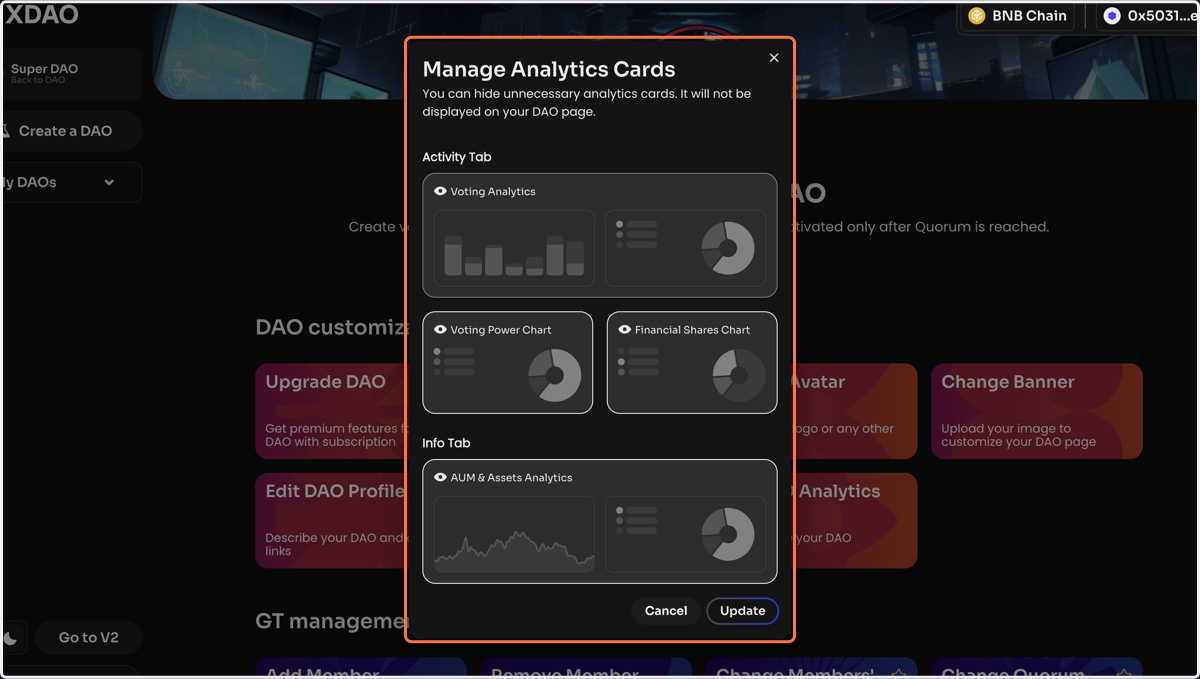
    Select the analytics cards that won't be displayed on your DAO page. There are currently 4 analytics cards available: Voting Analytics, AUM & Assets Analytics, Voting Power Chart, and Financial Shares Chart
  4. 4. Click Update and sign the message in your wallet
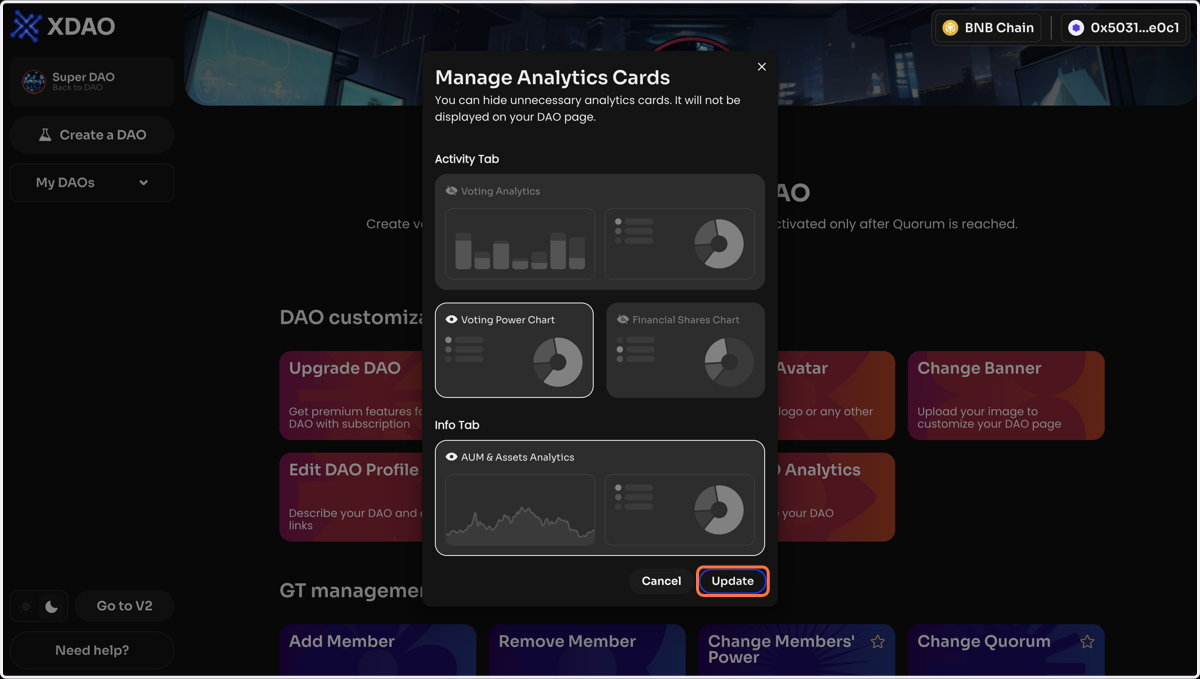
    Click Update and sign the message in your wallet