Action Feature- Upper Lower Earnings Guernsey
This UEL 'Action' feature can allow clients to cap pension contribution amounts up to the Upper Earnings Limit. This feature can only be applied to percentage type pay elements and is for Guernsey organisations only.
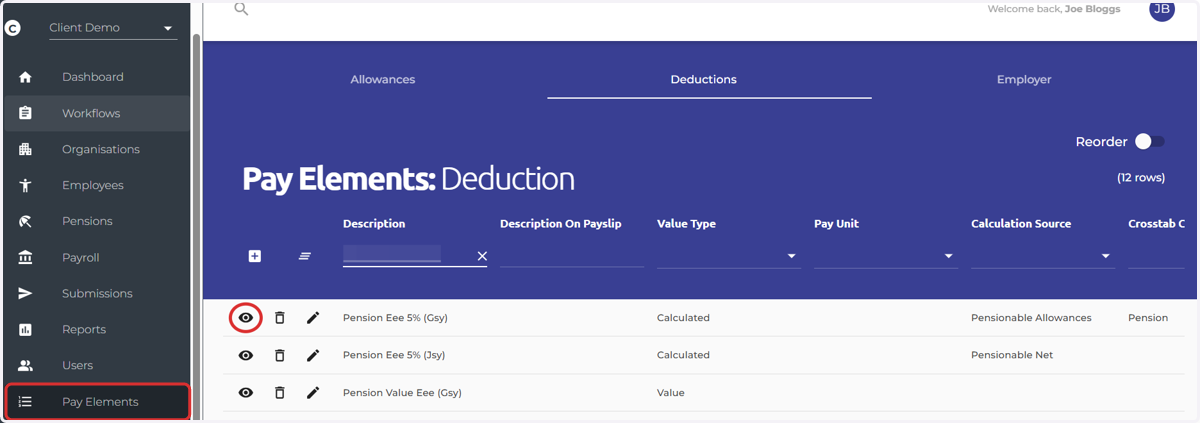
1. Navigate to the Pay Elements screen on the main menu on the left
Select the eye icon next to the pay element you wish to edit
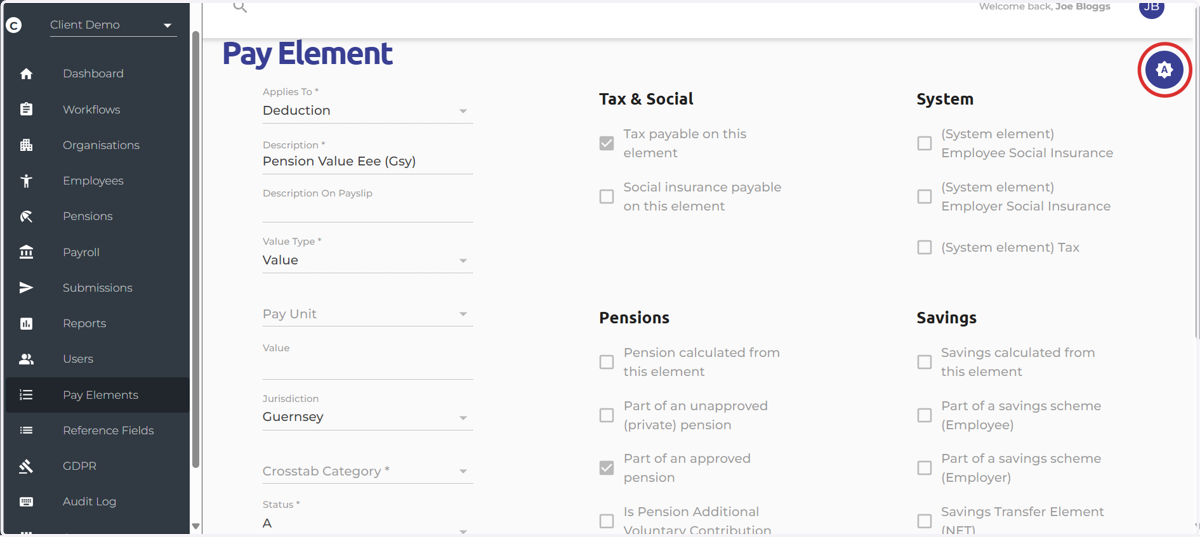
2. Select the 'Actions' icon at the top right hand side of the screen
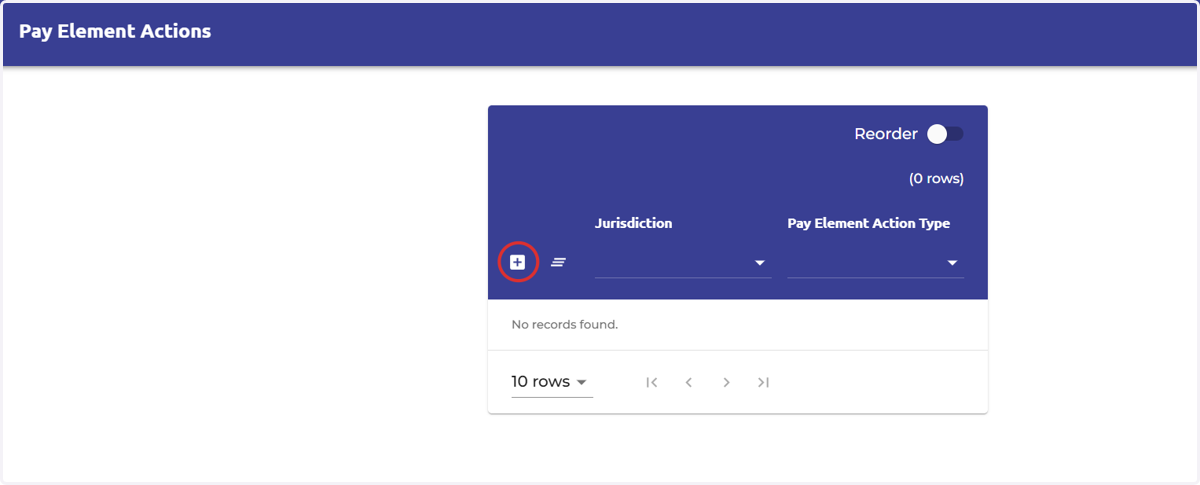
3. Select the 'Add New Record' icon
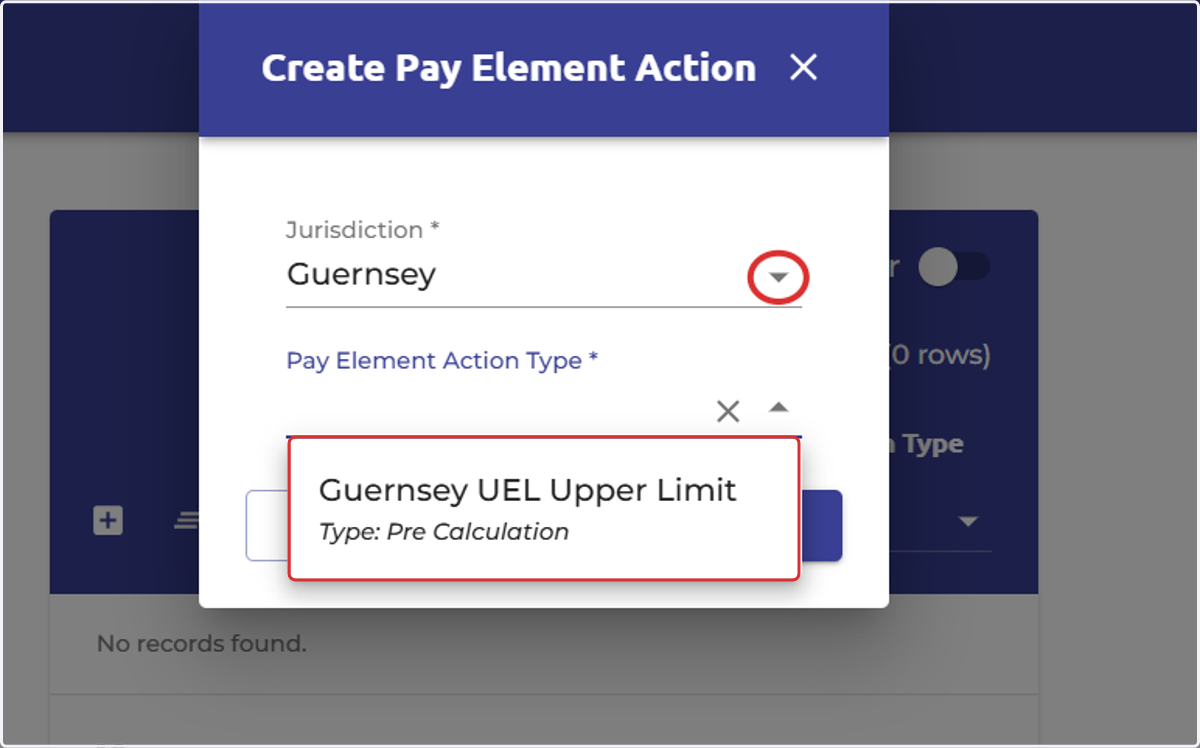
4. Select 'Guernsey' as the jurisdiction
Select the Pay Element Action Type 'Guernsey UEL Upper Limit'
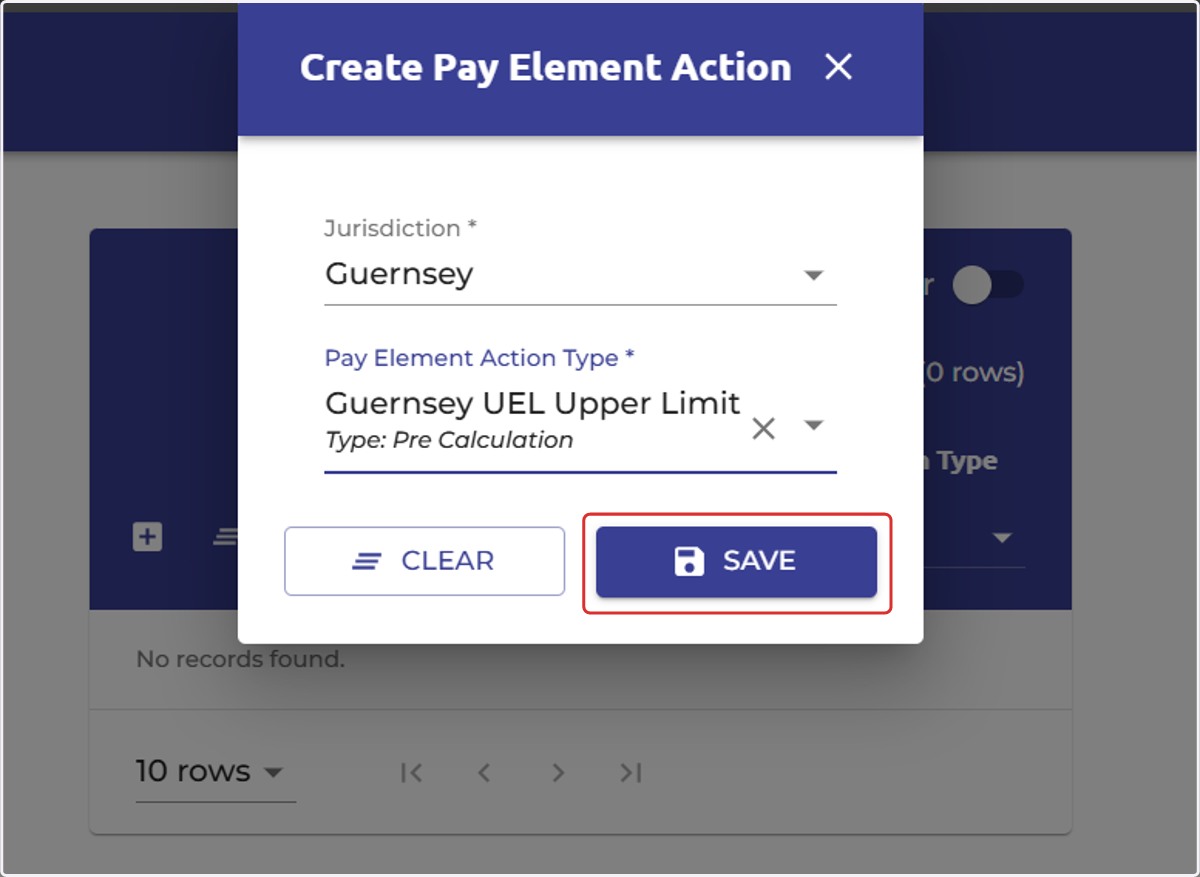
5. Select 'Save'
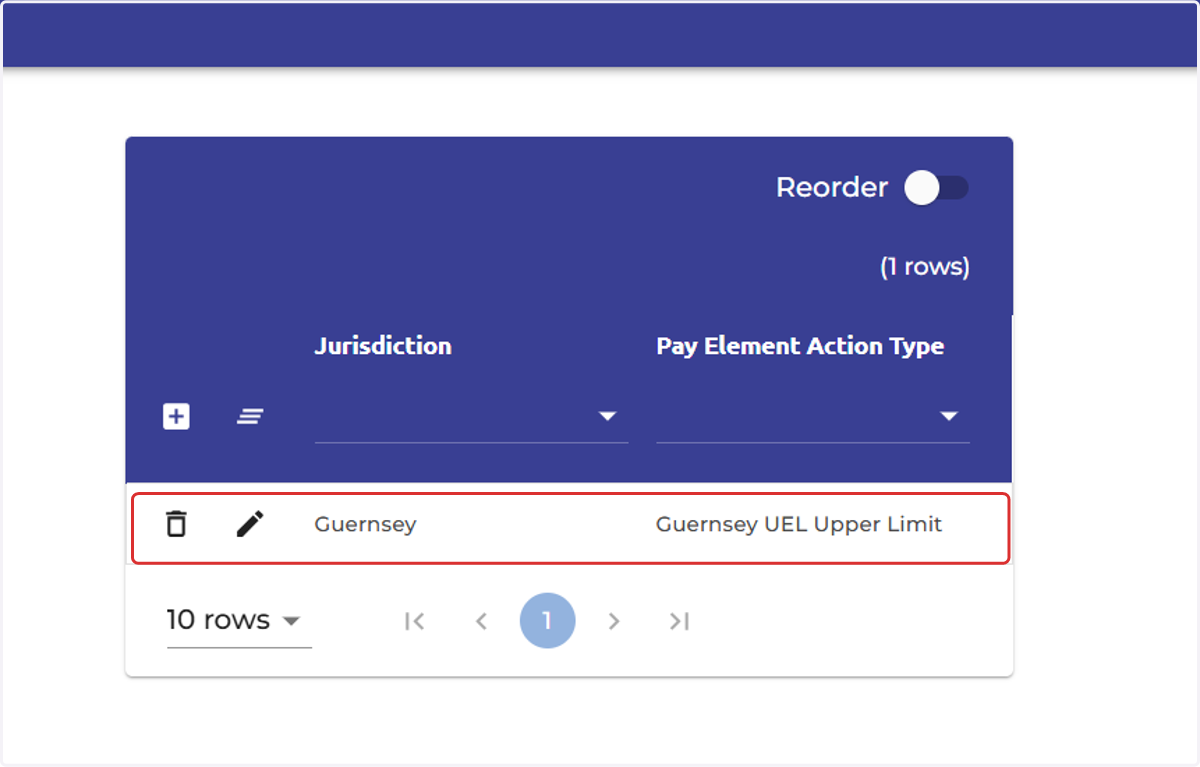
6. The action feature record has now been created
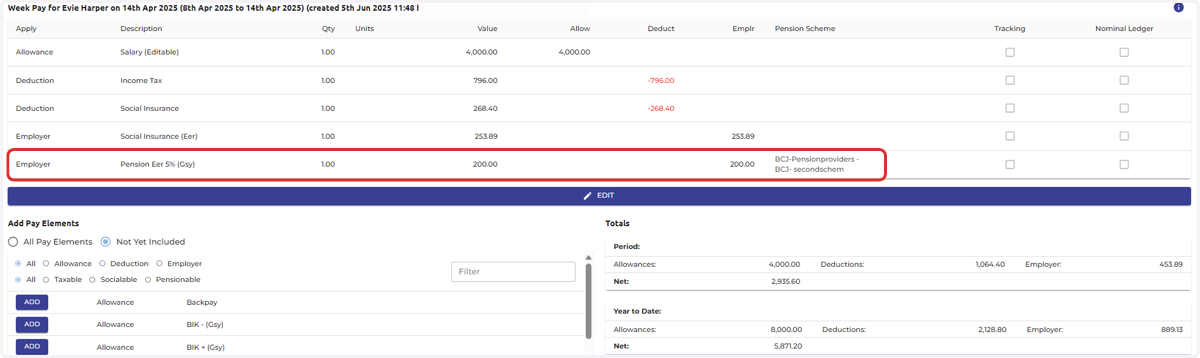
7. Weekly payslip before
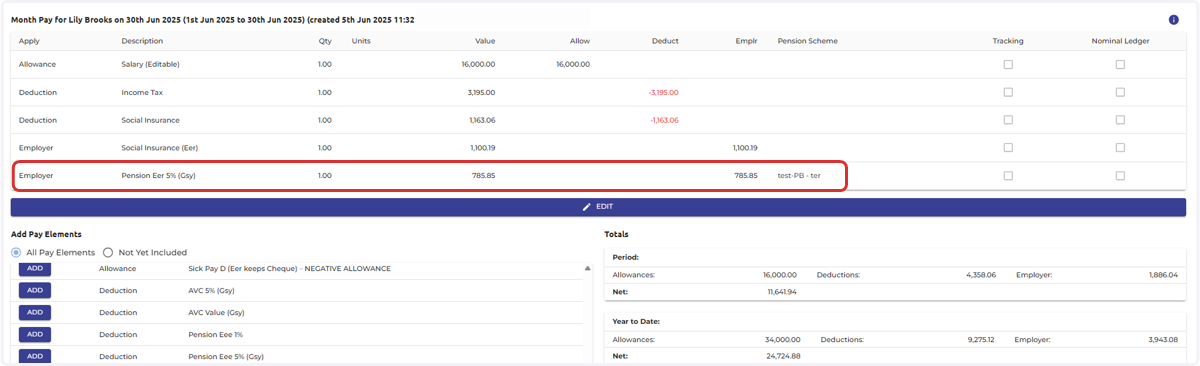
For example, this shows a weekly payslip BEFORE the UEL action feature has been added to the 'Pension Eer 5% (Gsy)' pay element.
8. Weekly payslip after
In this example, it shows a weekly payslip AFTER the UEL action feature has been added to the 'Pension Eer 5% (Gsy) pay element settings.
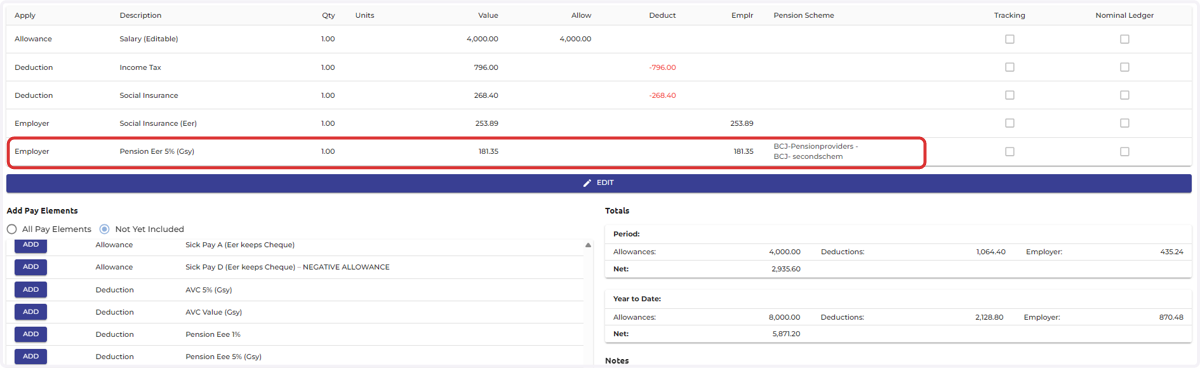
9. Monthly payslip before
For example, this shows a monthly payslip BEFORE the UEL action feature has been added to the 'Pension Eer 5% (Gsy)' pay element.
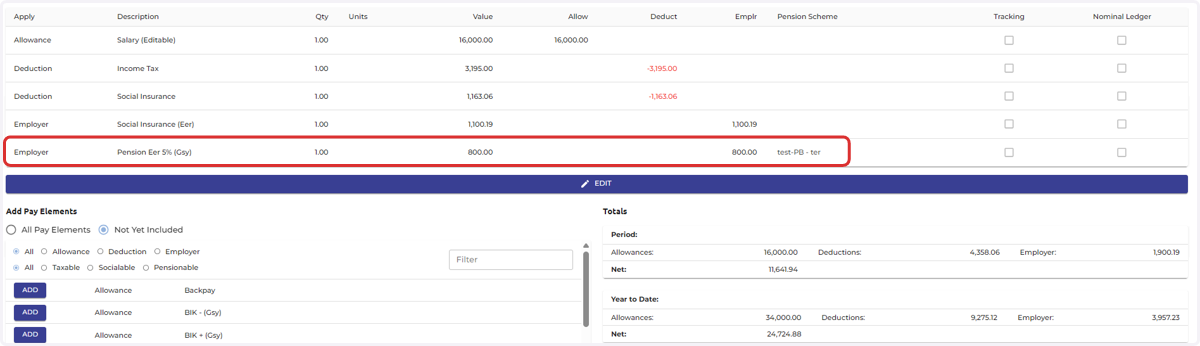
10. Monthly payslip after
In this example, it shows a monthly payslip AFTER the UEL action feature has been added to the 'Pension Eer 5% (Gsy) pay element settings.