MaxYield: New Features

  1. 1. NEW FEATURE: Filter units by Yielding Map by entering the map name in the Yielding Name Box and clicking GO.
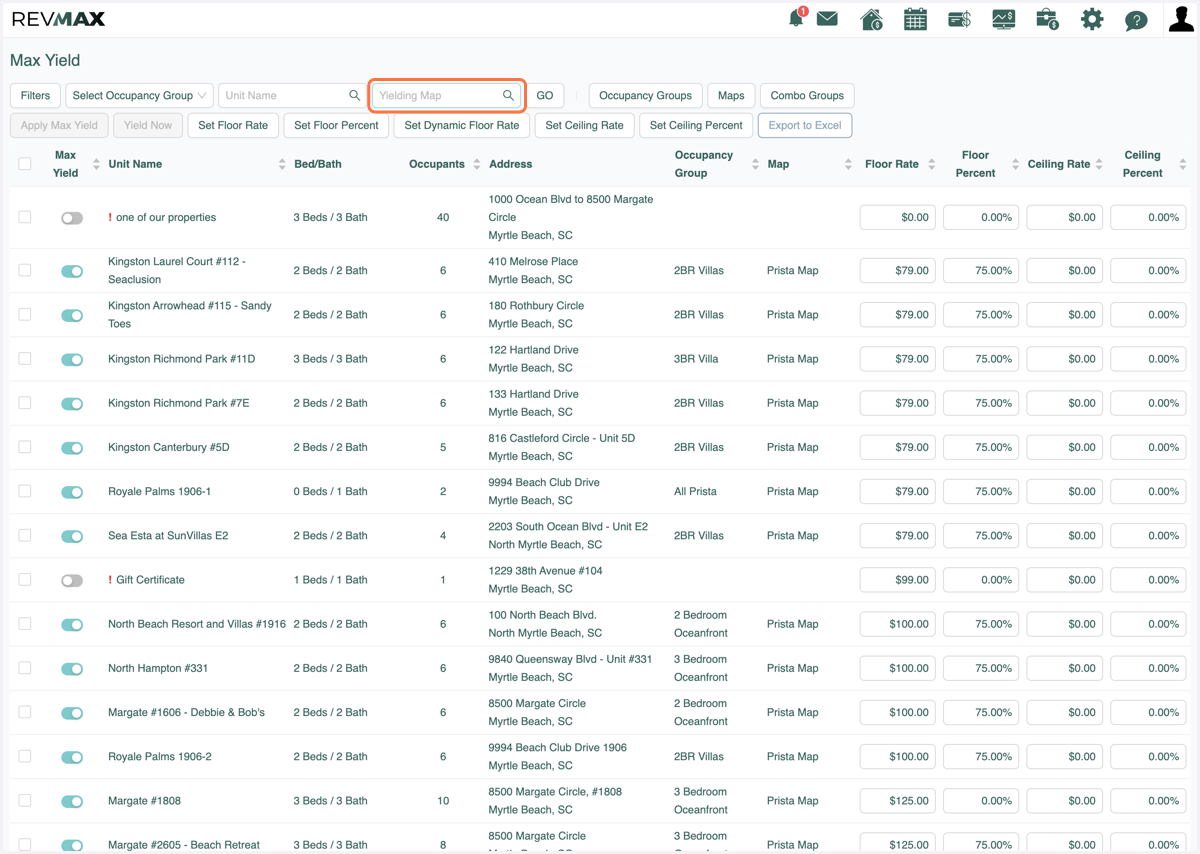
    NEW FEATURE: Filter units by Yielding Map by entering the map name in the Yielding Name Box and clicking GO.
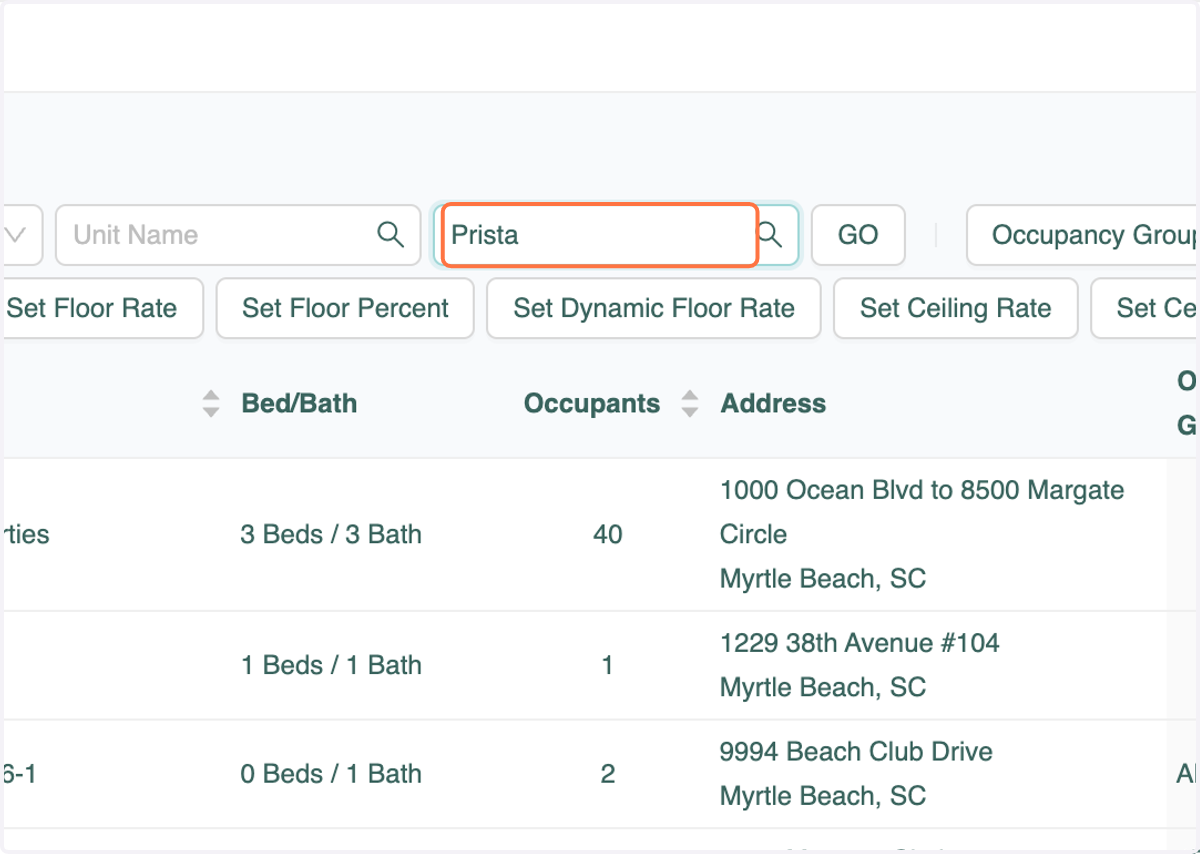
  2. 2. Enter Map Name

    Enter Map Name
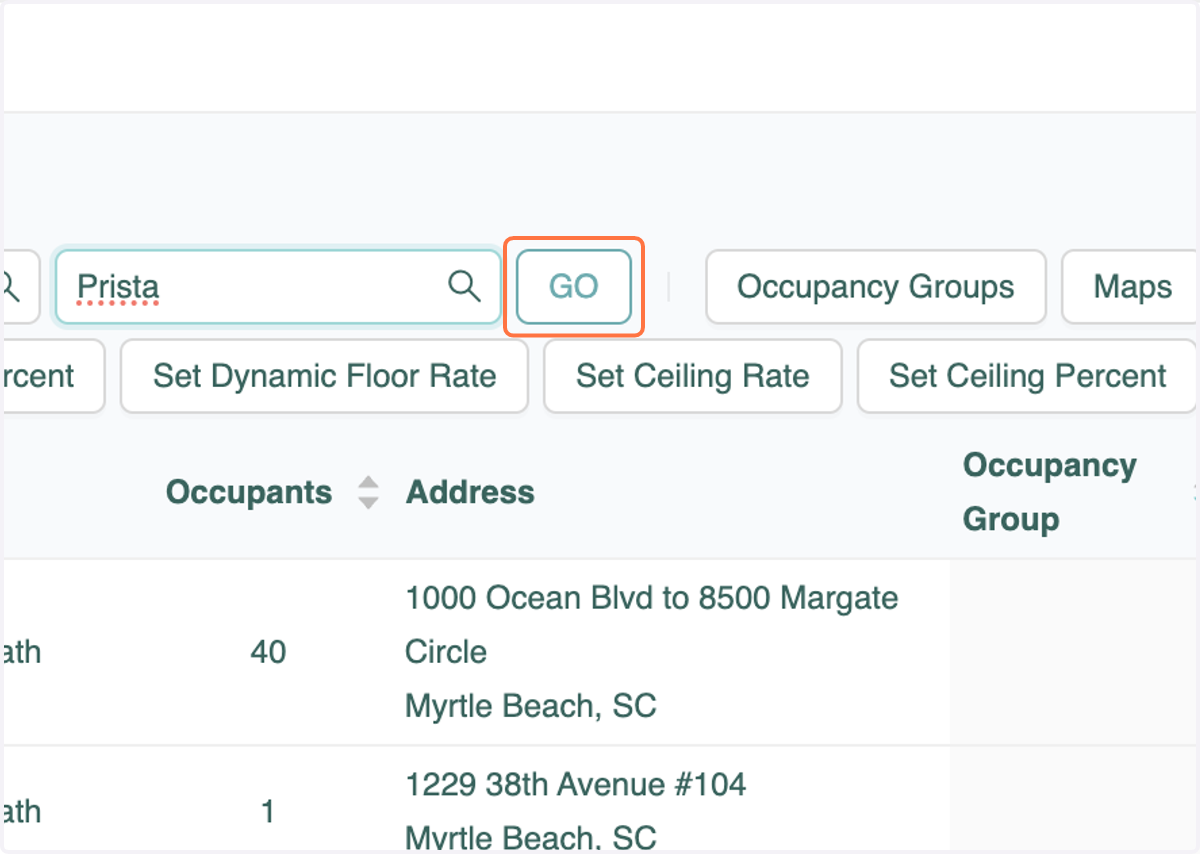
  3. 3. Click on GO

    Click on GO
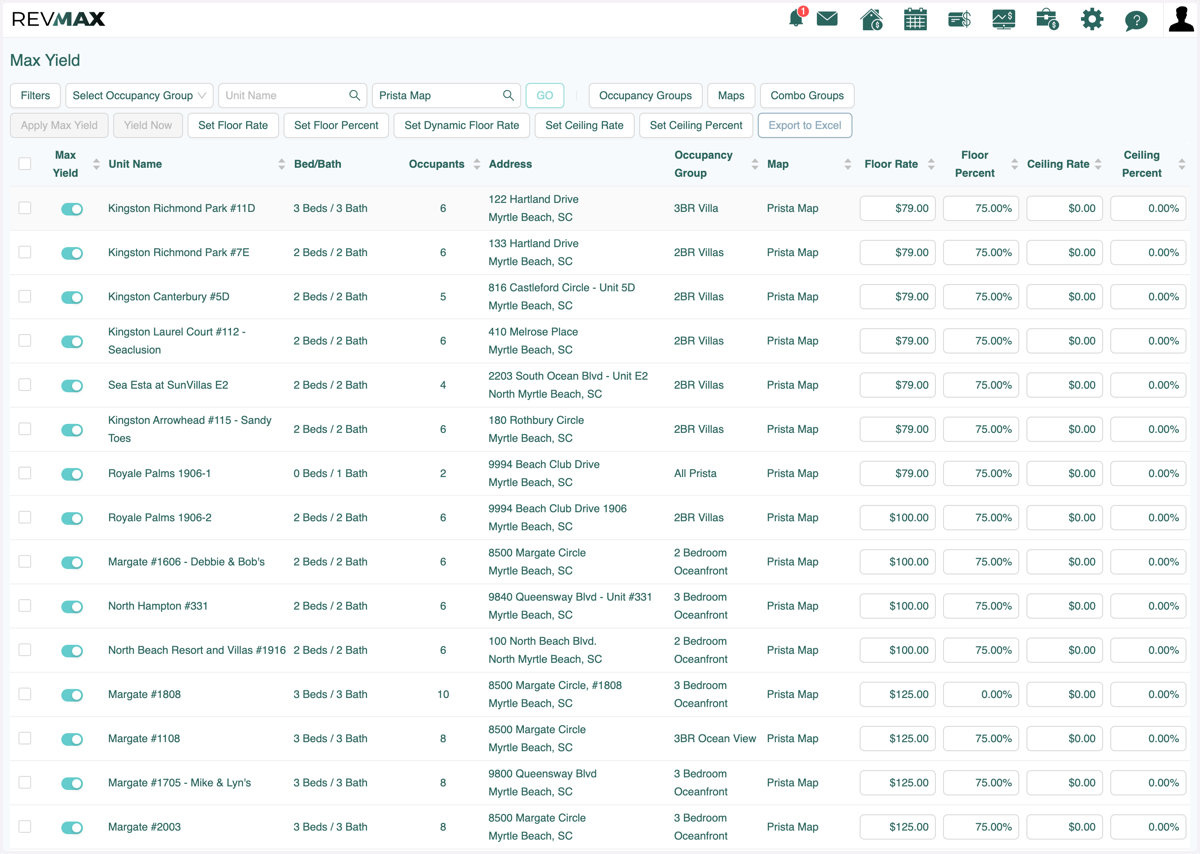
  4. 4. Only units in that Map will show

    Only units in that Map will show
  5. 5. NEW FEATURE: Sort units by Occupancy group by clicking on "Occupancy Group".
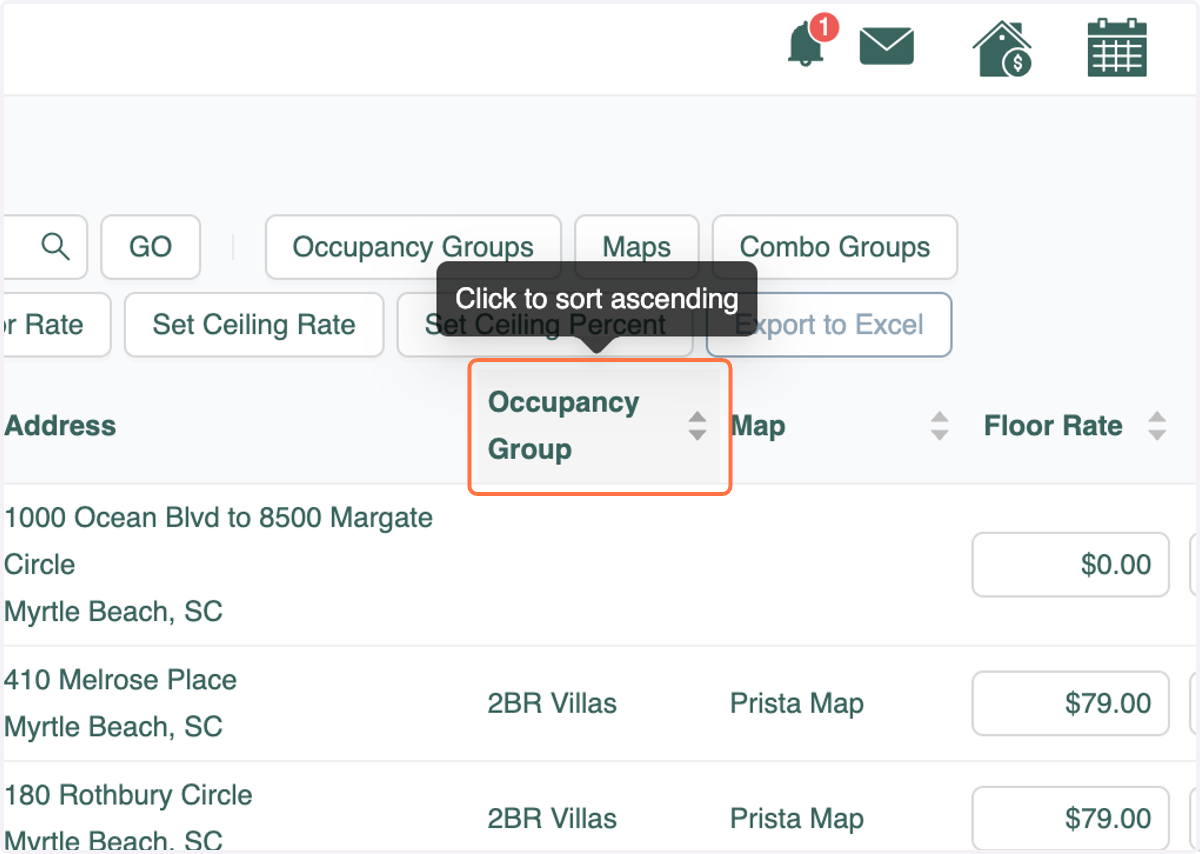
    NEW FEATURE: Sort units by Occupancy group by clicking on "Occupancy Group".
  6. 6. Occupancy groups will be sorted in ascending order. If you click "Occupancy Group" again they will be sorted in descending order.
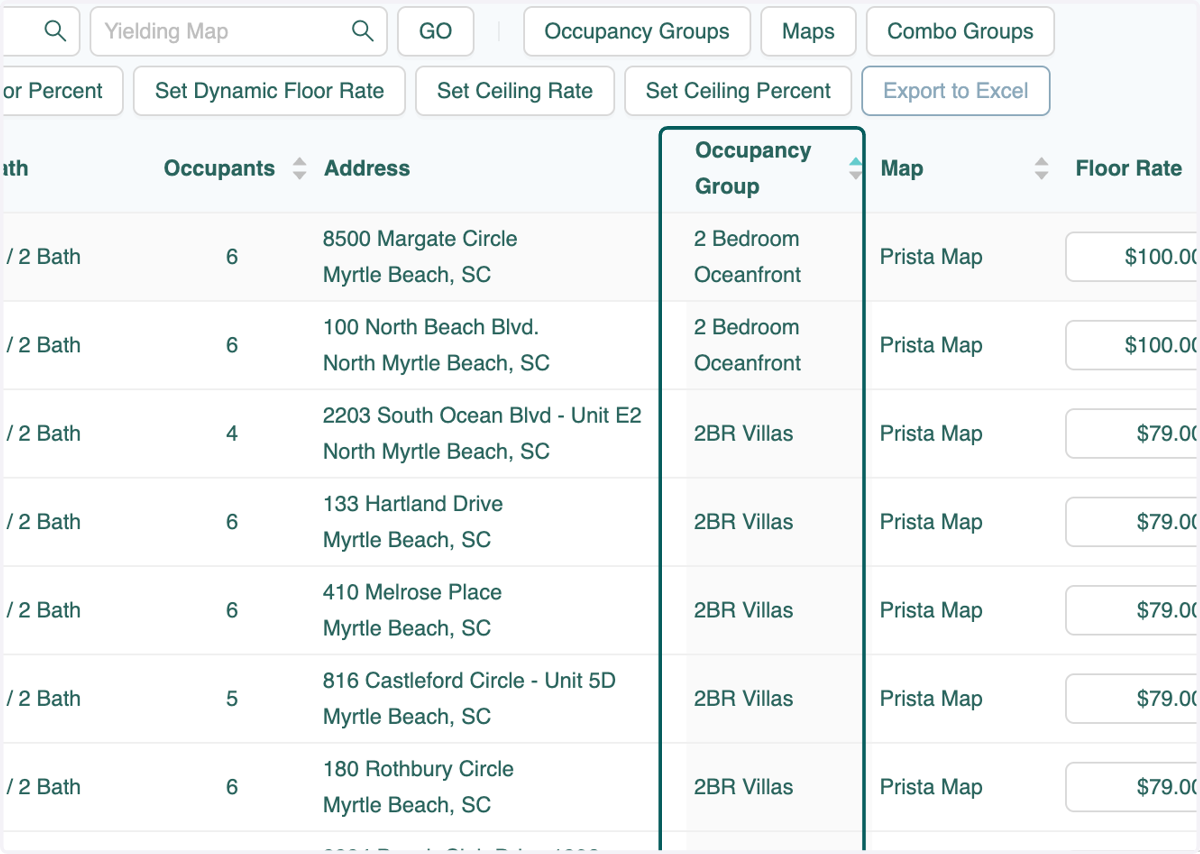
    Occupancy groups will be sorted in ascending order. If you click "Occupancy Group" again they will be sorted in descending order.
  7. 7. NEW FEATURE: Sort units by Yielding Map by clicking on "Map".
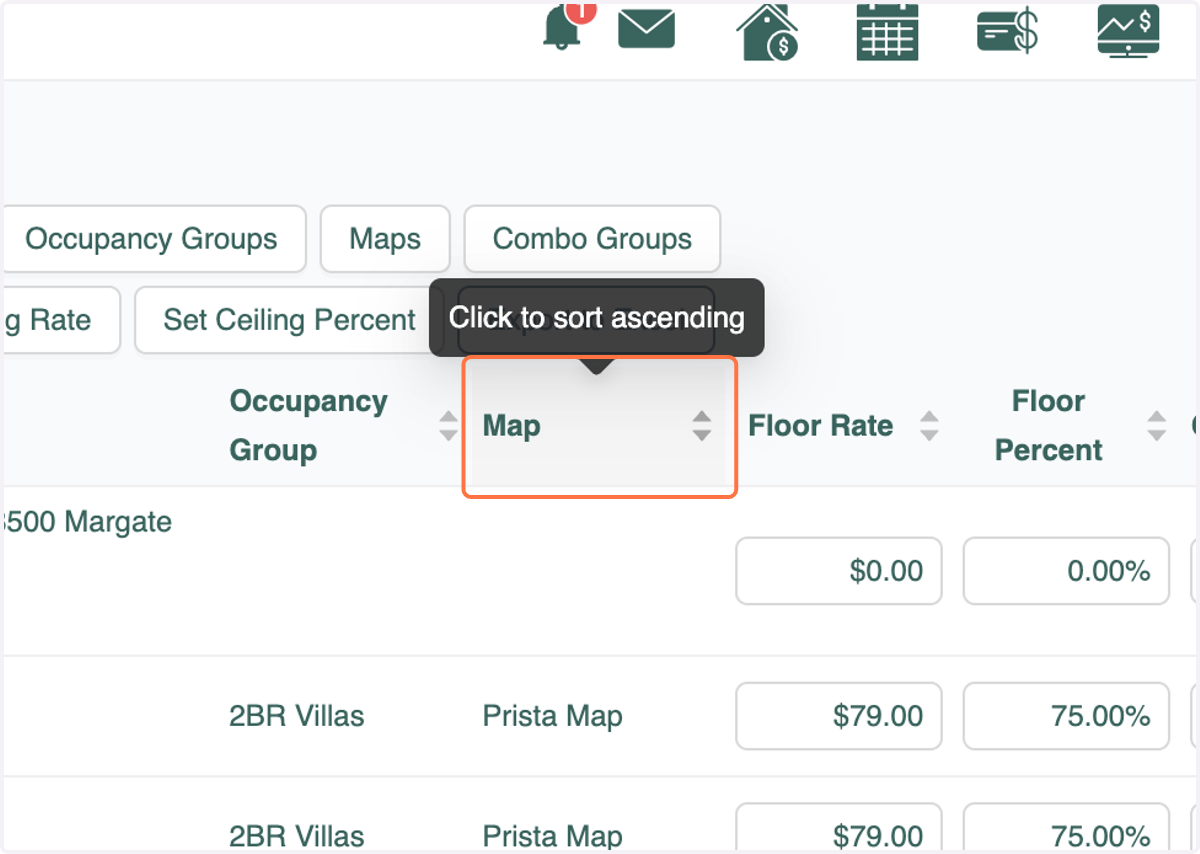
    NEW FEATURE: Sort units by Yielding Map by clicking on "Map".
  8. 8. Maps will be sorted in ascending order. If you click "Map" again they will be sorted in descending order.
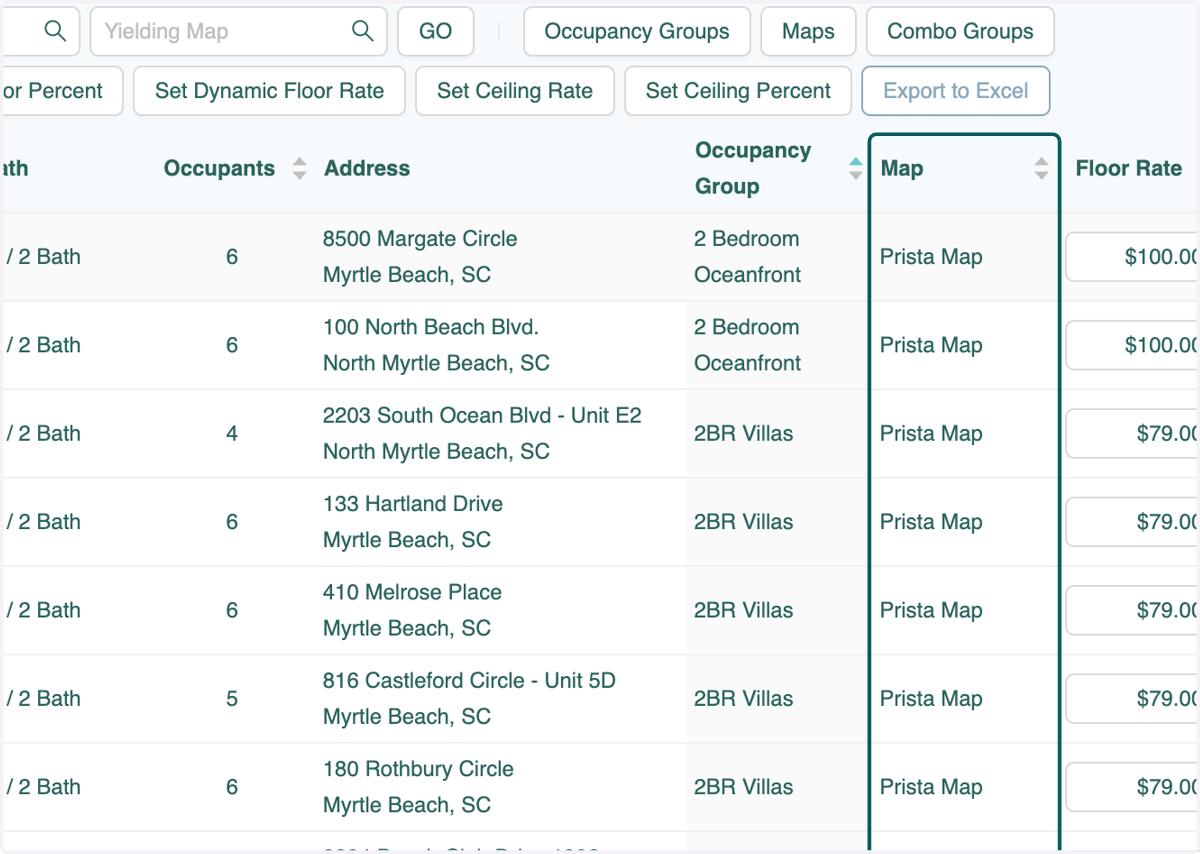
    Maps will be sorted in ascending order. If you click "Map" again they will be sorted in descending order.
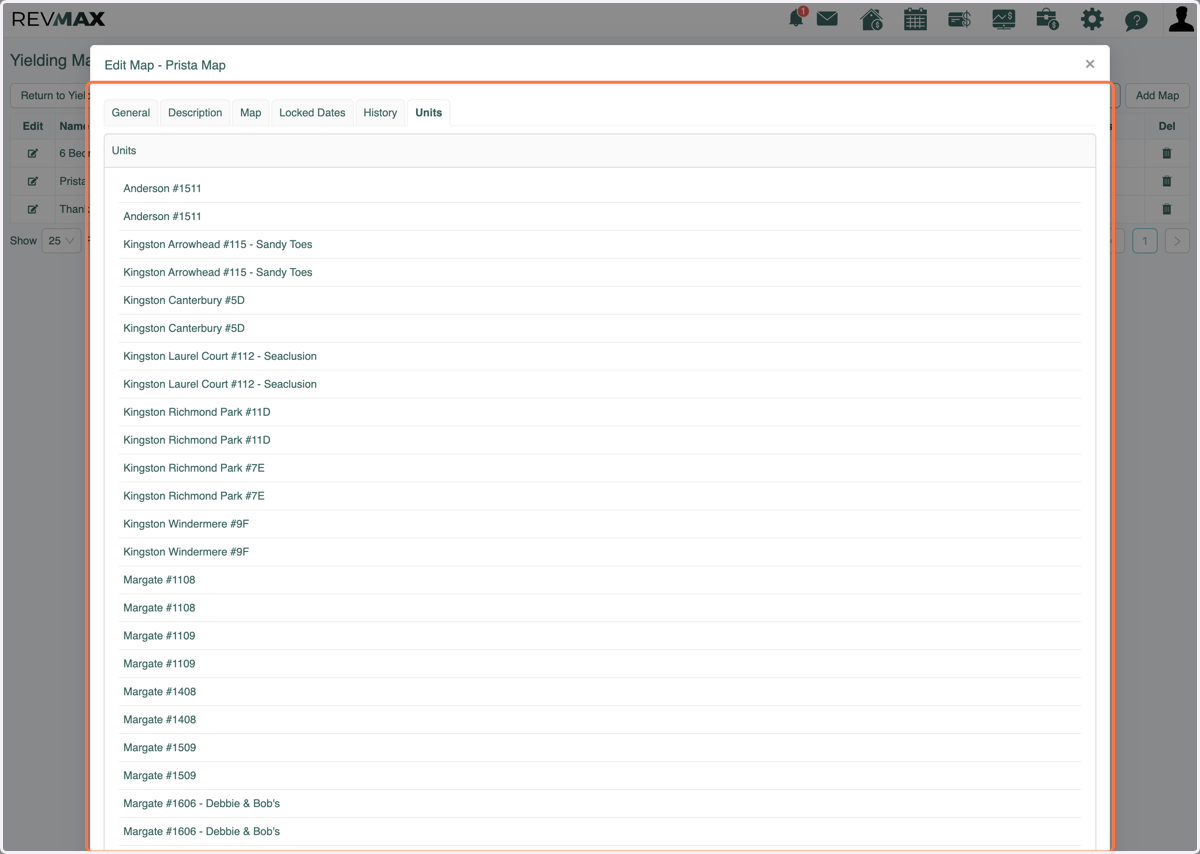
  9. 9. NEW FEATURE: Inside of each Map, you can see which units are assigned to that map.
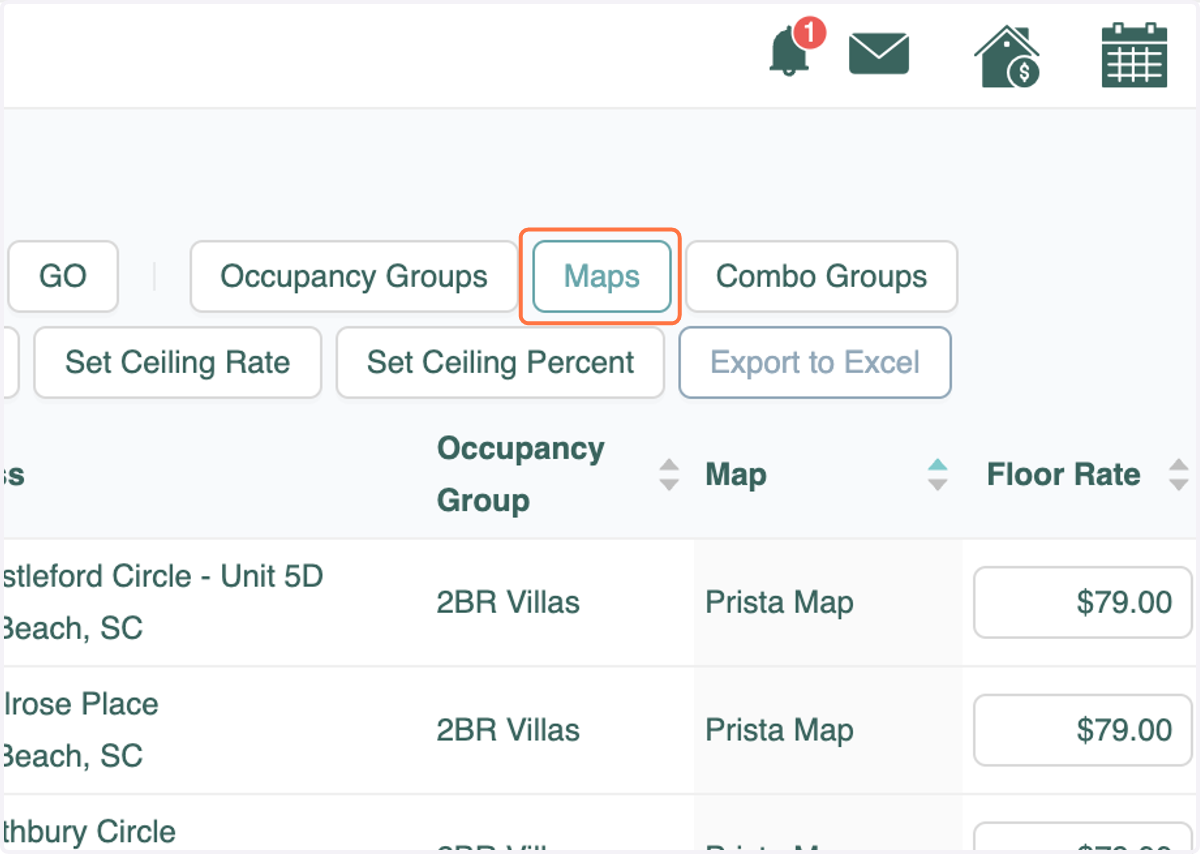
    NEW FEATURE: Inside of each Map, you can see which units are assigned to that map.
  10. 10. Click on the edit icon next to the desired Map.
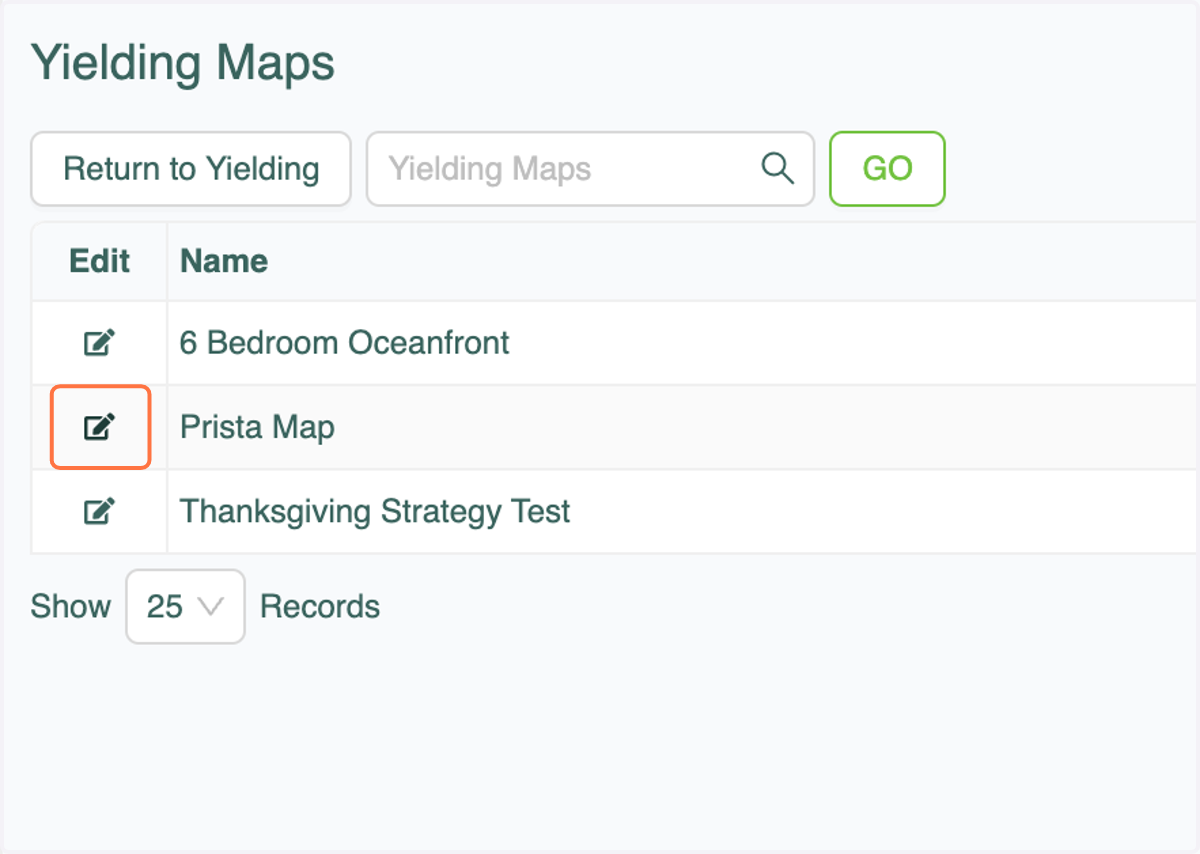
    Click on the edit icon next to the desired Map.
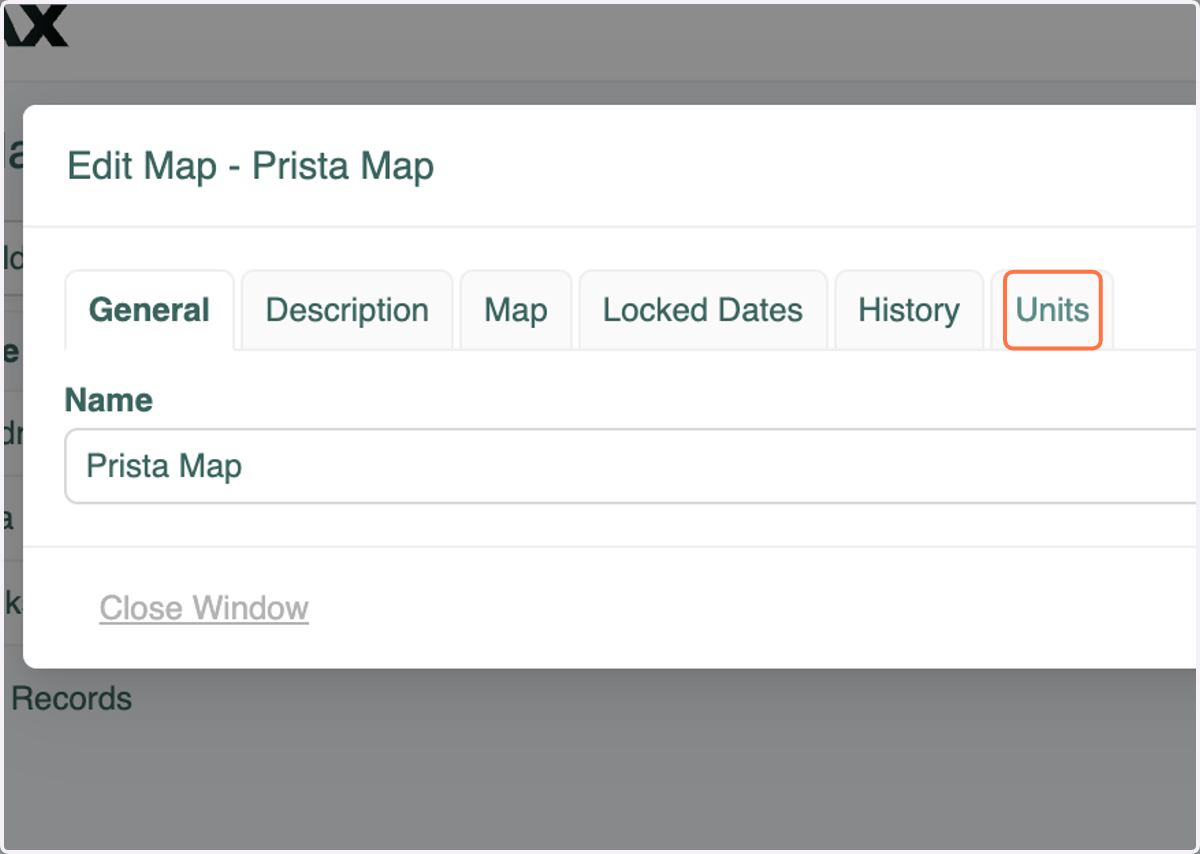
  11. 11. Click on the Units tab

    Click on the Units tab
  12. 12. View all units using that Map

    View all units using that Map