Aave: Repay and Withdraw
How to Repay Your Loan and Withdraw Your Collateral on Aave
Aave
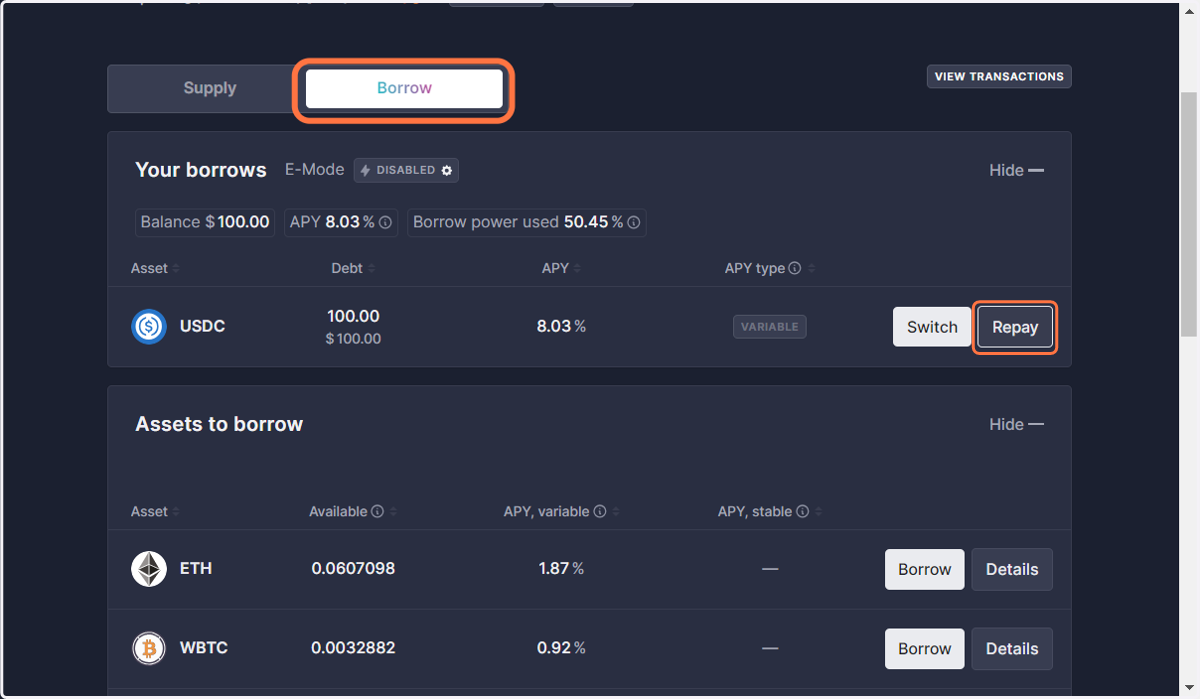
1. Click on Repay
Toggle to 'Borrow' and click on 'REPAY'
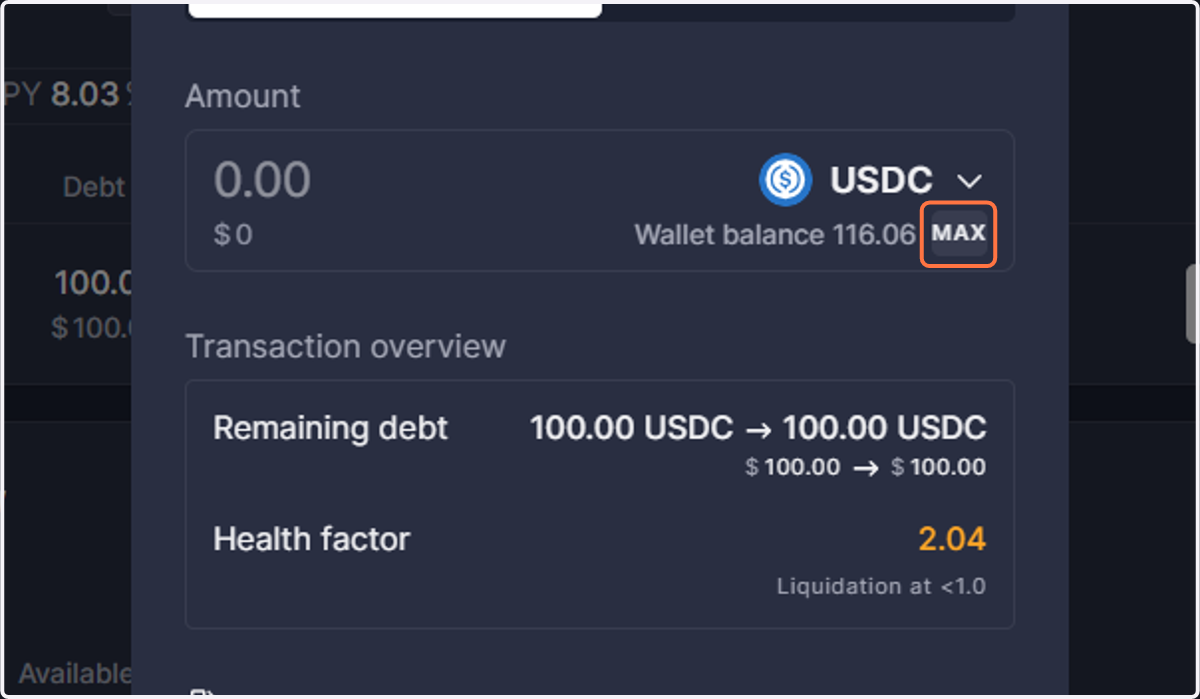
2. Choose the amount to Repay
Either click 'MAX' to repay your debt in full or manually input a lesser amount if you wish to make a partial repayment.
Note: Full withdrawal of your collateral is only possible after complete repayment of your debt.
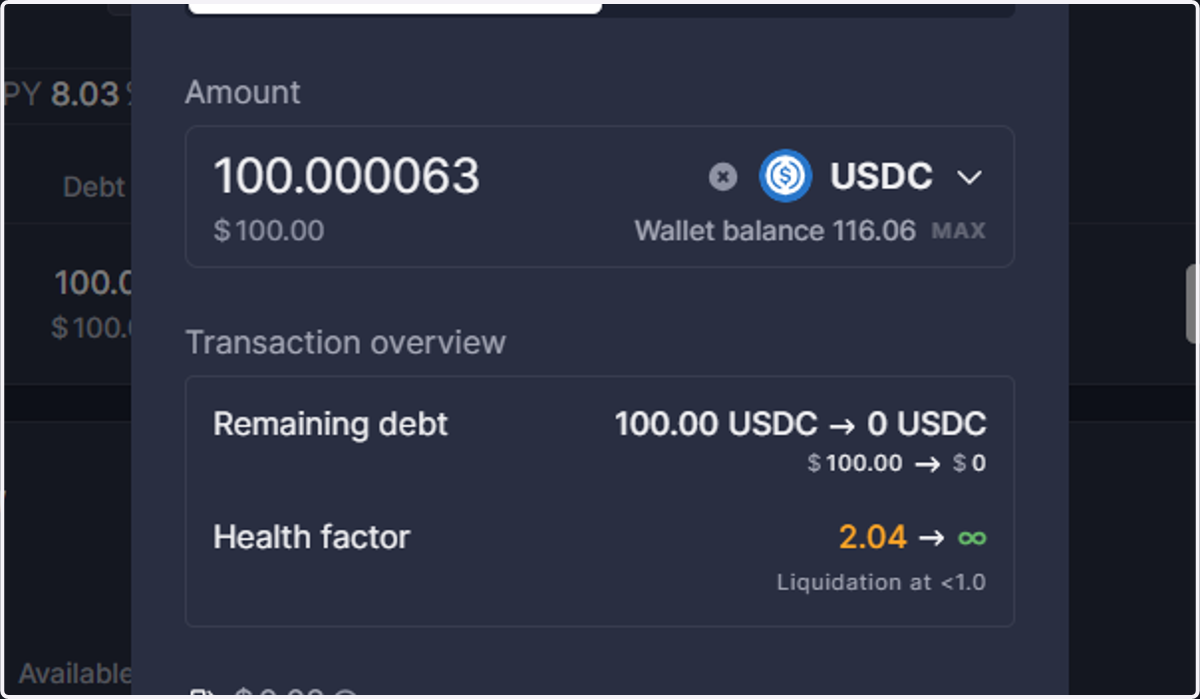
3. Click on Repay USDC
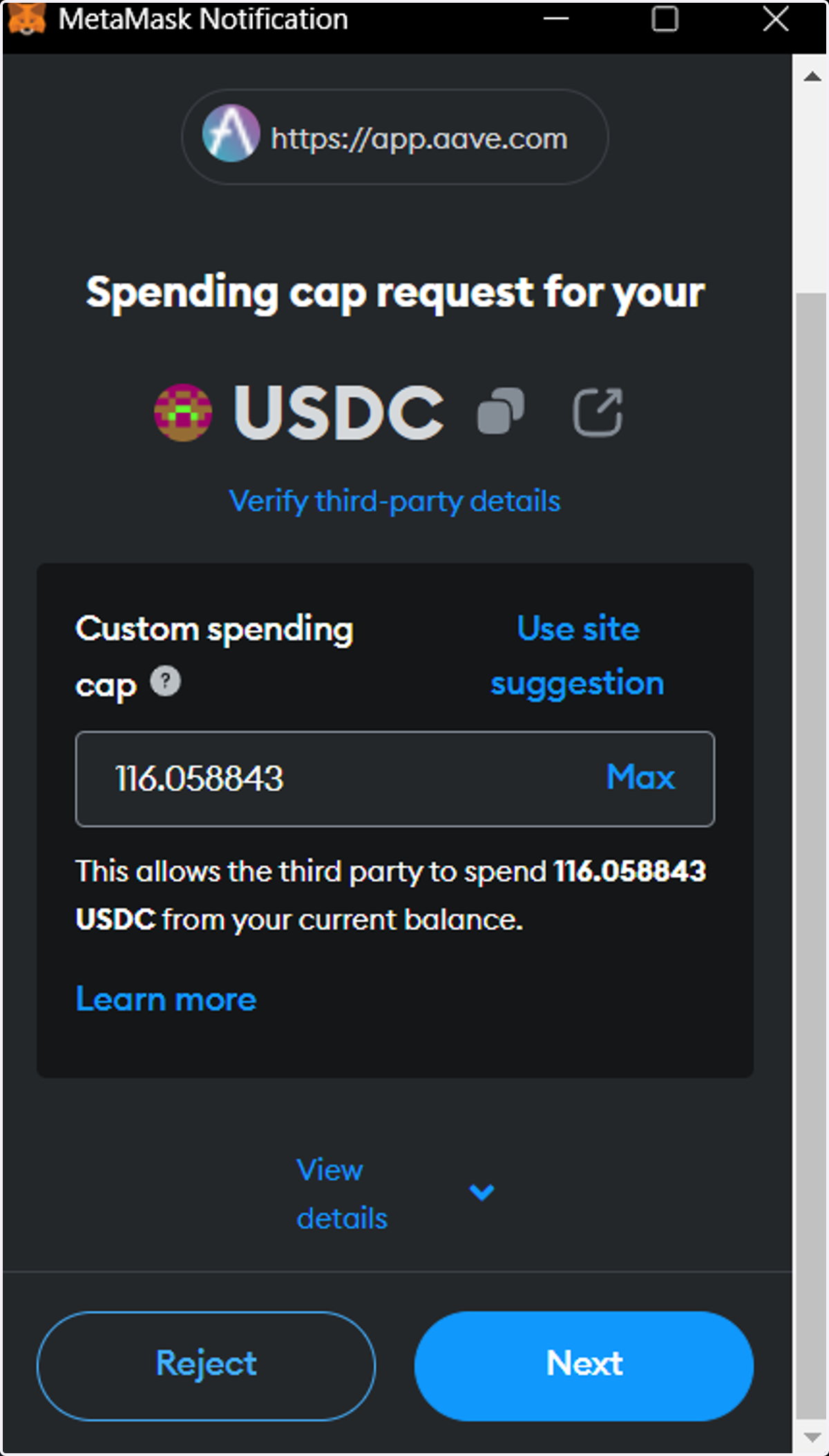
4. Approve USDC for repayment
You have the option to click either 'Use Site Suggestion' or 'MAX.'
'Use Site Suggestion' may display an infinite amount, indicated by red digits; this is normal.
'MAX' will automatically input the total available balance from your wallet.
Once you've made your selection, click 'Next' to continue.
Note: As your debt continues to accrue, failing to approve a sufficiently large amount will likely result in an error notice.
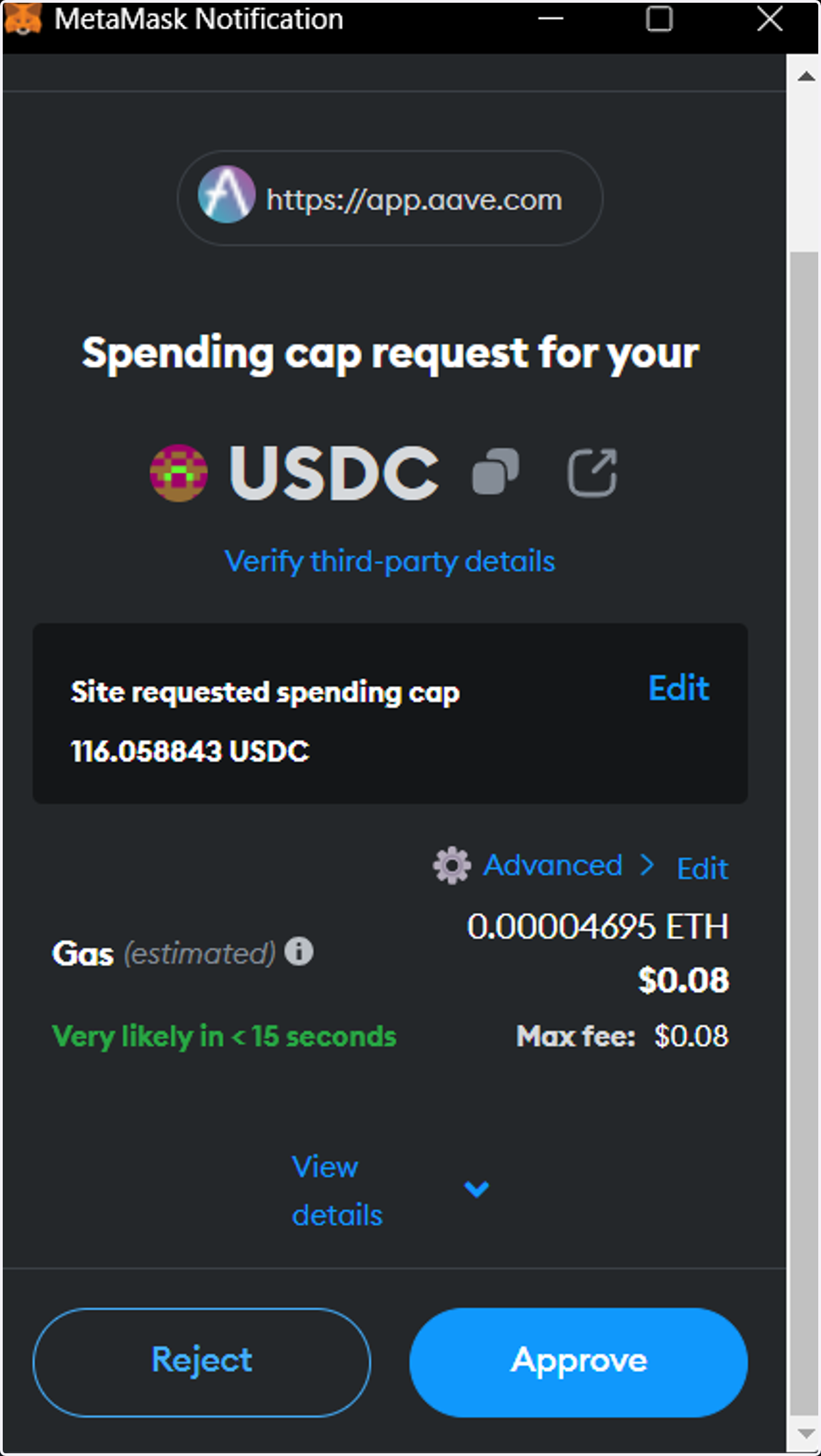
5. Click on APPROVE
Verify details
Review approval amount
Review estimated gas fee
If all details are correct and you're comfortable with the fees, click on 'APPROVE' to proceed
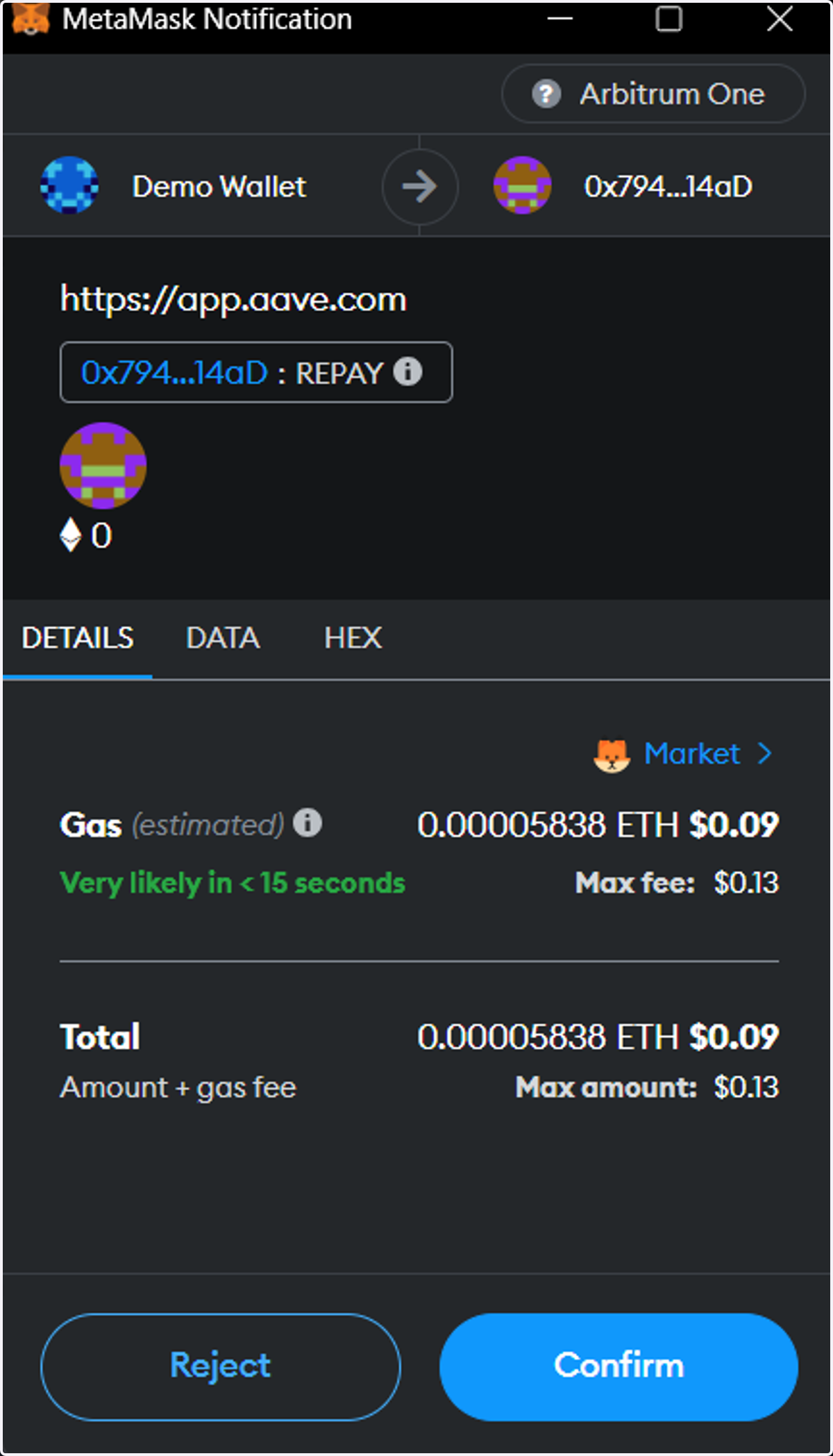
6. Repay USDC
Verify details
If all details are correct and you're comfortable with the fees, click on 'CONFIRM' to repay loan
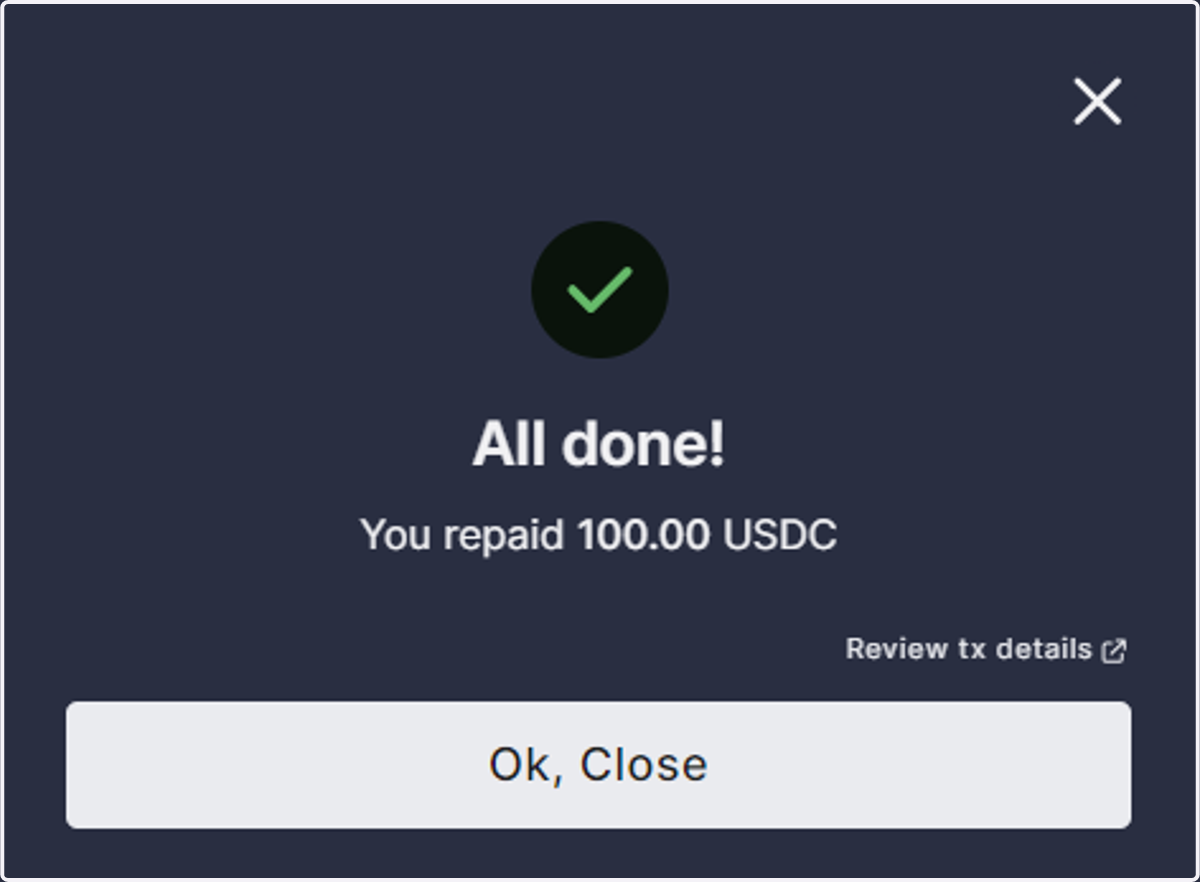
7. Confirmation
After successfully repaying your loan, you will see this confirmation. Click on 'Ok, Close' to proceed
8. Withdrawing your supplied collateral
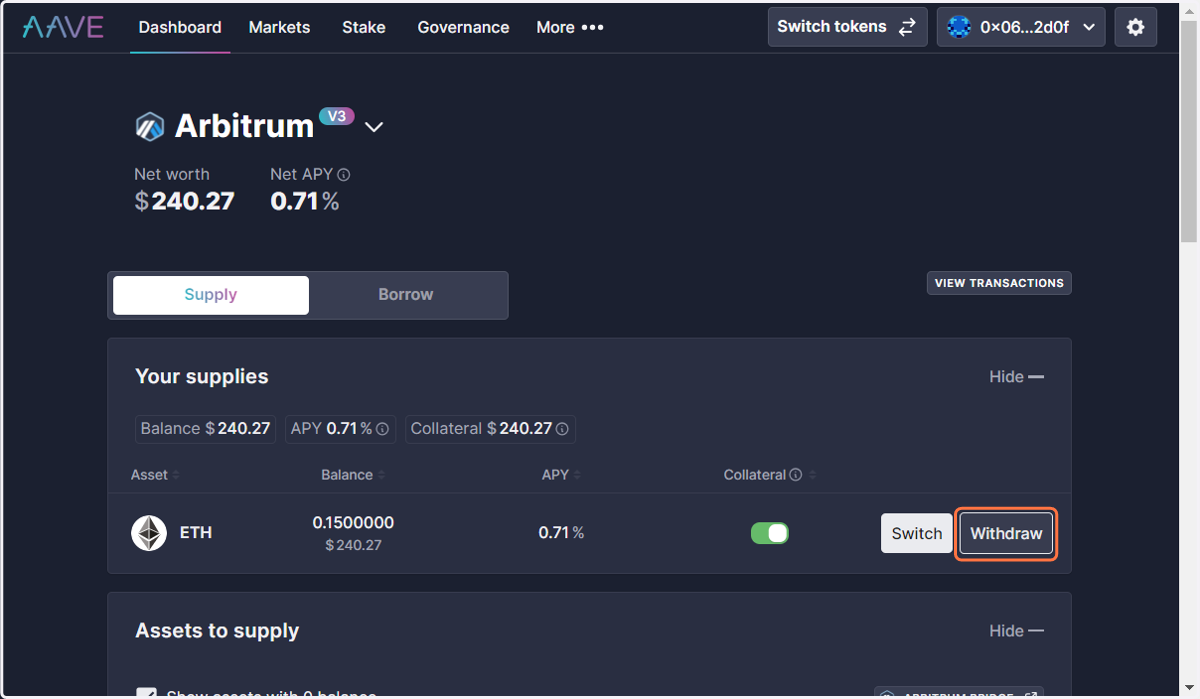
After repaying the full amount of your loan, you can now withdraw your supplied collateral to your wallet.
9. Click on Supply
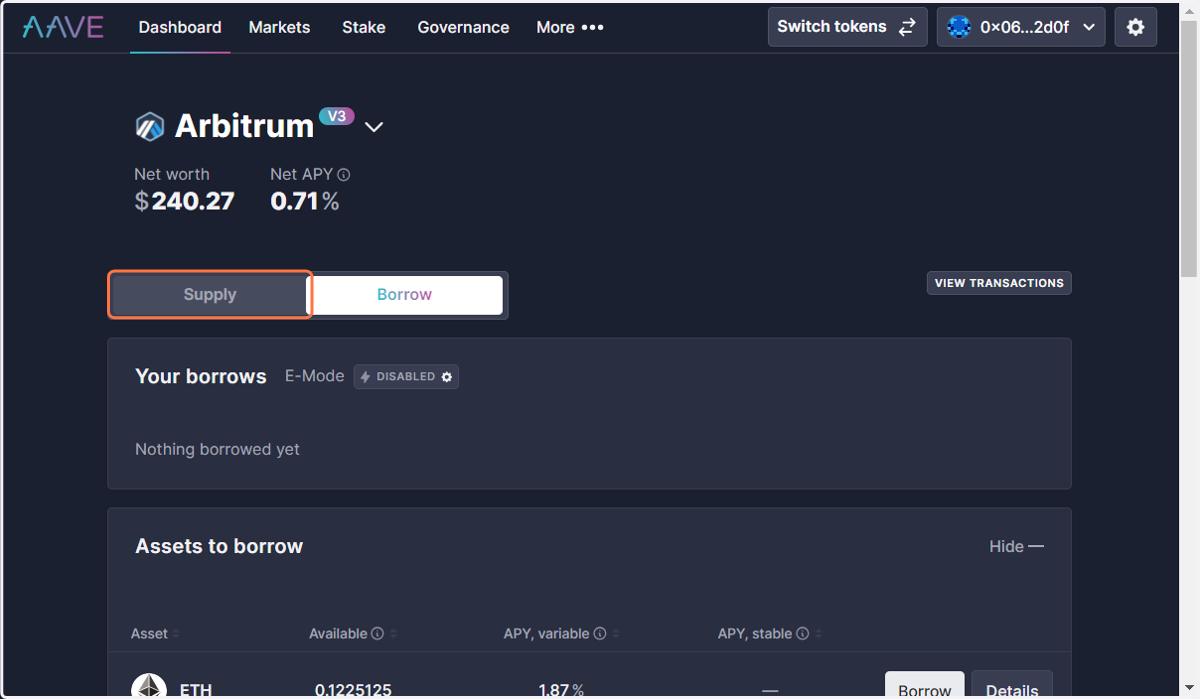
10. Click on Withdraw
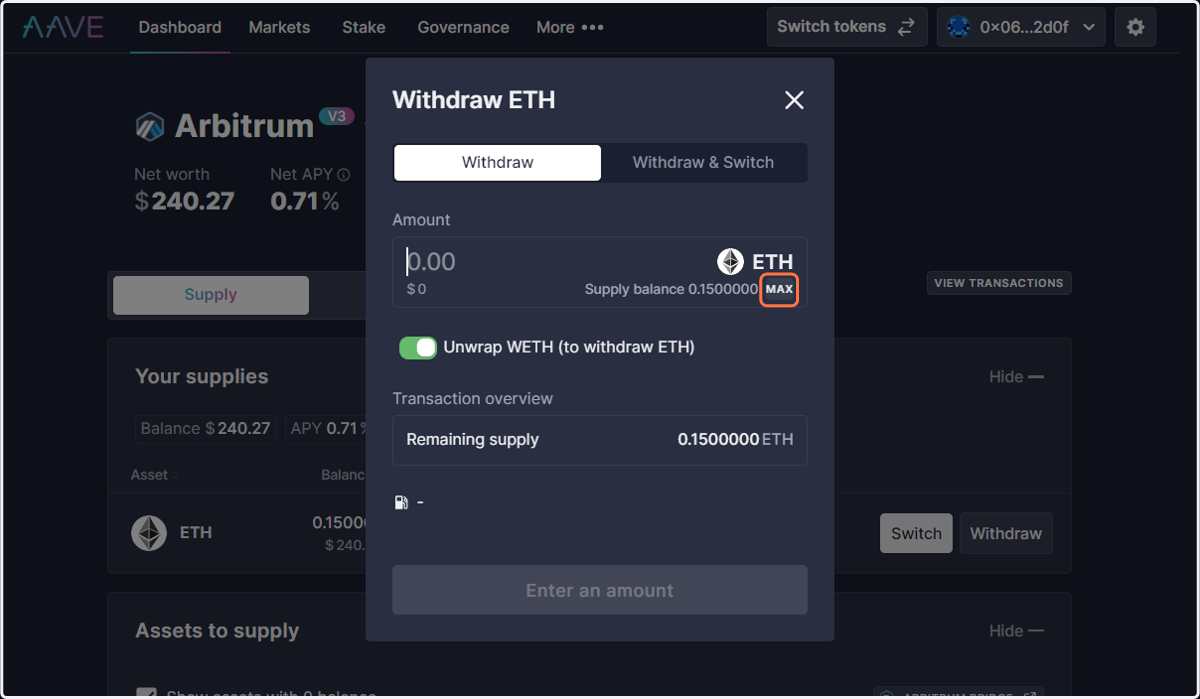
11. Choose amount to withdraw
You can either enter a specific amount less than the total or click 'MAX' to ensure you withdraw all available funds.
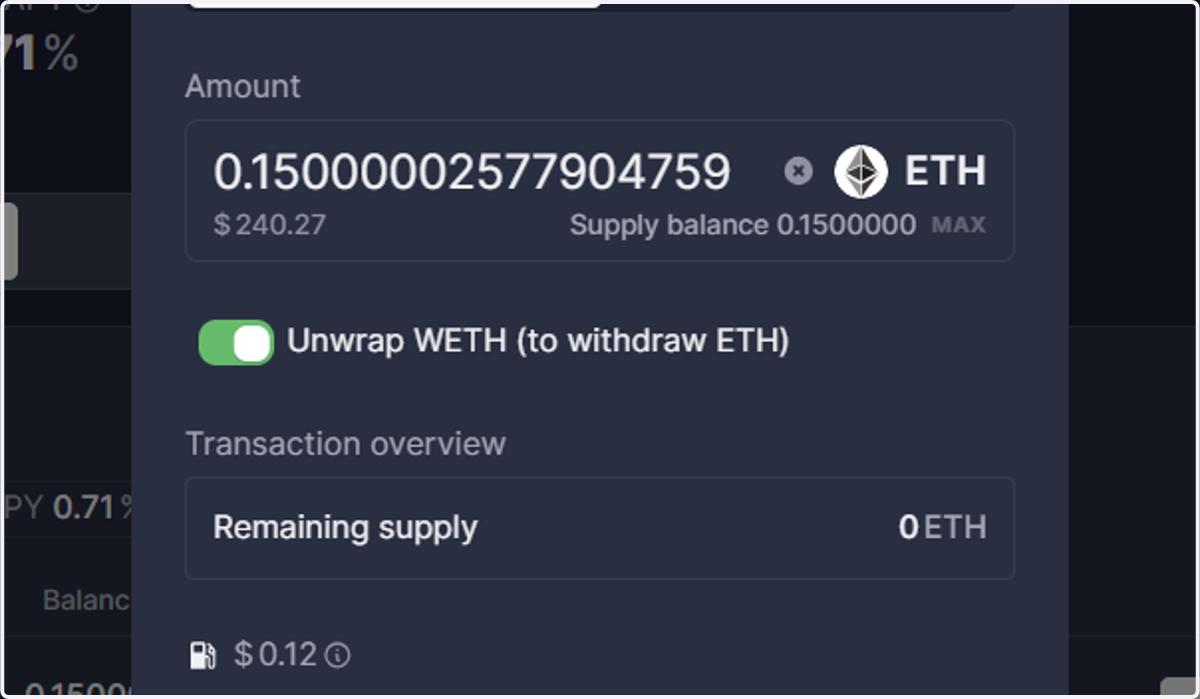
12. Click on Withdraw ETH
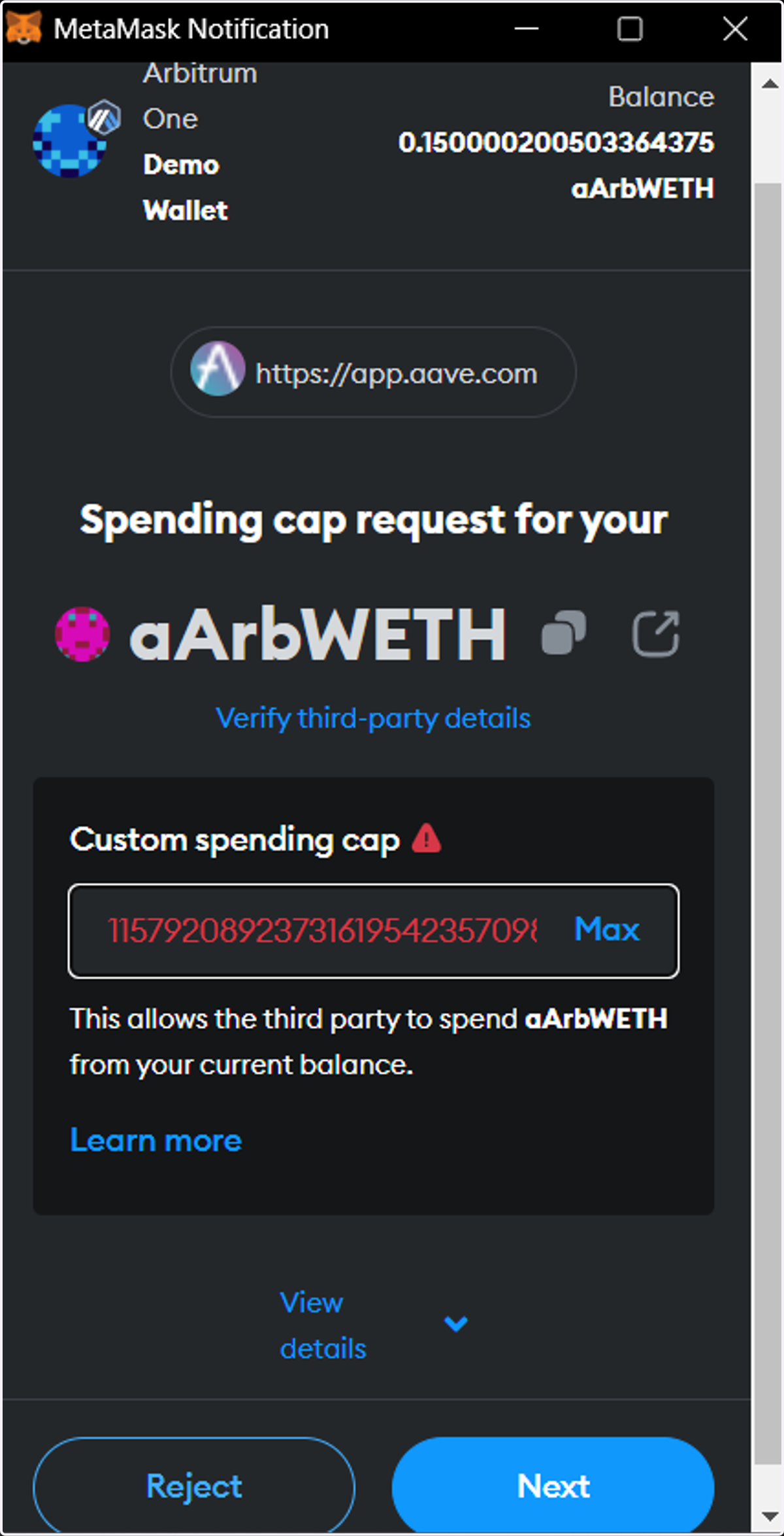
13. Approve Spending
You have the option to click either 'Use Site Suggestion' or 'MAX.'
'Use Site Suggestion' may display an infinite amount, indicated by red digits; this is normal.
'MAX' will automatically input the total available balance from your wallet.
Once you've made your selection, click 'Next' to continue.
Note: The 'aArbWETH' label in your wallet signifies a special form of ETH you hold while supplying funds to Aave on the Arbitrum network. This token represents your original ETH plus any earned interest. When you withdraw, it will be converted back to regular ETH. If you supplied a different token, you'll see a corresponding interest-bearing version of that token instead.
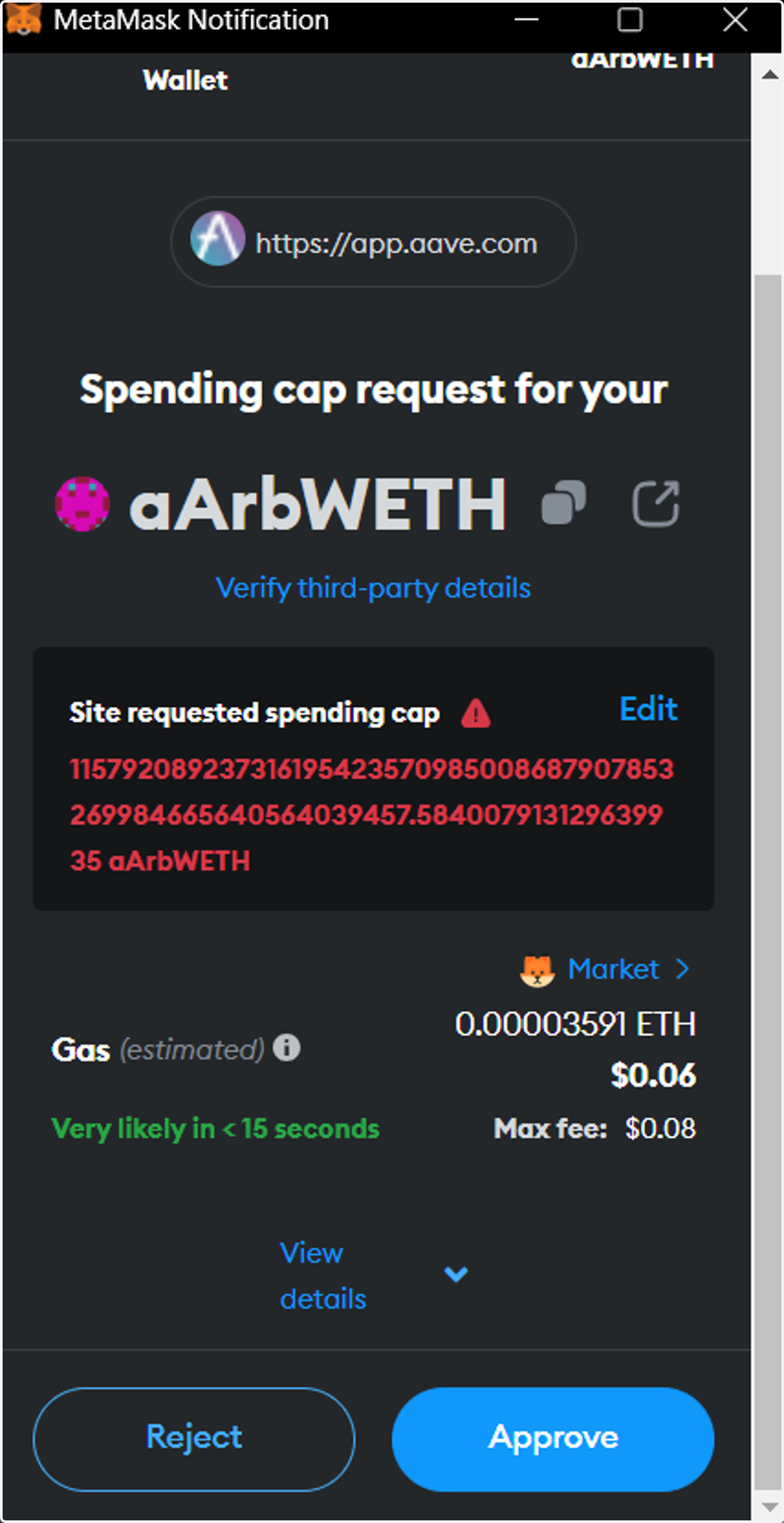
14. Click on APPROVE
Verify details
If all details are correct and you're comfortable with the fees, click on 'CONFIRM' to repay loan
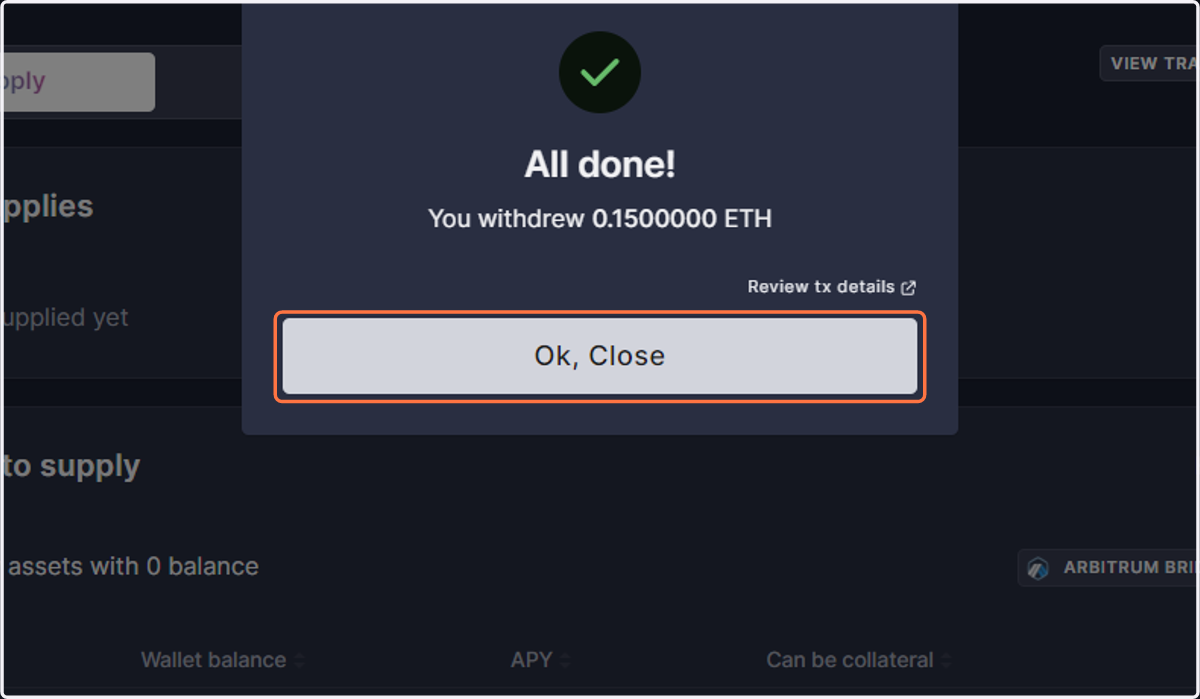
15. Confirmation
After successfully withdrawing your funds, click 'Ok, Close' to proceed
16. Confirm Token Return
Check Your Wallet for the Returned Tokens