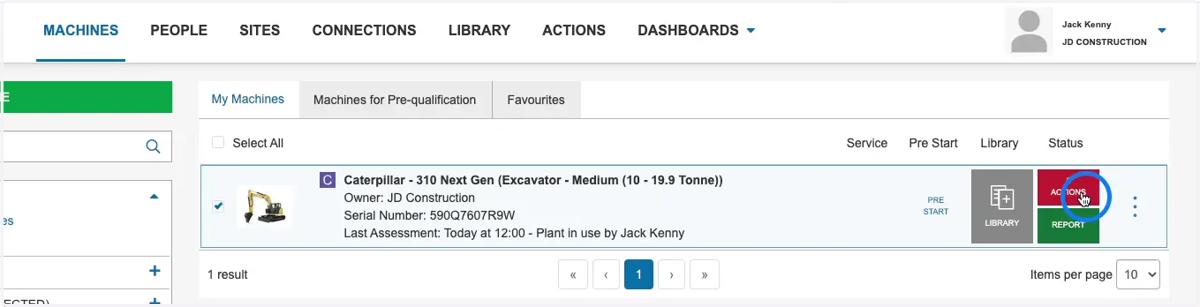
Converting a Sale Risk Assessment (machine transfer)
If you have recently purchased a machine and it has been transferred into your Plant Assessor account, there are a few steps to follow in order to accept the machine for ongoing management.
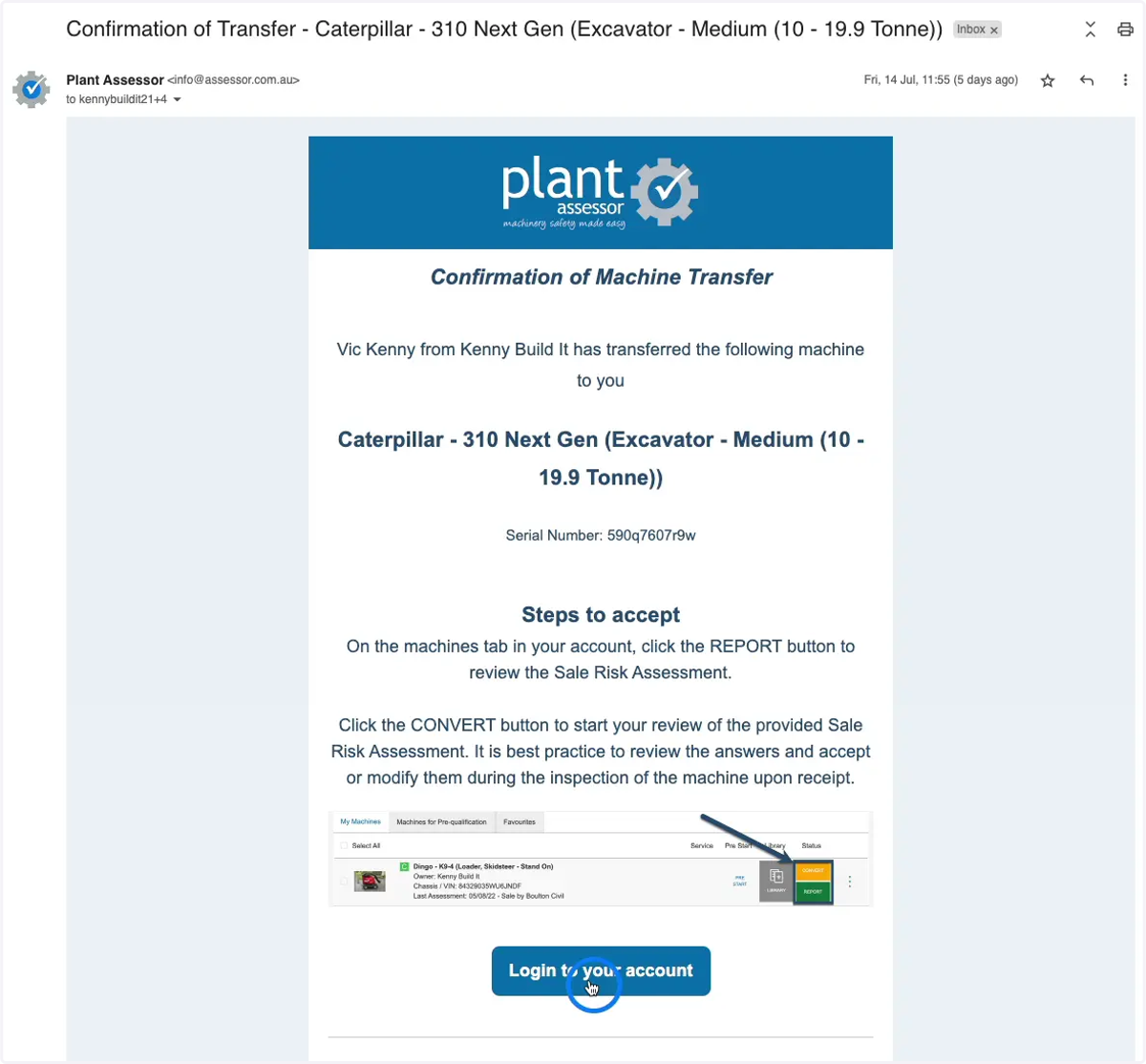
1. Once you receive the confirmation email that the machine has been transferred to you, login to your Plant Assessor account.
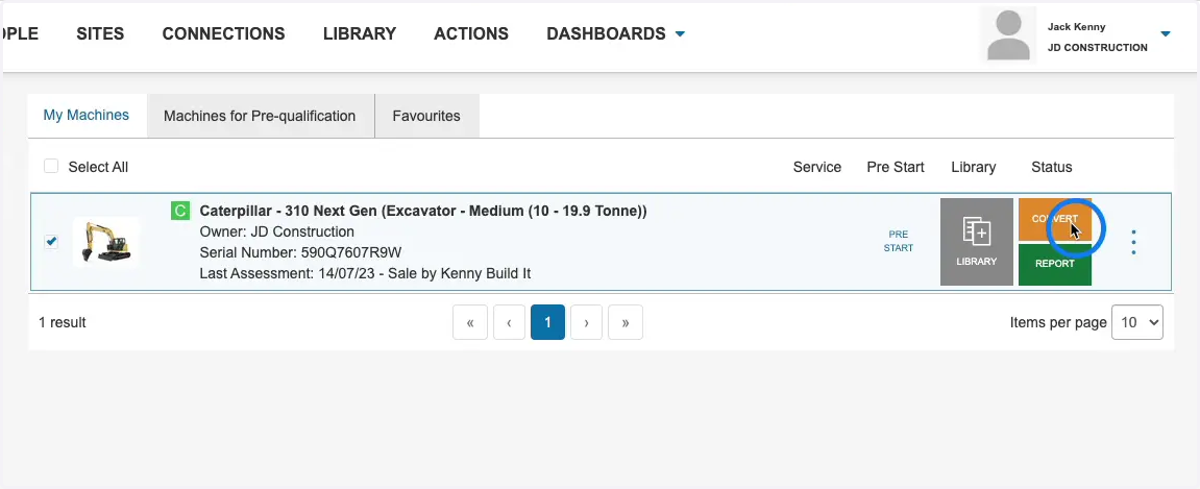
2. It is best practice to review the answers of the provided Sale Risk Assessment and accept or modify them during the inspection of the machine upon receipt. Once you are ready to perform the inspection, click CONVERT.
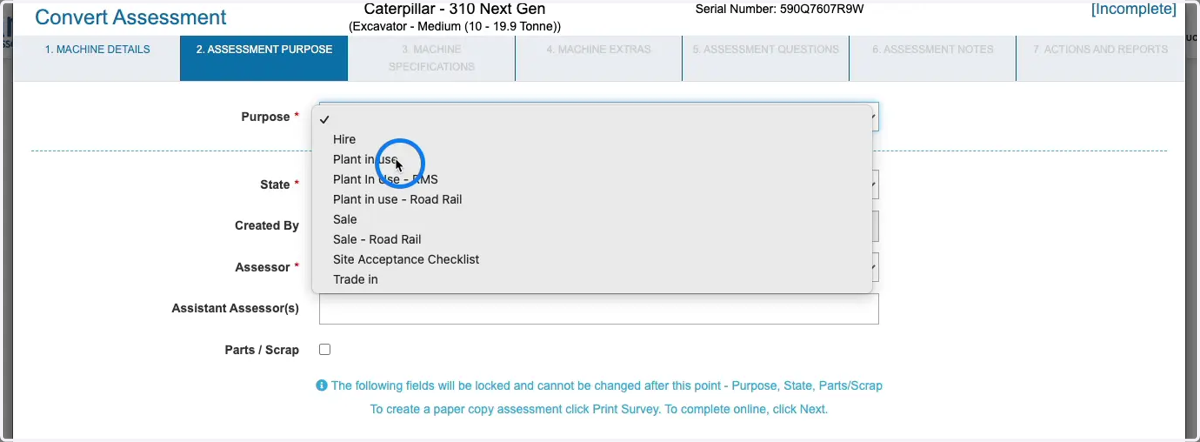
3. Ensure that the purpose you select is correct for the type of assessment you would like it converted. In this instance, we are selecting Plant in Use.
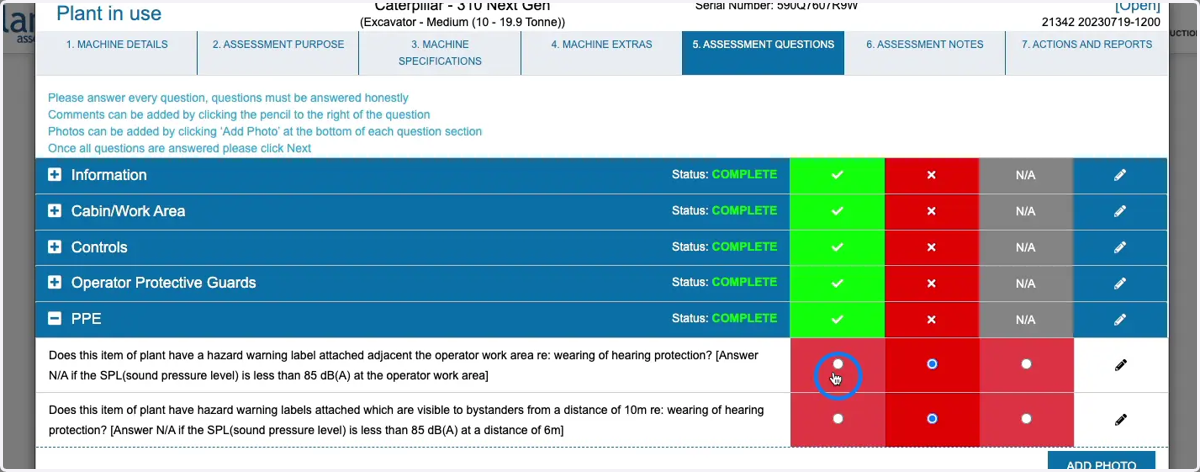
4. Follow the assessment prompts until you reach the questions tab. Here you can view the answers that the previous assessor marked, and update them according to the condition of the received machine.
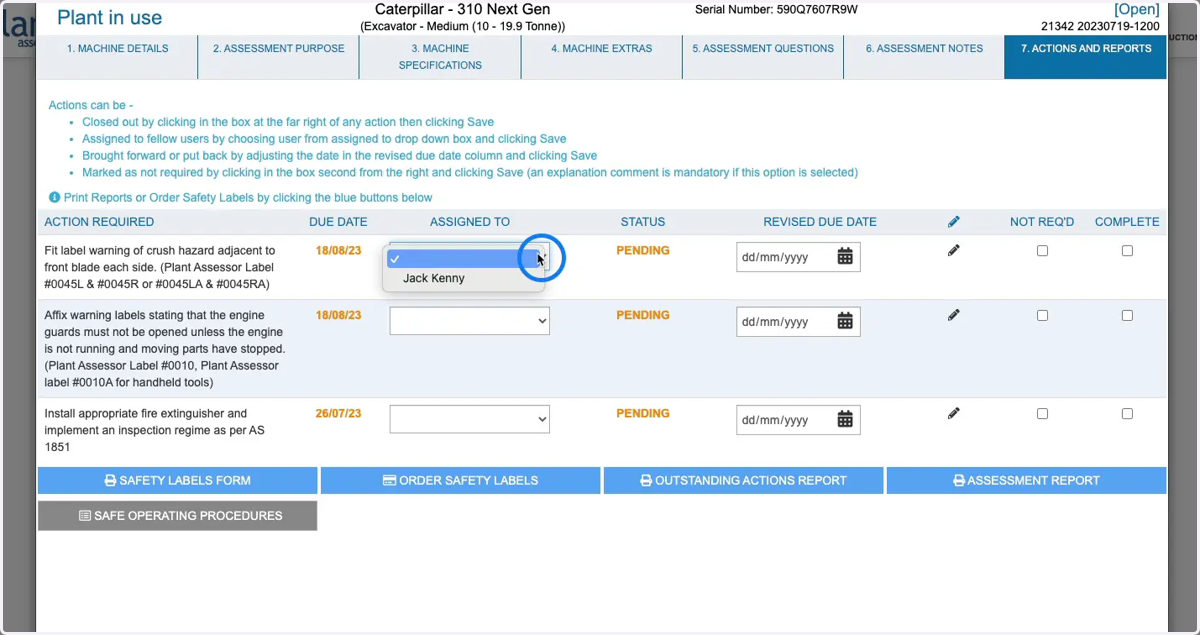
5. At the end you will receive a list of corrective actions that need to be completed in order to ensure the machine is compliant. You can assign/manage all actions from this screen.
6. Once completed the machine's assessment report will be updated to the purpose set. Outstanding actions can also be revisited by clicking the red Actions button.