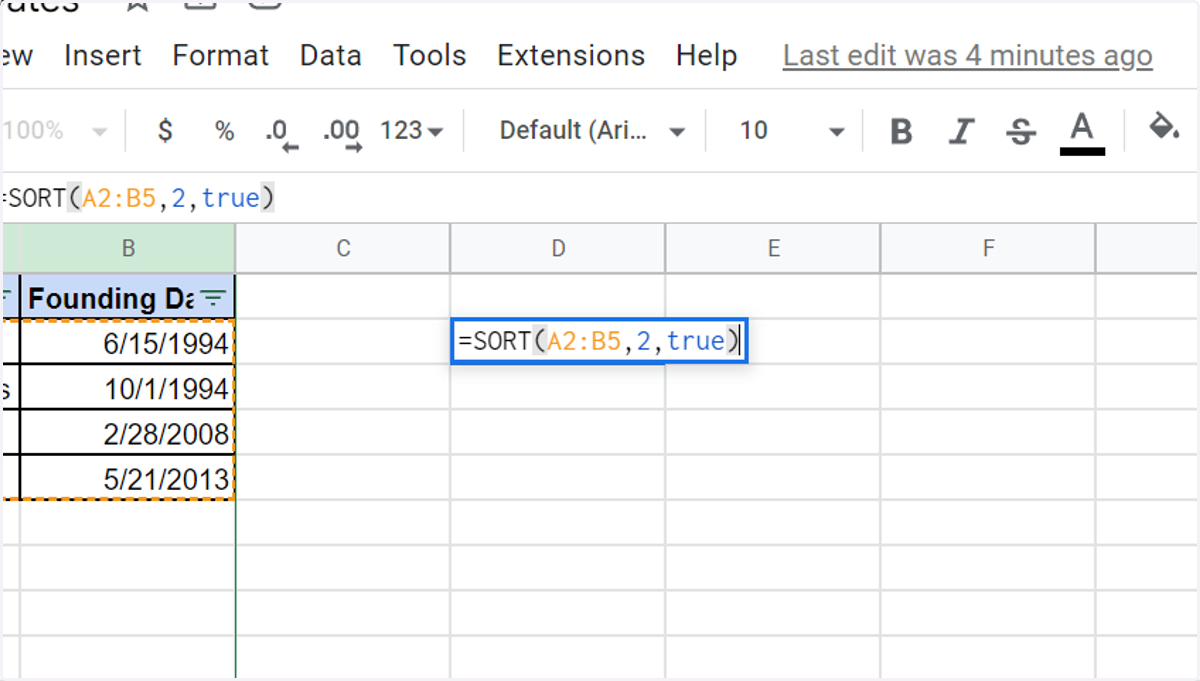
How to Sort by Date in Google Sheets Using the SORT Function
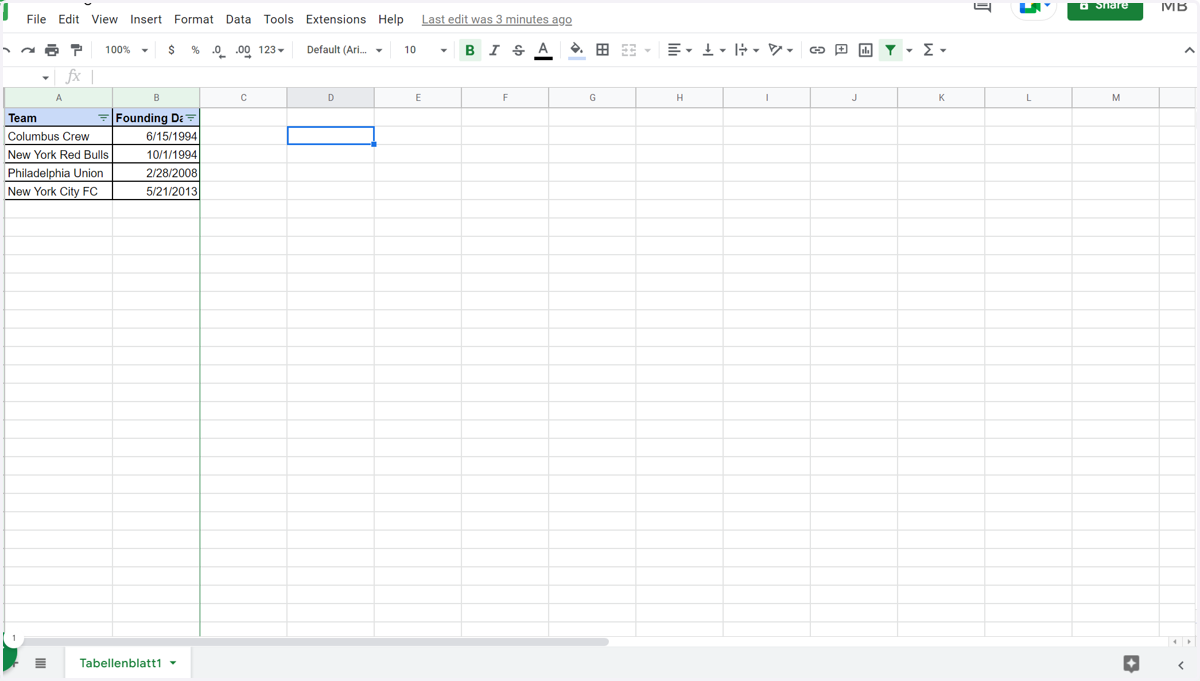
1. Go to your Google Sheet
2. Click on a cell
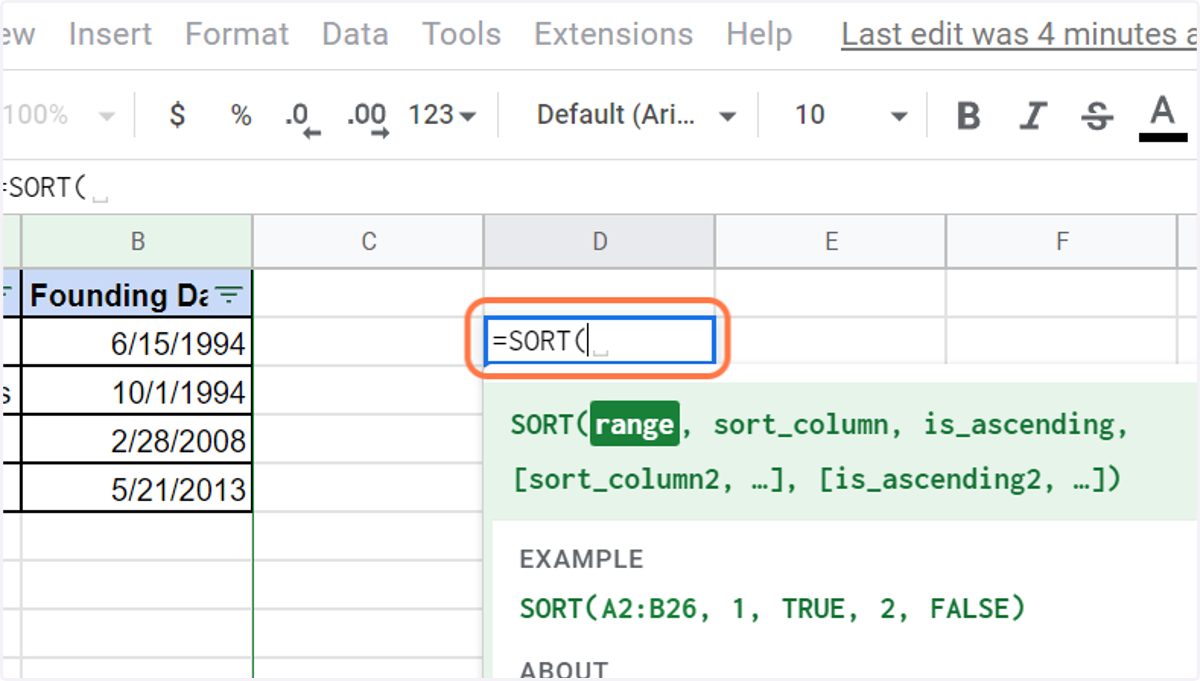
3. Enter the following formula: =SORT (range, sort_column, is_ascending)
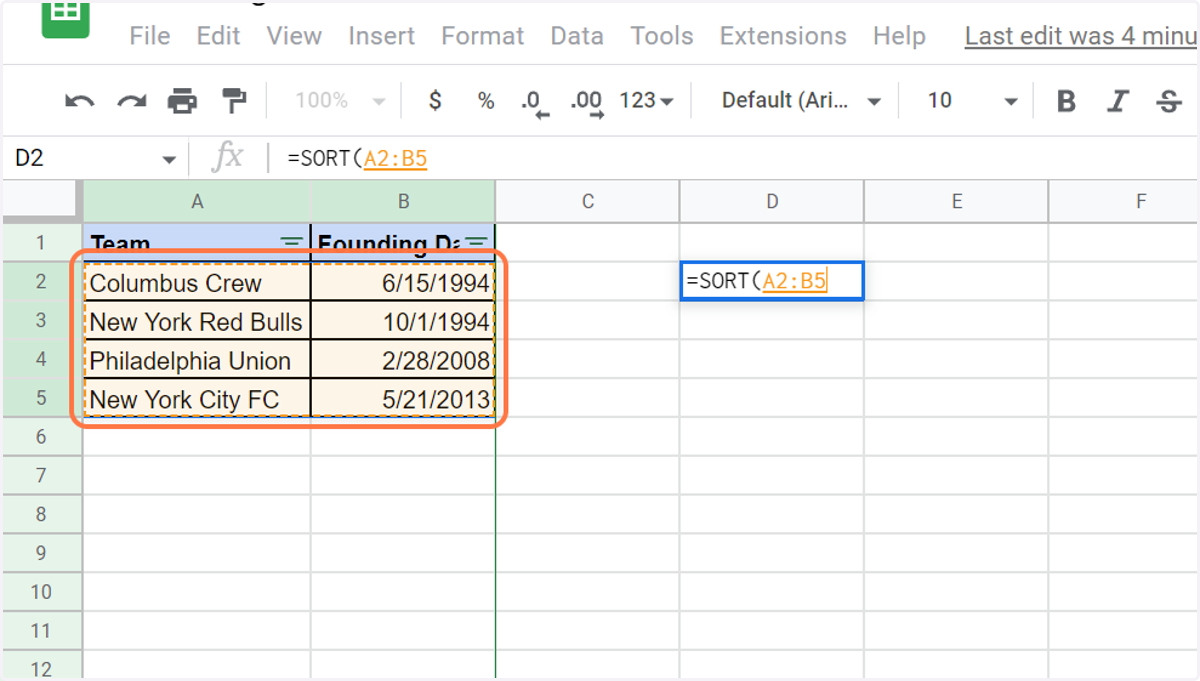
range: range you want to sort (for example, A2:B5)
sort_column: position of column you want to sort within your defined range (for example, 2)
is_ascending: can be true or false and defines if range is sorted in an ascending way (or not)
4. Select your columns to sort (without headers)
5. Add the position of your column to sort within your range and define order (ascending or not)