Workflow with Onlinescoutmanager
Onlinescoutmanager
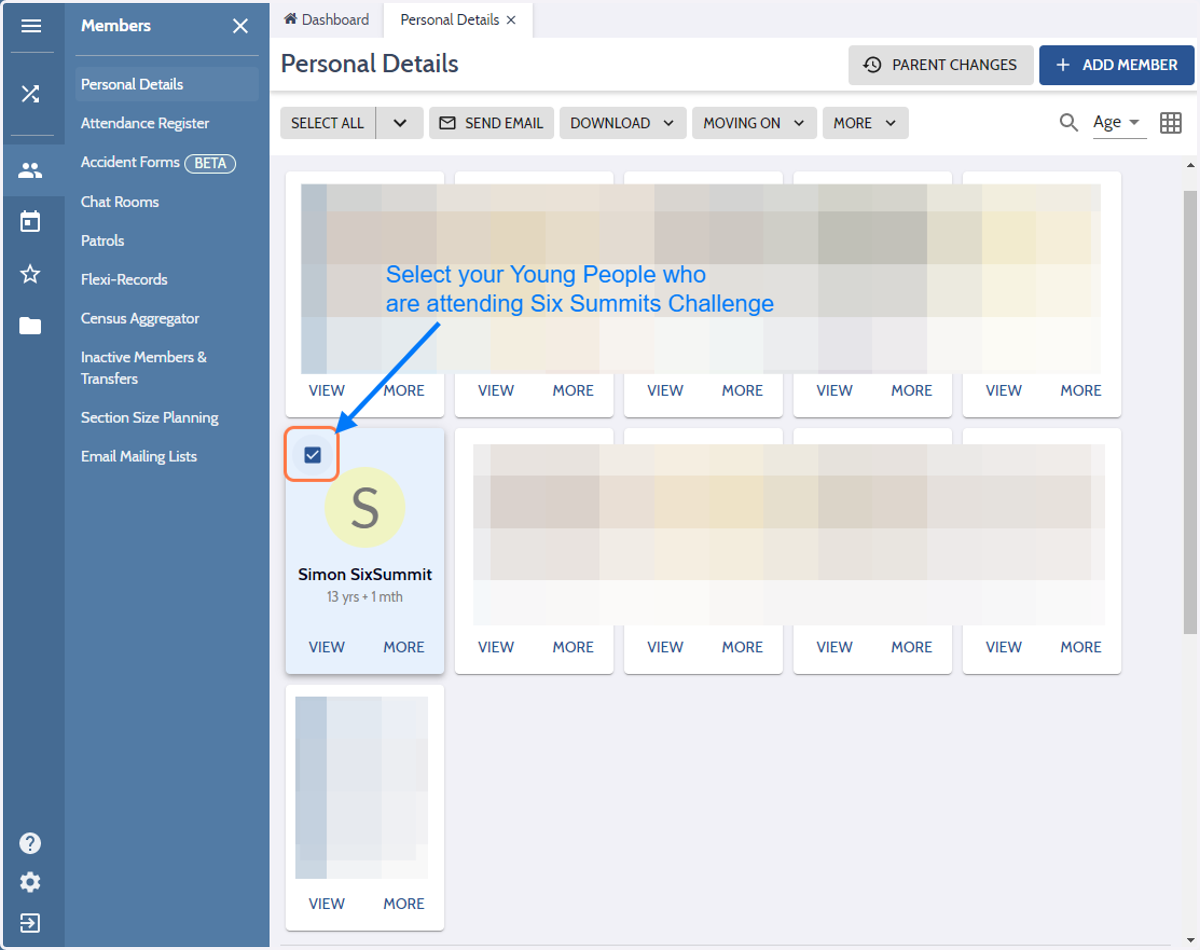
1. Check on
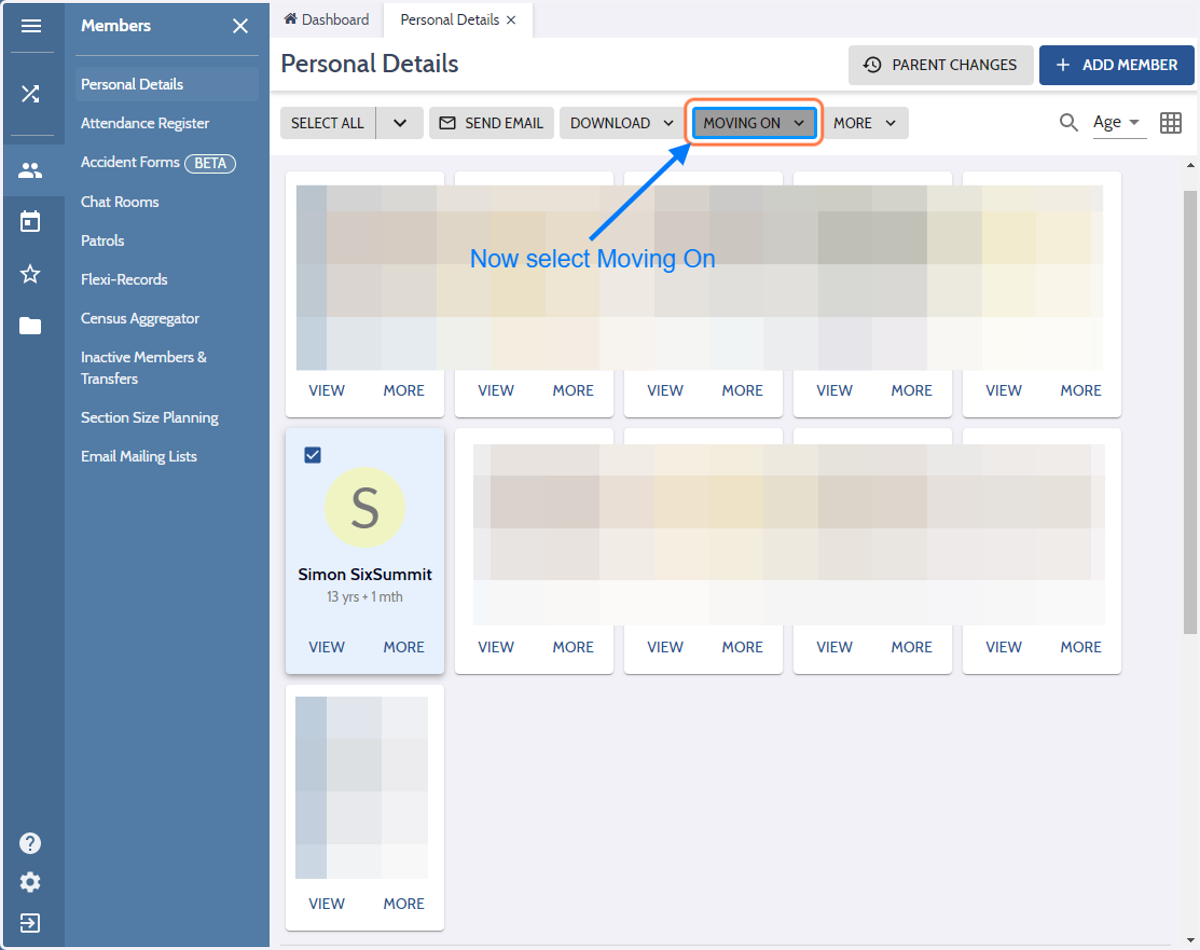
2. Click on MOVING ON
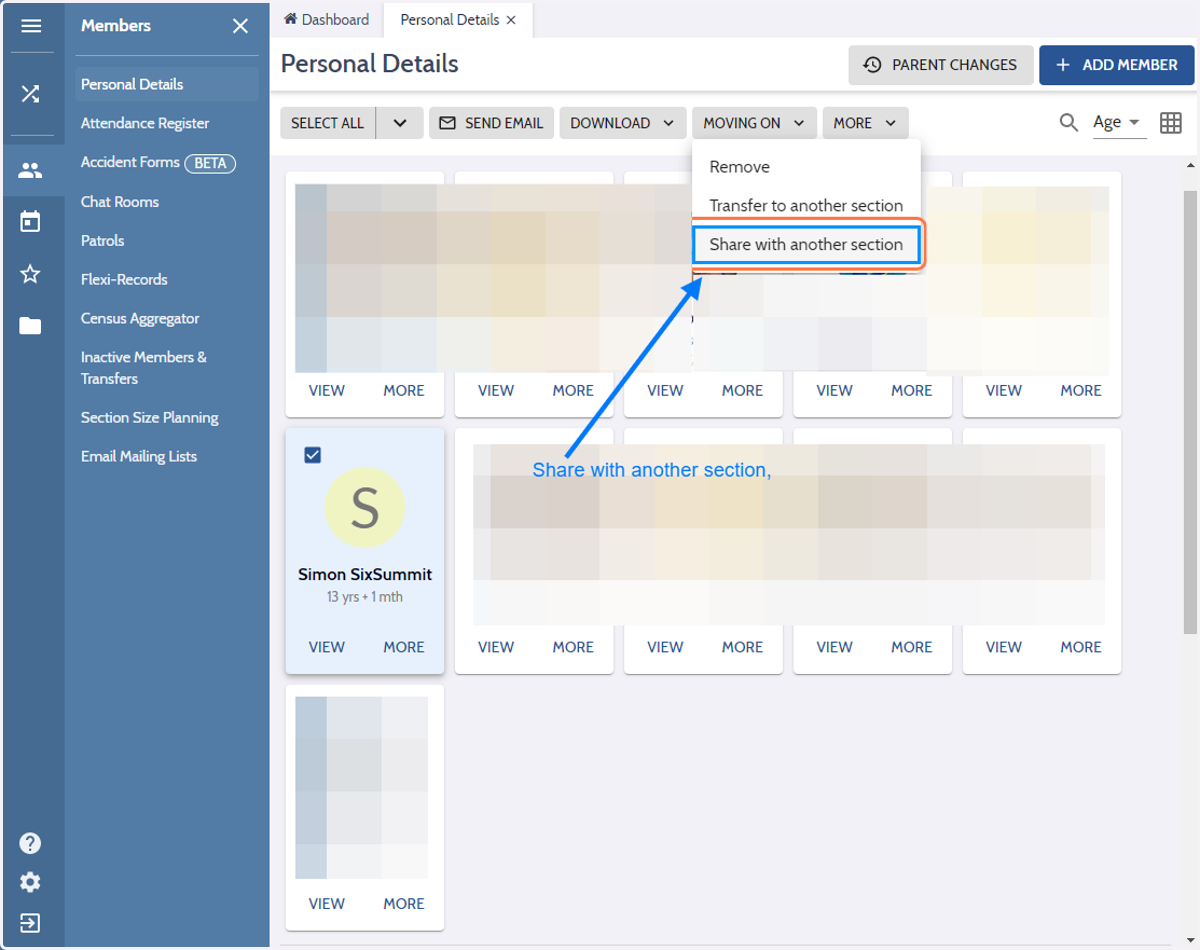
3. Click on Share with another section
Onlinescoutmanager
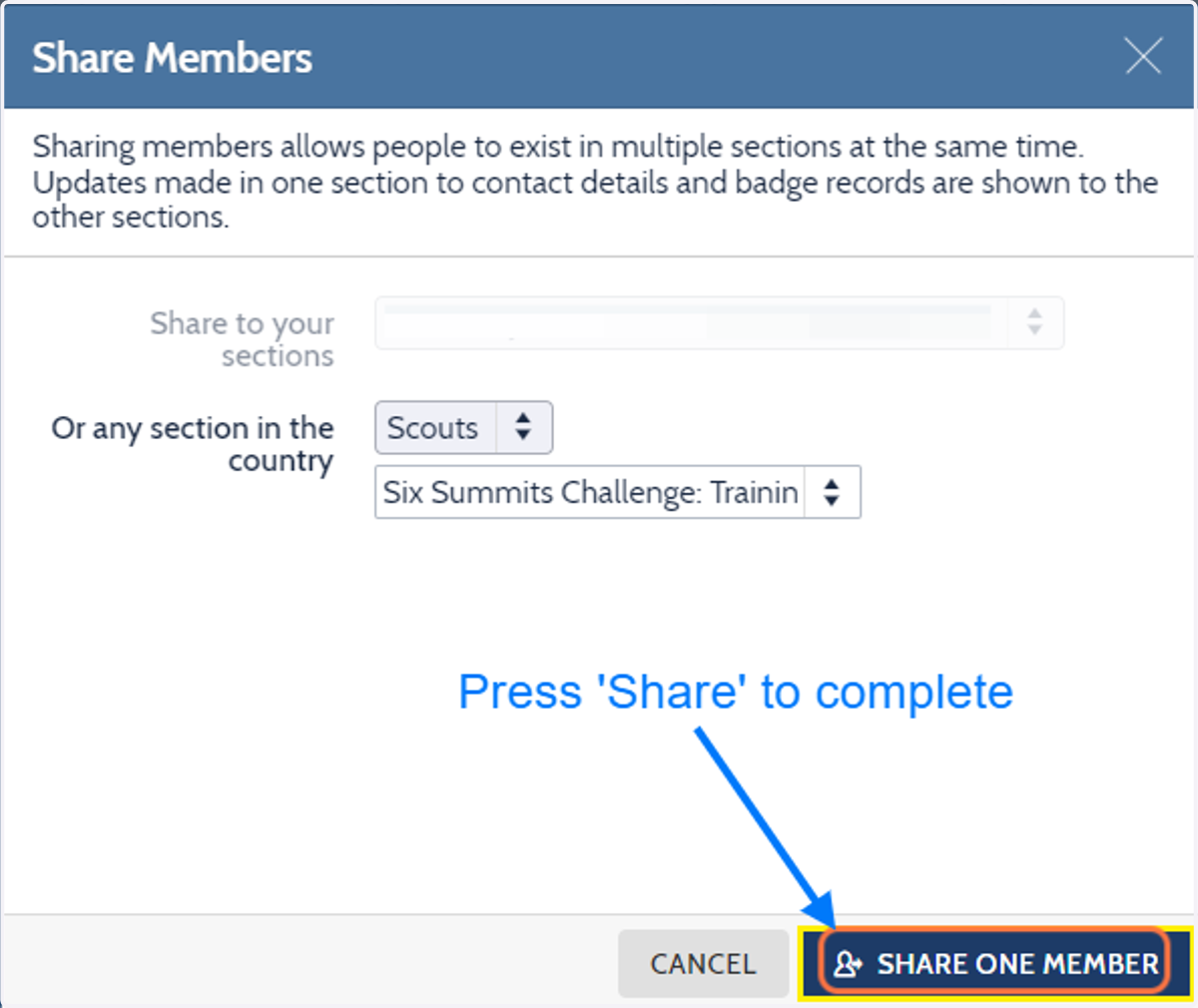
4. Click on Scouts
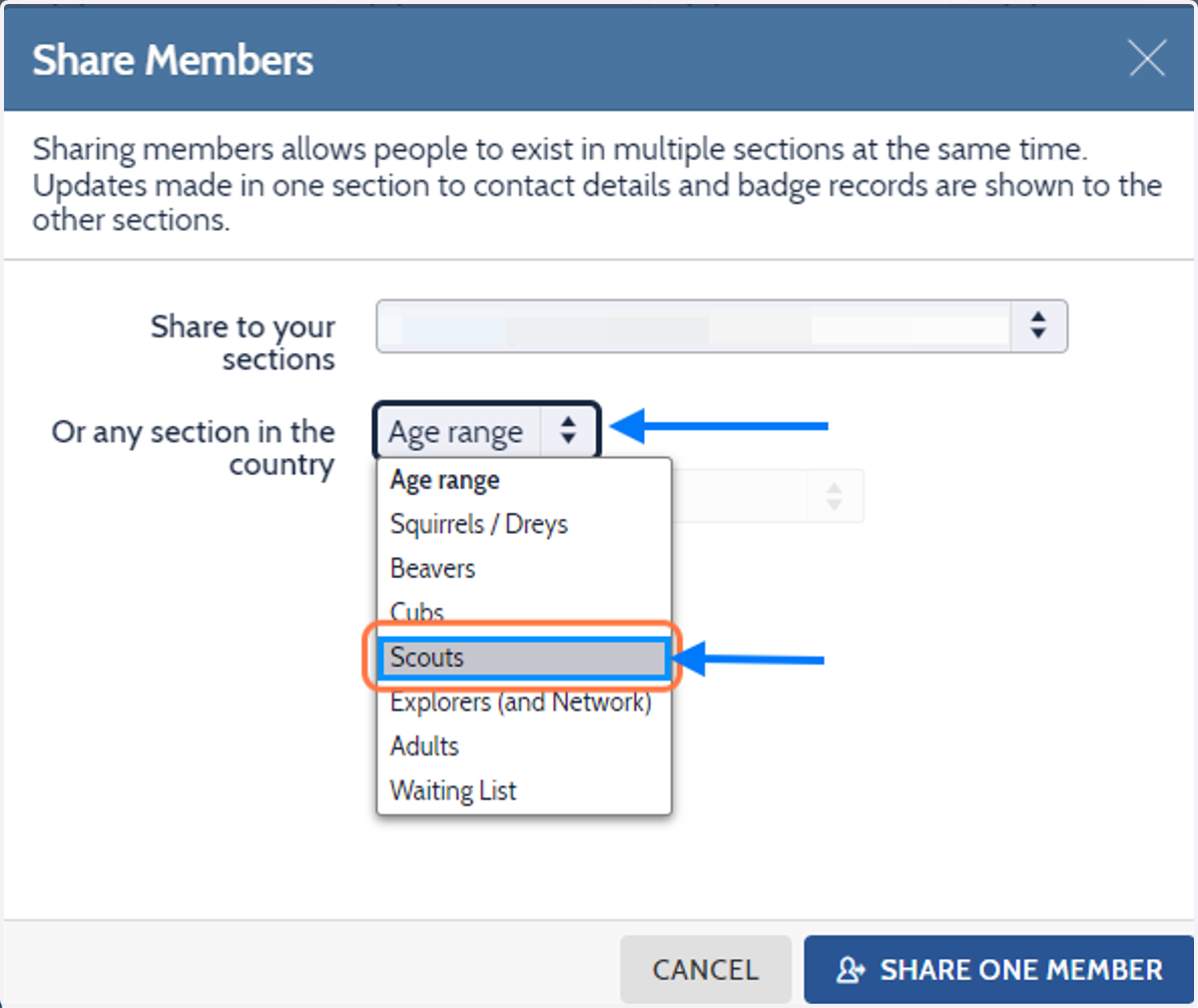
5. Click on Or any section in the country
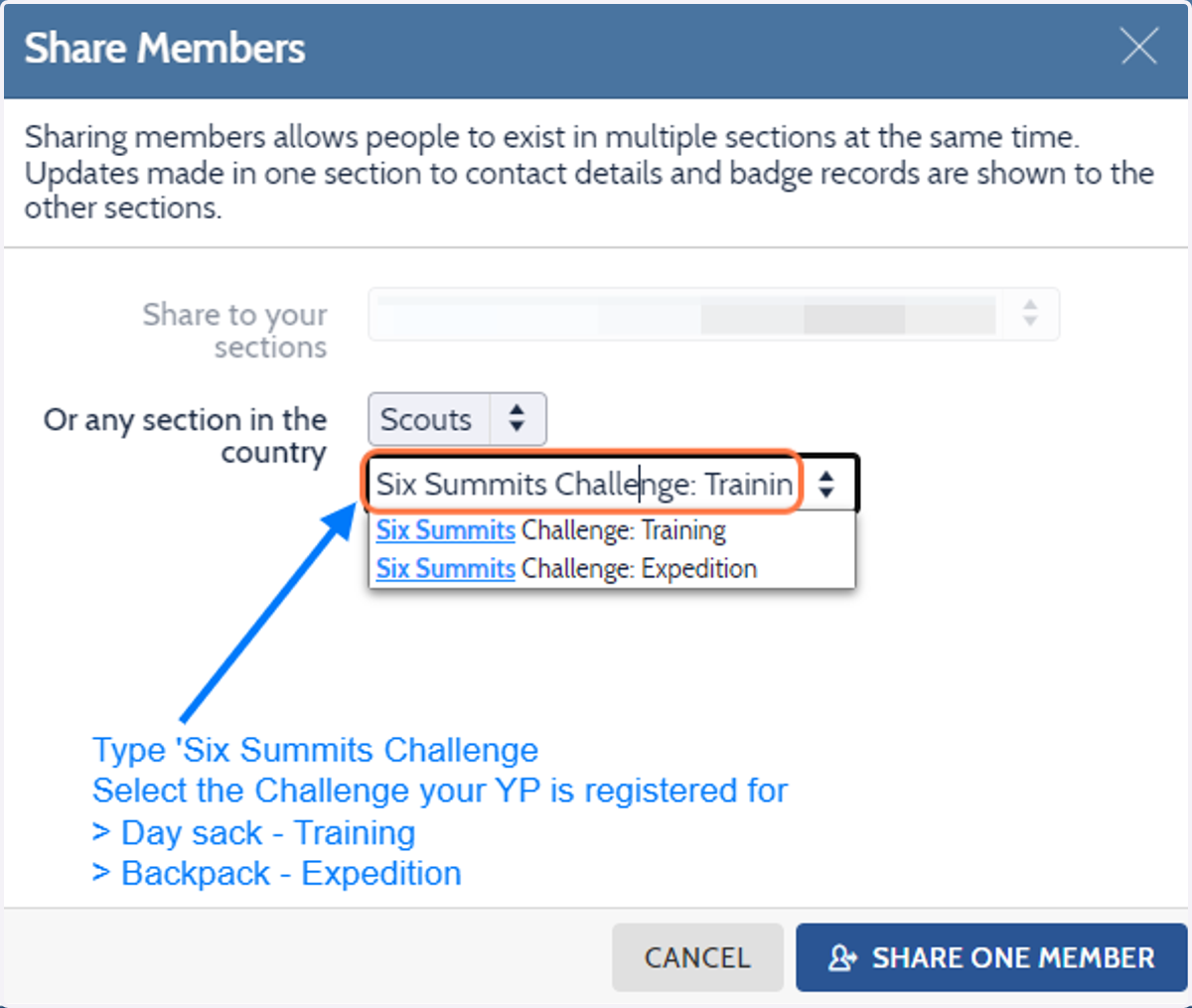
6. Click on option
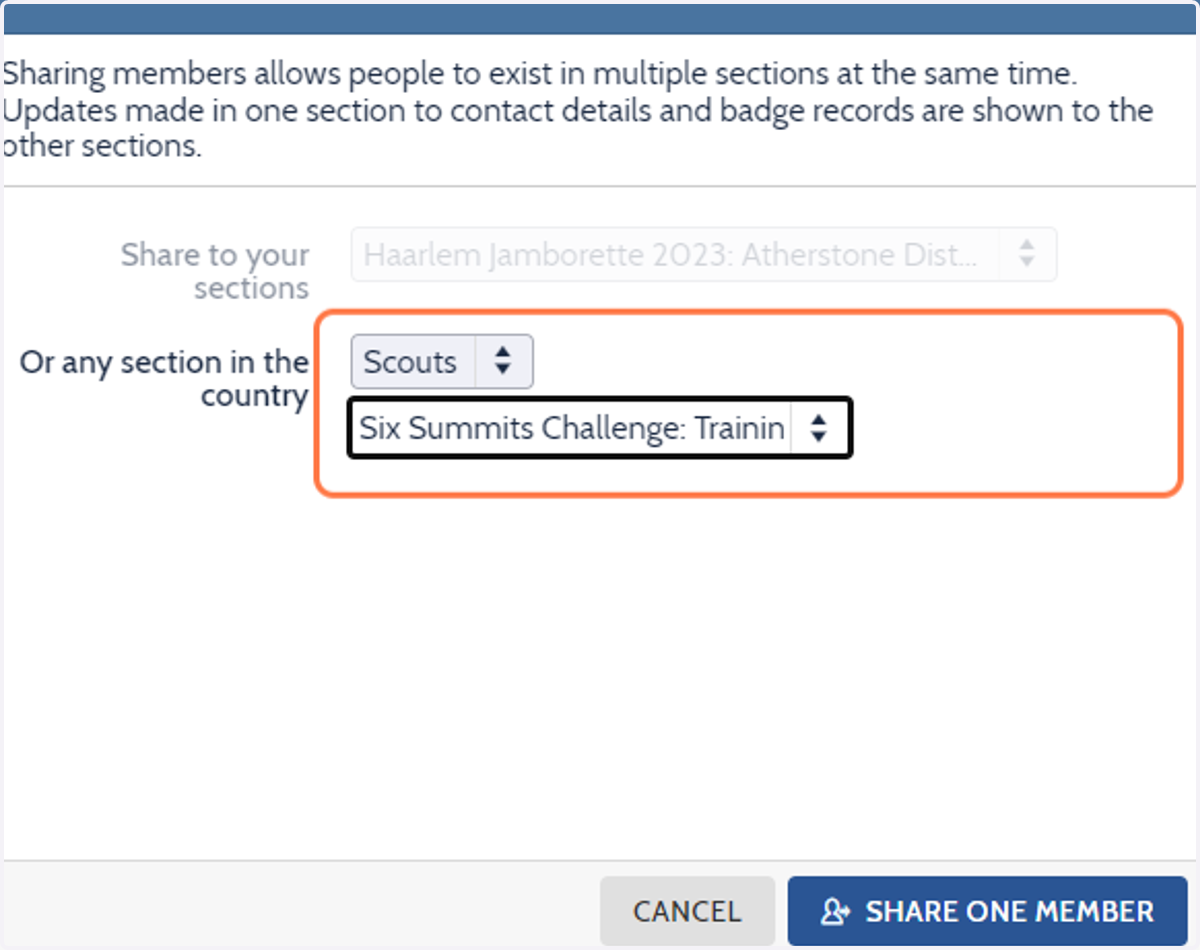
7. Click on SHARE ONE MEMBER