New Unit: How to Ensure Season Period Night Minimums Have Synced to RevMax

  1. 1. Verify the Season Period Night Minimums in Streamline

    First, confirm the Night Minimum configured for each Season Period.

    You can verify this in two places:
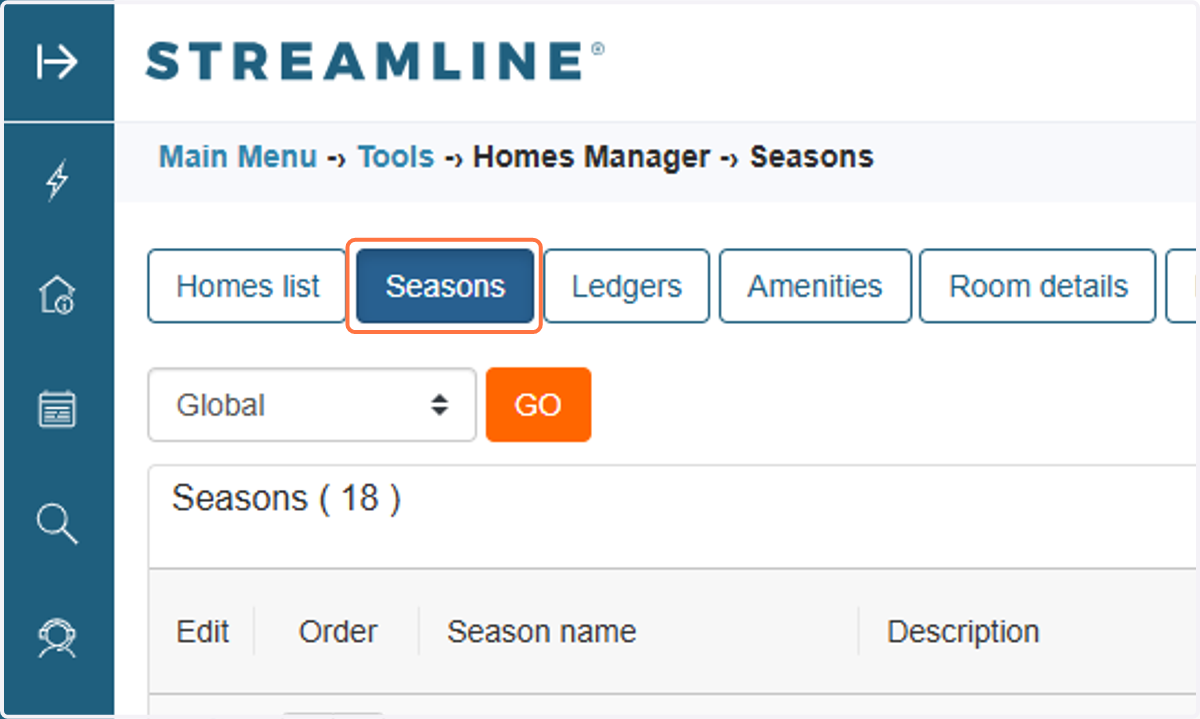
    Verify the Season Period Night Minimums in Streamline
  2. 2. Seasons Page: Review the Night Minimum configured for the applicable Season.
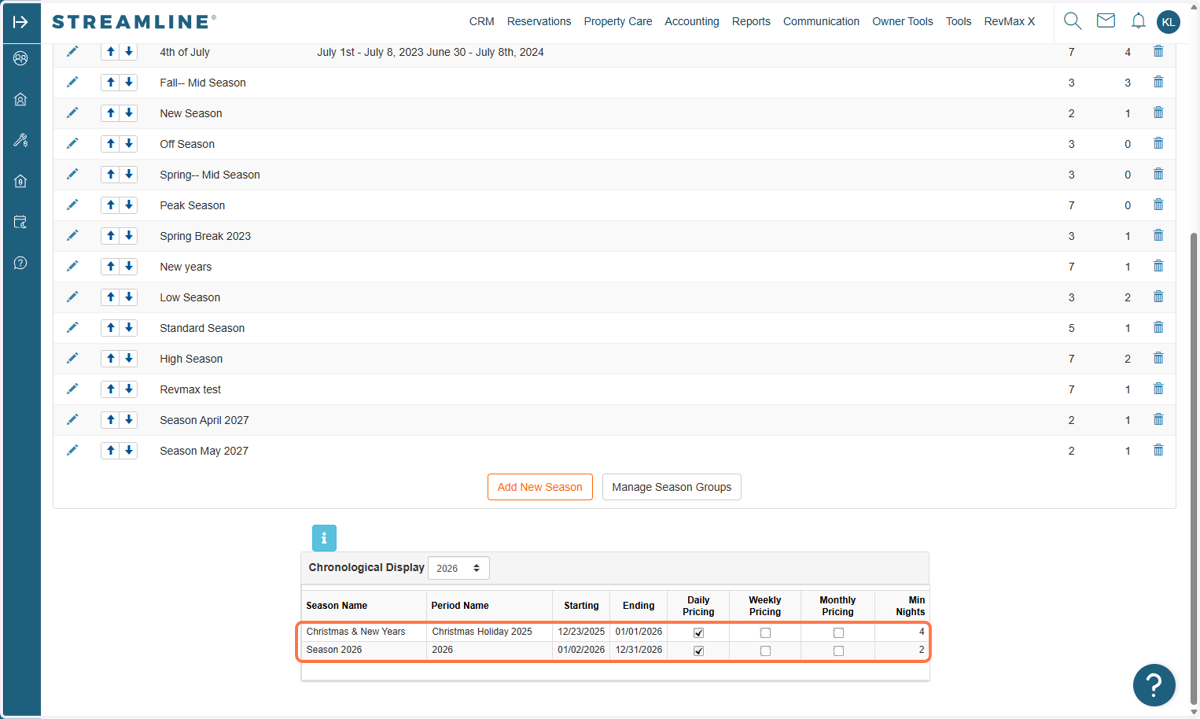
    Seasons Page: Review the Night Minimum configured for the applicable Season.
  3. 3. Unit-Level Settings: Review the Season configuration within the individual unit in Streamline.

    Make sure the Night Minimums are configured correctly for each Season Period before checking RevMax.
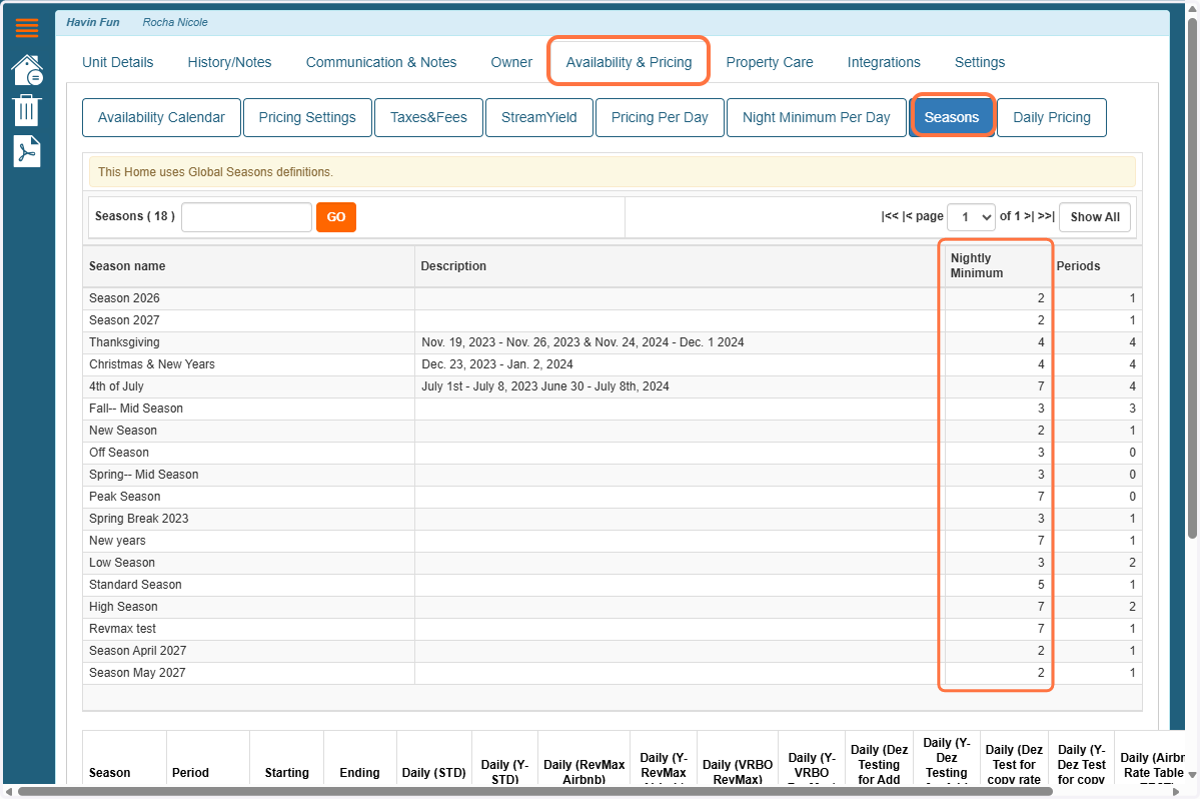
    Unit-Level Settings: Review the Season configuration within the individual unit in Streamline.
  4. 4. Verify the Night Minimums in the RevMax Tape Chart
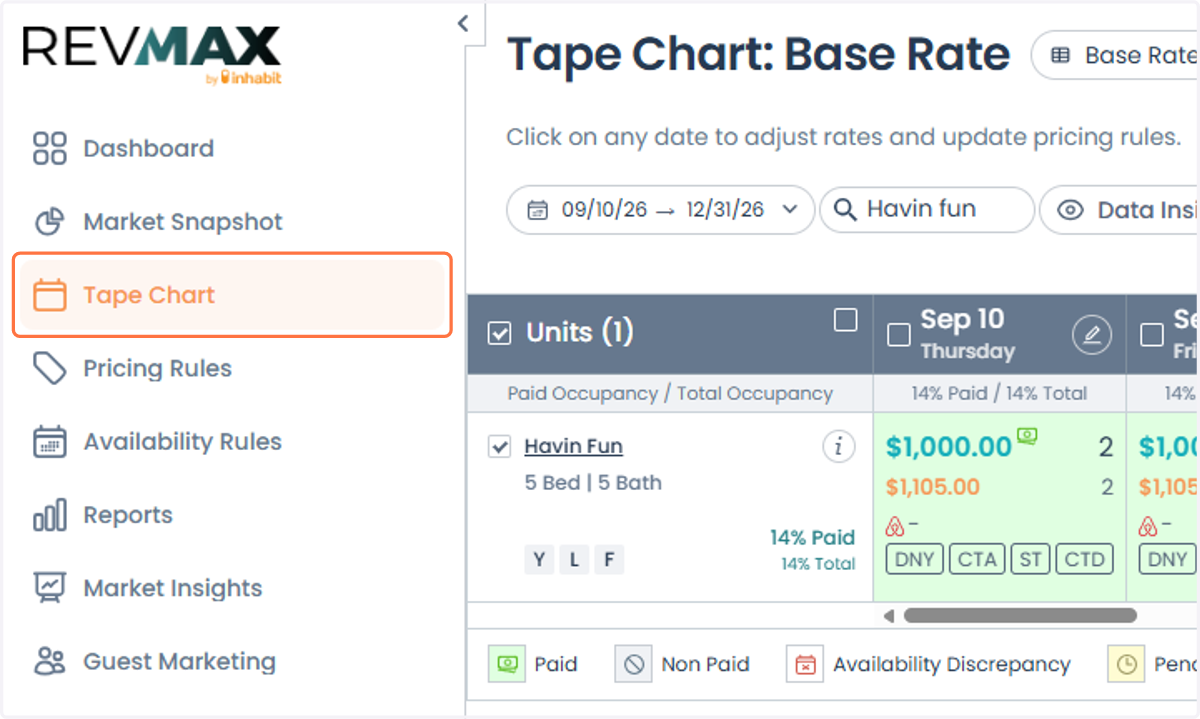
    Verify the Night Minimums in the RevMax Tape Chart
  5. 5. Next, open the RevMax Tape Chart and review the dates within each Season Period.
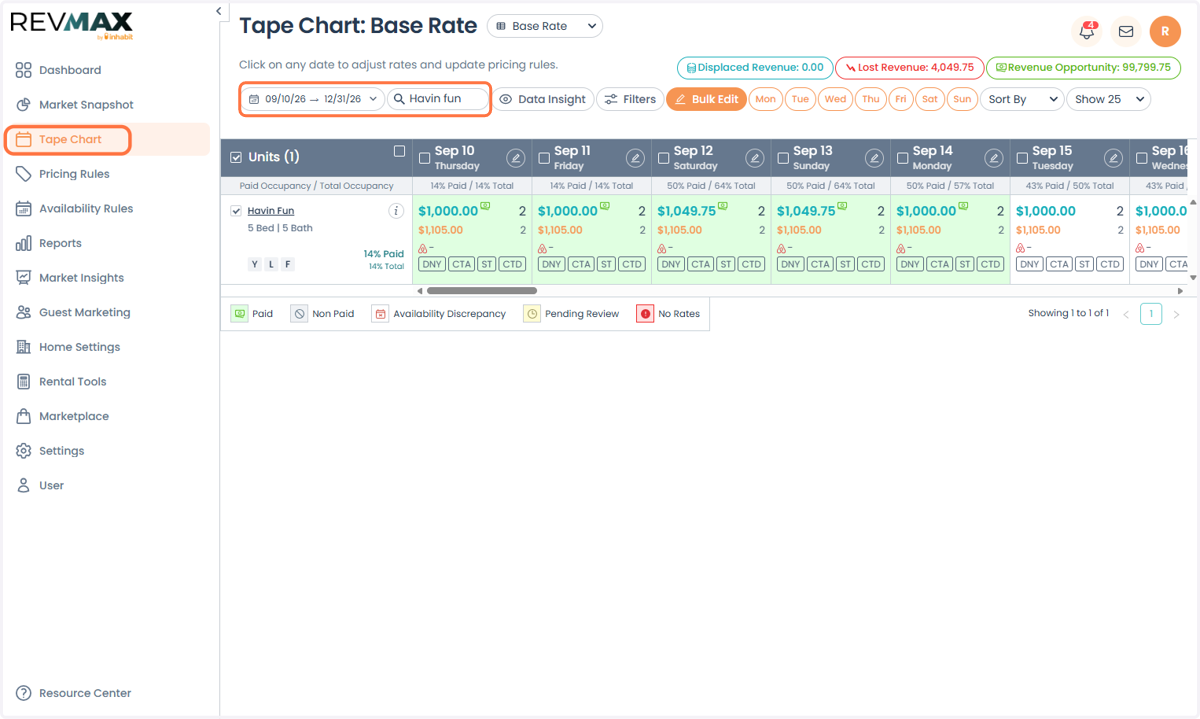
    Next, open the RevMax Tape Chart and review the dates within each Season Period.
  6. 6. At the bottom of the Tape Chart, locate the Night Minimum number for the applicable dates.
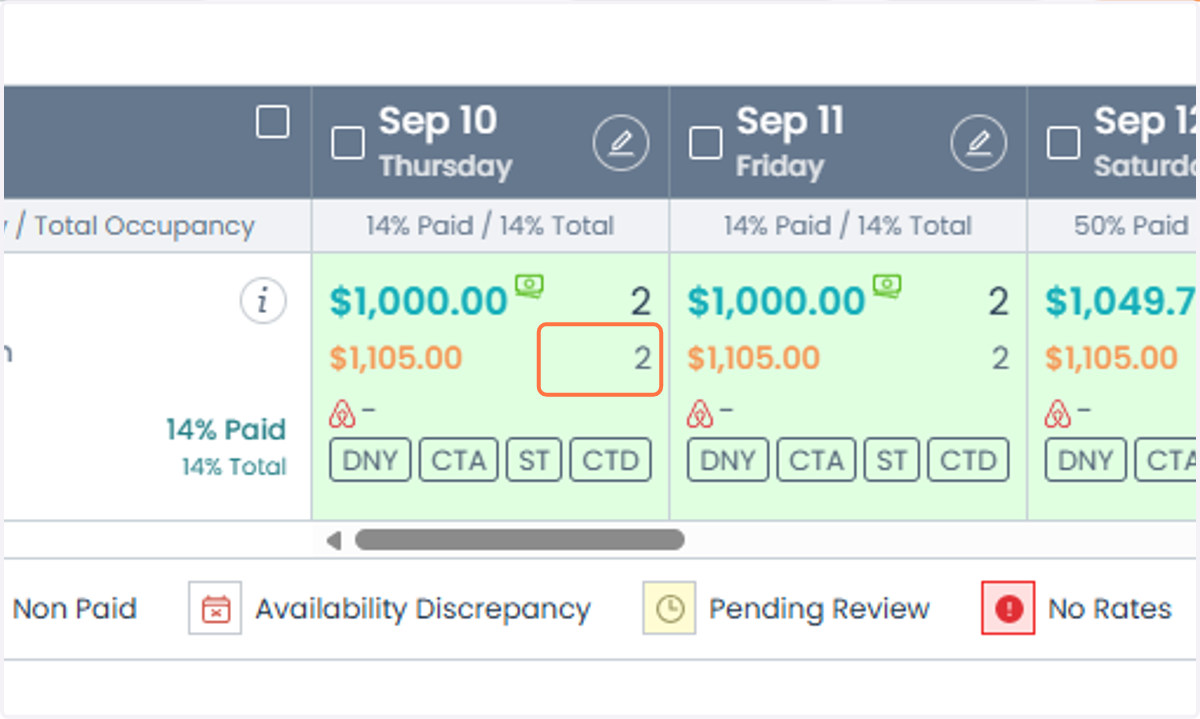
    At the bottom of the Tape Chart, locate the Night Minimum number for the applicable dates.
  7. 7. If the Night Minimum displayed in the RevMax Tape Chart matches the Season Period Night Minimum configured in Streamline across the entire Season date range, the Night Minimums have successfully synced to RevMax.
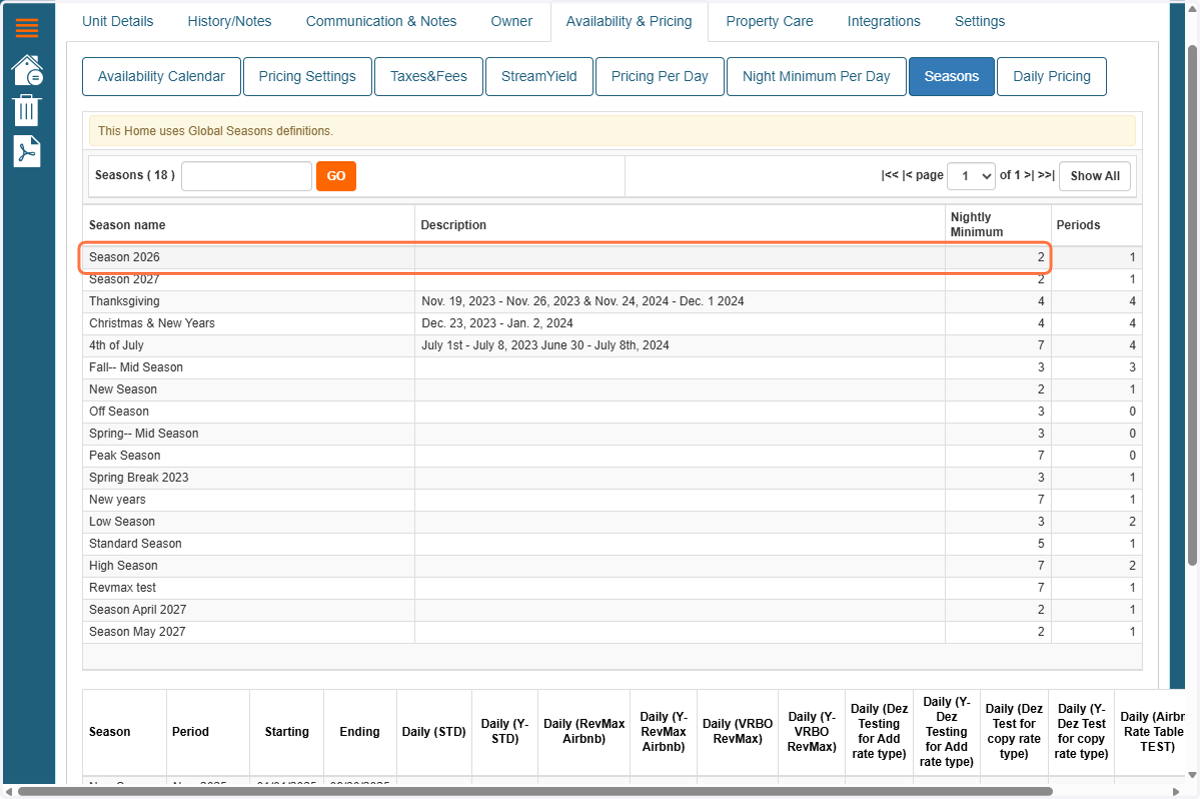
    If the Night Minimum displayed in the RevMax Tape Chart matches the Season Period Night Minimum configured in Streamline across the entire Season date range, the Night Minimums have successfully synced to RevMax.
  8. 8. Example: If the Season Period in Streamline is configured with a 2-night minimum, the RevMax Tape Chart should also display 2 as the Base (BOTTOM) Night Minimum for the corresponding dates.
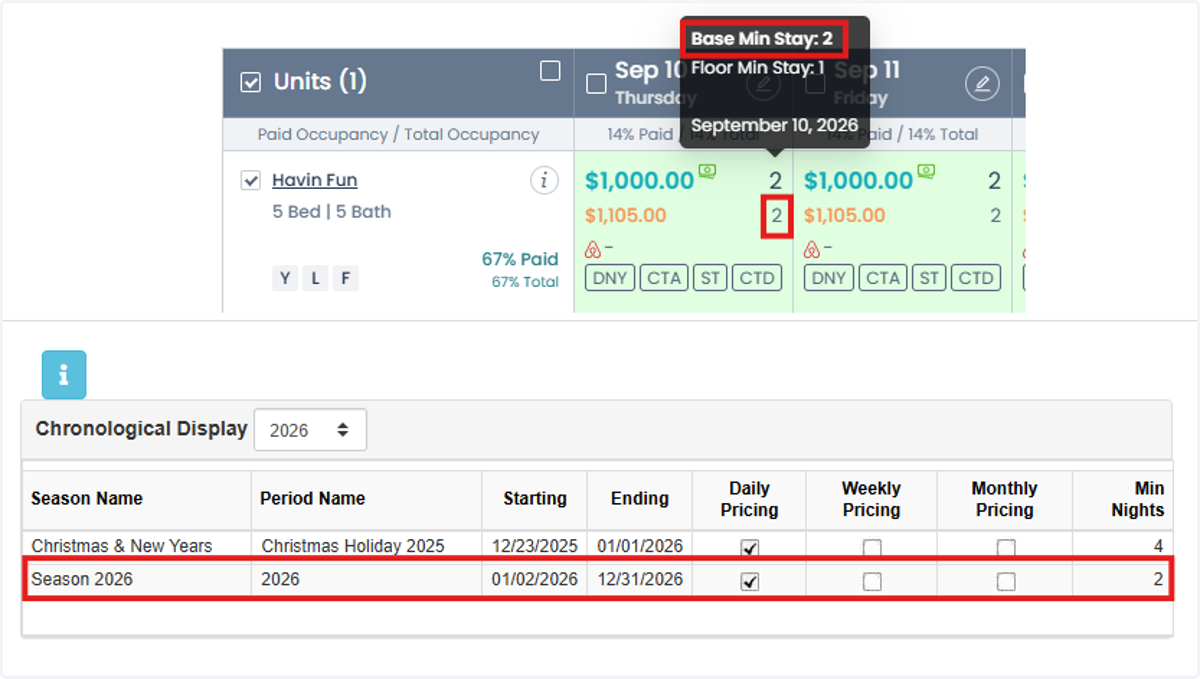
    Example: If the Season Period in Streamline is configured with a 2-night minimum, the RevMax Tape Chart should also display 2 as the Base (BOTTOM) Night Minimum for the corresponding dates.
  9. 9. If there is a mismatch between the Season Period Night Minimum in Streamline and the Night Minimum displayed in RevMax, check the STD Tape Chart in Streamline.
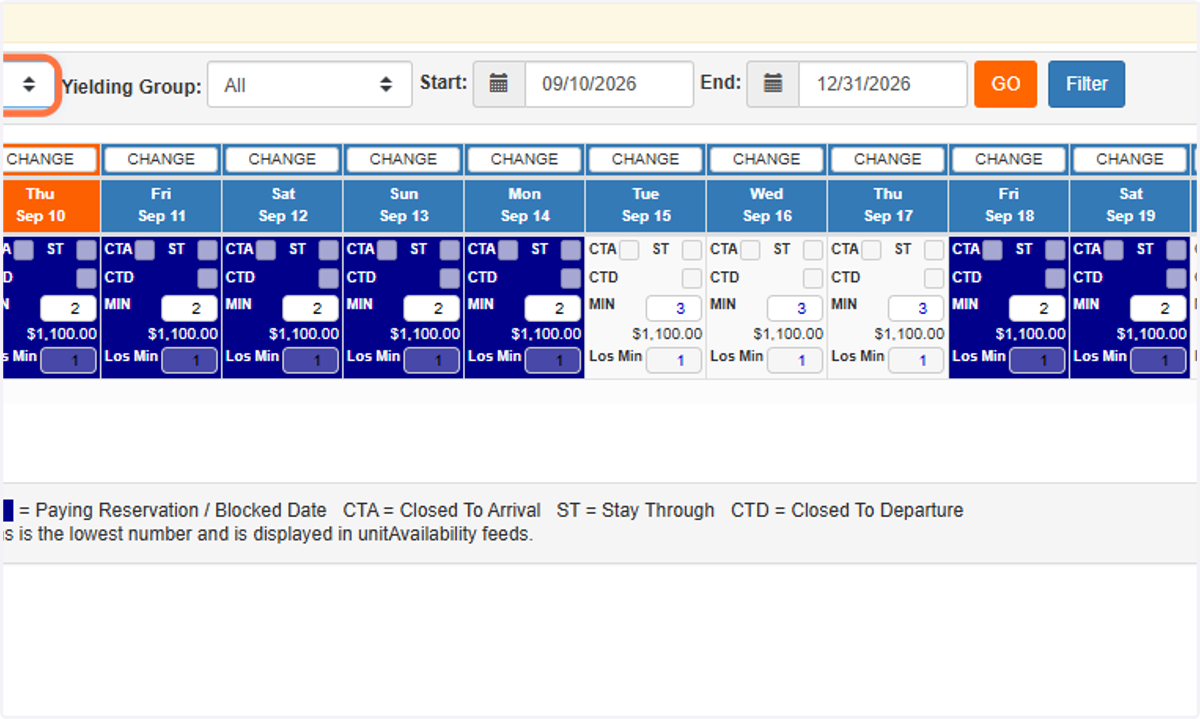
    If there is a mismatch between the Season Period Night Minimum in Streamline and the Night Minimum displayed in RevMax, check the STD Tape Chart in Streamline.
  10. 10. In some cases, a Night Minimum override may have been manually applied to the Streamline STD Tape Chart.
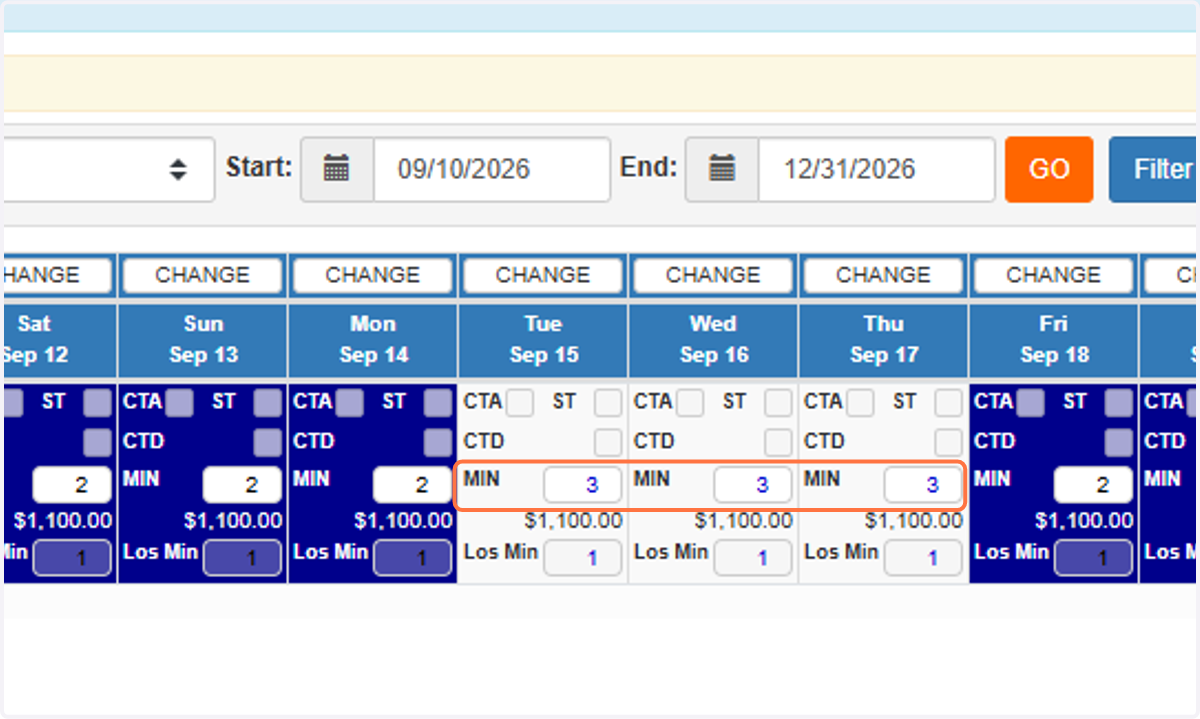
    In some cases, a Night Minimum override may have been manually applied to the Streamline STD Tape Chart.
  11. 11. These overrides take precedence over the Season Period Night Minimums and can prevent the expected Season Period value from being reflected in RevMax.
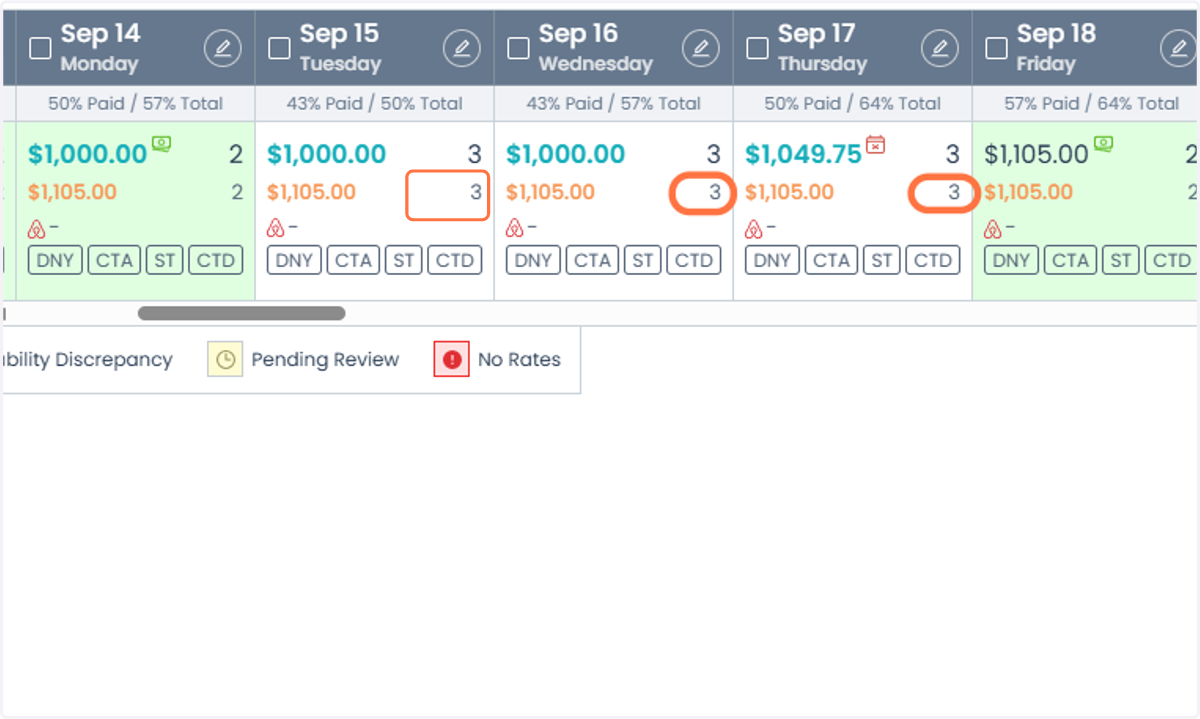
    These overrides take precedence over the Season Period Night Minimums and can prevent the expected Season Period value from being reflected in RevMax.
  12. 12. If you identify a Night Minimum override on the Streamline STD Tape Chart, it is typically highlighted in blue.
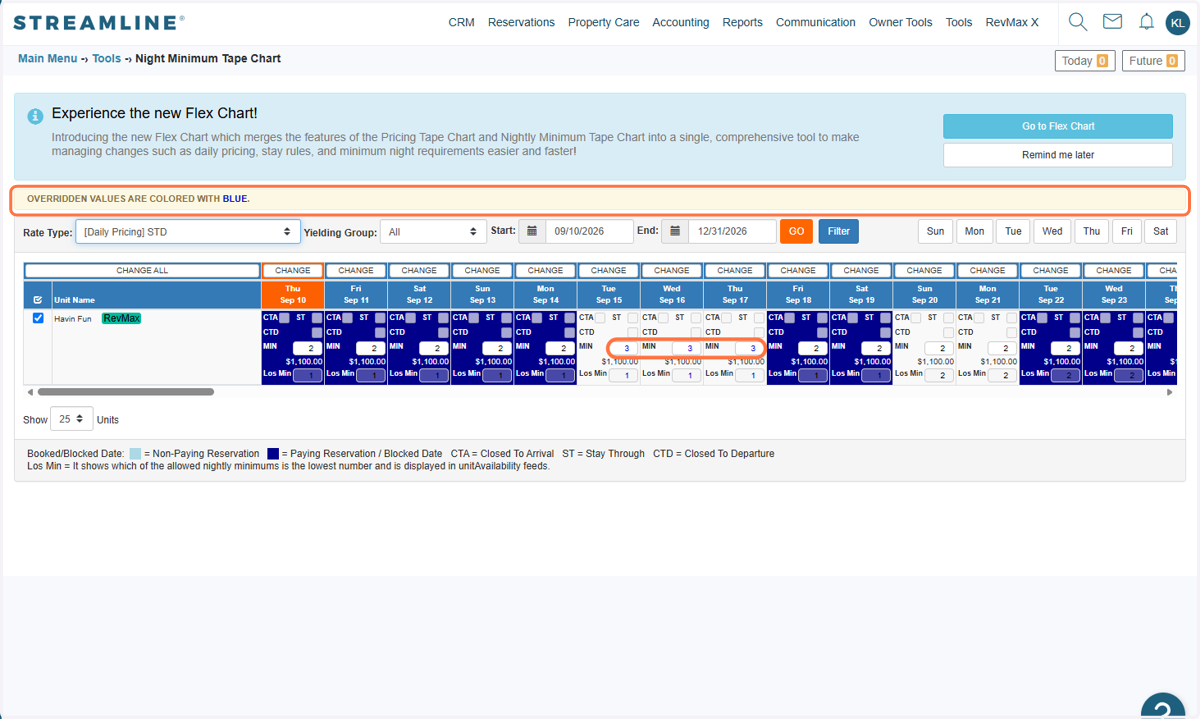
    If you identify a Night Minimum override on the Streamline STD Tape Chart, it is typically highlighted in blue.
  13. 13. To remove the override, open the STD Tape Chart in Streamline and filter the dates with the Night Minimum override.
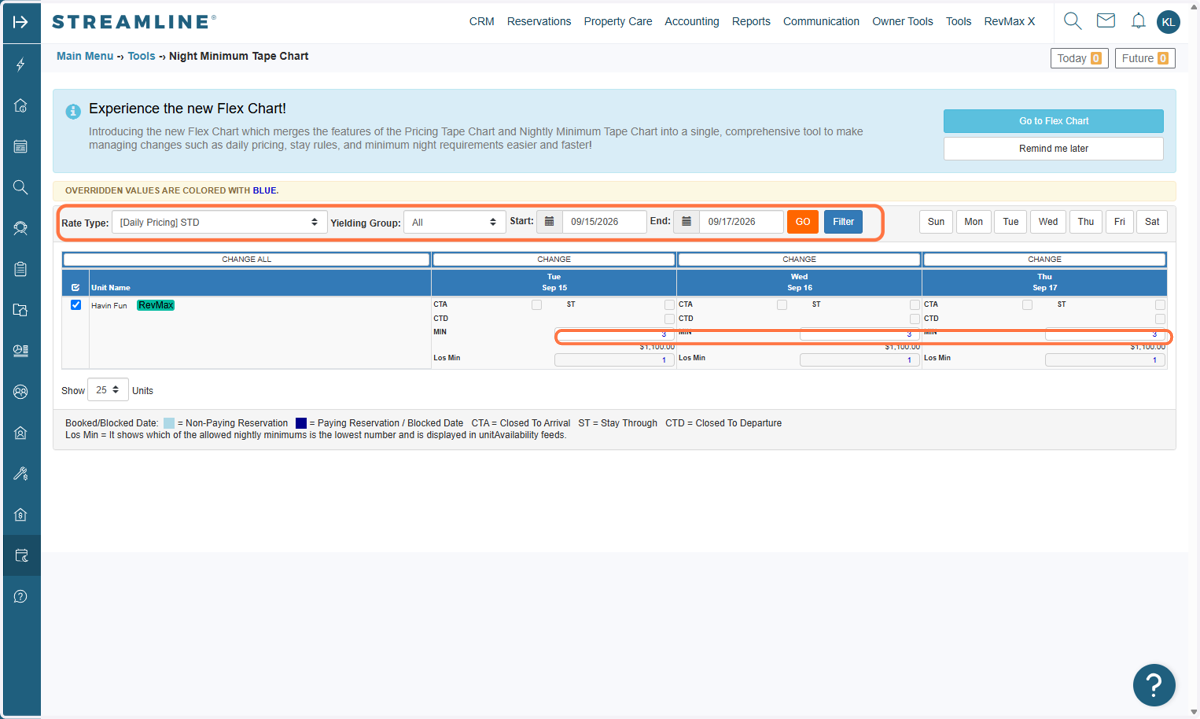
    To remove the override, open the STD Tape Chart in Streamline and filter the dates with the Night Minimum override.
  14. 14. Click Change All and then click on "RESET ALL" to remove the Night Minimum overrides for the affected dates.
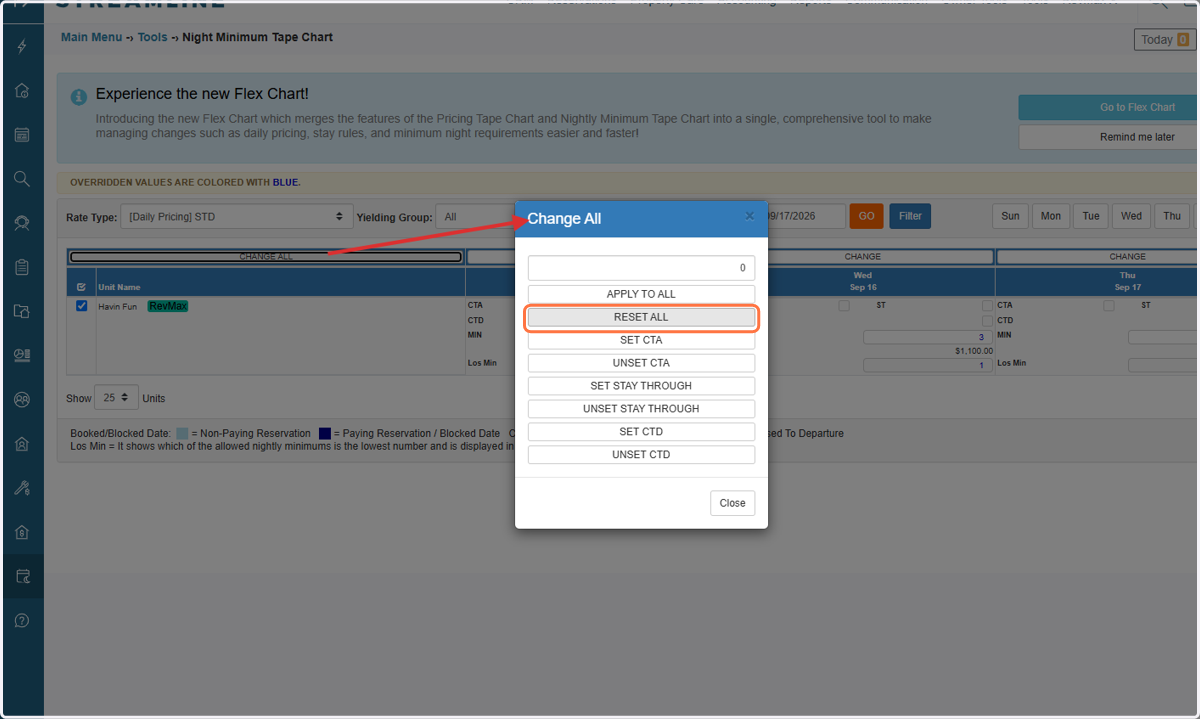
    Click Change All and then click on "RESET ALL" to remove the Night Minimum overrides for the affected dates.
  15. 15. Once the override has been reset, the Season Period Night Minimum will take precedence again. The updated Night Minimum will then be pushed automatically to the RevMax Tape Chart.
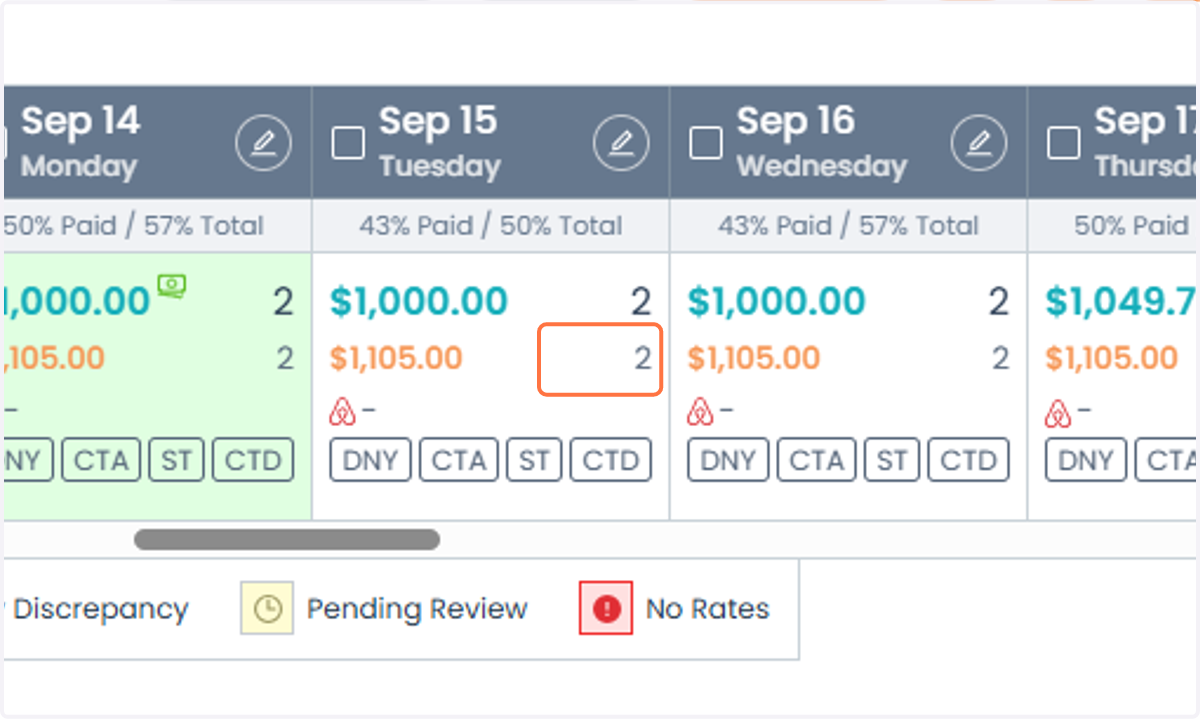
    Once the override has been reset, the Season Period Night Minimum will take precedence again. The updated Night Minimum will then be pushed automatically to the RevMax Tape Chart.

Important: When troubleshooting a Night Minimum mismatch for a new unit, always check the Streamline STD Tape Chart for overrides. A manual Night Minimum override can take precedence over the Season Period configuration, preventing the expected value from syncing to RevMax.