How to Build Your Resume
How to build your profile and resume in Schoolinks.
Schoolinks
Log in to Schoolinks with your Sycamore Google account.
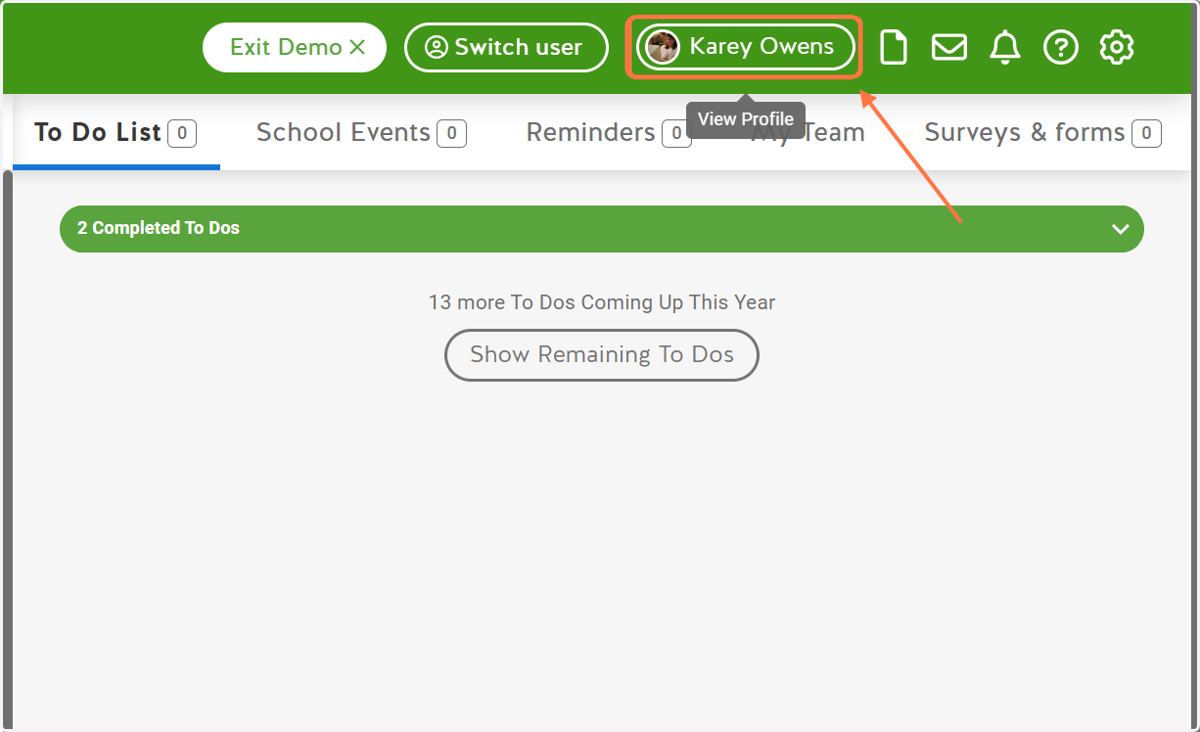
1. Click on Your Name
This will take you to your profile.
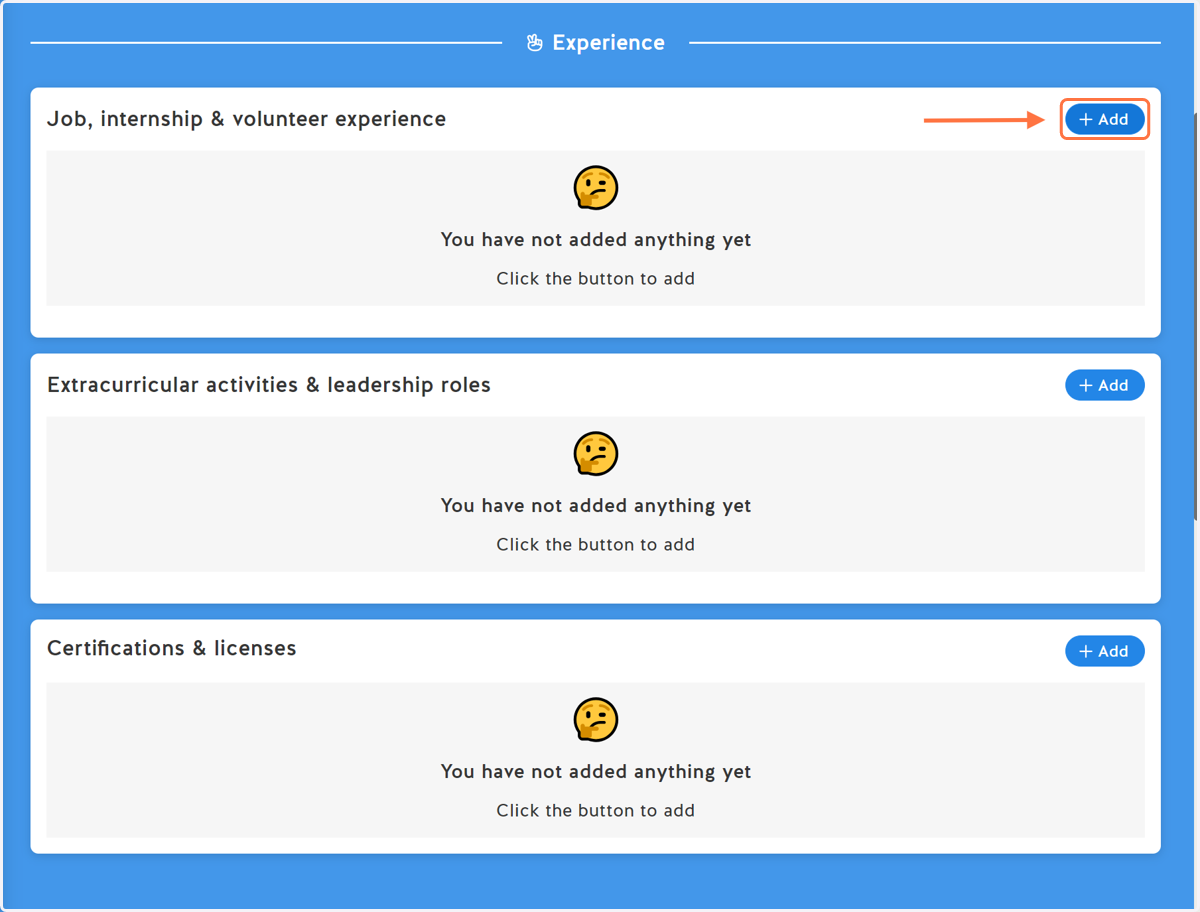
Job, Internship, & Volunteer Experience
This is where you add any jobs, internships, or volunteer positions you have held. To find these items, you will need to scroll down to the Experience section.
2. Select Add
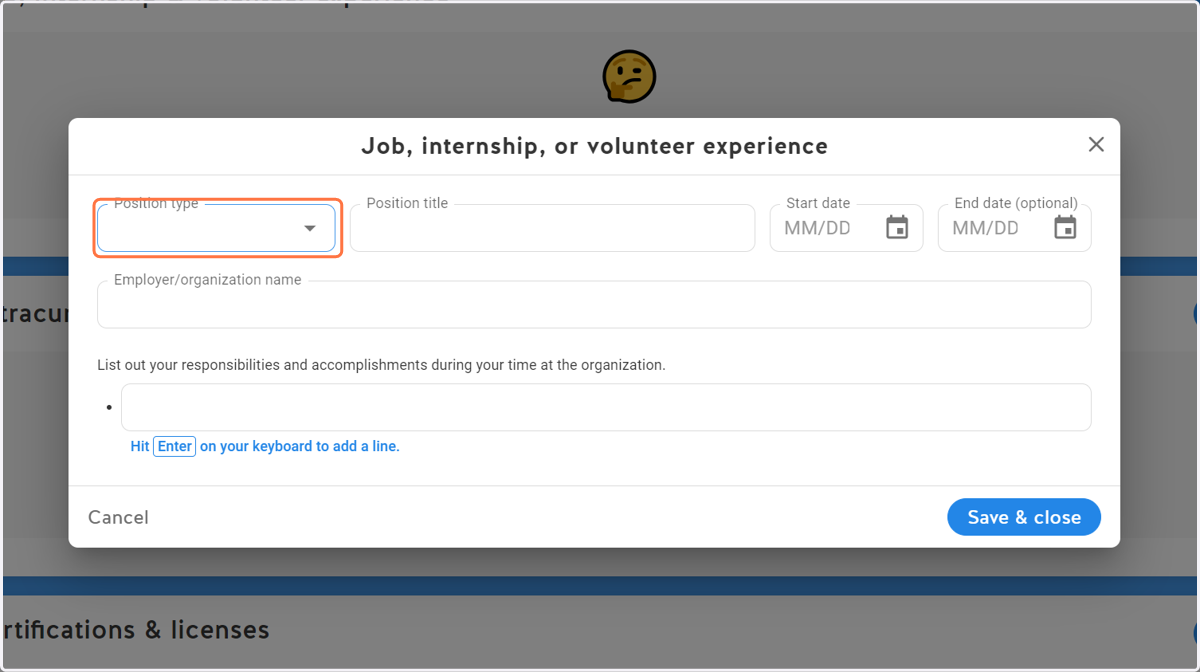
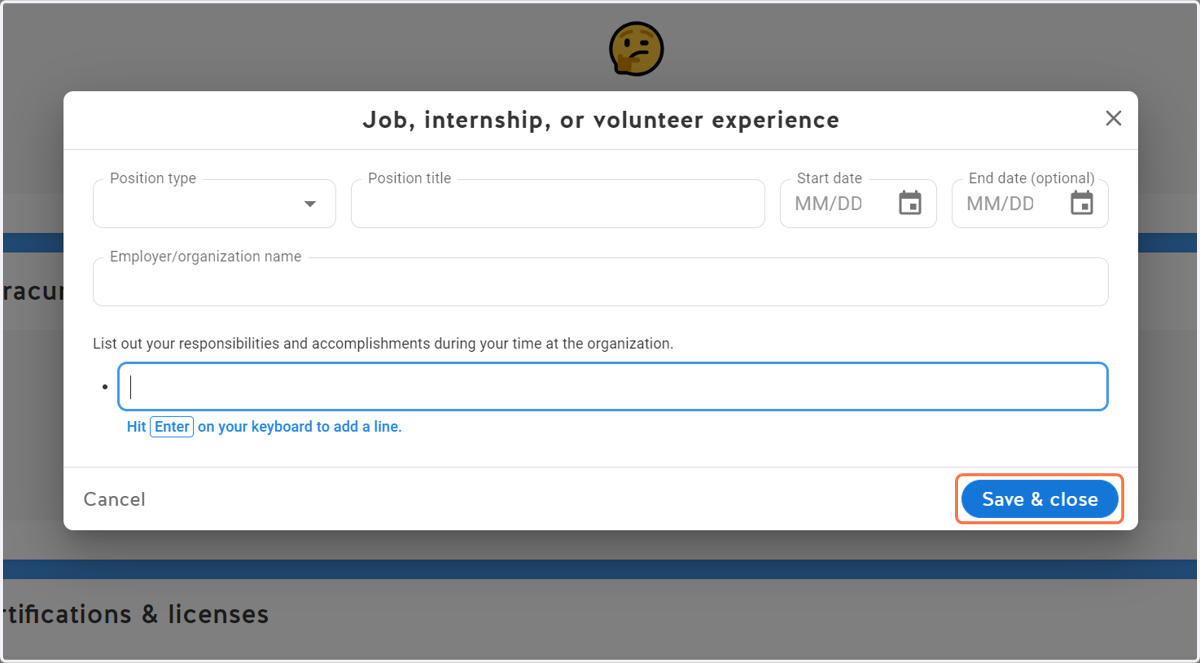
3. Select the Position type
Add your position (job, internship, or volunteer)
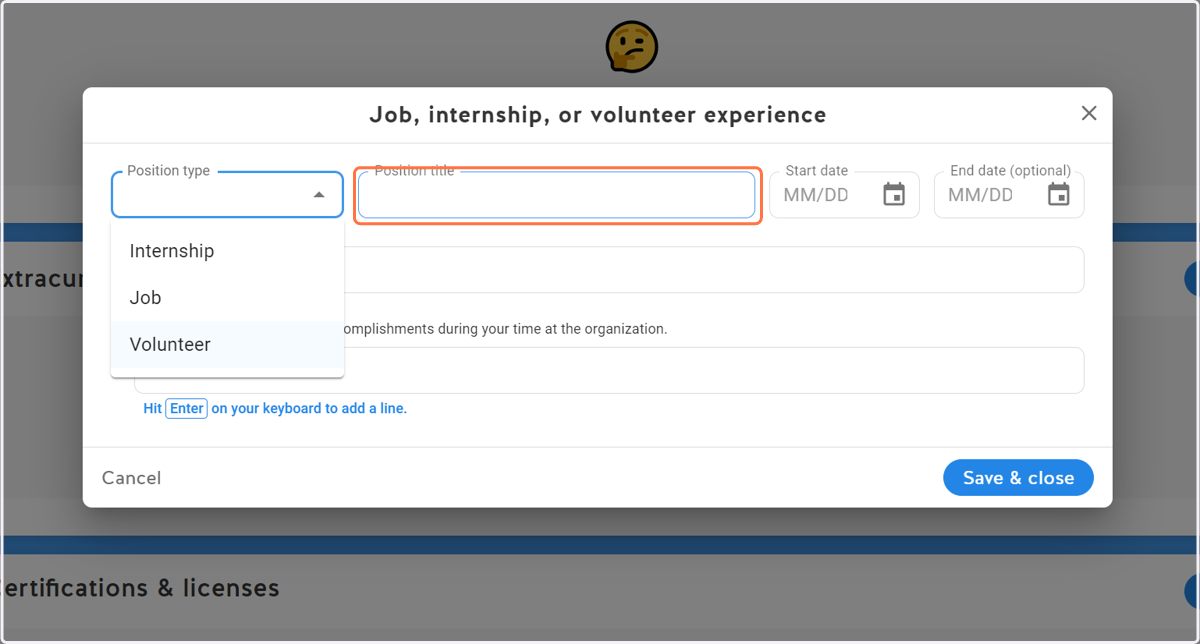
4. Add your title
What was your role?
5. Add the start date
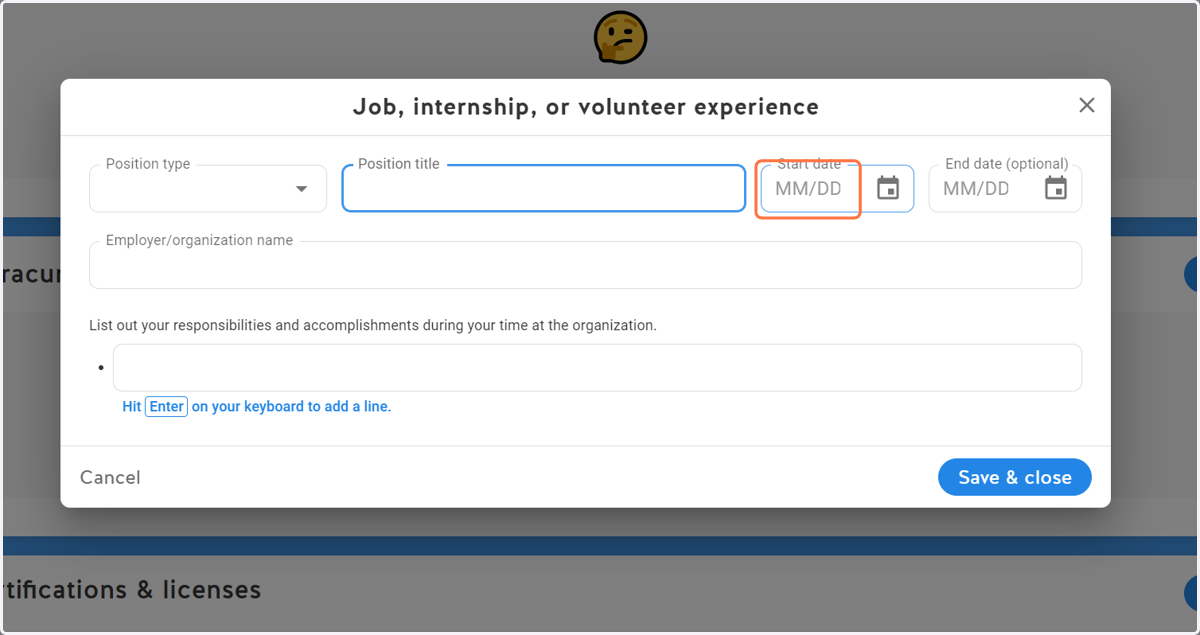
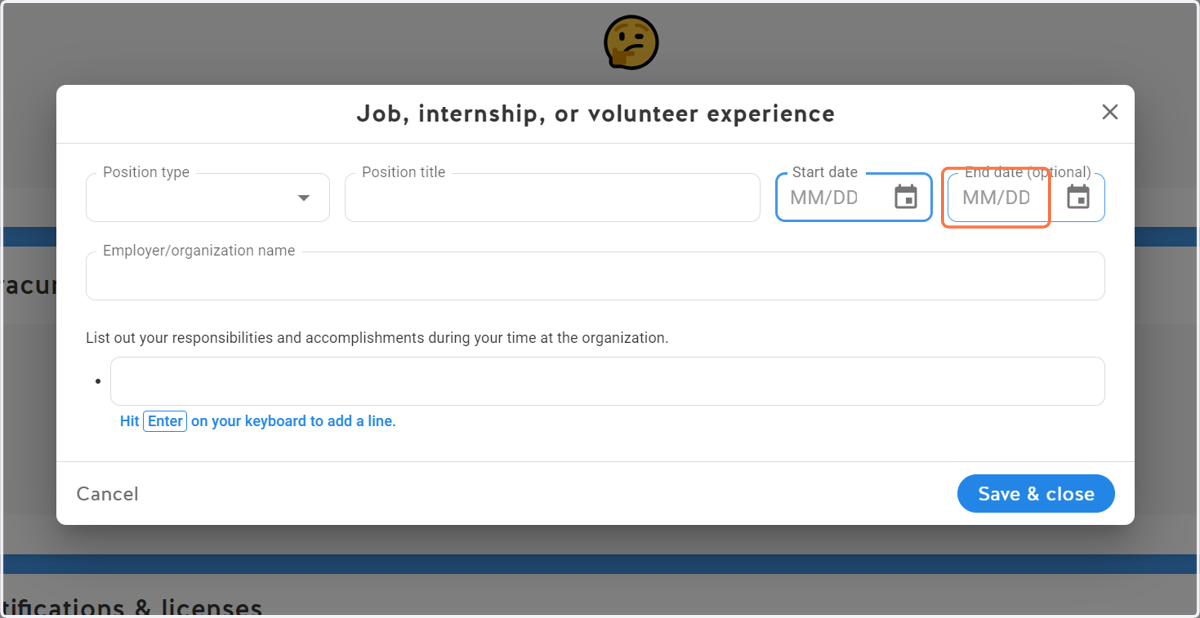
6. Add the end date (optional)
Leave blank if in progress.
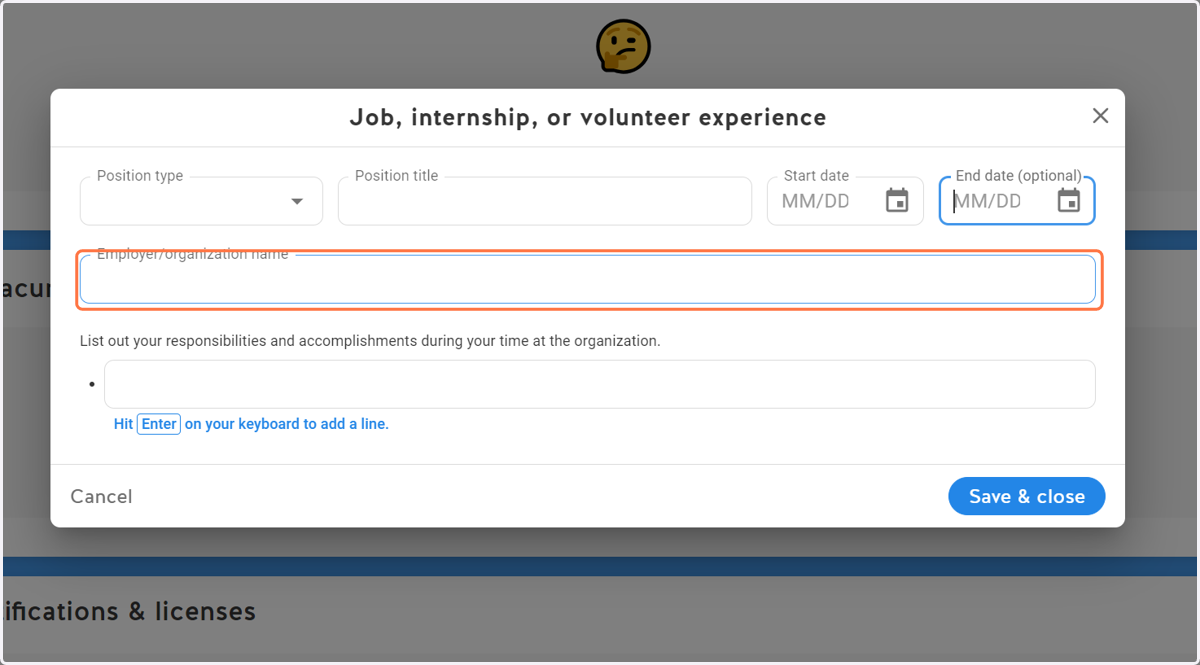
7. Add the name of the organization
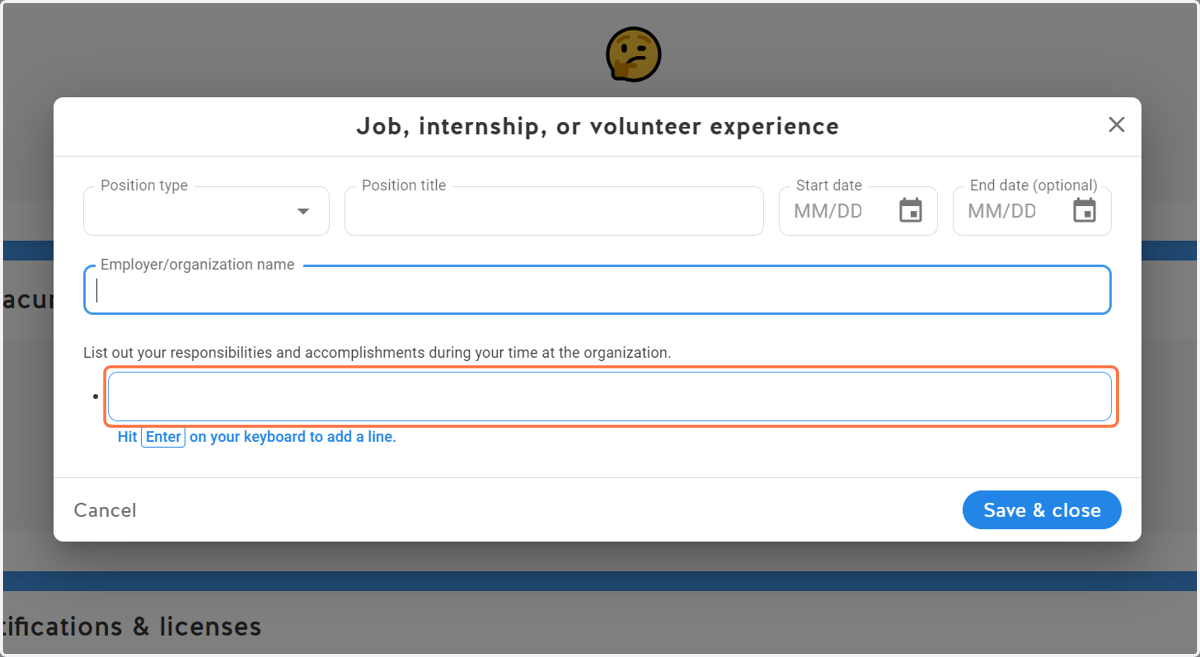
8. Add your responsibilities
Be specific rather than general
9. Click on Save & close
Extracurricular Activities & Leadership Roles
This is where you add any clubs or sports you participated in. This is not limited to school-sponsored activities and can include the things you did outside of school (private lessons, performances, competitions, etc.)
10. Click on Add
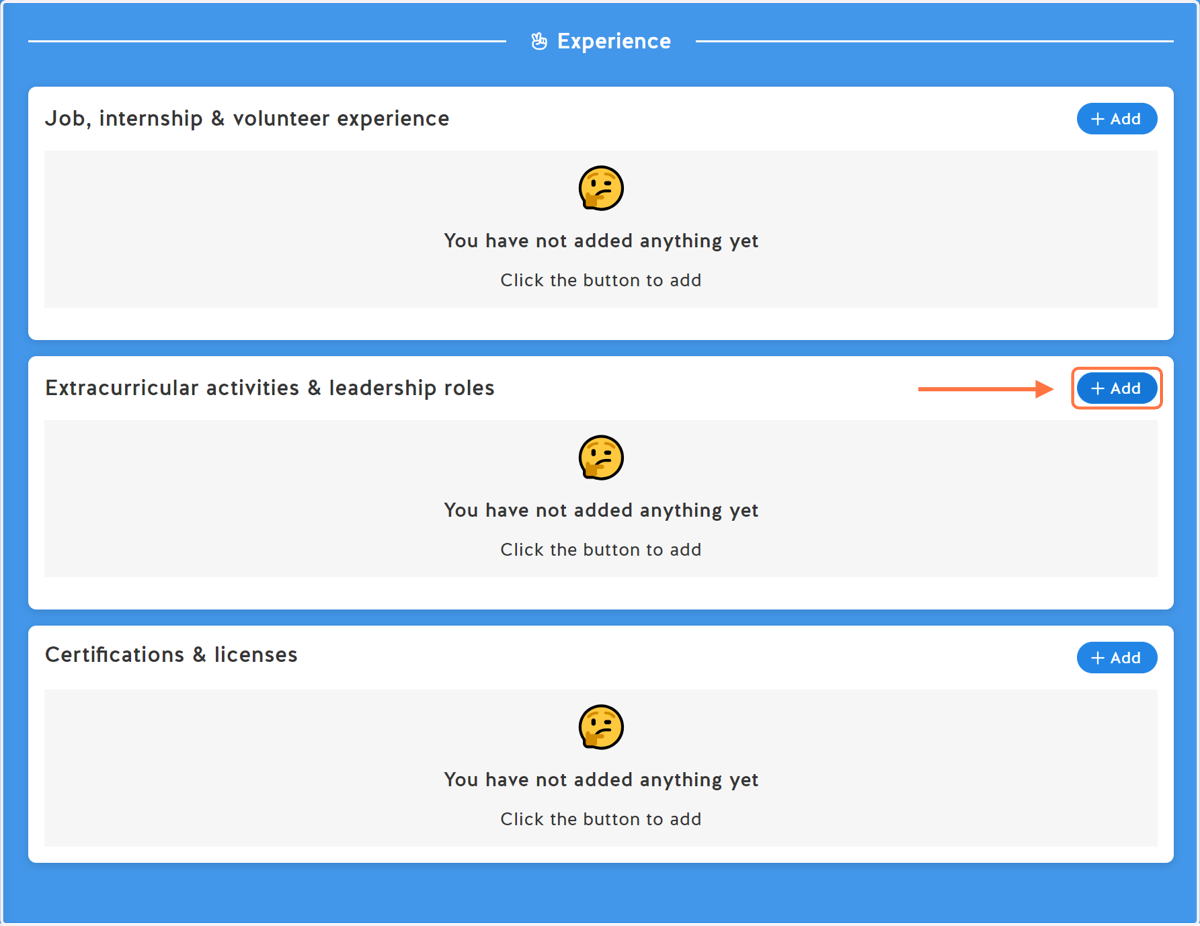
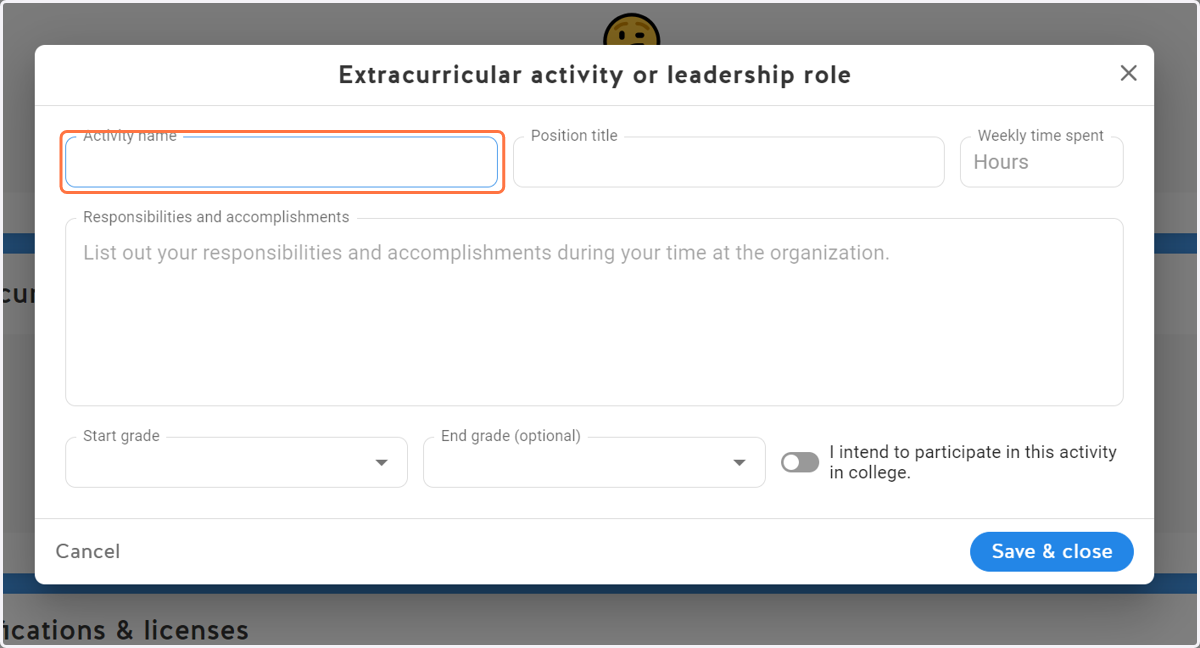
11. Add the type of activity
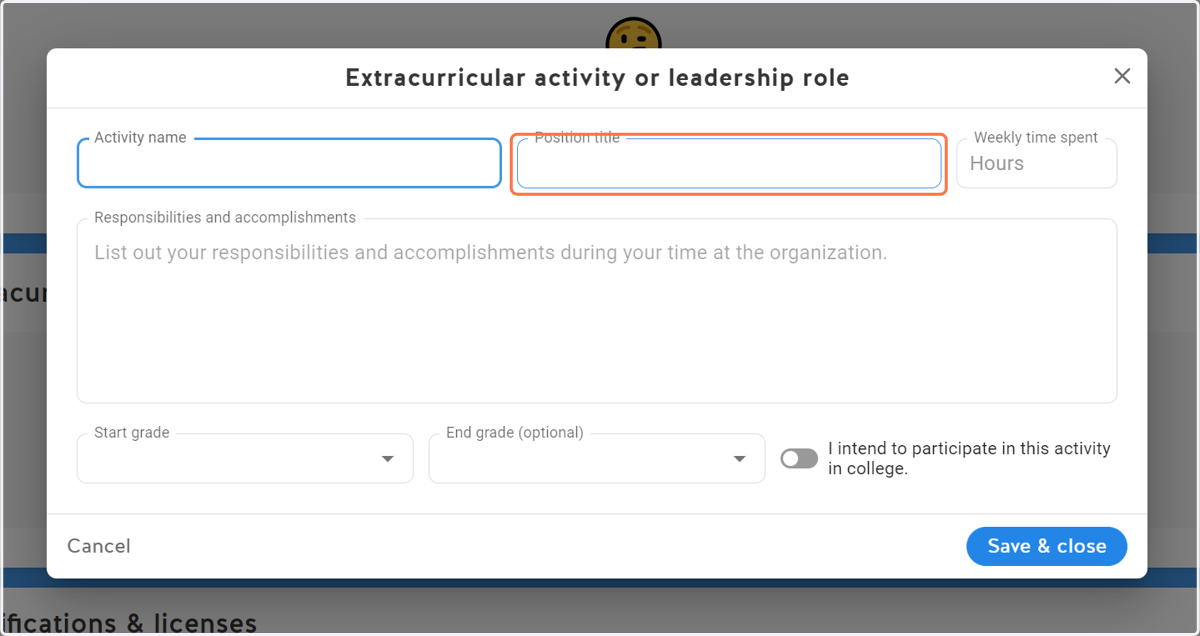
12. Add your role or title
This can be player, member, captain, etc.
13. Add the average hours spent on this activity each week
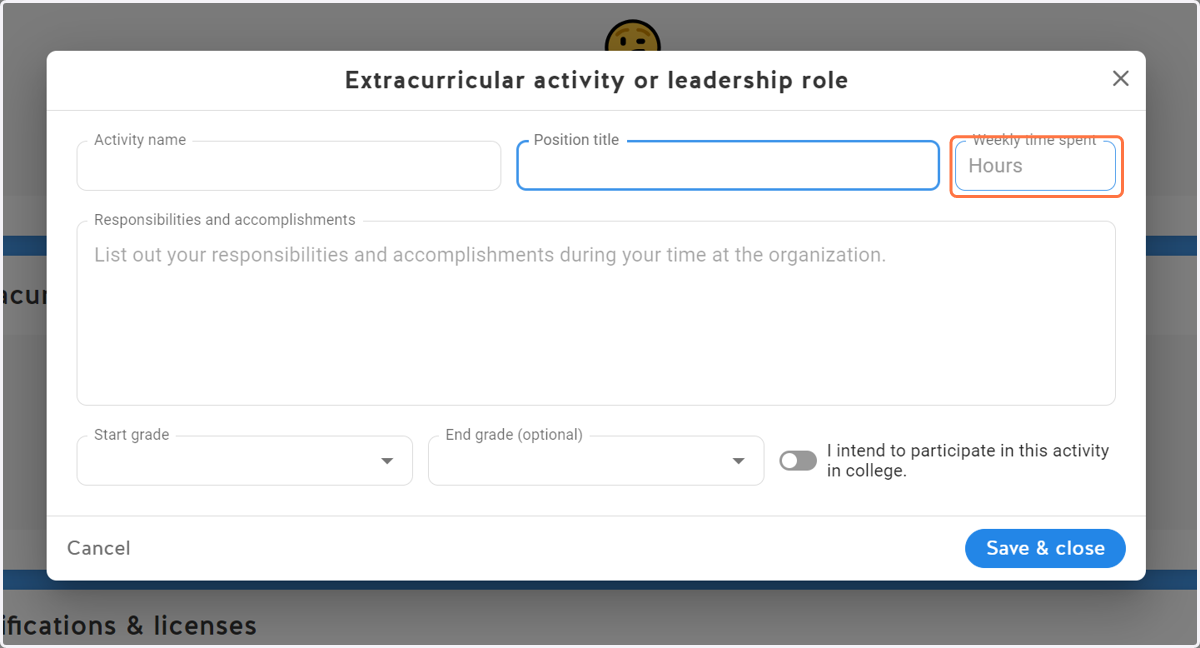
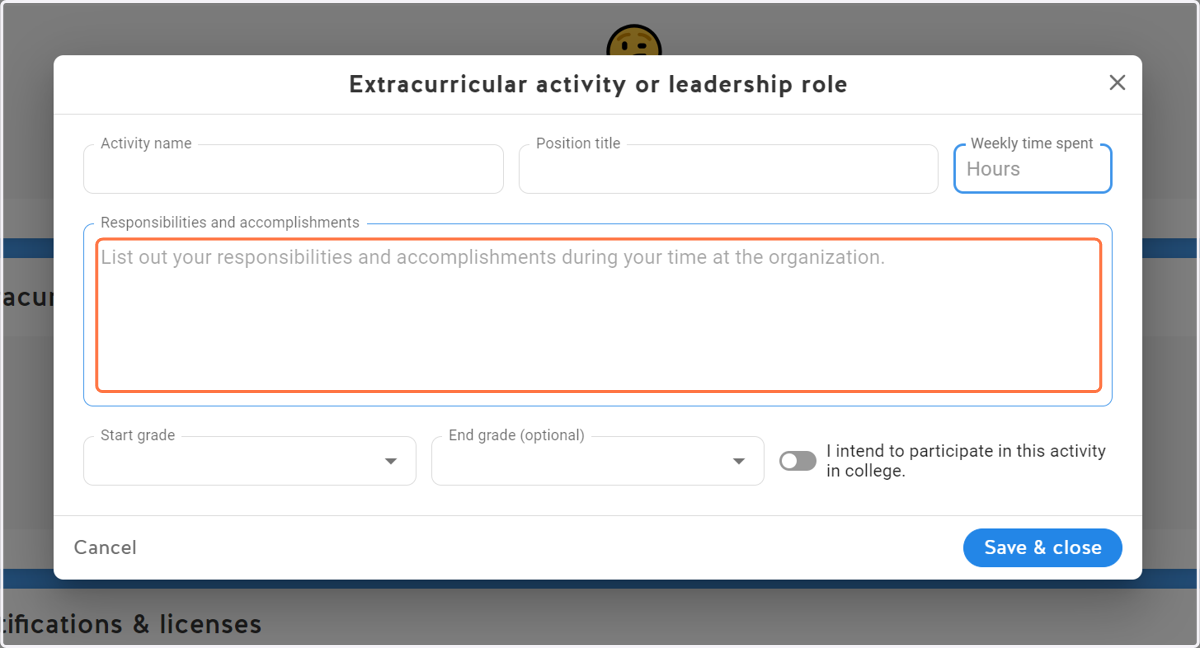
14. List your responsibilities and accomplishments during your time with this activity.
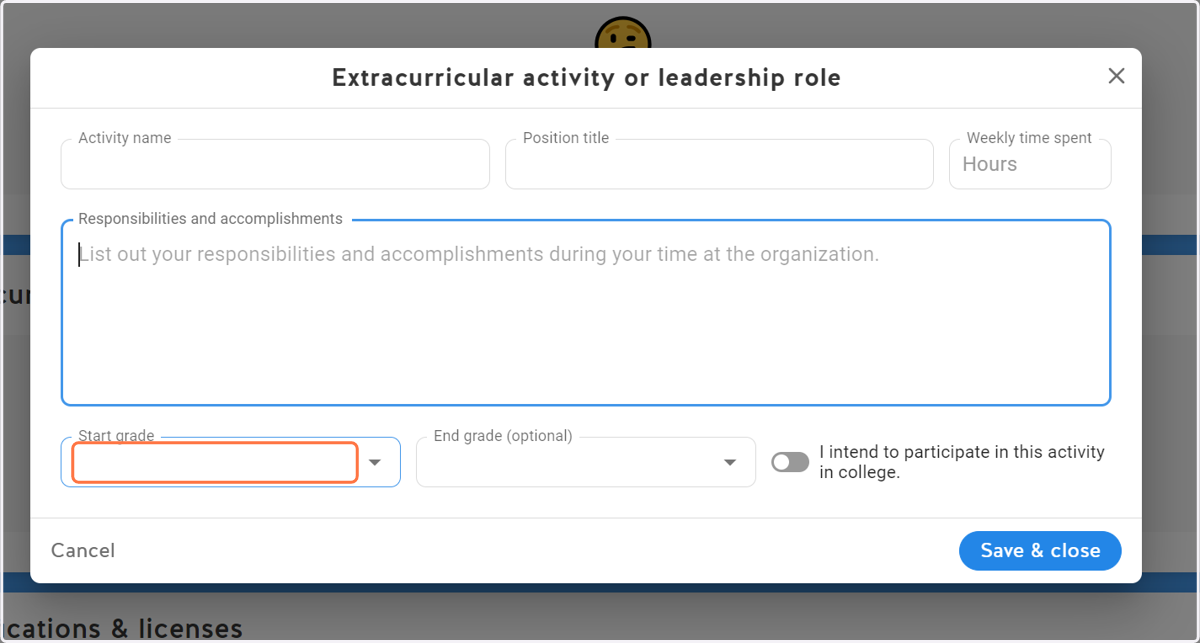
15. Enter when you started this activity
16. Add end grade (optional)
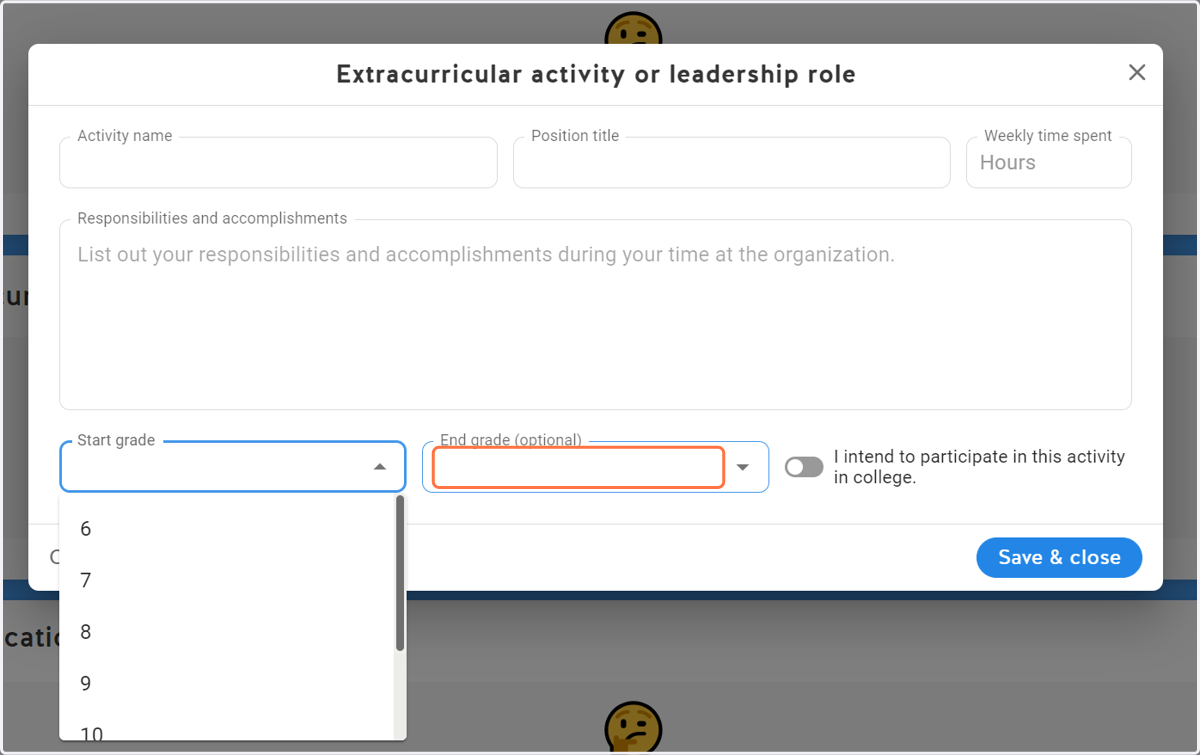
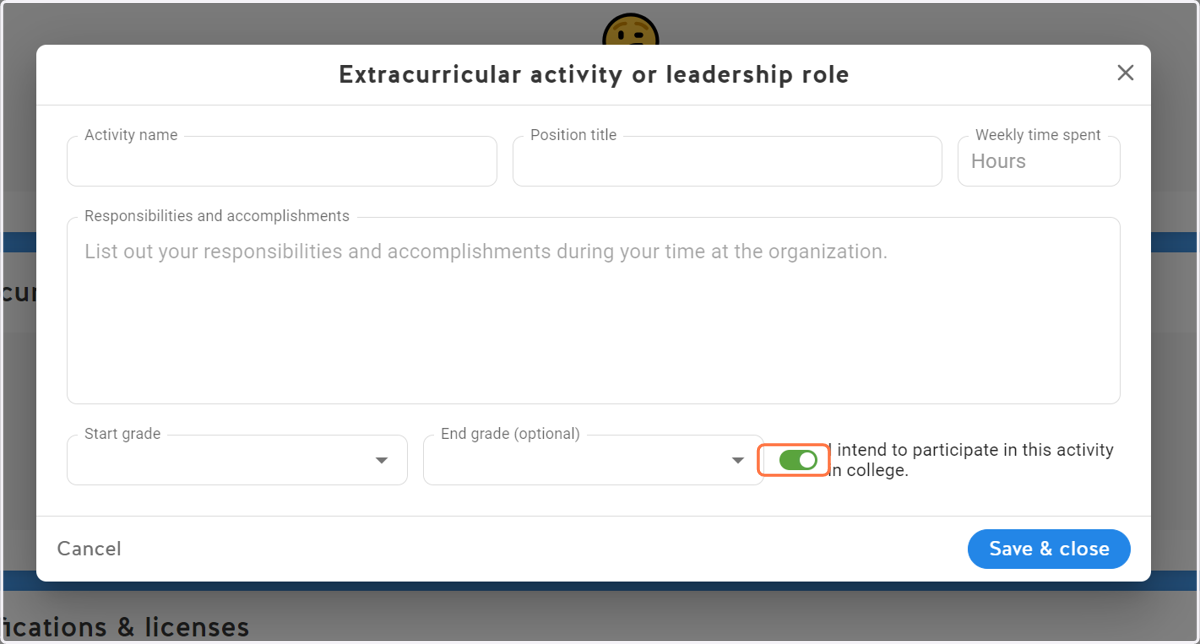
17. Select if you plan to participate in this activity in college
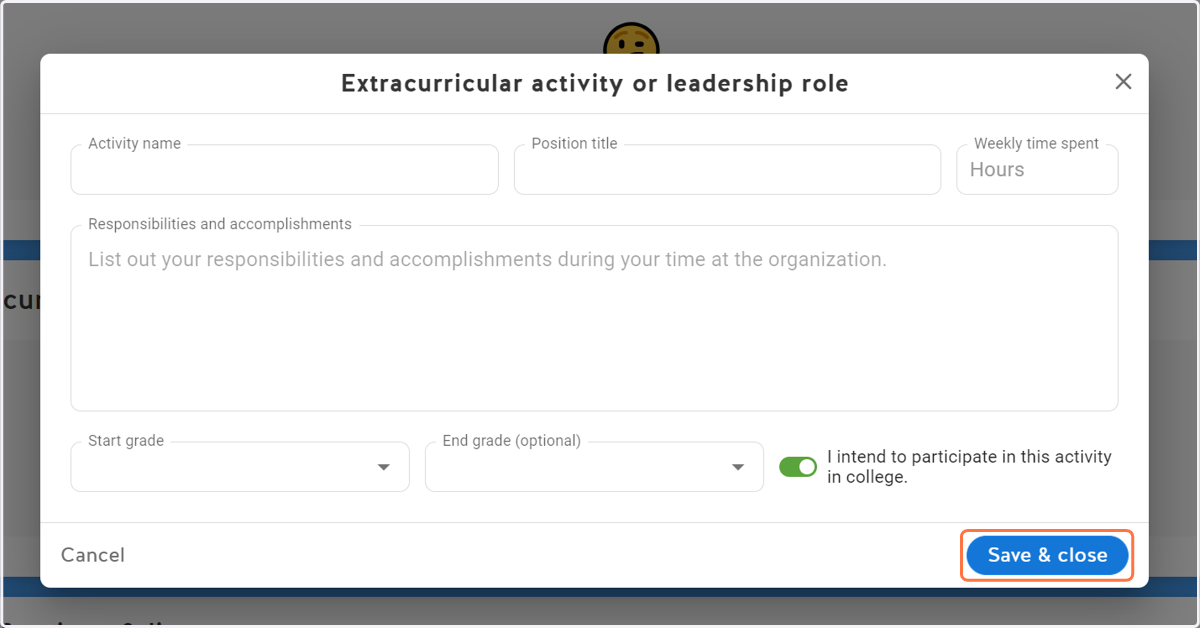
18. Click on Save & close
19. Review your additions and make edits as needed