How to Manage Lead Spend
You can manage lead spend in two different ways- keeping track of current lead spend and pausing, or applying a monthly spend cap to your account.
Log Into Your Portal
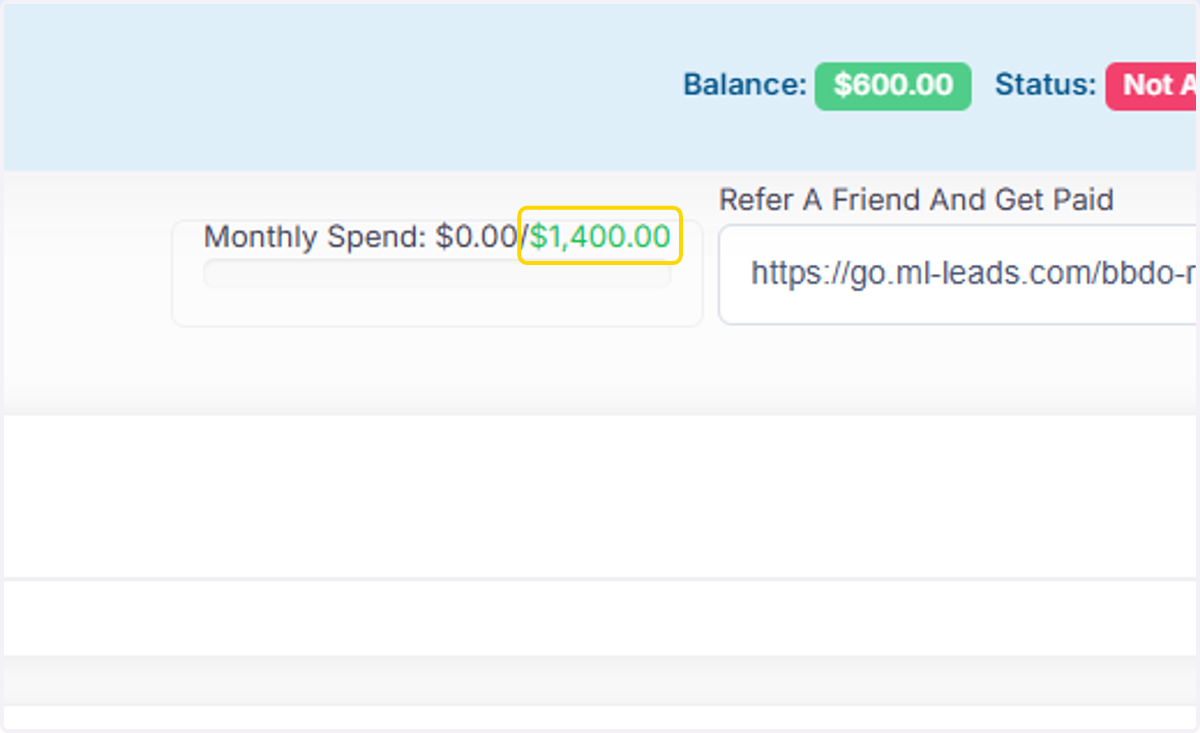
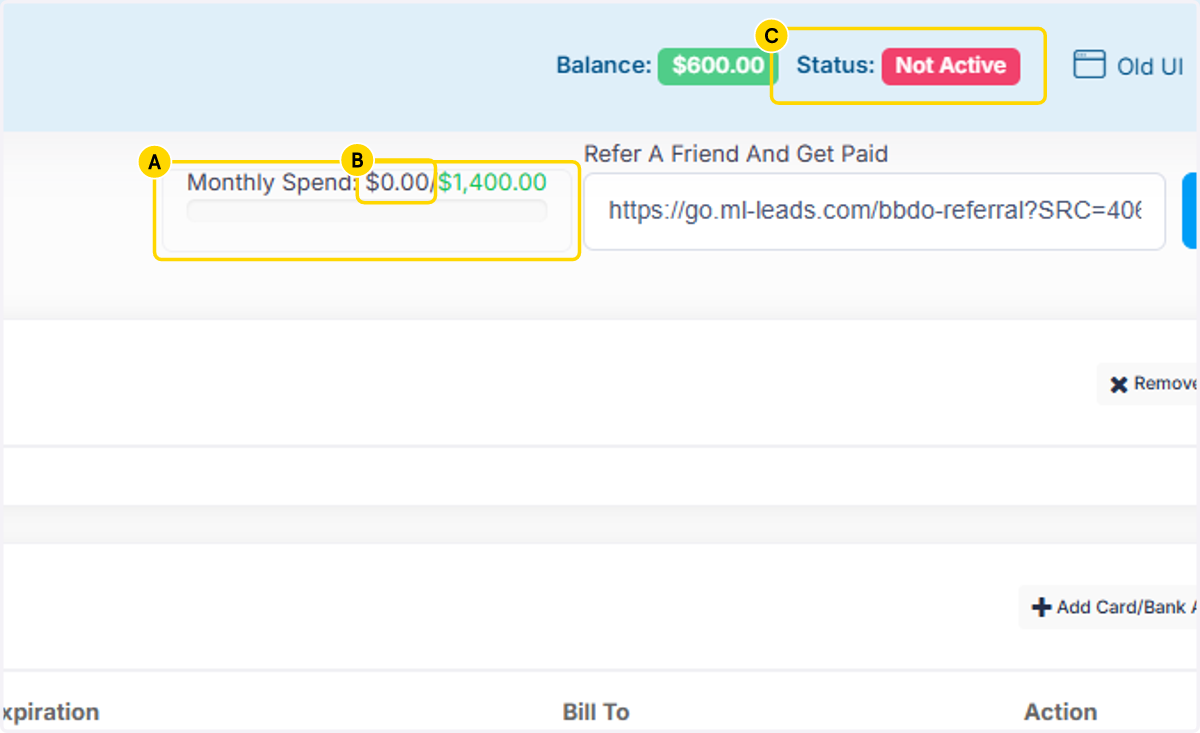
1. A. Click on Monthly Spend: $0.00/$1,400.00
1. B. Click on $0.00- The $0 will update as you receive leads. For ex: after 3 leads, it will show $900.00/unlimited. You can keep track of real time lead spend here, then pause as needed to control it.
1. C. Click on Status to Pause the account. If the status is "Temporarily Stopped", you are not receiving leads or being charged.
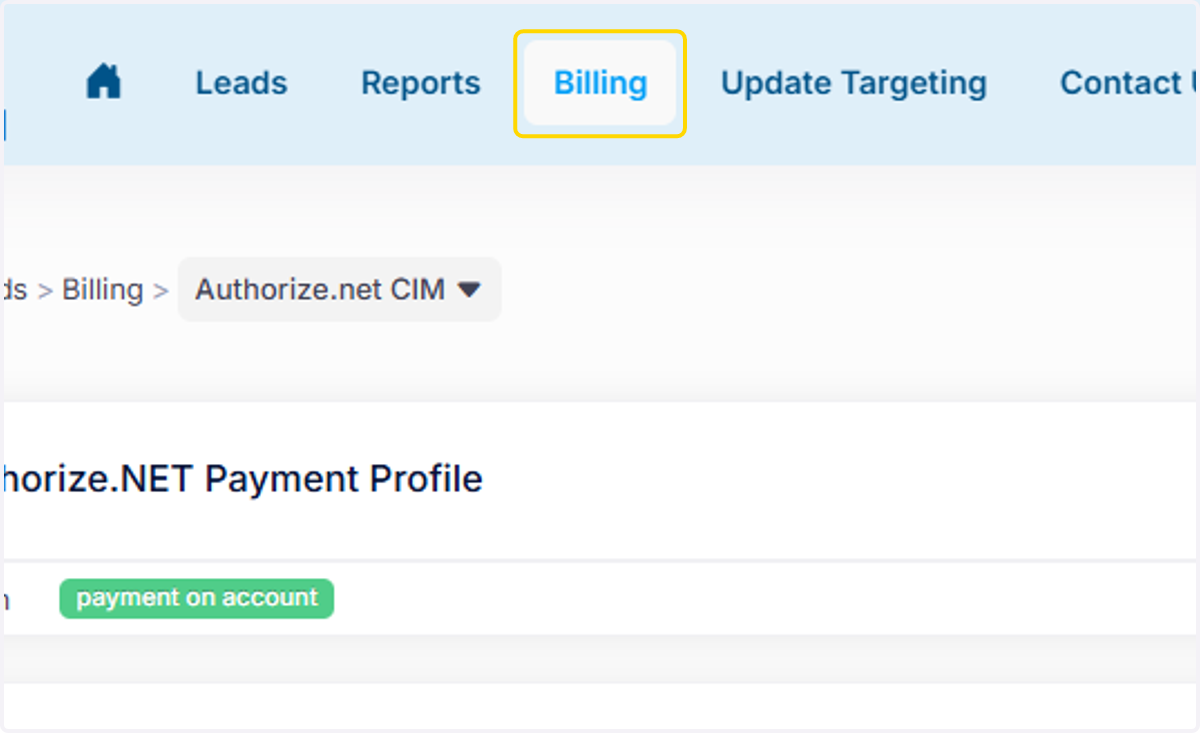
2. To Set a Monthly Spend Cap, Click on Billing
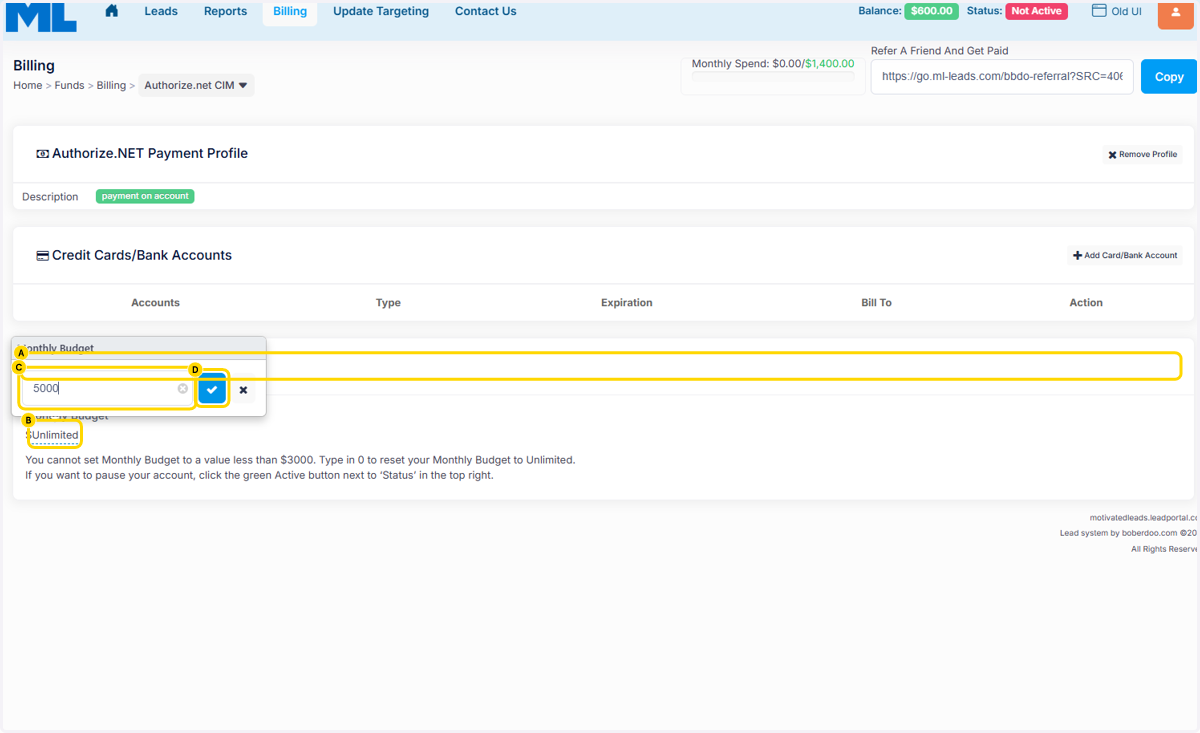
3. A. Click on Update Monthly Budget
3. B. Click on Unlimited
3. C. Type in text field the Cap You Want to Apply to Your Lead Spend. The minimum Cap is $3000.
3. D. Click on the Blue Checkmark to Save the Cap Number.
4. The cap will then update.
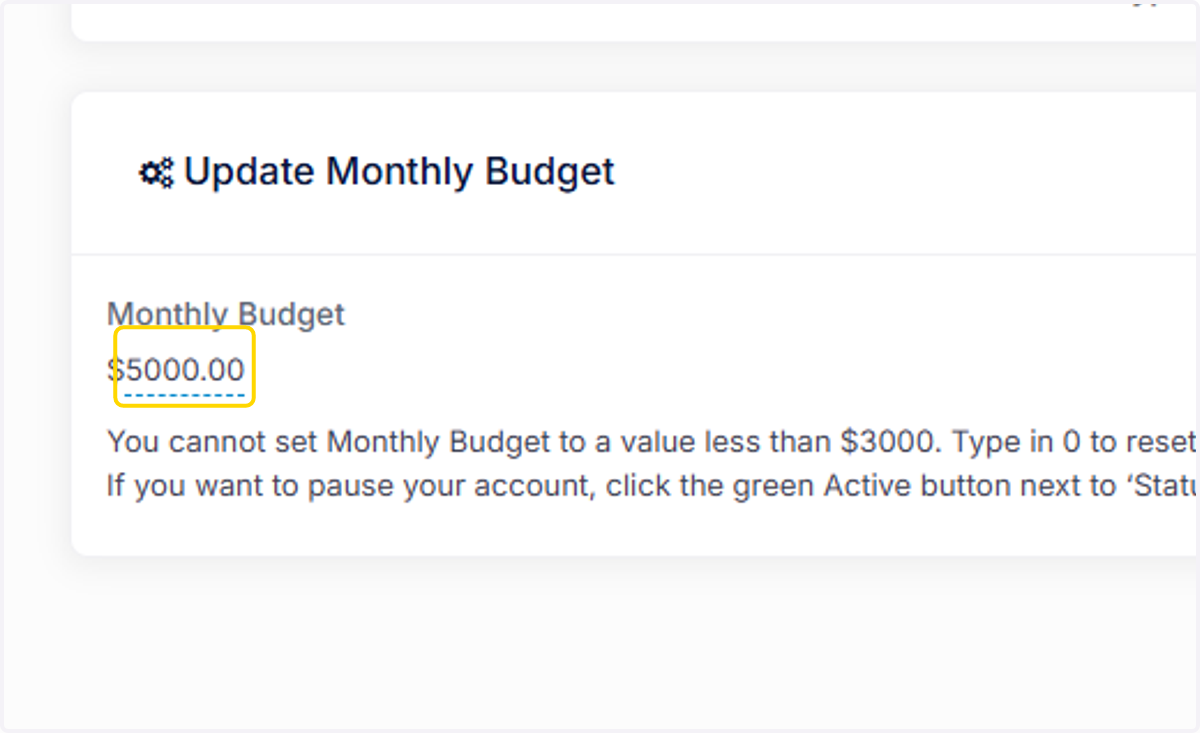
5. You will also see the Monthly Spend update. Staying with the example- $1400 would then update to the $5000.