Equipment Feature

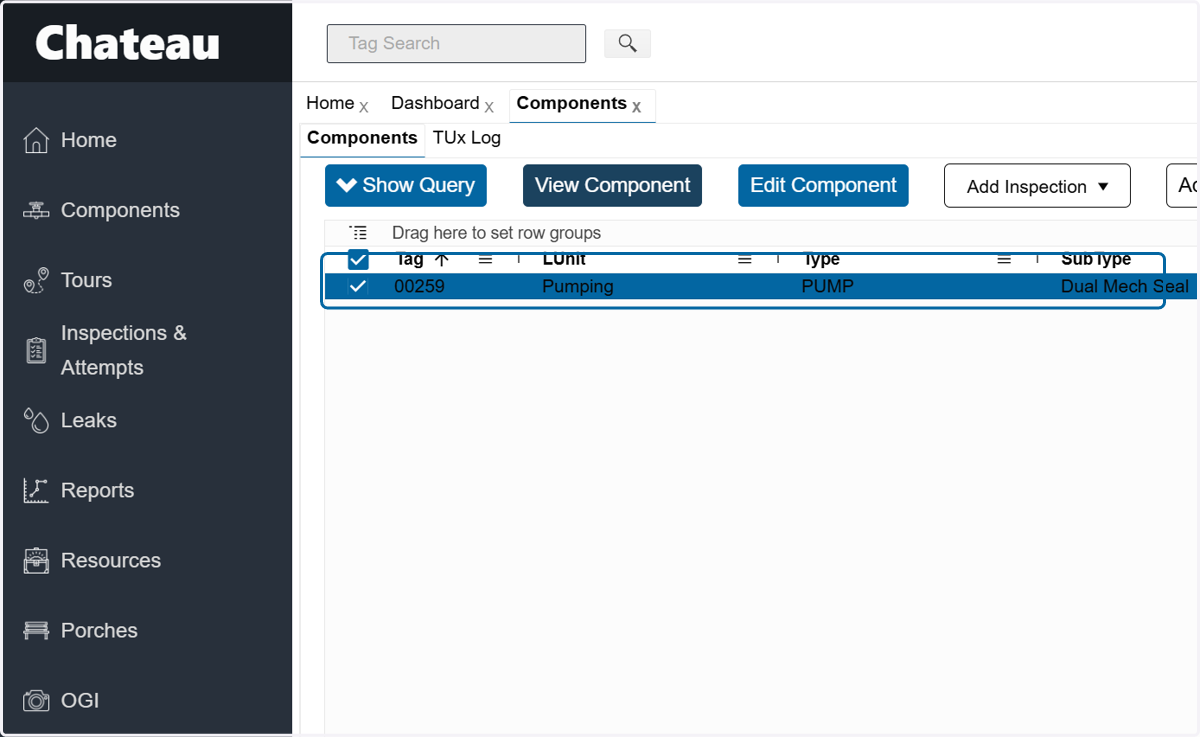
  1. 1. Open the component

    Open the component
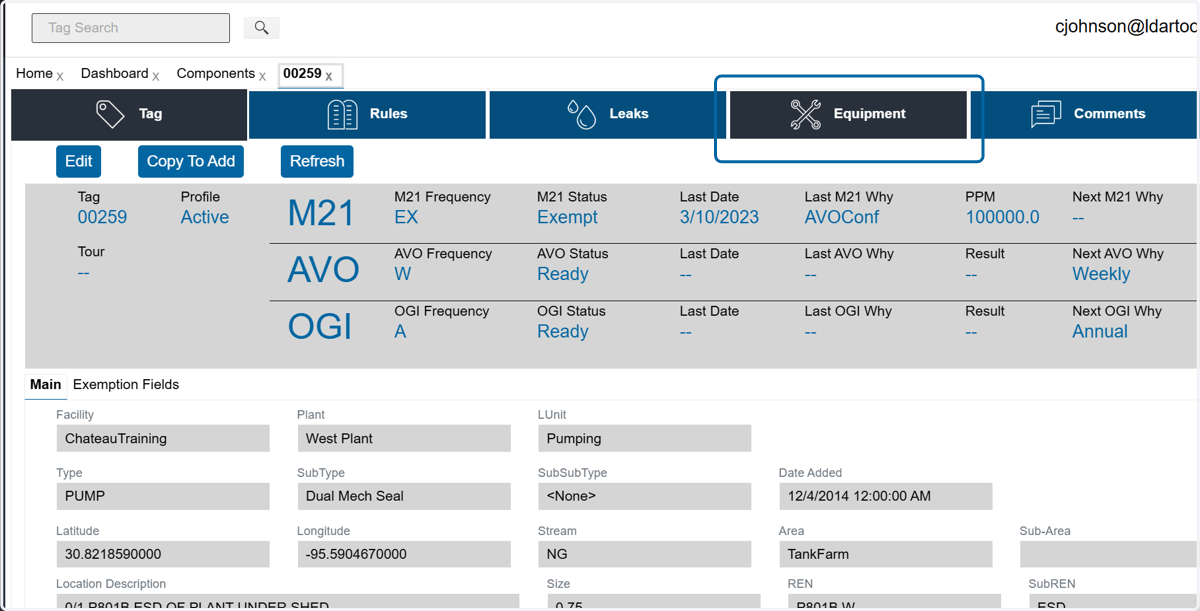
  2. 2. Click on the Equipment section

    Click on the Equipment section
  3. 3. To remove an existing piece of equipment, click on the record.
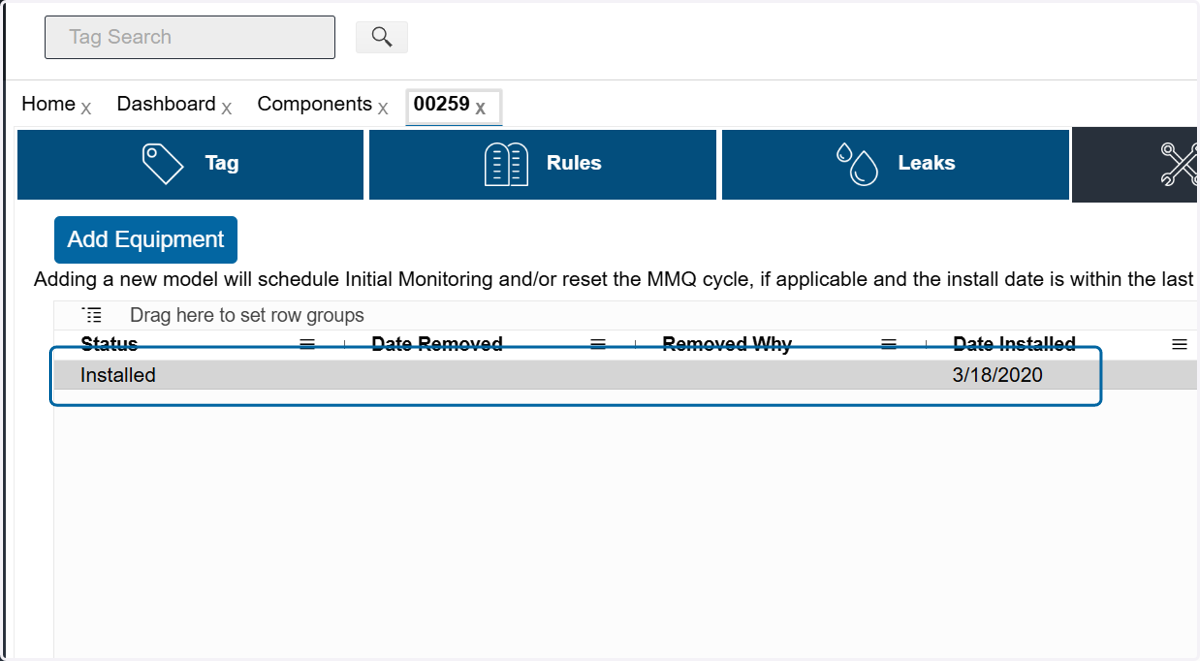
    To remove an existing piece of equipment, click on the record.
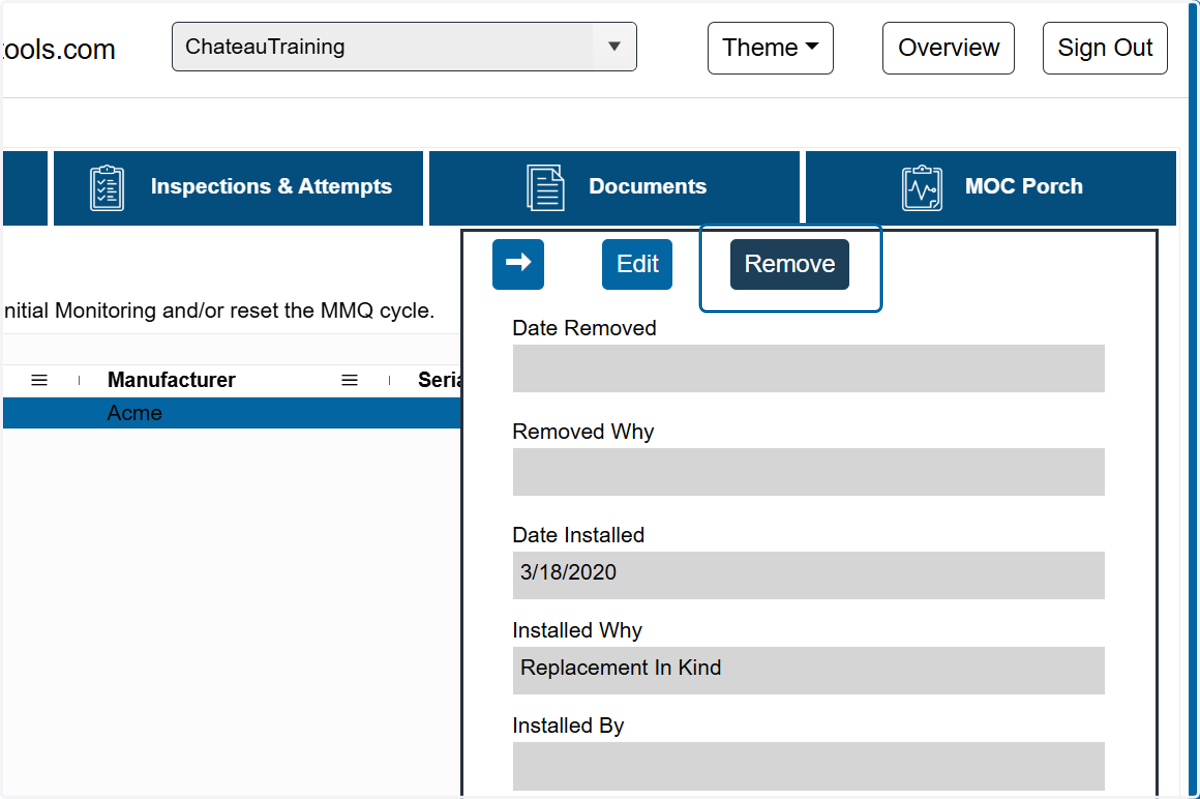
  4. 4. Click on Remove

    Click on Remove
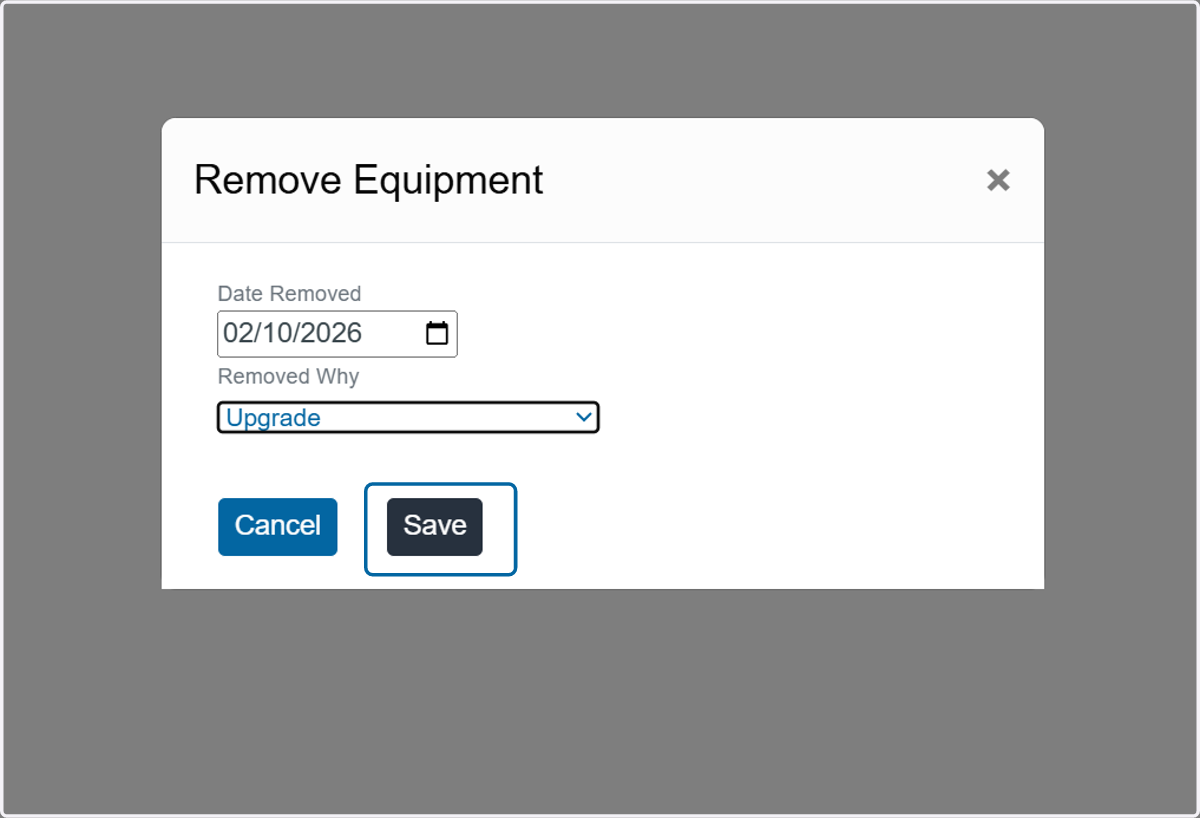
  5. 5. Update the Date Removed and the reason why.
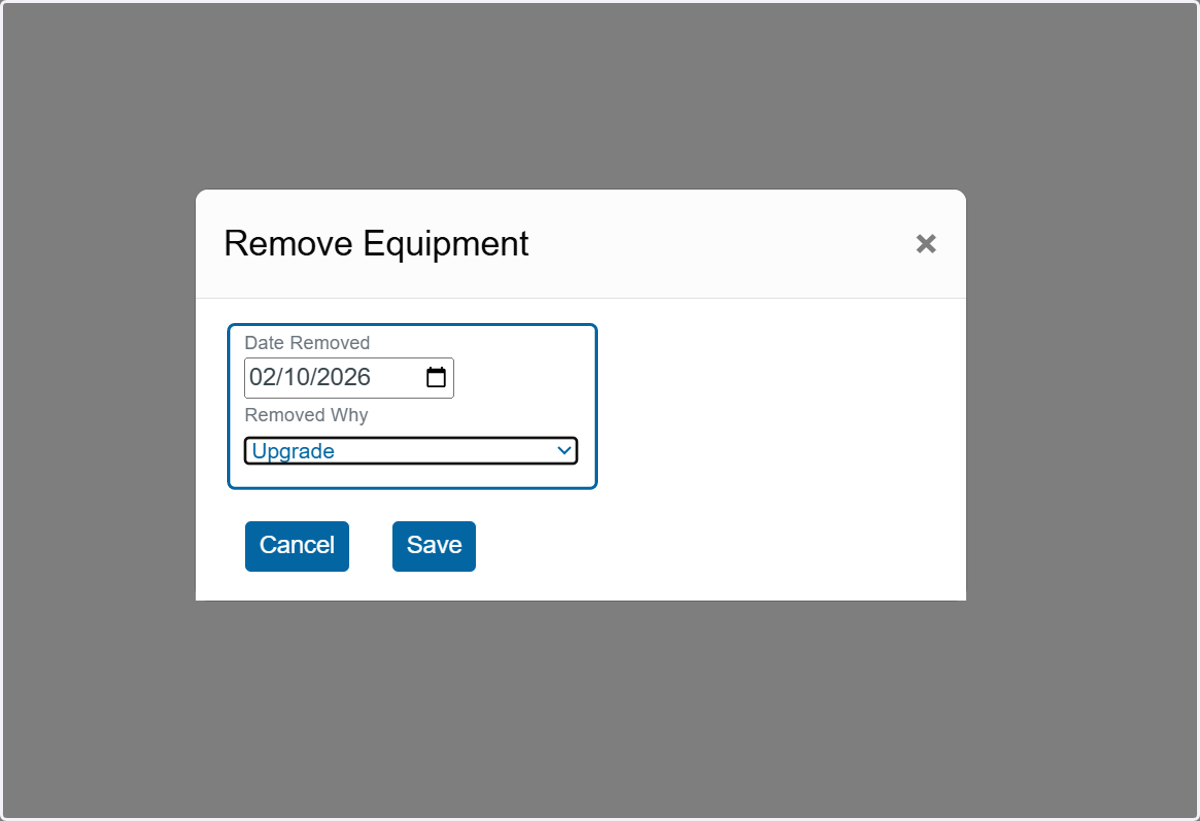
    Update the Date Removed and the reason why.
  6. 6. Click on Save

    Click on Save
  7. 7. To add equipment, click on Add Equipment
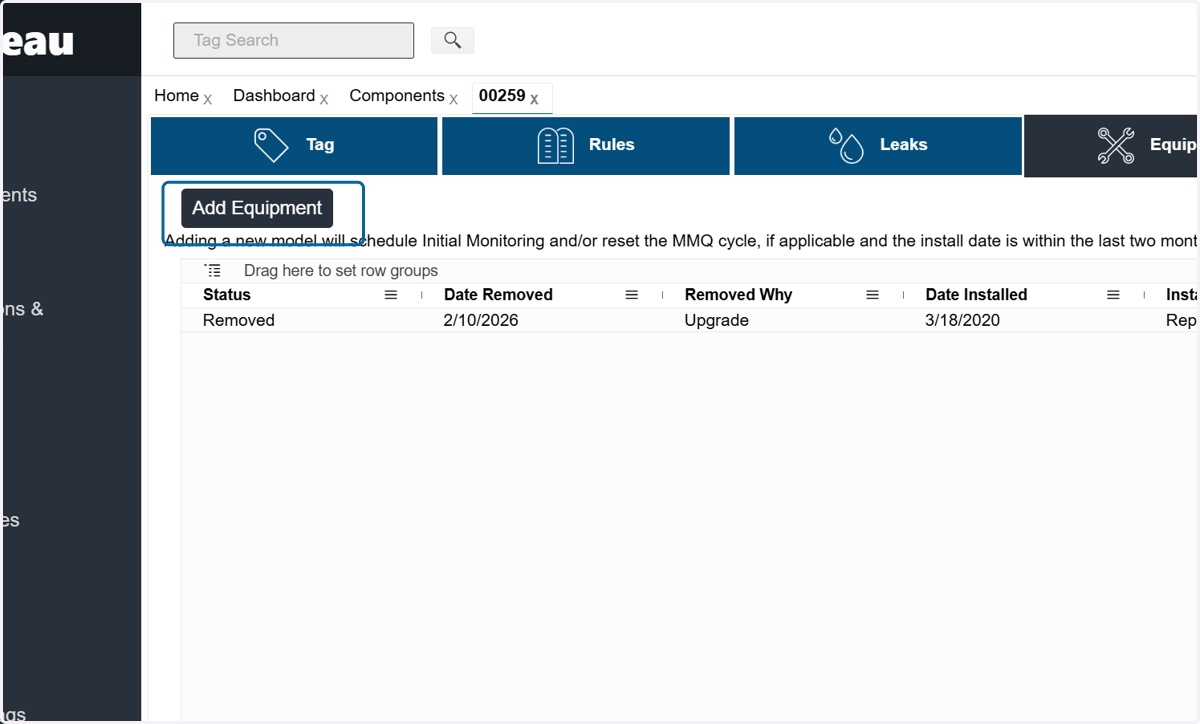
    To add equipment, click on Add Equipment
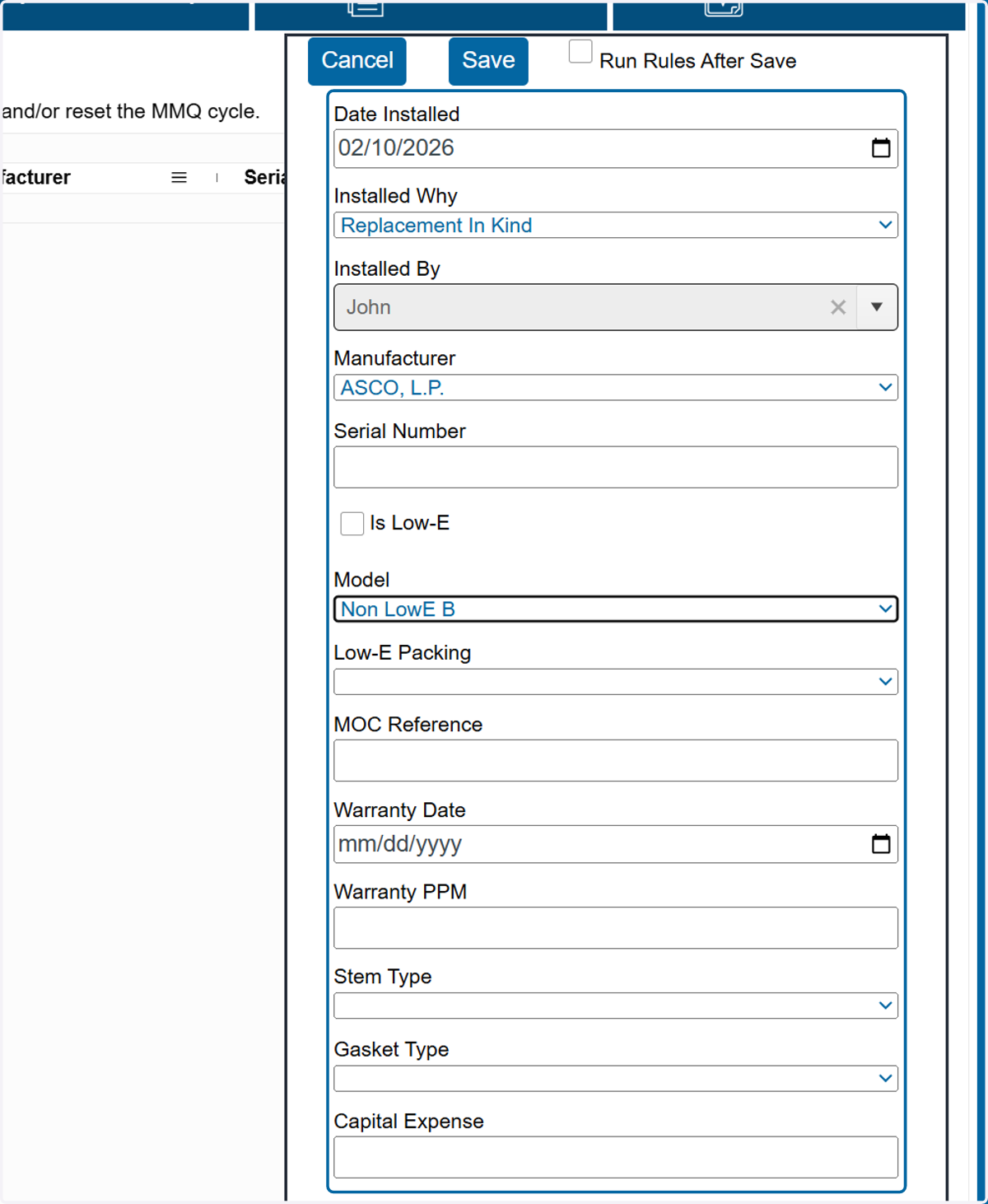
  8. 8. Fill in needed data fields.

    Fill in needed data fields.
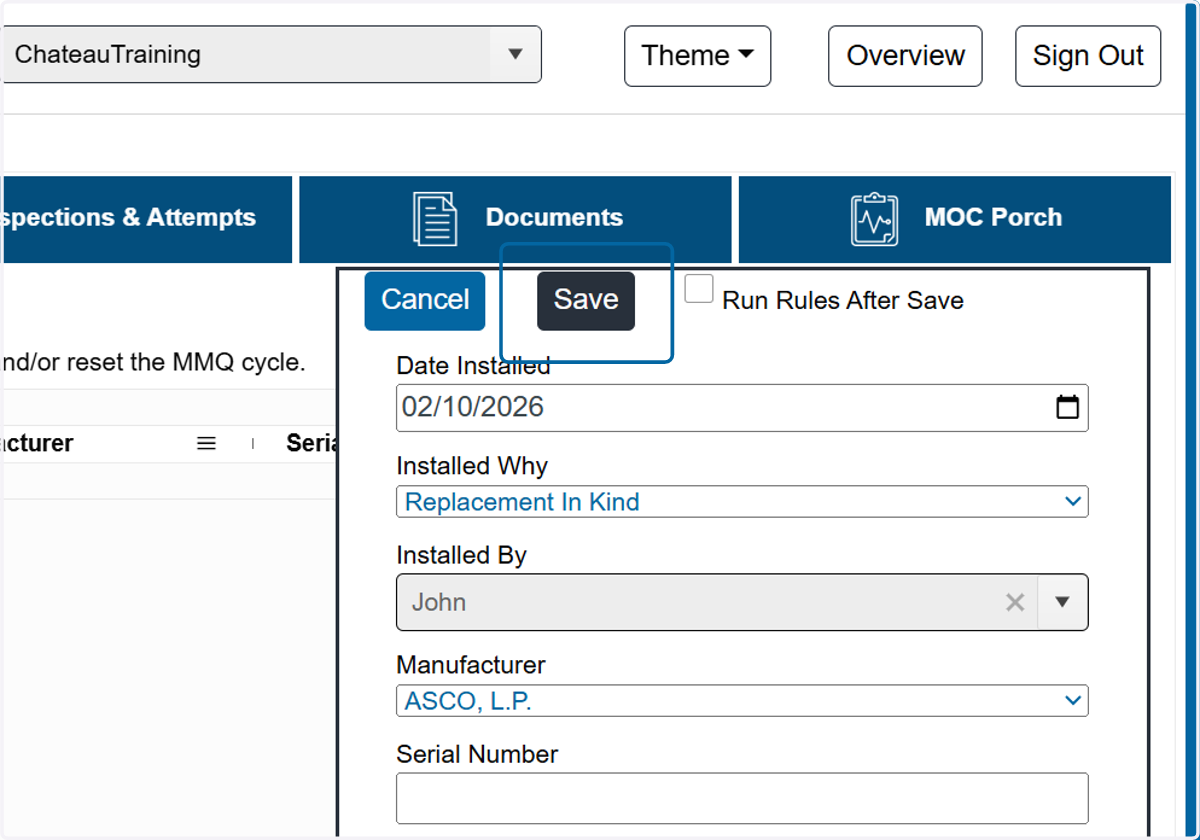
  9. 9. Click on Save

    Click on Save