Voicemail Drop

  1. 1. You can add a voicemail by going to Dialer Options and clicking here
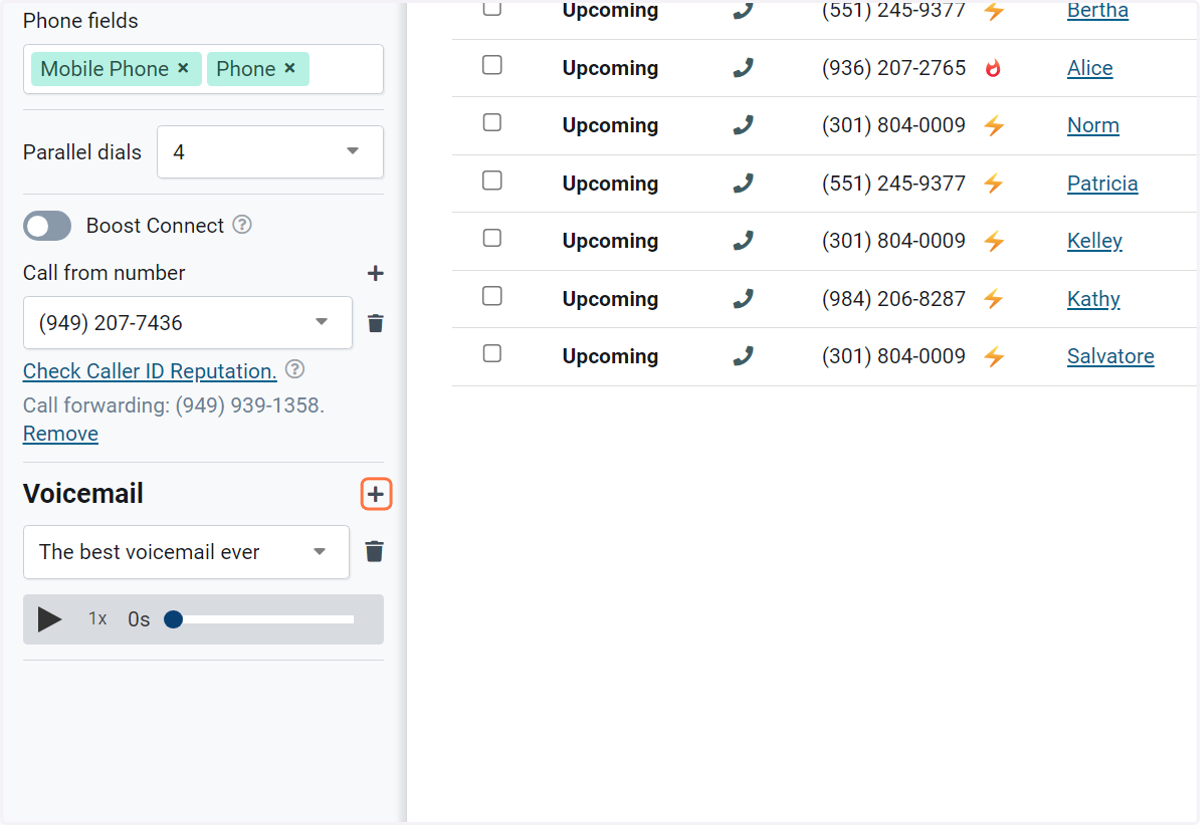
    You can add a voicemail by going to Dialer Options and clicking here
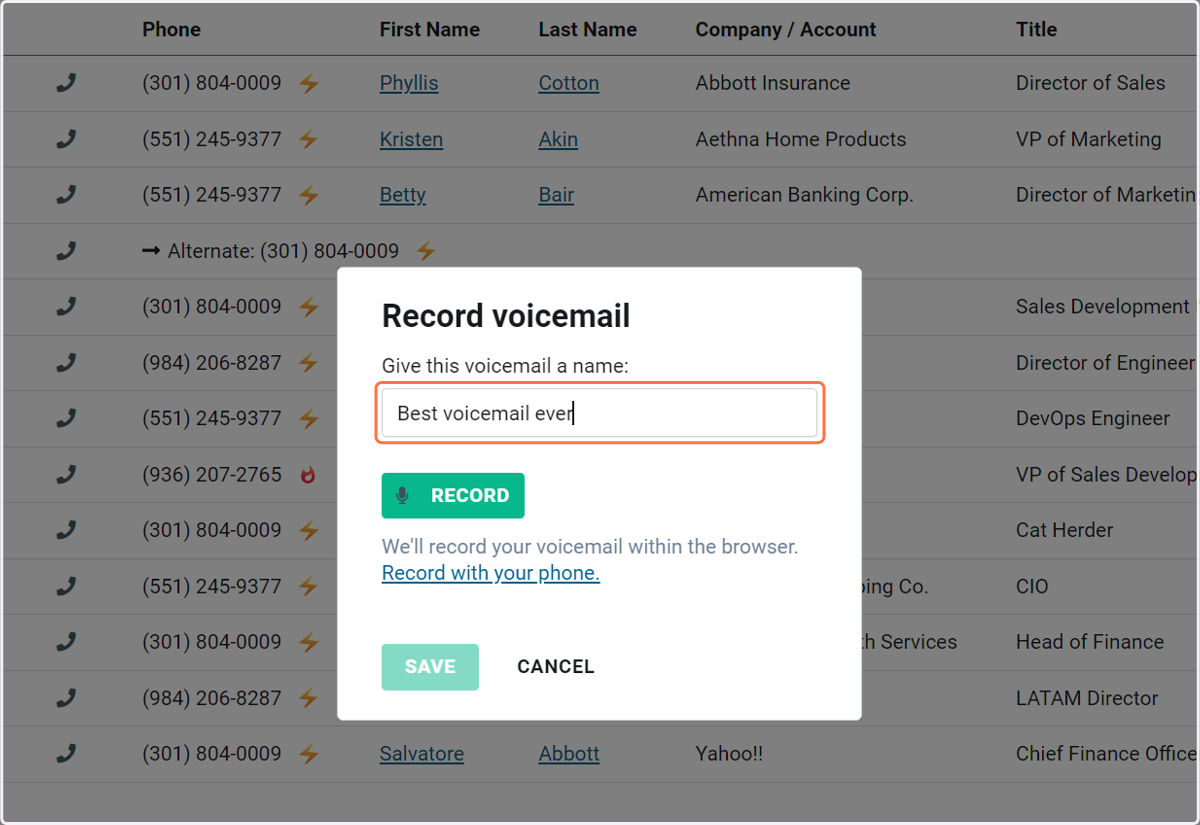
  2. 2. Give your VM a name

    Give your VM a name
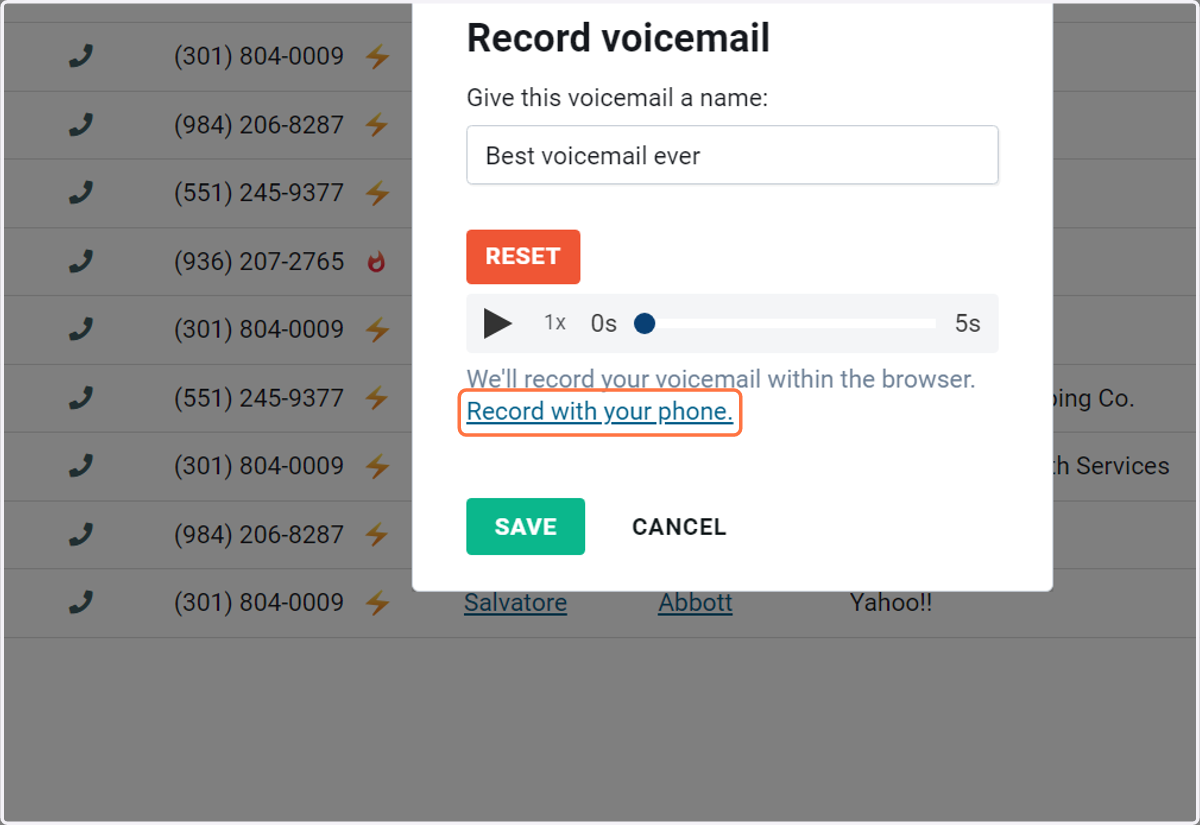
  3. 3. Play it back to review and SAVE once you are finished
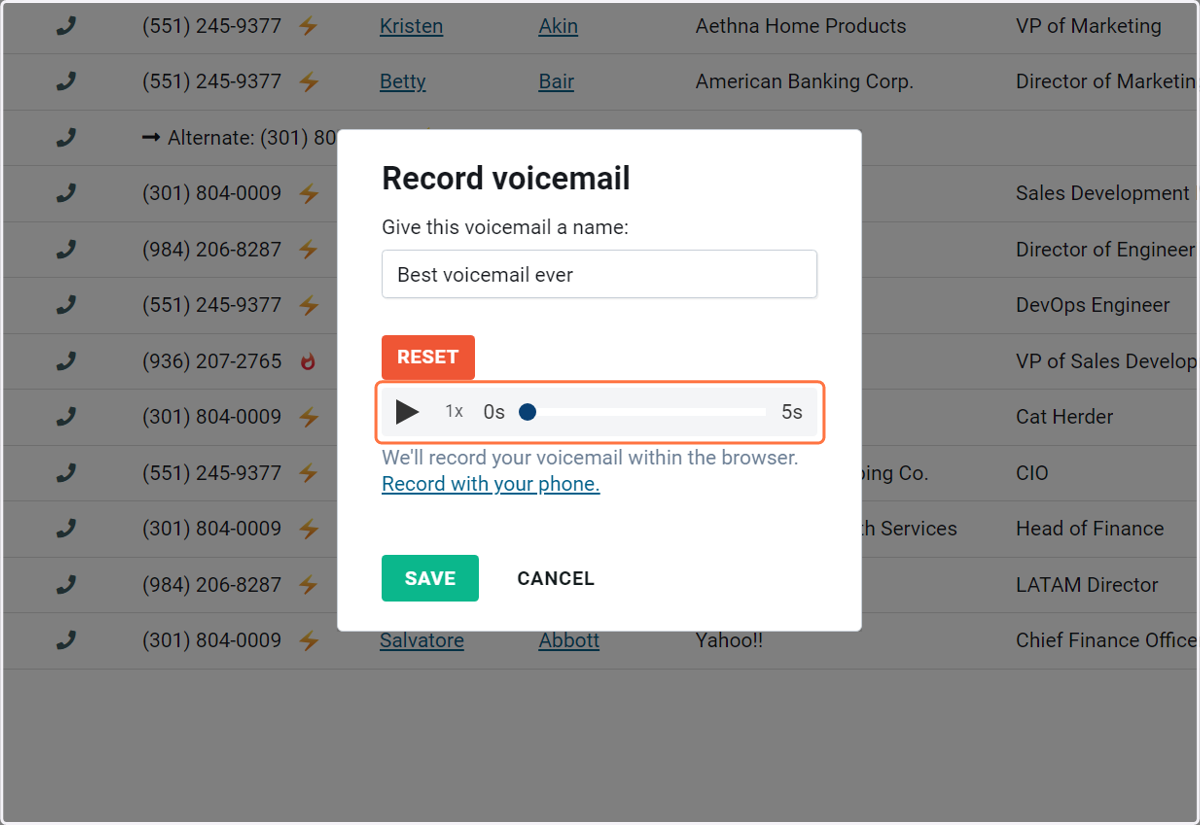
    Play it back to review and SAVE once you are finished
  4. 4. Click on RECORD to record within the browser
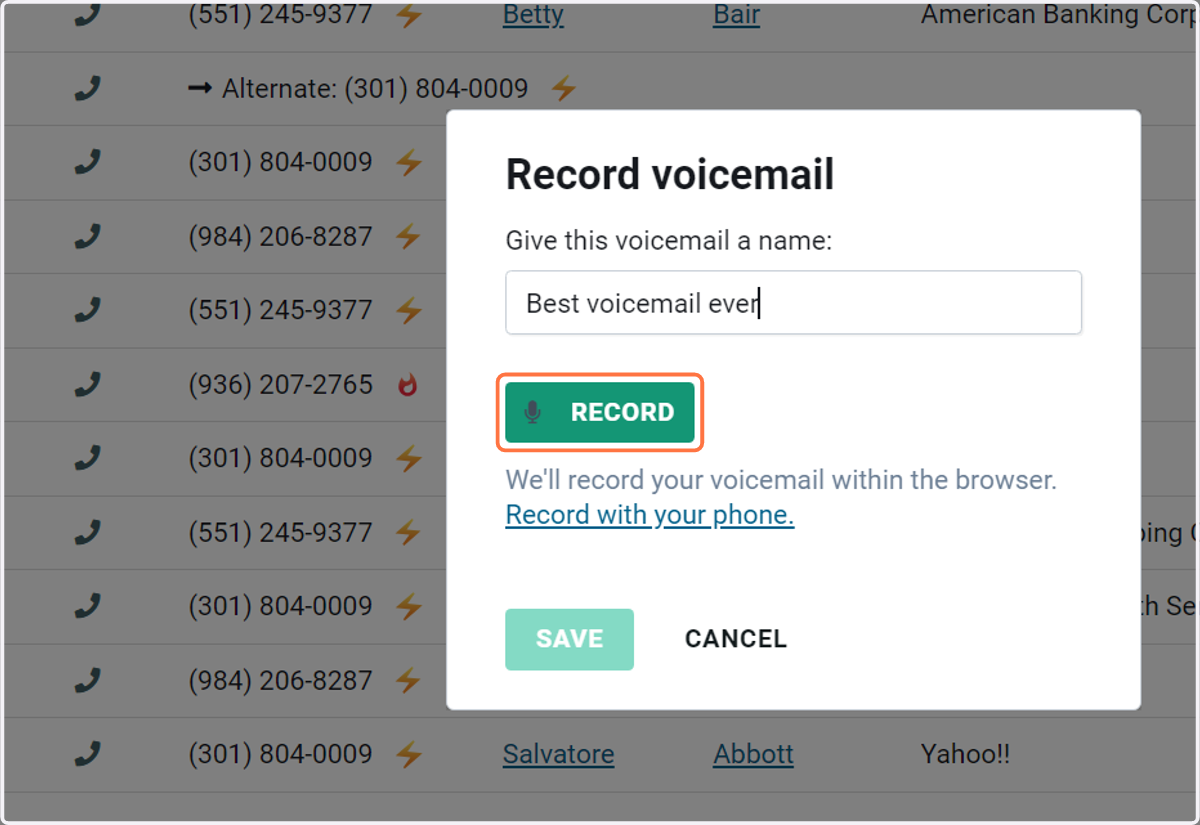
    Click on RECORD to record within the browser
  5. 5. You can also record using your phone
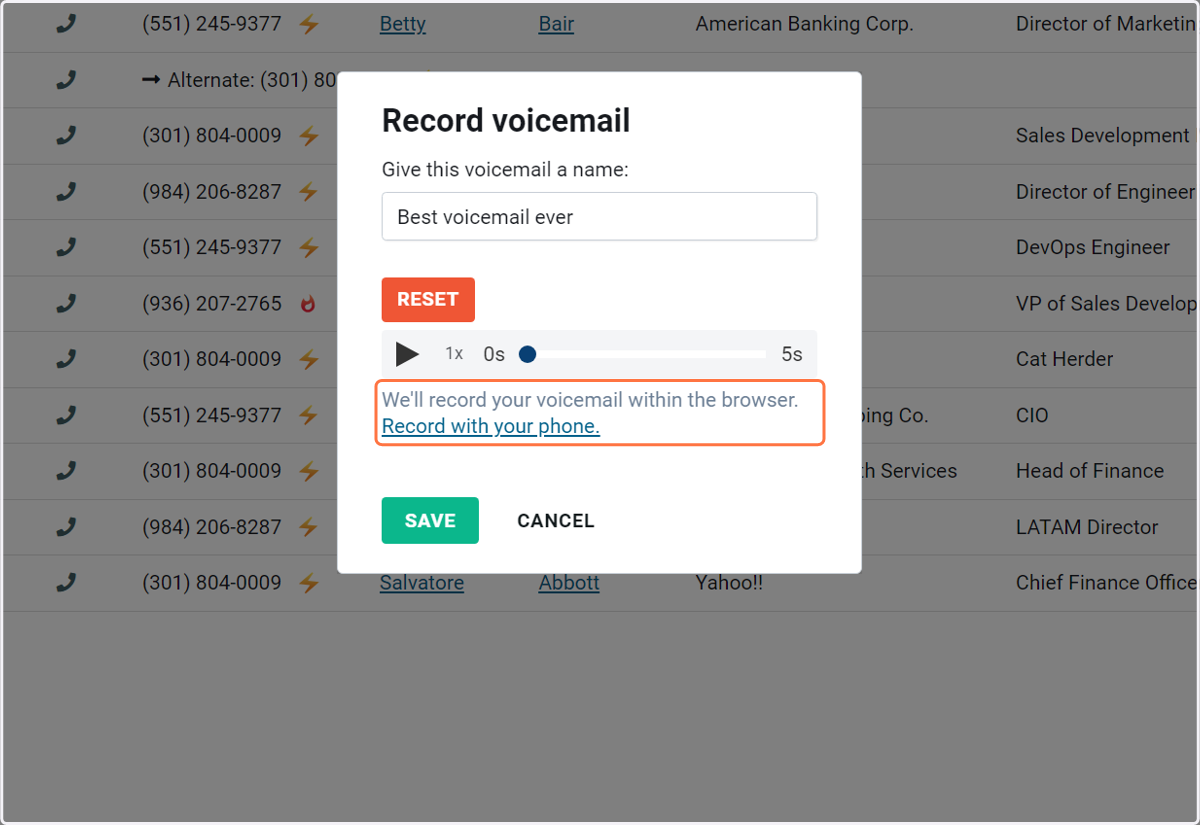
    You can also record using your phone
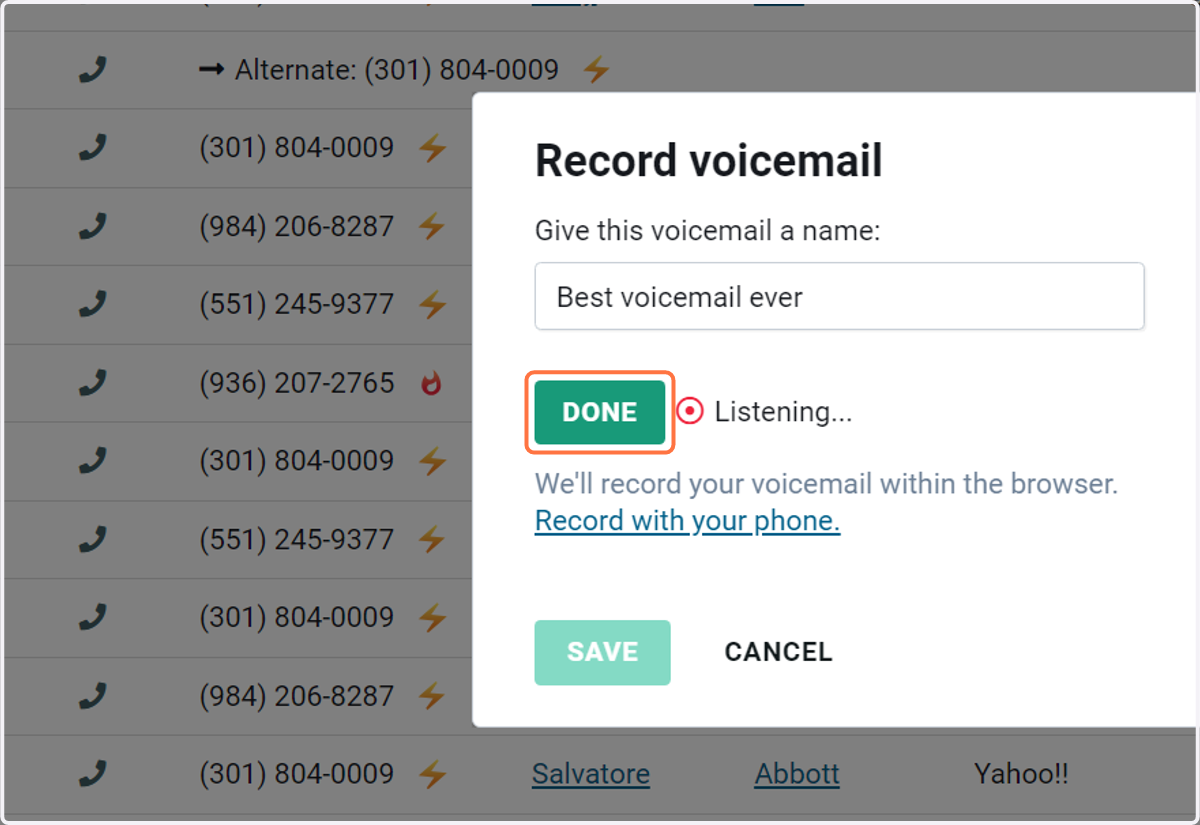
  6. 6. Record the VM then click DONE

    Record the VM then click DONE
  7. 7. Click on Record with your phone.

    Click on Record with your phone.
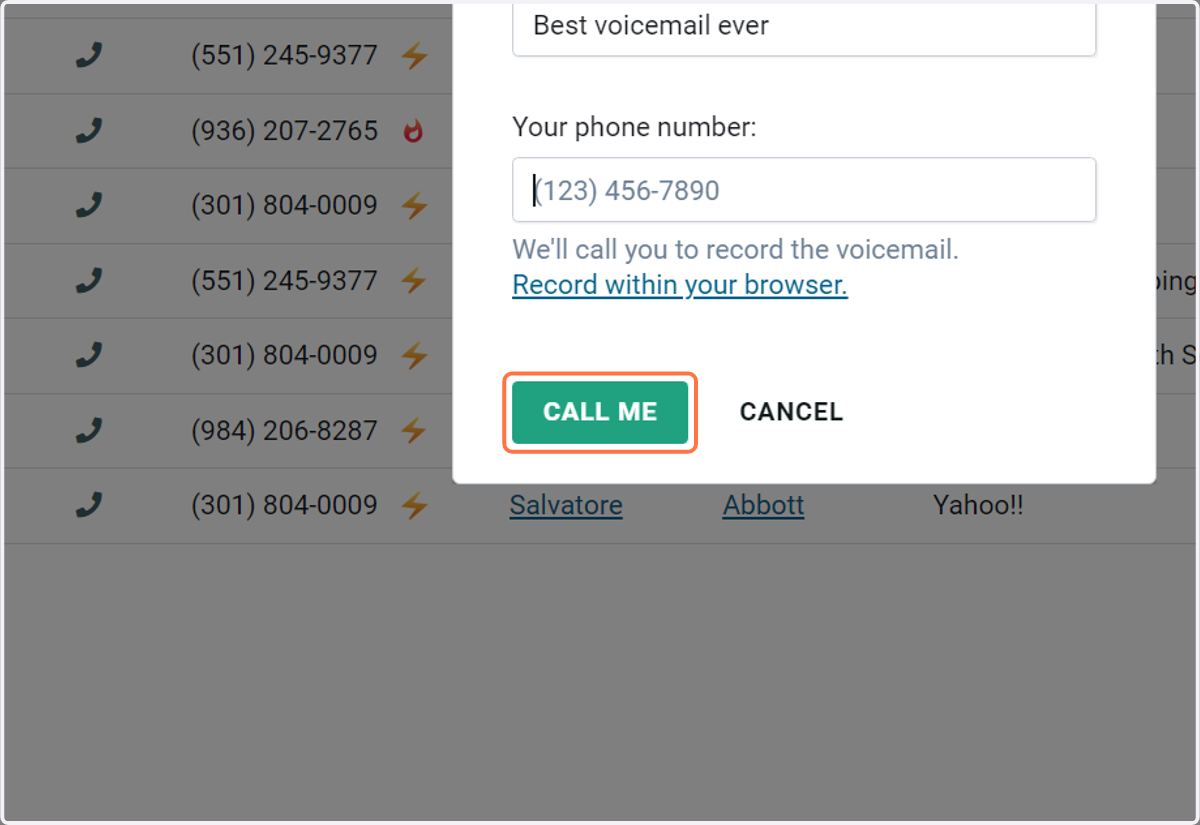
  8. 8. Add the phone number you'd like Orum to call
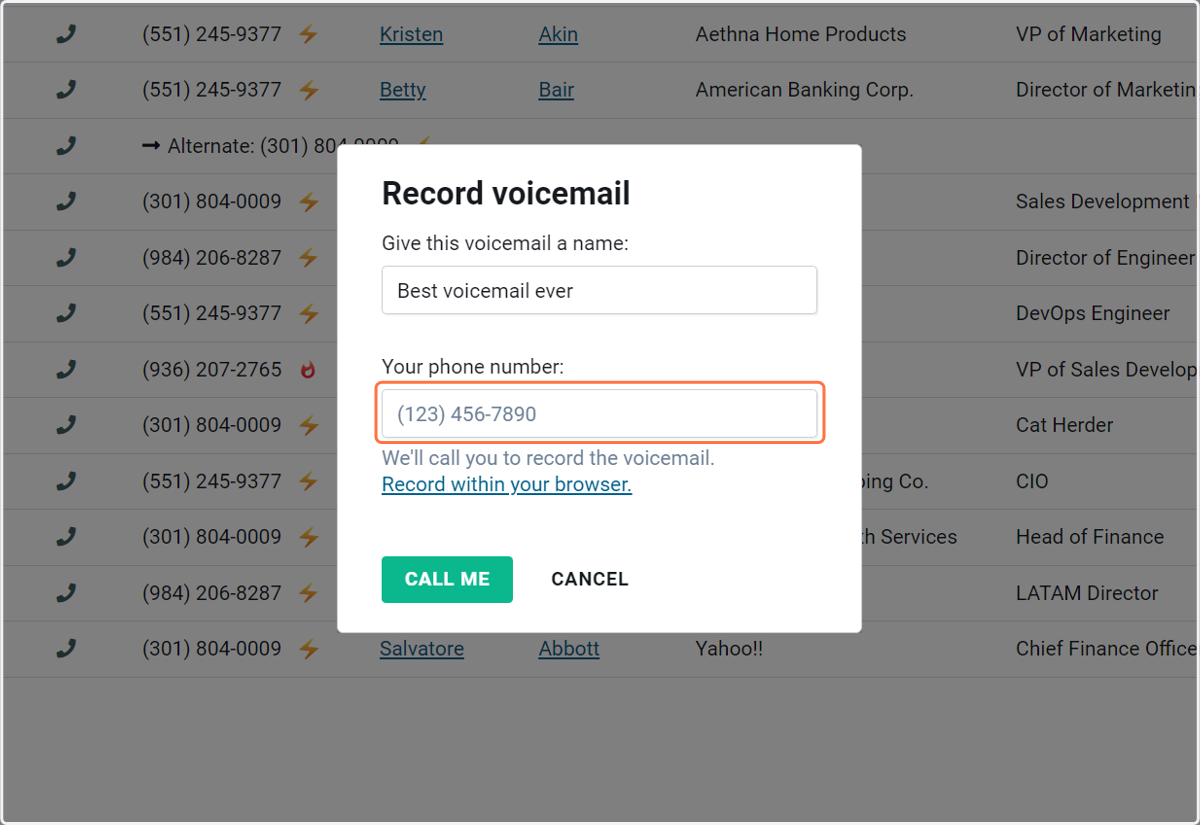
    Add the phone number you'd like Orum to call
  9. 9. Click on CALL ME

    Click on CALL ME
  10. 10. Lastly, you can delete a specific VM by selecting it in the dropdown
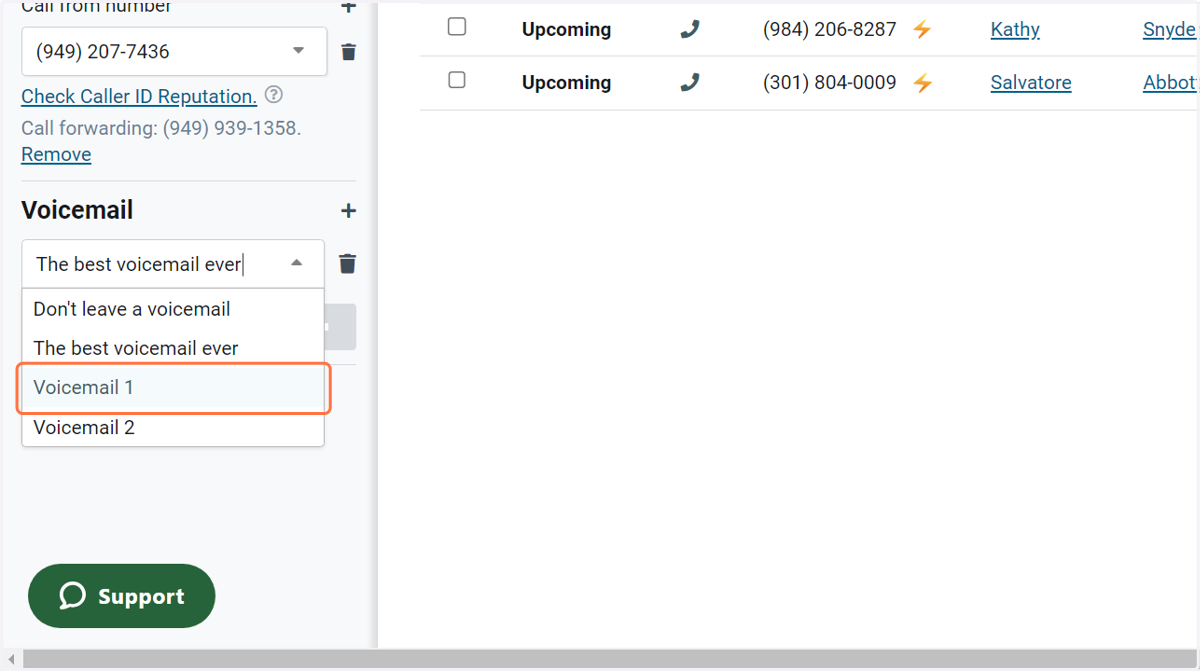
    Lastly, you can delete a specific VM by selecting it in the dropdown
  11. 11. Then clicking on the trash icon here
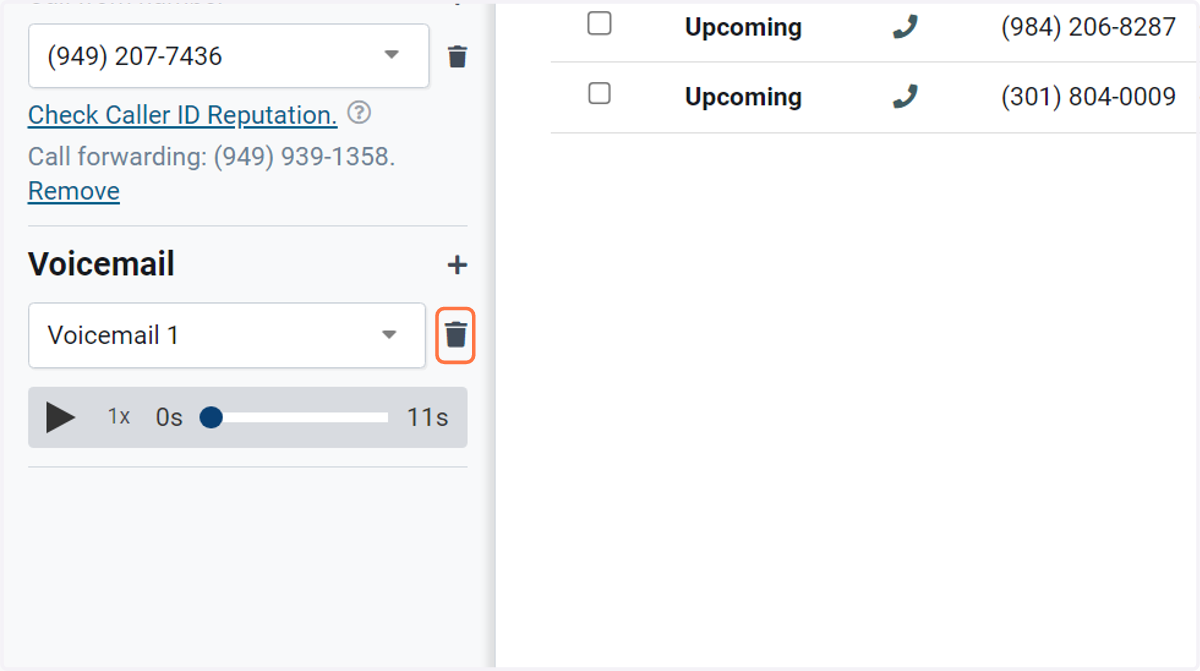
    Then clicking on the trash icon here
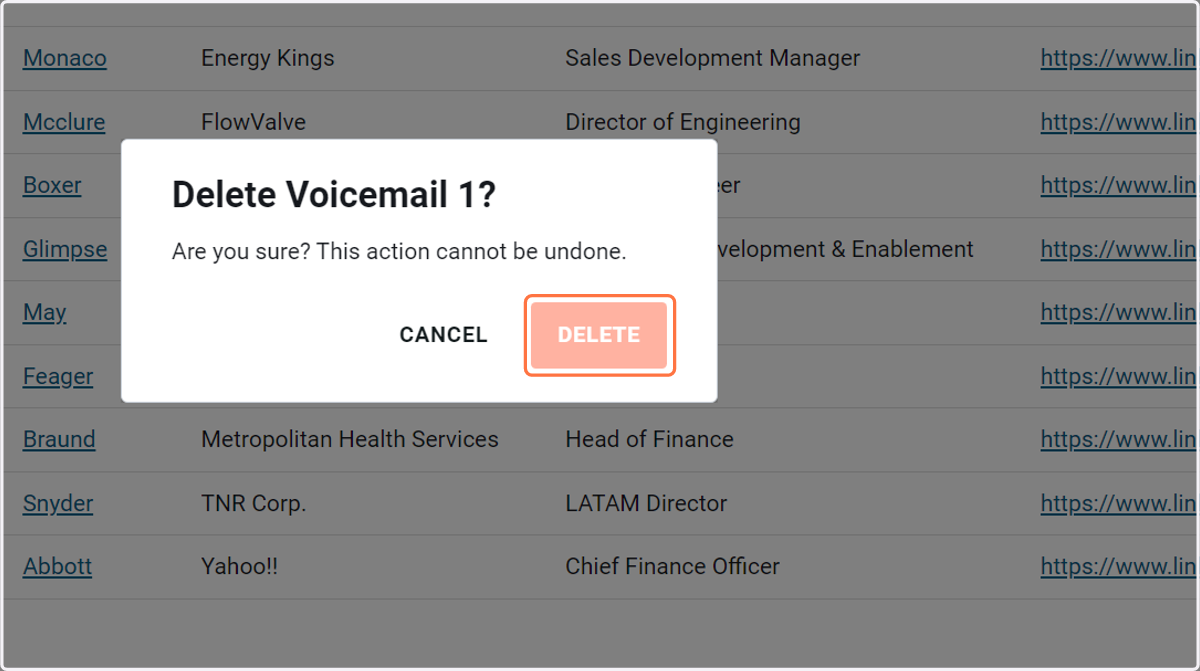
  12. 12. Click on DELETE

    Click on DELETE