Add Flyway Scripts to Database Schema

Harness

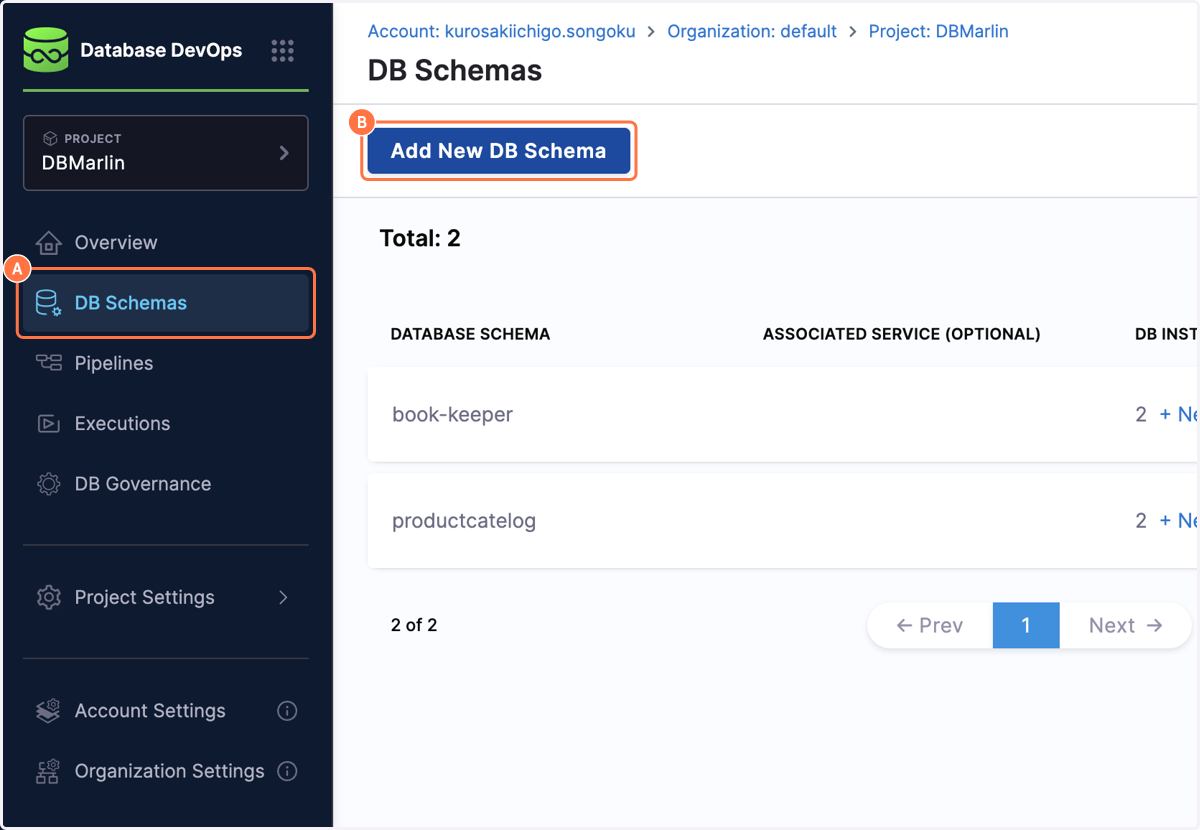
    1. 1. A. Click on DB Schemas

    2. 1. B. Click on Add New DB Schema

    A. Click on DB Schemas B. Click on Add New DB Schema
  1. 2. Enter the DB Schema Name in text field
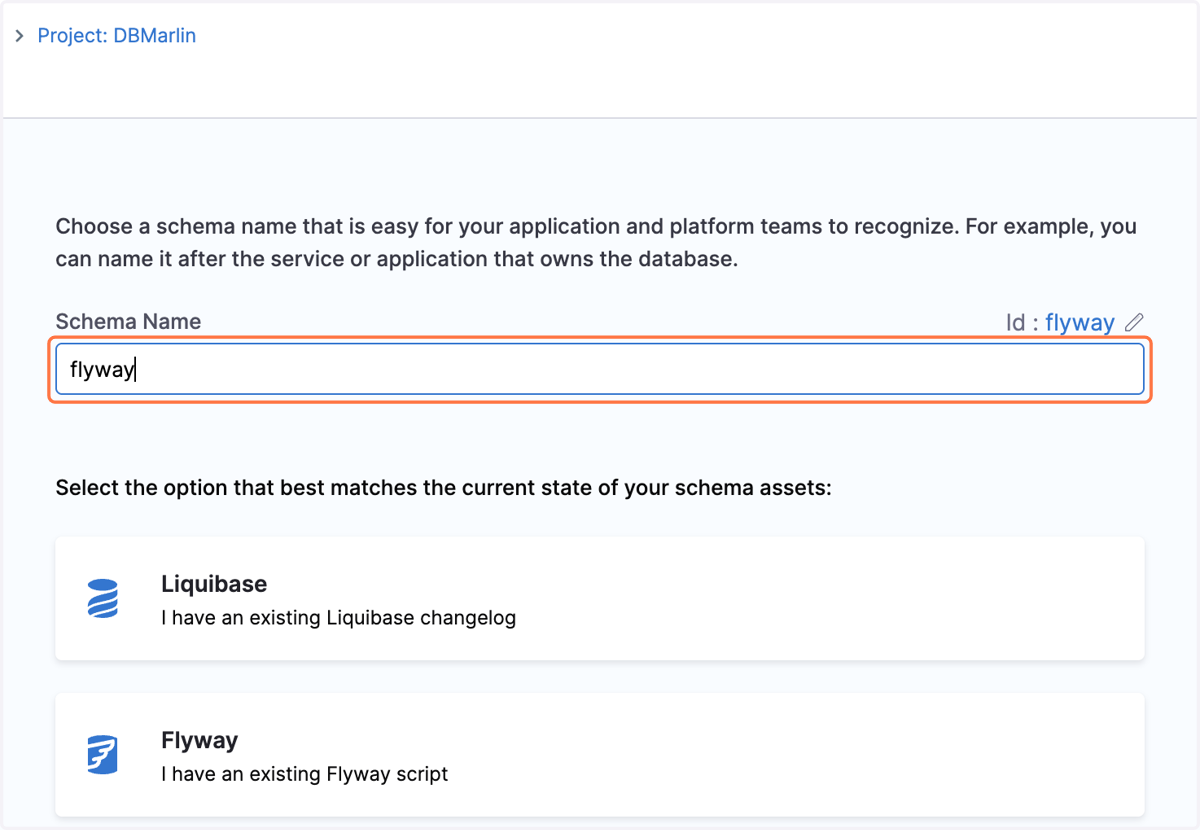
    Enter the DB Schema Name in text field
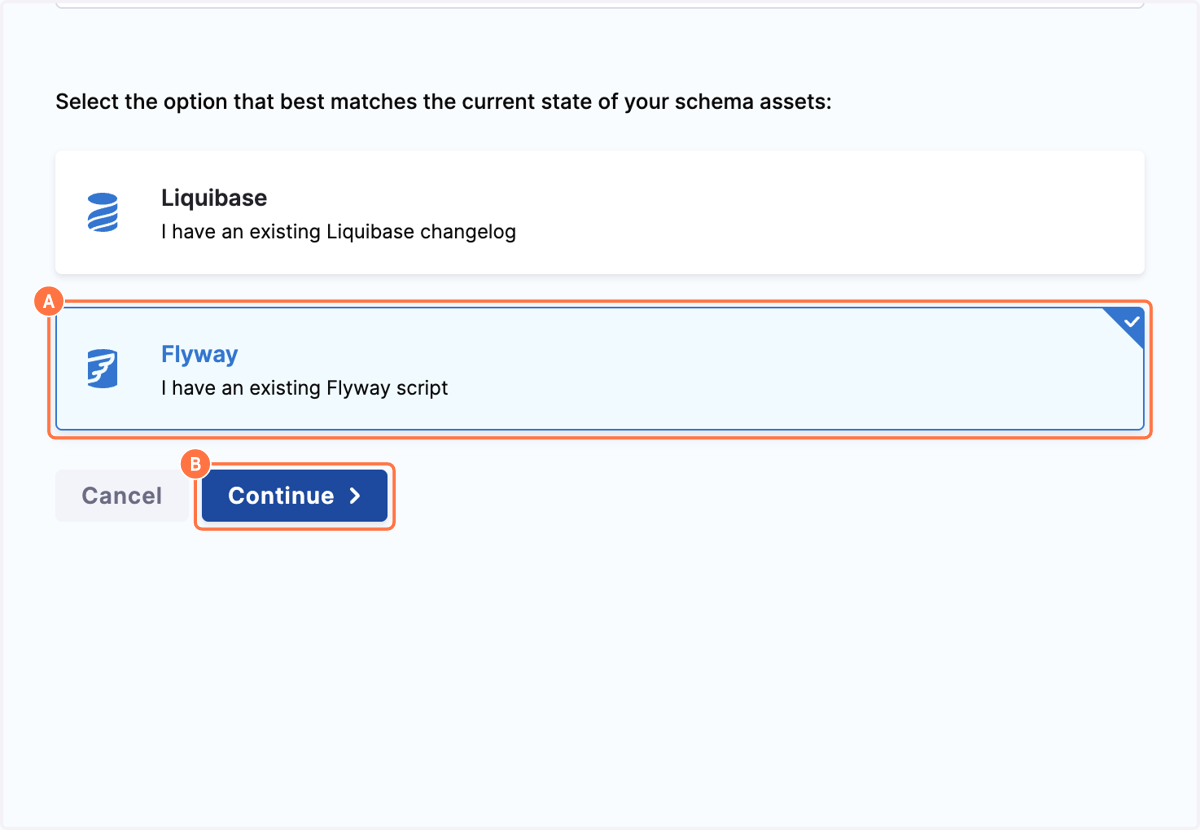
    1. 3. A. Click on Flyway…

    2. 3. B. Click on Continue

    A. Click on Flyway… B. Click on Continue
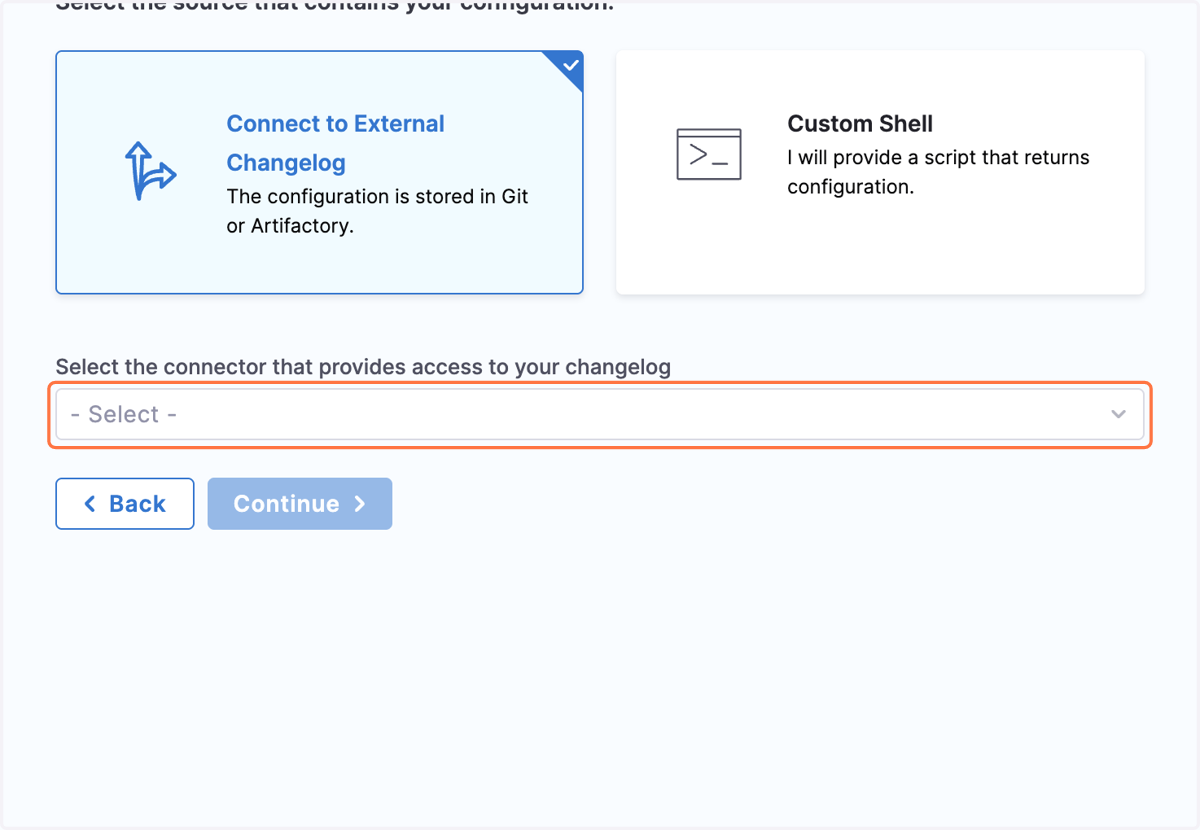
  2. 4. Click on - Select -

    Click on - Select -
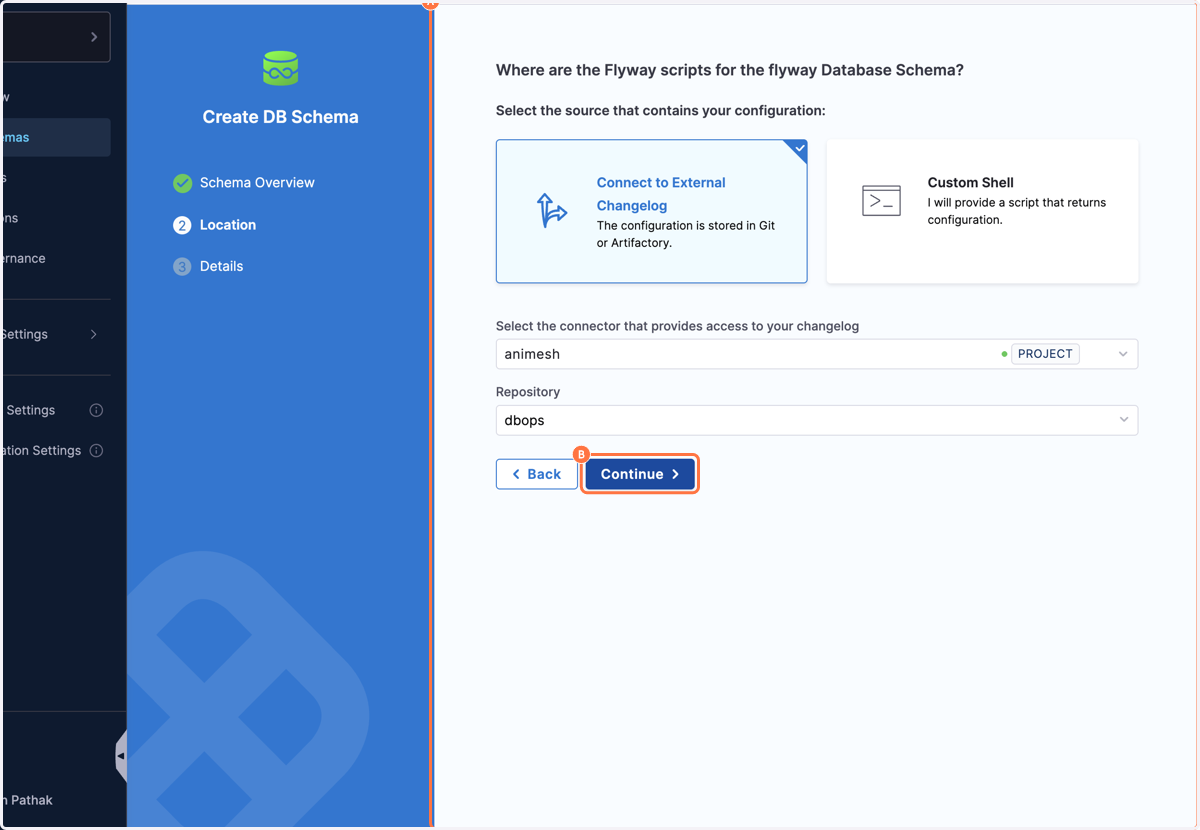
    1. 5. A. Select the Git Connector and Repository with Migrations

    2. 5. B. Click on Continue

    A. Select the Git Connector and Repository with Migrations B. Click on Continue
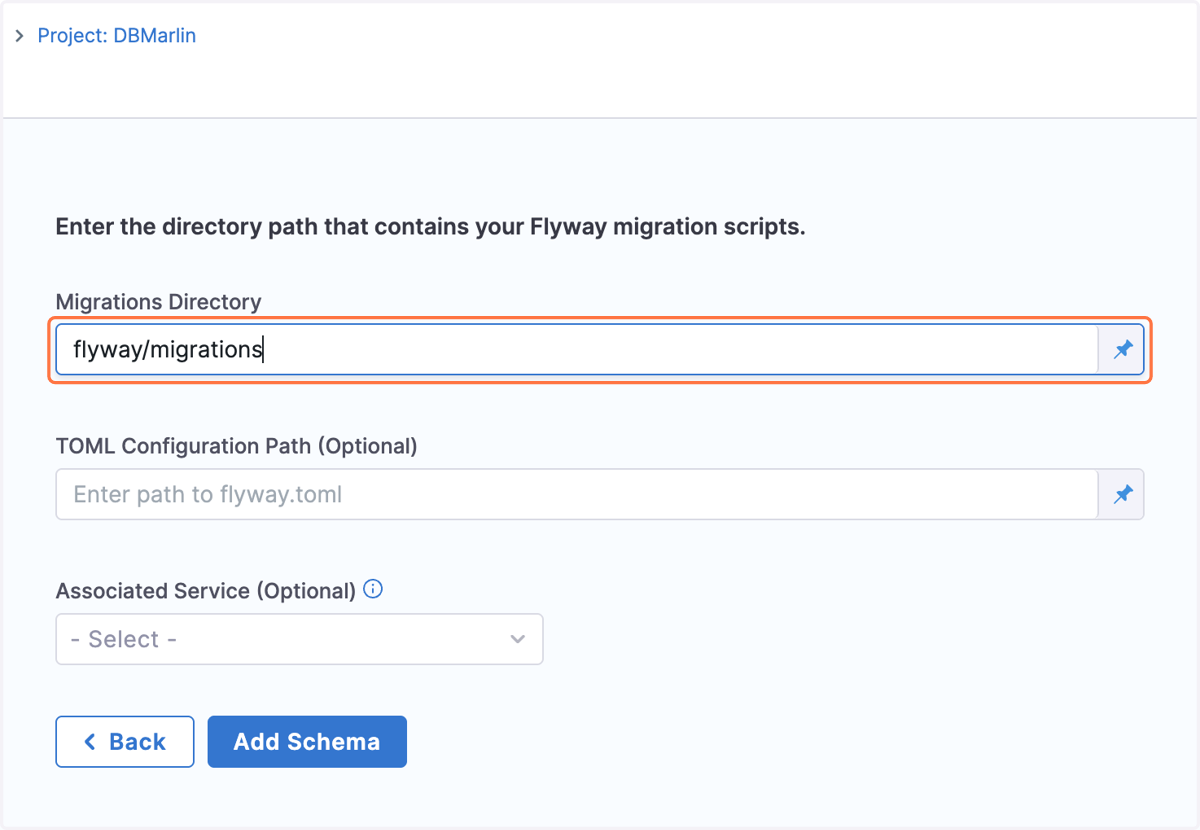
  3. 6. Add the Migrations Path

    Add the Migrations Path
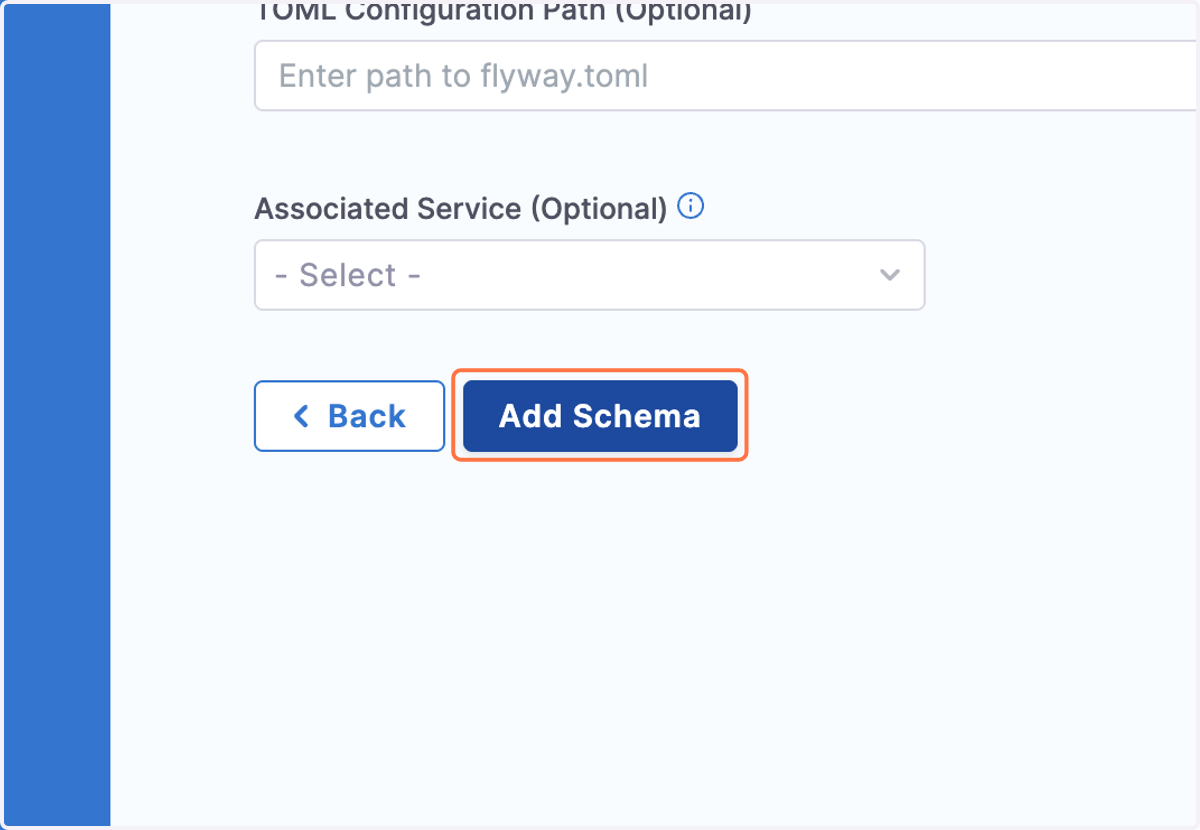
  4. 7. Click on Add Schema

    Click on Add Schema
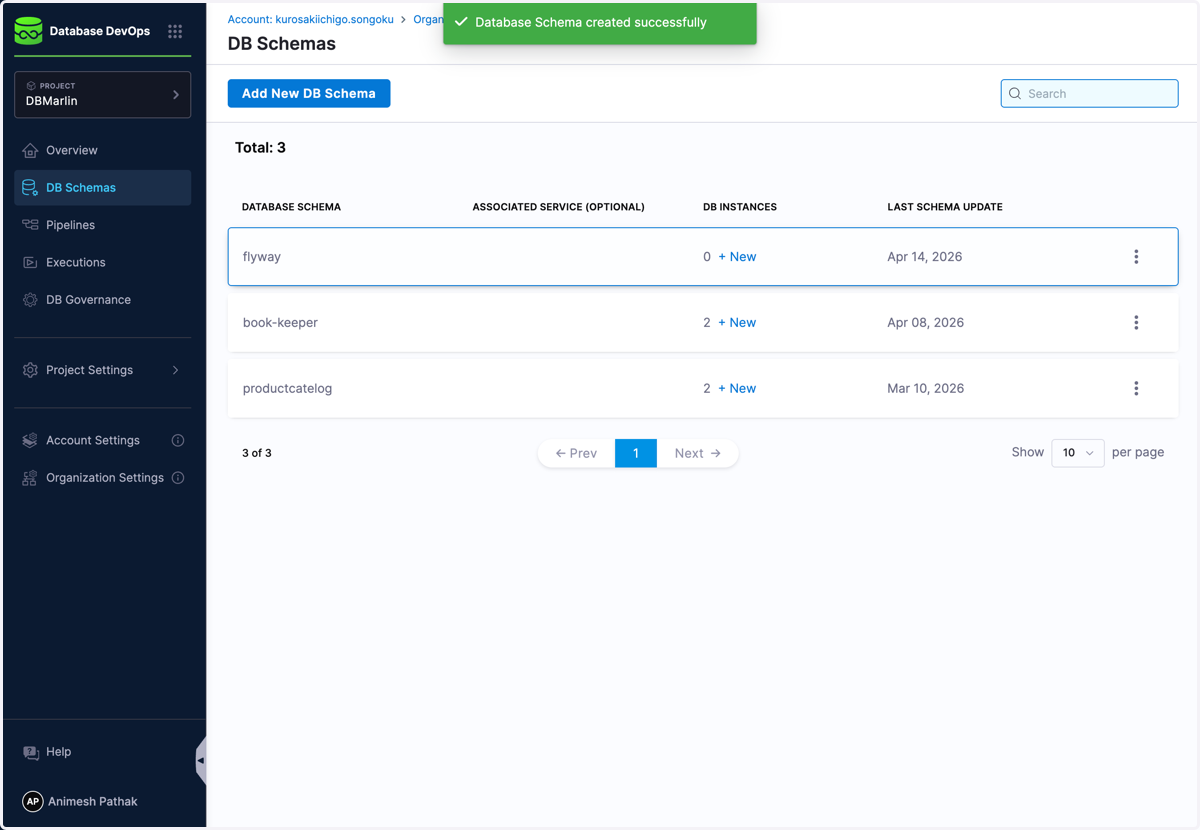
  5. 8. Newly created DB Schema

    Newly created DB Schema