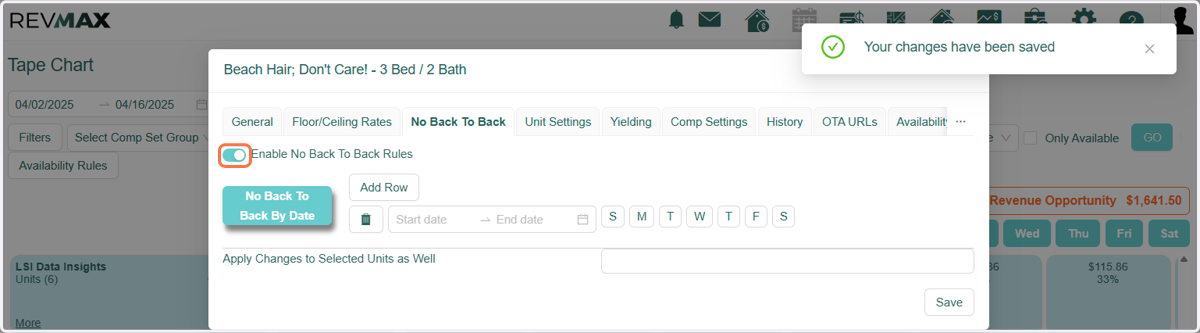
No Back to Back
RevMax
This function will allow the ability to prevent back to back bookings via the Stay Restrictions Tab in Unit Settings. It will prevent another reservation from checking in on the same day another checks out during the period specified.
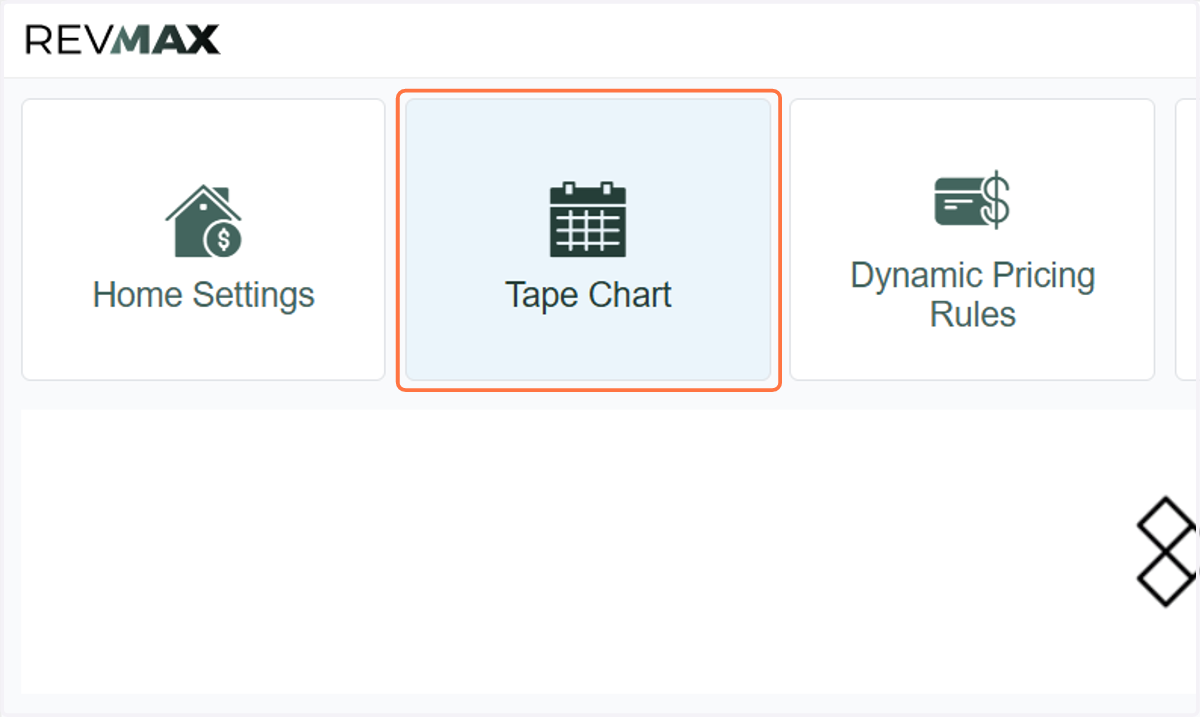
1. Click on Tape Chart
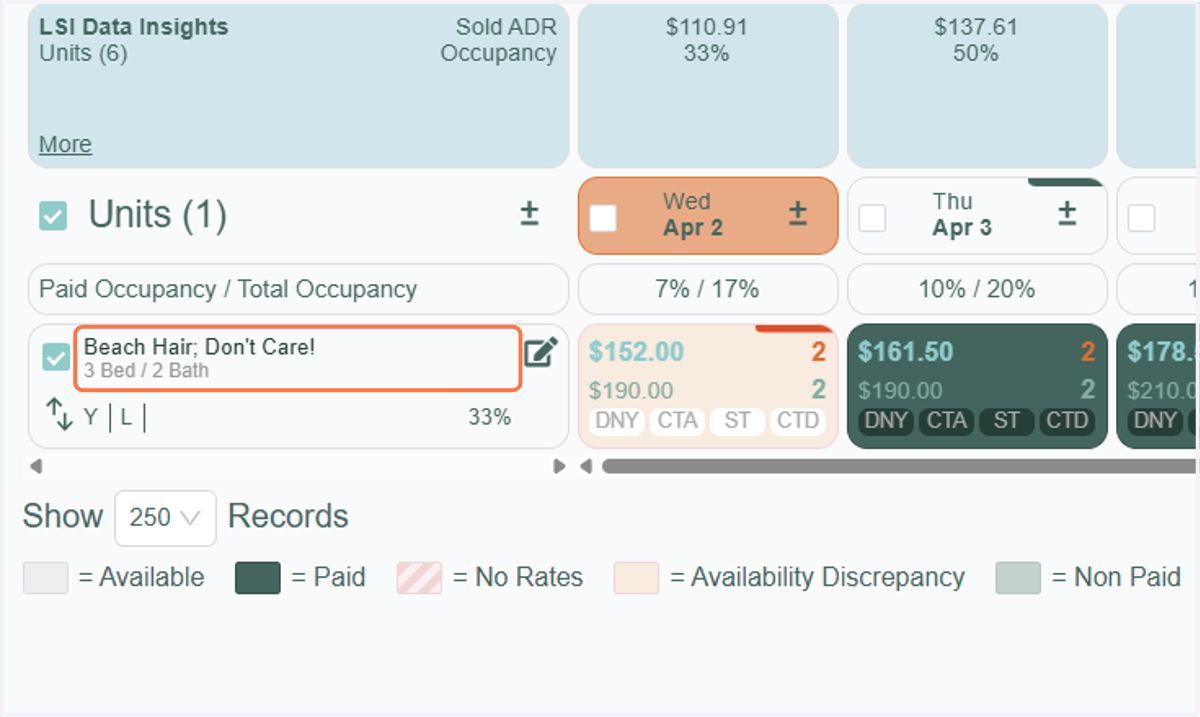
2. Click on the unit
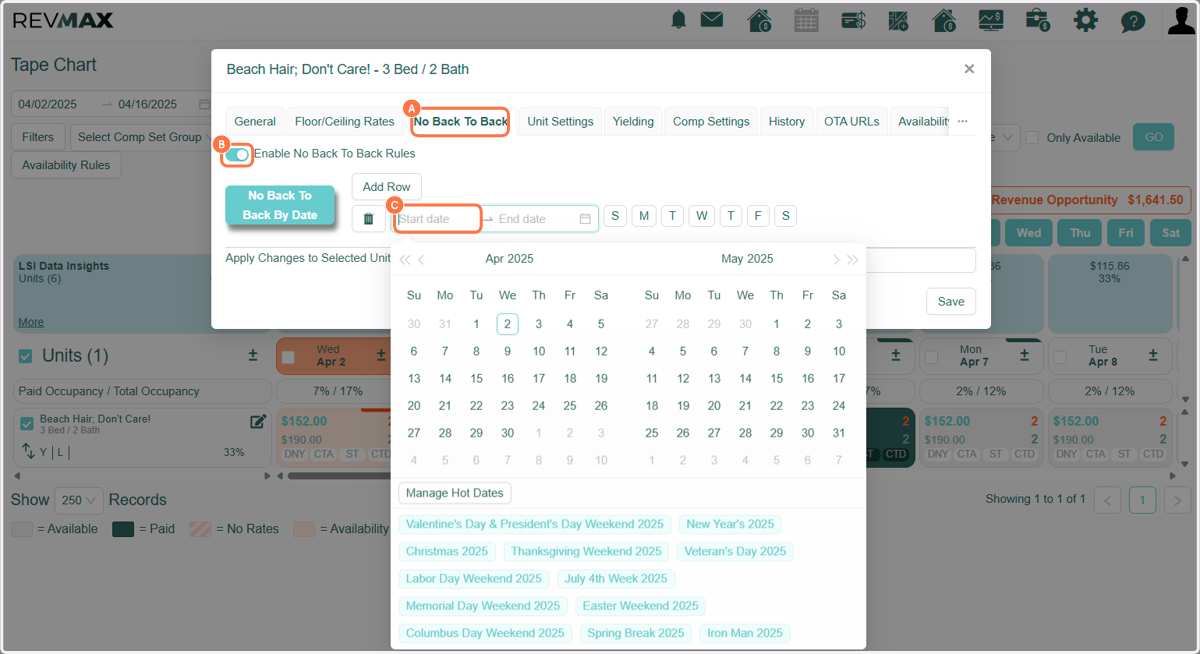
3. A. Click on No Back To Back
3. B. Move the switch to the right (ON)
3. C. Enter a Start and End date and Save
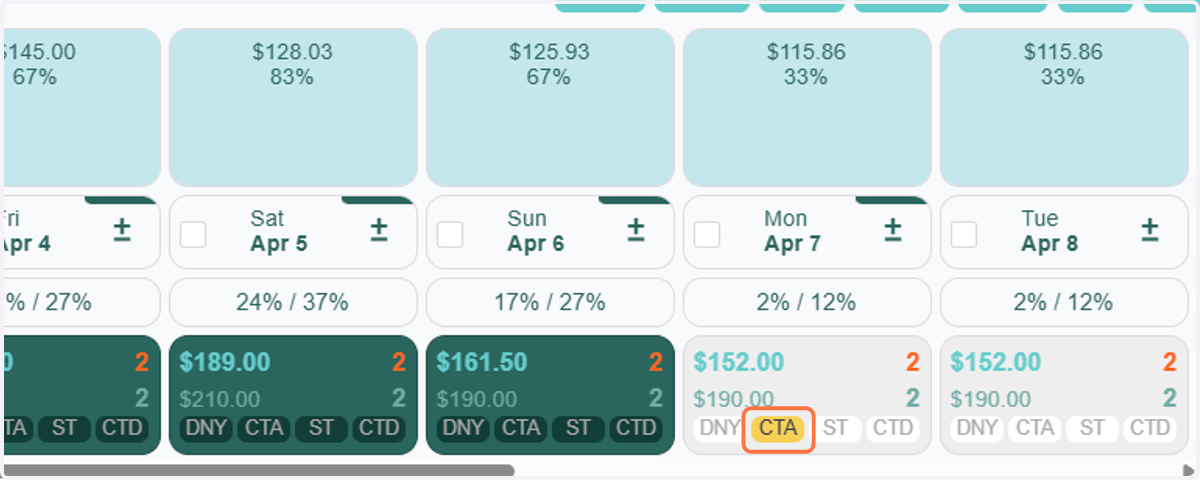
4. The check out day now has CTA
5. A. To delete the rule, go back to the No Back to Back tab in Unit Settings
5. B. Click on the trash can and Save
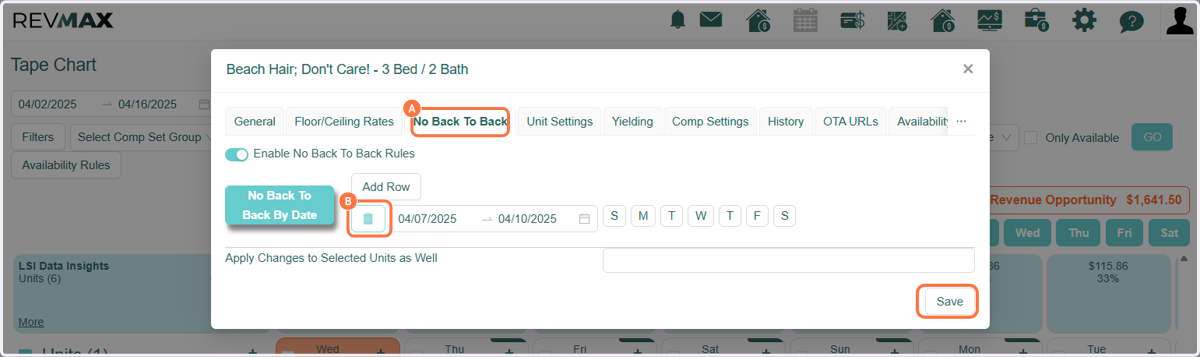
6. To turn off, toggle back the "Enable No Back to Back Rules"