Price upload for a single day

  1. 1. Click on "Calendar" in the navigation bar
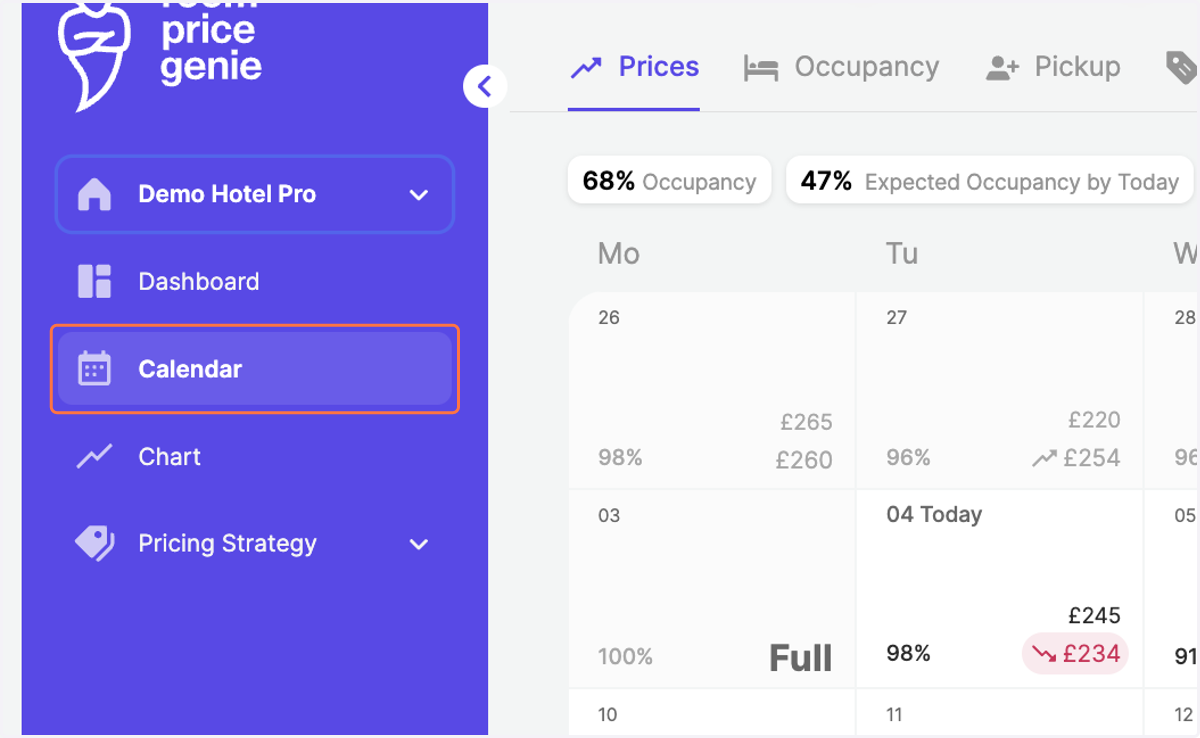
    Click on "Calendar" in the navigation bar
  2. 2. Click on the specific day when you want to upload the price
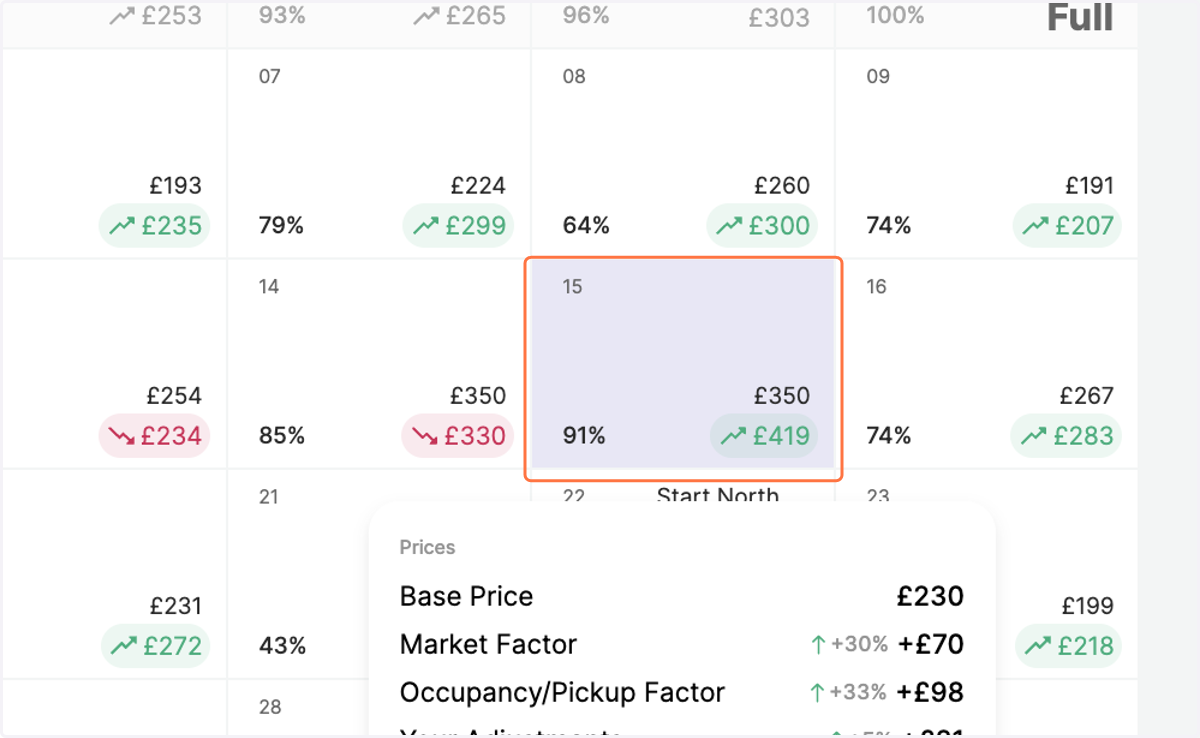
    Click on the specific day when you want to upload the price
  3. 3. Click on "Upload Prices" on the bottom right
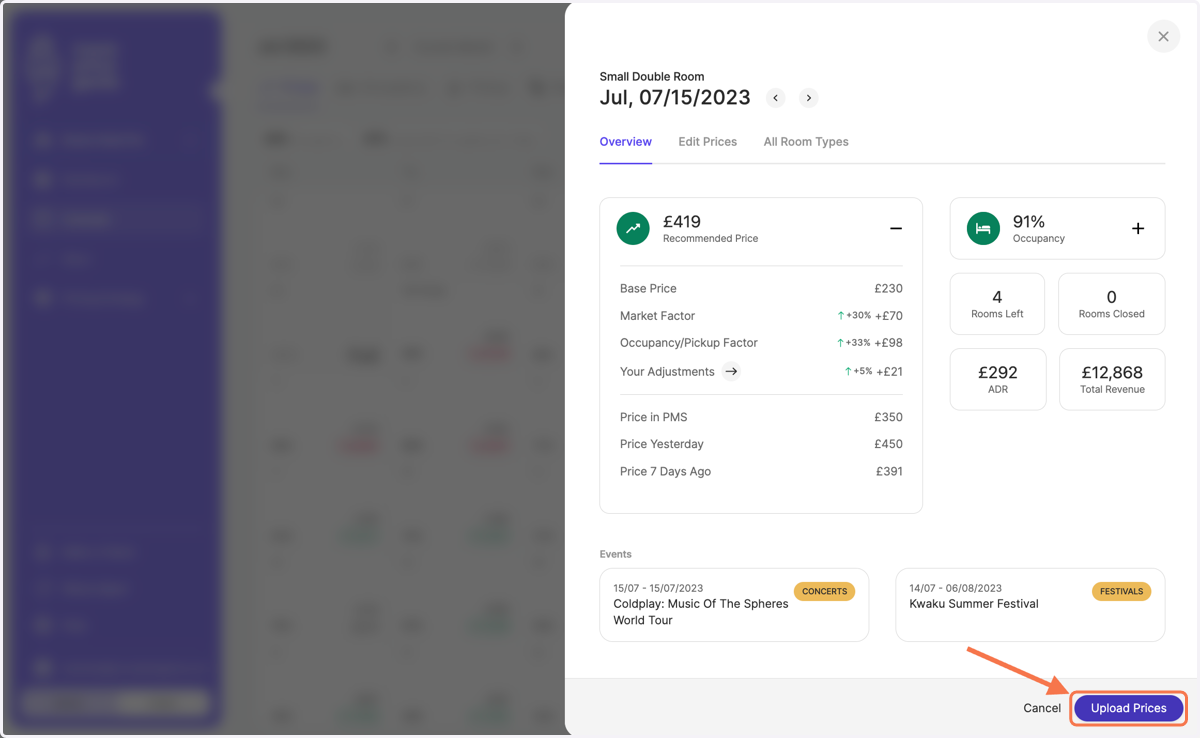
    Click on "Upload Prices" on the bottom right
  4. 4. Review the price recommendation per category before uploading them
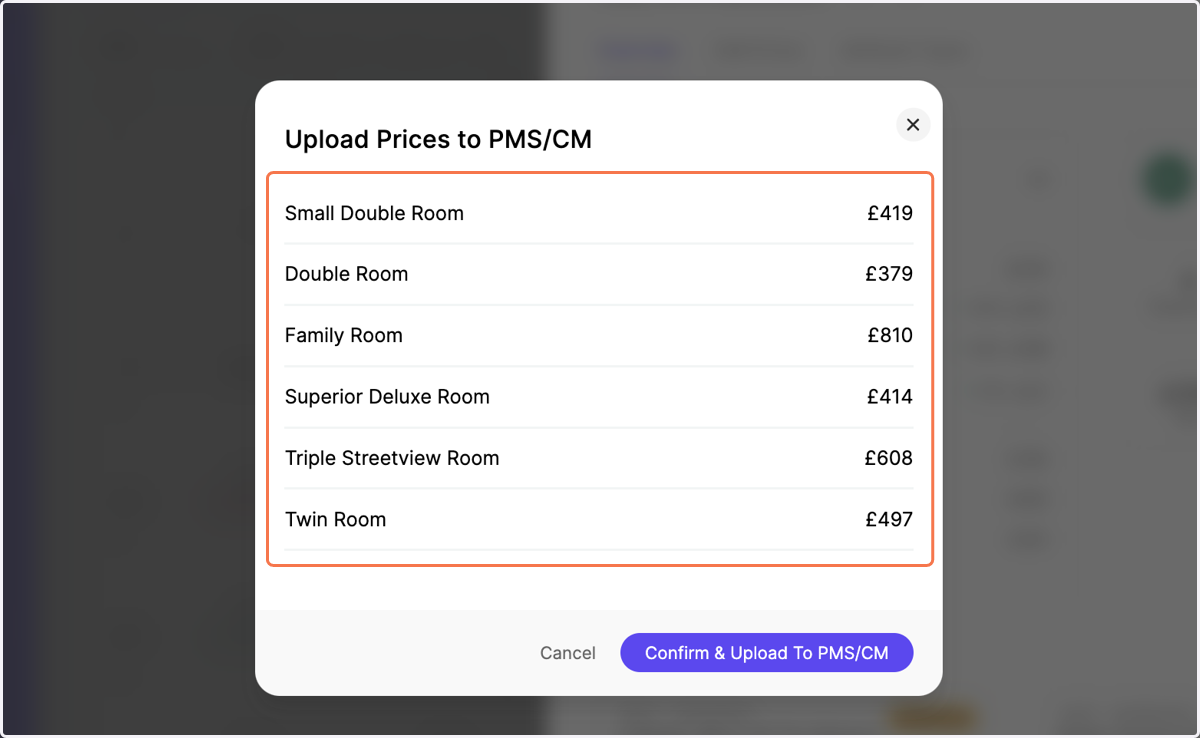
    Review the price recommendation per category before uploading them
  5. 5. Click on "Confirm & Upload To PMS/CM"
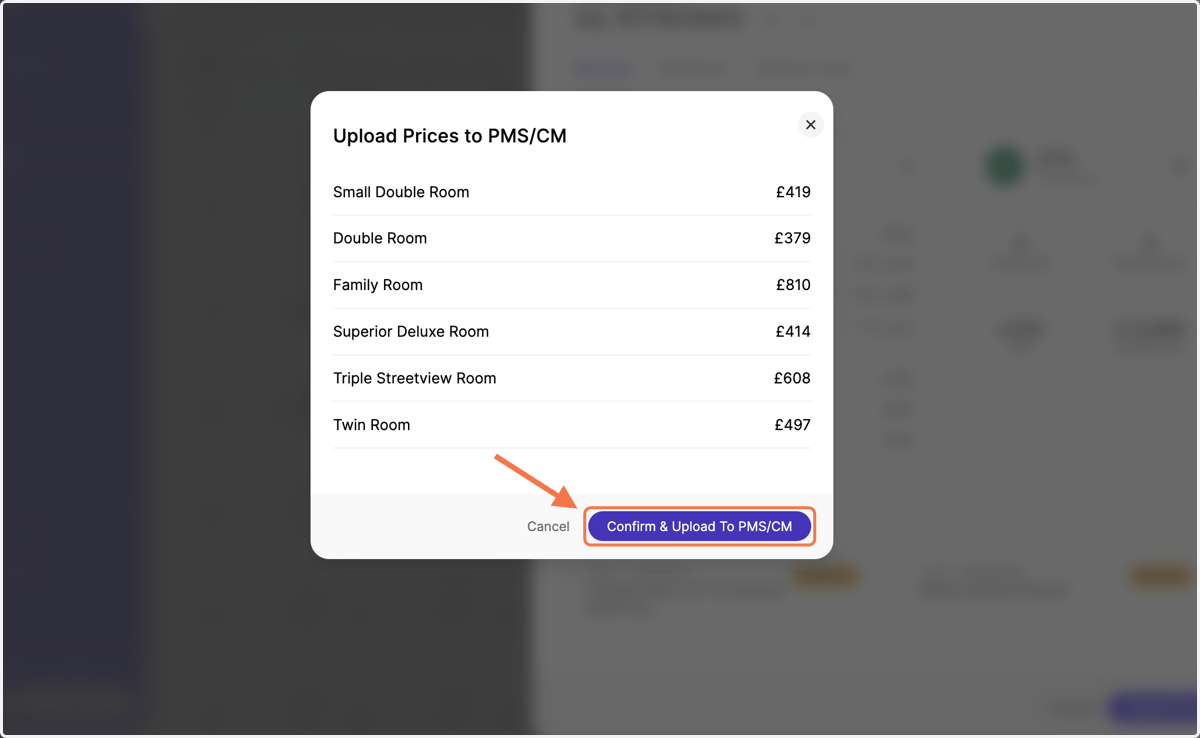
    Click on "Confirm & Upload To PMS/CM"
  6. 6. A green pop-up message on the bottom will confirm the upload being successfully pushed to your hotel system
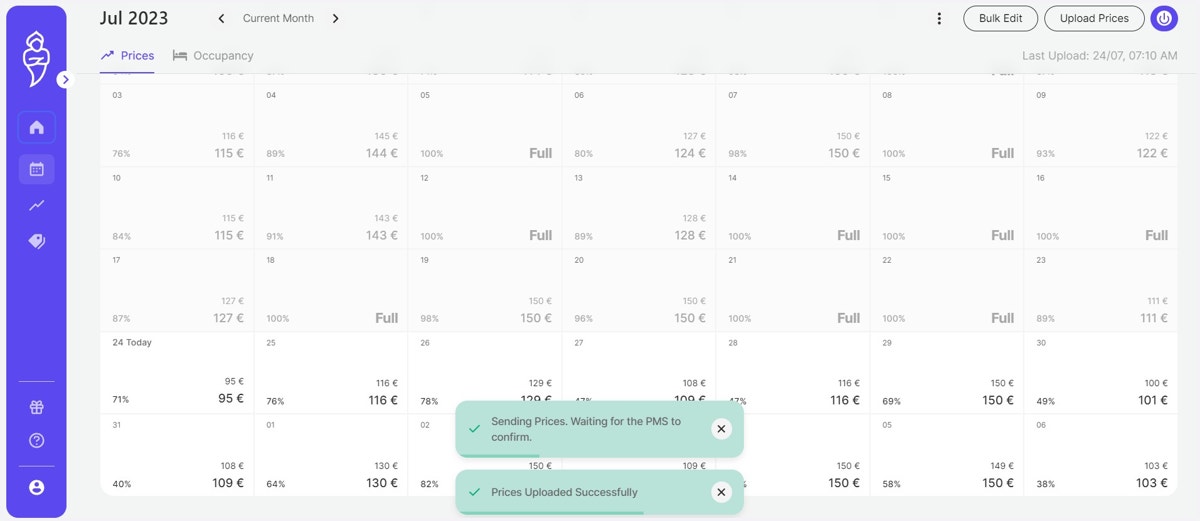
    A green pop-up message on the bottom will confirm the upload being successfully pushed to your hotel system