Creating a DX Trading Account

Blueberry.

  1. 1. On your Client Portal, Click on Create Account
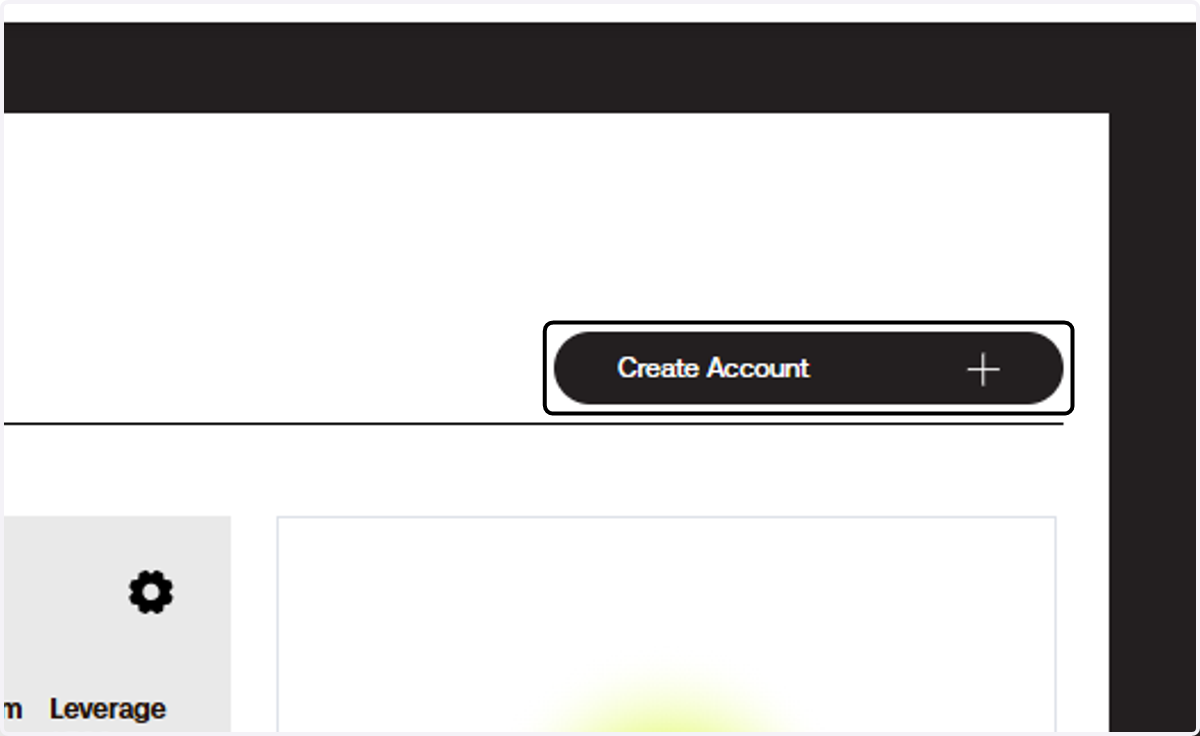
    On your Client Portal, Click on Create Account
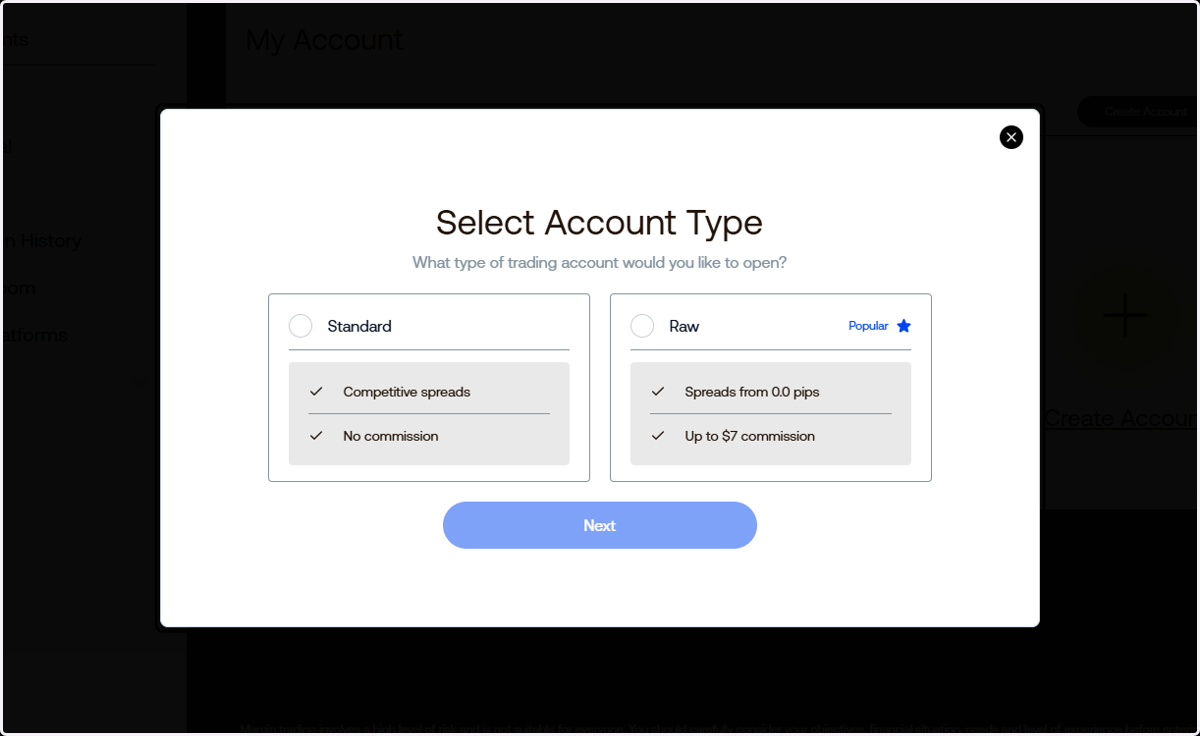
  2. 2. Select the account type you want.

    Select the account type you want.
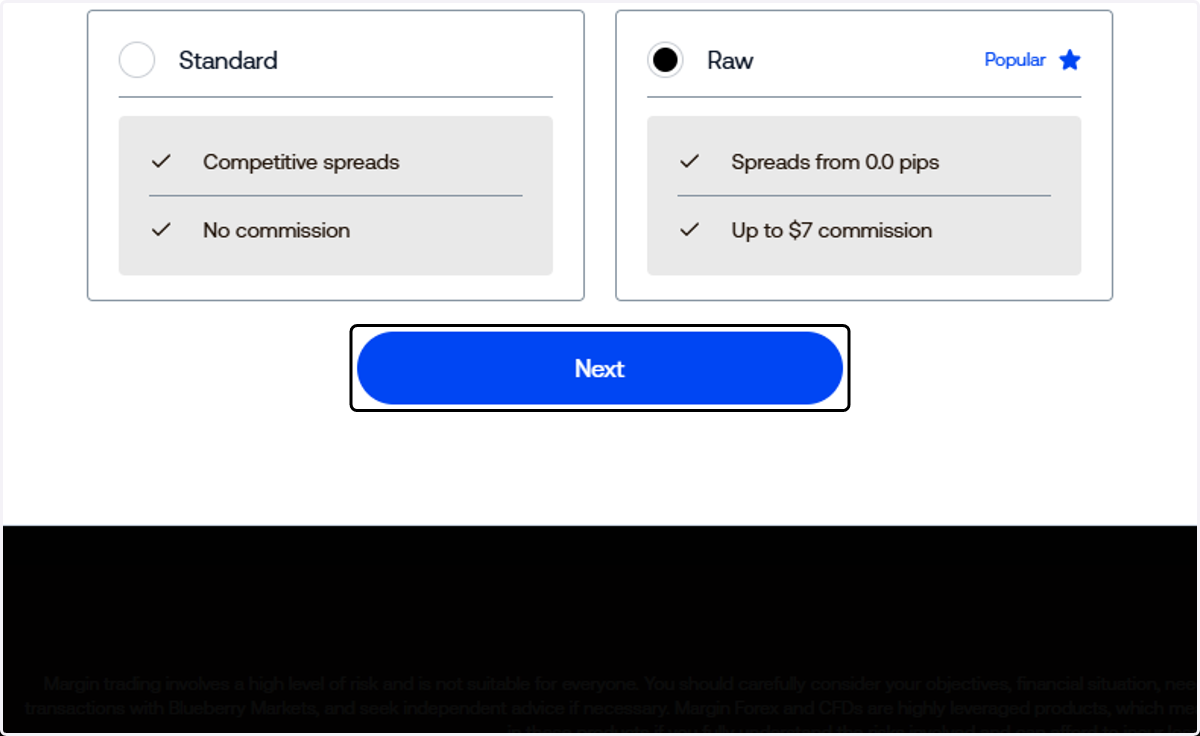
  3. 3. Then, click next.

    Then, click next.
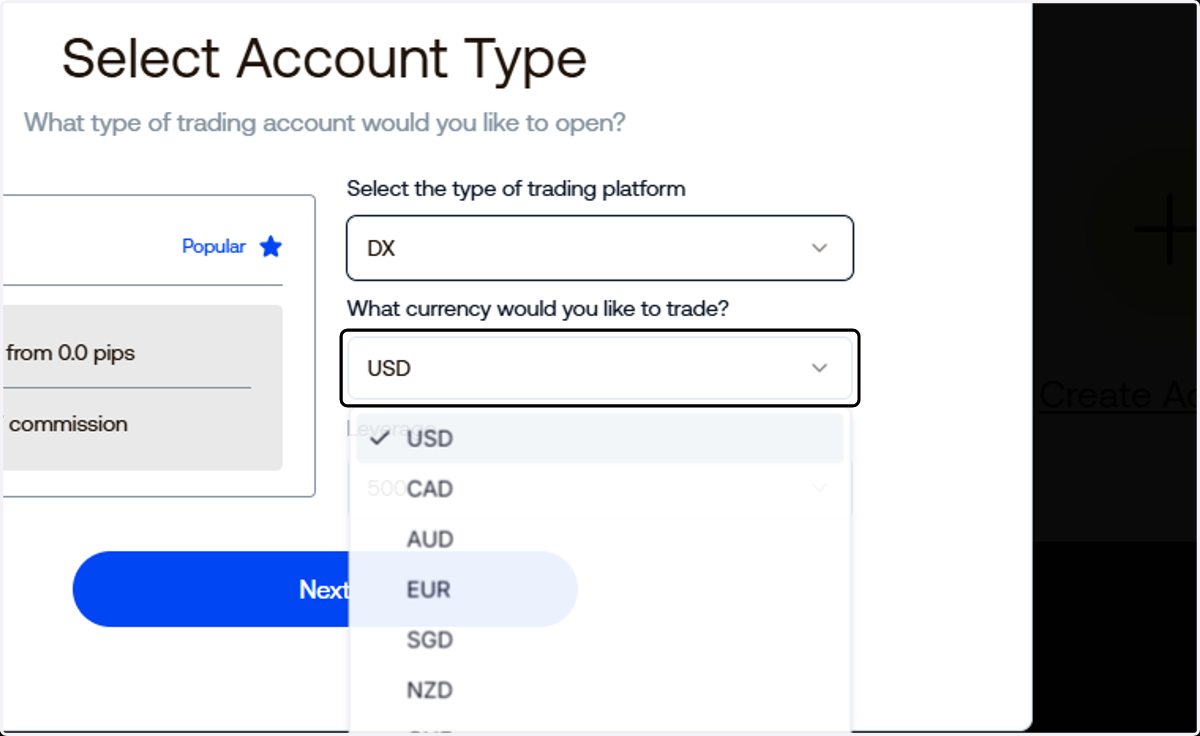
  4. 4. Select DX as your trading platform.
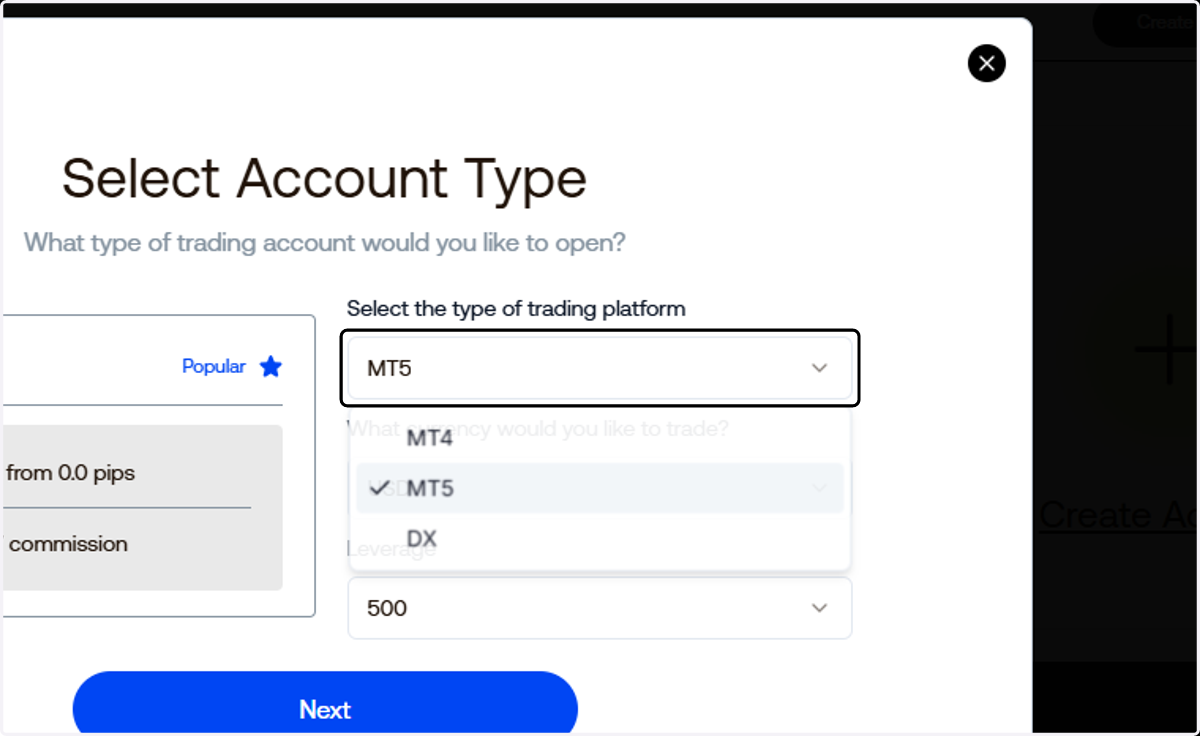
    Select DX as your trading platform.
  5. 5. Select your currency

    Select your currency
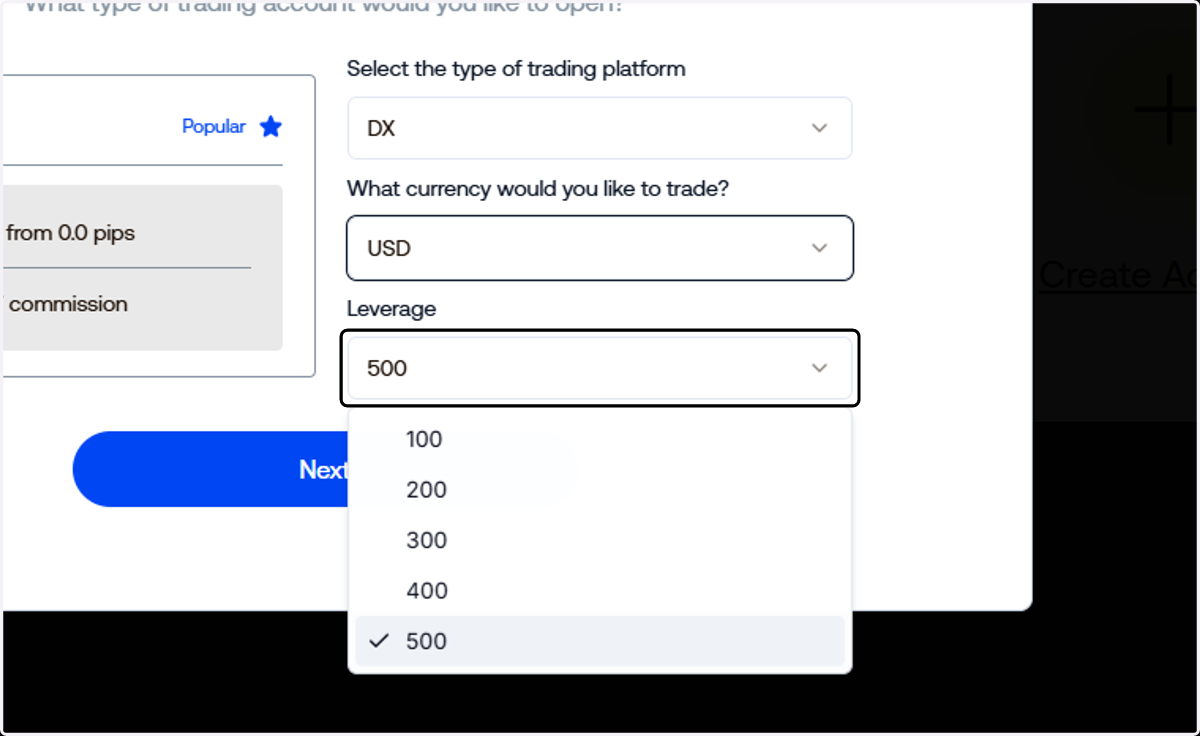
  6. 6. .. and your preferred leverage.

    .. and your preferred leverage.
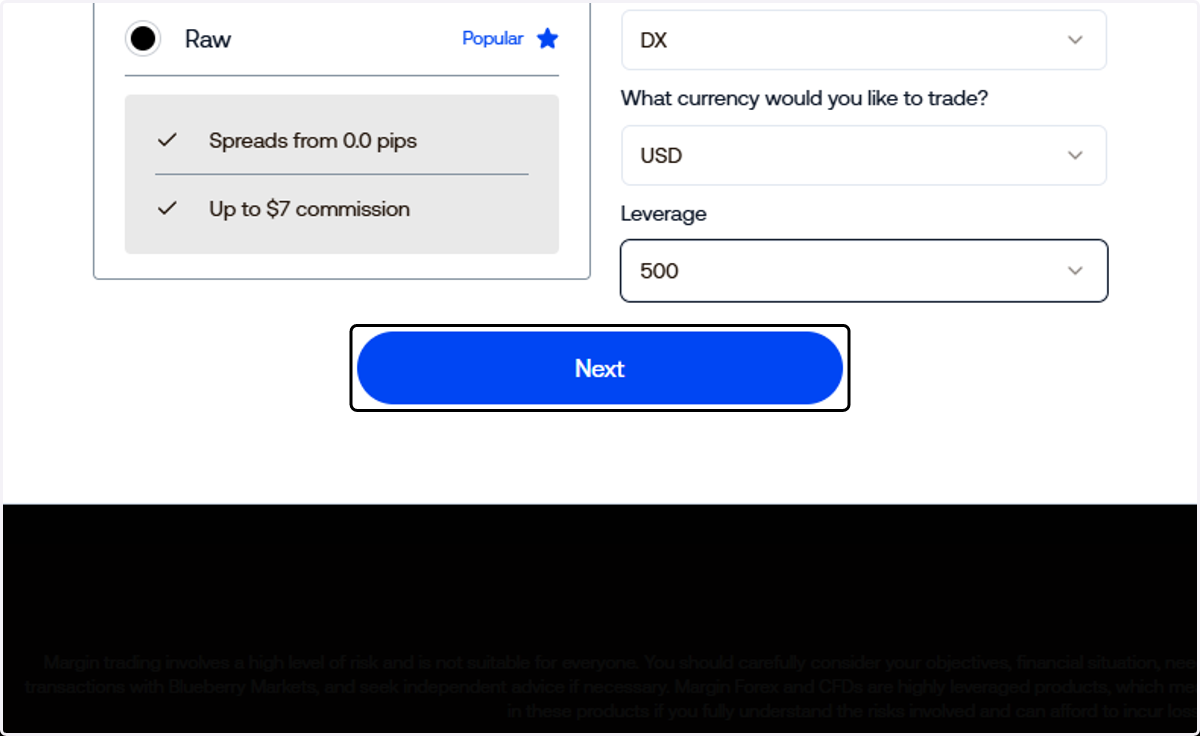
  7. 7. Click on Next

    Click on Next
  8. 8. That's it! You have created your DX Trade account.
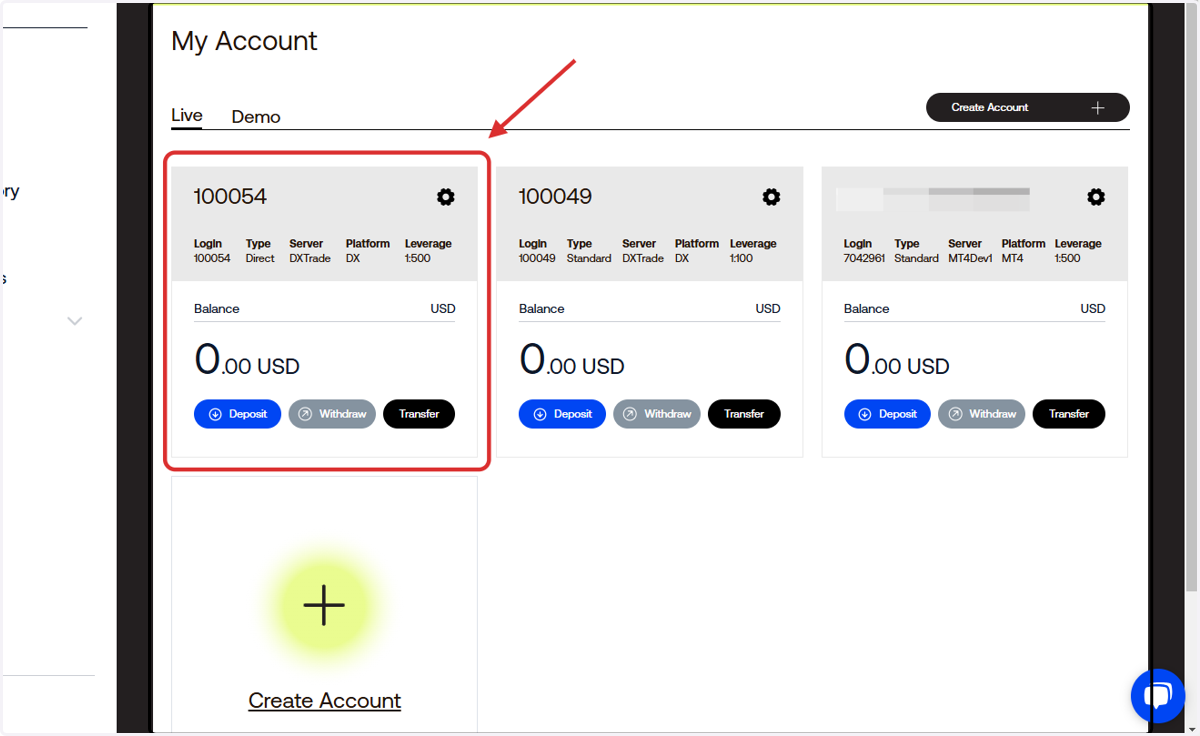
    That's it! You have created your DX Trade account.