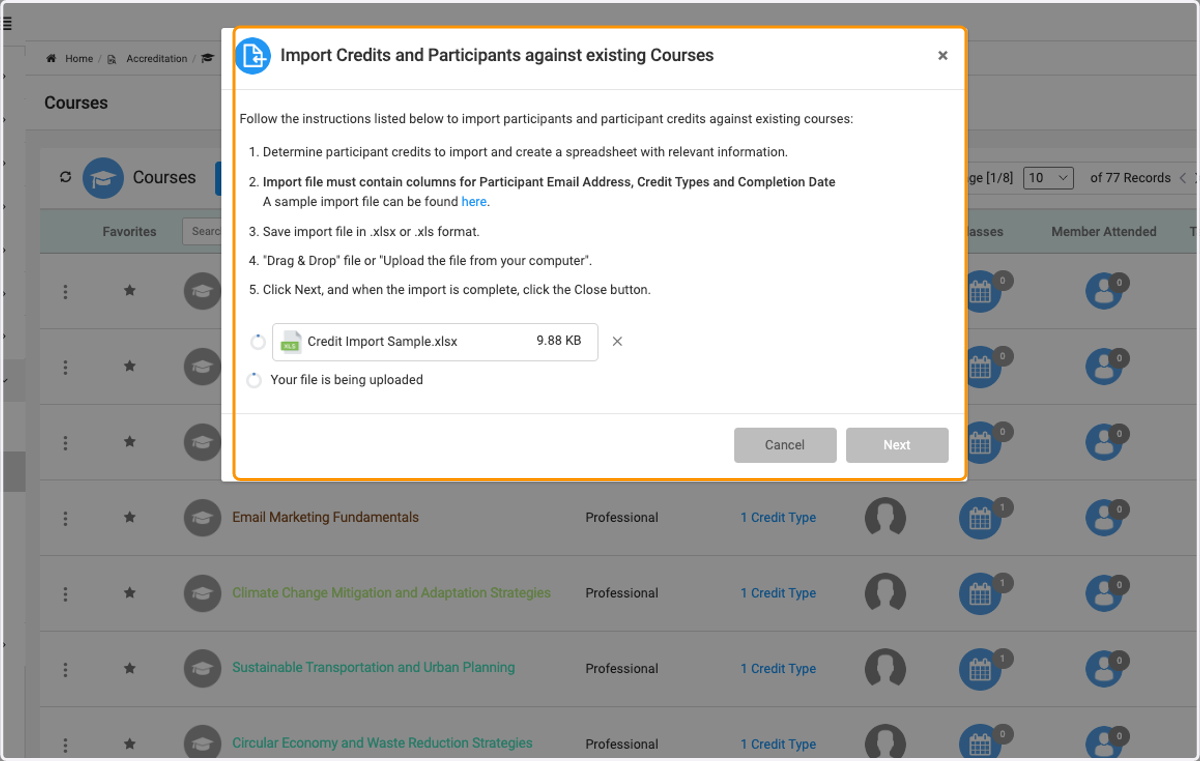
Importing Course Credits and Participants: Step-by-Step Instructions
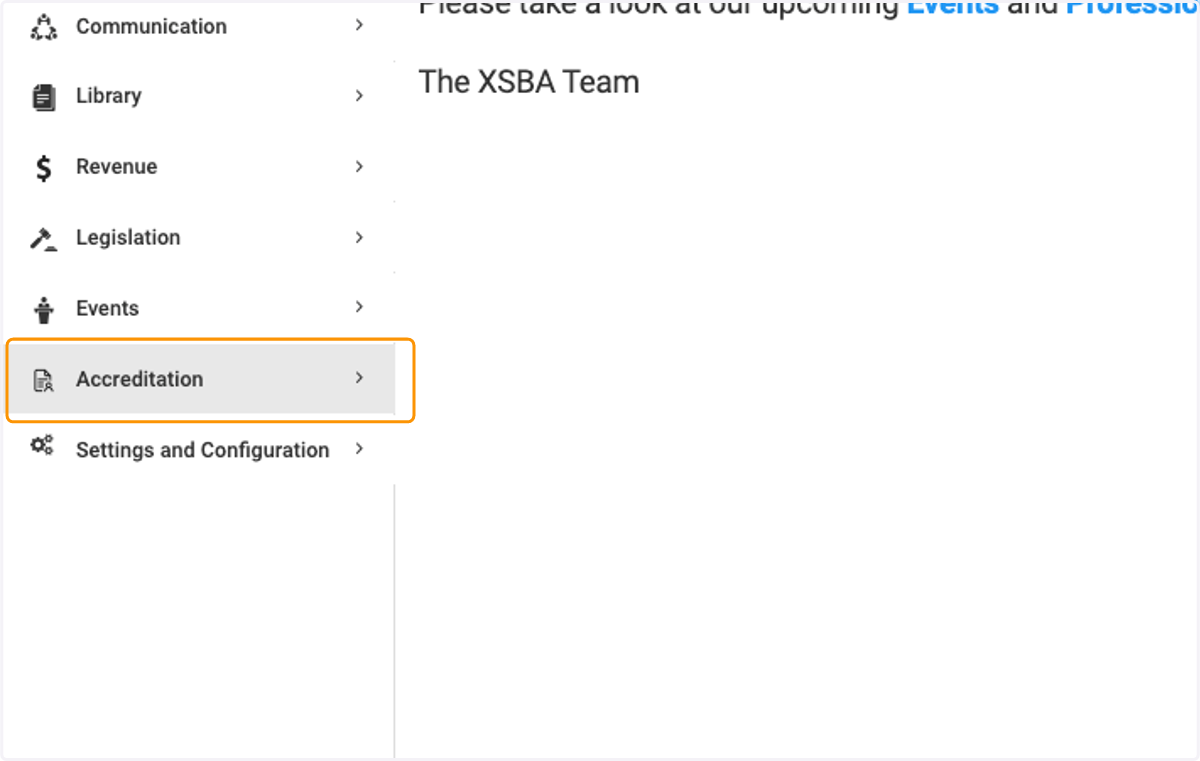
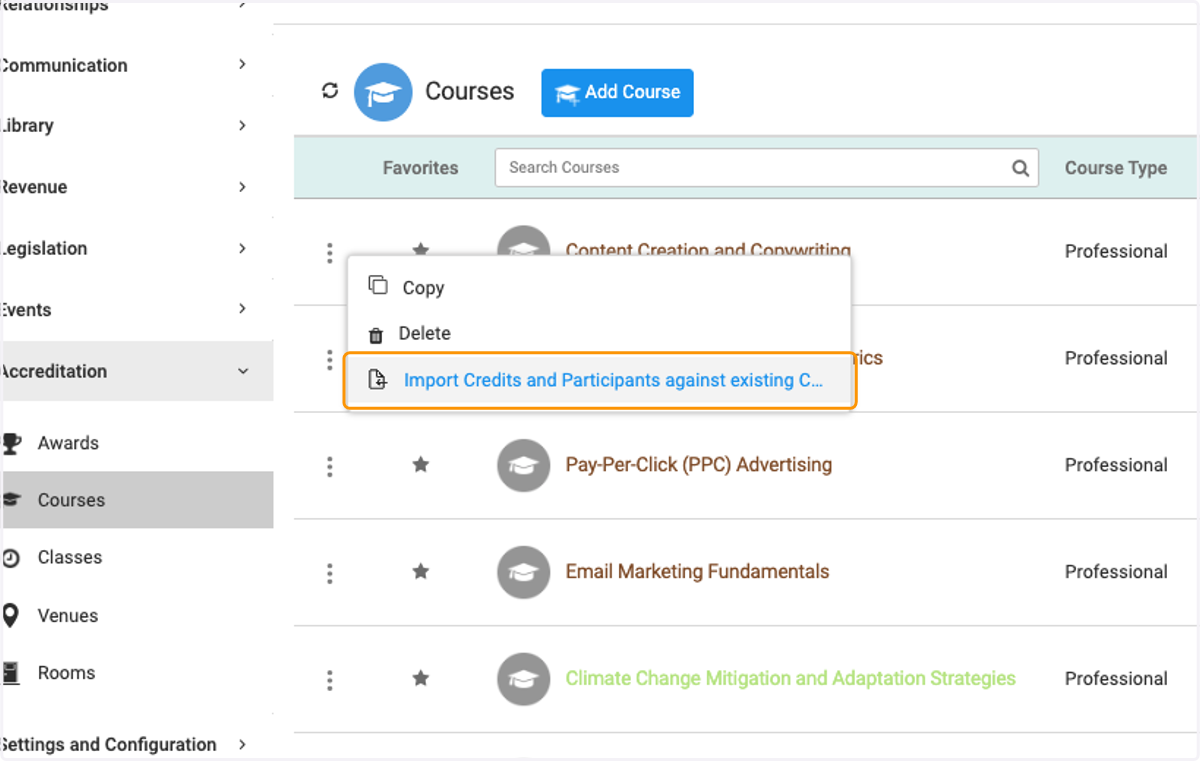
1. Click on Accreditation
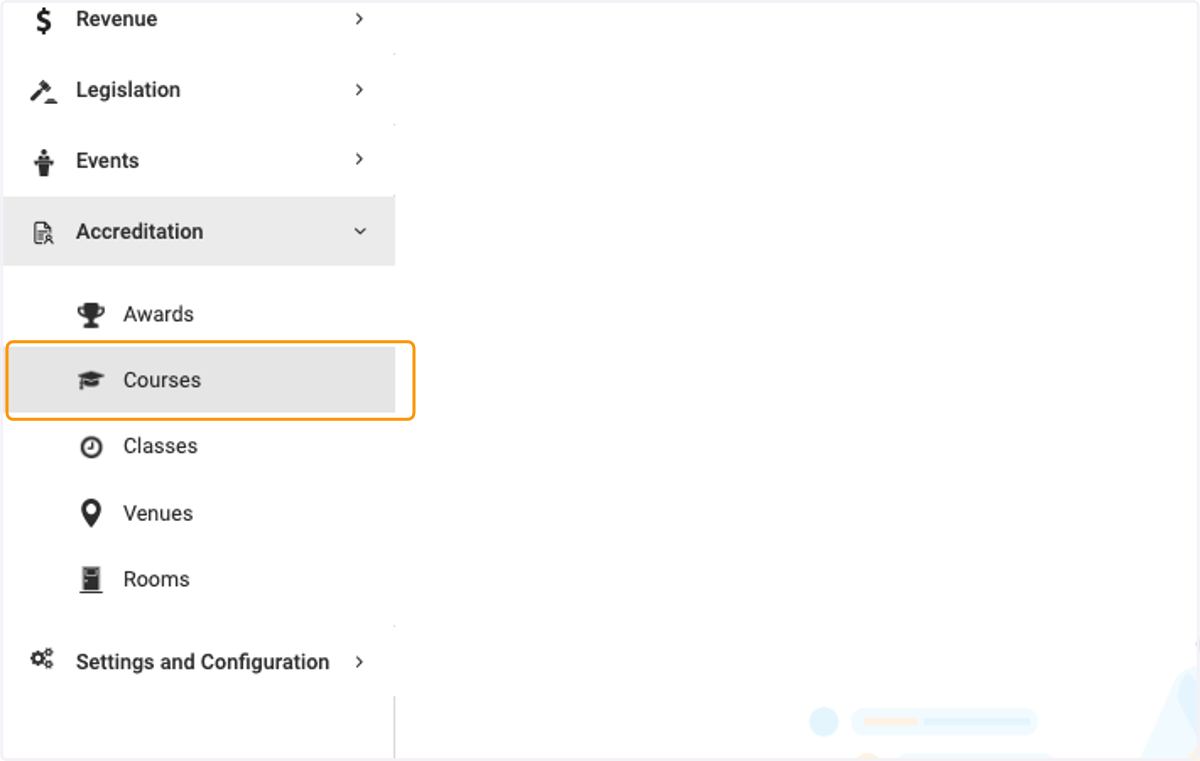
2. Click on Courses
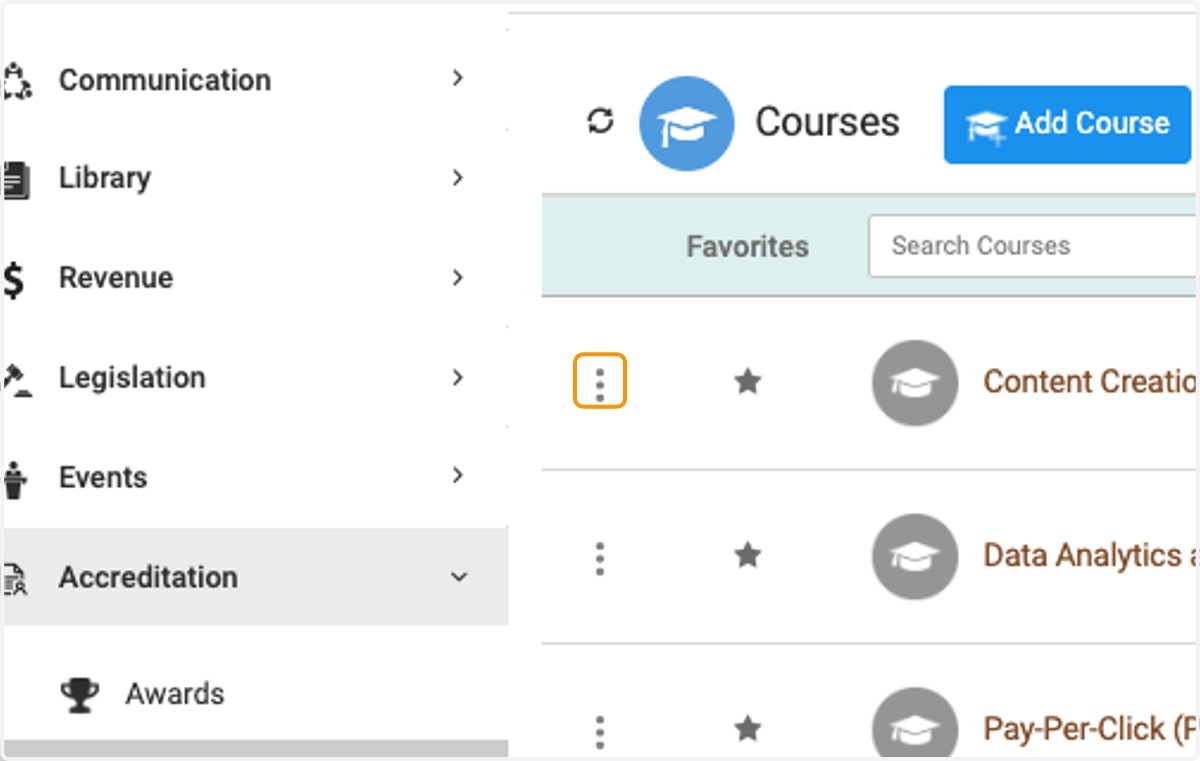
3. Click on three dots
4. Click on Import Credits and Participants against existing Courses
5. Click on here to get the sample import template
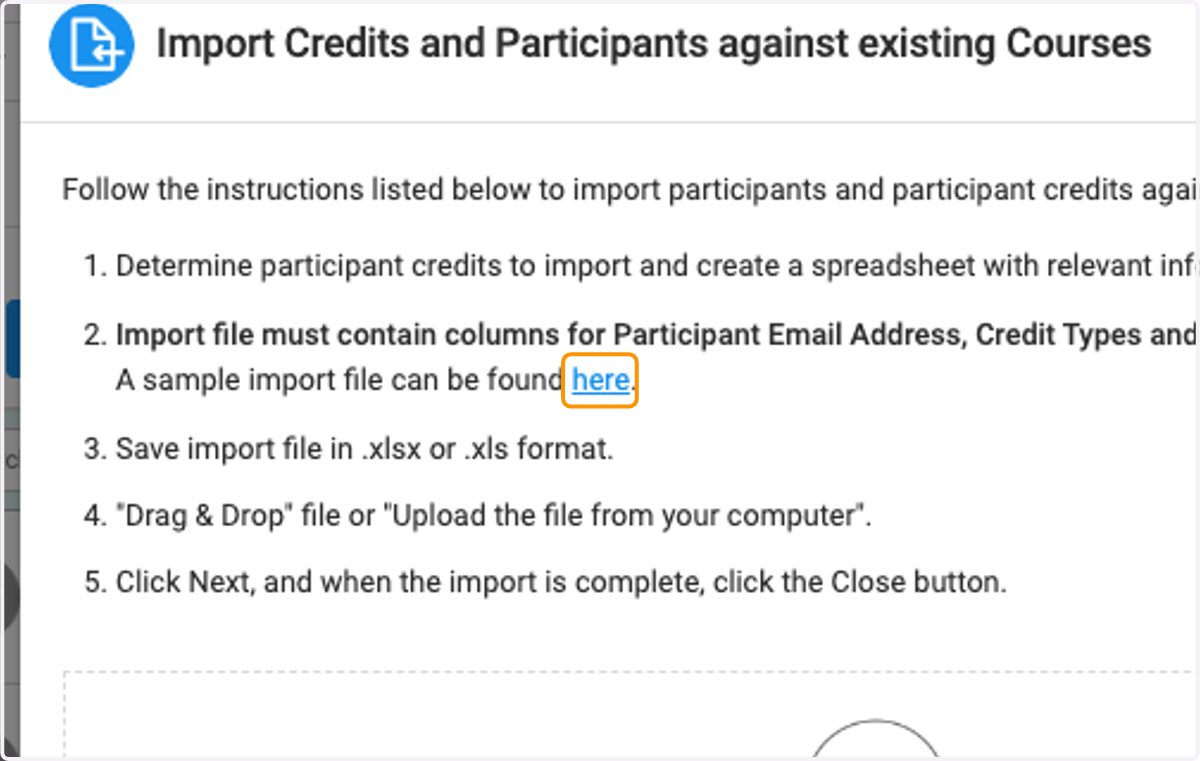
6. Once file is uploaded click on Next and then Close