Generating Resident Email Report in Yardi Voyager
Yardi Systems, Inc. - Yardi Voyager
1. Click on Reports

2. Click on Brightview Custom Reports

3. Click on Resident Contact Email Address

4. Care Level indicates which neighborhood's contacts you are requesting. Hold Ctrl and click all applicable neighborhoods

5. Select AL, IL & WS or any combination of the three
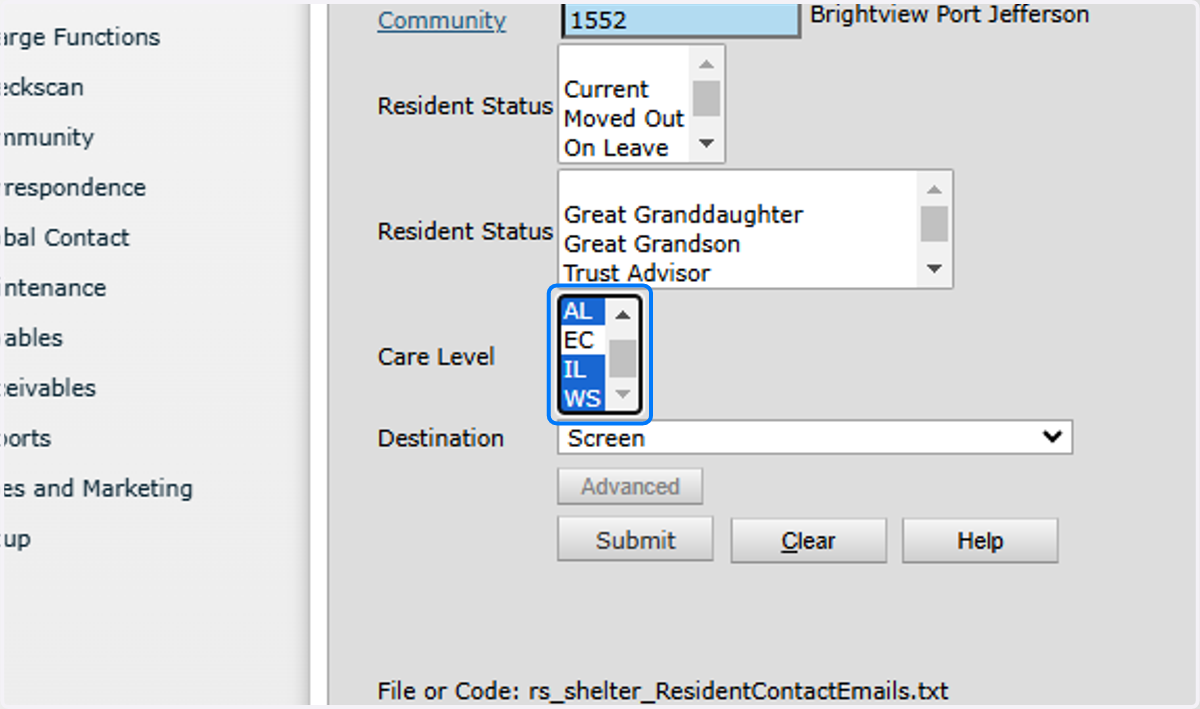
6. Click on Submit

7. Click on Excel
