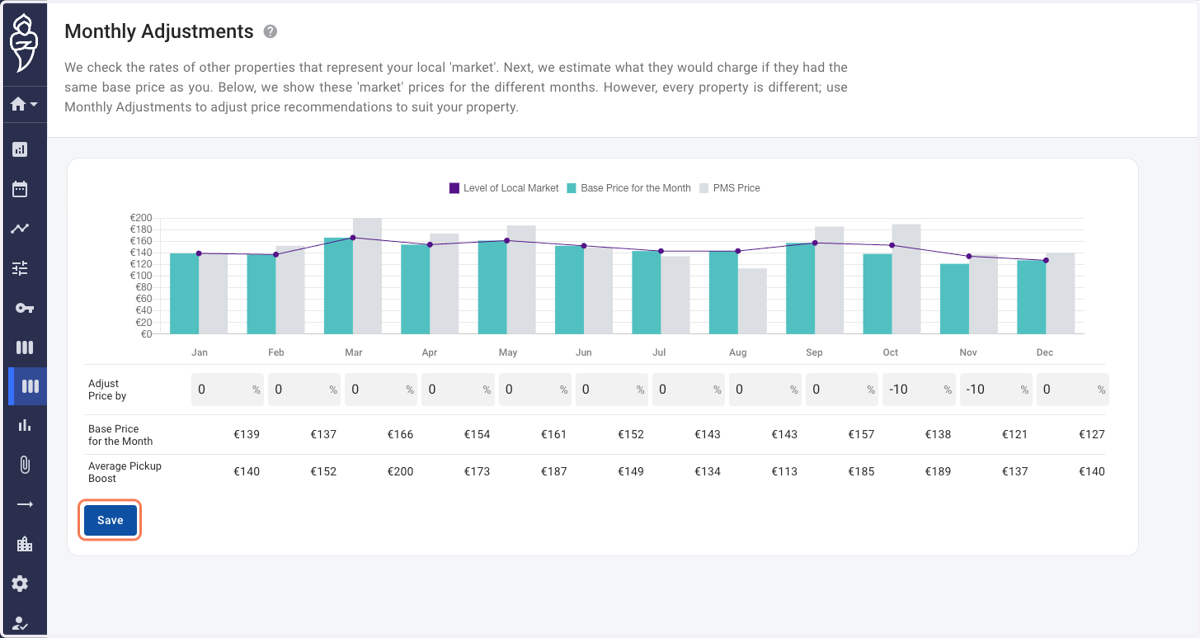
Monthly adjustments
Roompricegenie
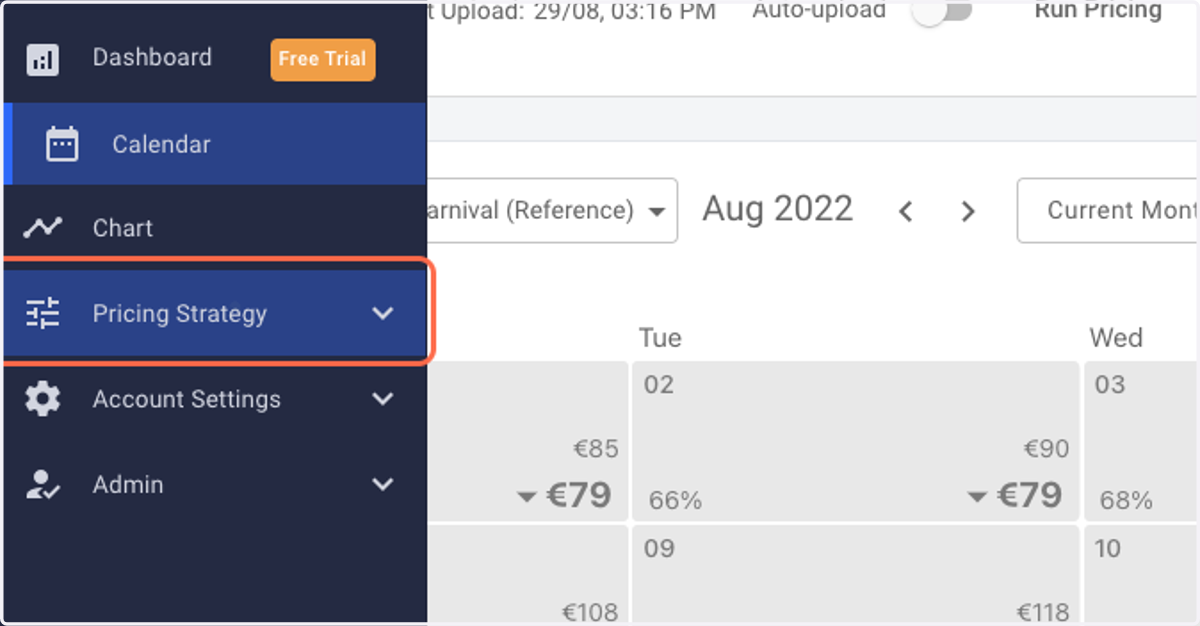
1. Log in to RoomPriceGenie and click on Pricing Strategy.
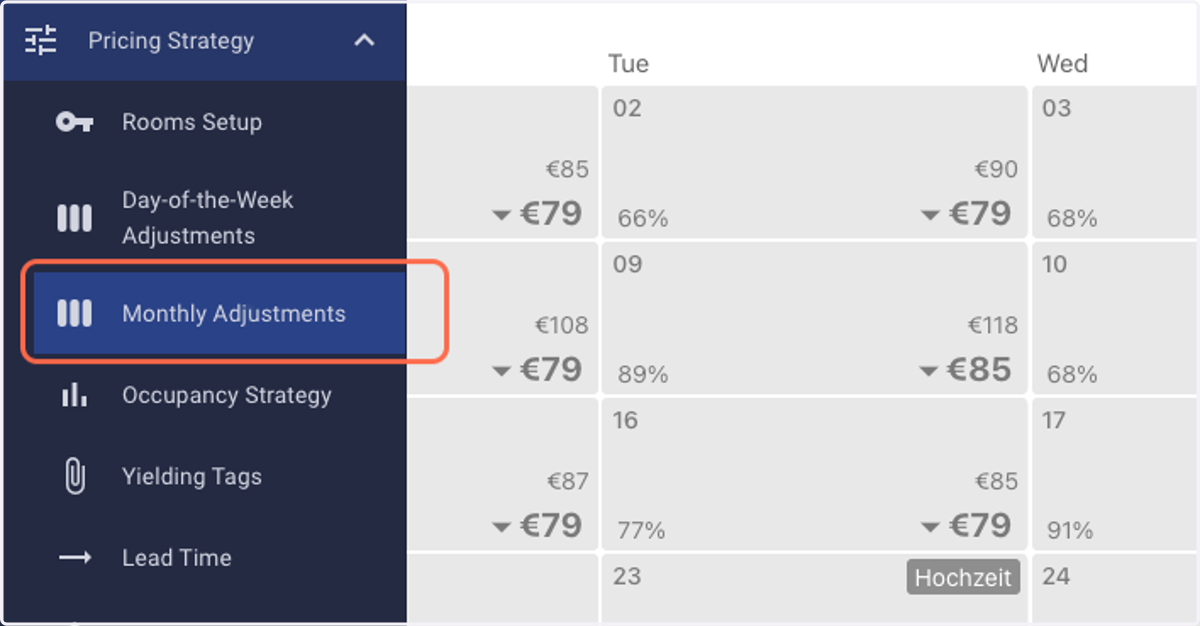
2. Click on Monthly Adjustments.
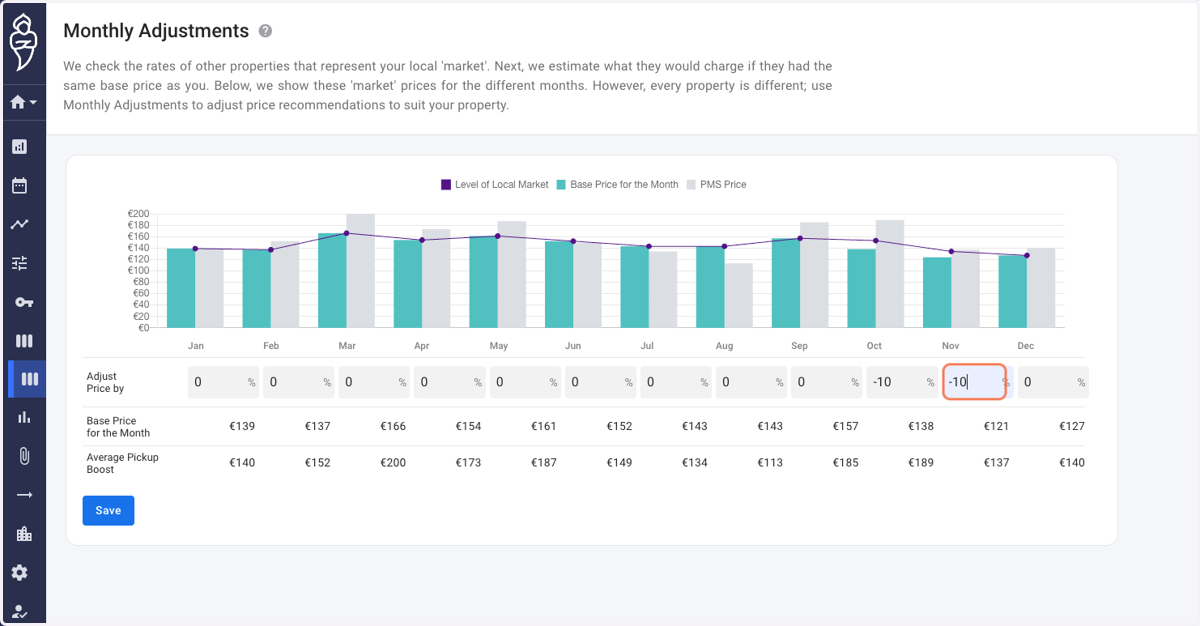
3. You shall reach the "Monthly Adjustments" page.
Note: The adjustments are entered in percentage terms and can be either positive or negative.
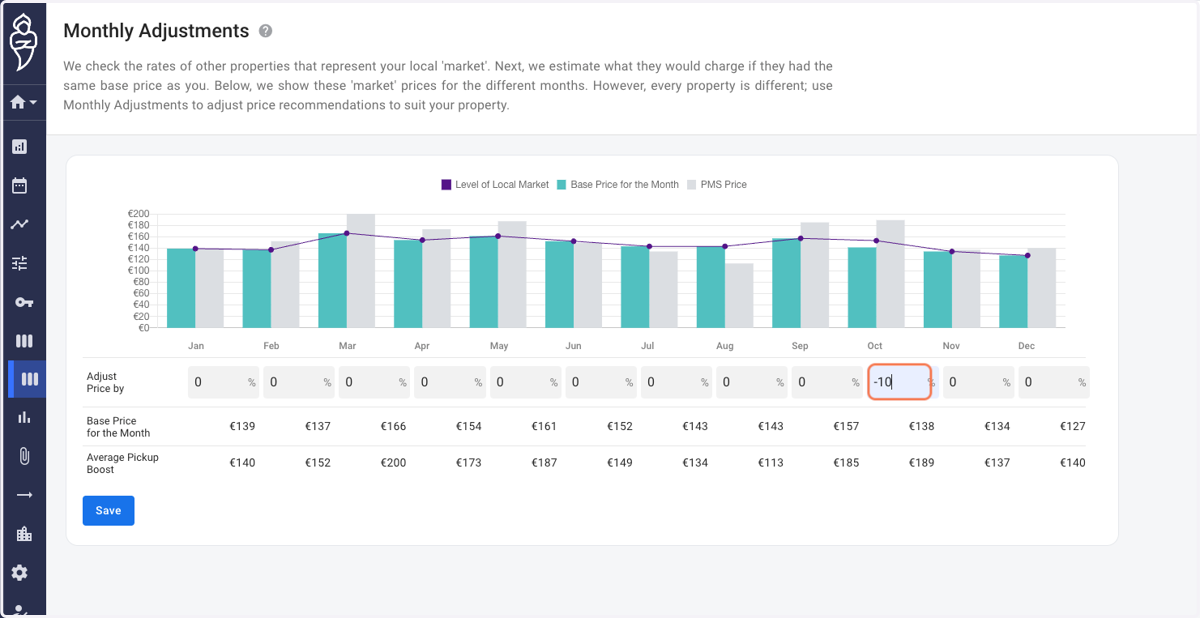
4. In the given example, we decrease the price for the months of October and November by 10%.
5. Click on Save.