Adding Tenants to existing Residence
Whoo
1. Go to www.console.whoo.ai
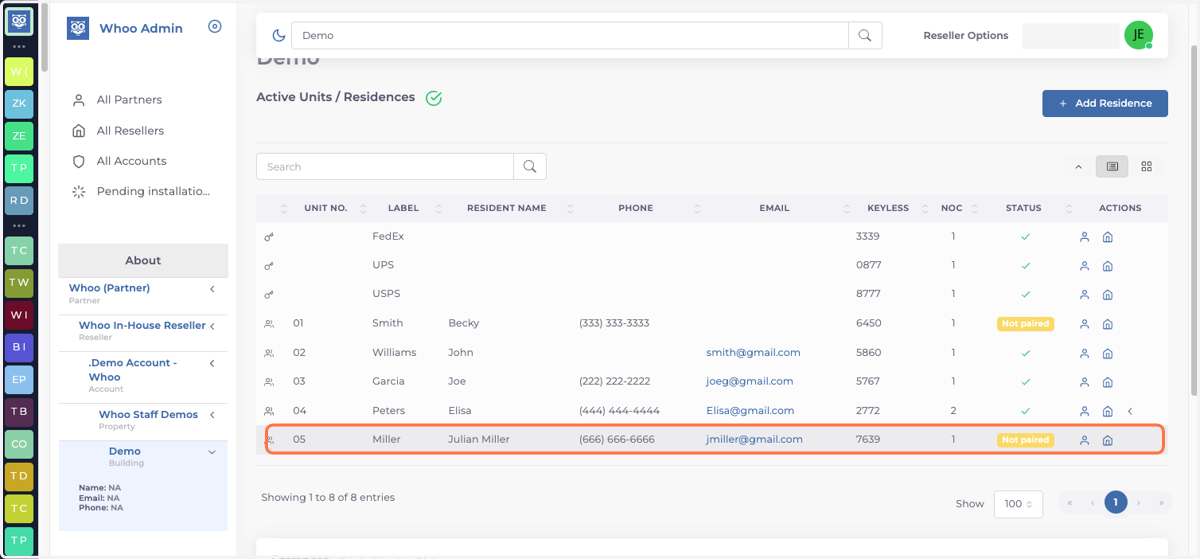
2. Find the unit you would like to add another tenant to.
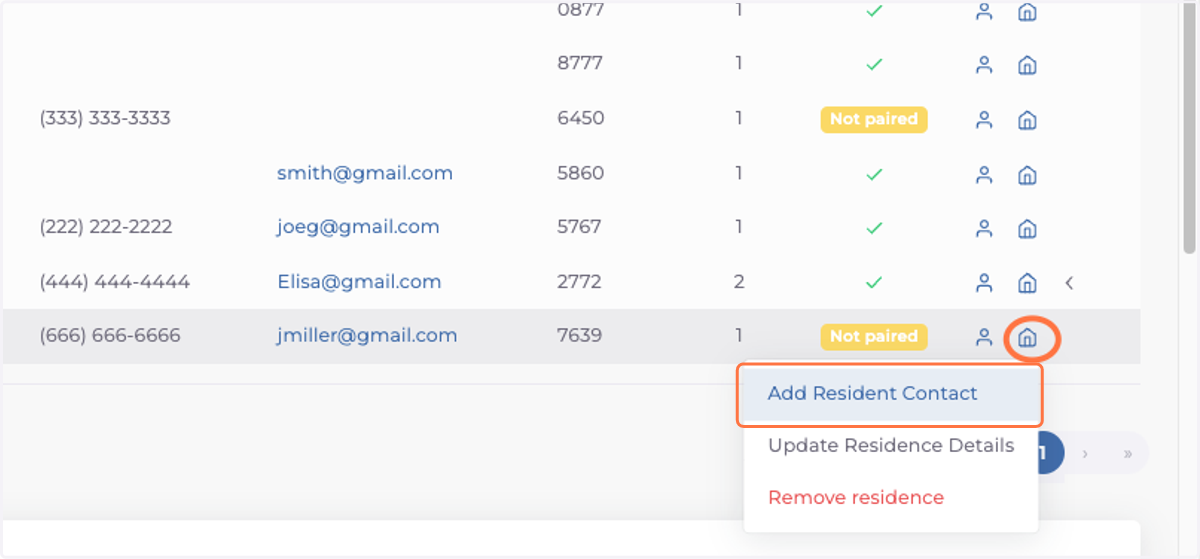
3. Click on the house icon then in the drop down menu choose: Add Resident Contact
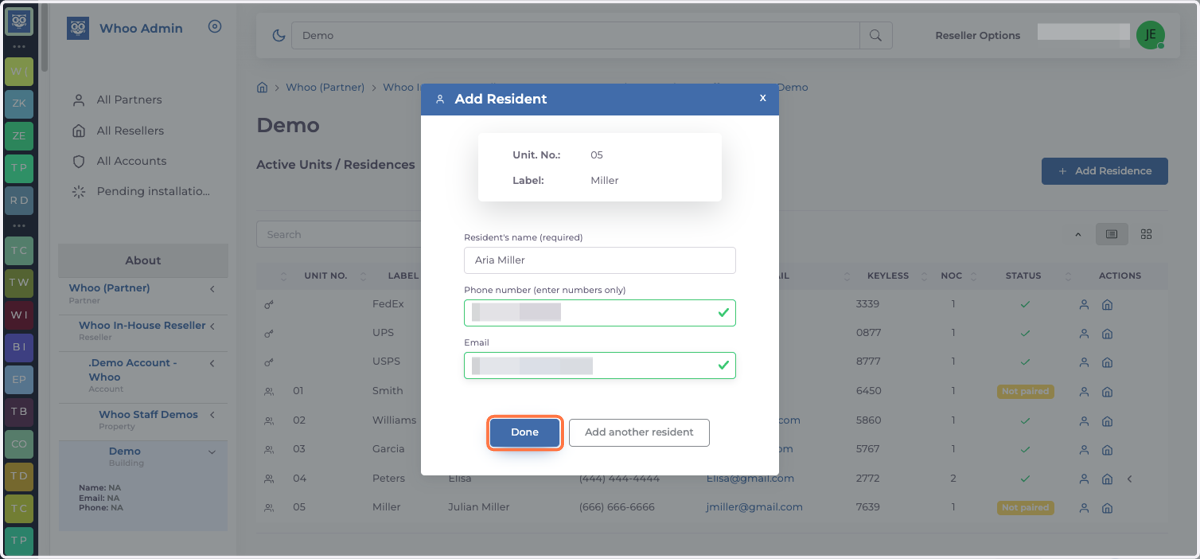
4. Add name, phone number and email and click on done
5. Number of contacts (NOC) now indicates the change
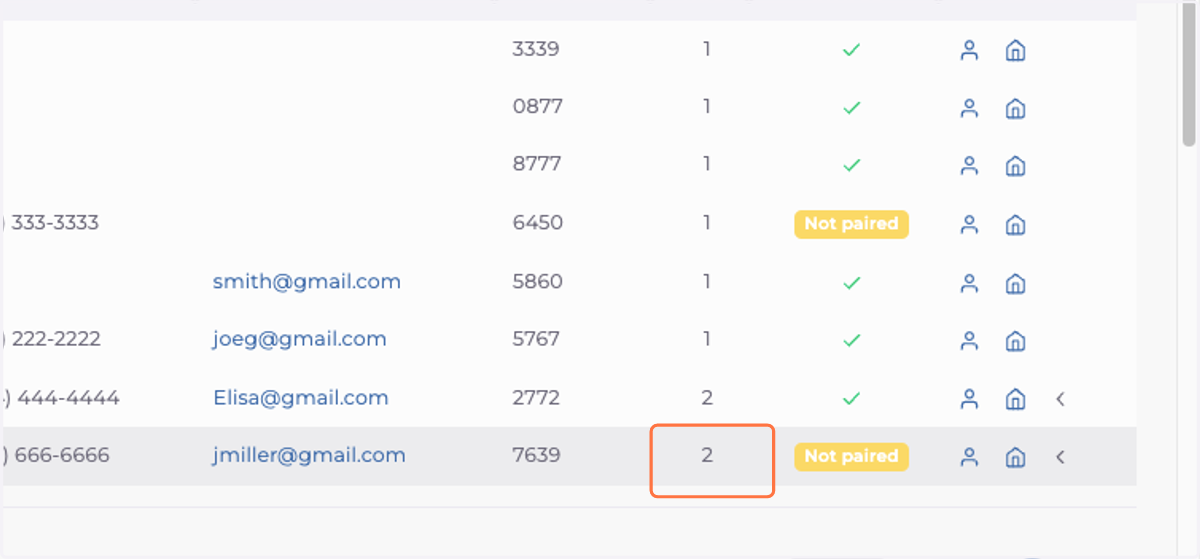
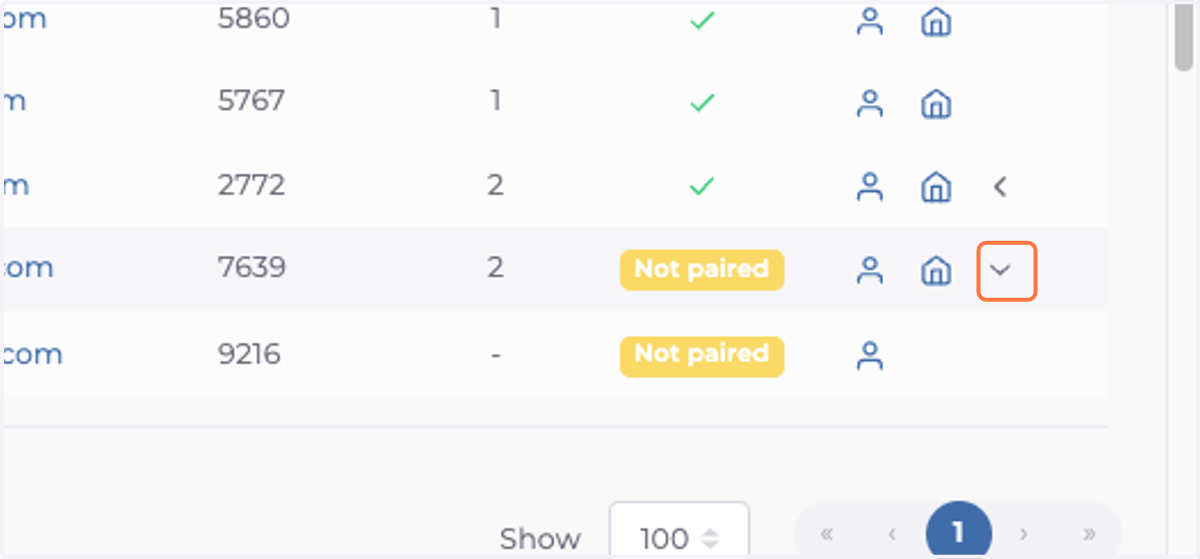
6. To view all tenants from the same unit press on the arrow next to the house icon.