Installing ReviewAI by manifest file (Windows)
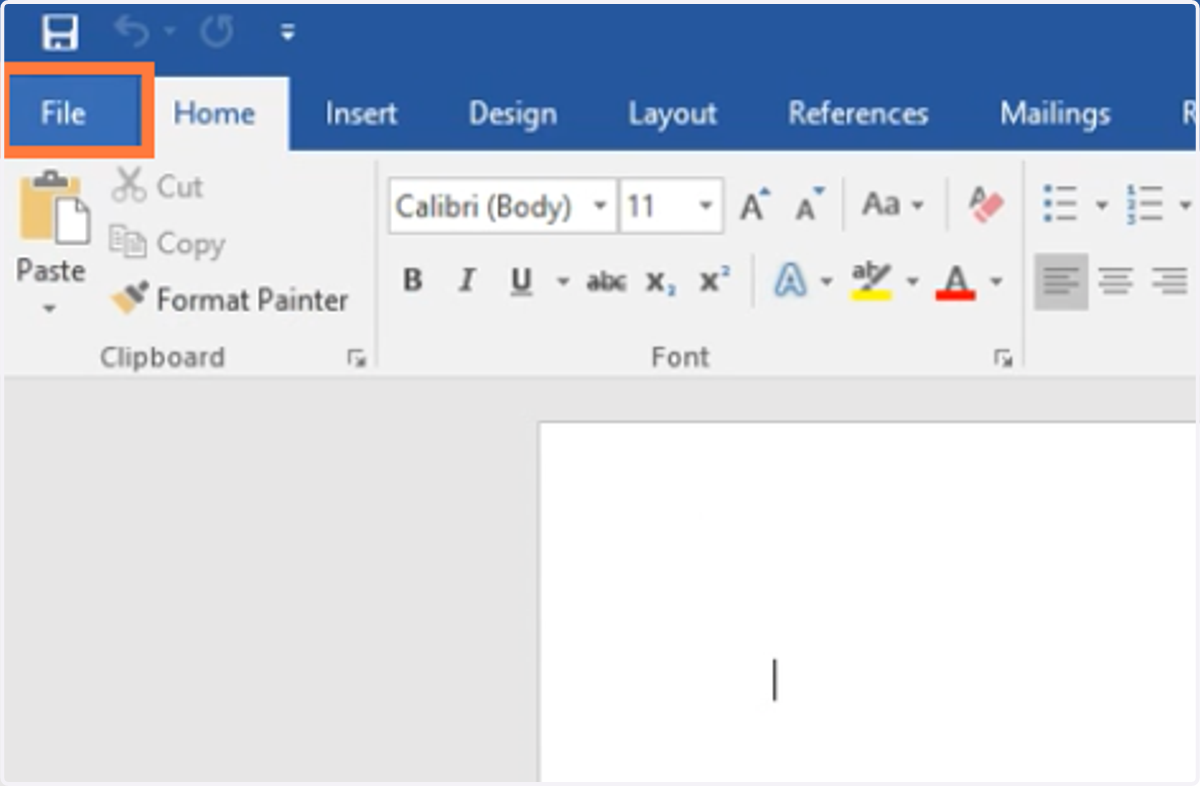
1. In Word, go to File.
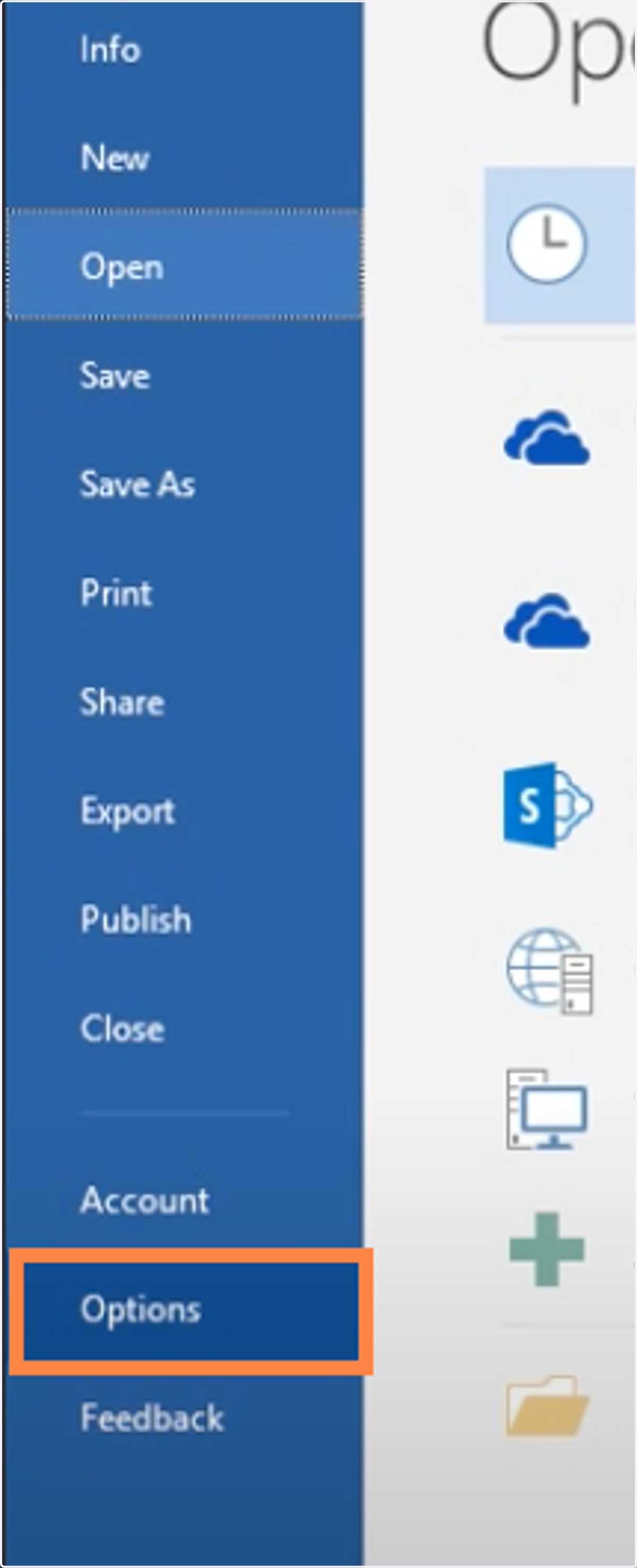
2. Go to Options
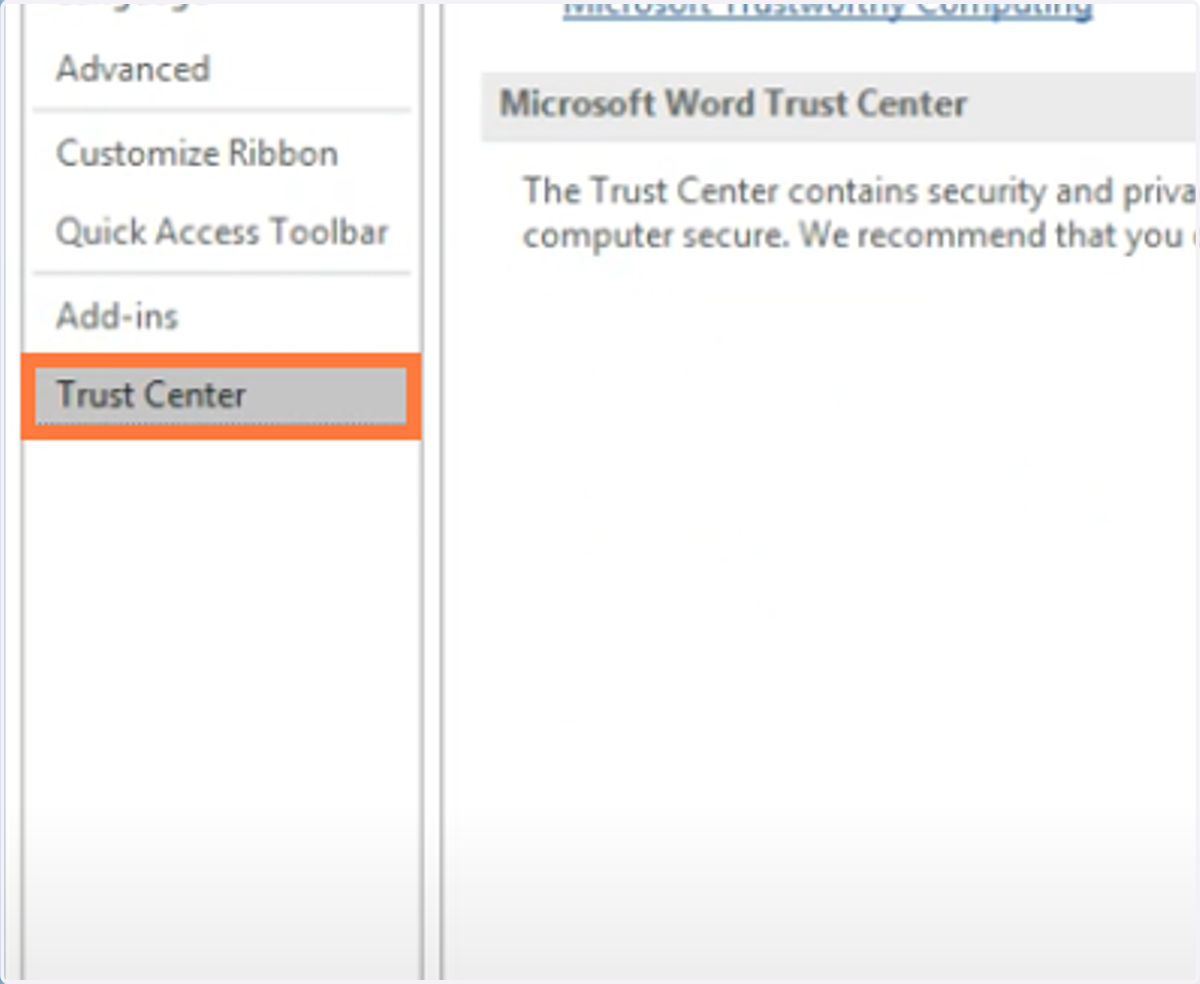
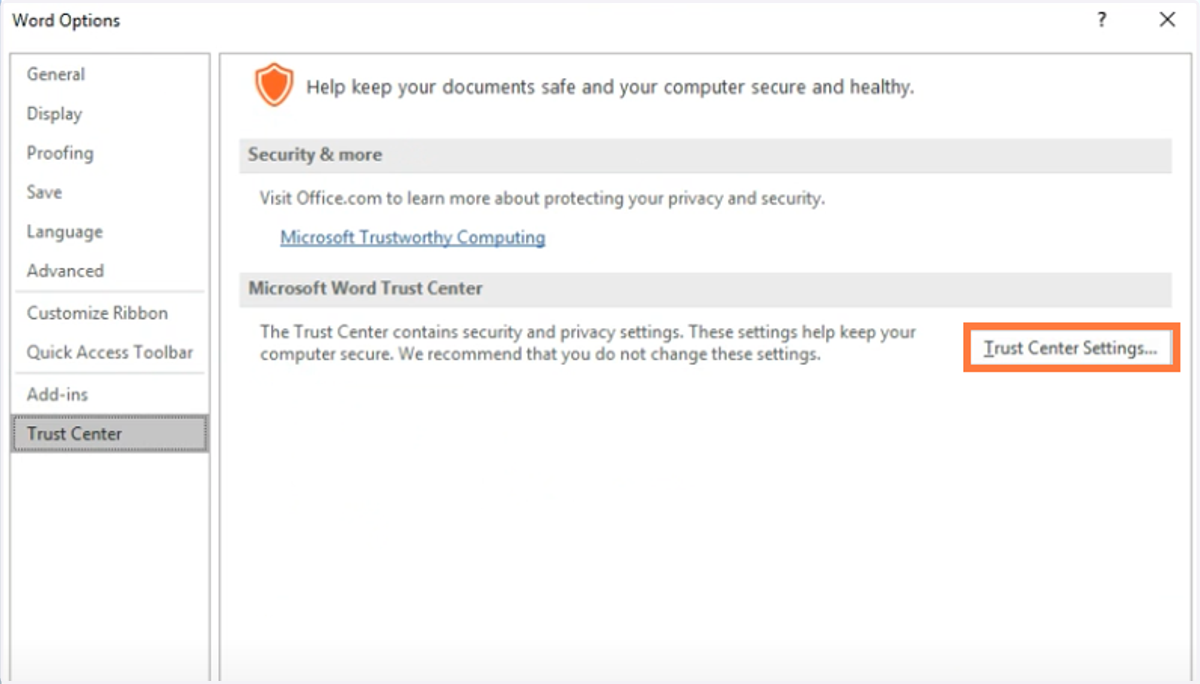
3. Go to Trust Center
4. Then Click Trust Center Settings
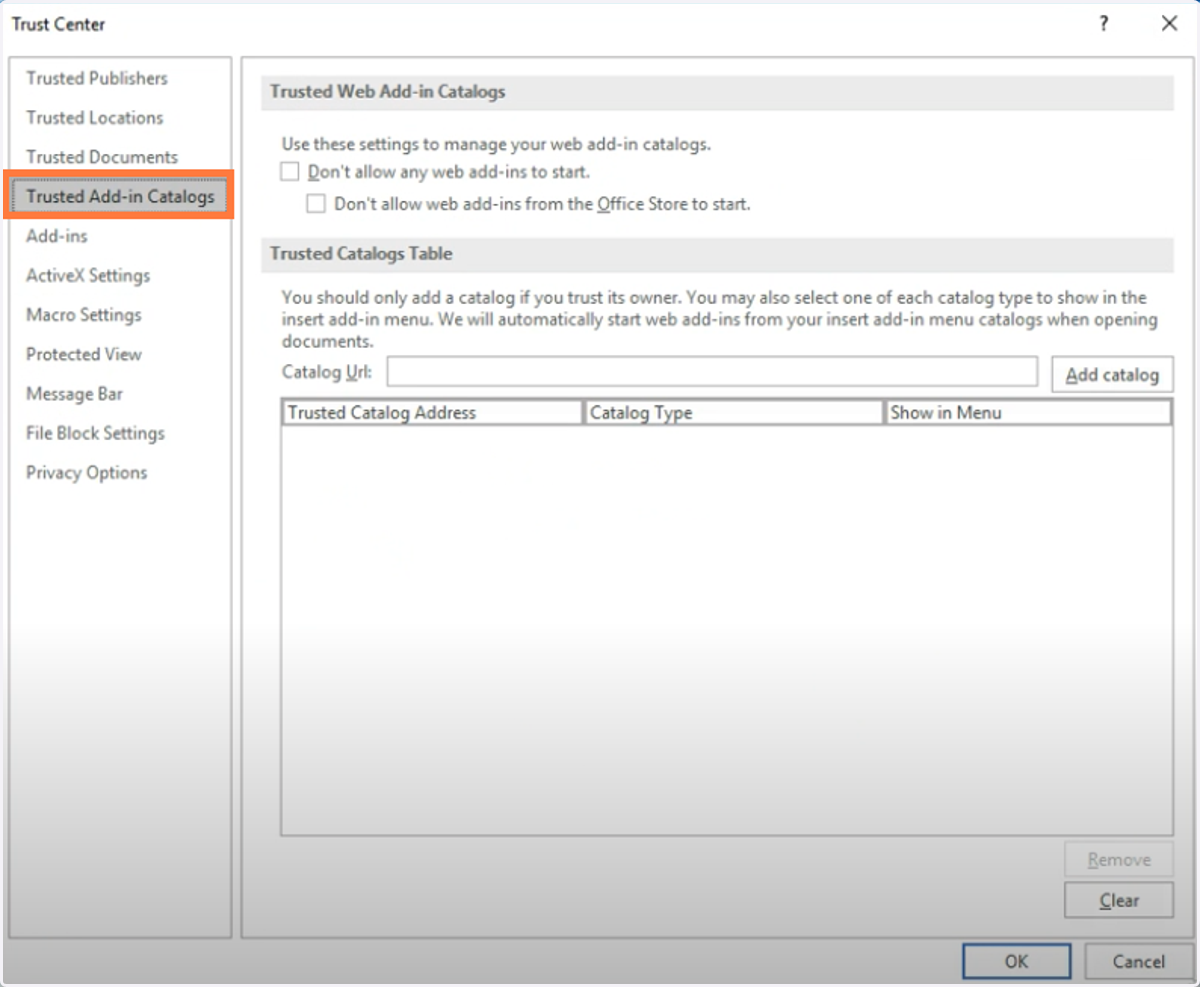
5. To go to Trusted Add-in Catalogs
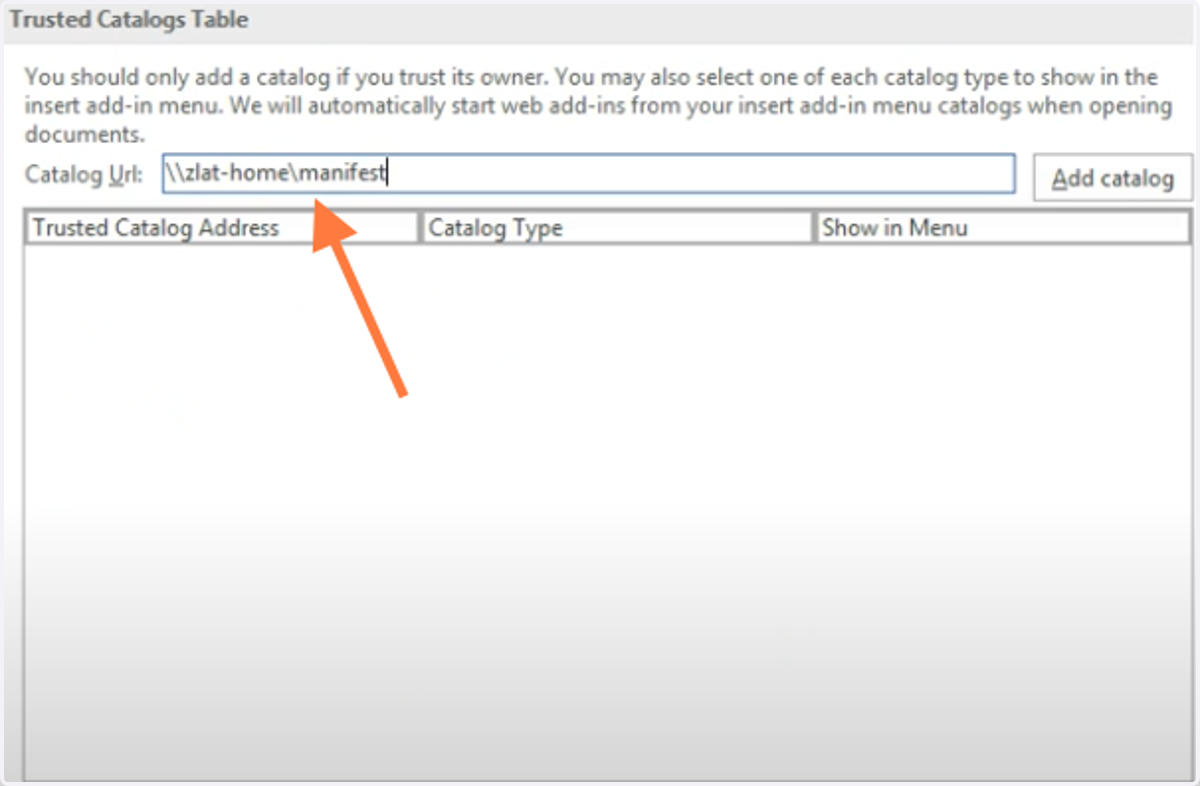
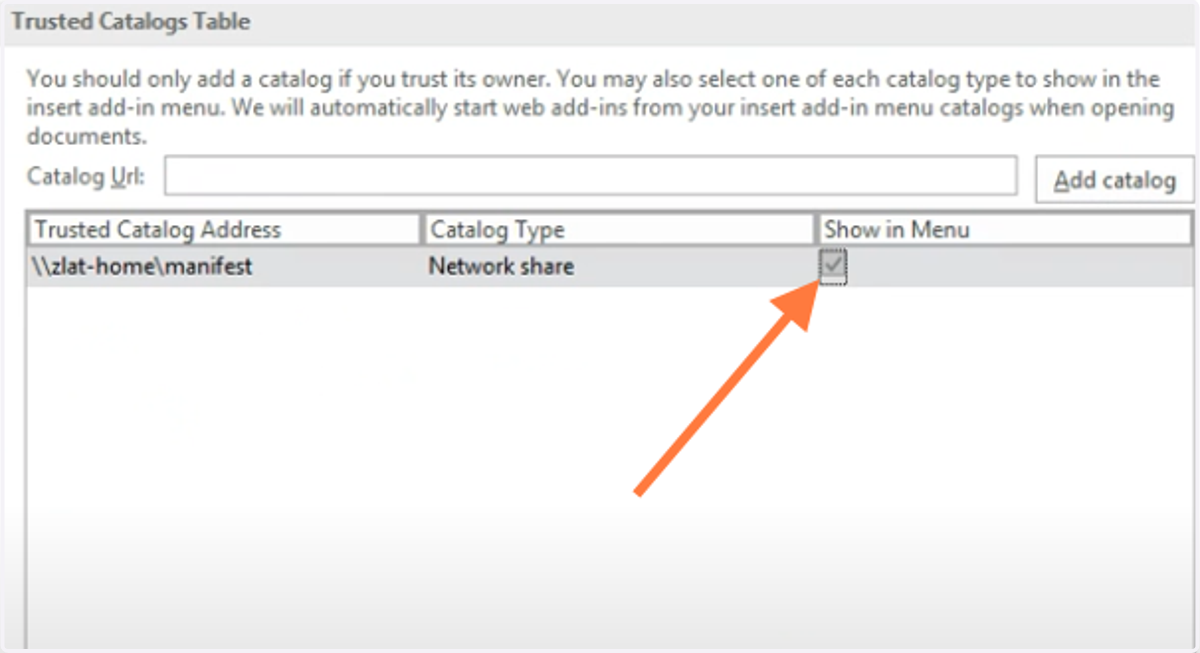
6. Then, type in the Location of the Catalyst Contracts Manifest file.
7. Then Click 'Add catalog'
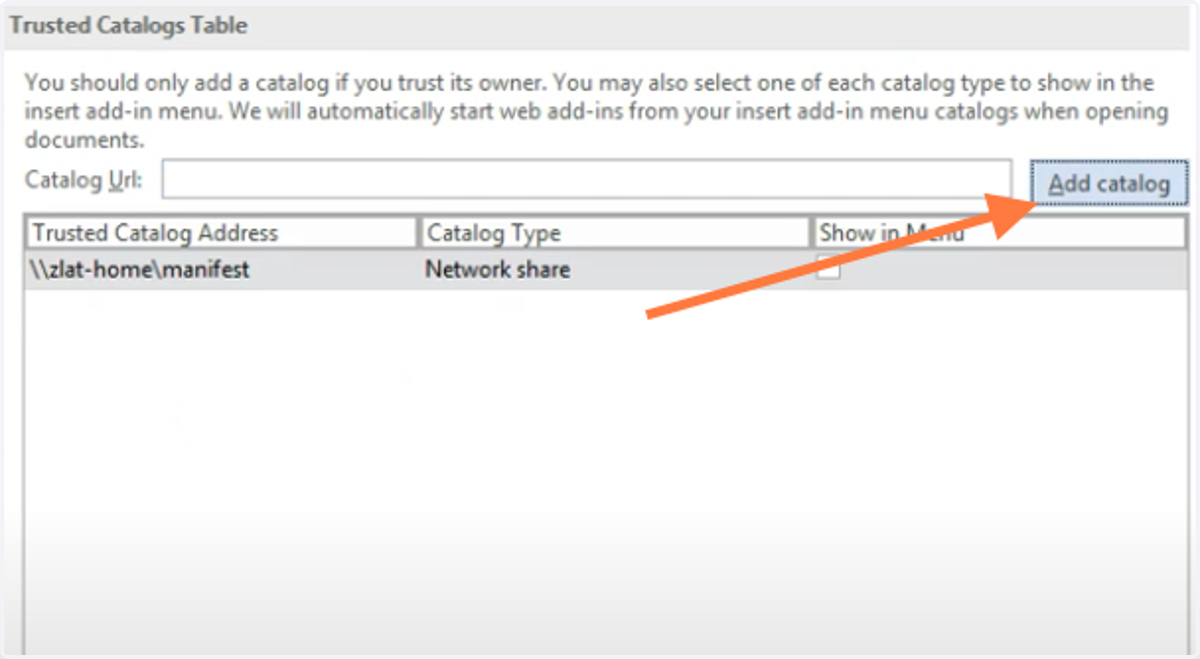
8. Then Click the Checkbox for 'Show in Menu'
9. You will need to close and restart Microsoft Word.
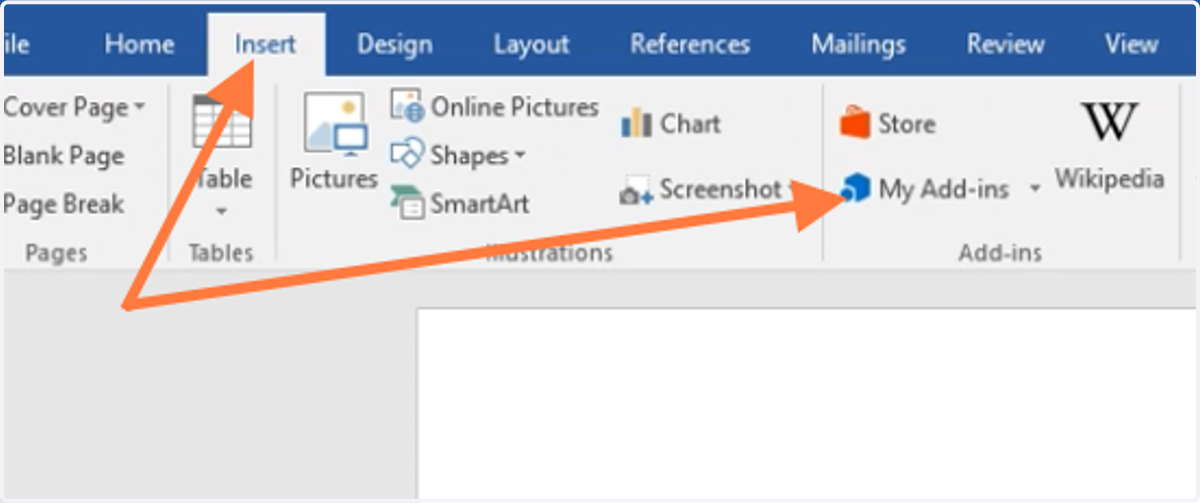
10. Once Word is open, go to Insert > My Add-ins
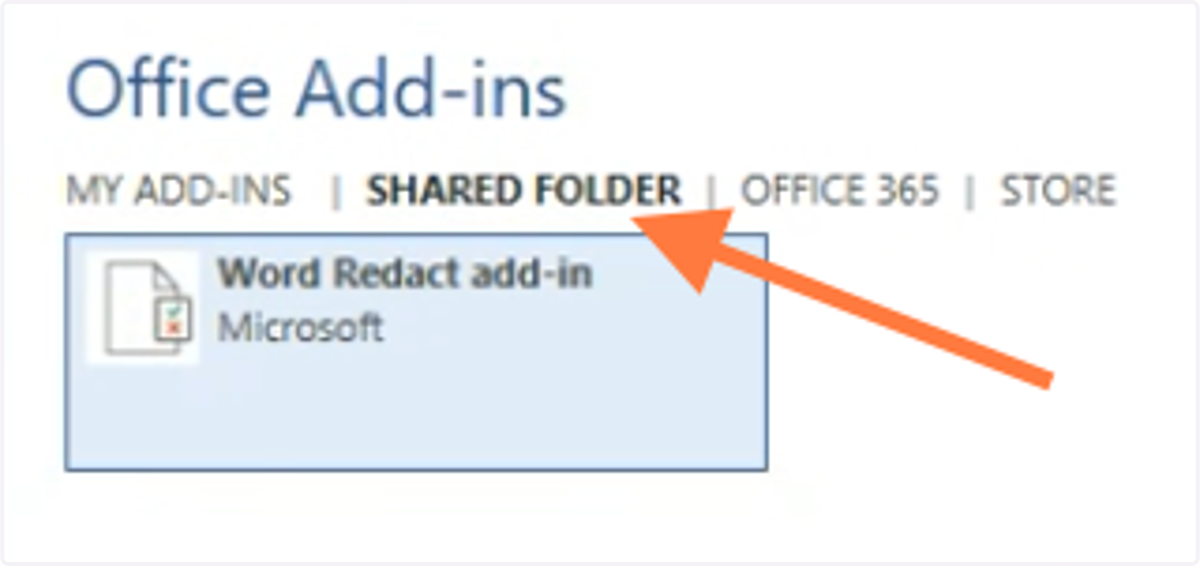
11. The add-in should show up here.
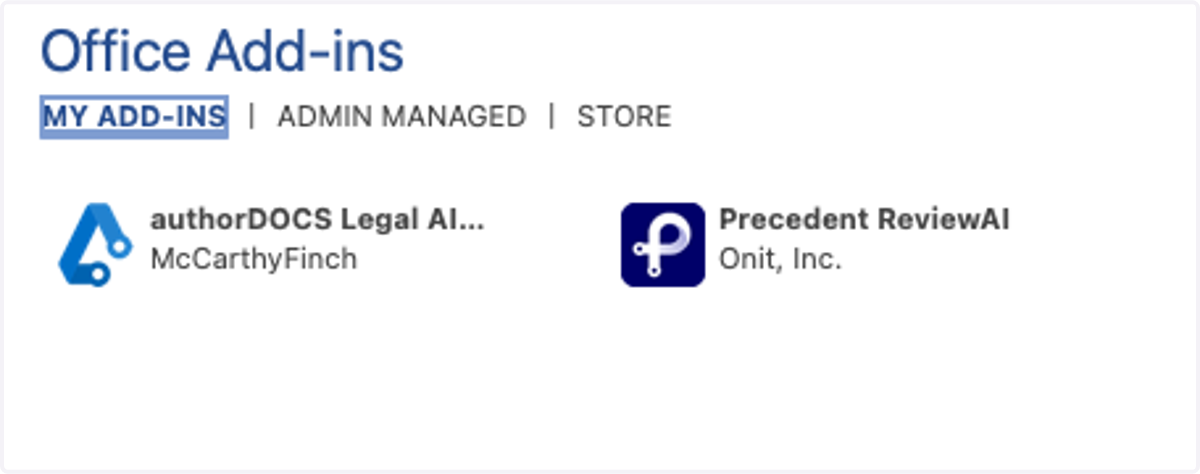
12. You may also find it in the 'Shared Folder' tab
If you put the manifest file in a folder on your computer or from a Shared Drive location