How to Sort by Date in Google Sheets Using Filters
The easiest way to sort your table by date is to use Google Sheet's filter function. Here's how it works:
1. Go to Your Google Sheet
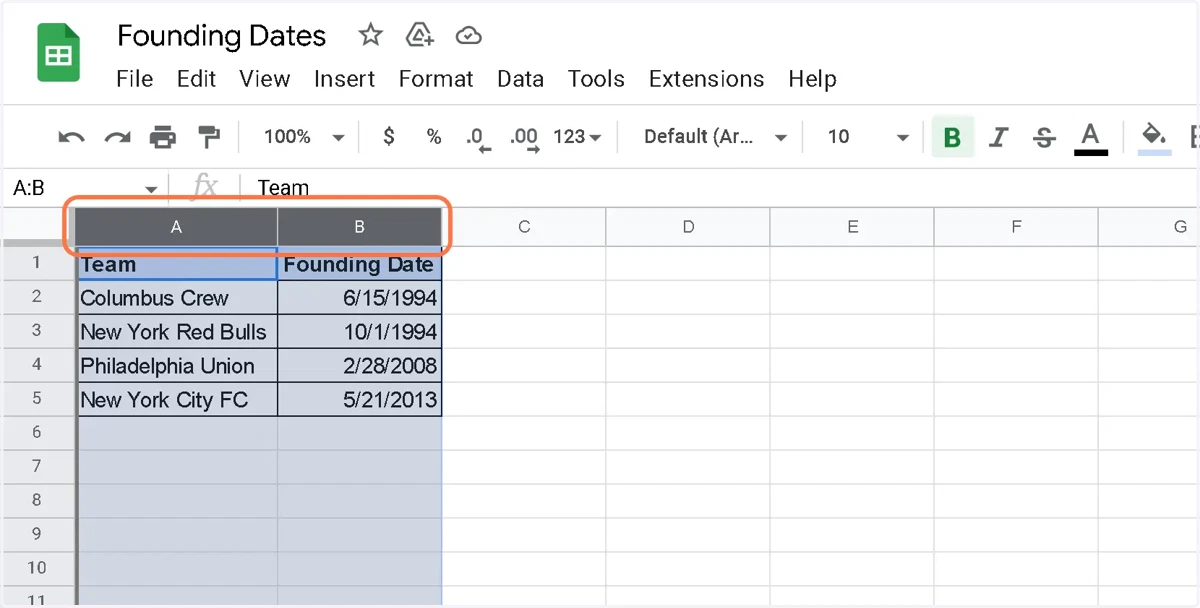
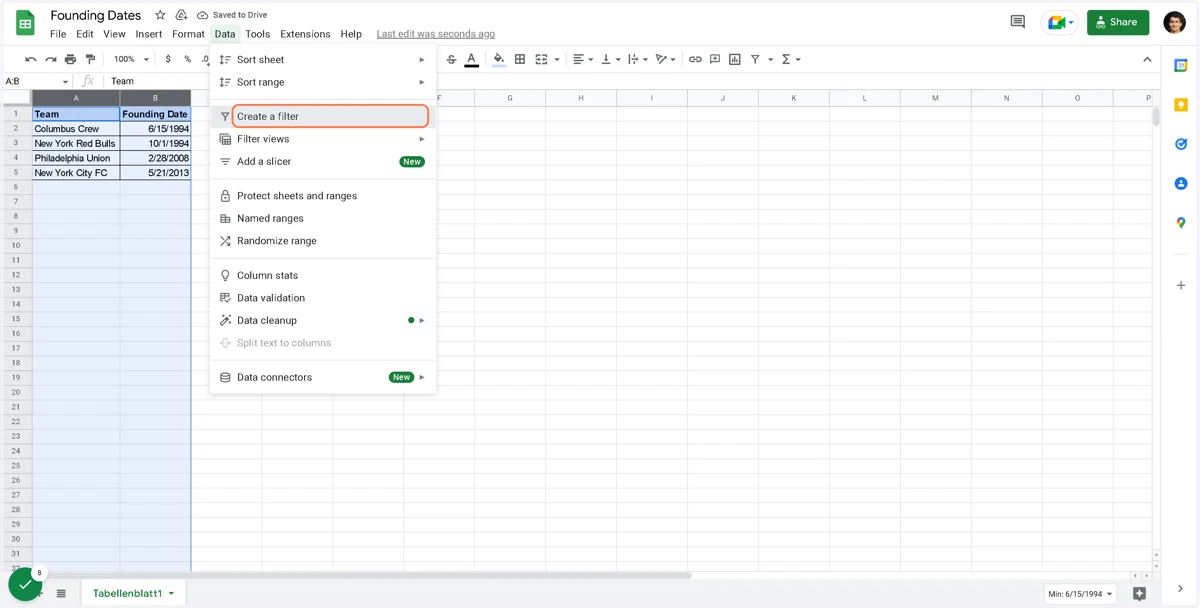
2. Select the column/s you'd like to sort by date
3. Click on Data
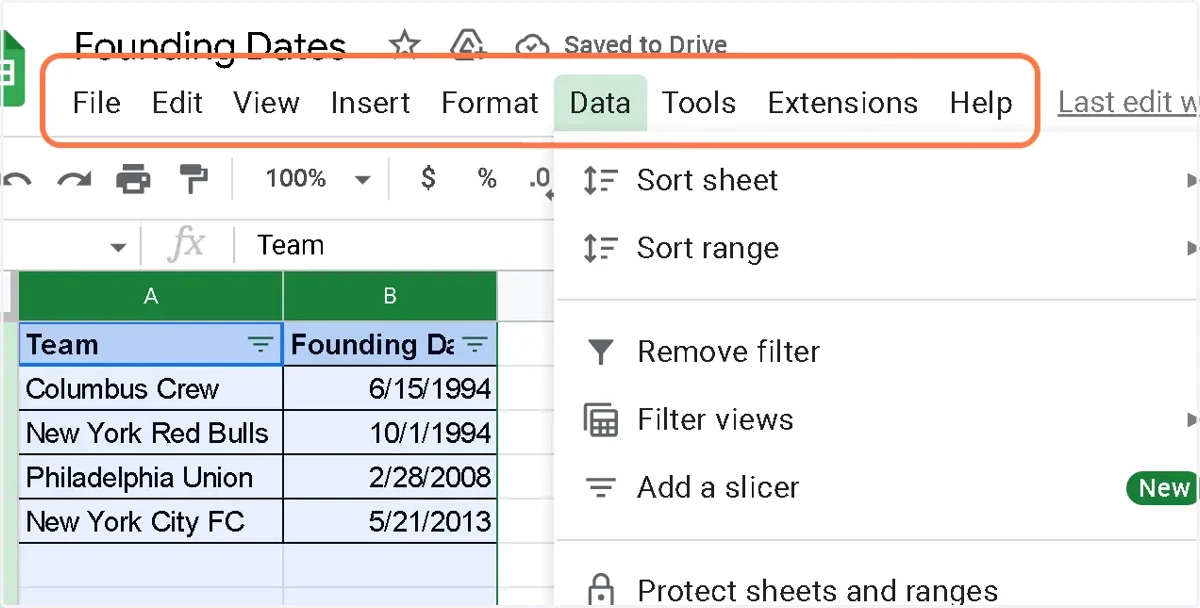
4. Click on Data
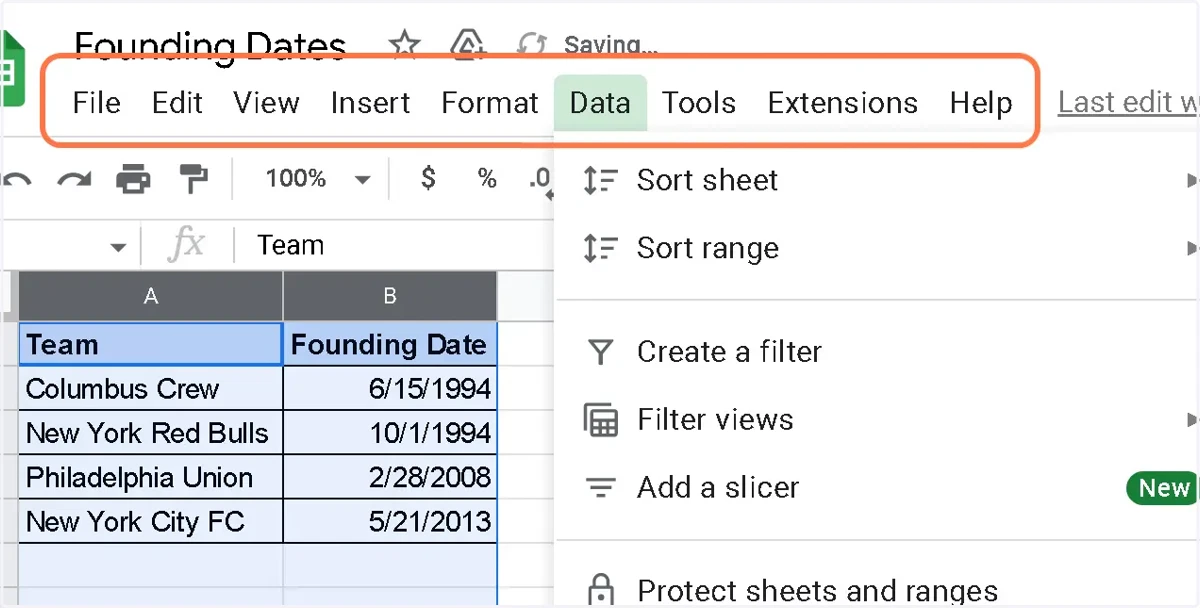
5. Click on Create a filter
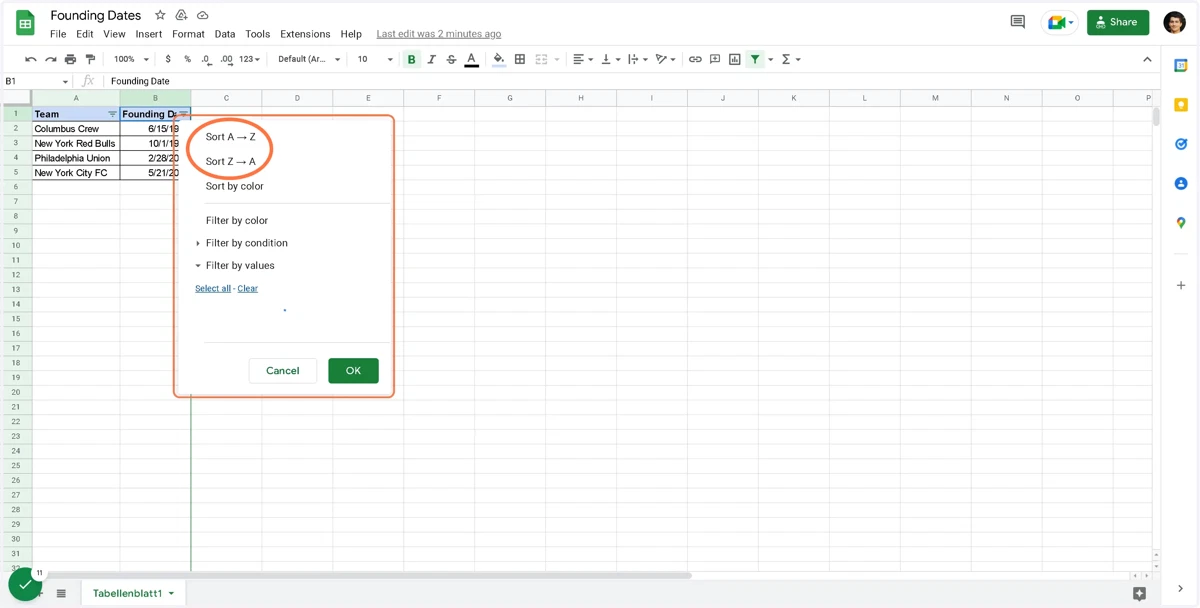
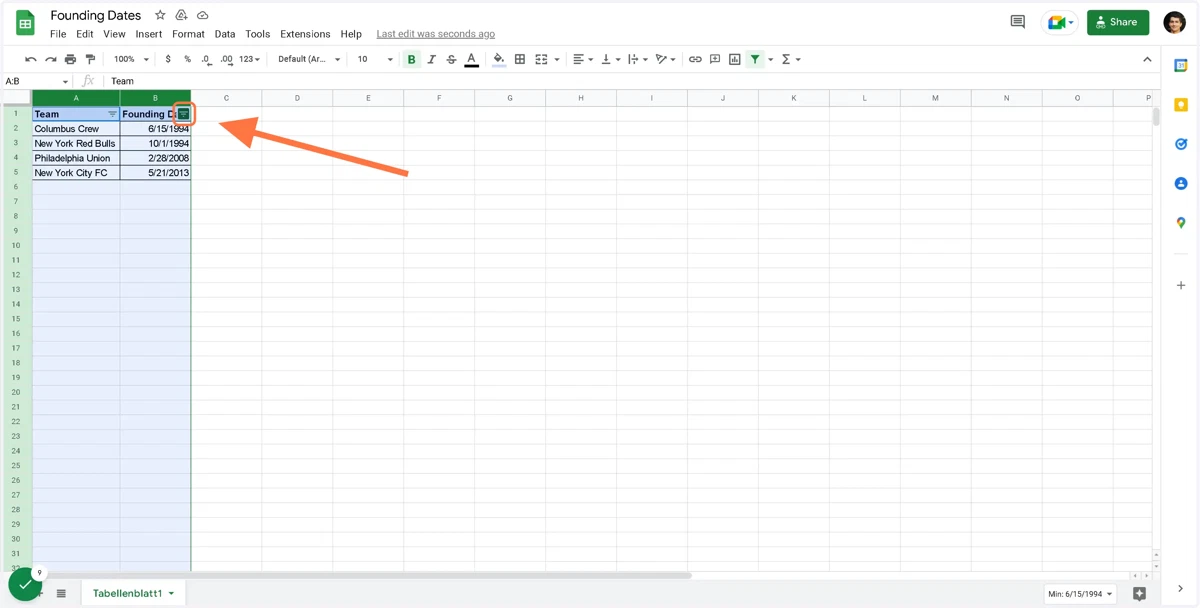
6. Click on the filter icon (top right in the header cell of the date column)
7. Choose Sort A –> Z (latest date last) or Sort Z –> A (latest date first)