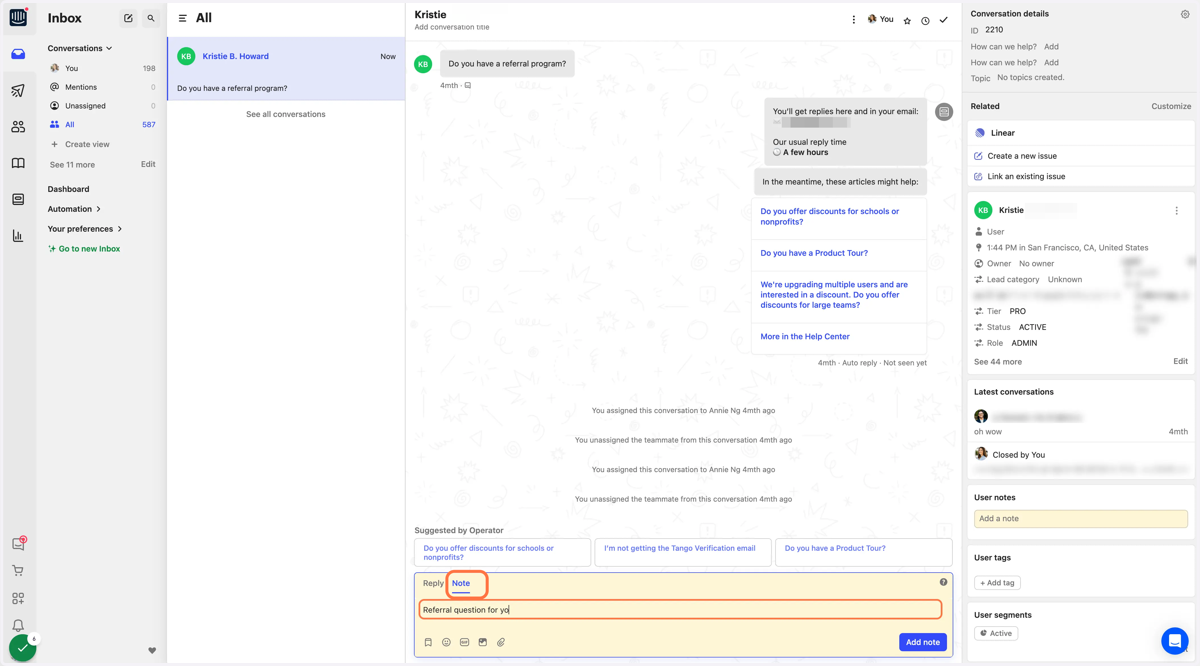
How to reassign a ticket in Intercom
1. Click on your name, at the top right of the conversation window.
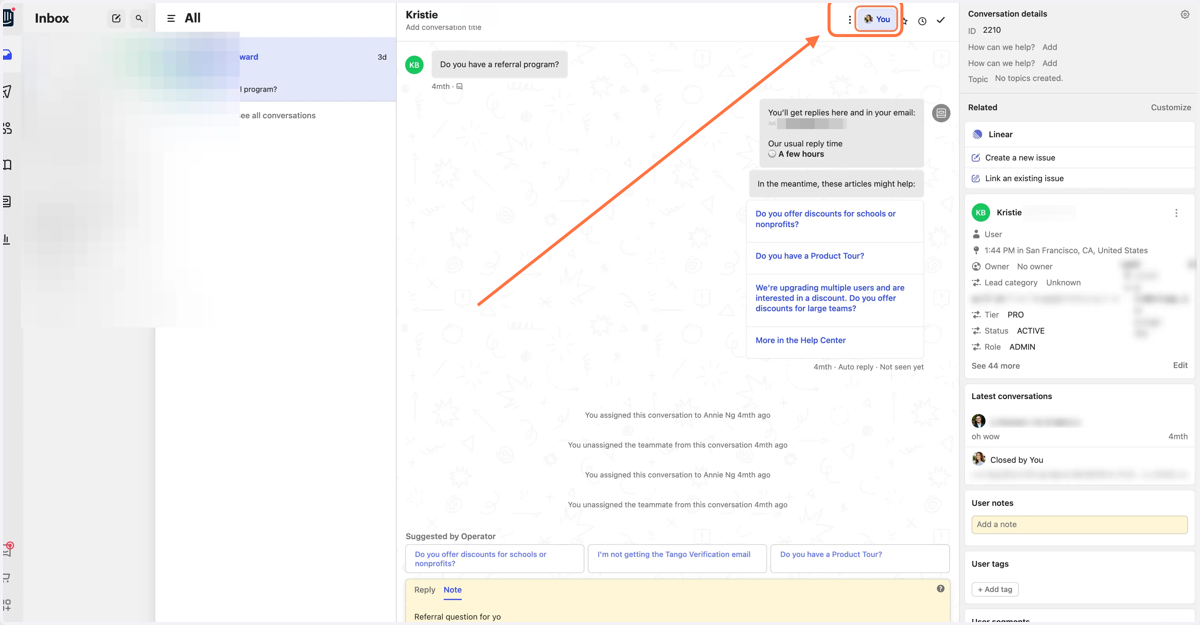
2. Click on You, at the top right of the conversation window.
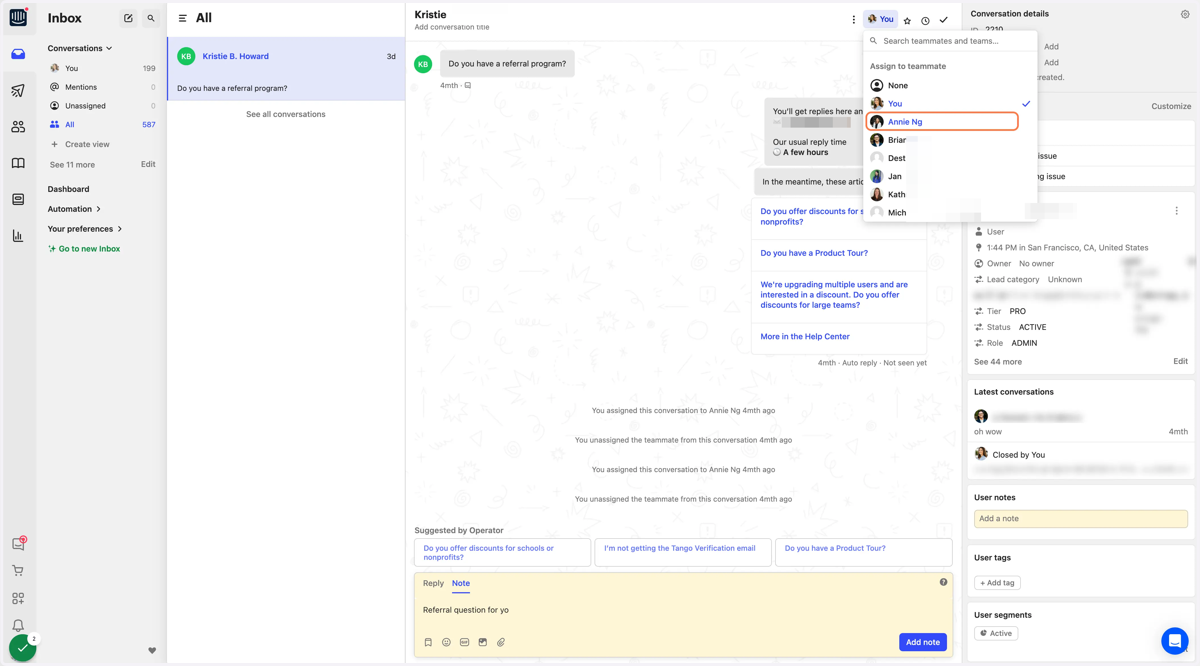
3. From the drop down, select the user you'd like to assign the ticket to.
4. You can add a note in the textbox for your colleague.
The yellow highlight shows it is an internal message that won't go to the client, if you need to add context for why you are reassigning the ticket.