Digital Handover
We've digitised and simplified the process of supplying a machine and all required documentation post-sale, empowering you to easily meet safety obligations when selling machines. Here we'll show you how it works.
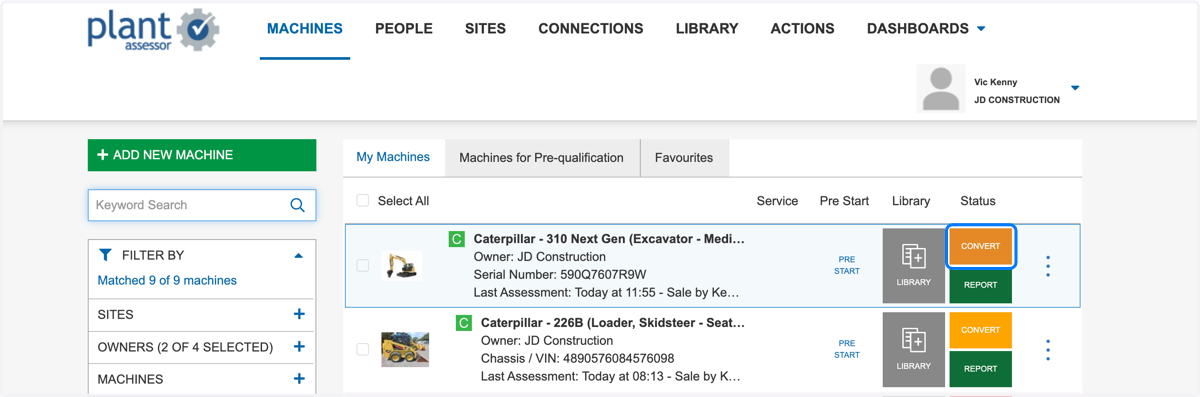
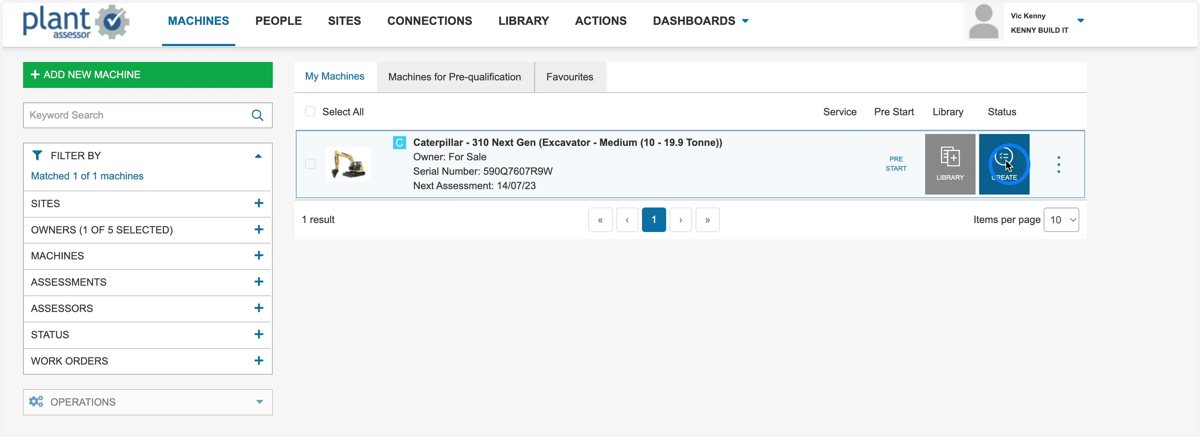
1. The first step of the Digital Handover process is to conduct a Sale Risk Assessment against the machine being sold. Click CREATE
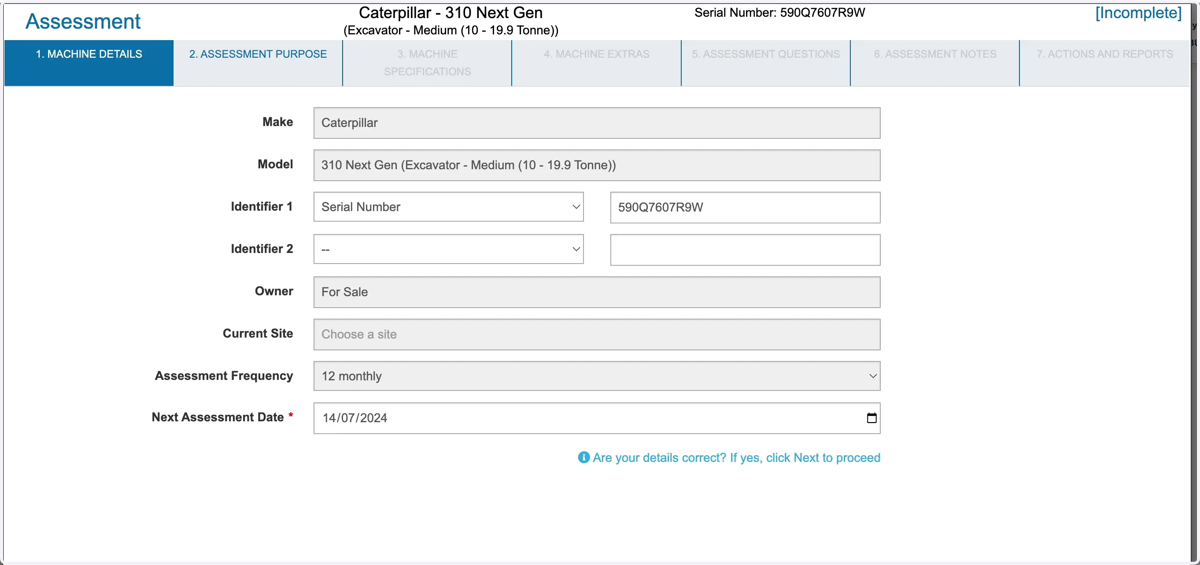
2. Ensure all the machine details are correct. If yes, click Next to proceed
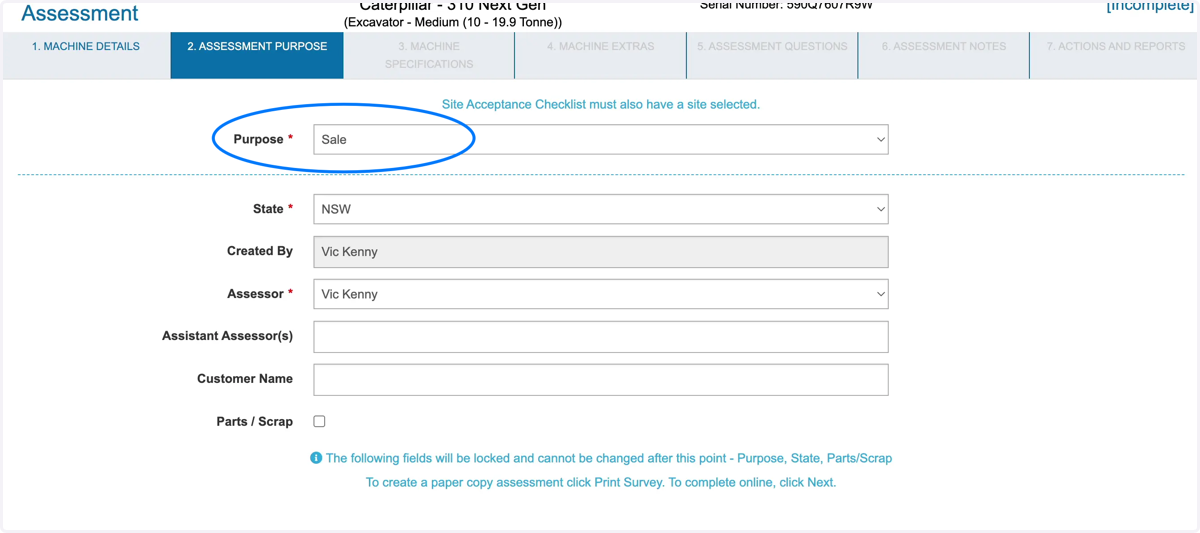
3. Select Sale from the Purpose drop down menu and follow the prompts of the assessment.
It is important to ensure that the State and the name of the Assessor is correct as these will appear on the final report.
4. Once the Sale Assessment is completed, a MARK AS SOLD button will appear next to the machine.
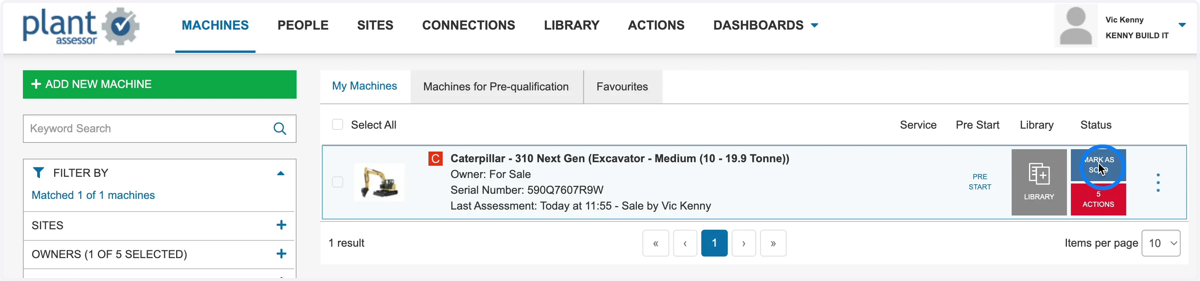
5. Before marking as sold, ensure all required handover documents such as Warranty and Operator manuals have been uploaded into the machine's library.
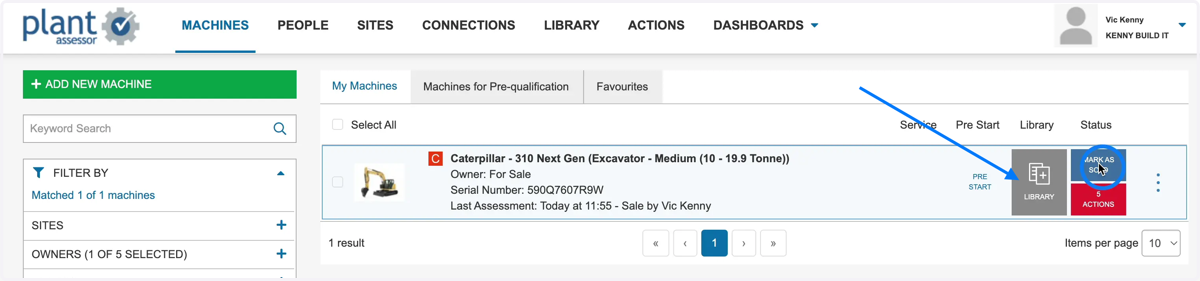
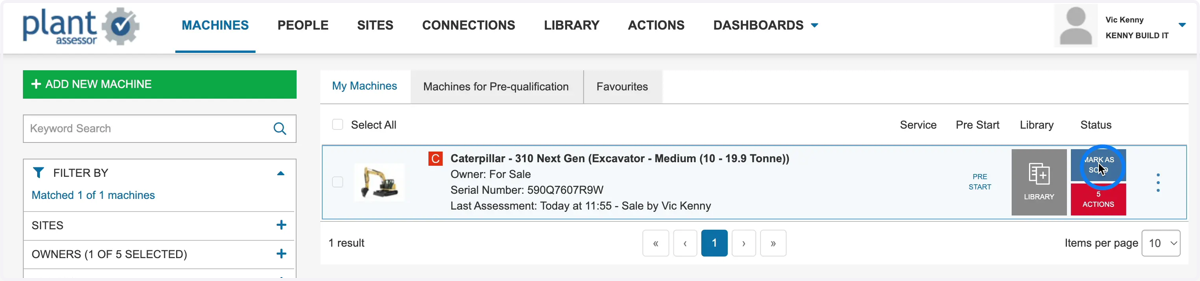
6. Once all documents are uploaded and you are ready to transfer ownership to the buyer, click MARK AS SOLD
7. If transferring to an existing buyer, you can select from the drop down menu. Otherwise click Add New Buyer
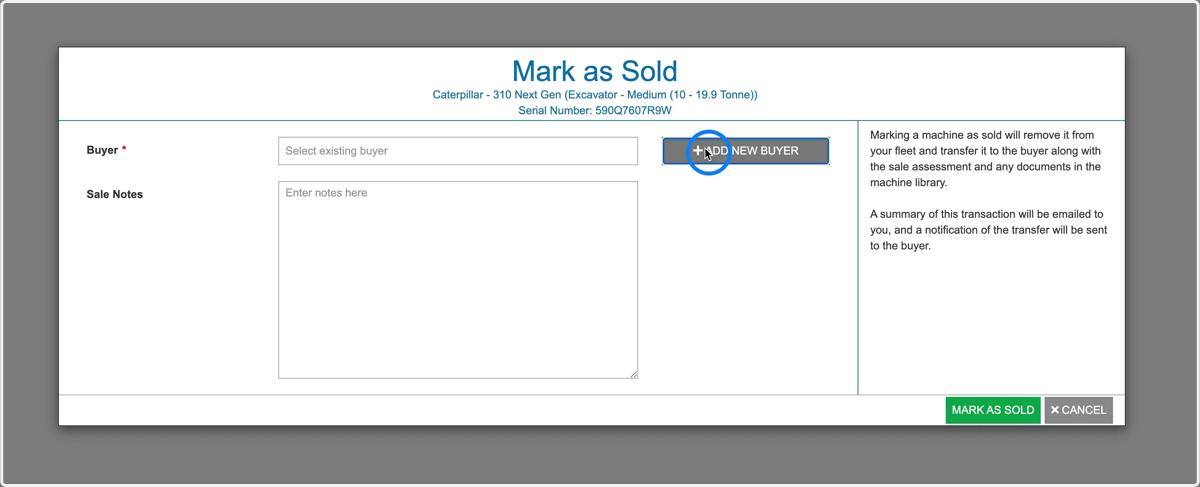
8. Enter the buyers details. If the buyer is an existing Plant Assessor member, ensure that the email entered is associated to their account.
*Non-Plant Assessor members, they will receive notification to create a FREE account to accept the machine and download all provided documents.
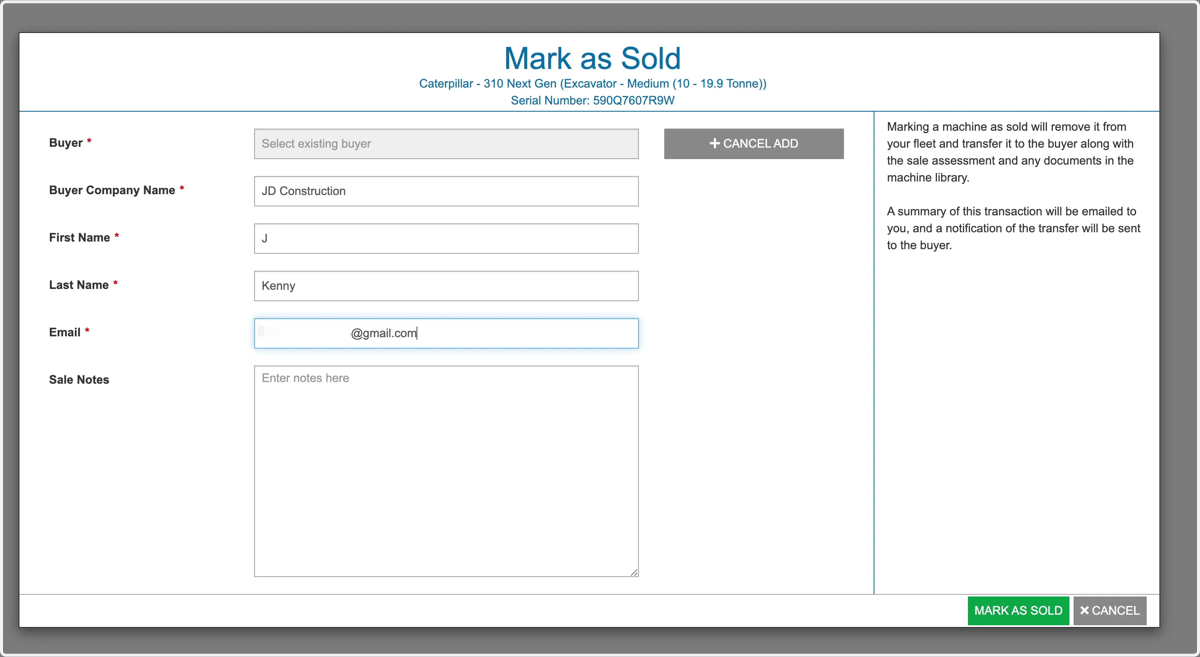
9. Take note that once you mark as sold, the machine will no longer be active in your account and the buyer will gain ownership in their Plant Assessor account.
*Non-Plant Assessor members will receive notification to create a FREE account to accept the machine and download all provided documents.
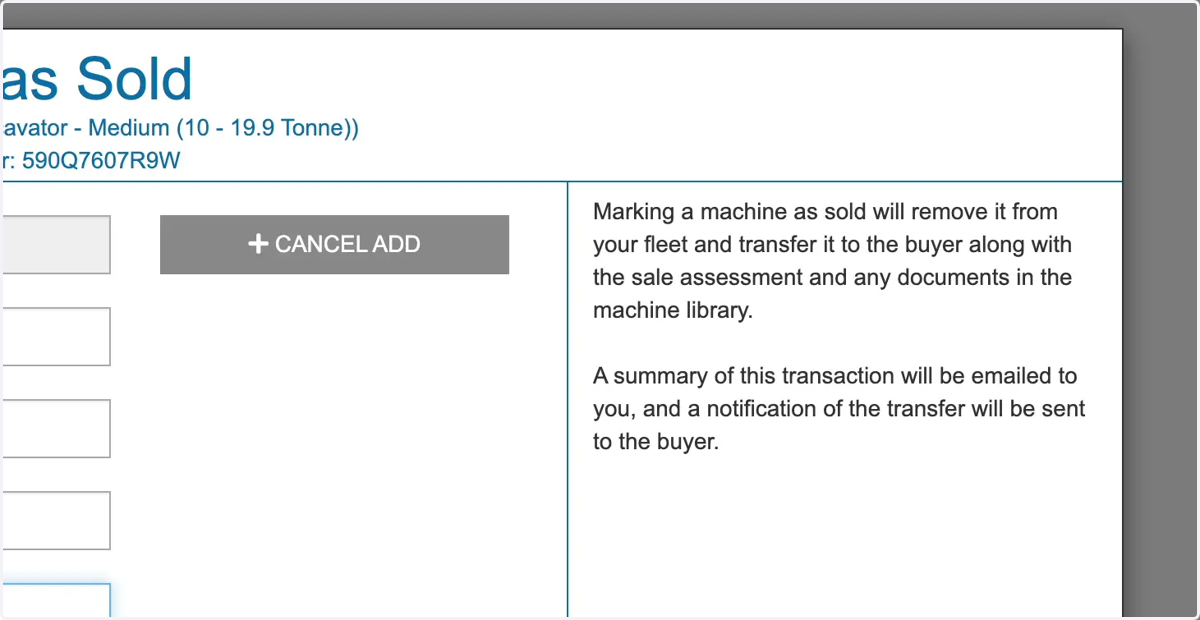
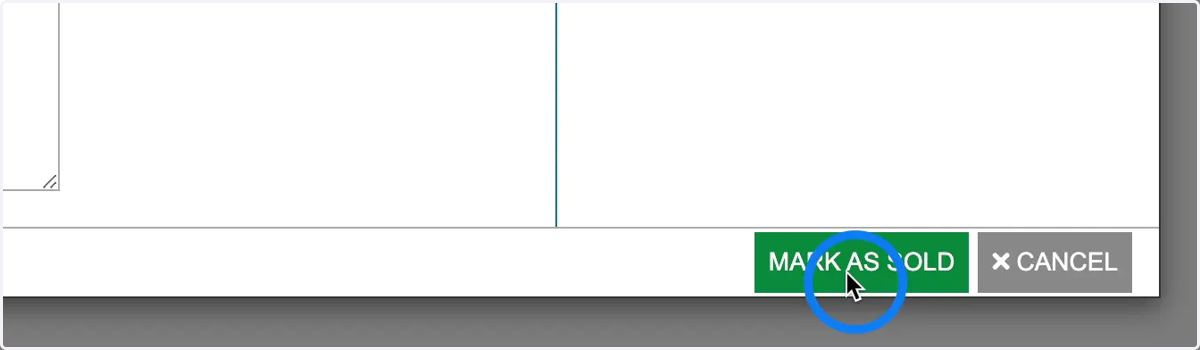
10. Click Mark as sold to complete the transaction
11. A record of the machine will still remain in your account for reporting and auditing purposes. Simply select 'removed machines' in the Fleet Status filter
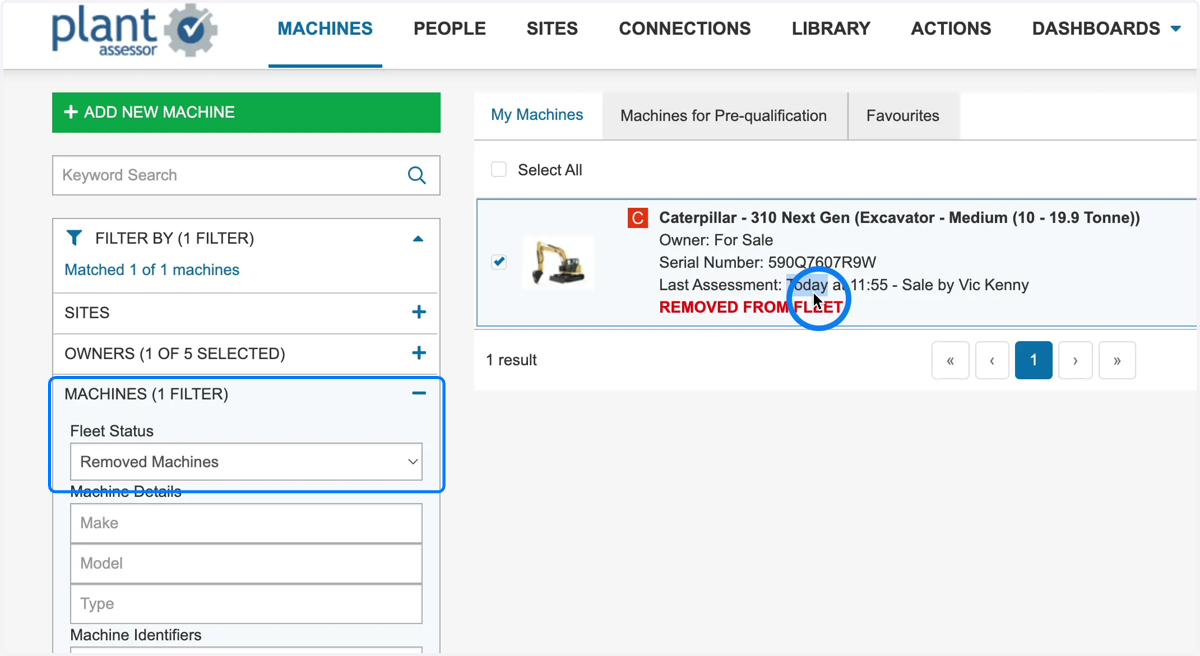
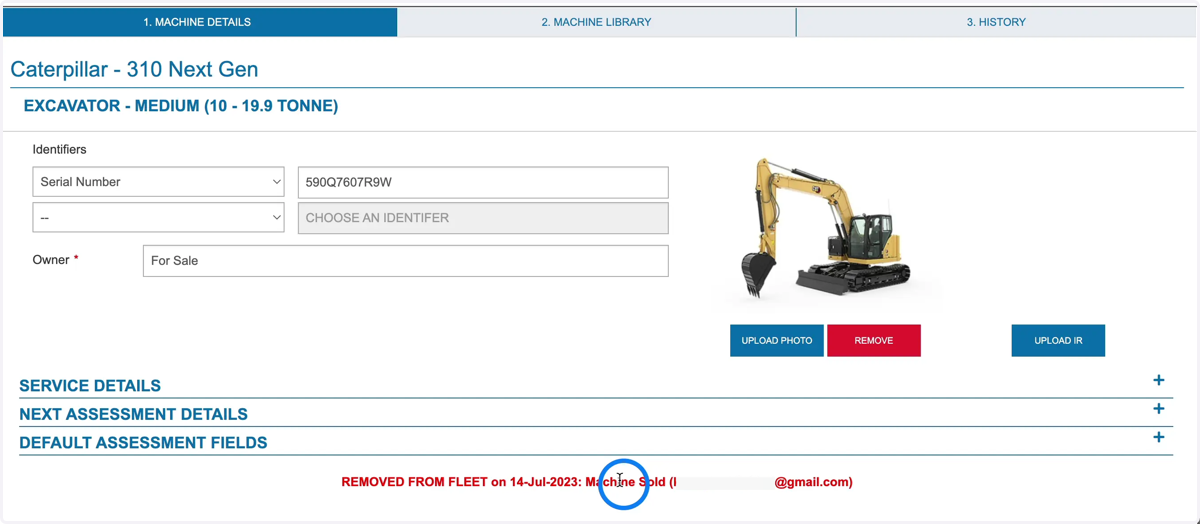
12. A details of the recipient and time of sale are recorded on the machine details tab
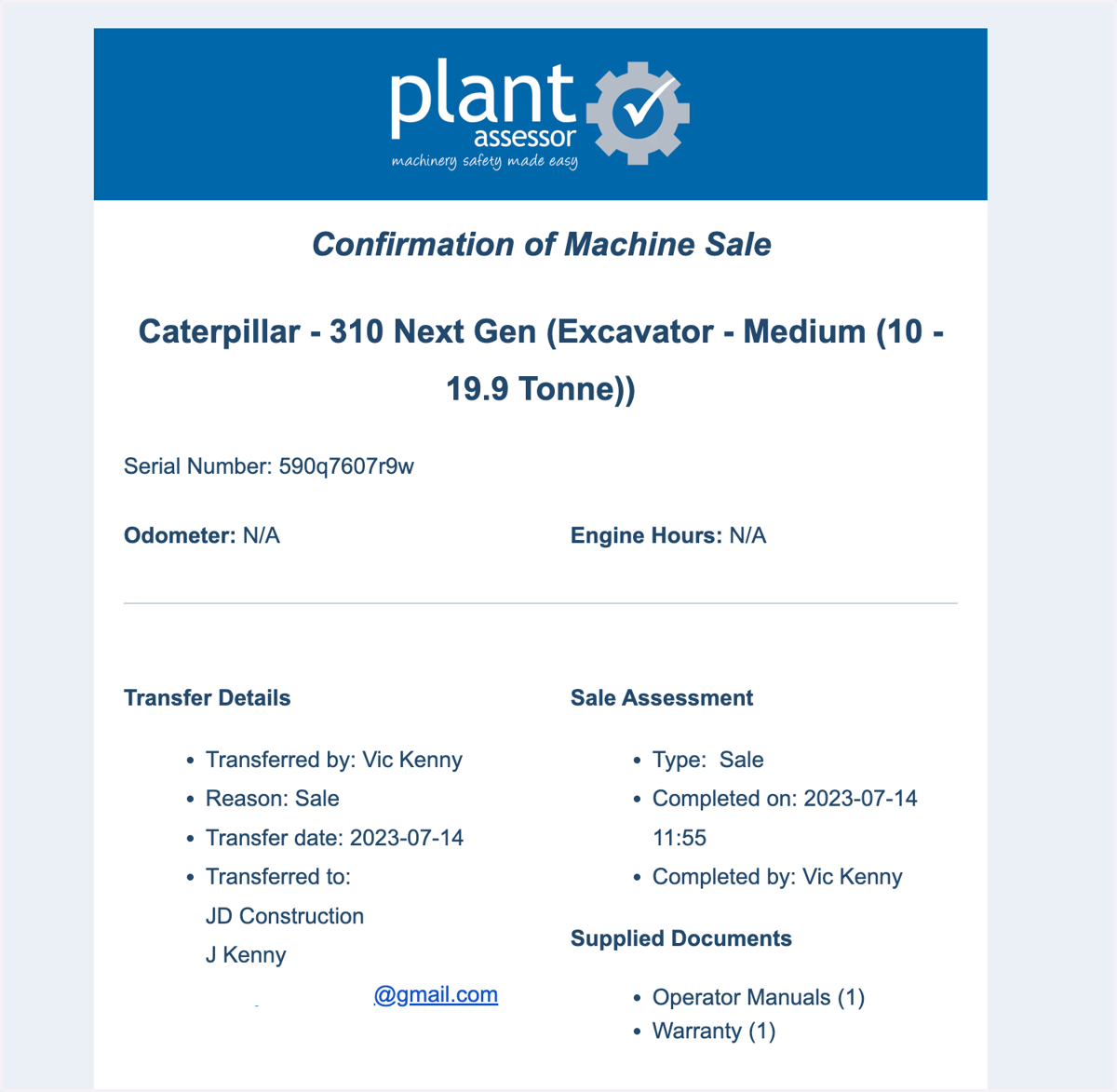
13. A confirmation email will be sent to you confirming the details of the machine handover.
14. The recipient will also receive an email confirming that the machine has been transferred to their account.
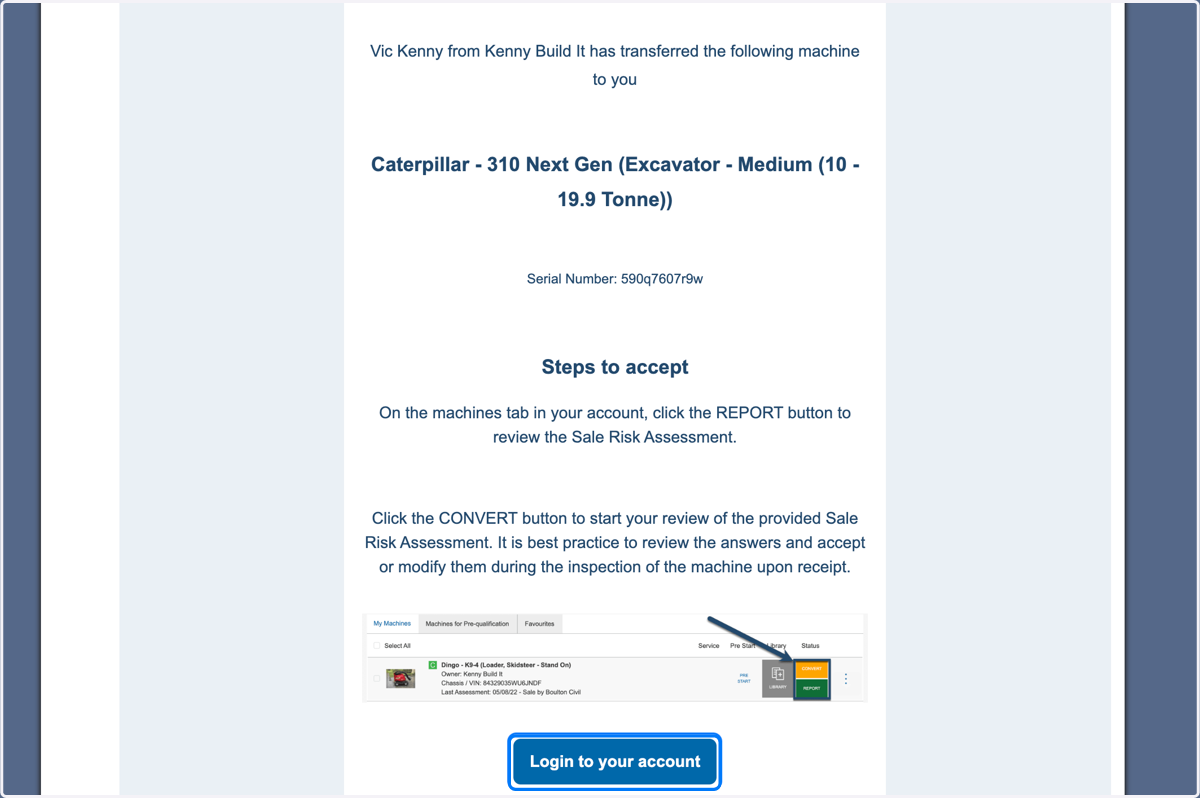
15. The machine will now be available in the Buyer's account where they can convert the Sale Risk Assessment to a relevant purpose assessment.