Scheduling Driver Time Off

Loadops

  1. 1. Go to Loadops by Optym

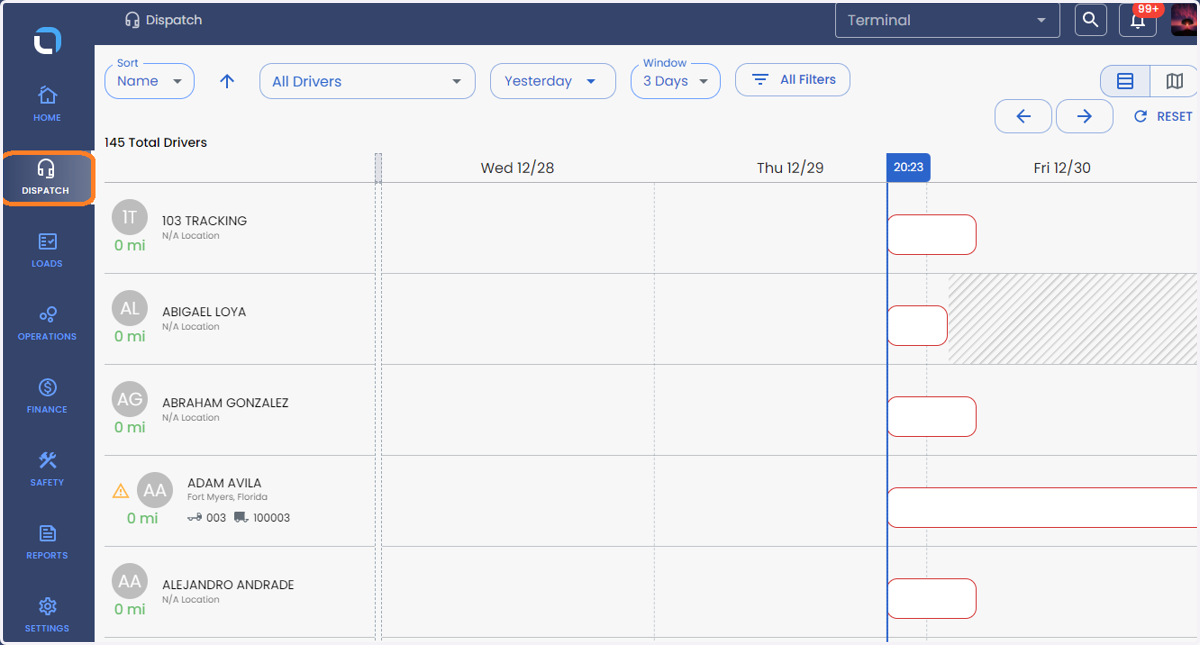
  2. 2. Click on DISPATCH

    Click on DISPATCH
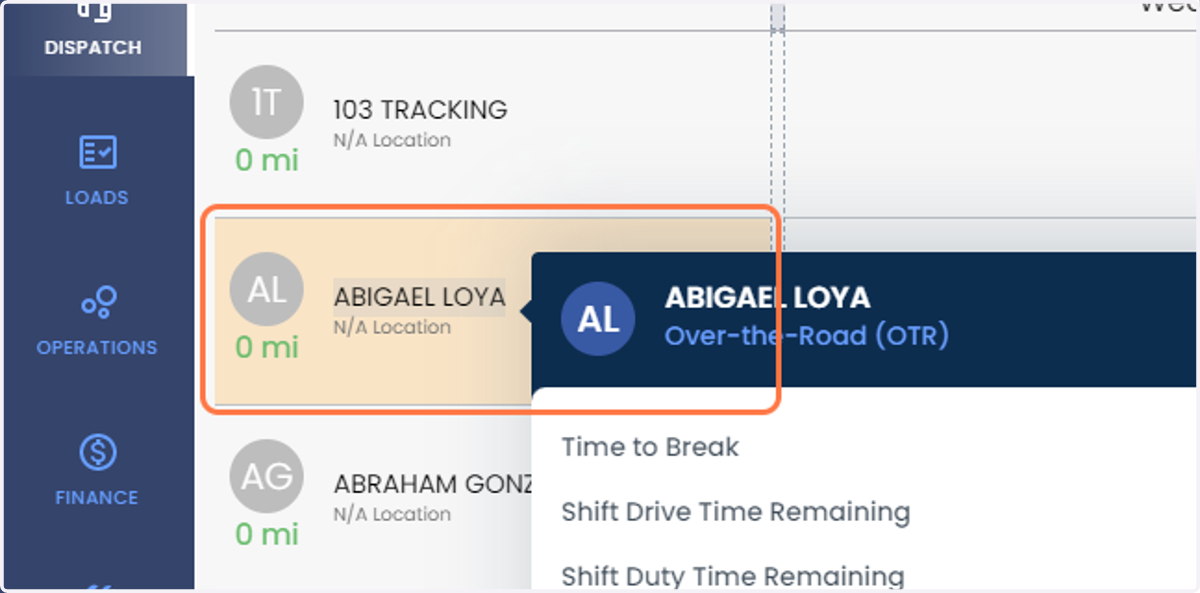
  3. 3. Click on Driver's name

    Click on Driver's name
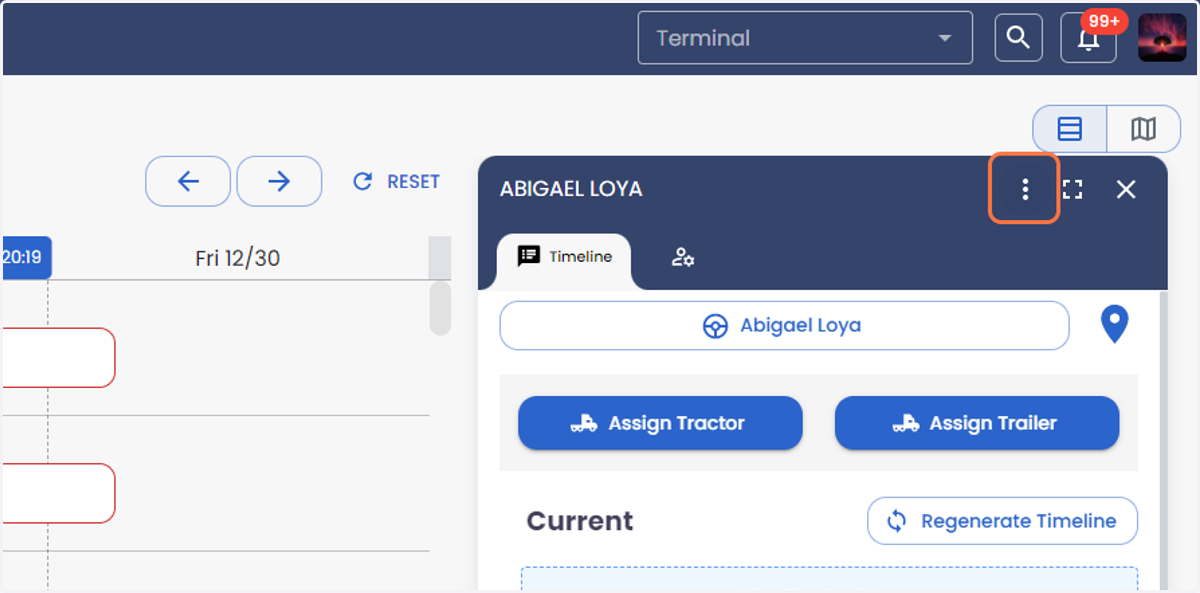
  4. 4. Click on more

    Click on more
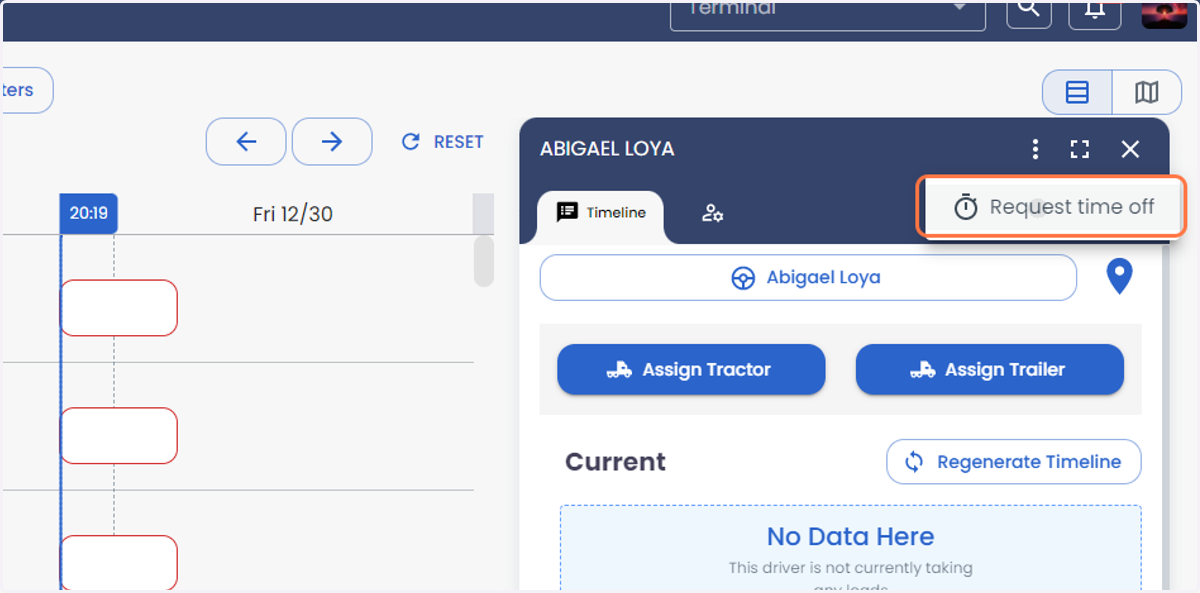
  5. 5. Click on Request time off

    Click on Request time off
  6. 6. Add the driver's current location in the adress box
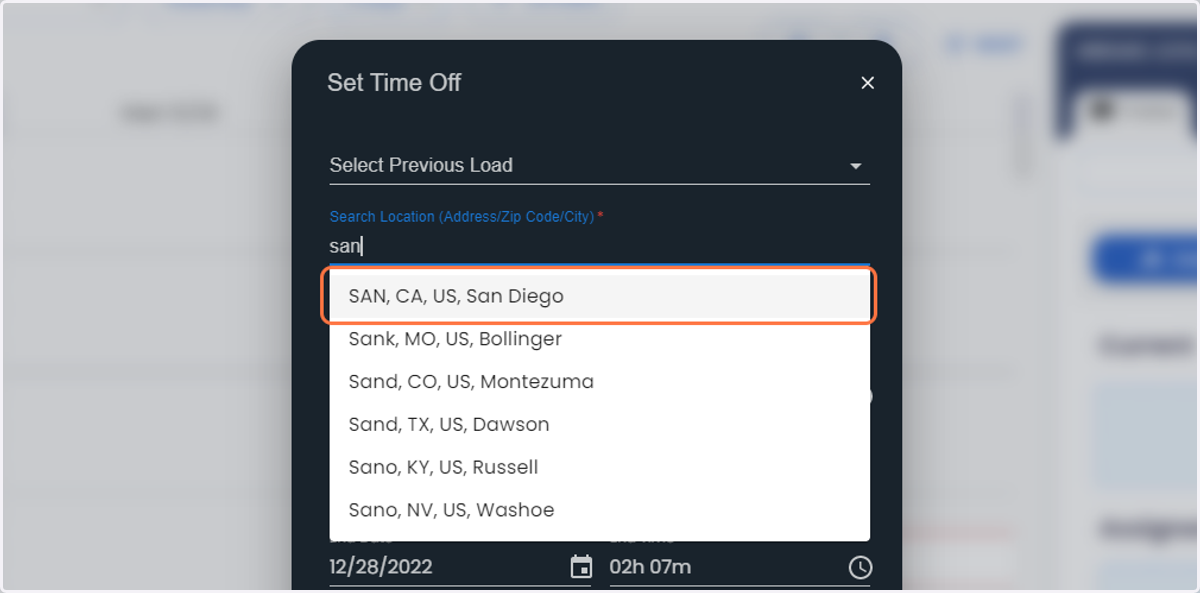
    Add the driver's current location in the adress box
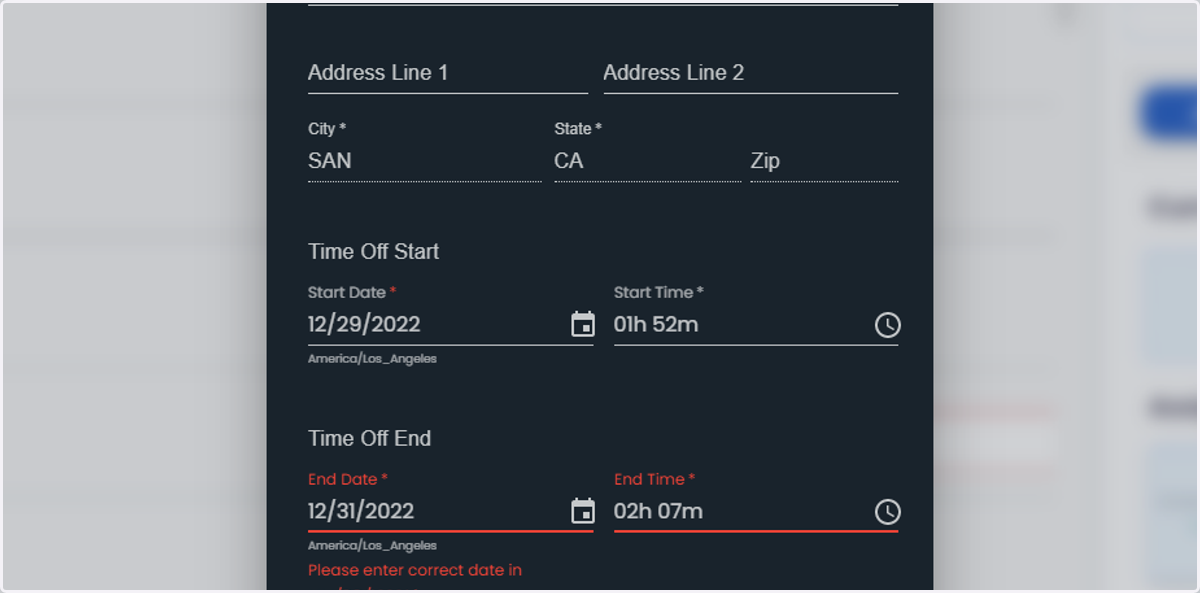
  7. 7. Click on the calendar symbol to choose the Time off Start and End date and time.
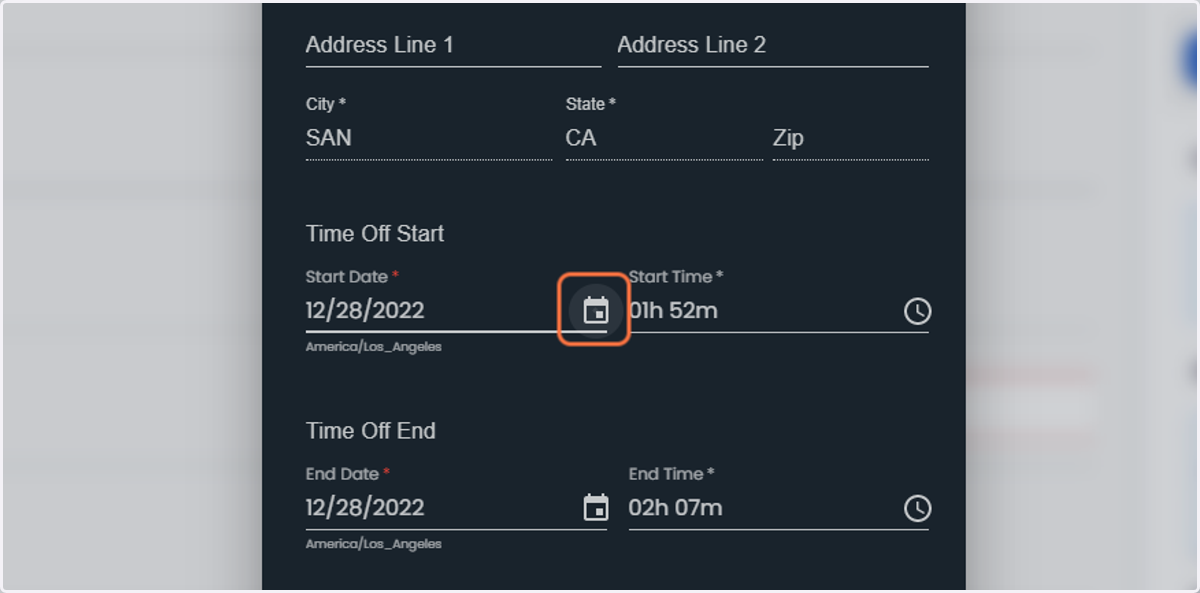
    Click on the calendar symbol to choose the Time off Start and End date and time.
  8. 8. Click on Save

    Click on Save
  9. 9. Click on 3 dotes to see the time off within the driver’s Smart Timeline where you can edit the Time Off, Activate the Time Off and Delete.
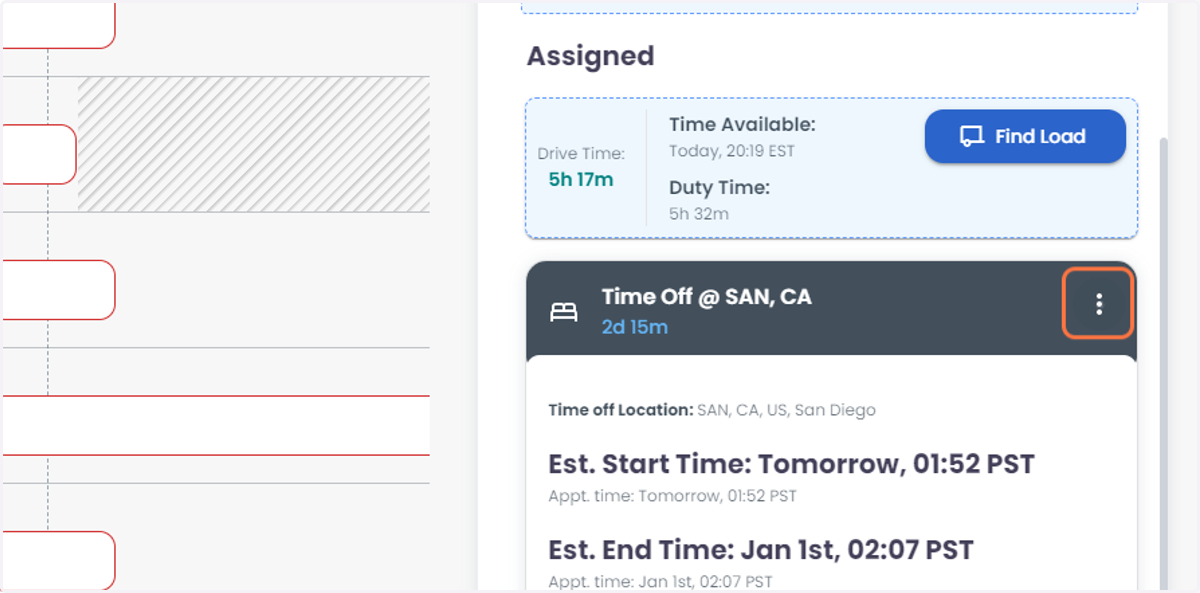
    Click on 3 dotes to see the time off within the driver’s Smart Timeline where you can edit the Time Off, Activate the Time Off and Delete.
  10. 10. Click on Edit to change the Time off details.
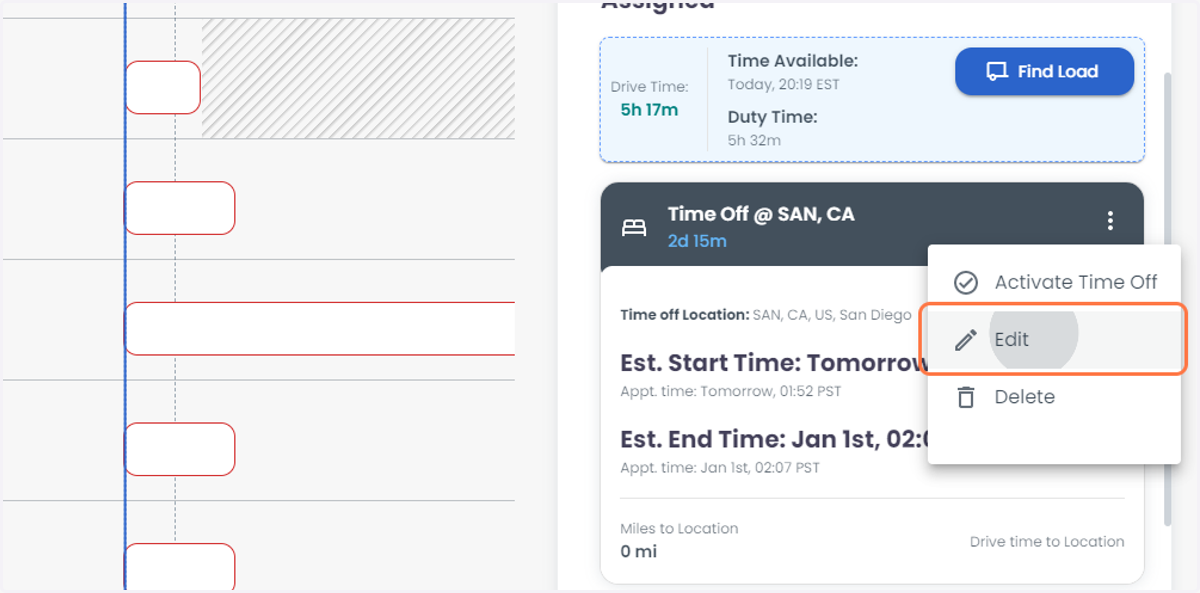
    Click on Edit to change the Time off details.
  11. 11. Click on Activate Time Off to activate the time off and Delete to delete the scheduled Time- Off
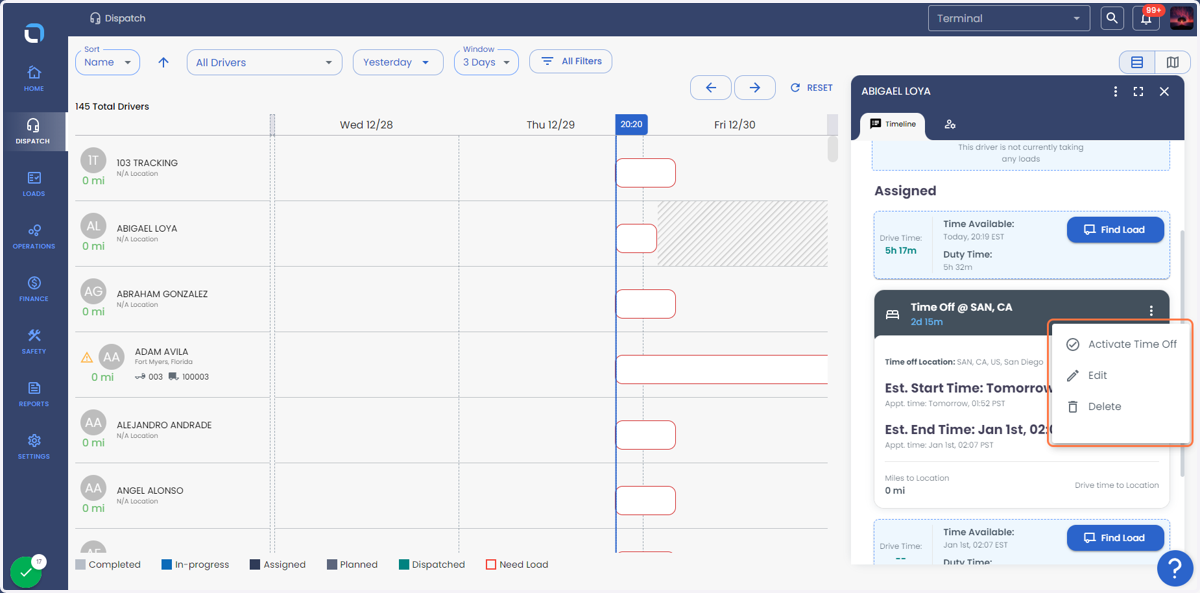
    Click on Activate Time Off to activate the time off and Delete to delete the scheduled Time- Off
  12. 12. The time off can be seen within the Driver Dispatches Gantt chart as well.
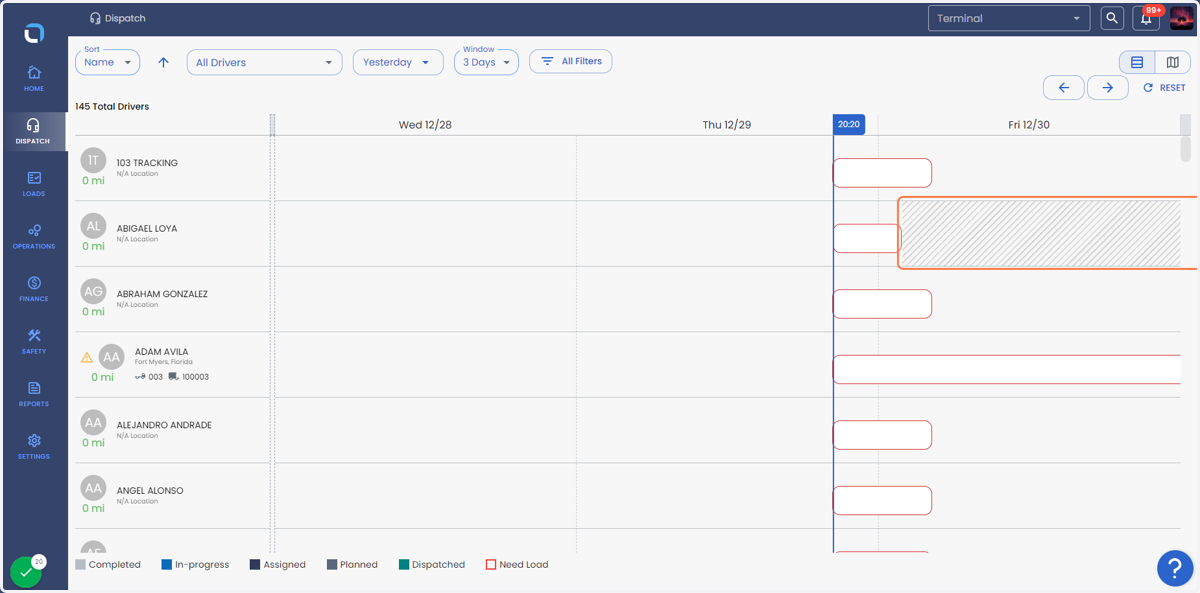
    The time off can be seen within the Driver Dispatches Gantt chart as well.