Assign a Case
Carevalidate
1. Go to accommodations.carevalidate.com
2. Click on Open Cases
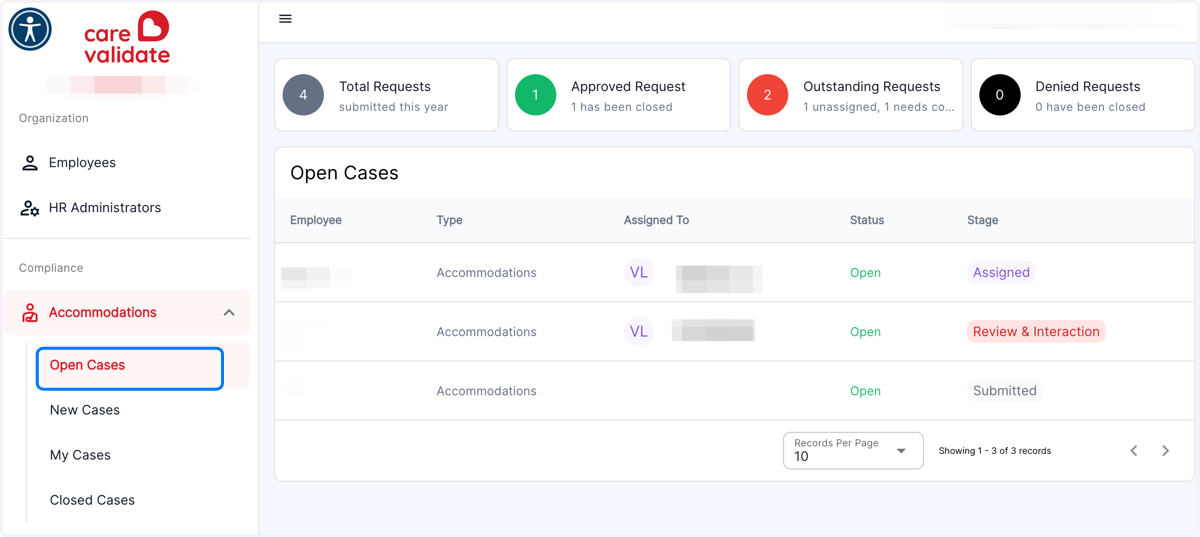
Carevalidate
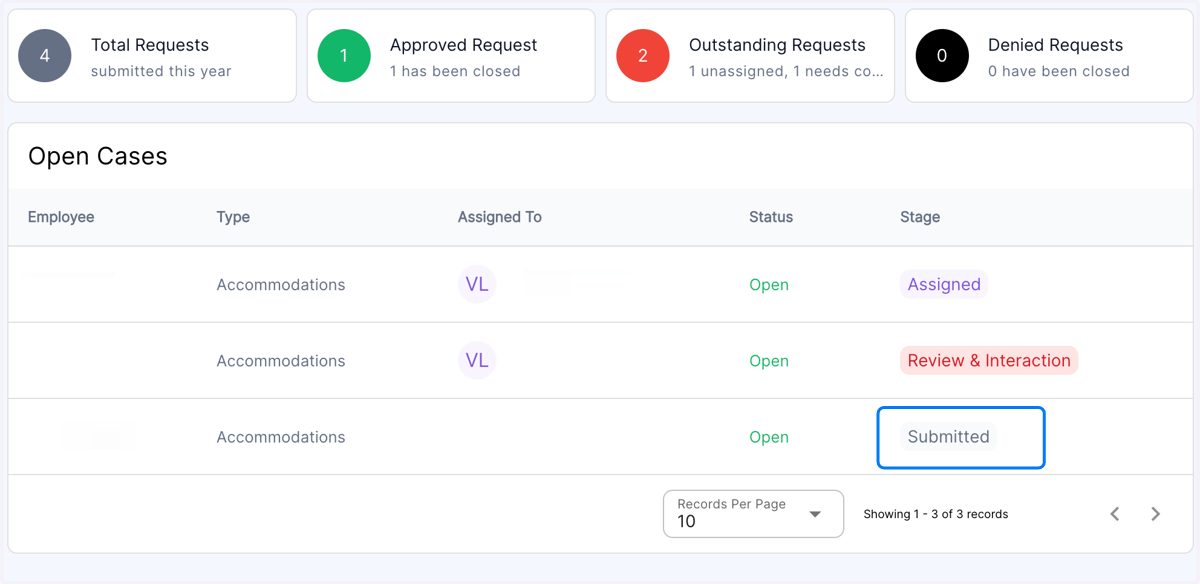
3. Click on the Open Case you wish to Assign. It will be listed as Submitted.
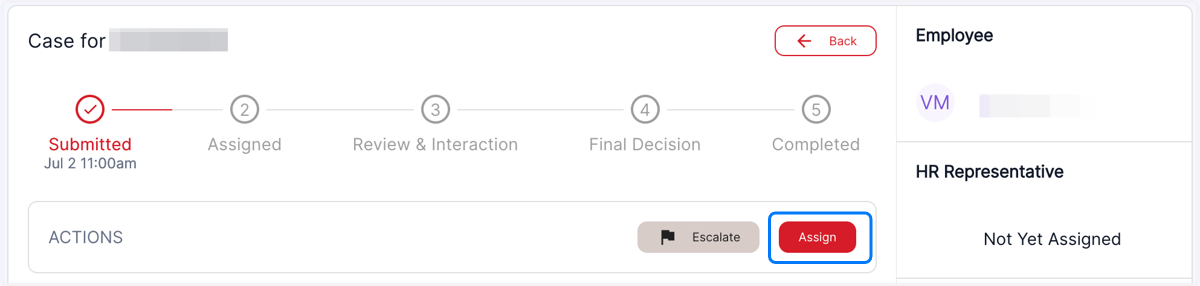
4. Click on Assign
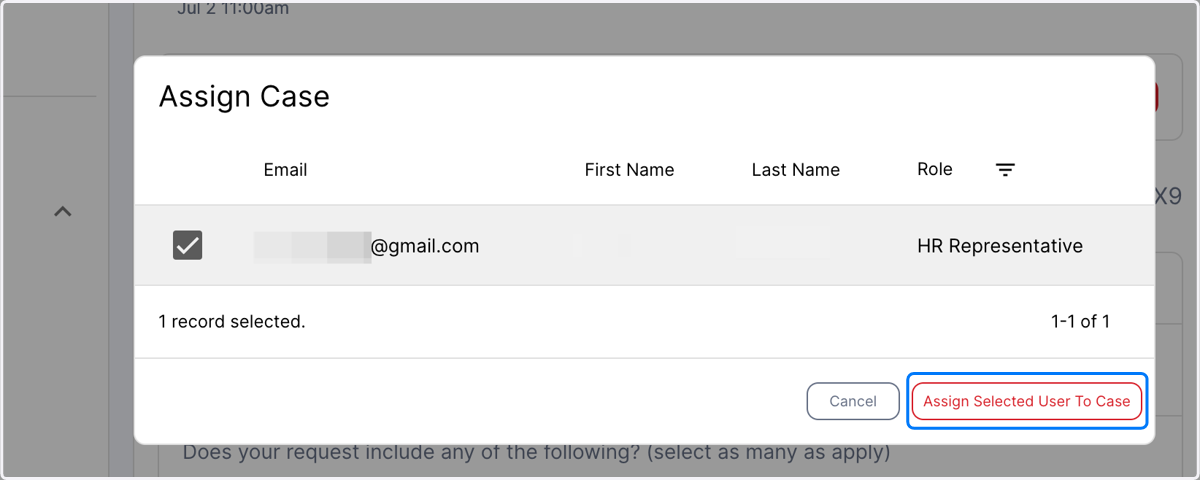
5. Click on checkbox next to the person you wish to assign the case to. HR Admins, HR Rep, and ADA Coordinators can be assigned Cases.
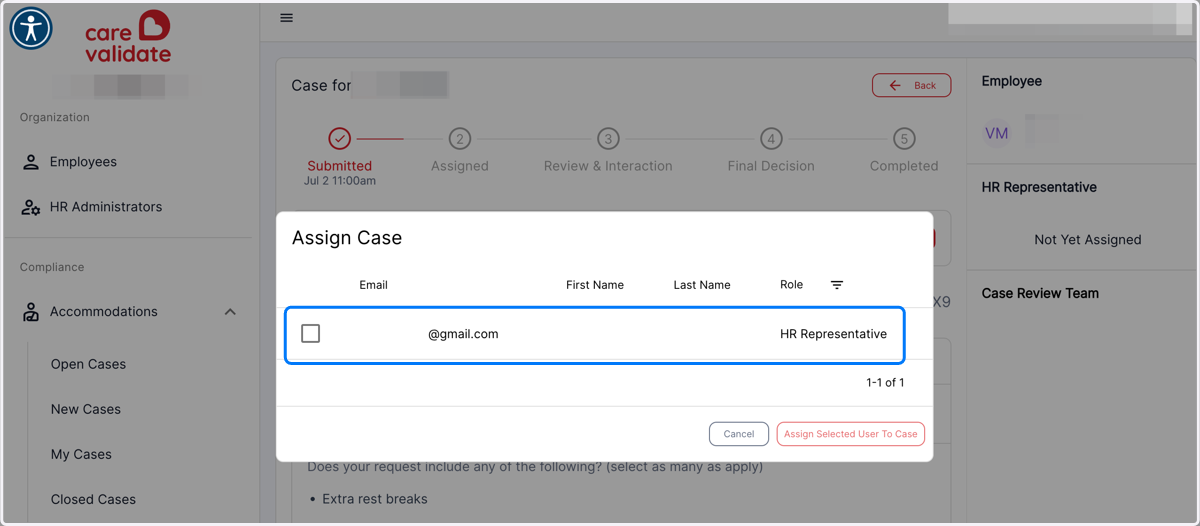
6. Click on Assign Case To Selected User
7. You will see this notification that the Case has been Assigned
