Club Affiliation

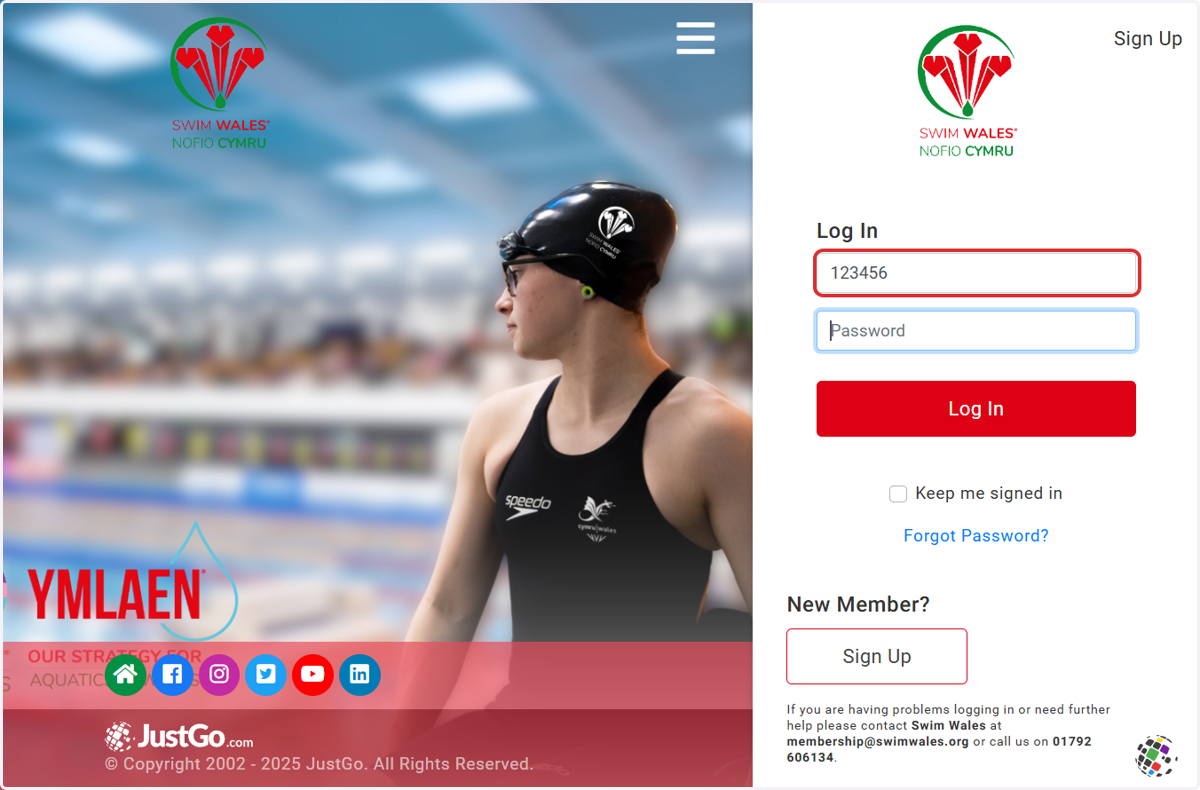
  1. 1. Login to JustGo

    Login to JustGo
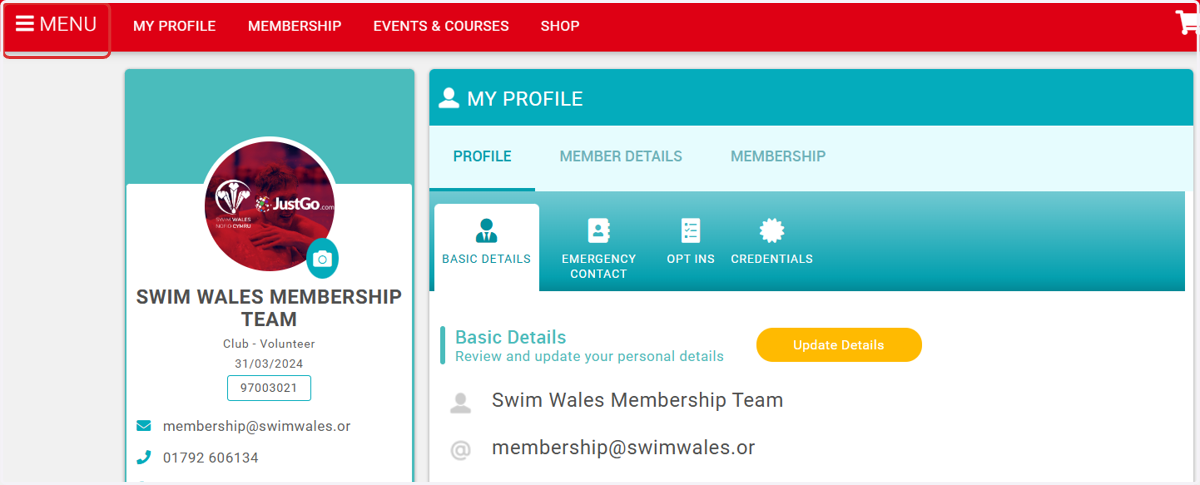
  2. 2. Click on Menu

    Click on Menu
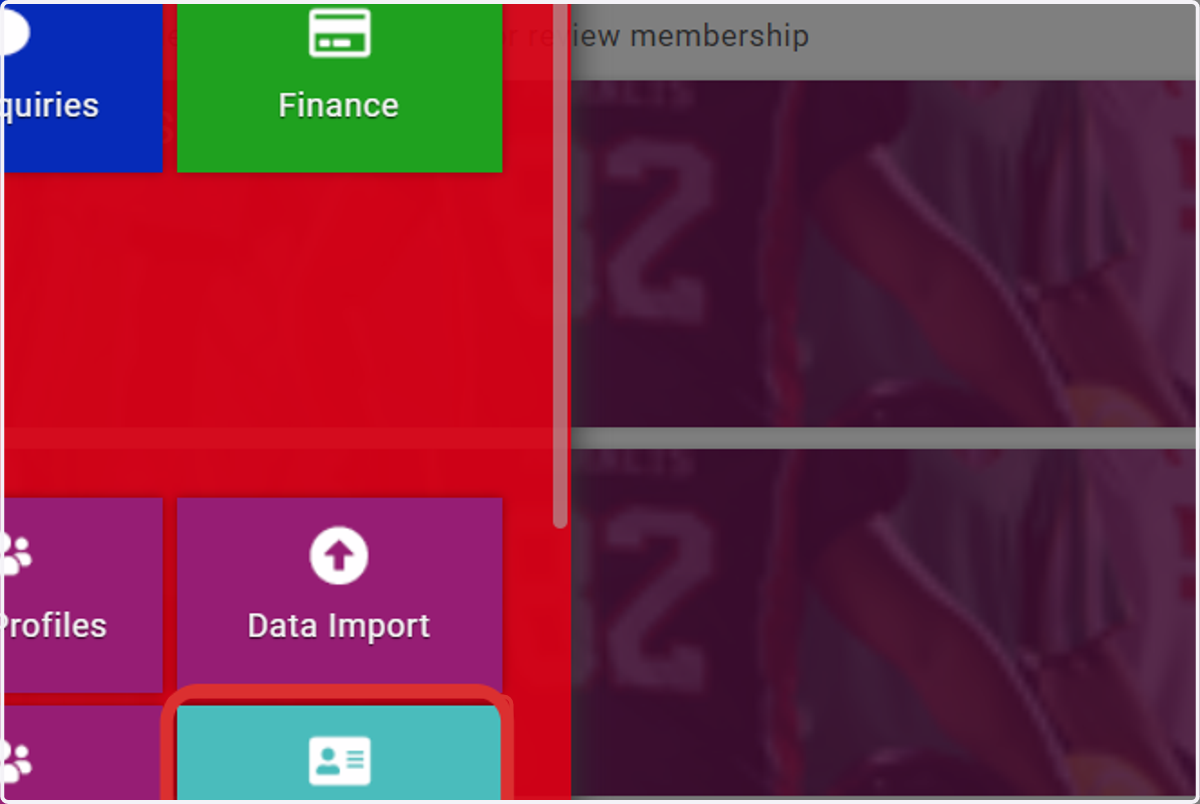
  3. 3. Click on Club Affiliation

    Click on Club Affiliation
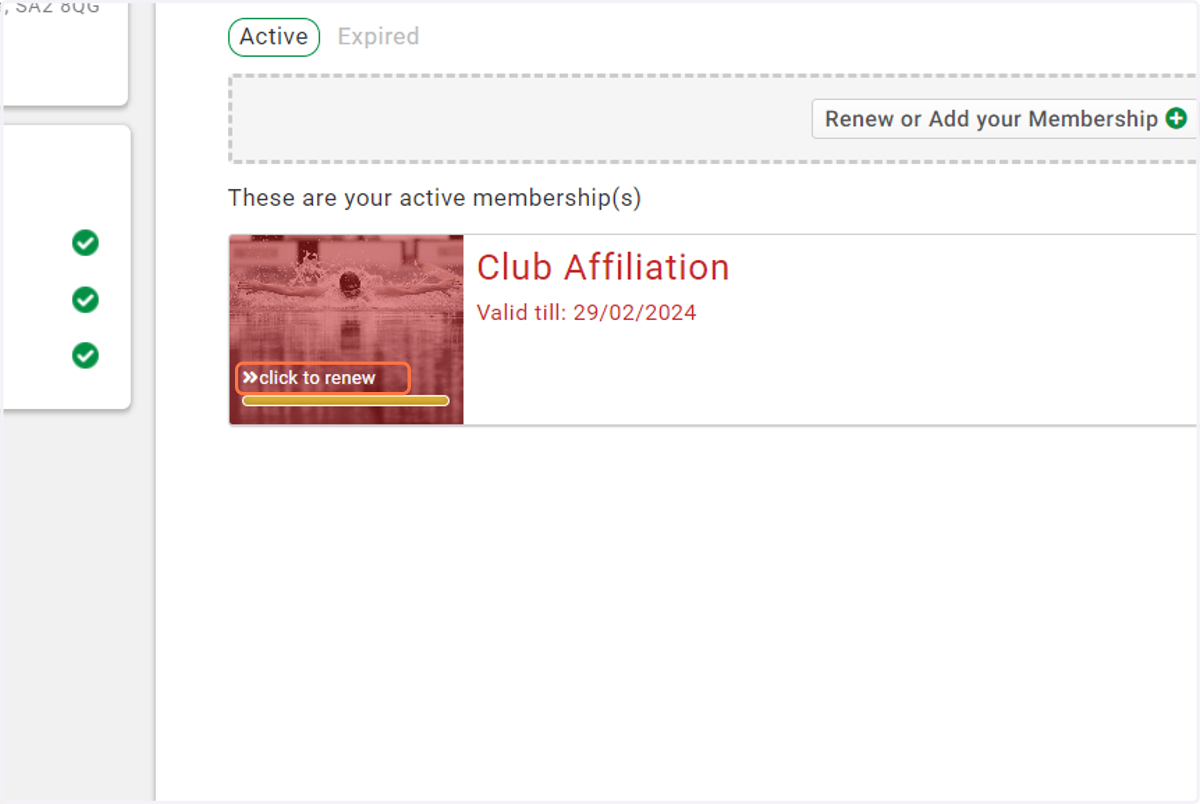
  4. 4. Select Click to renew

    Select Click to renew
  5. 5. Ensure your Club Logo and inspiration to join is up to date
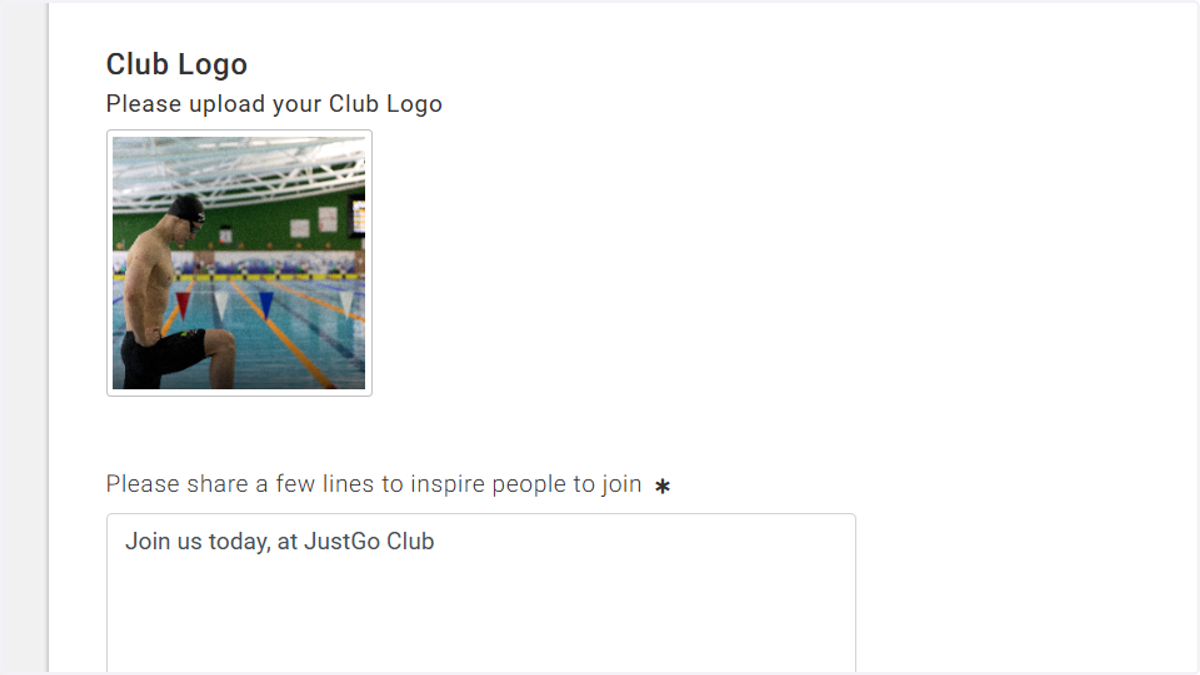
    Ensure your Club Logo and inspiration to join is up to date
  6. 6. Choose the activities or sports that you provide
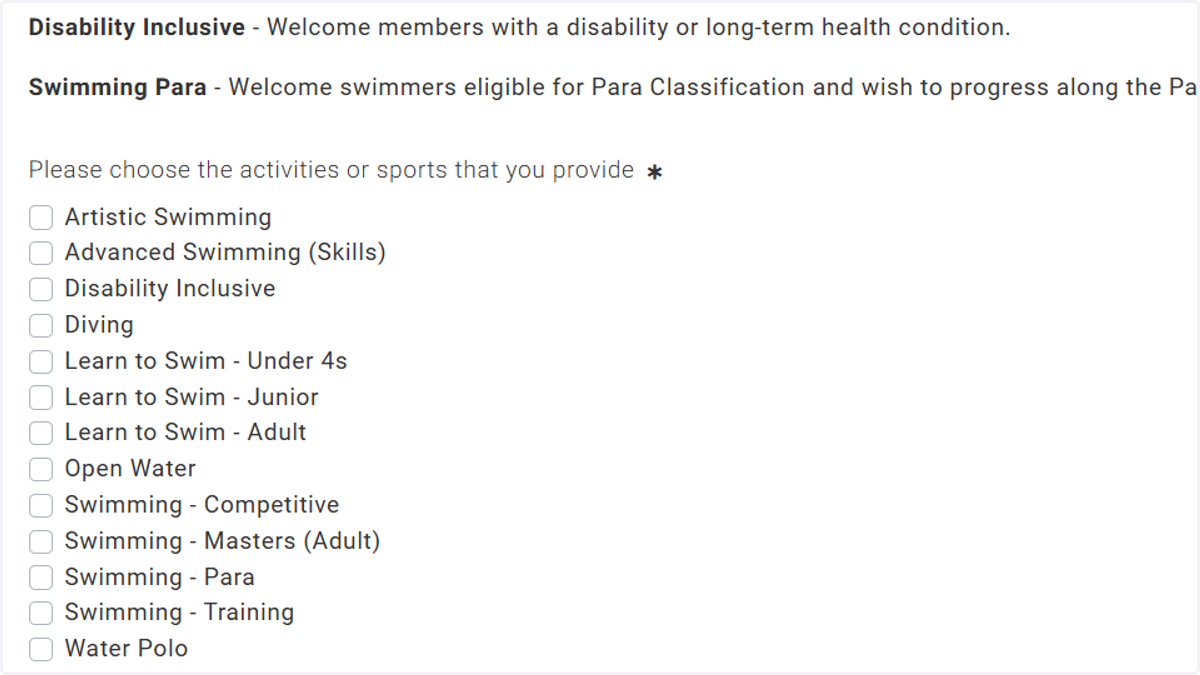
    Choose the activities or sports that you provide
  7. 7. Ensure your Management Committee members are correct
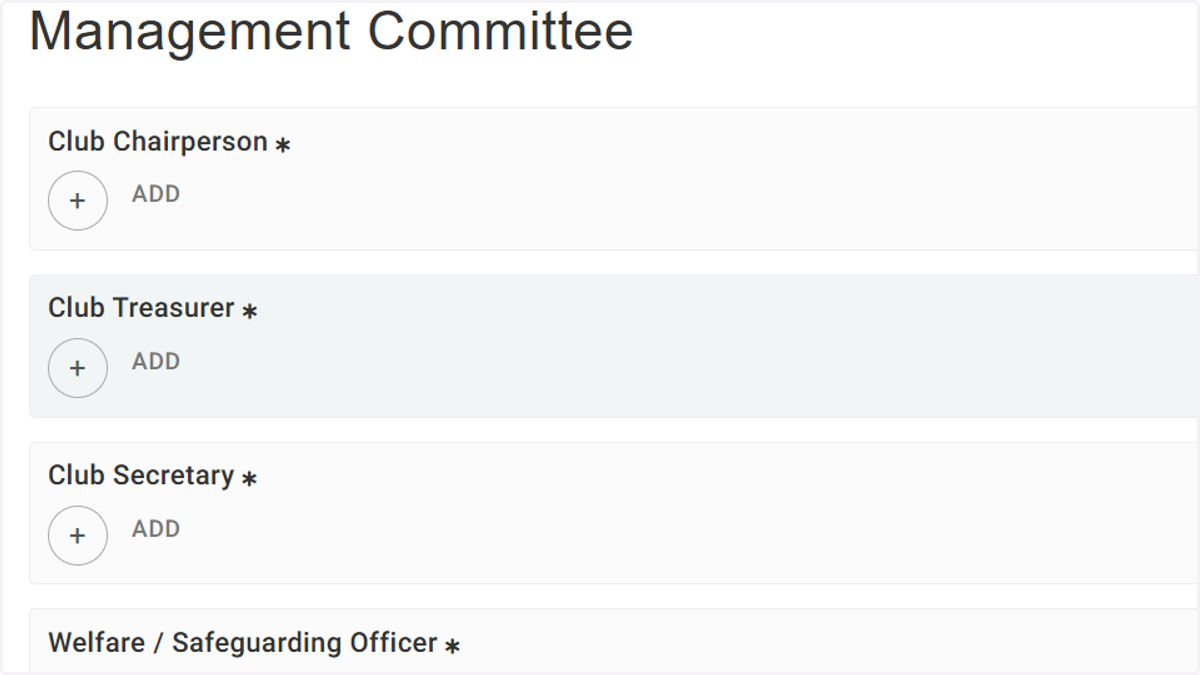
    Ensure your Management Committee members are correct
  8. 8. Select the JustGo features you're intereested in using

    Select the JustGo features you're intereested in using
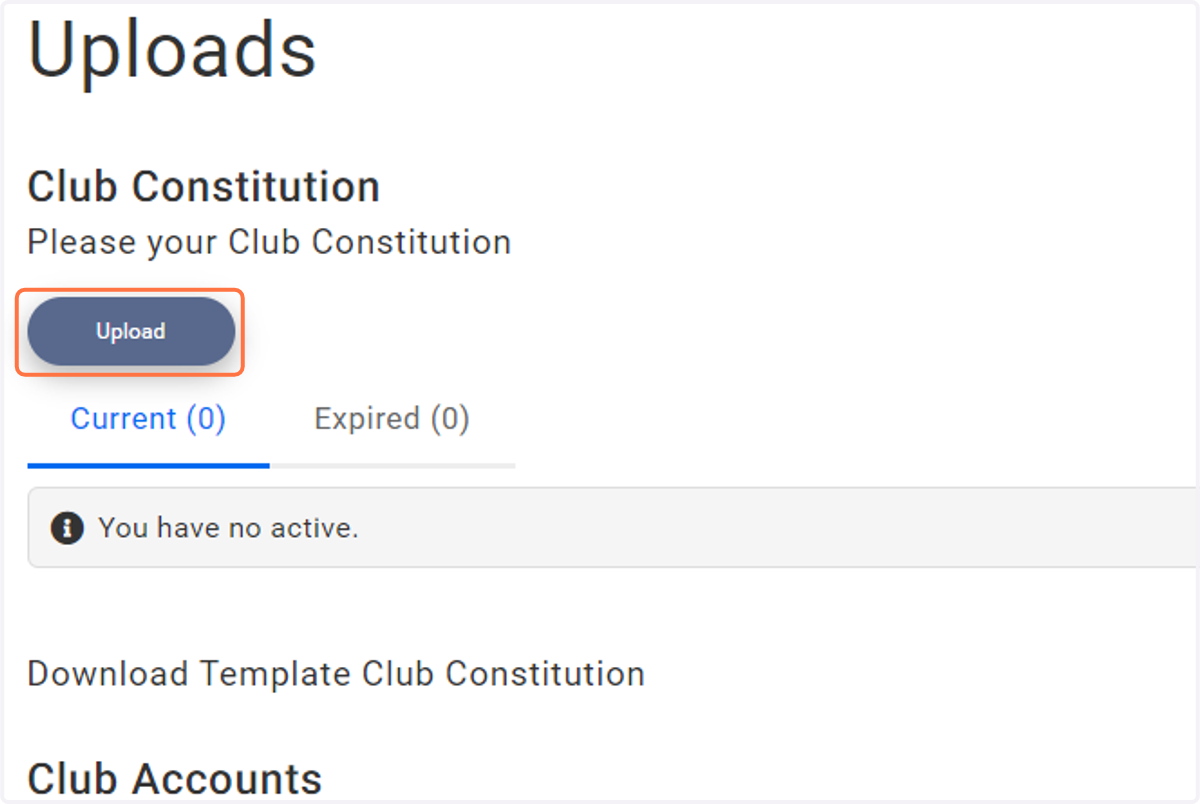
  9. 9. Select Upload

    Select Upload
  10. 10. Upload your Club Constitution and select save
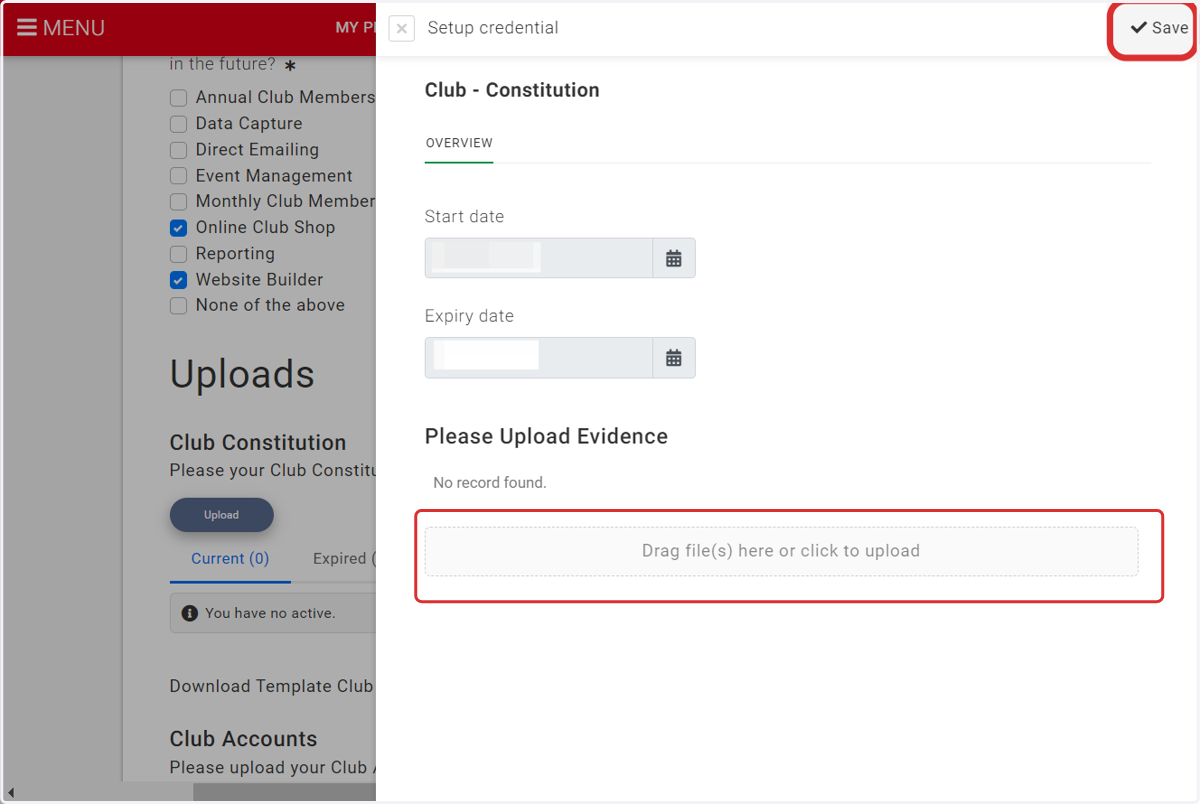
    Upload your Club Constitution and select save
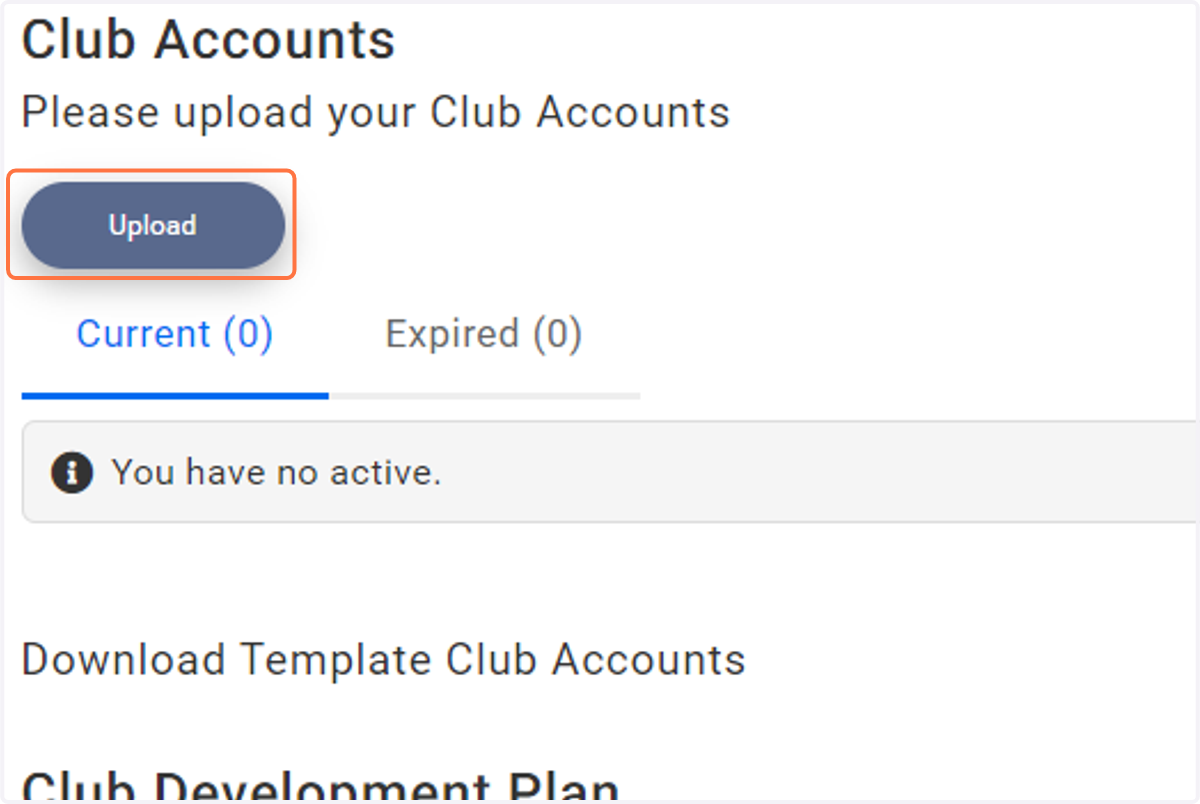
  11. 11. Select Upload

    Select Upload
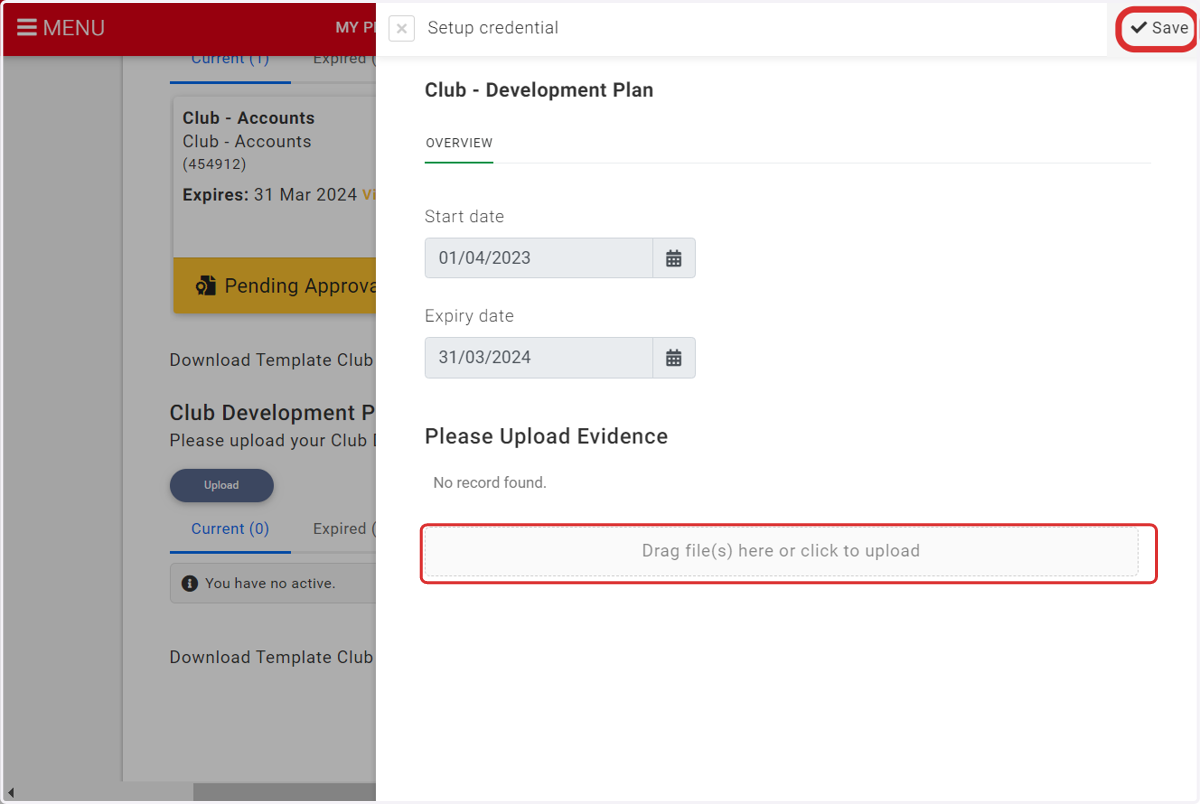
  12. 12. Enter the start and end date of your accounting period, upload your accounts and select save
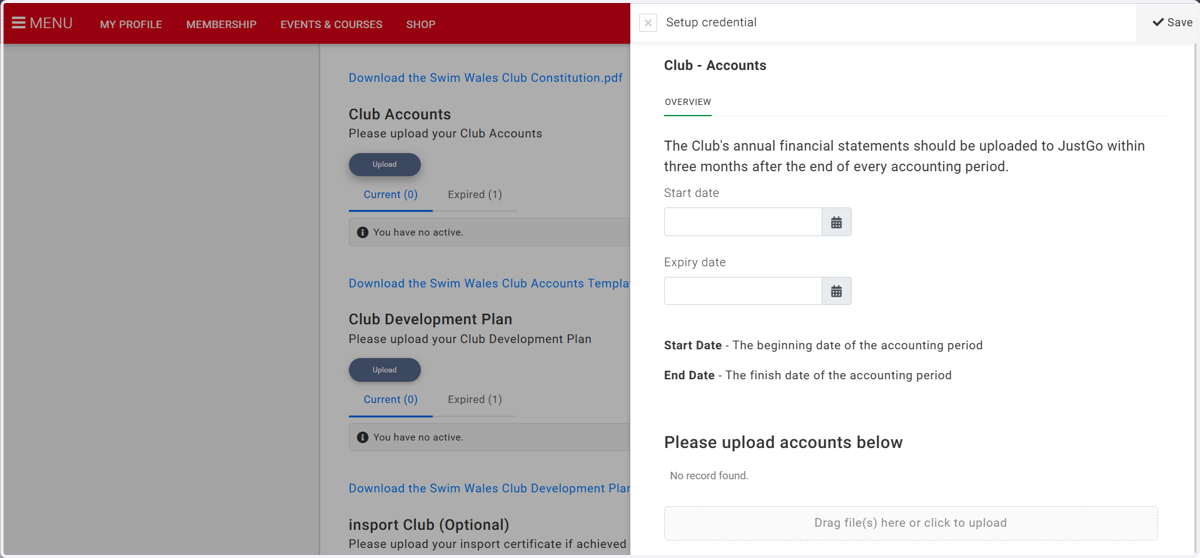
    Enter the start and end date of your accounting period, upload your accounts and select save
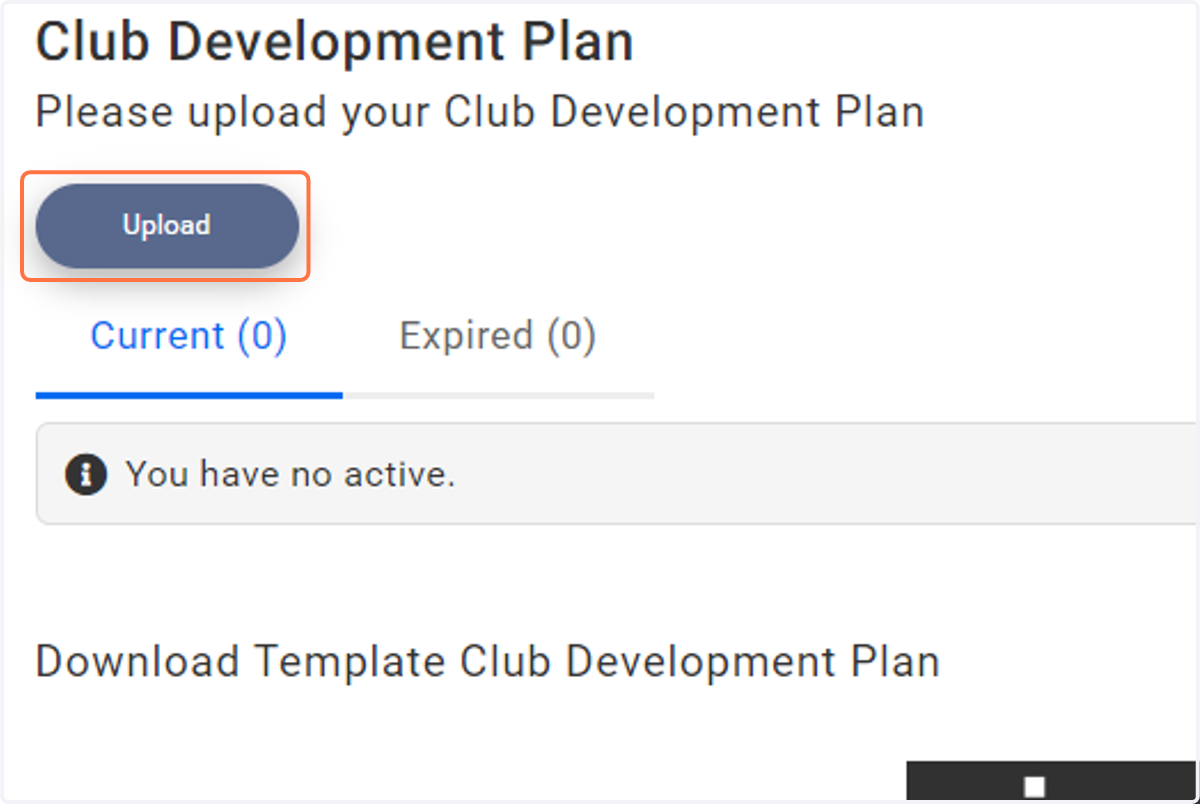
  13. 13. Select Upload

    Select Upload
  14. 14. Upload your Development Plan

    Upload your Development Plan
  15. 15. Complete the required insurance questions
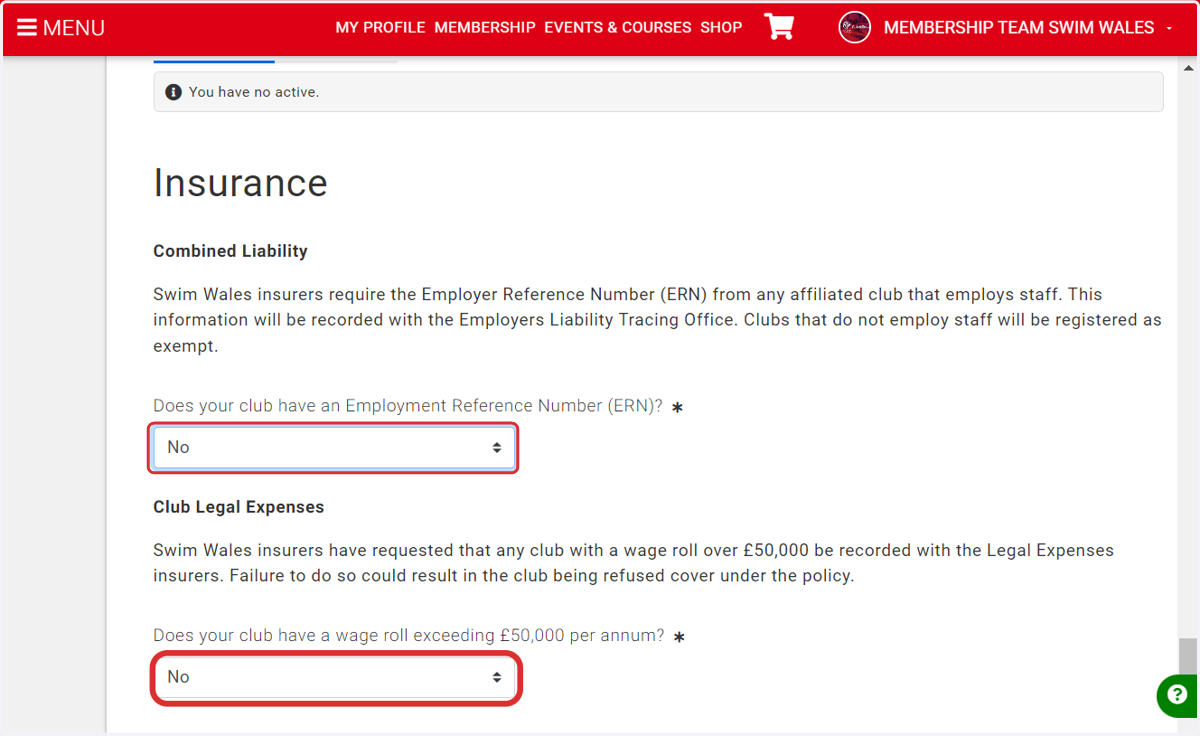
    Complete the required insurance questions
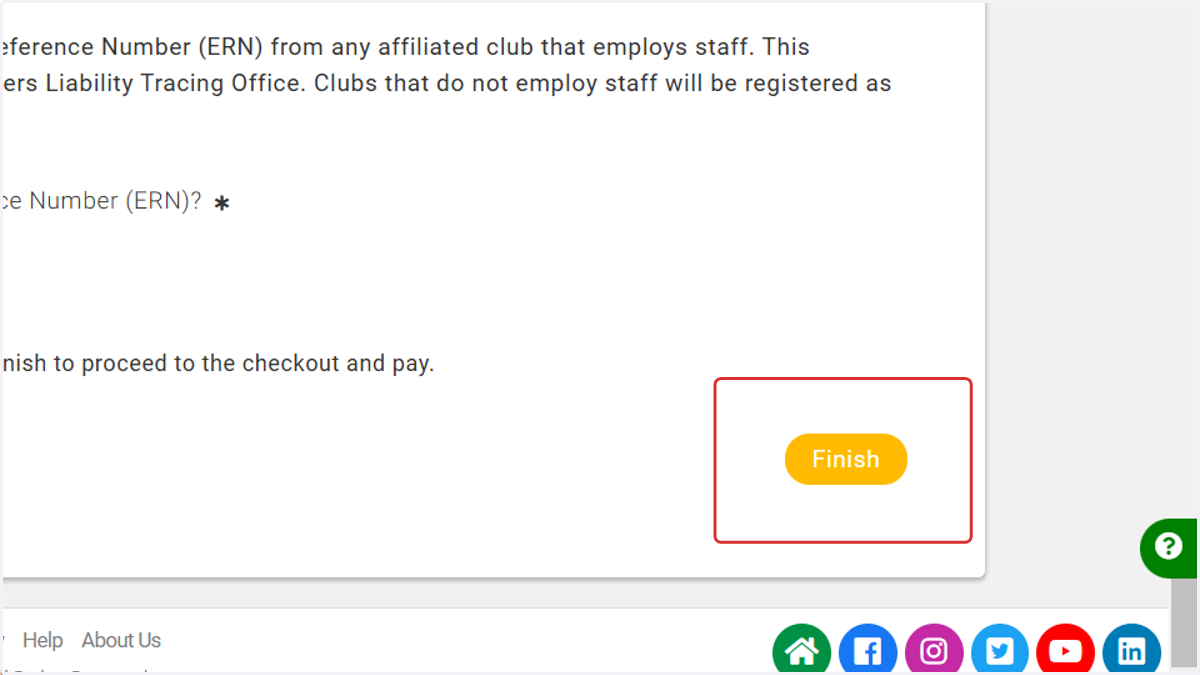
  16. 16. Click on Finish

    Click on Finish
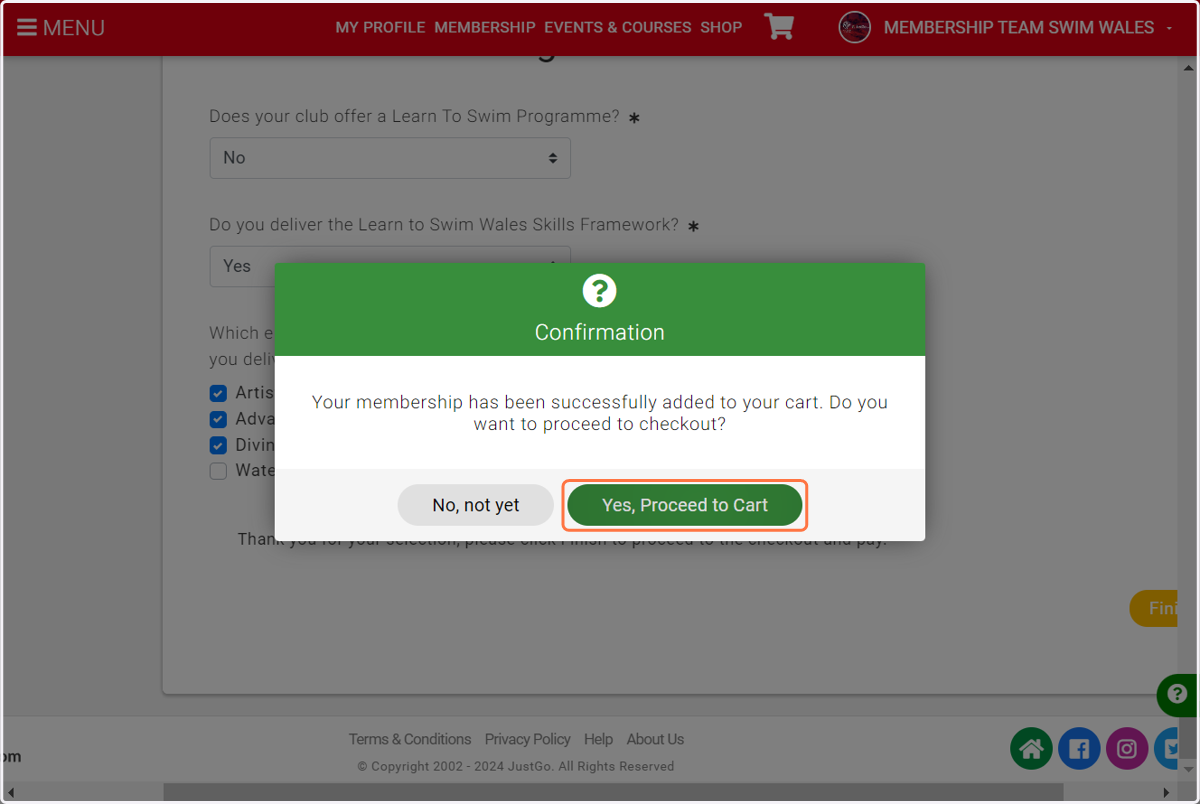
  17. 17. Click on Yes, Proceed to Cart

    Click on Yes, Proceed to Cart
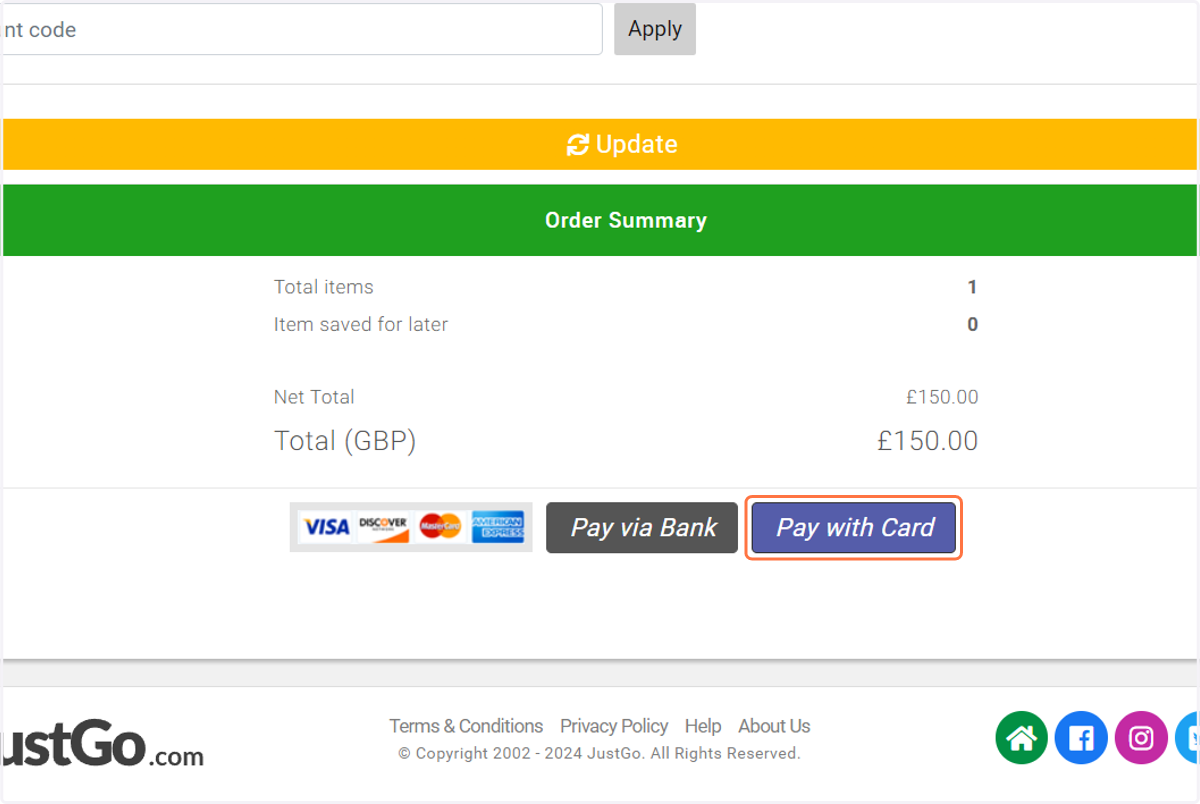
  18. 18. Click on Pay with Card

    Click on Pay with Card
  19. 19. Enter your payment details and select pay
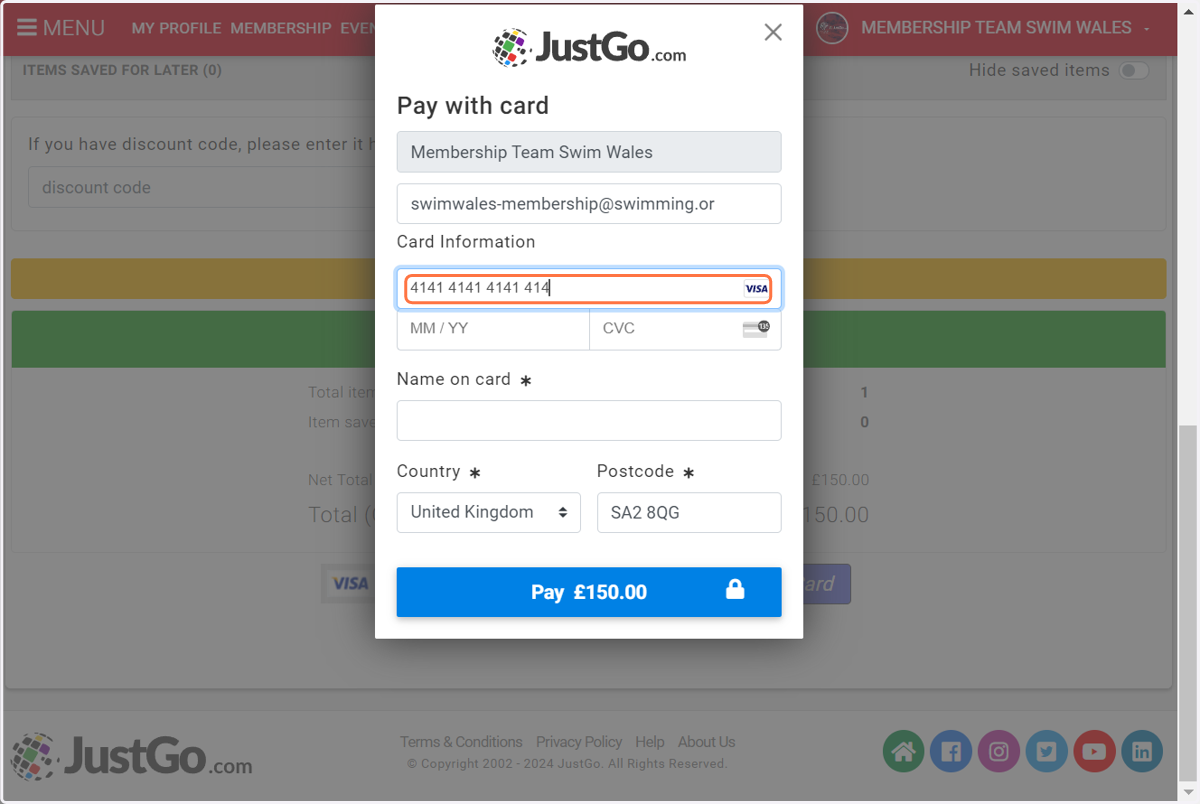
    Enter your payment details and select pay