Building a Comparative Monitoring Tour in Chateau

Chateau

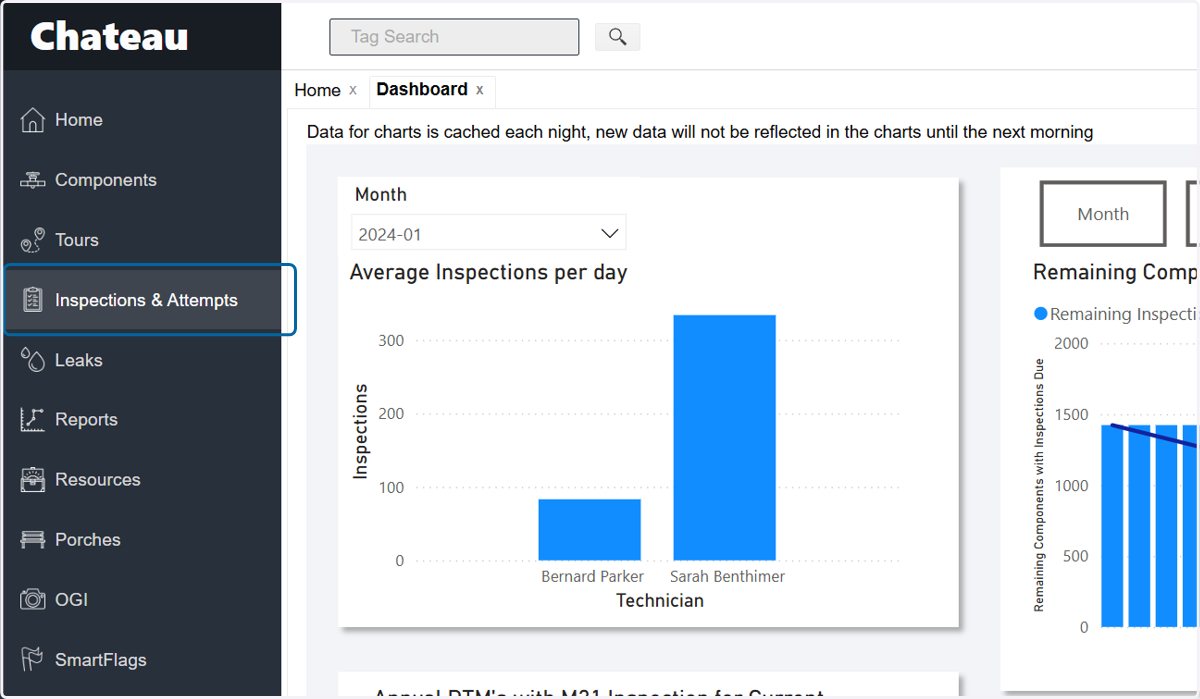
  1. 1. Click on Inspections & Attempts

    Click on Inspections & Attempts
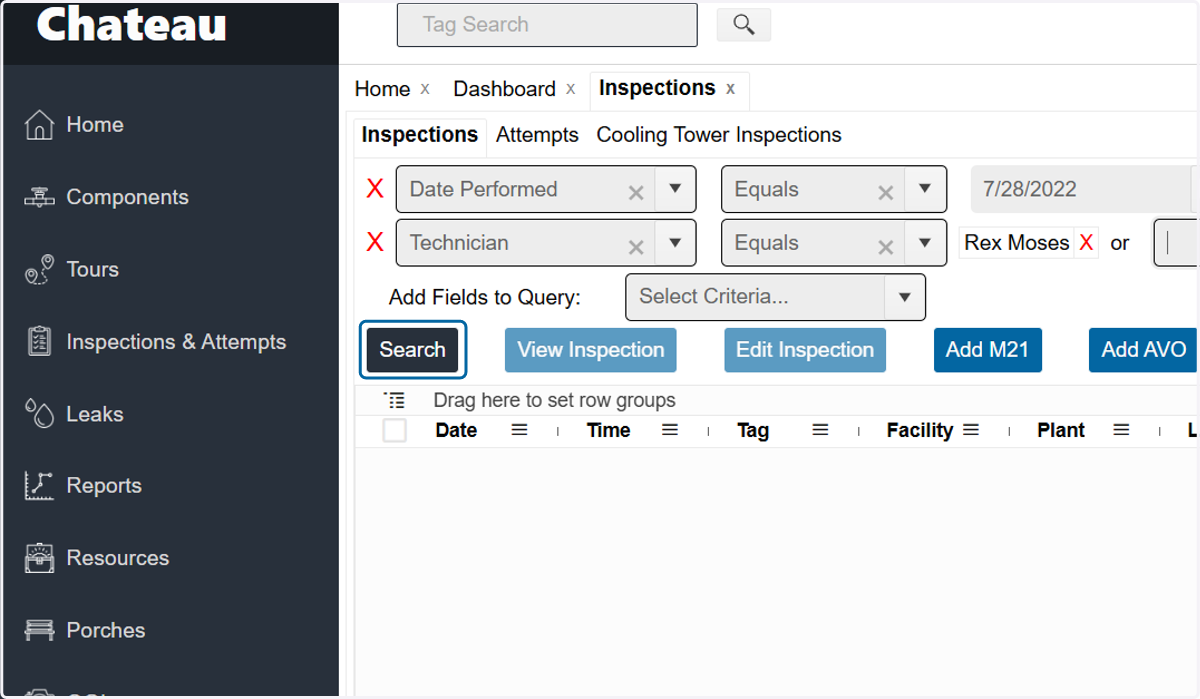
  2. 2. Using the Date Performed query, choose Equals
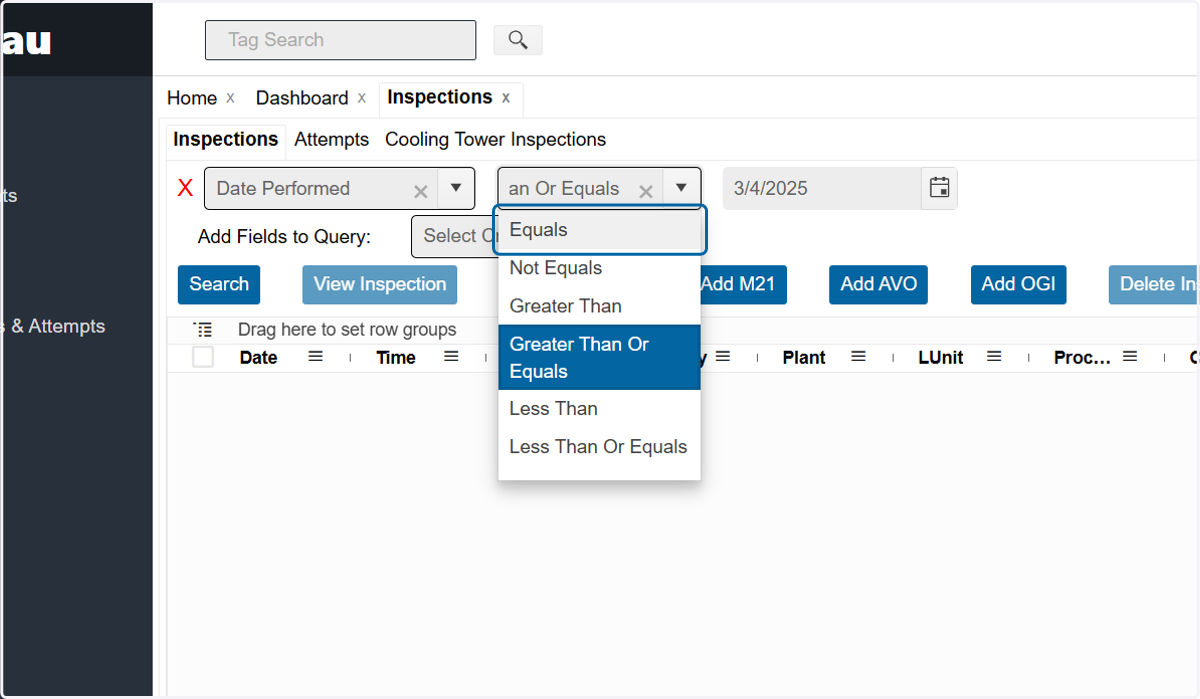
    Using the Date Performed query, choose Equals
  3. 3. And type in the date the monitoring occurred that you want to compare
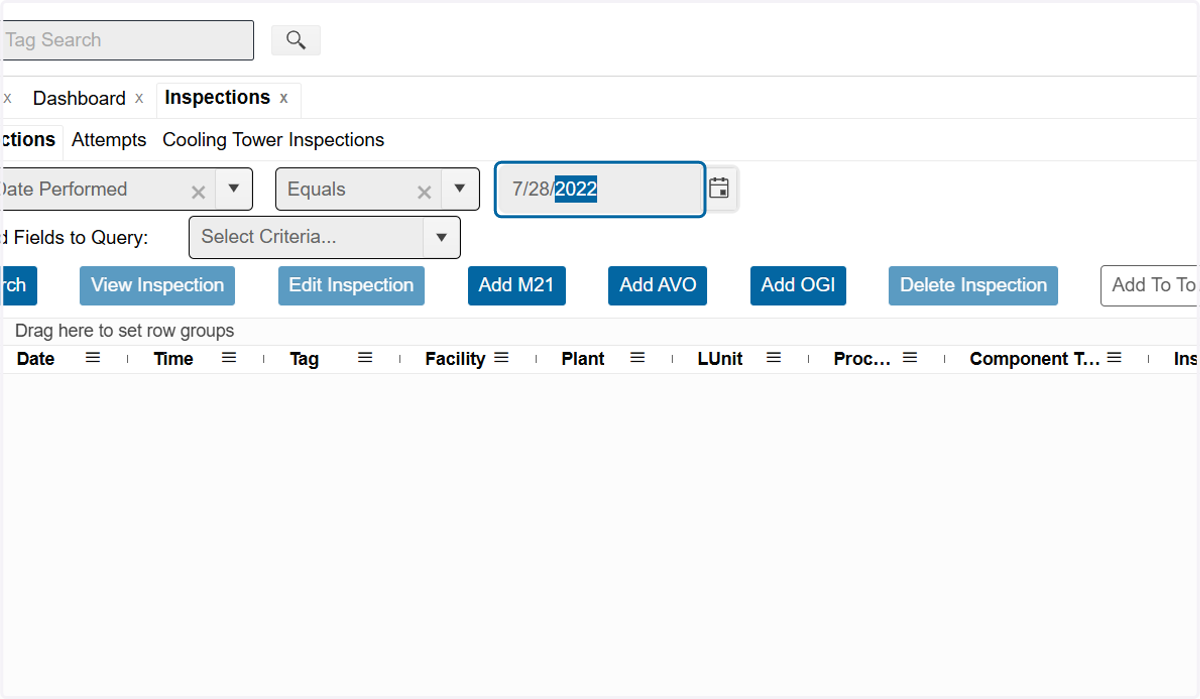
    And type in the date the monitoring occurred that you want to compare
  4. 4. Add a second query to select a specific Technician
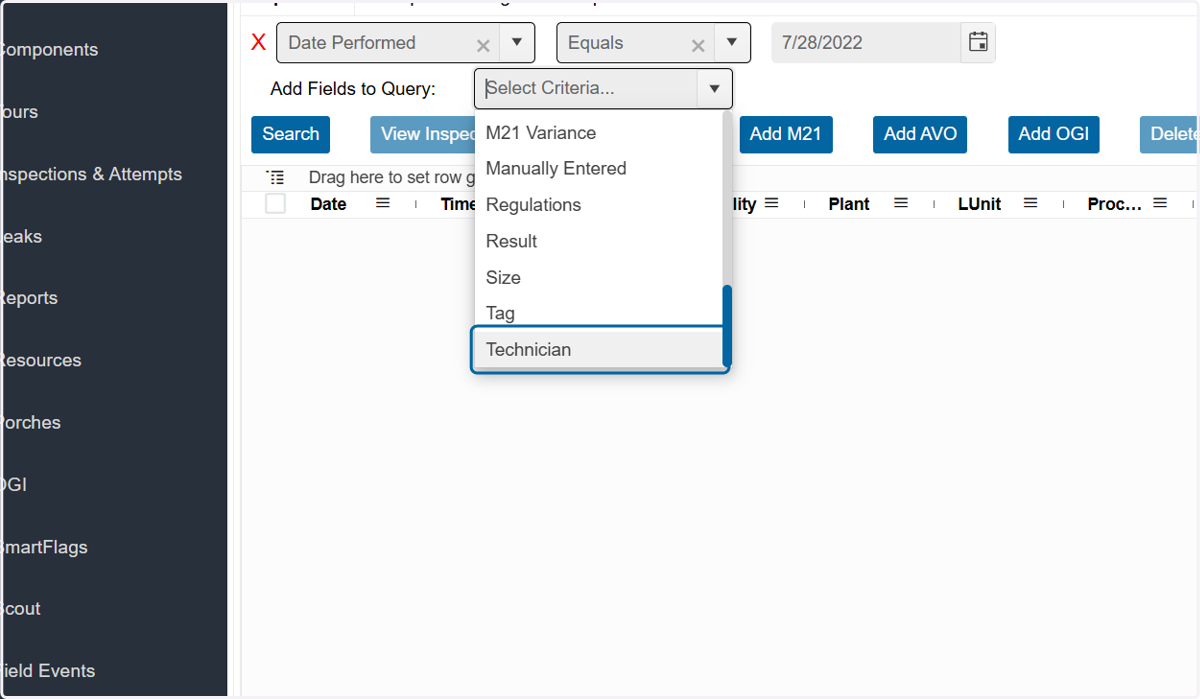
    Add a second query to select a specific Technician
  5. 5. Click on the technician who performed the monitoring
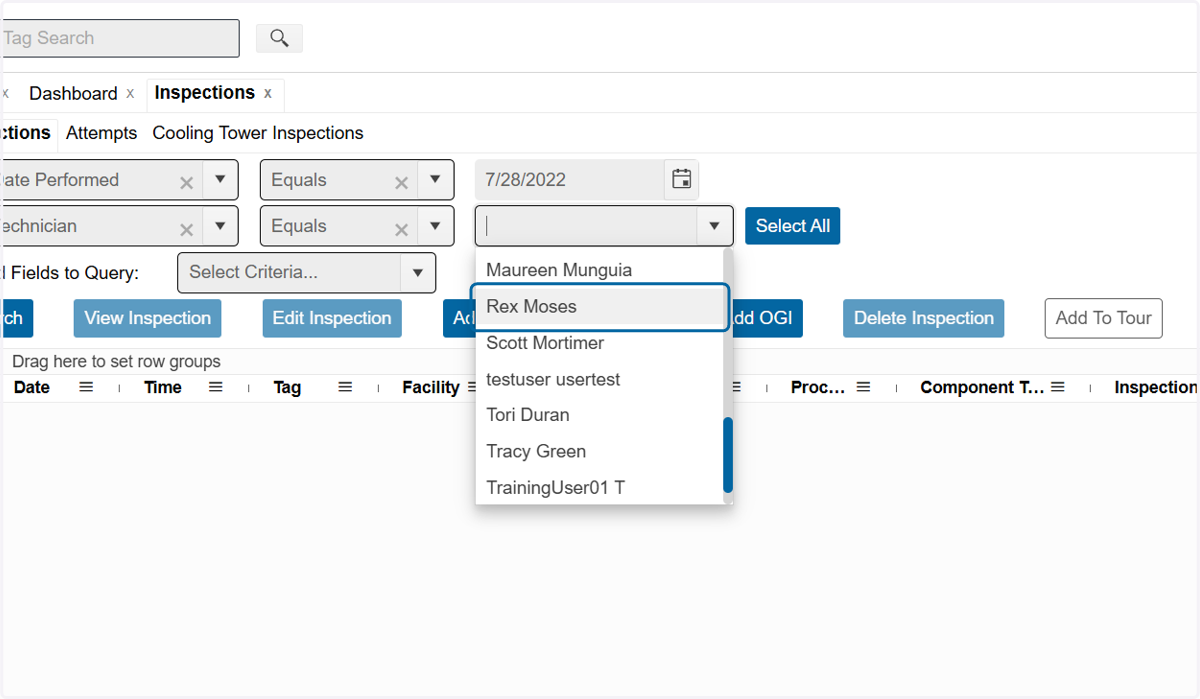
    Click on the technician who performed the monitoring
  6. 6. Click on Search

    Click on Search
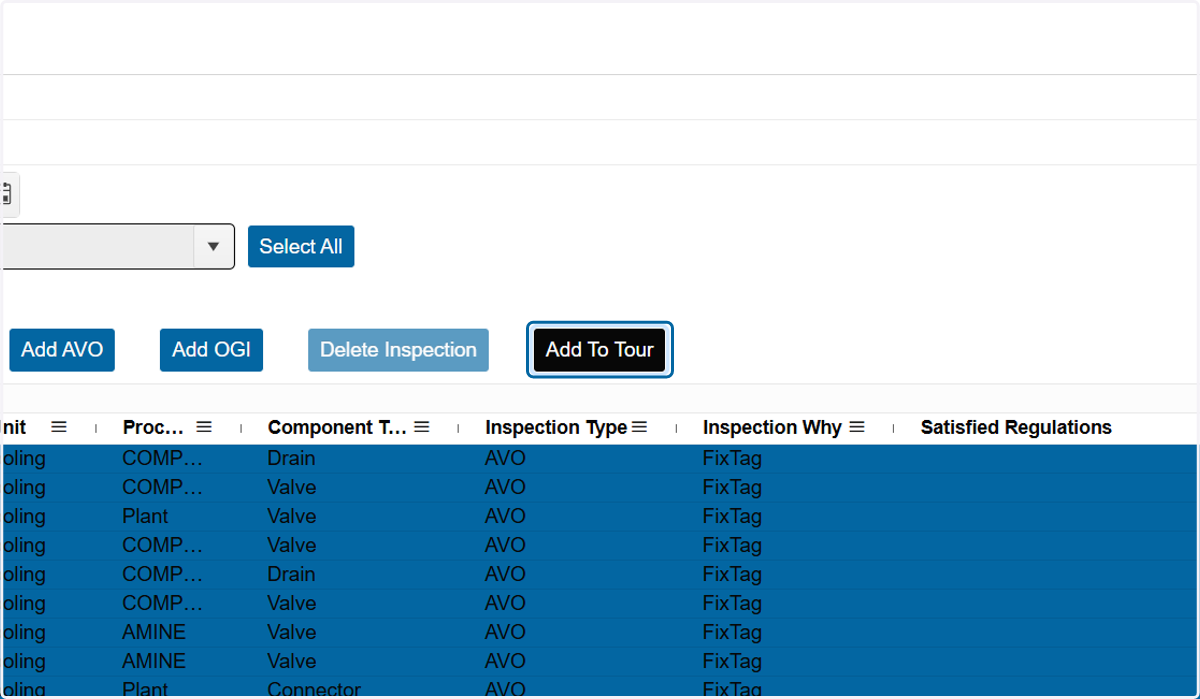
  7. 7. Check the top box to select all rows
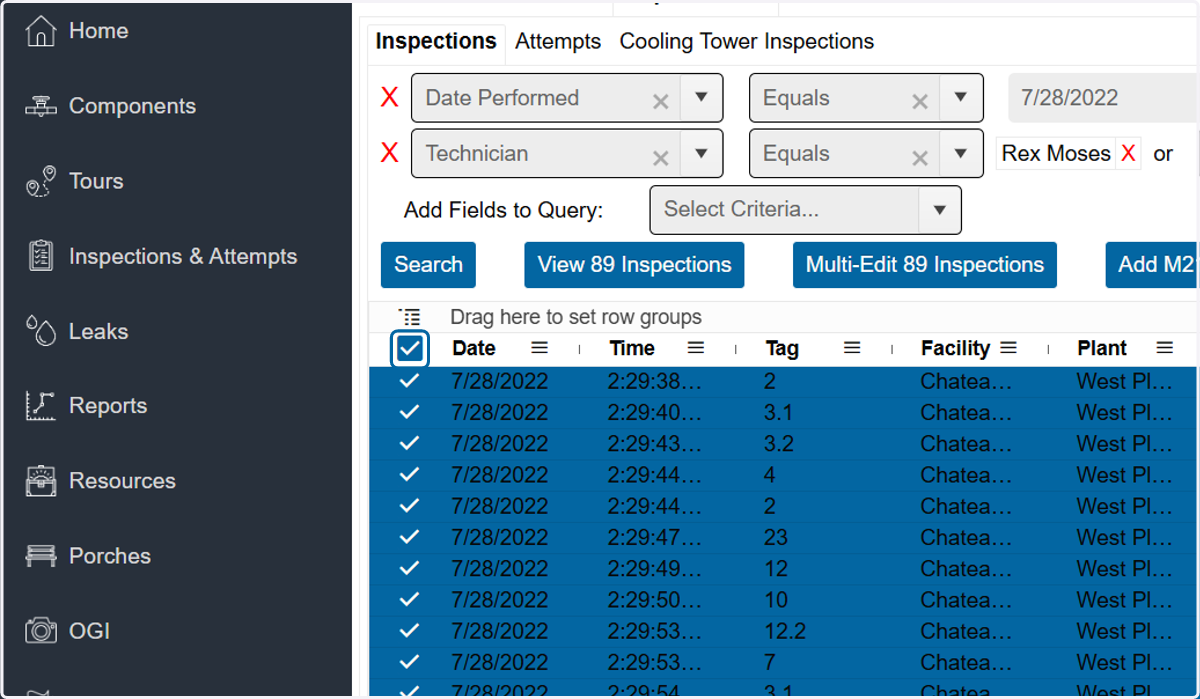
    Check the top box to select all rows
  8. 8. Click on Add To Tour

    Click on Add To Tour
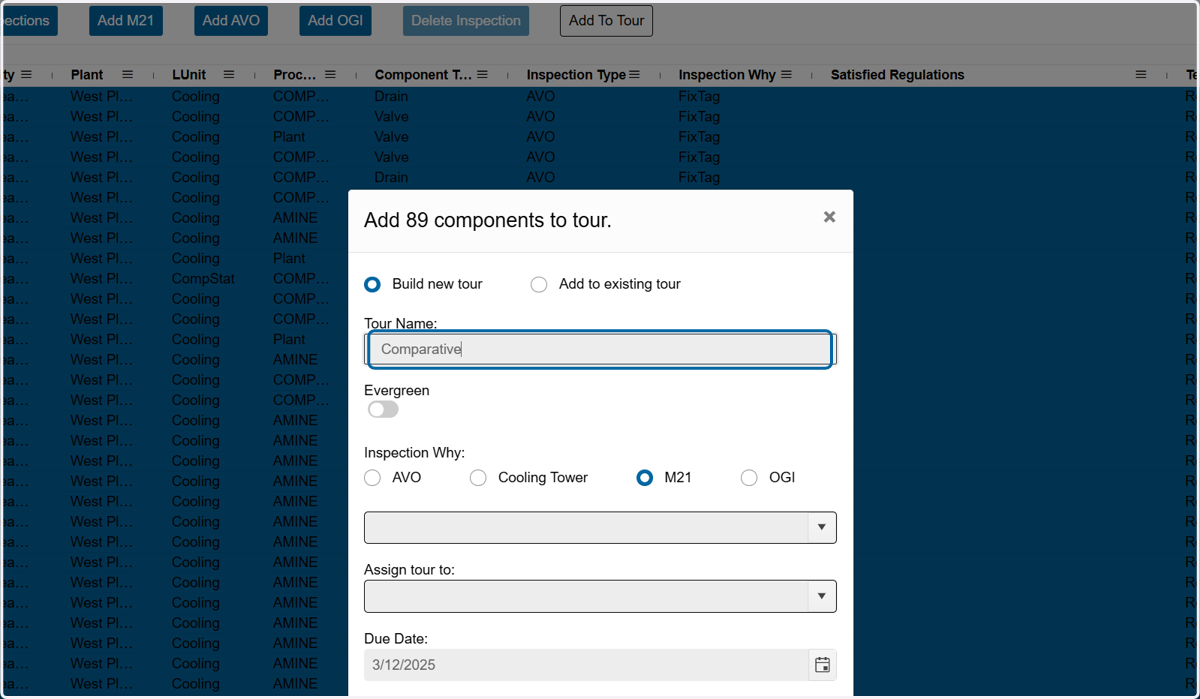
  9. 9. Name your tour

    Name your tour
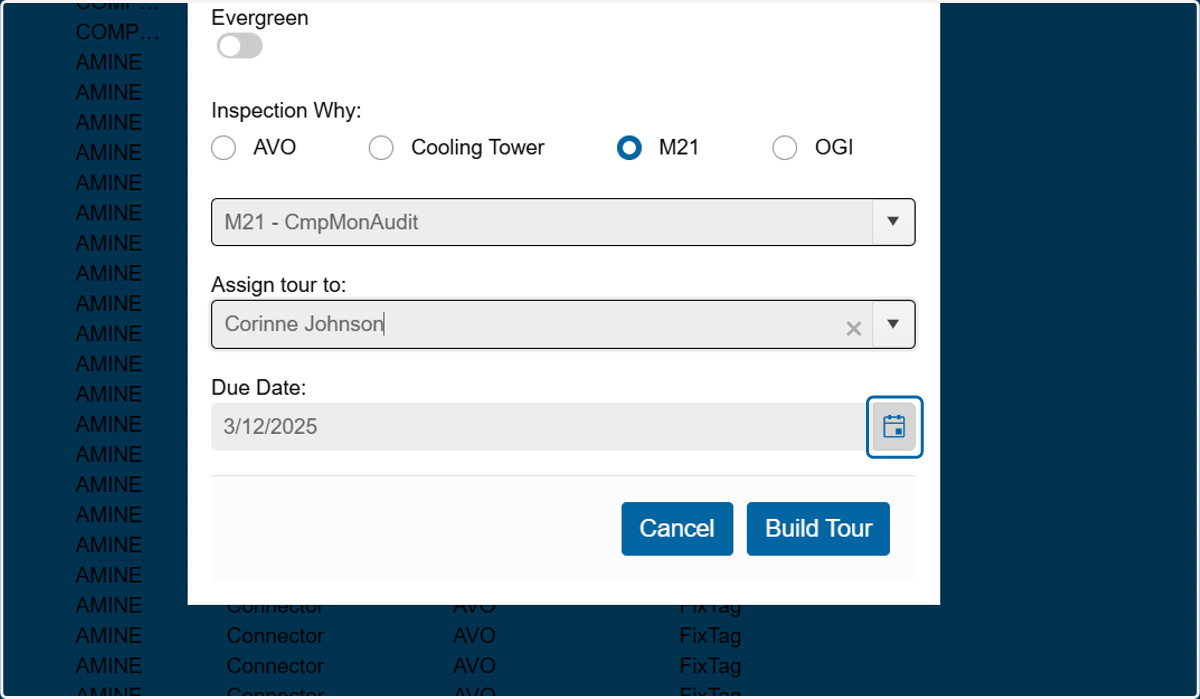
  10. 10. Choose the Inspection Why: M21 - CmpMonAudit is a good choice as it means Comparative Monitoring Audit.
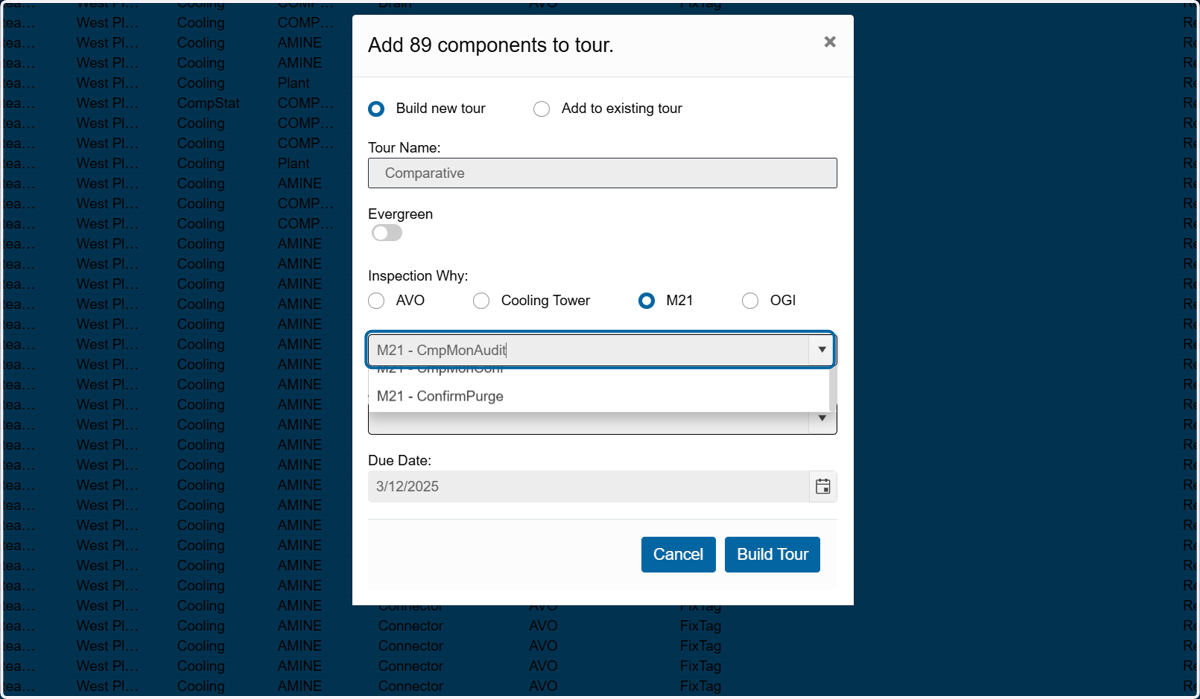
    Choose the Inspection Why: M21 - CmpMonAudit is a good choice as it means Comparative Monitoring Audit.
  11. 11. Assign the tour to someone, if wanted. This can be done later in the Current Tours section
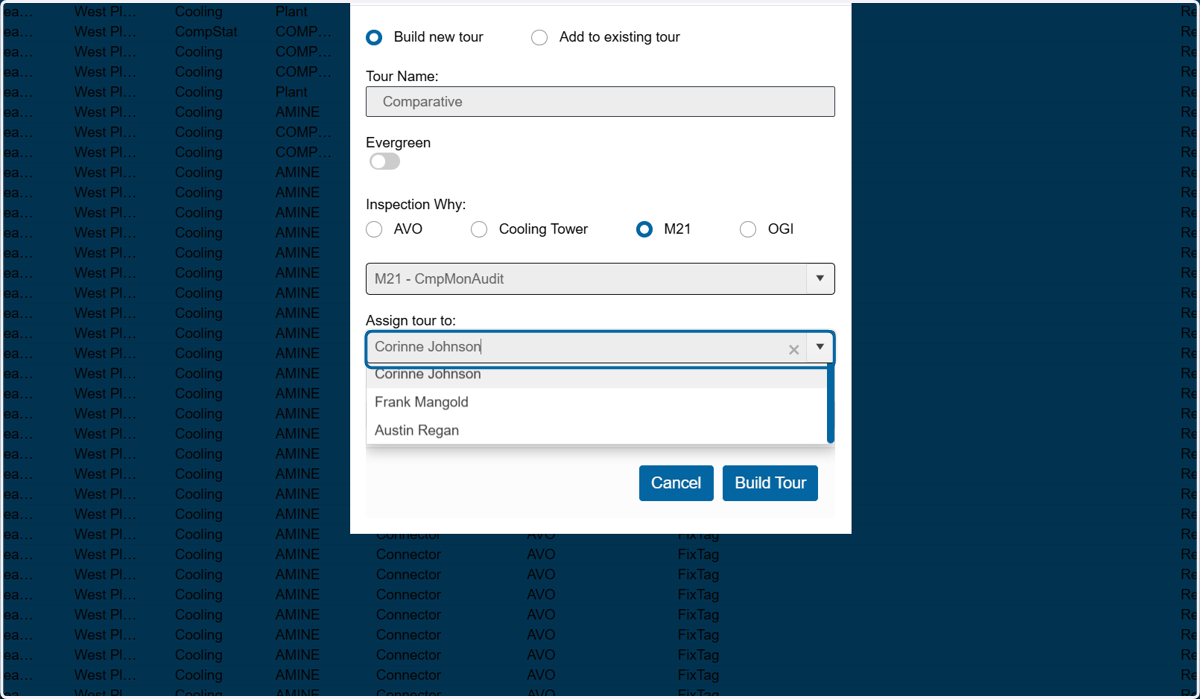
    Assign the tour to someone, if wanted. This can be done later in the Current Tours section
  12. 12. Choose a tour due date

    Choose a tour due date
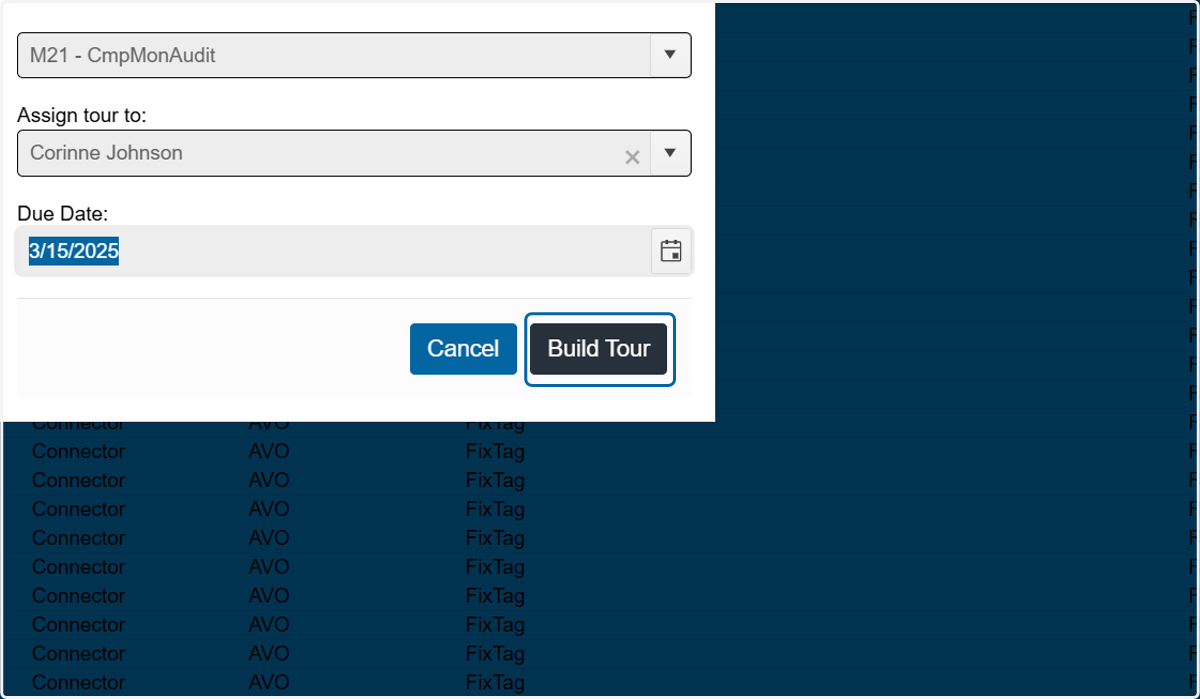
  13. 13. Click on Build Tour

    Click on Build Tour