Submit a Guernsey CER Return
From Q1 2026 onwards, Guernsey quarterly submission types have been consolidated into a single CER return.
This means you are no longer required to submit separate returns for tax, social, and secondary pension returns.
This guide outlines the steps to successfully submit a Guernsey CER return in Ocerli.
1. Please navigate to the 'Submissions' screen on the main menu on the left
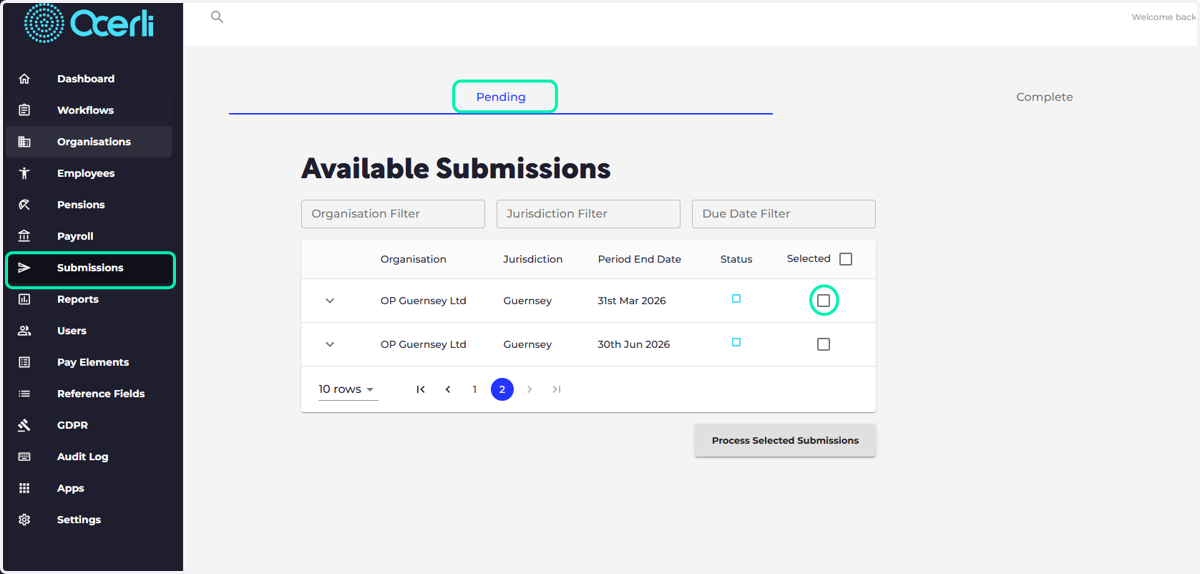
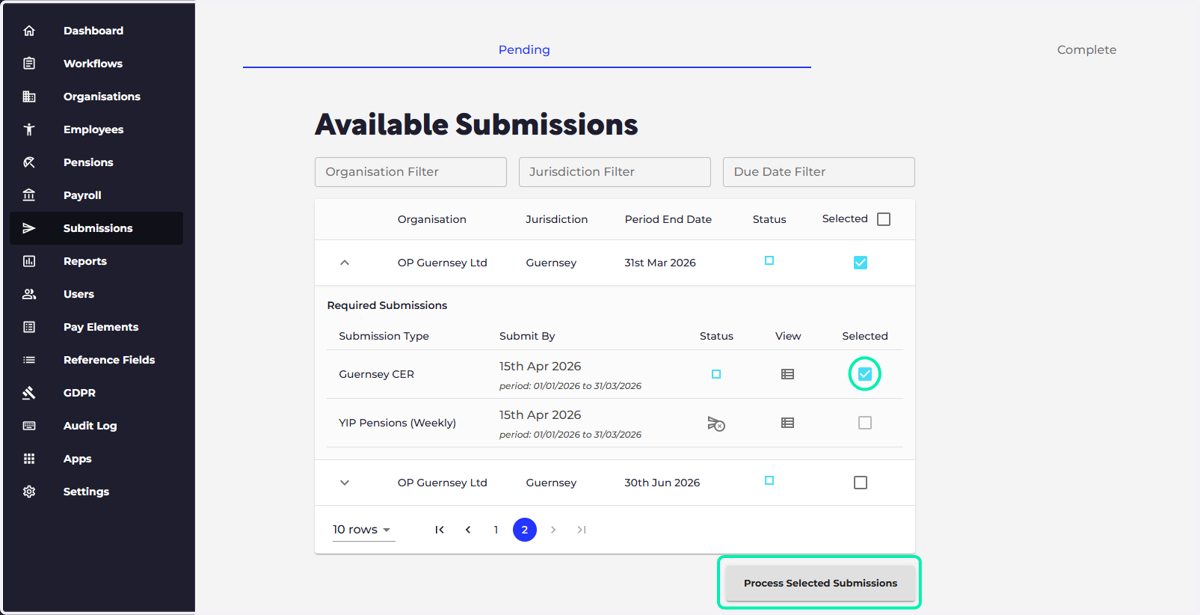
2. Select the tick box next to the relevant CER Return
Select 'Process Selected Submissions'
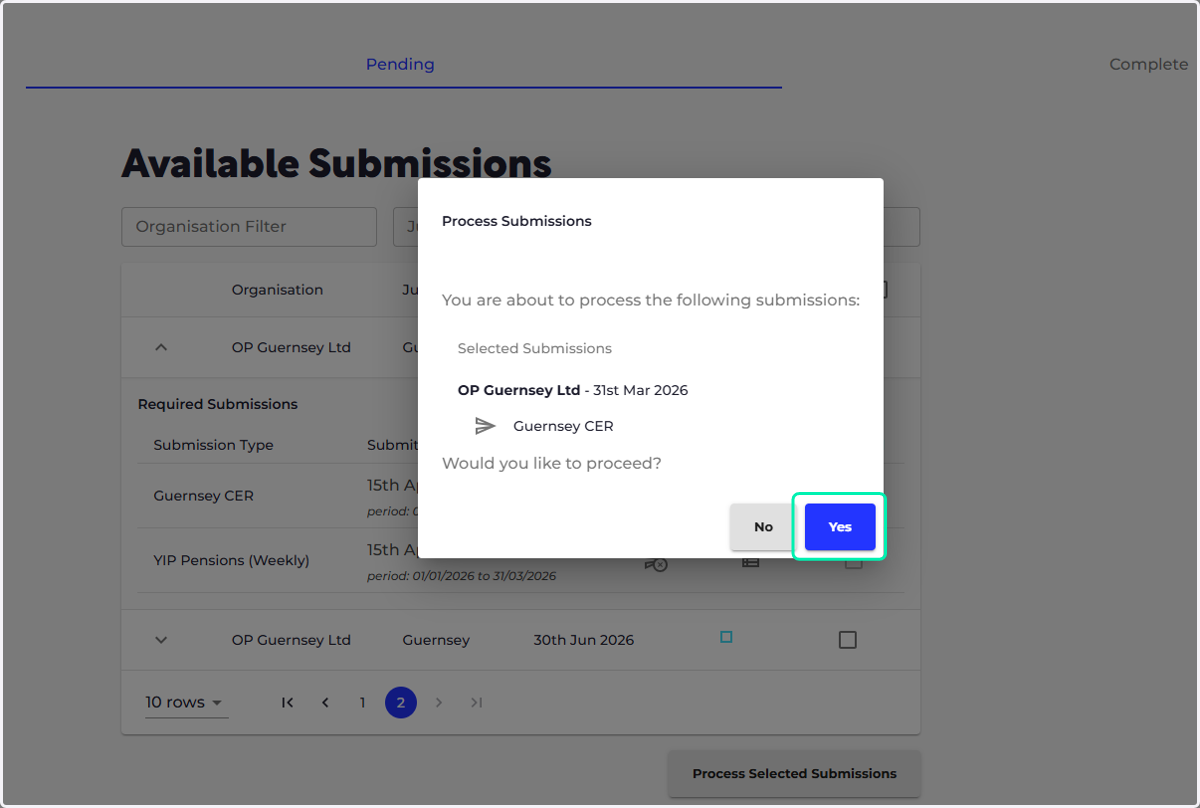
3. Select 'Yes'
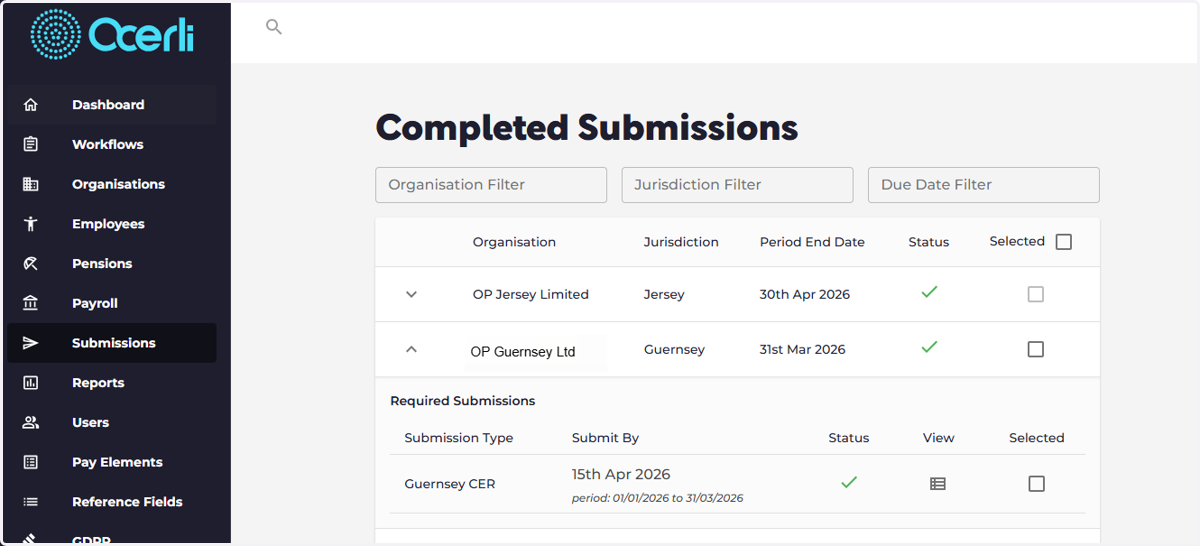
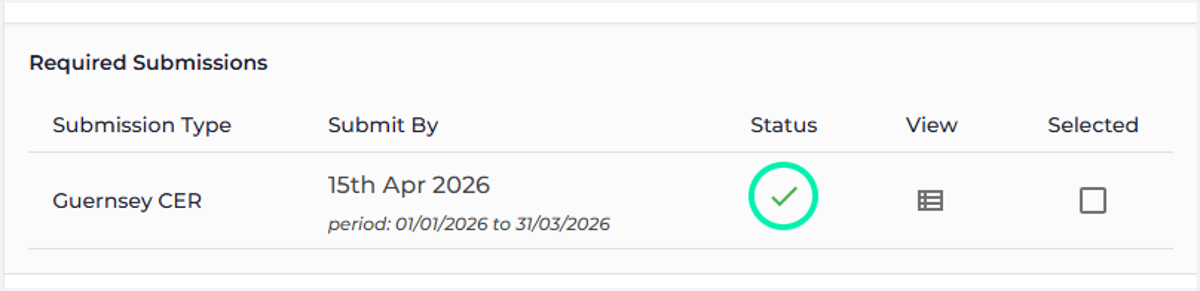
4. If the submission has been successful you will see a green tick icon
This indicates that the submission has been successfully received by the revenue team
5. The successful submission will automatically move the the 'Complete' tab on the submission screen