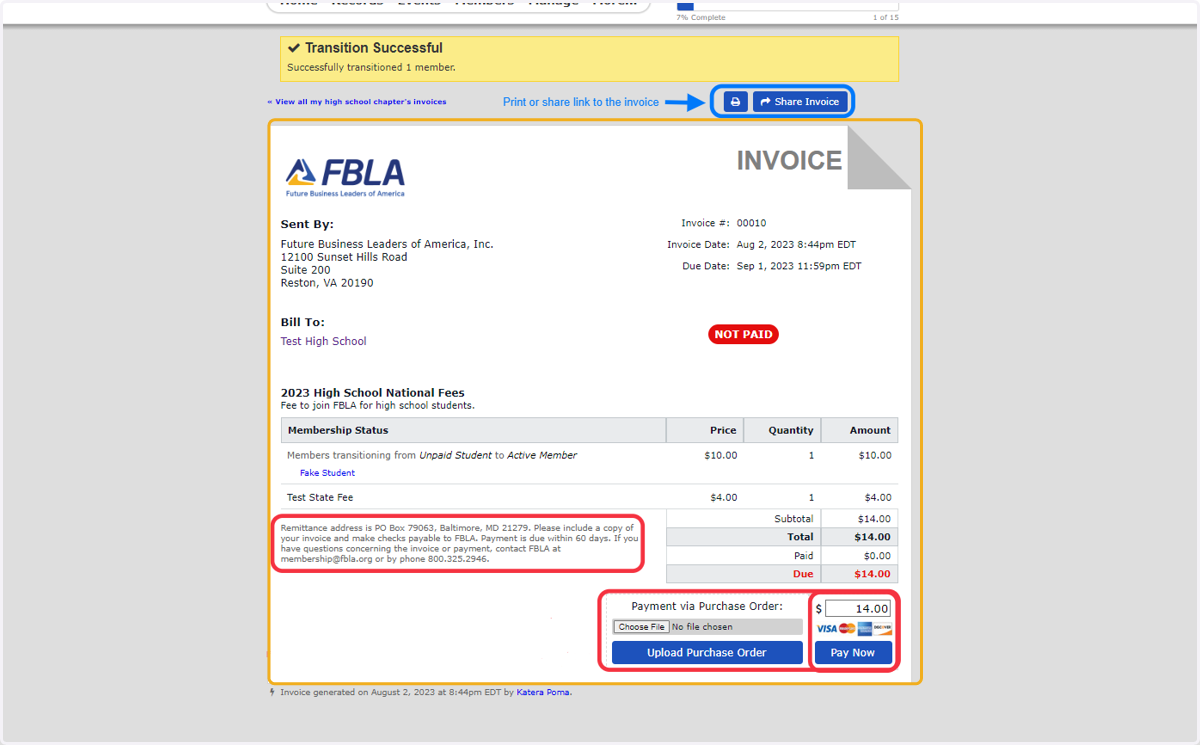
Adding New Members: 4 Ways
1. Member: Add New Members
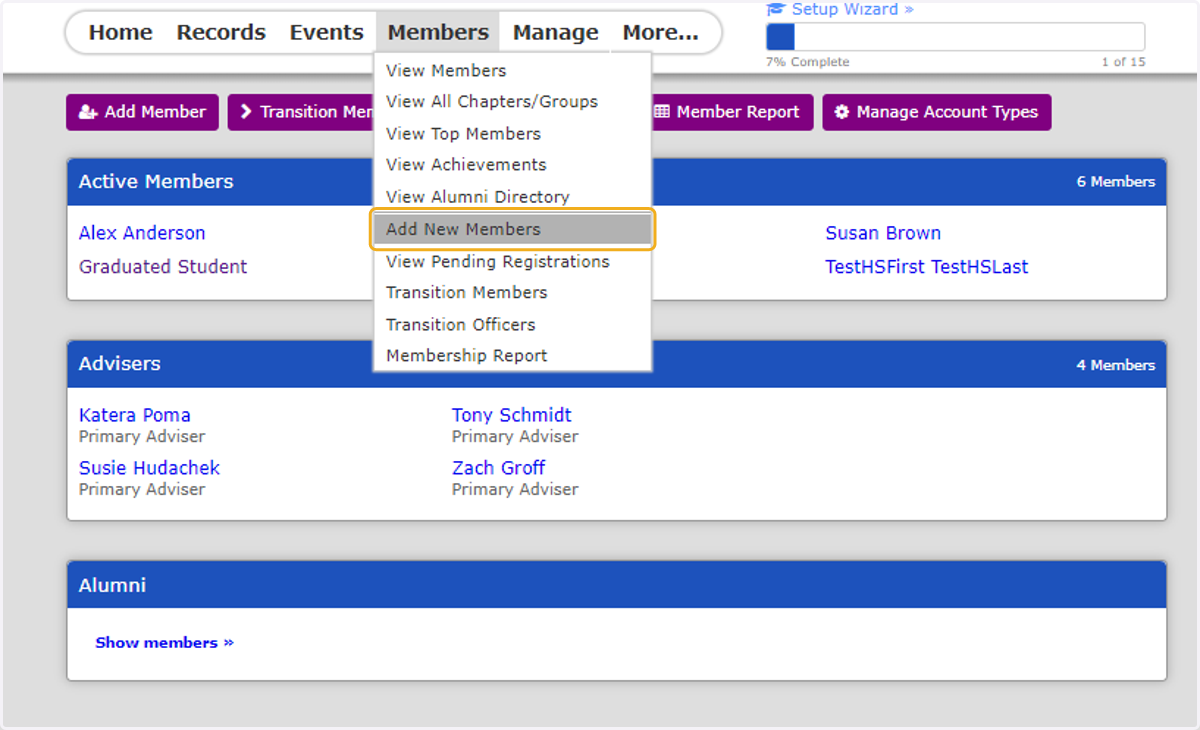
2. 4 Ways to Add New Members
Transferring Existing Members, Manual Entry, Upload or Sending Registration Link
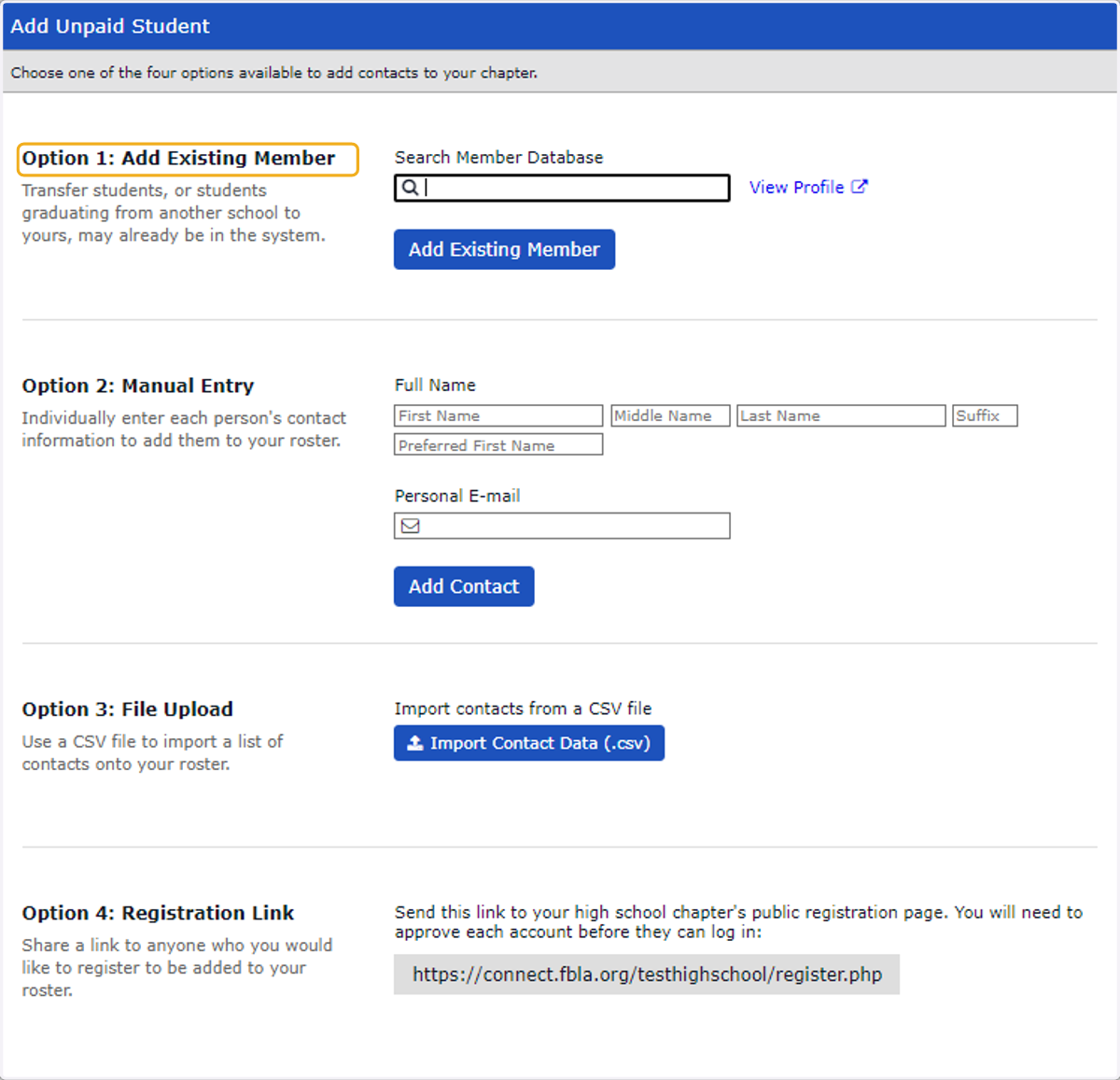
1 - ADD EXISTING MEMBER (TRANSFER STUDENT)
3. Search by students name or email address. Select student and click "Add Existing Member" button.
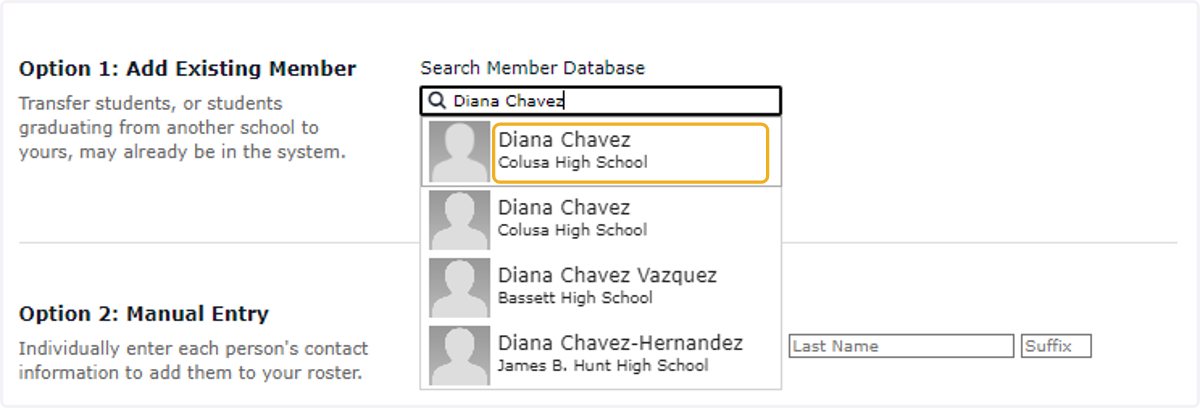
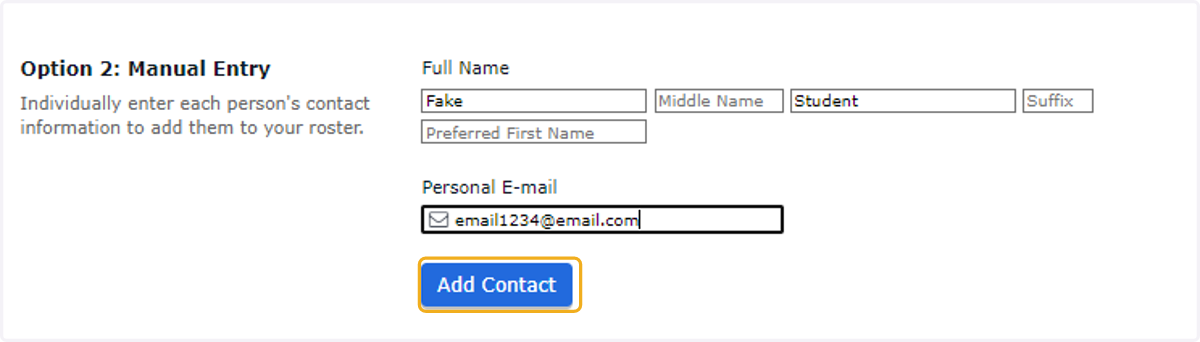
2 - MANUAL ENTRY
4. Add students information and click "Add Contact" button.
3 - IMPORT
5. Click on Import Contact Data (.csv)

6. Download the provided template and enter your members information. Name, email (personal email is preferred), grade and gender are required. Save template on your computer as .CSV
Gender:
Female, Male, Not Selected
Grade: 5, 6, 7, 8, 9, 10, 11, 12, Collegiate Freshman, Collegiate Sophomore, Collegiate Junior, Collegiate Senior, Graduate, Alumni, N/A
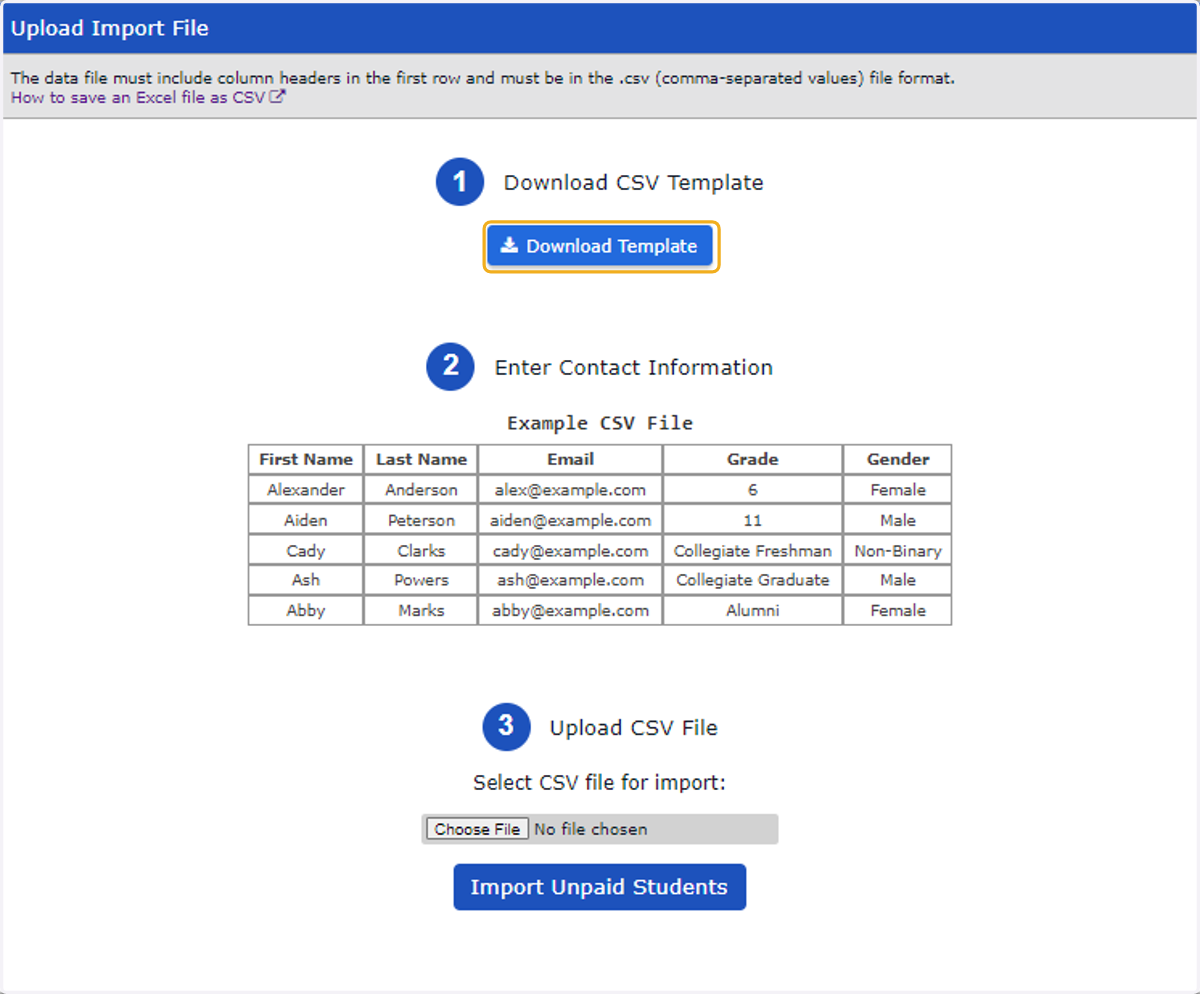
7. Upload your .CSV template and click "Import Unpaid Students"

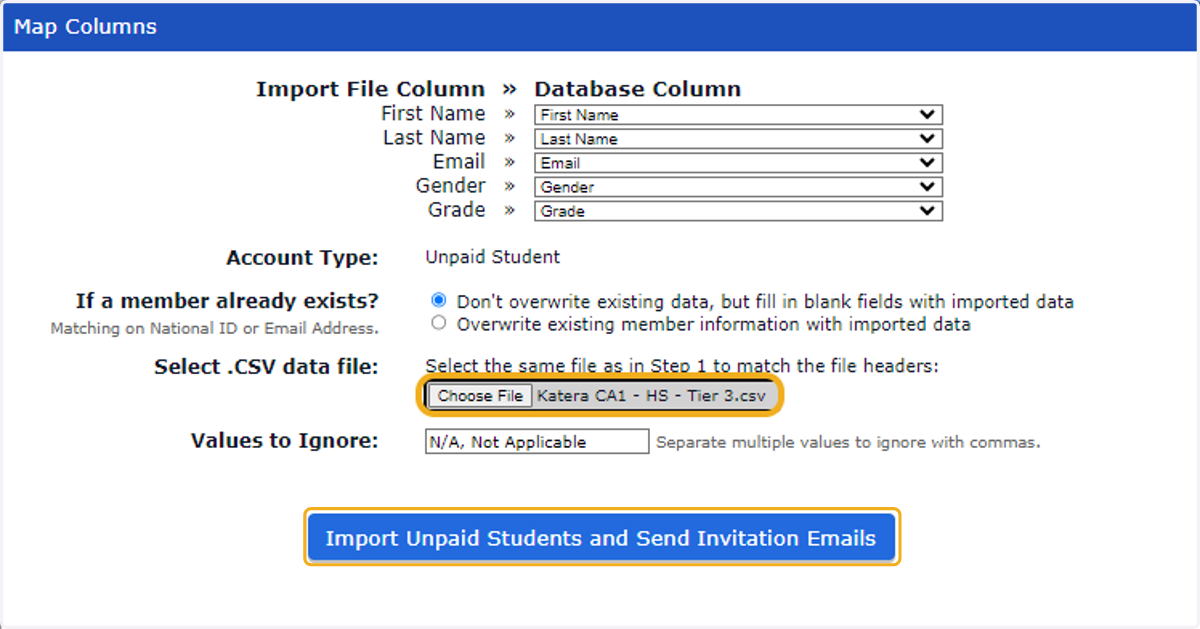
8. Upload you .CSV template again to reverify your information. and click on "Import Unpaid Student and Send Invitation Emails"
Please do not re-map any of the other information on this page
4 - REGISTRATION LINK
9. Copy link: https://connect.fbla.org/testhighschool/register.php and send to prospective members
Link can be used to register advisers and alumni as well

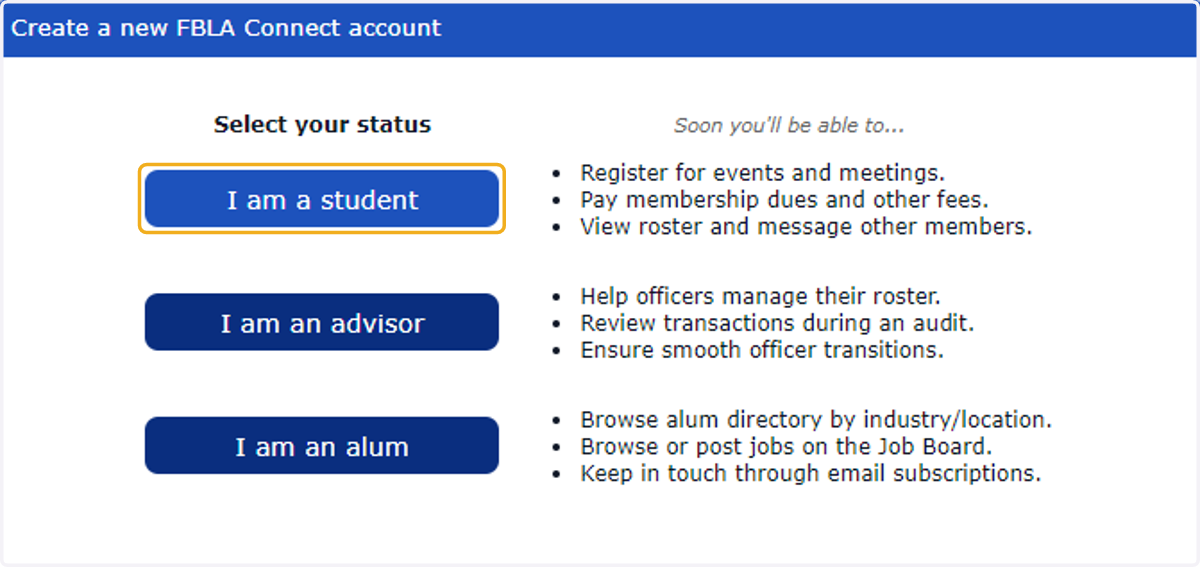
10. Click on I am a student
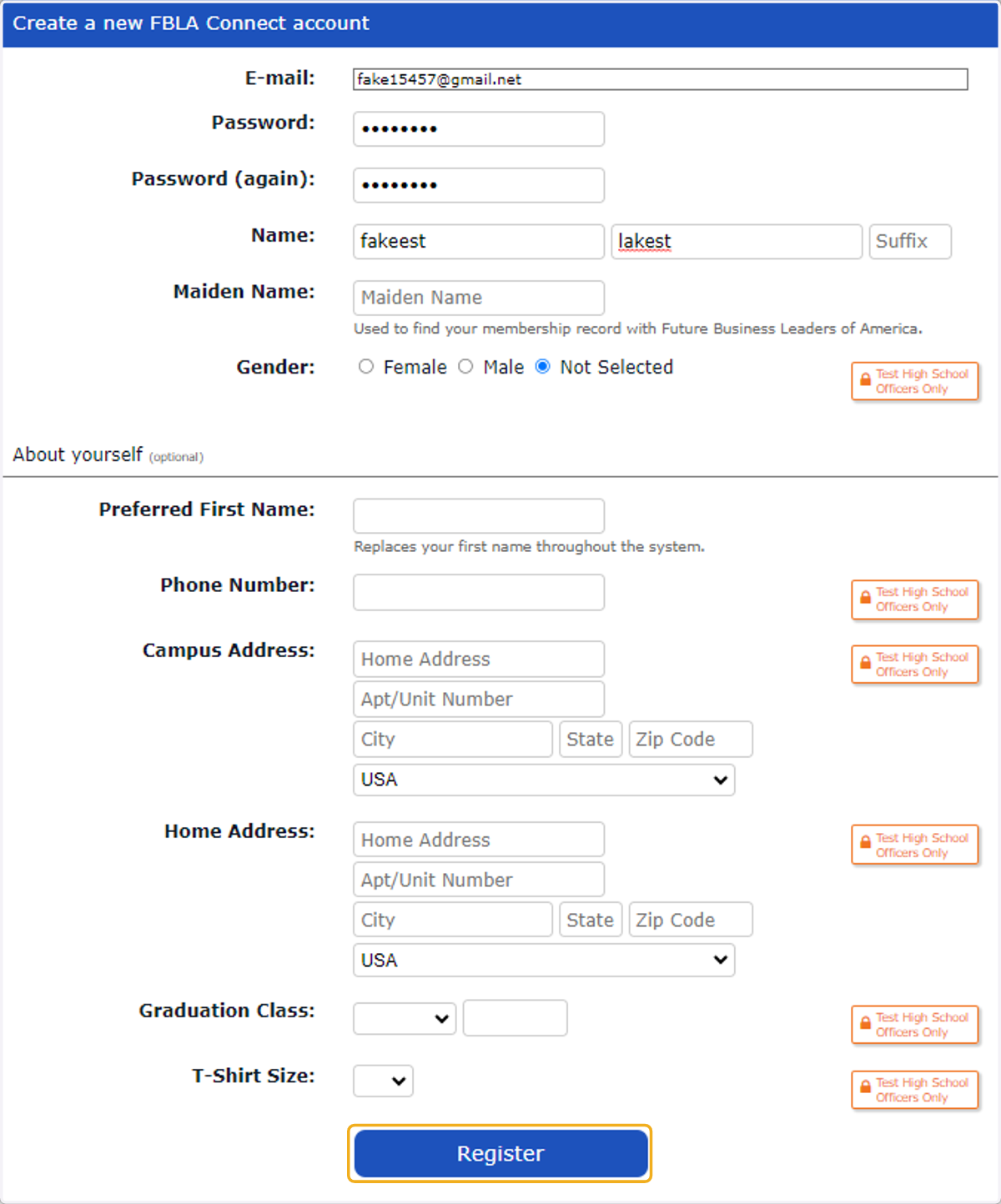
11. Student will fill out form and Submit
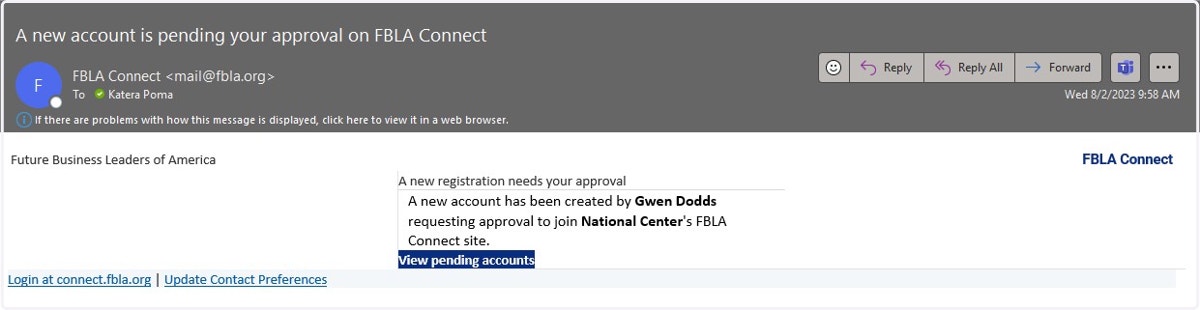
12. The adviser will receive an email informing them that they need to approve a new account request. You can click on the blue "View pending accounts" link
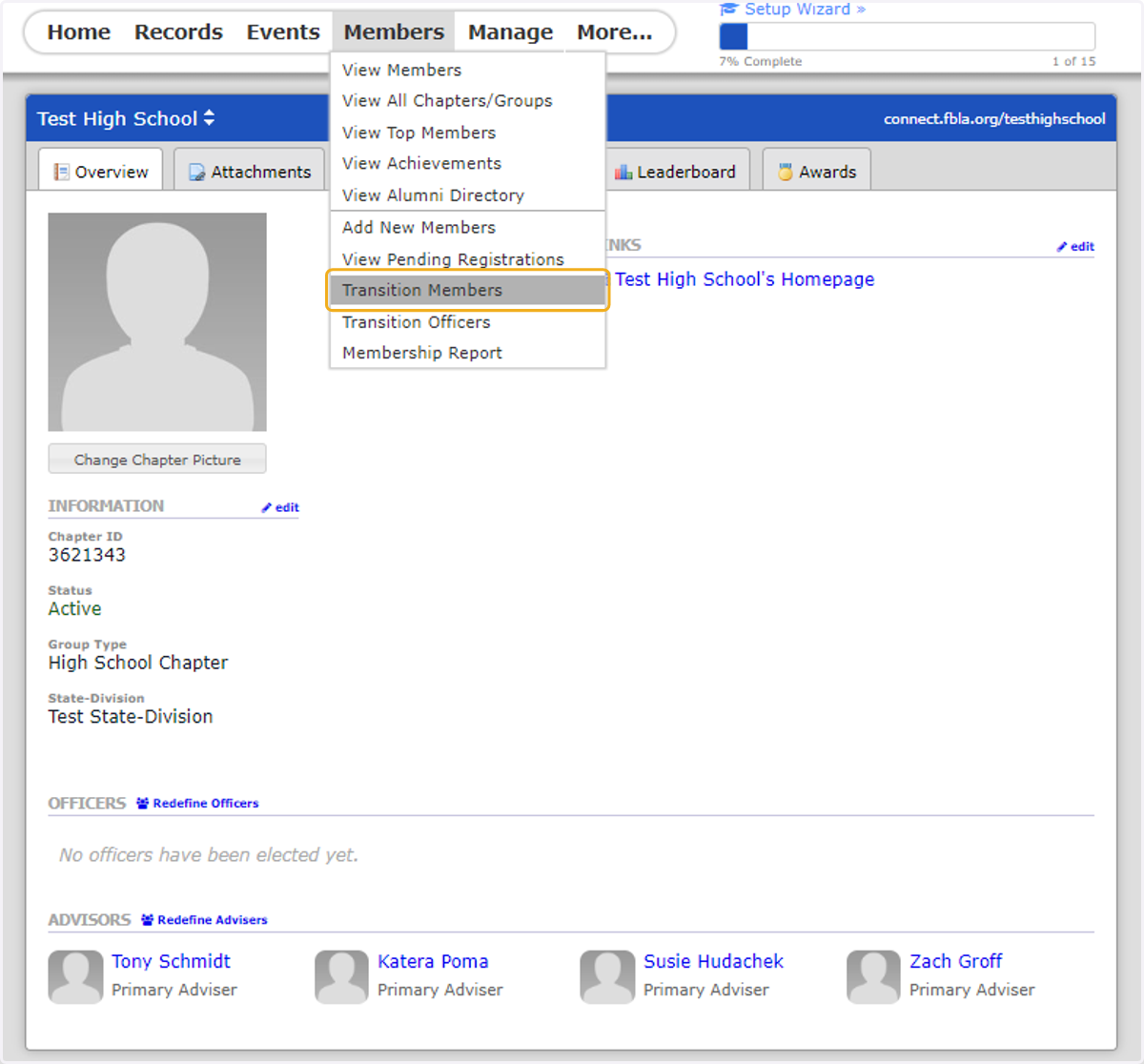
TRANSITION MEMBERS // CREATE INVOICE OR QUOTE
13. Members: Transition Members
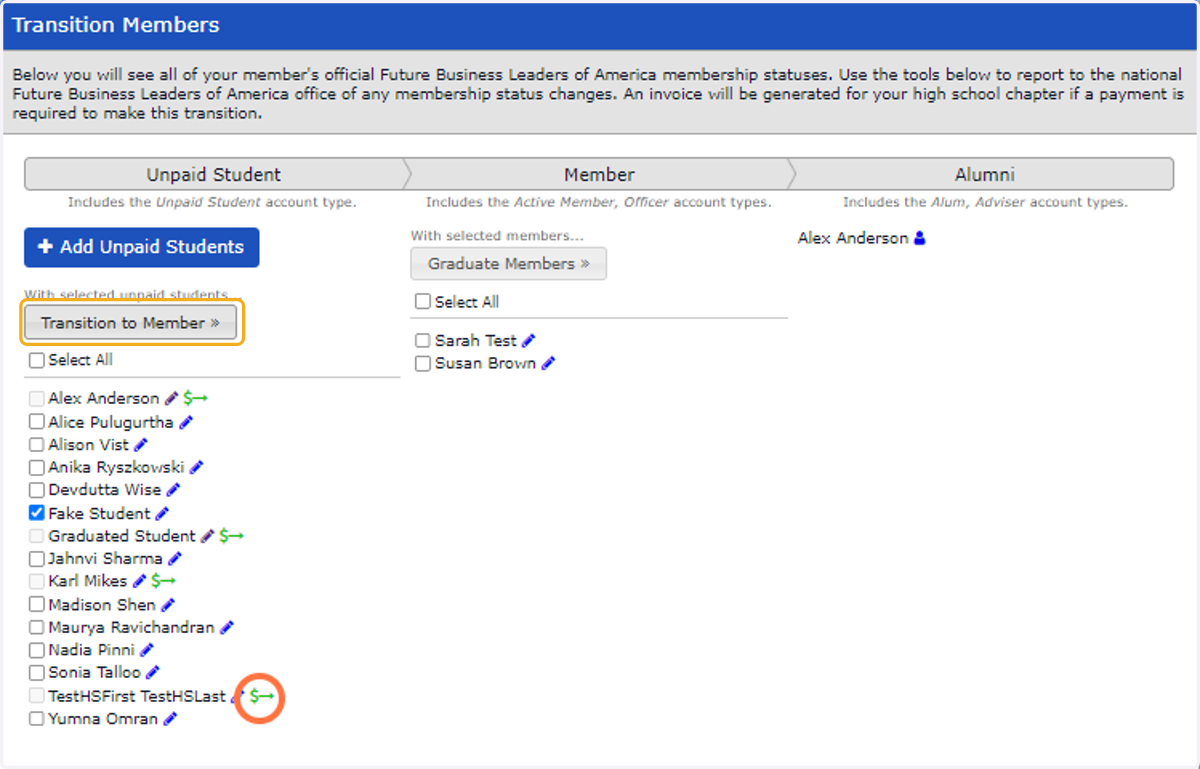
14. Select unpaid students you want on your invoice from unpaid student list and then click "Transition to Member" button. Anyone with a Green $ with an arrow is already on an unpaid invoice.
Transitioning Members = creating an invoice/quote
15. Choose quote or invoice.
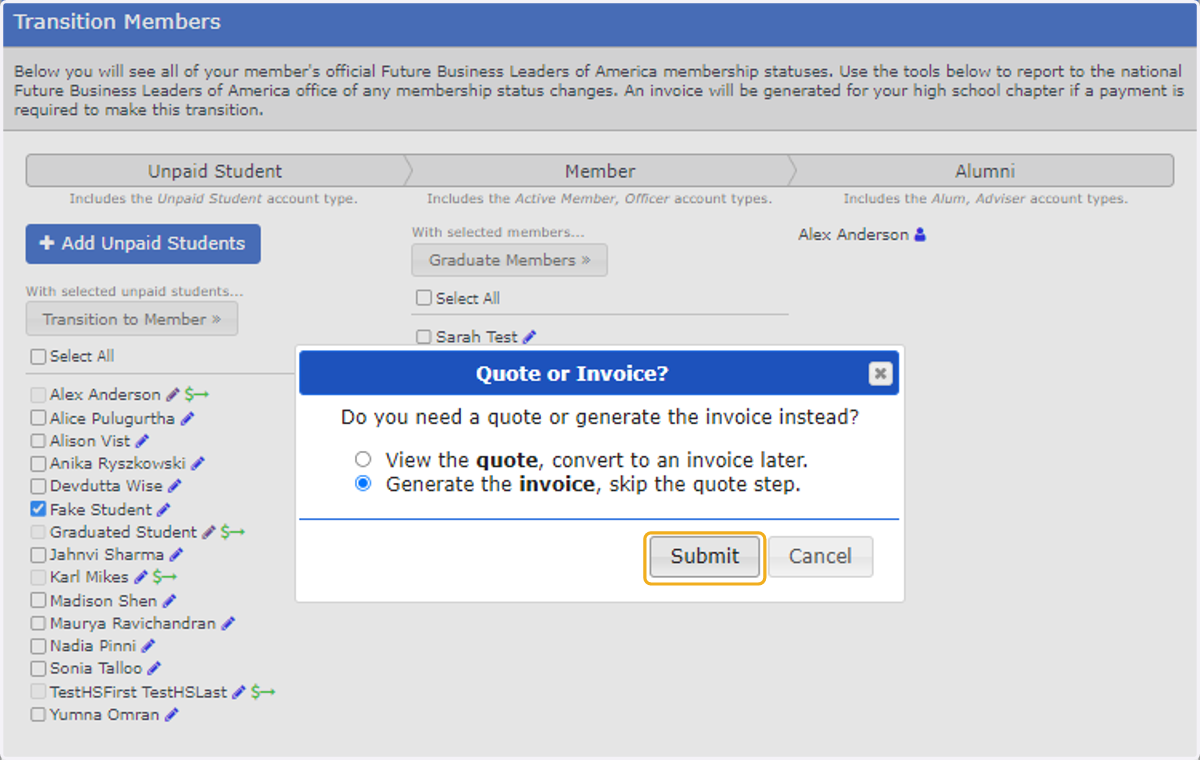
16. Click on Quote for Purchase Orders or go straight to Invoice.