How to Pause/ Unpause
leadsystem
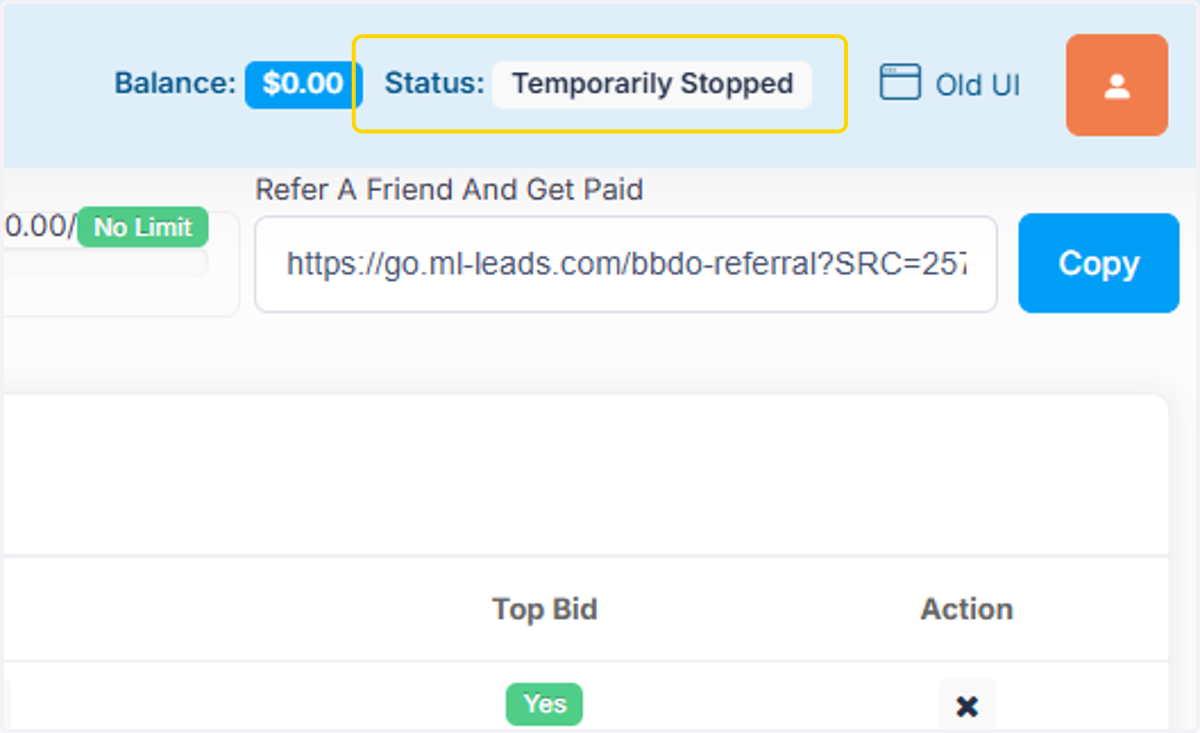
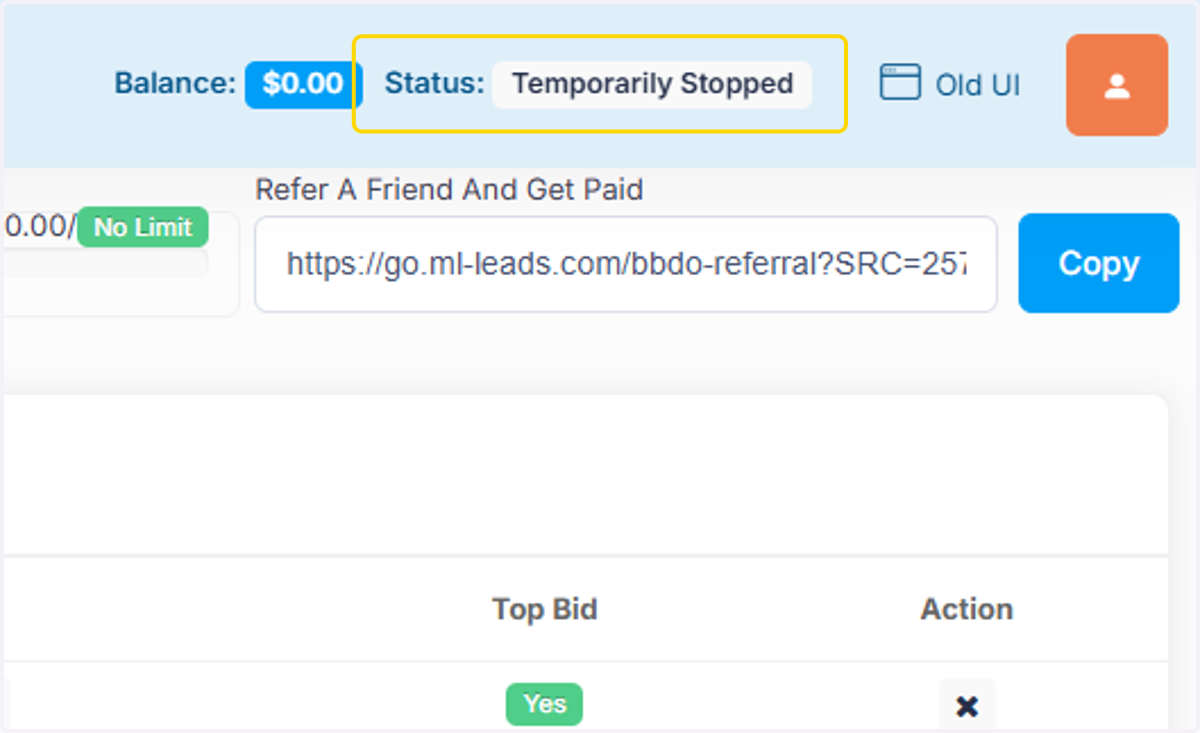
1. Click on Status: Temporarily Stopped
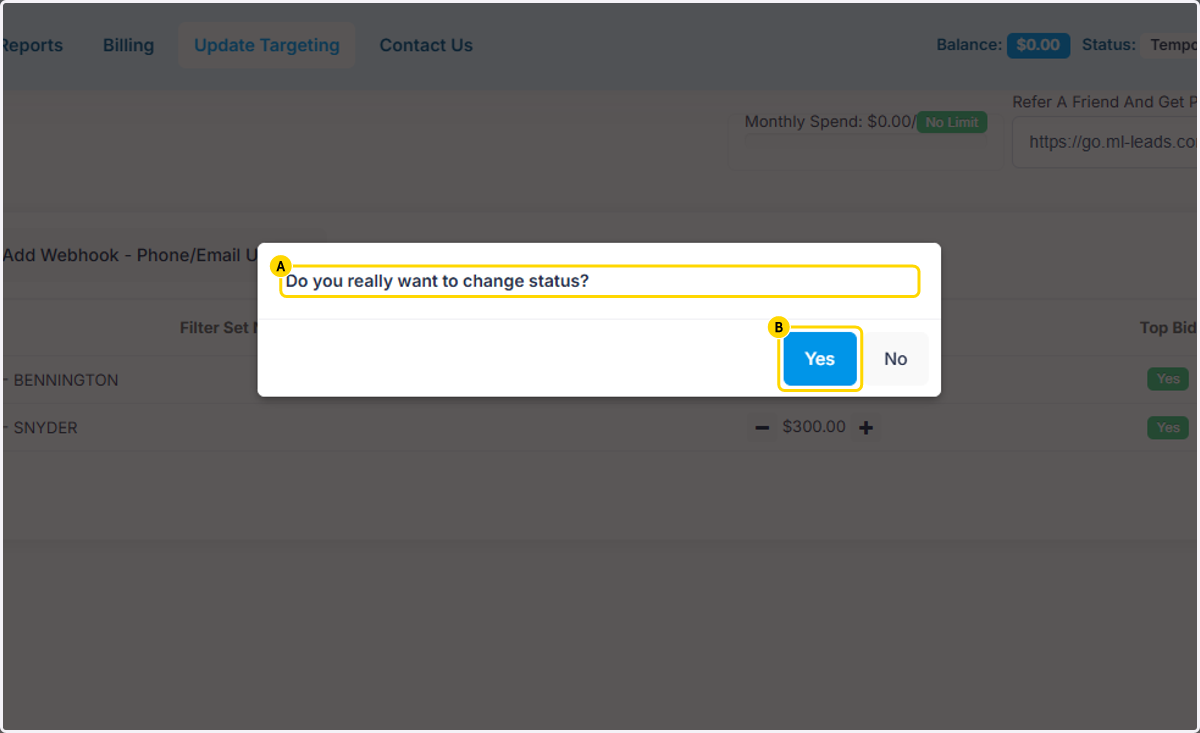
2. A. Click on Do you really want to change status?
2. B. Click on Yes
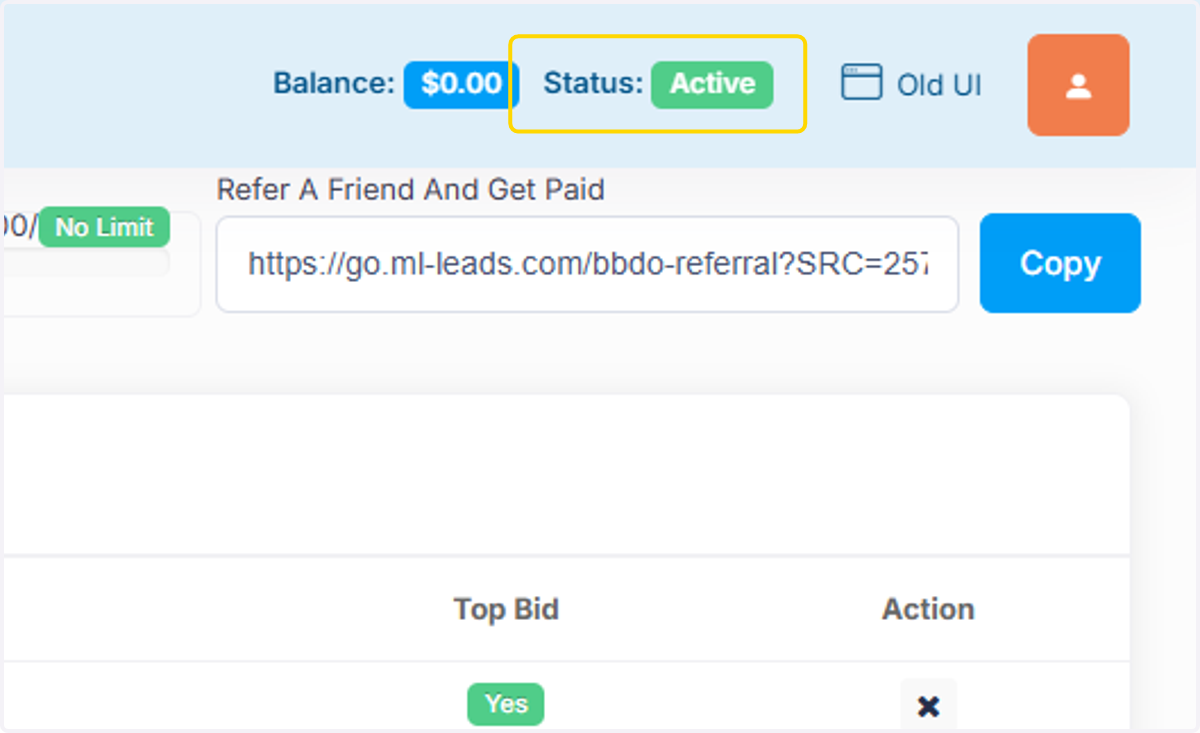
***This unpauses the account. You will see the status change to Green Active. Green Active means you are receiving leads and being charged.
3. You are unpaused when you see the green Active. To Pause, click status again.
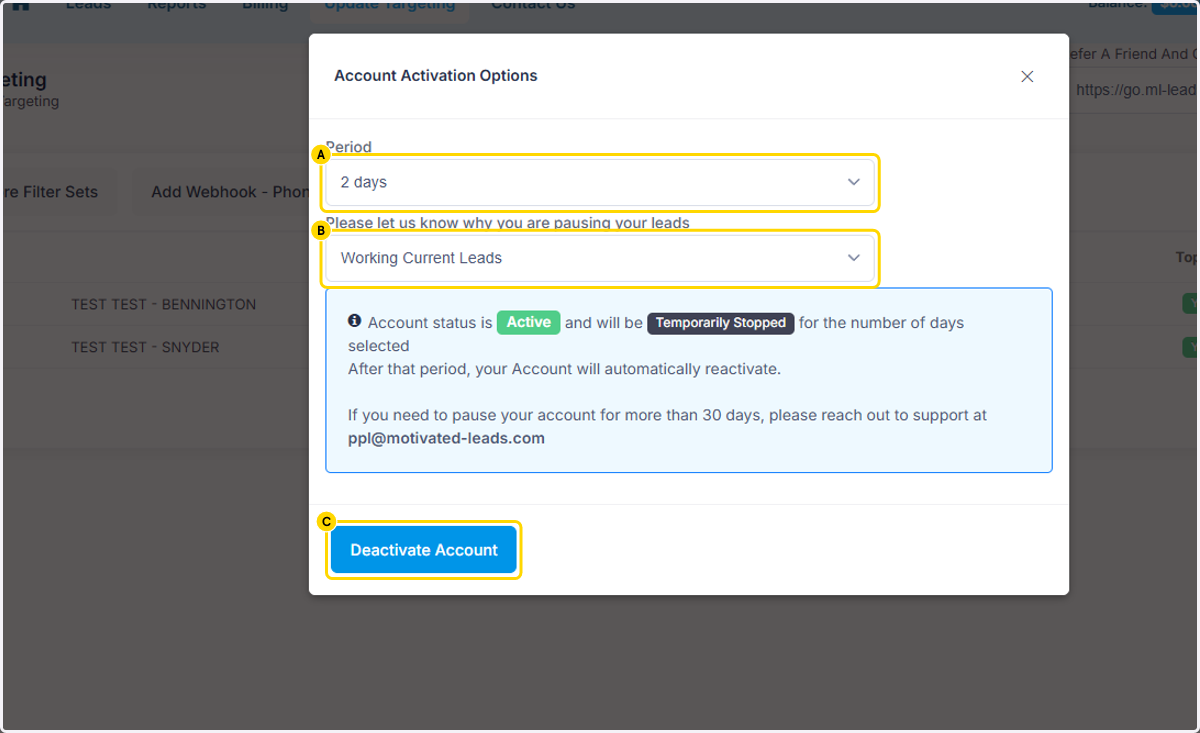
4. A. To continue pausing, Select a time period
4. B. Select a reason on why you are pausing or type a reason under Other.
4. C. Click on Deactivate Account- this applies the pause, not deactivate your account!
5. You will see this notification when you have successfully updated your status.
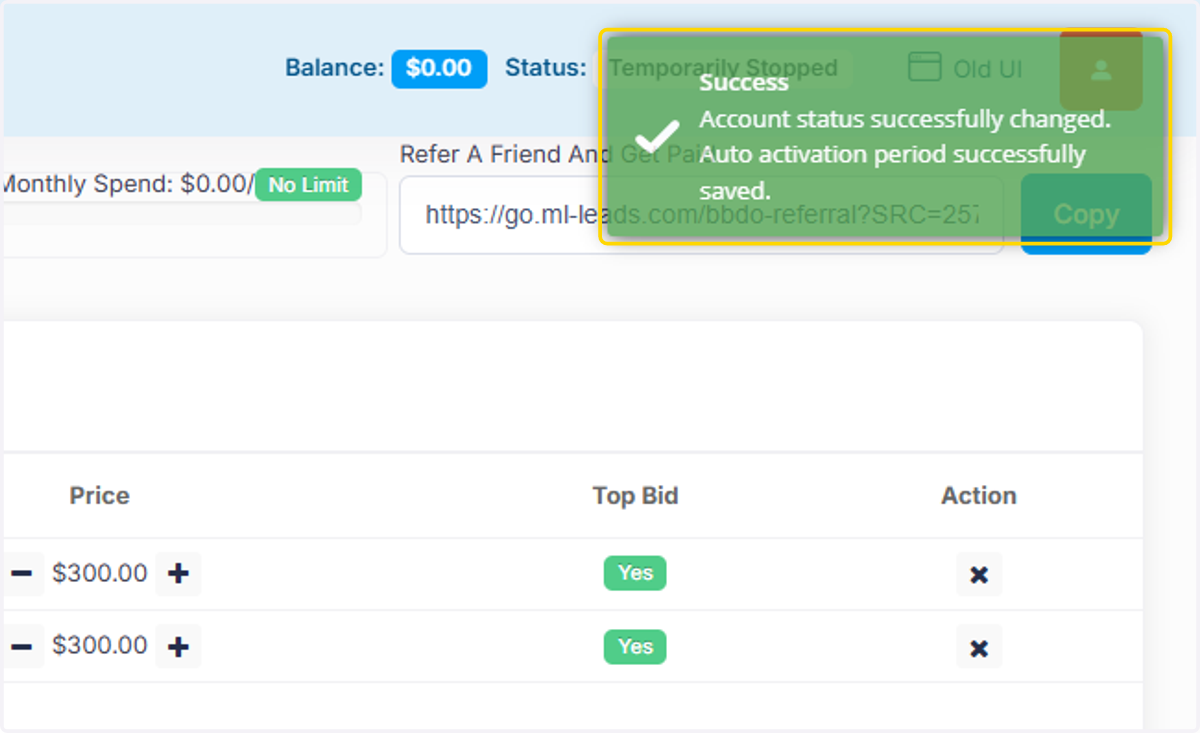
6. Now, you are paused. When you see the below status, you are NOT receiving leads or being charged.