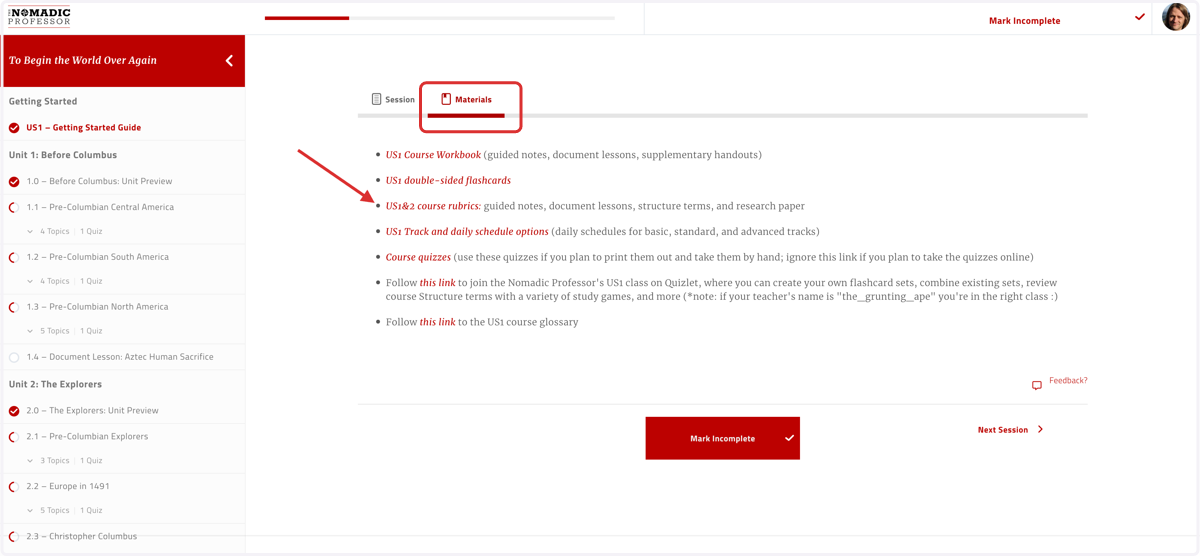
Accessing course RUBRICS and ANSWER KEYS
The Nomadic Professor
1. Login to an INSTRUCTOR account
Note that STUDENT accounts do not have access to course answer keys, only course rubrics
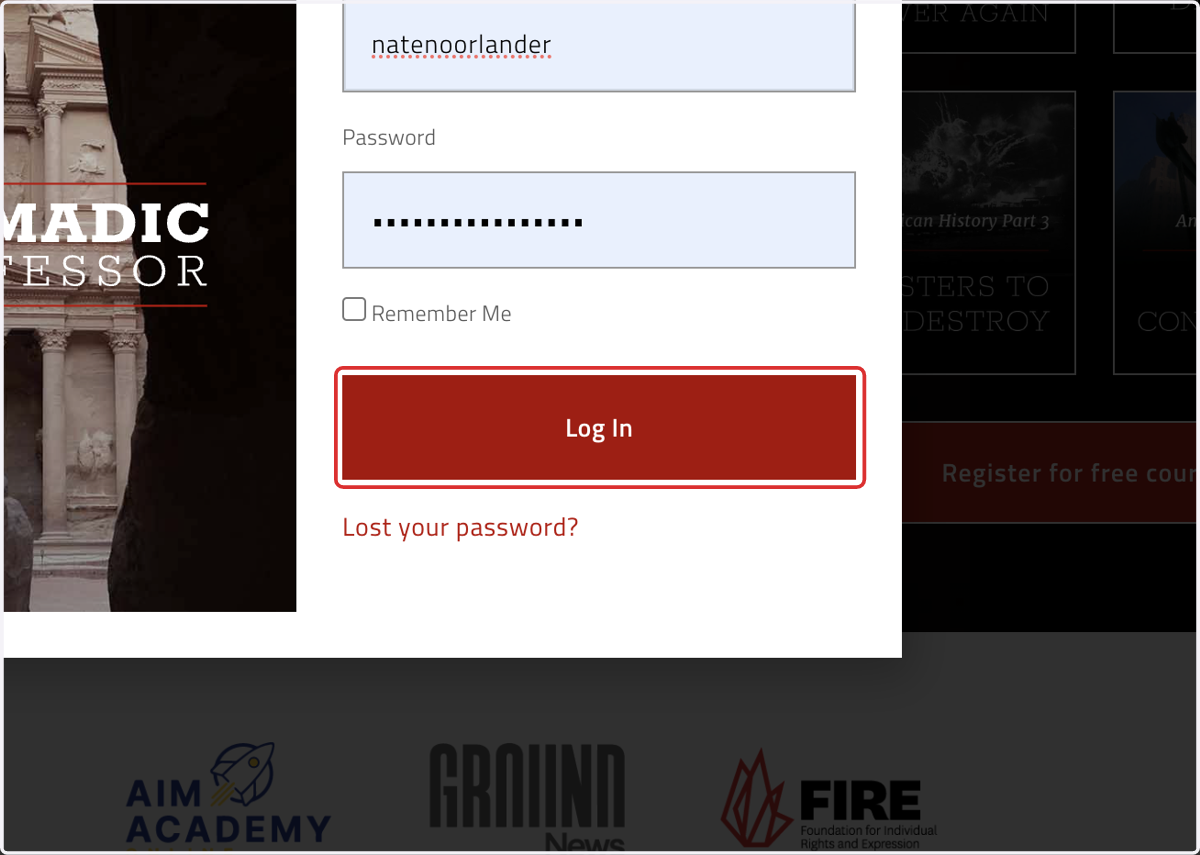
2. Click on "Go to course" for the course in question

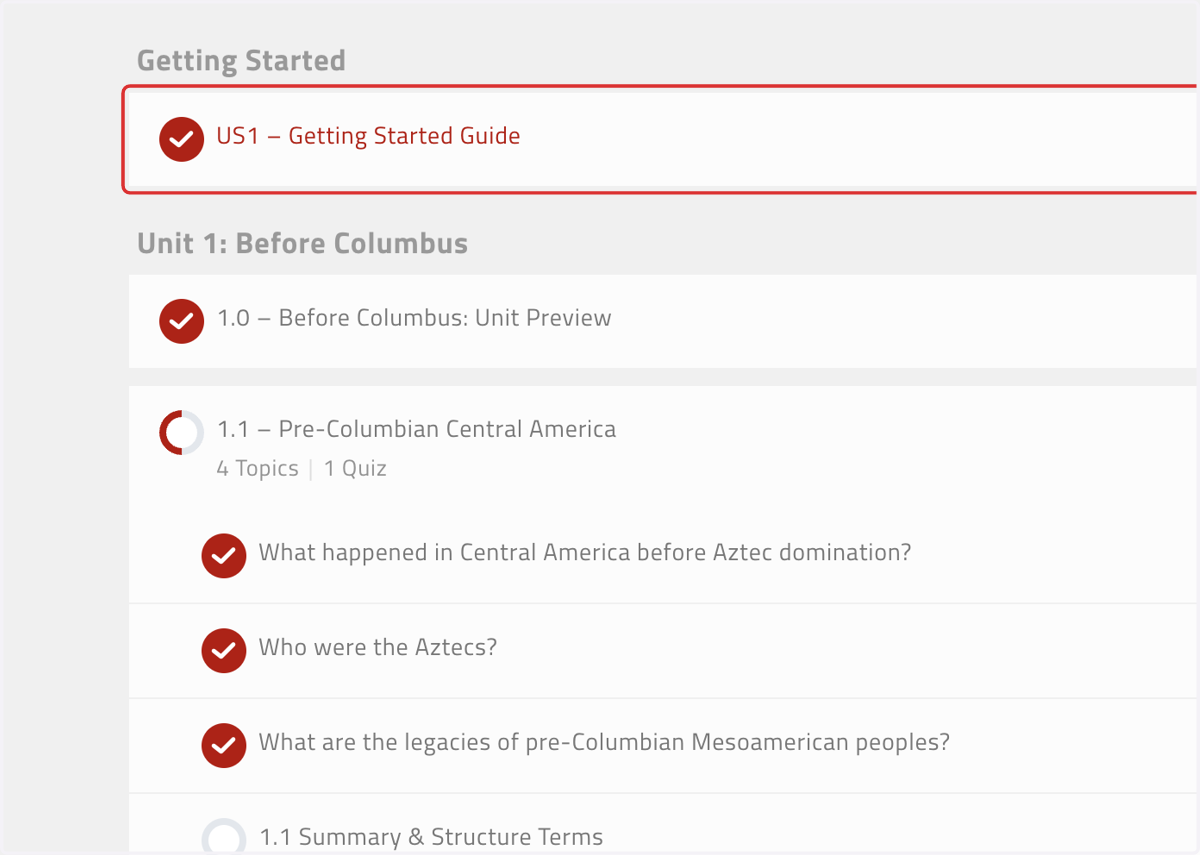
3. Open the Getting Started Guide for the course in question
4. Find the black "For Instructors" box
This box will only appear in instructor accounts
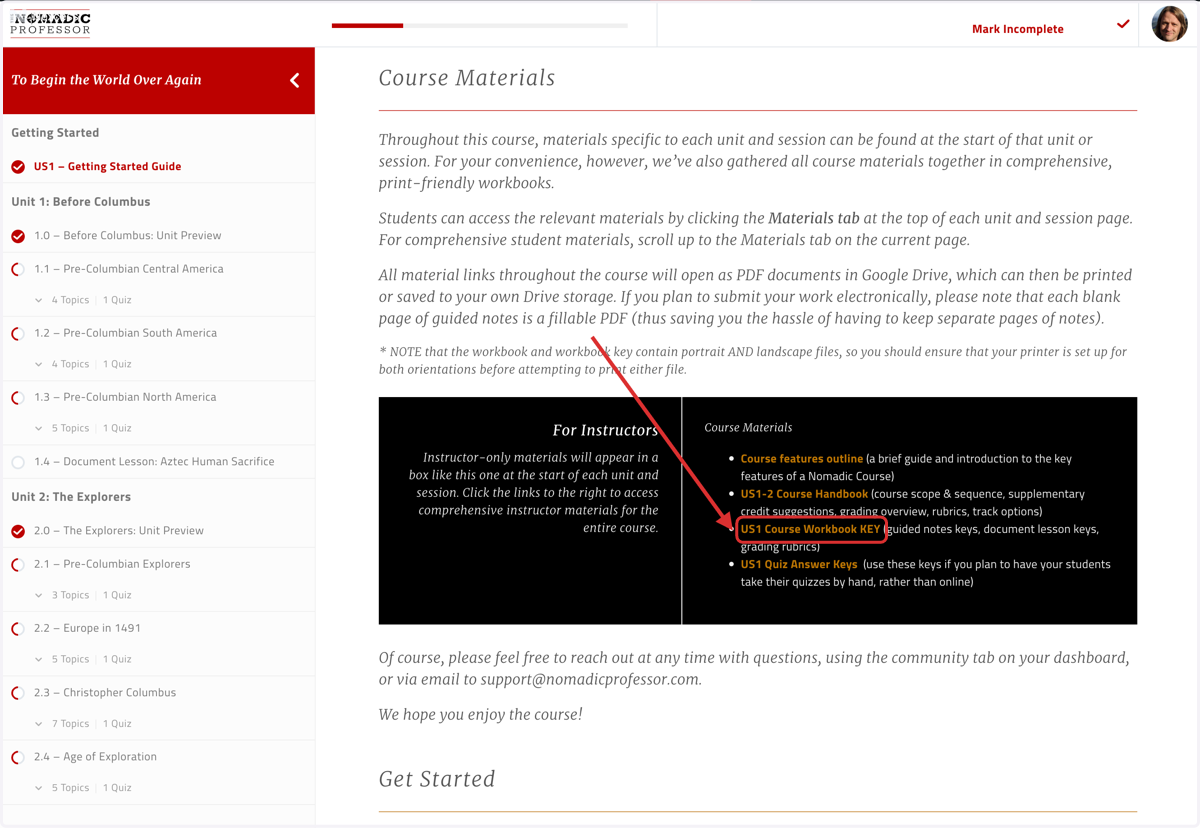
5. If your course has Session preview pages, the "For Instructors" boxes will also appear there, with answer keys for individual Sessions
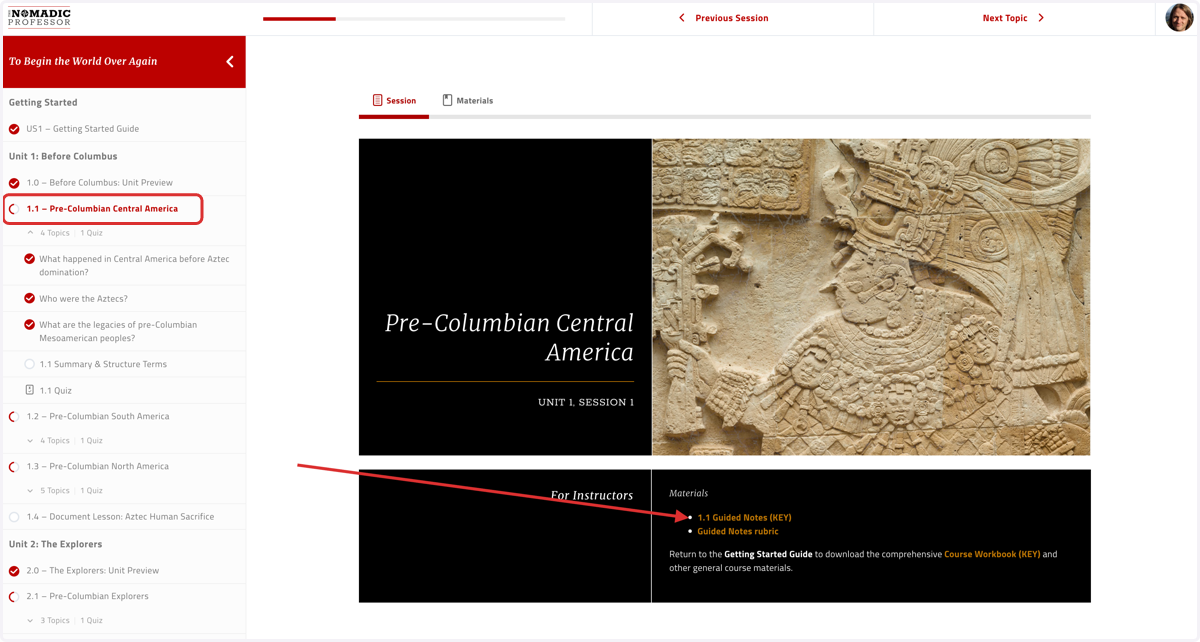
6. Find the "Materials" tab in the Getting Started Guide, or any individual session
In the Getting Started Guide you'll find all rubrics for the course; in each individual session you'll find the rubrics relevant for that session's assignment(s)