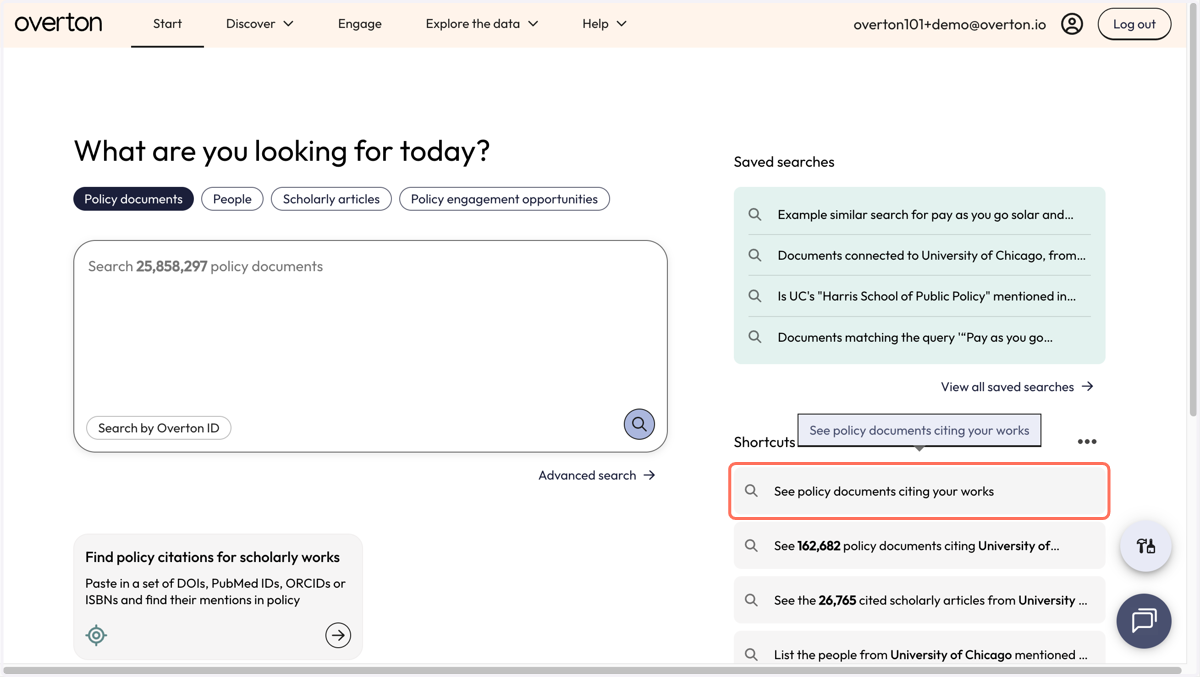
Search for citations using your Overton Profile
1. Click on "See policy documents citing your works."
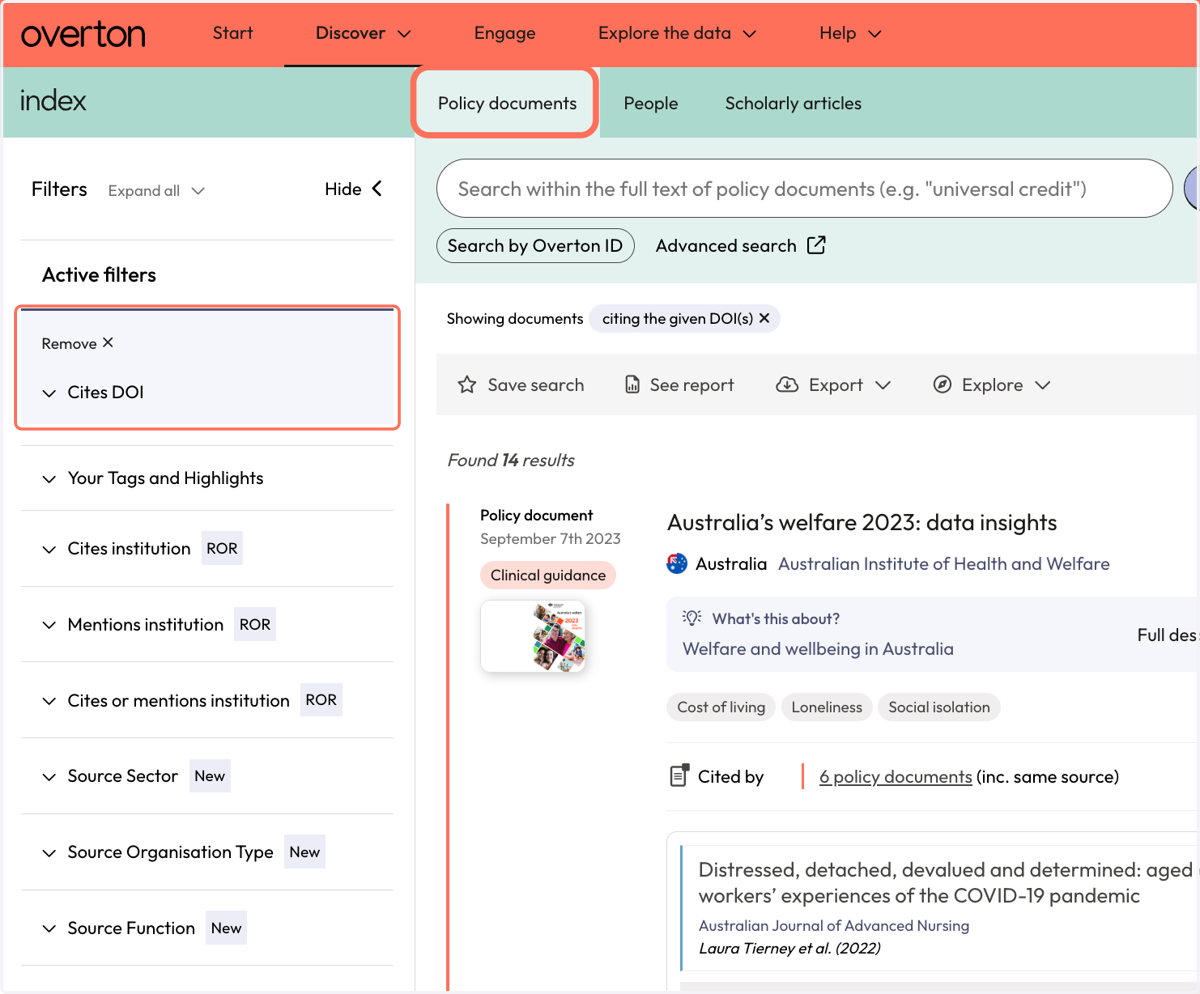
2. This takes you to the Policy documents search and finds all of the policy documents that cite your DOIs (that you've added to My Works).
3. Each policy document includes a snippet that shows which of your articles it cites and where it is cited within the policy document.
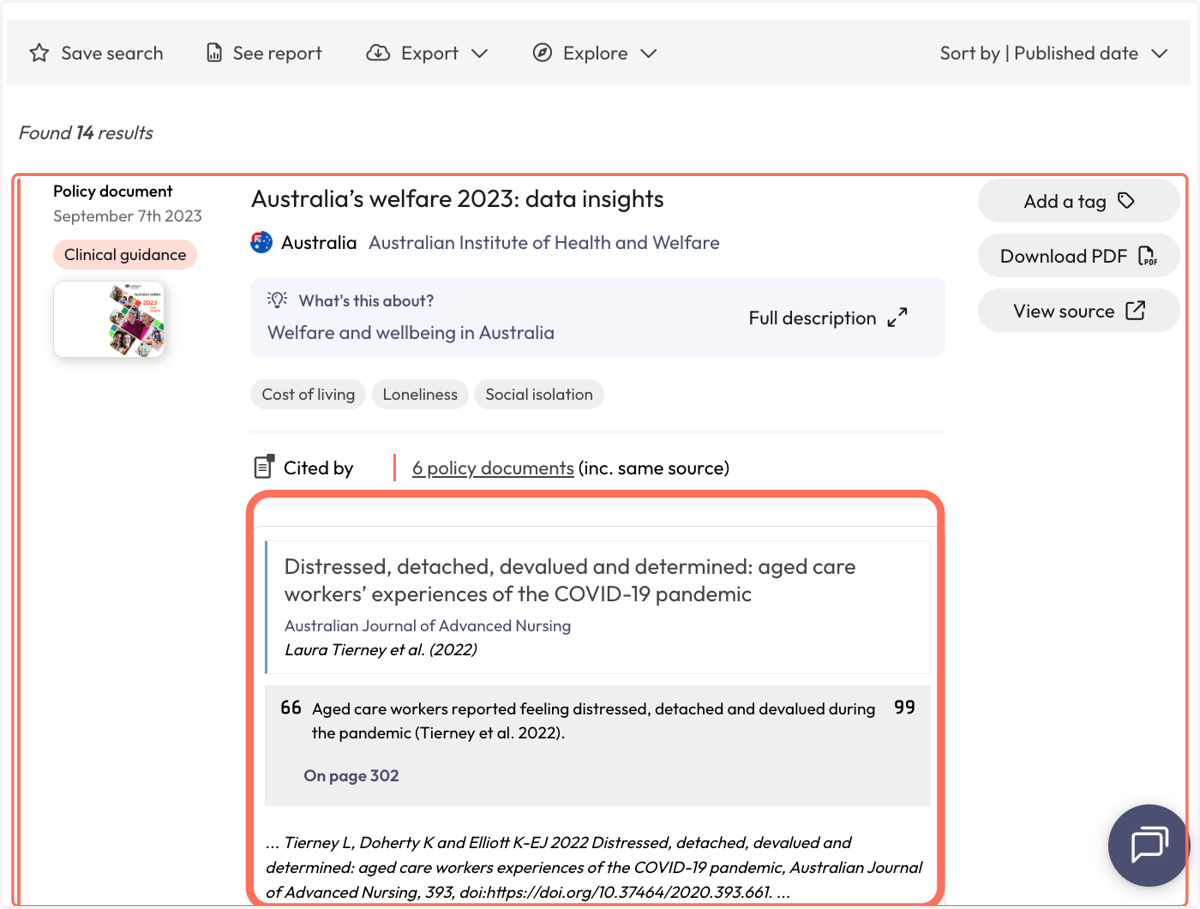
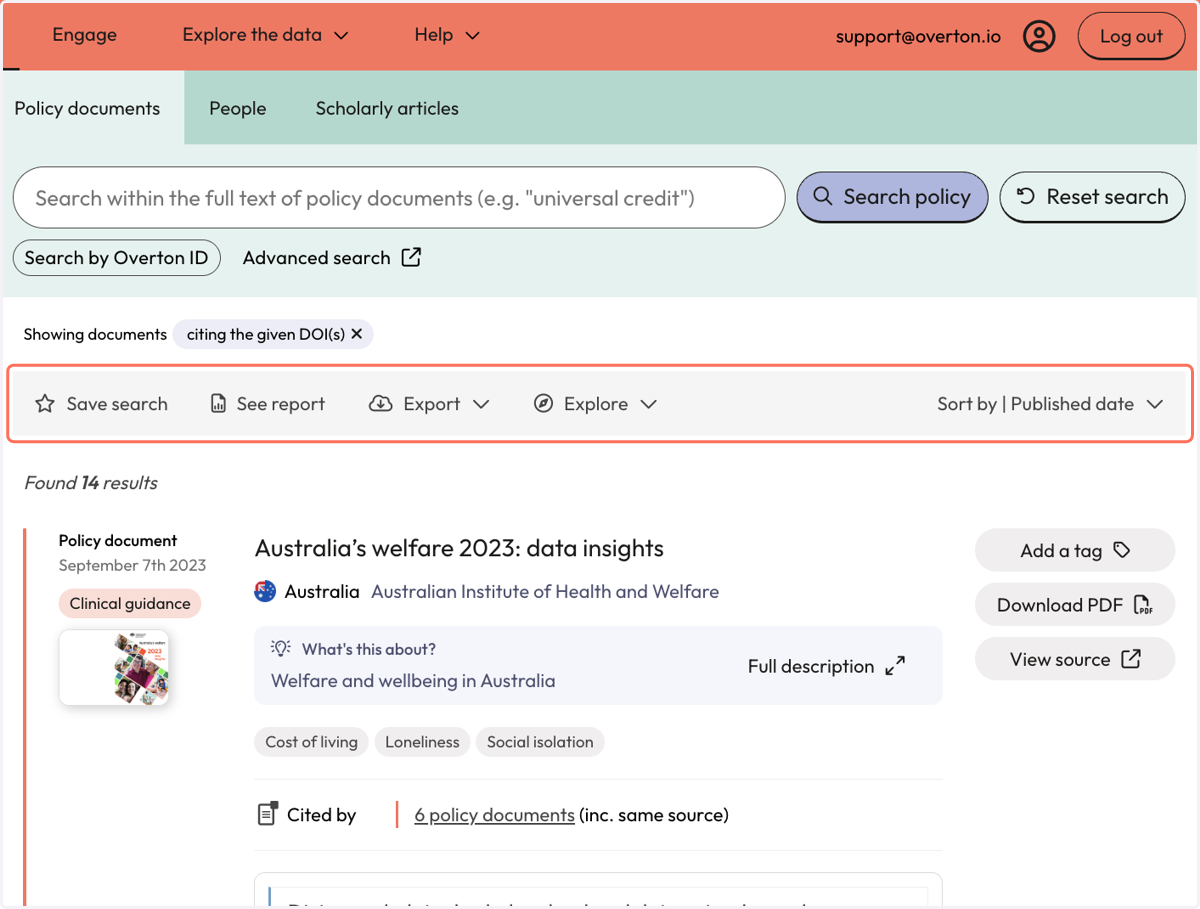
4. You can save your search (to set up email alerts), see a report, export these results, or explore further.
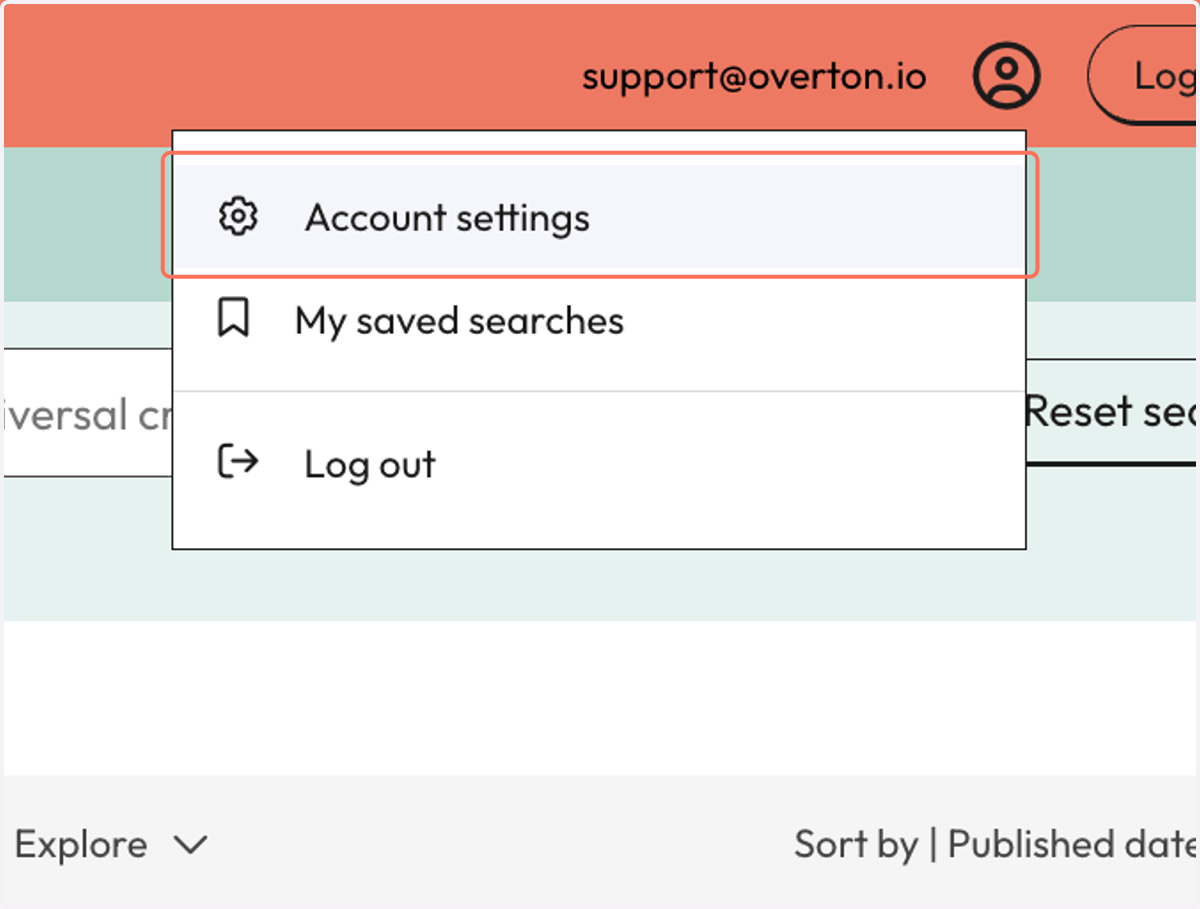
5. To view or edit your list of DOIs, click the person icon at the top right of the screen and then select "Account settings."
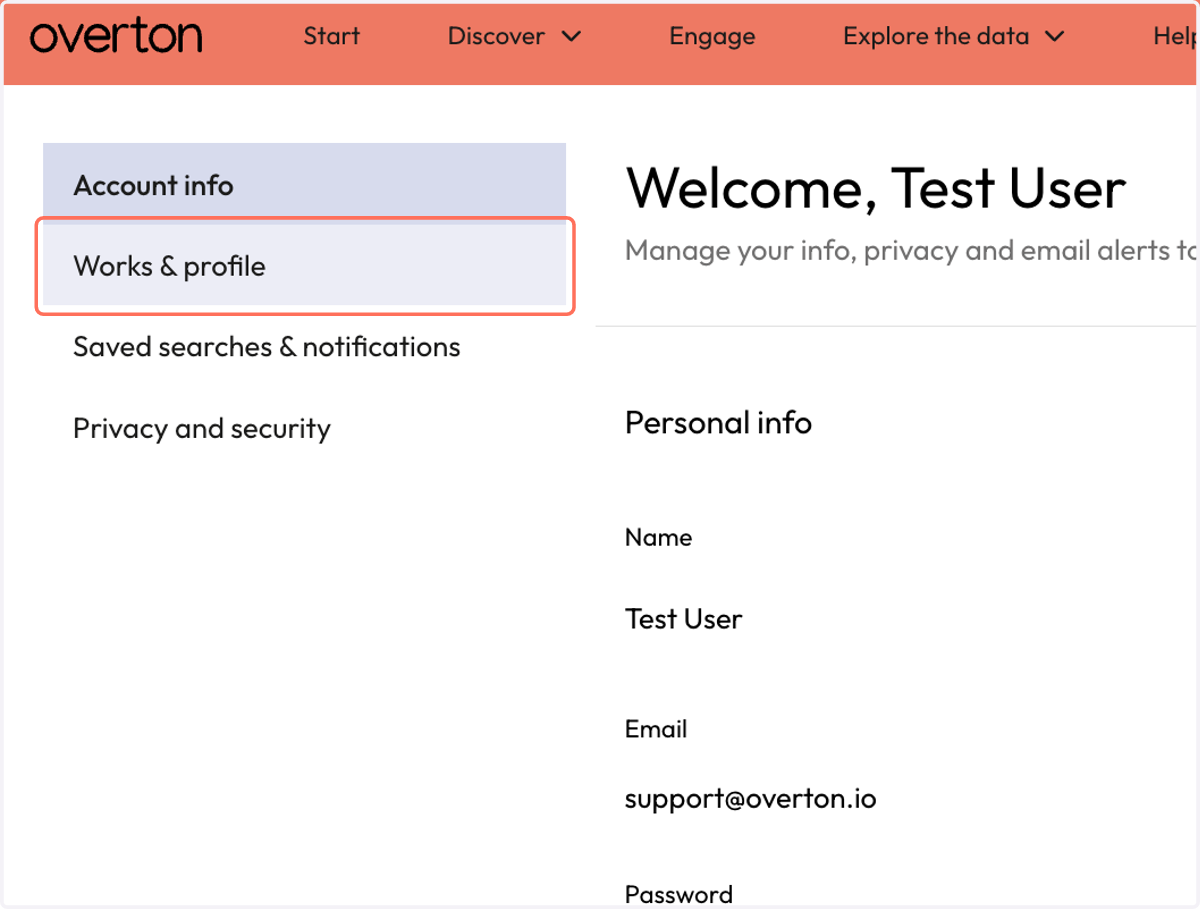
6. Select "Works & profile."
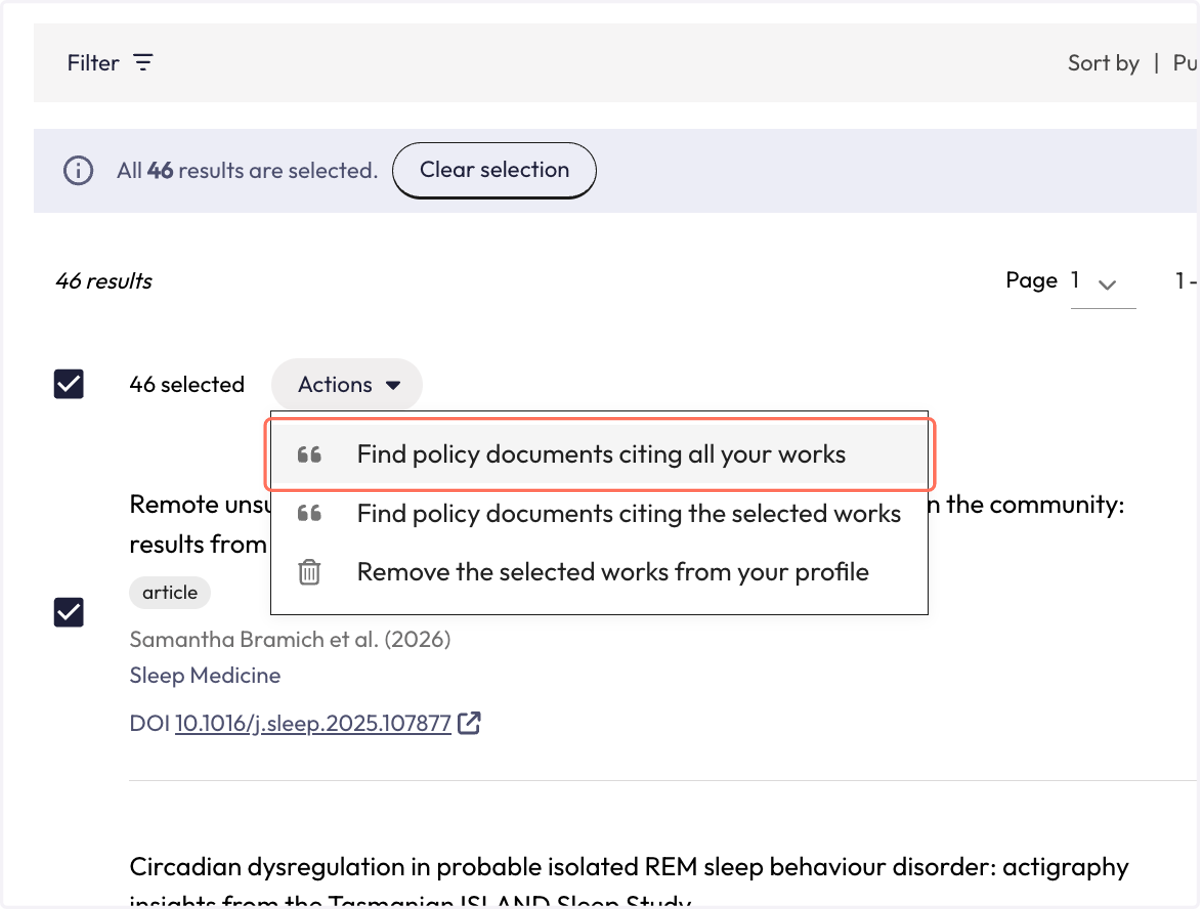
7. Select all of your articles or a selected few that you want to work with.
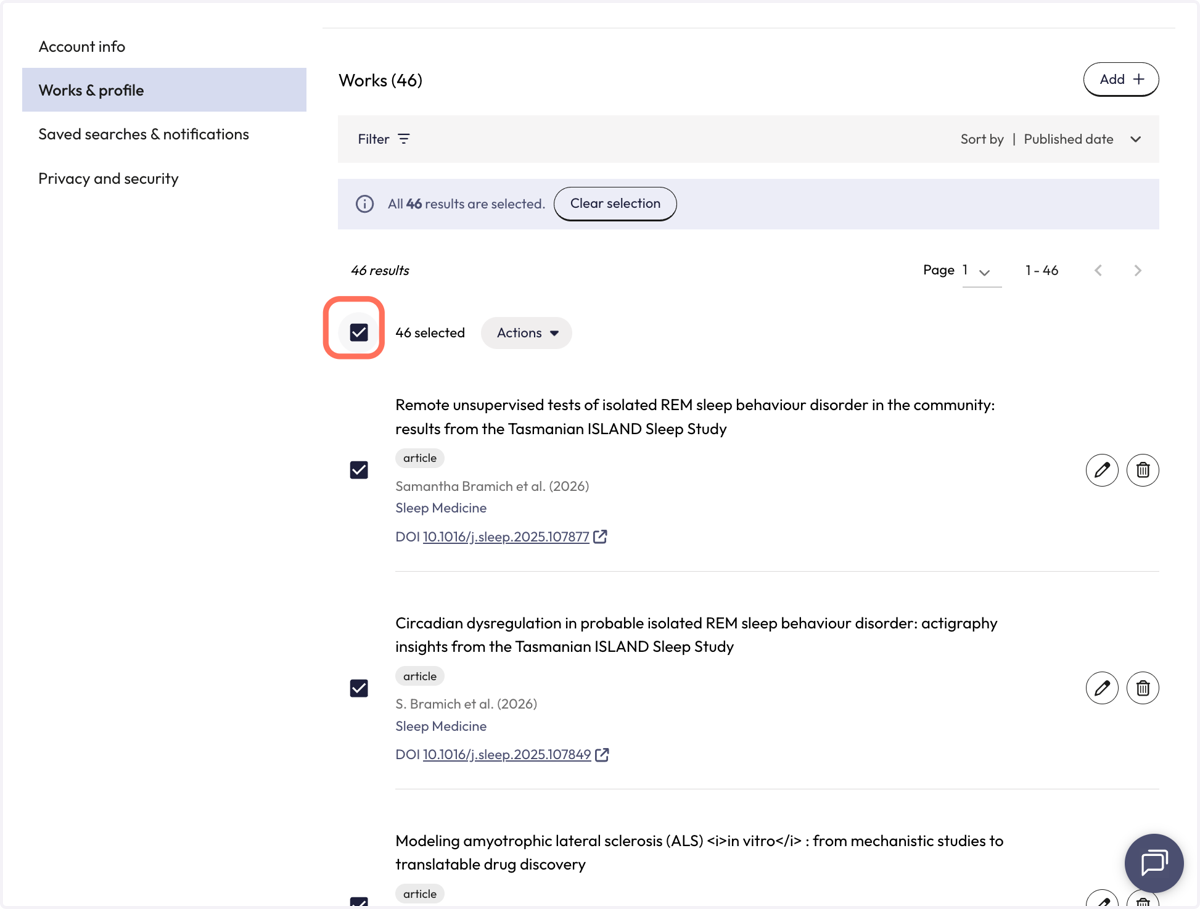
8. Once your articles are selected, use the "Actions" menu to see policy documents that cite all or some of your selected works or to delete the articles from your profile.
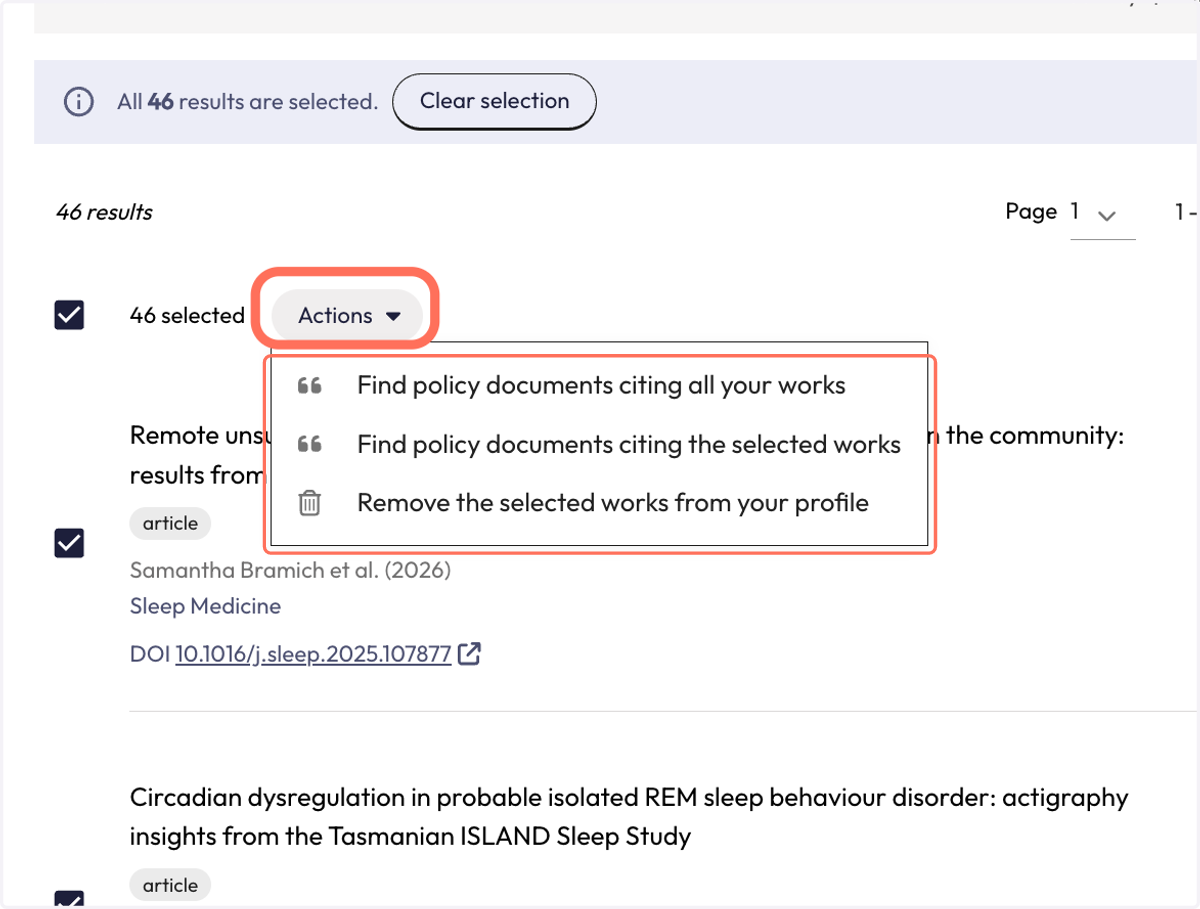
9. Selecting "Find policy documents citing all your works" will take you back to the policy document results from before.