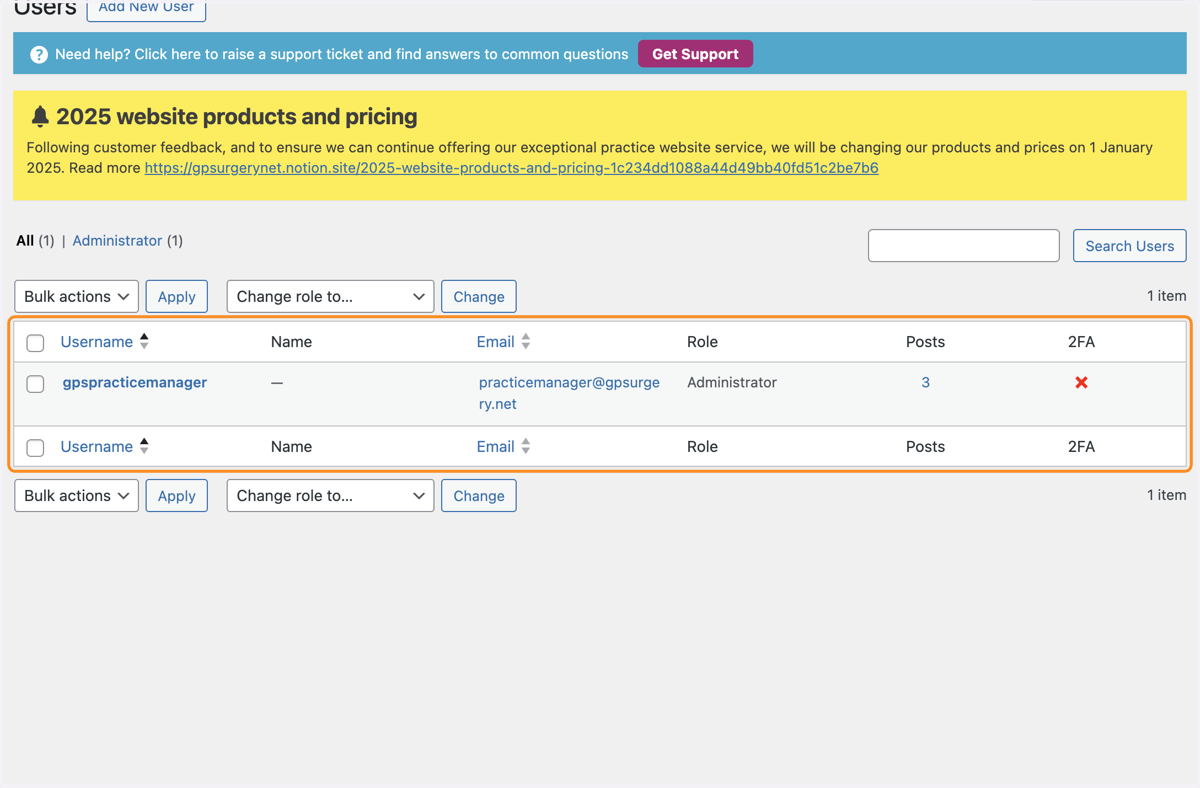
Check who has administrator access to your Flexi website
This tutorial explains how to check who has a login to edit your GPsurgery.net Flexi (previously Classic) website. You can move through the tutorial at your own pace using the NEXT button.
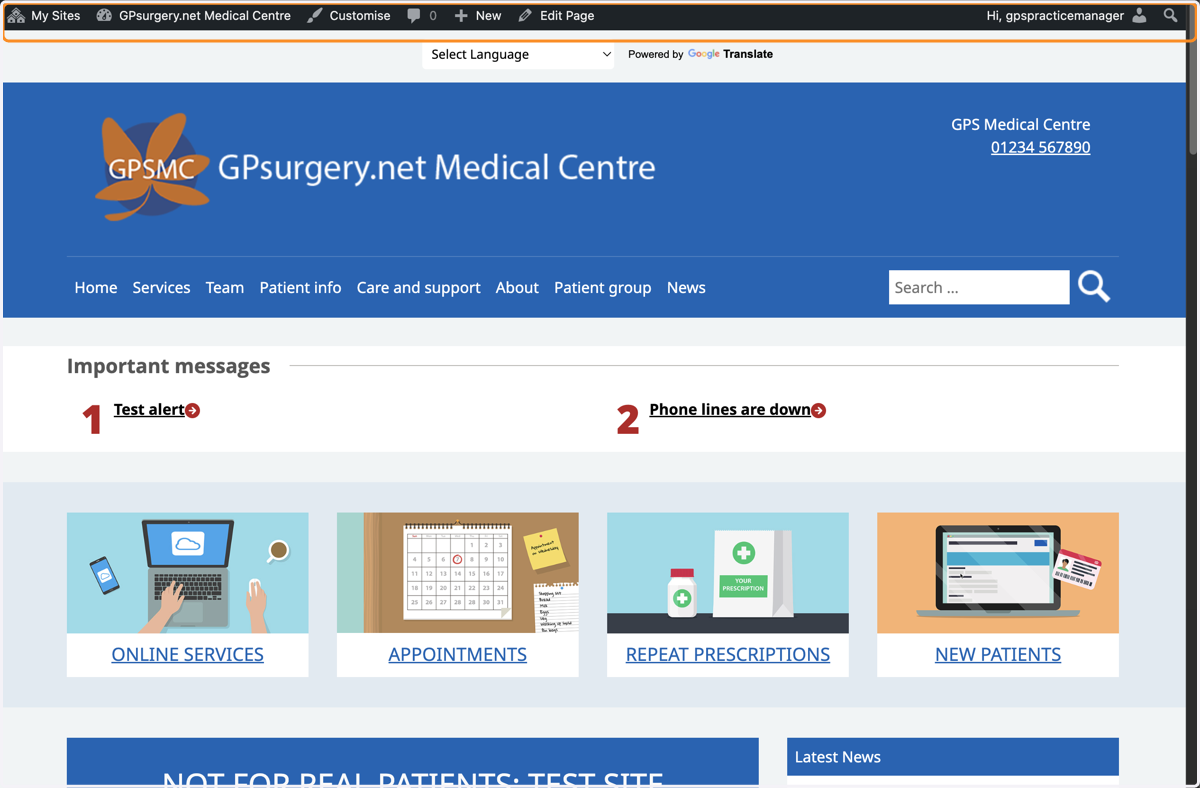
1. Ensure you are logged into your website. The black admin toolbar should be visible at the top of the screen.
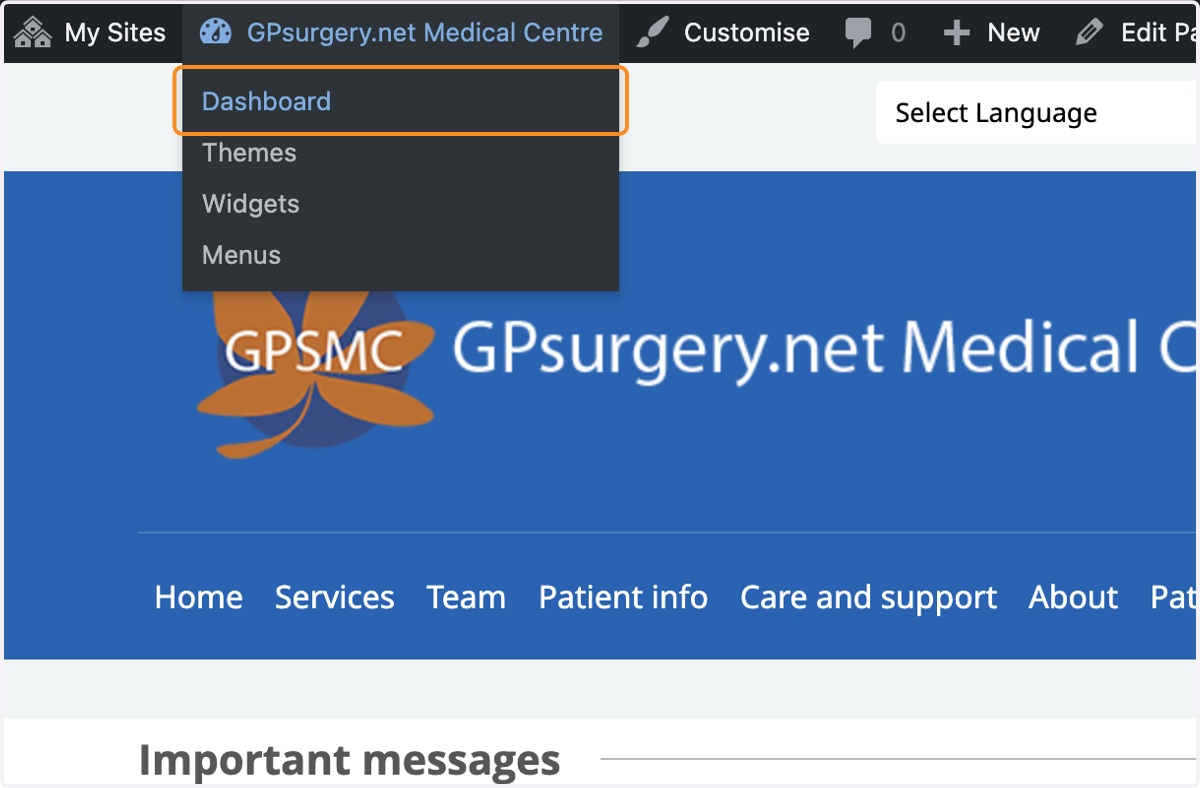
2. Hover your mouse over the name of your website in the admin toolbar. Select Dashboard from the drop-down that appears.
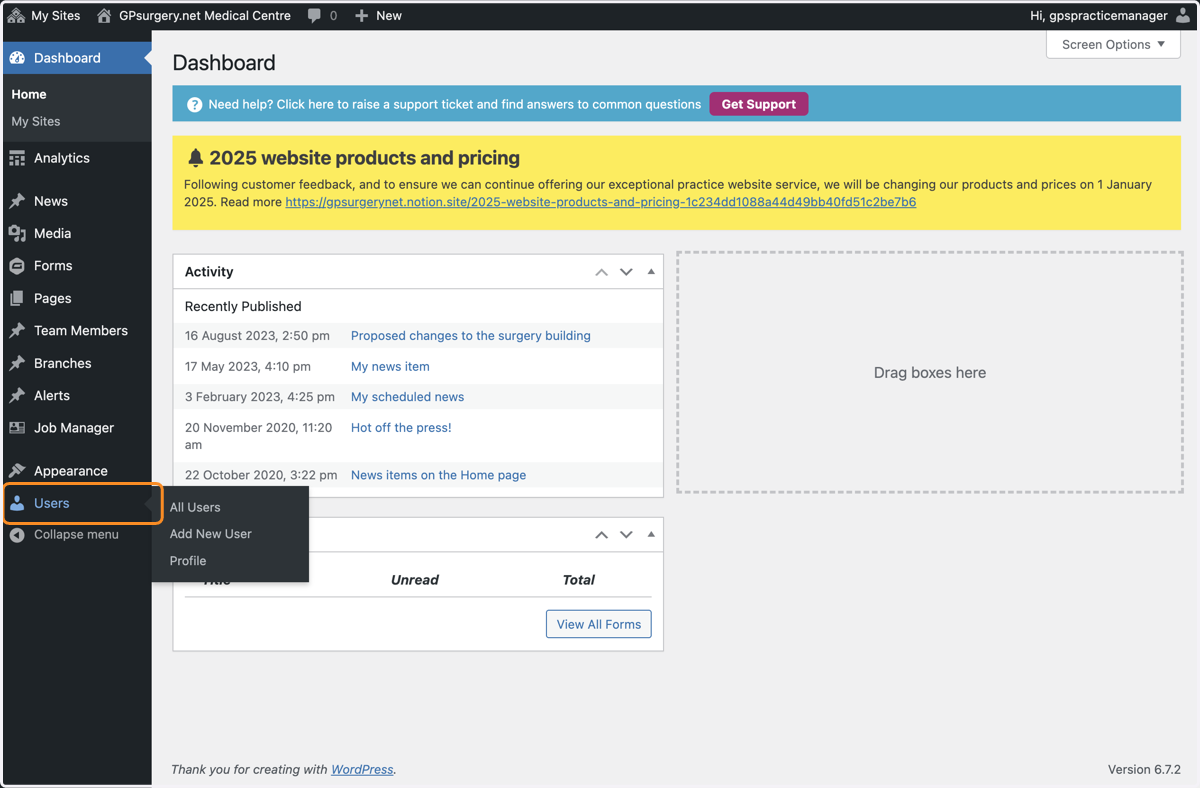
3. You are now in your website Dashboard. Select Users from the left-hand toolbar.
4. You should now be able see who is able to edit your website.