Manage and Invite Teachers in Banqer High

Banqer High

  1. 1. Click on My Click on your icon in the top right corner, then click on My School.
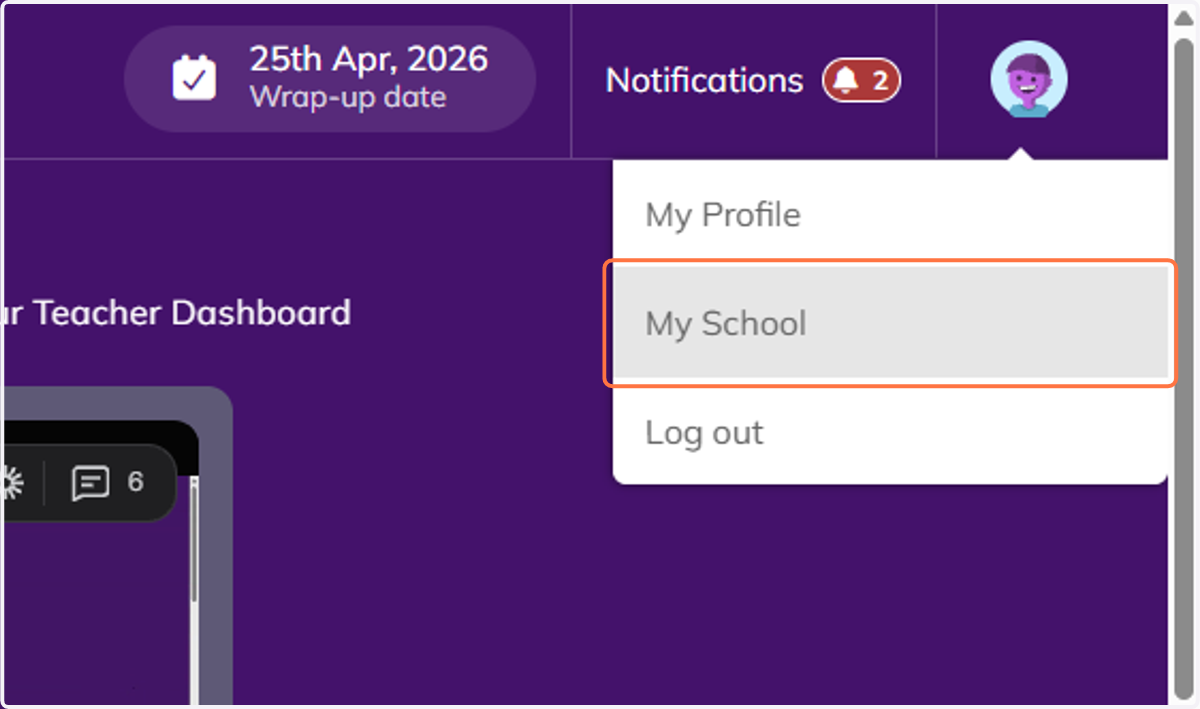
    Click on My Click on your icon in the top right corner, then click on My School.
  2. 2. You'll be taken into your School Management area.
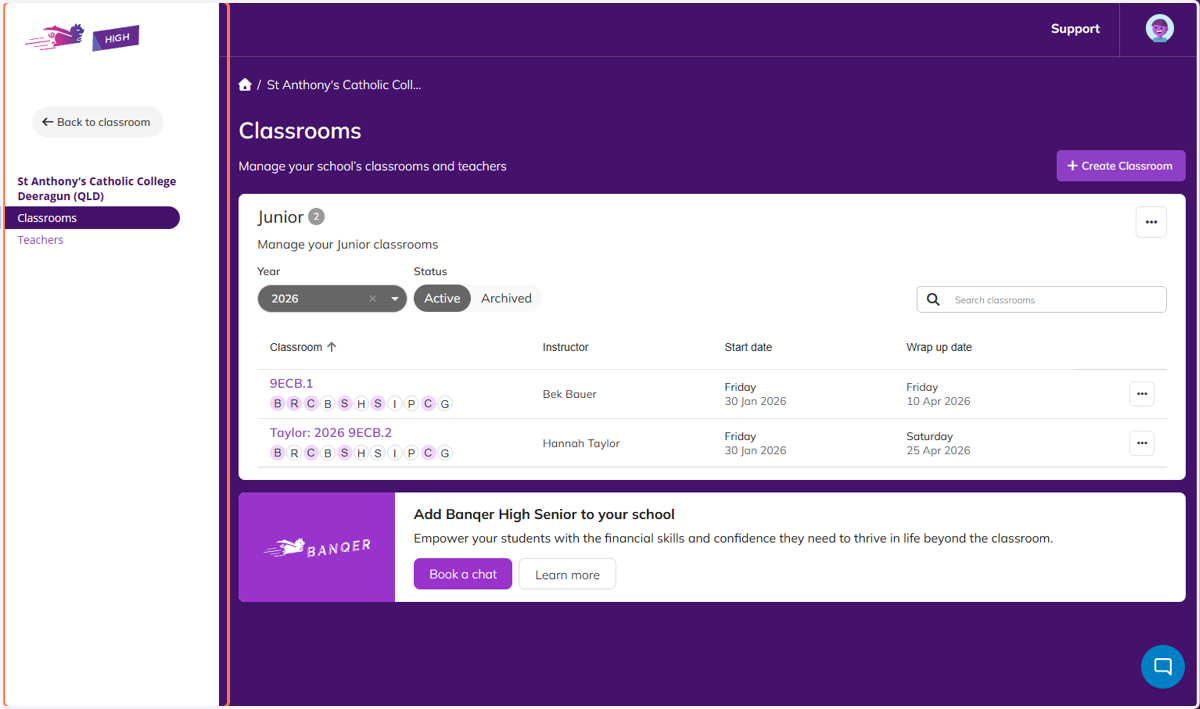
    You'll be taken into your School Management area.
  3. 3. Select the three dots on the class you want to manage, then click Manage Teachers.
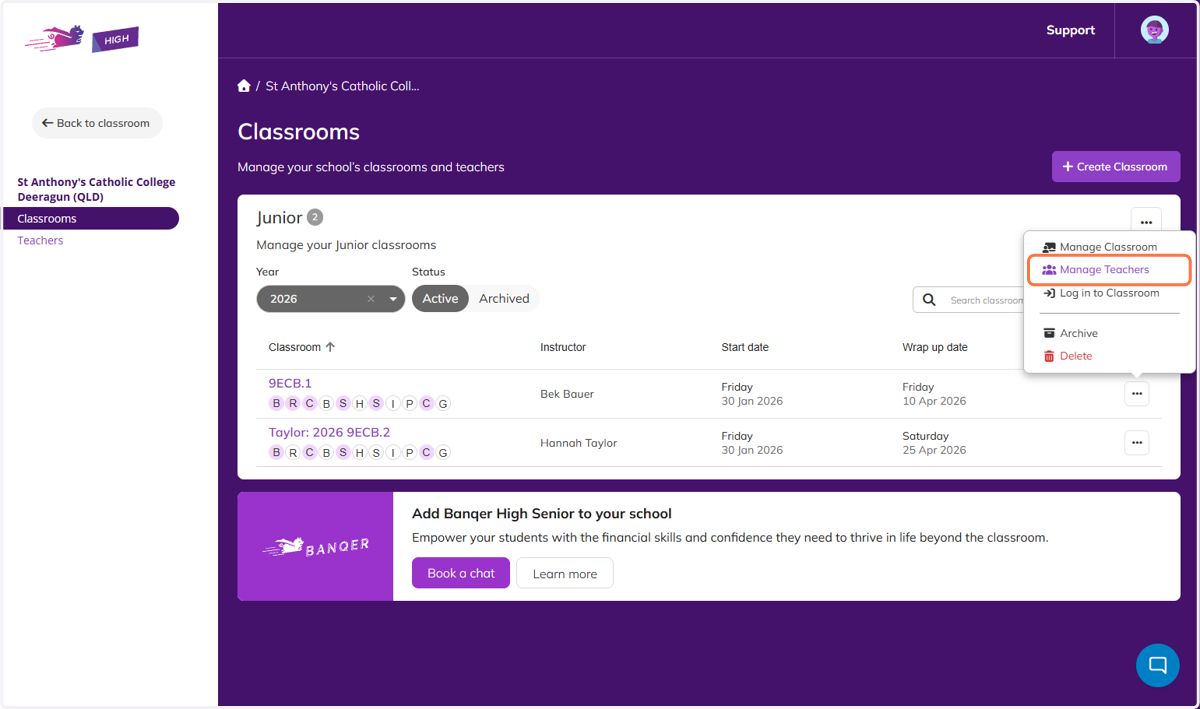
    Select the three dots on the class you want to manage, then click Manage Teachers.
  4. 4. You can change the Lead teacher and add additional teachers to the class.
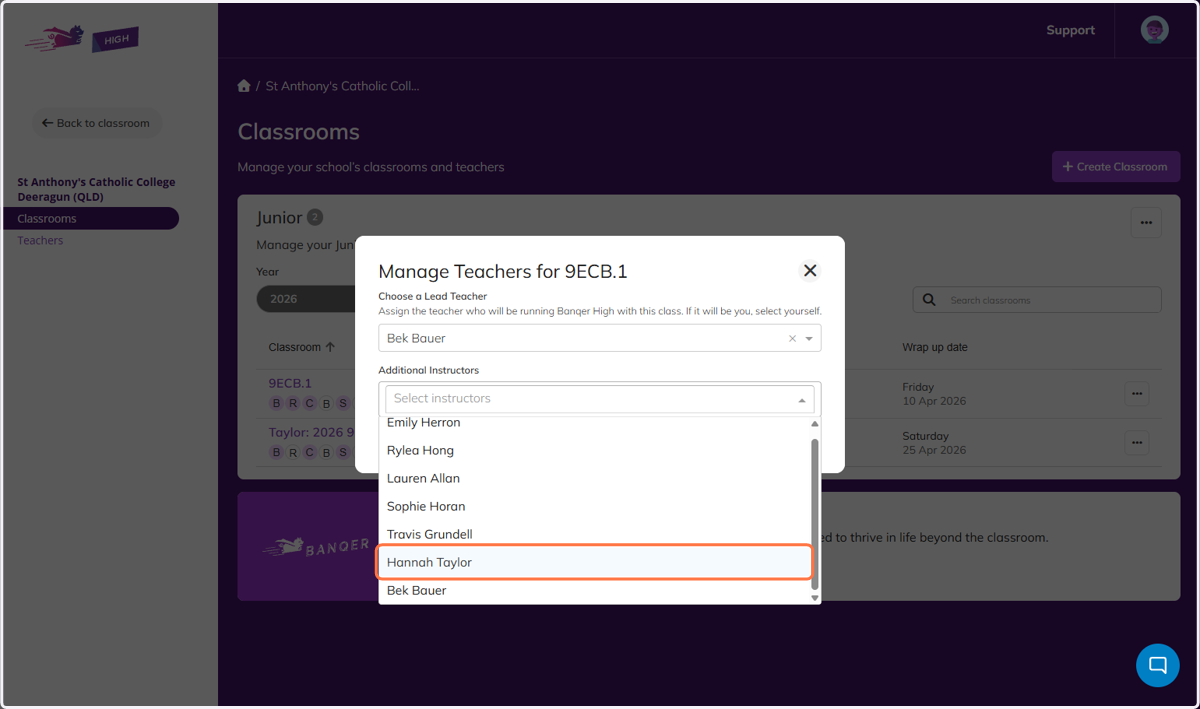
    You can change the Lead teacher and add additional teachers to the class.
  5. 5. If you need to add new teachers, like relief teachers, you can go to the Teachers Tab.
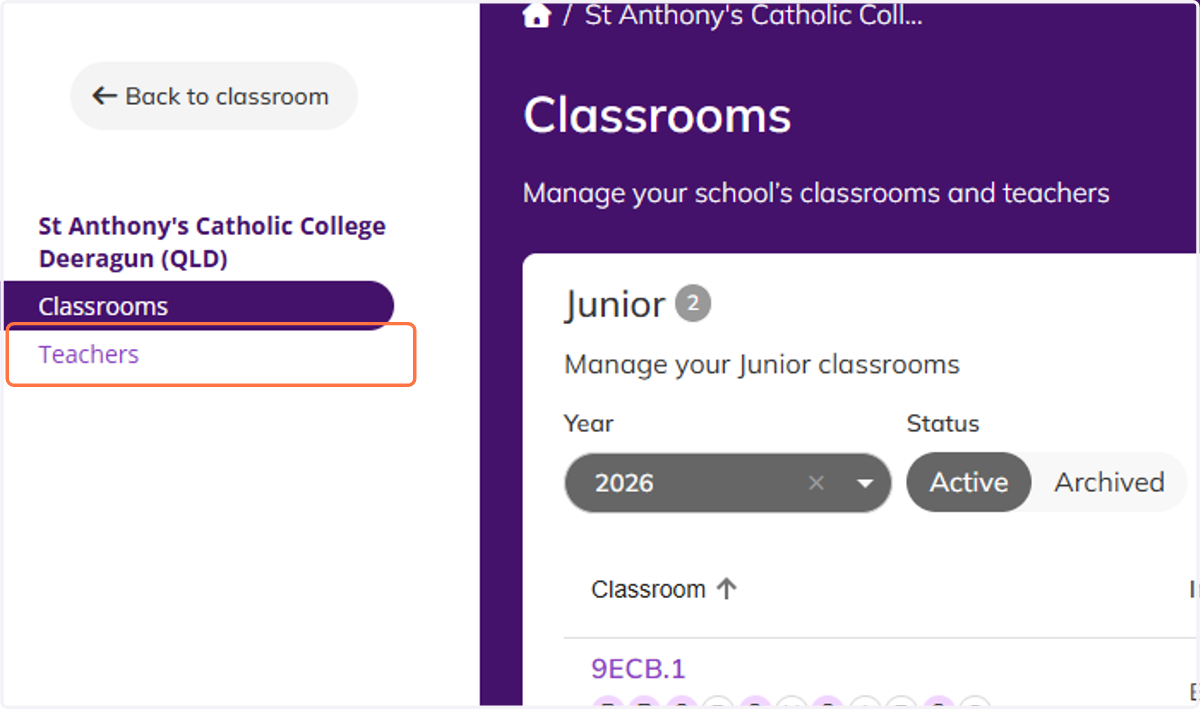
    If you need to add new teachers, like relief teachers, you can go to the Teachers Tab.
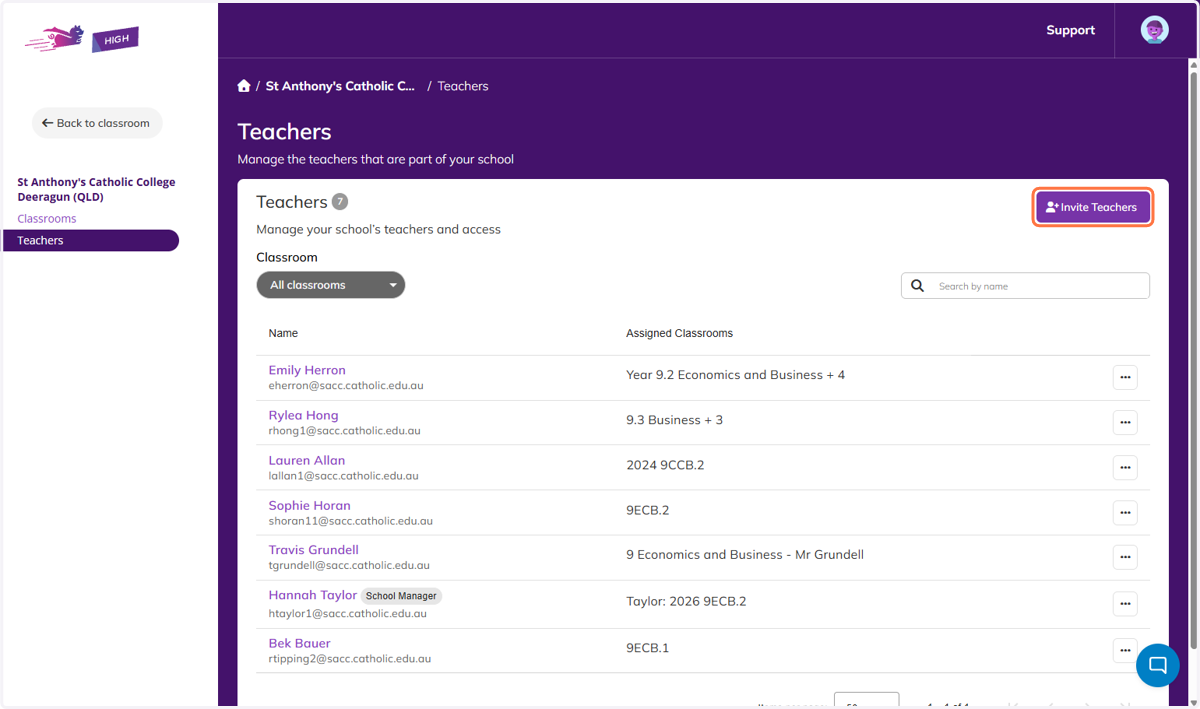
  6. 6. Click on Invite Teachers

    Click on Invite Teachers
  7. 7. Complete the information the teachers you want to invite.
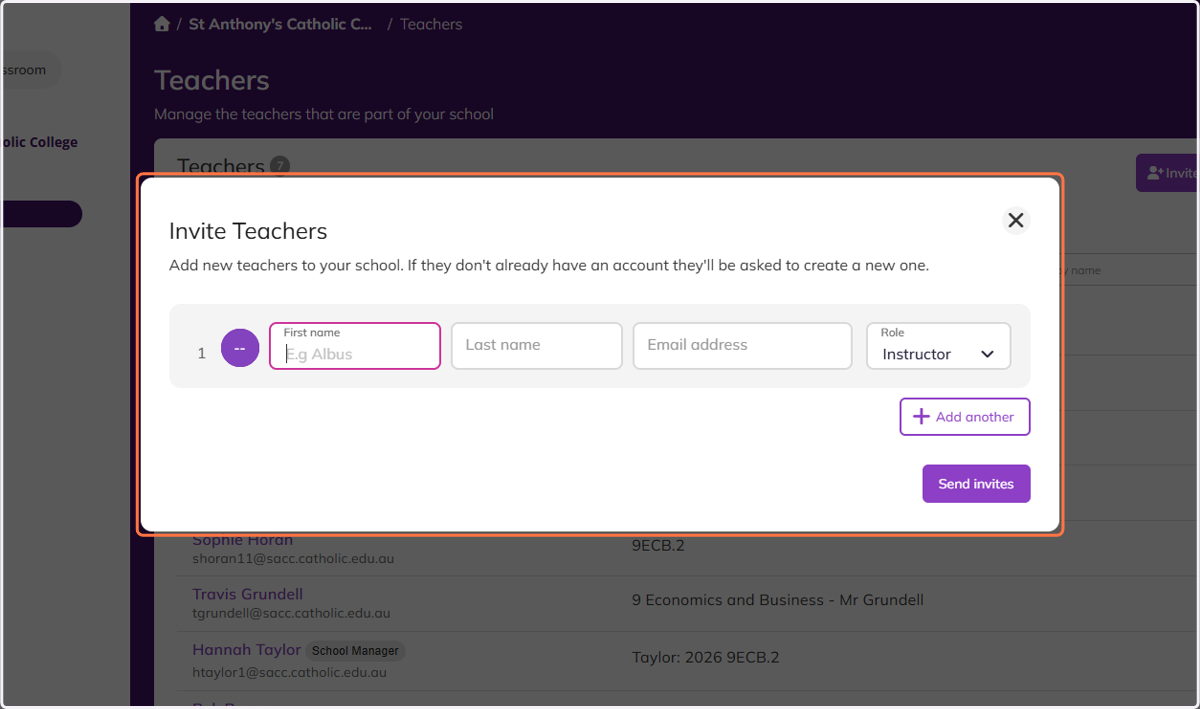
    Complete the information the teachers you want to invite.
  8. 8. Click on Back to classroom to get back to your Classroom view.
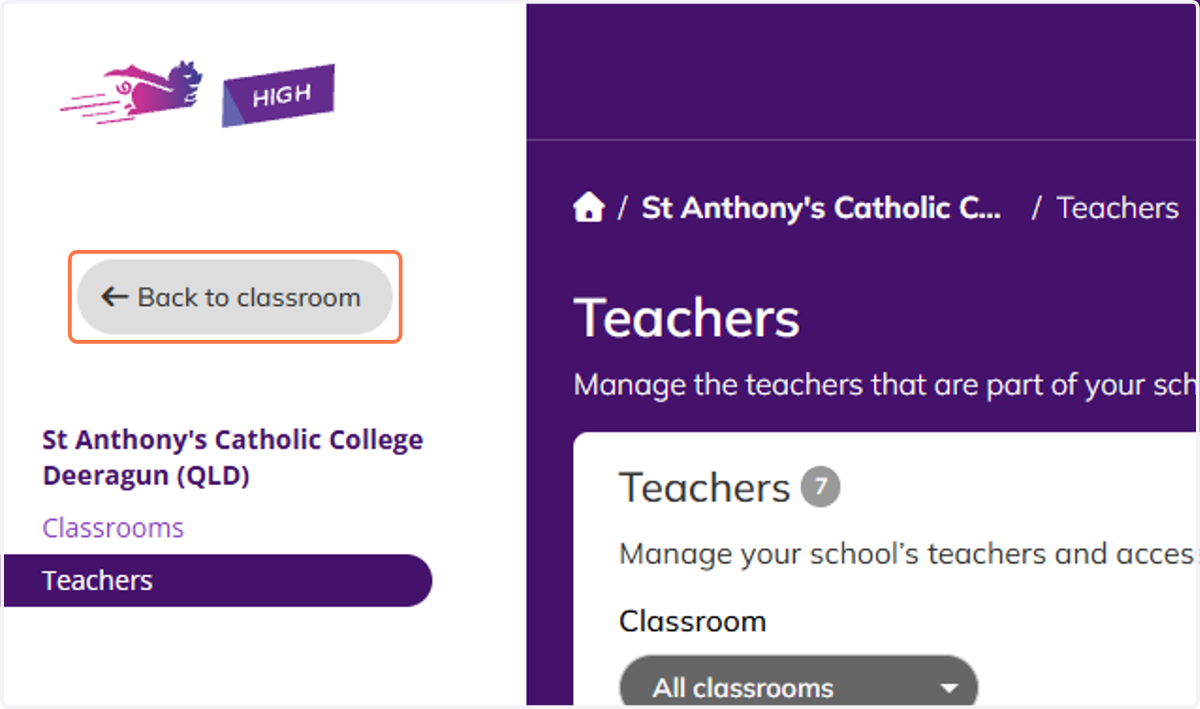
    Click on Back to classroom to get back to your Classroom view.