Check Pensionable Pay Element Settings
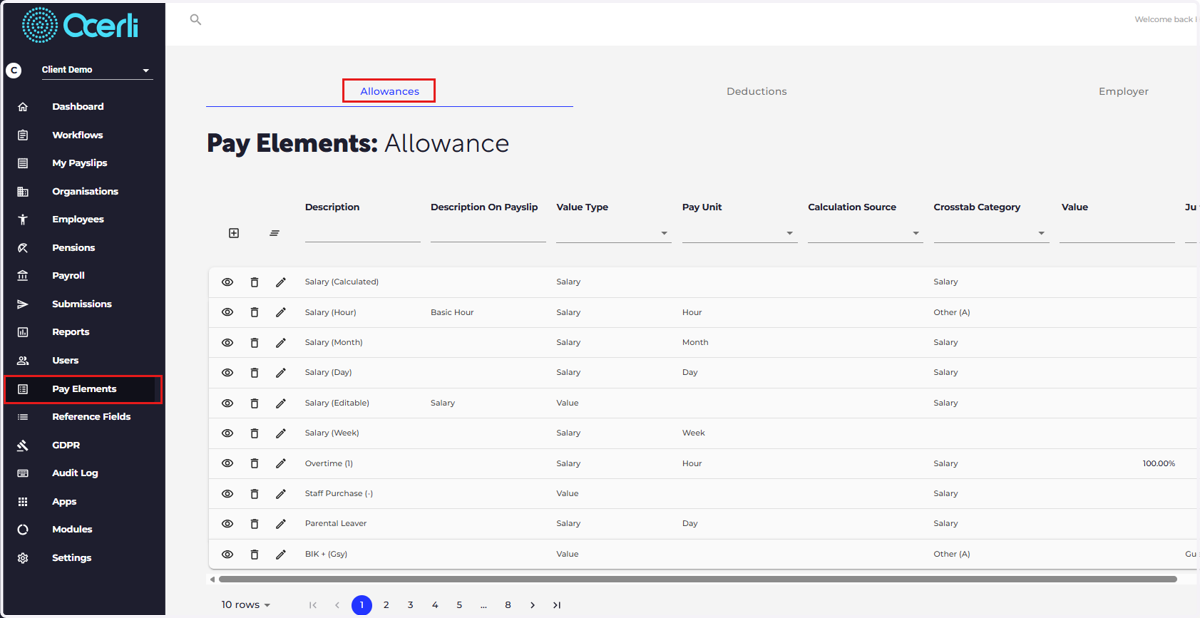
1. Navigate to the pay elements screen
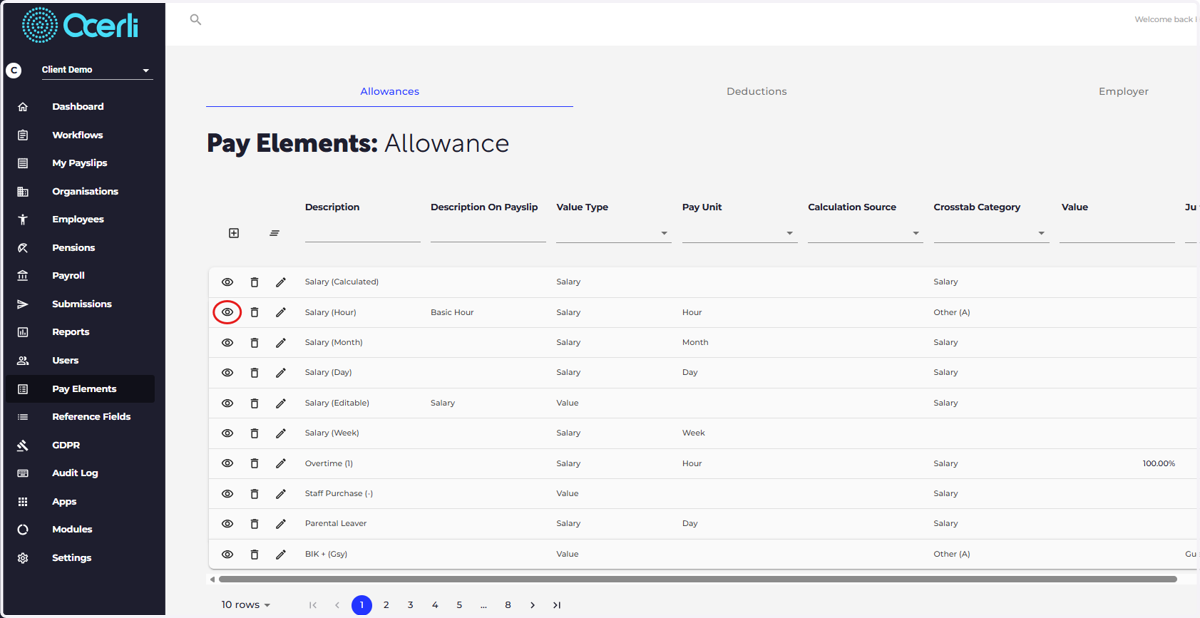
2. Click on the eye icon next to the pay element you want to update.
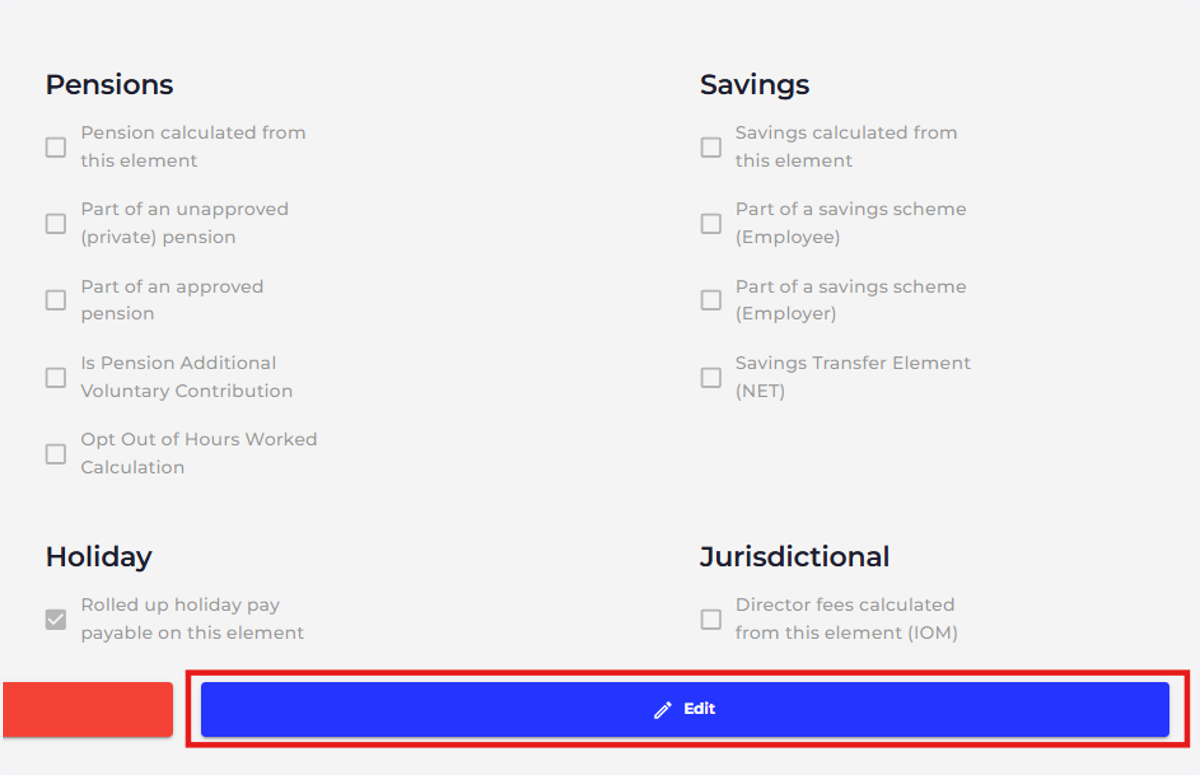
3. Click 'Edit'
4. Select 'Pension calculated from this element'
Select 'Save' to save your changes.
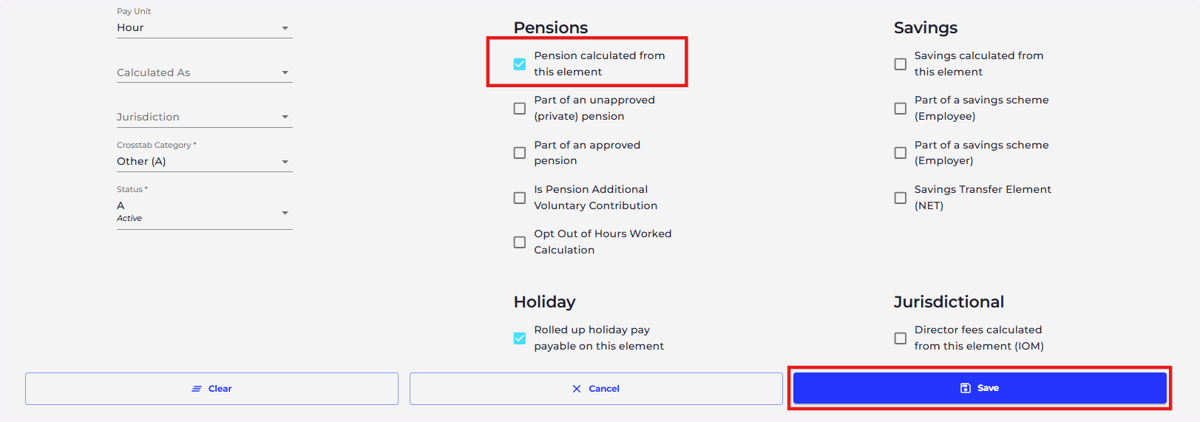
Select 'Save' to save your changes.