Resubmit a Alderney CER Return
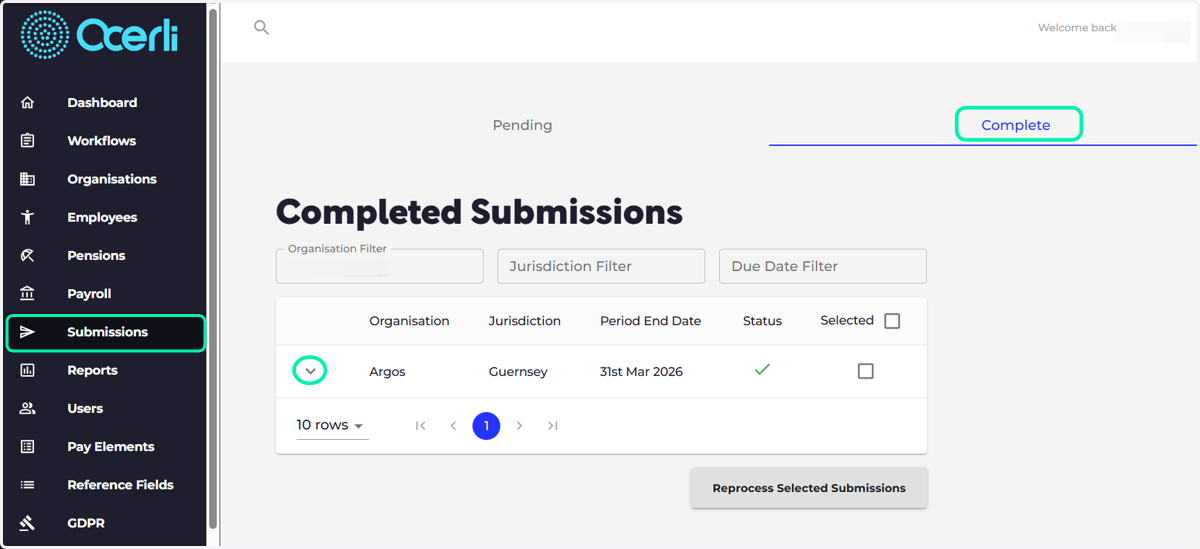
1. Please navigate to the 'Submissions' screen

2. Select the 'Complete' tab
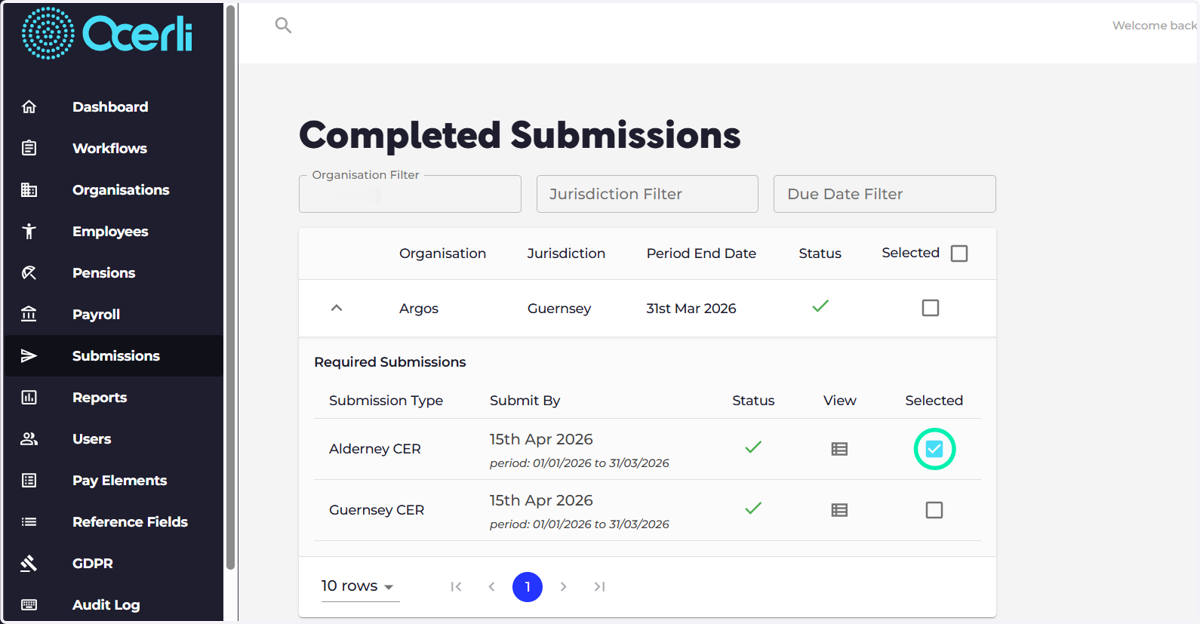
Select the dropdown arrow to view the submission
3. Select the relevant tick box
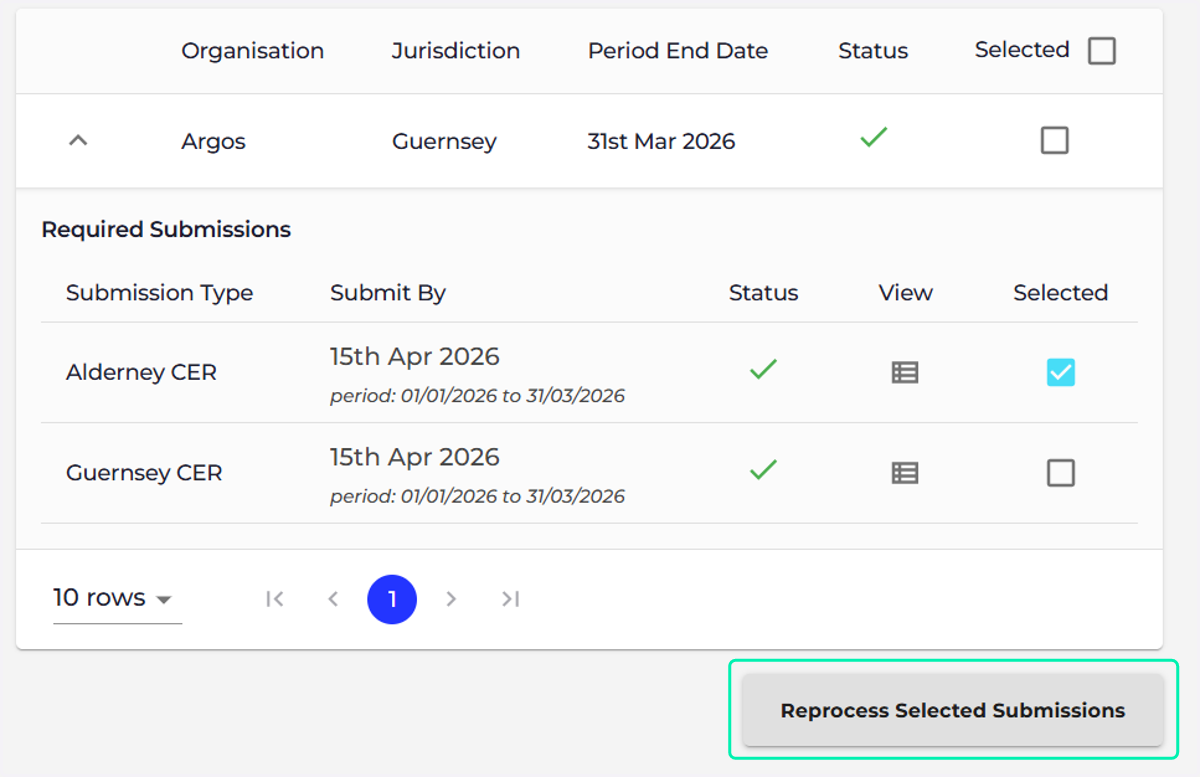
Select 'Process Selected Submissions'
4. Select 'Process Selected Submissions'
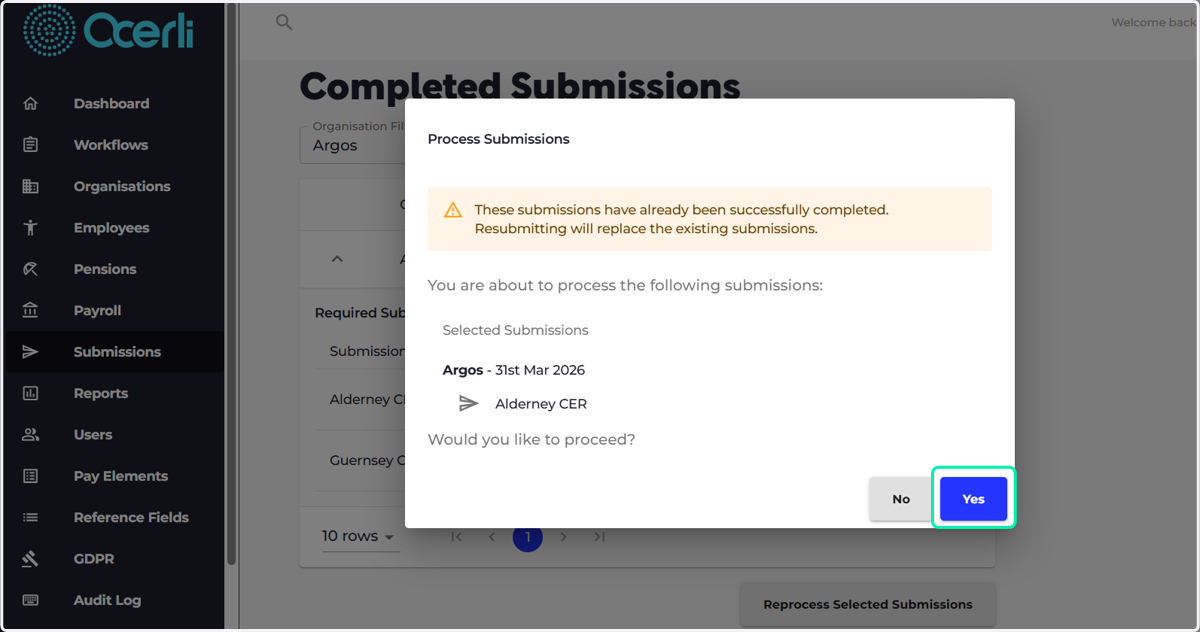
5. Select 'Yes'