How to run an Attachment Review report
This report is to help the process of providing the Resident Binder documents that may not all be printed out for a Surveyor.
Yardi Systems, Inc. - Yardi Voyager
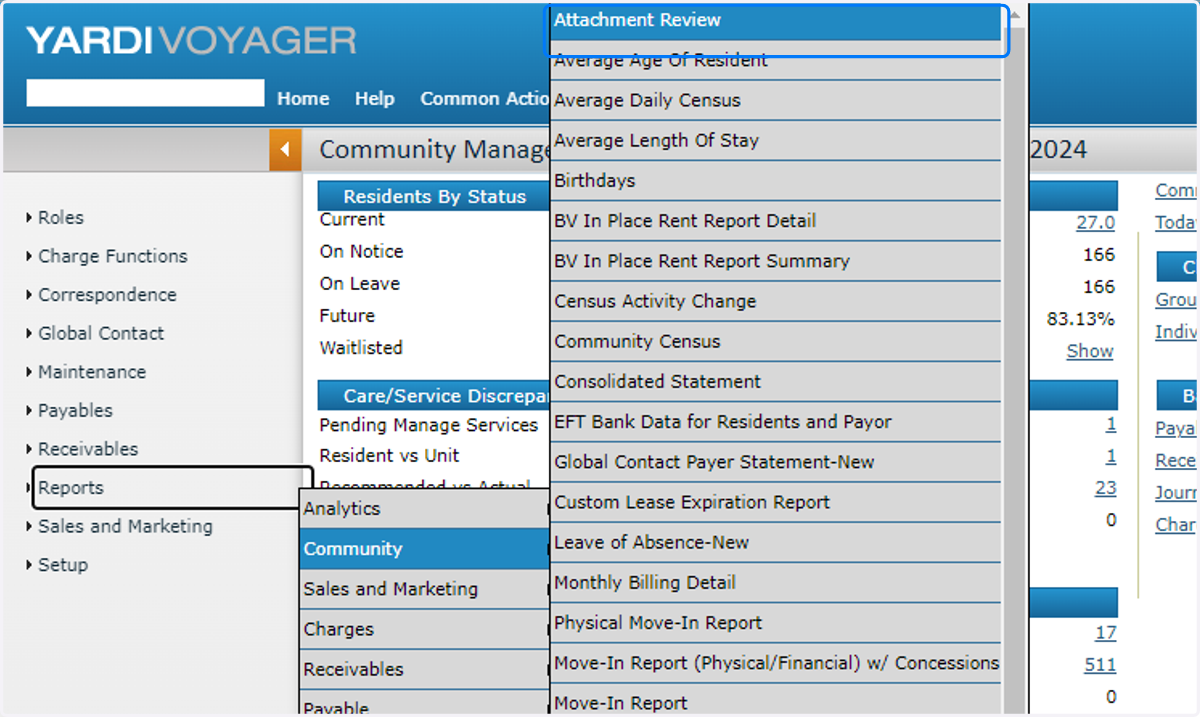
1. In the Business Office role, click on Reports

2. Click on Community, then Attachment Review
3. Change Object type to Resident

4. Type the yardi code for your community

5. If you click on Resident, you can search by specific Resident

6. Check the resident you want to run the report for

7. Click on OK

8. Click on Display

9. Then if you click on Print All PDF, it will merge all attachments into one printable PDF for you.
