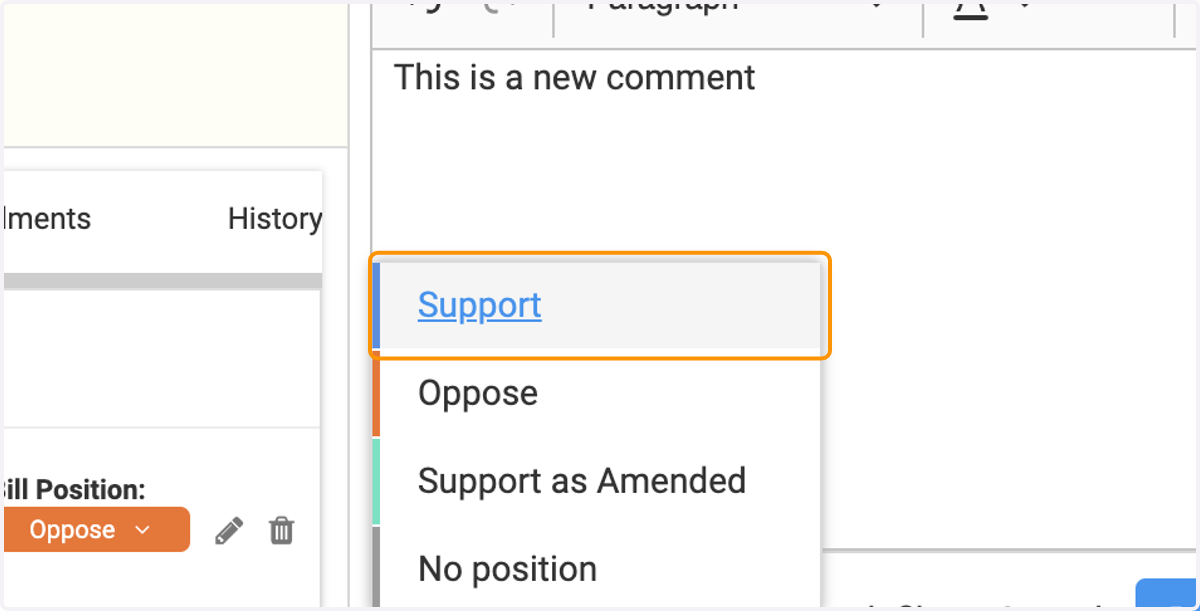
Adding a Position to a Comment

  1. 1. Under the 'Comments' section of the bill detail page, click on 'Join the discussion...' to submit a new comment entry
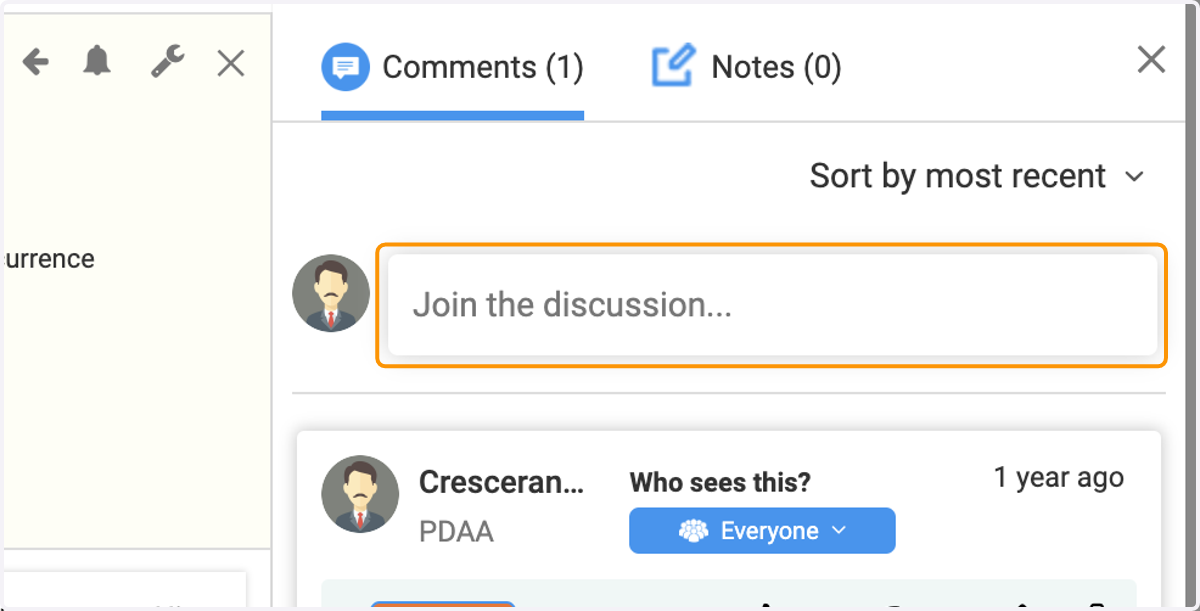
    Under the 'Comments' section of the bill detail page, click on 'Join the discussion...' to submit a new comment entry
  2. 2. Input your commentary and then select a Position for your comment.
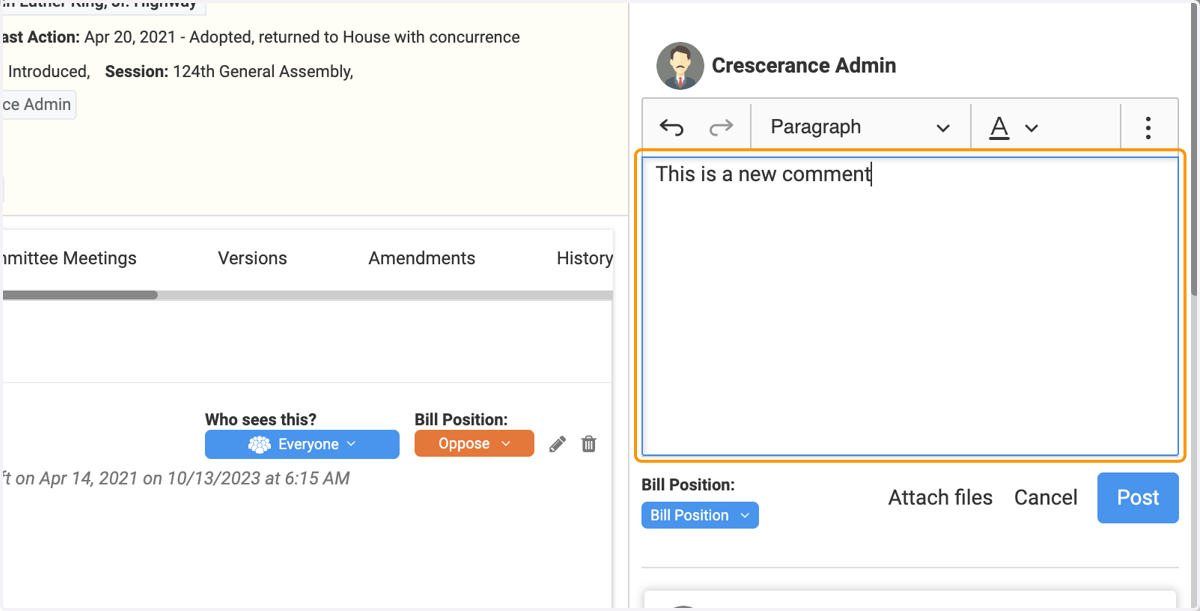
    Input your commentary and then select a Position for your comment.
  3. 3. Click on 'Bill Position' to trigger the drop-down menu
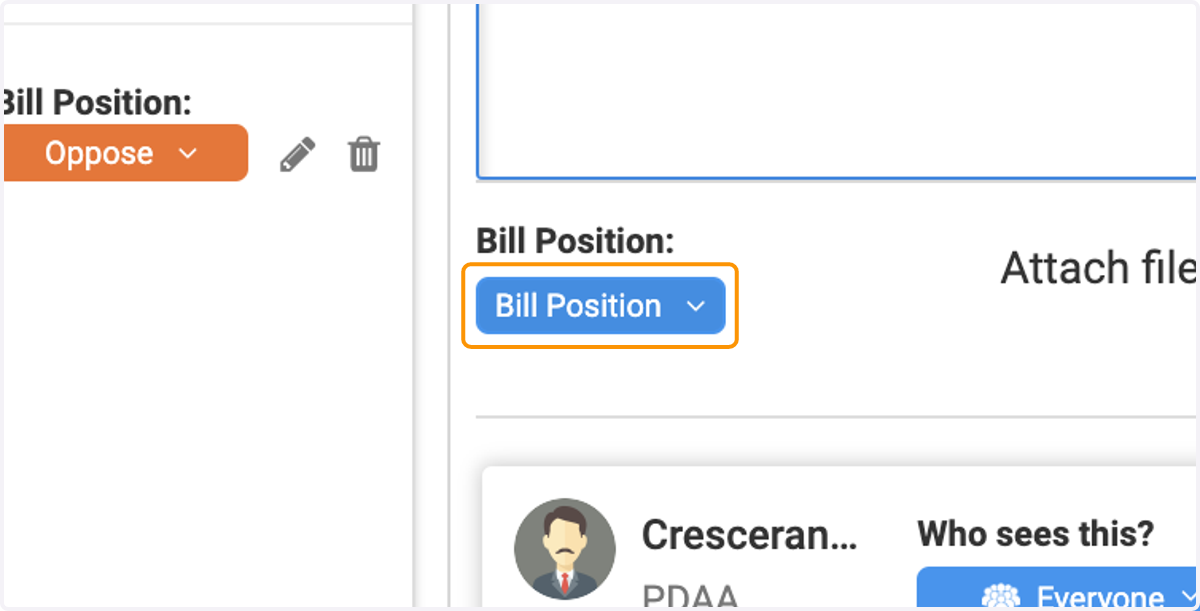
    Click on 'Bill Position' to trigger the drop-down menu
  4. 4. Select a Position

    Select a Position
  5. 5. Click on 'Post' to save and post your entry
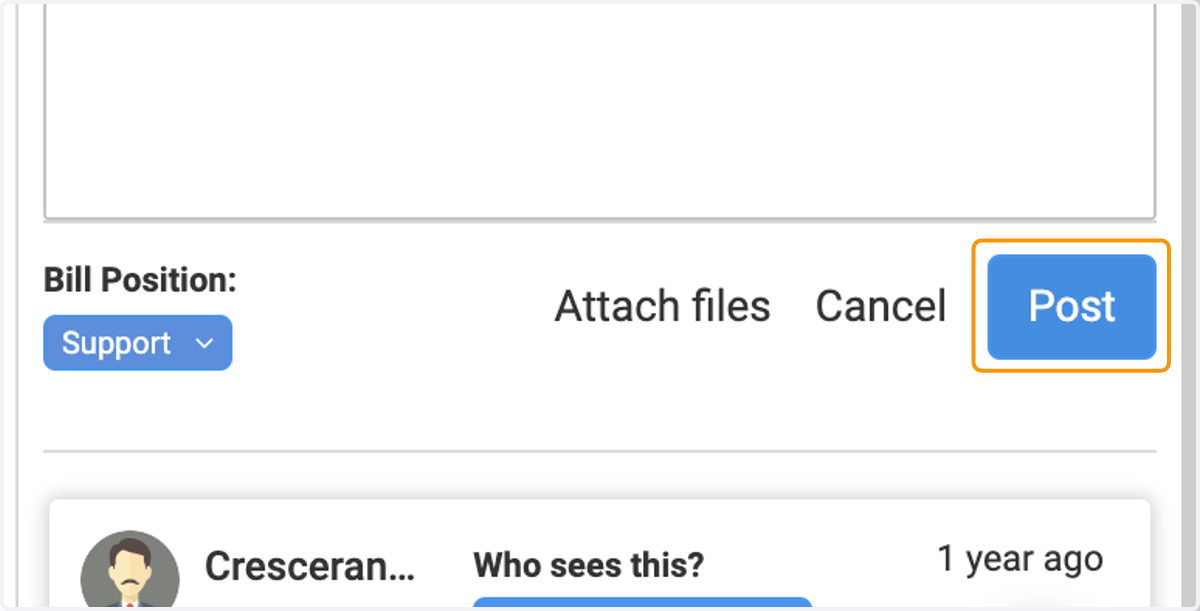
    Click on 'Post' to save and post your entry
  6. 6. To edit your comment Position, simply click on the carrot icon next to the current Position selection
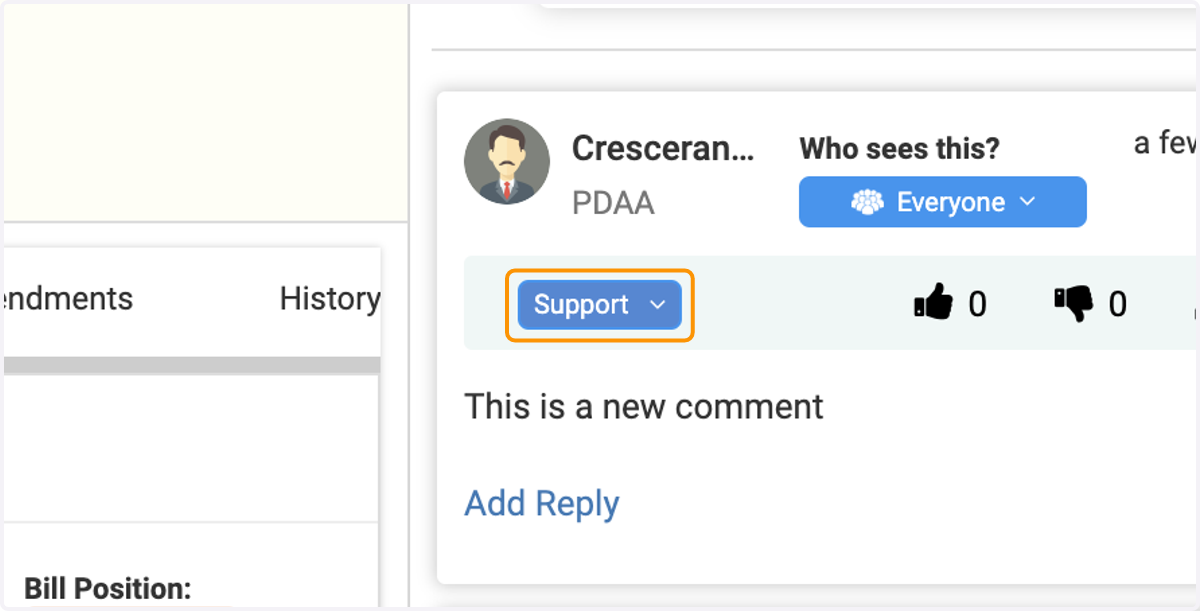
    To edit your comment Position, simply click on the carrot icon next to the current Position selection
  7. 7. Select a new or updated Position for your comment
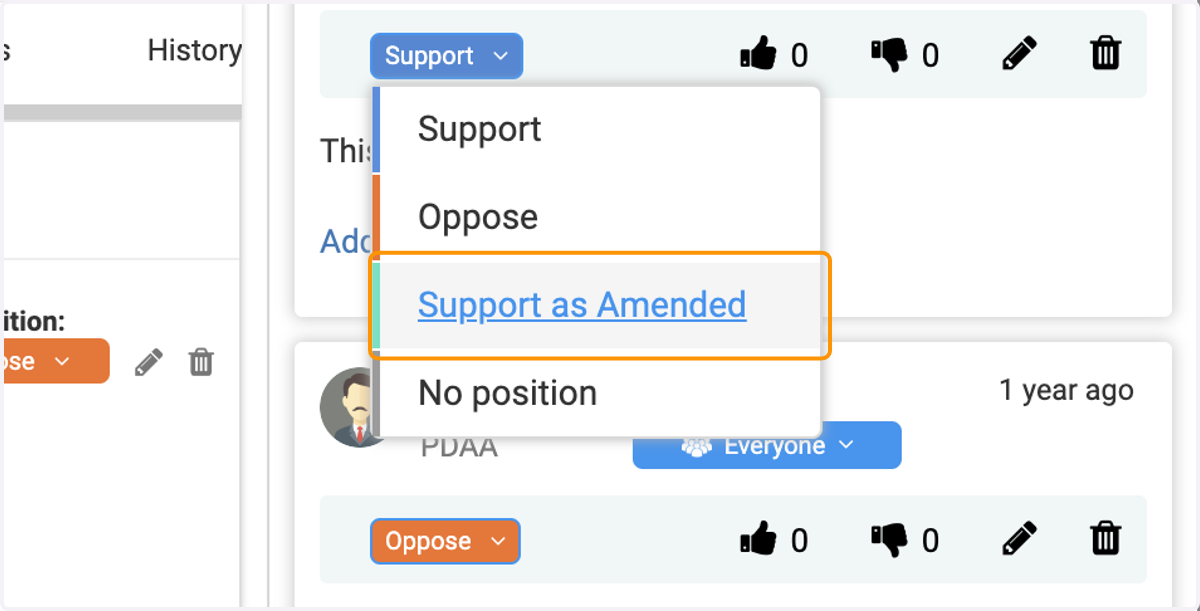
    Select a new or updated Position for your comment