Adding or editing Key Contacts

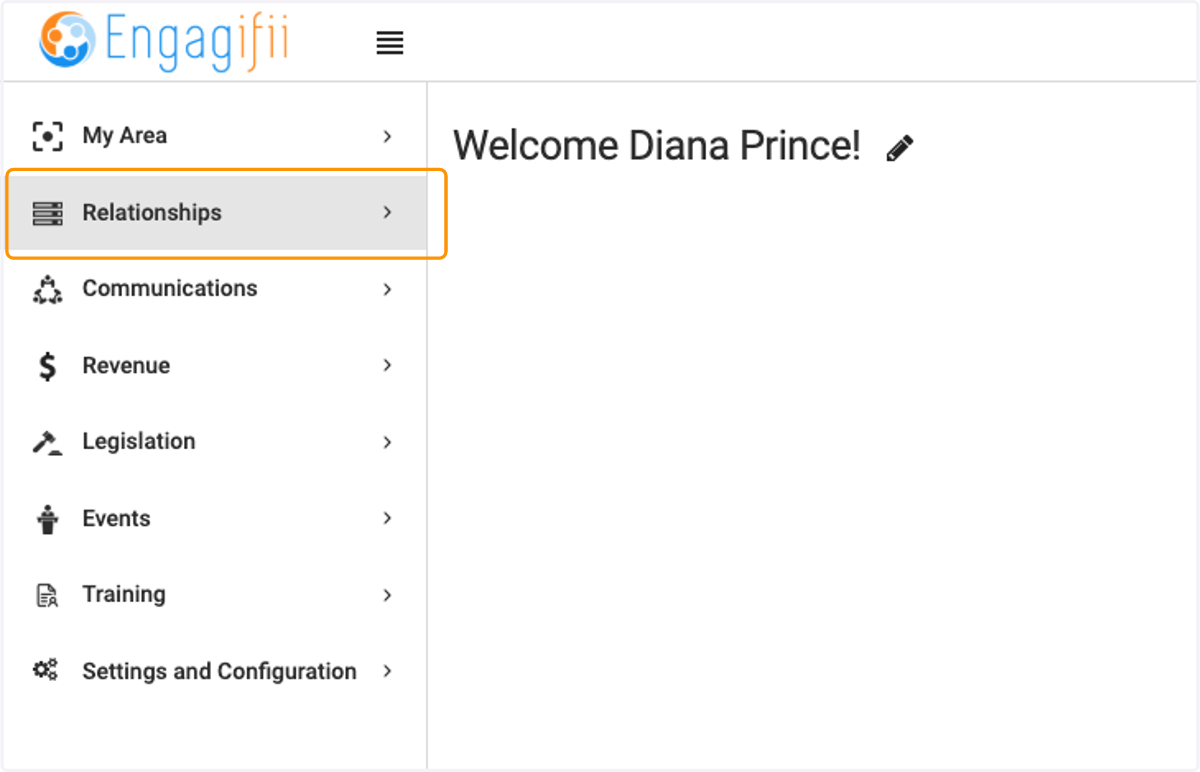
  1. 1. Click on Relationships

    Click on Relationships
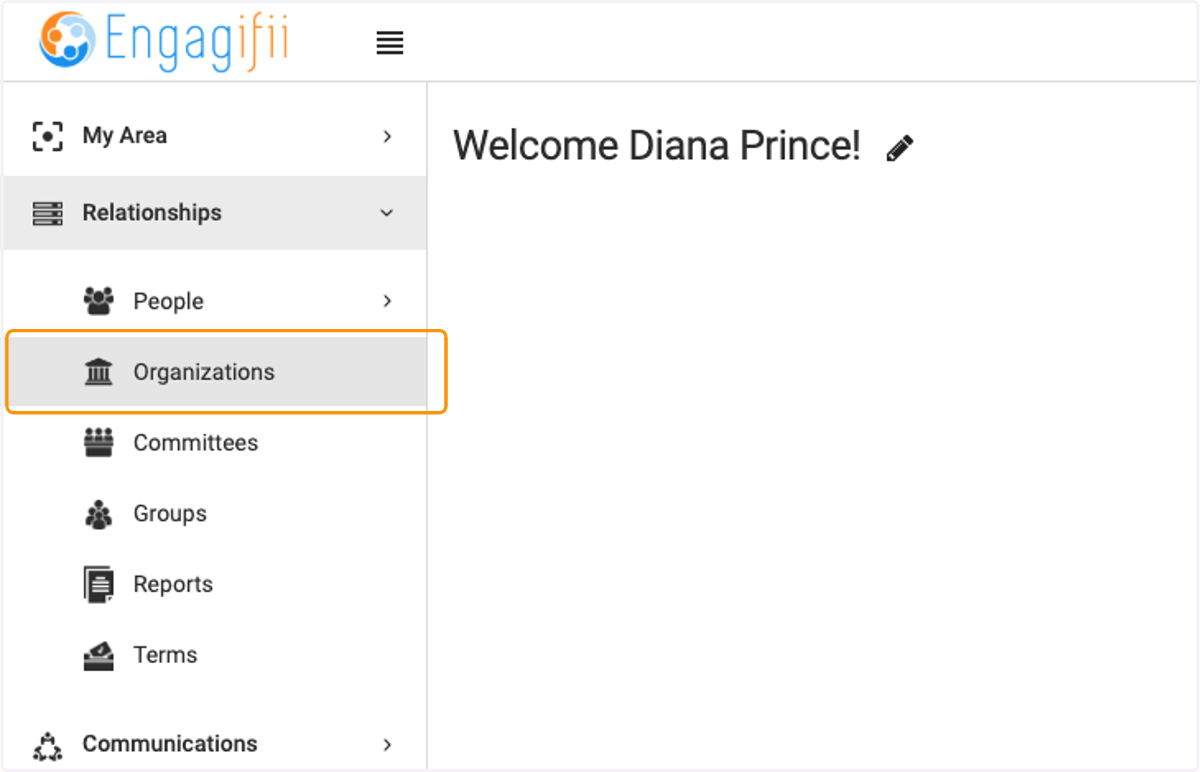
  2. 2. Click on Organizations

    Click on Organizations
  3. 3. Click on the organization you wish to update
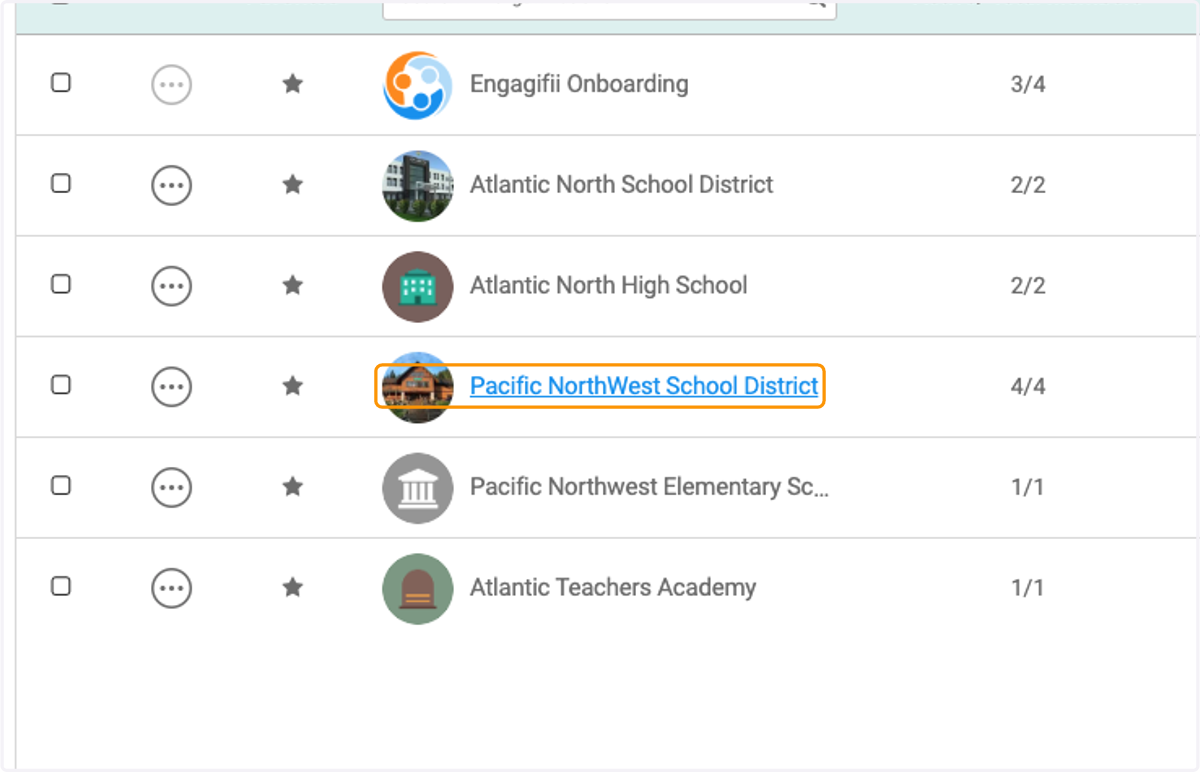
    Click on the organization you wish to update
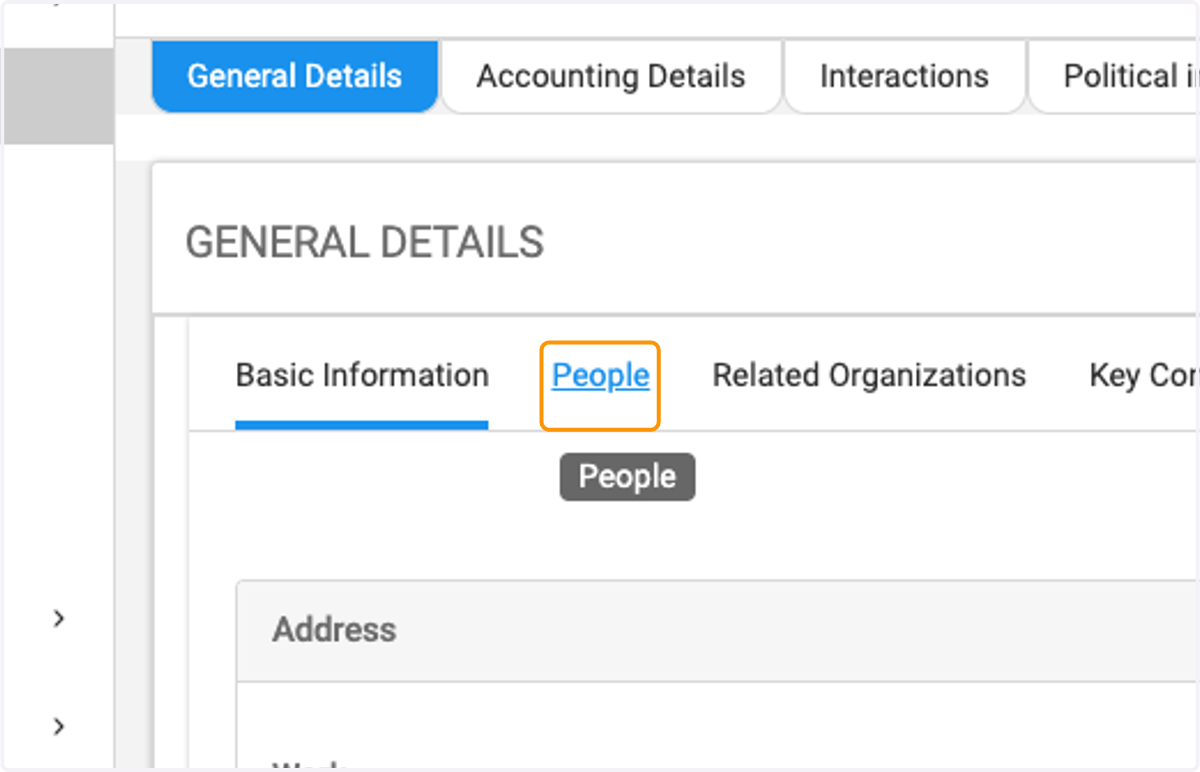
  4. 4. Click on People

    Click on People
  5. 5. Click on the person you wish to make the key contact
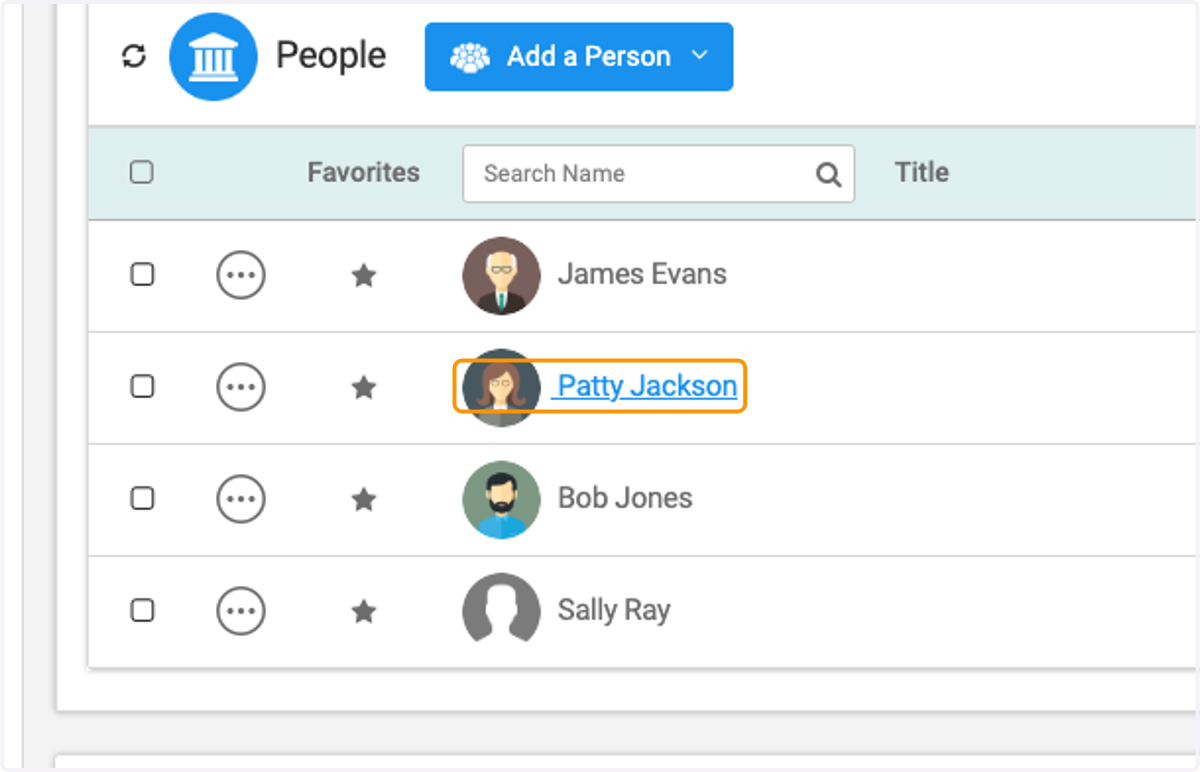
    Click on the person you wish to make the key contact
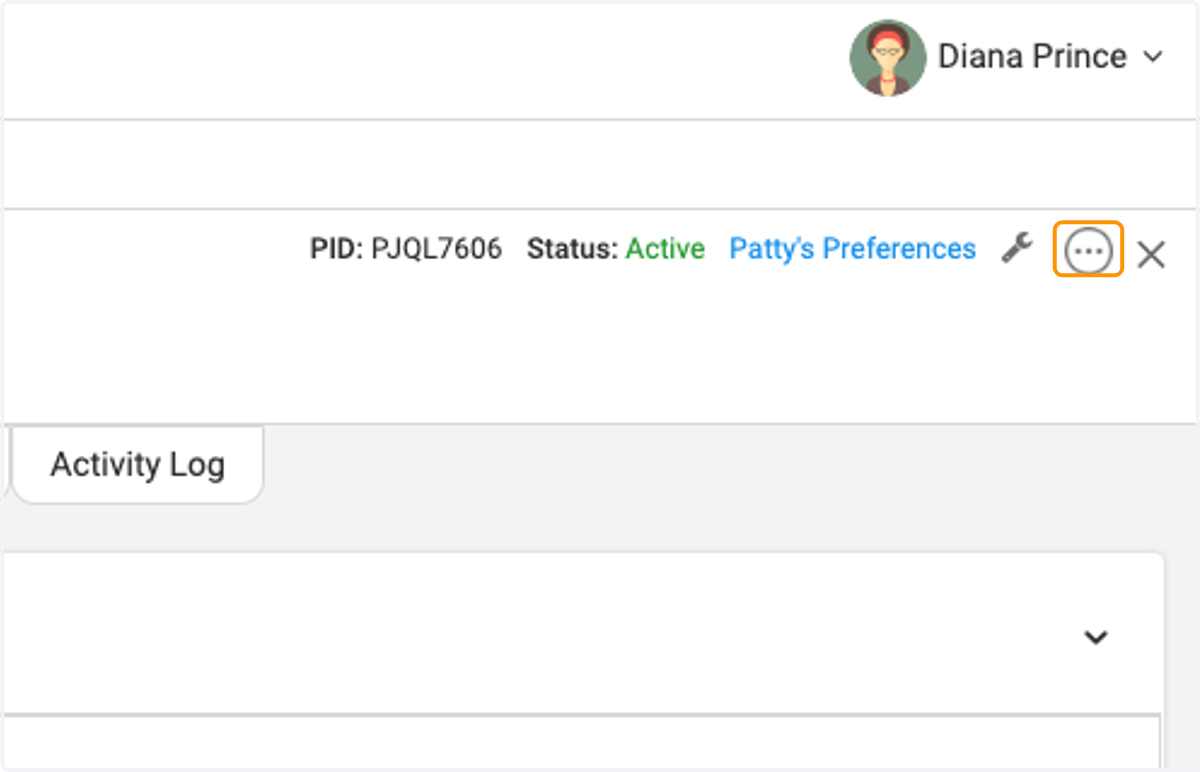
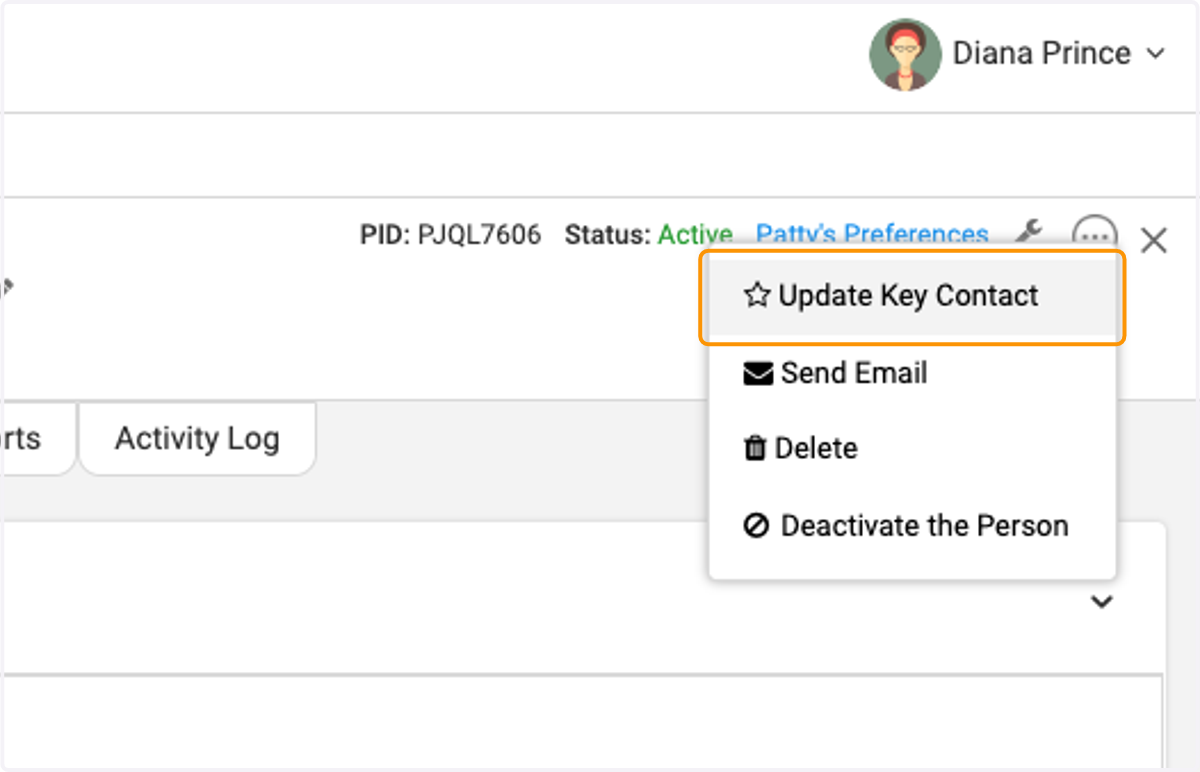
  6. 6. Click on the three dots

    Click on the three dots
  7. 7. Click on Update Key Contact

    Click on Update Key Contact
  8. 8. Check the box or boxes you wish to enable
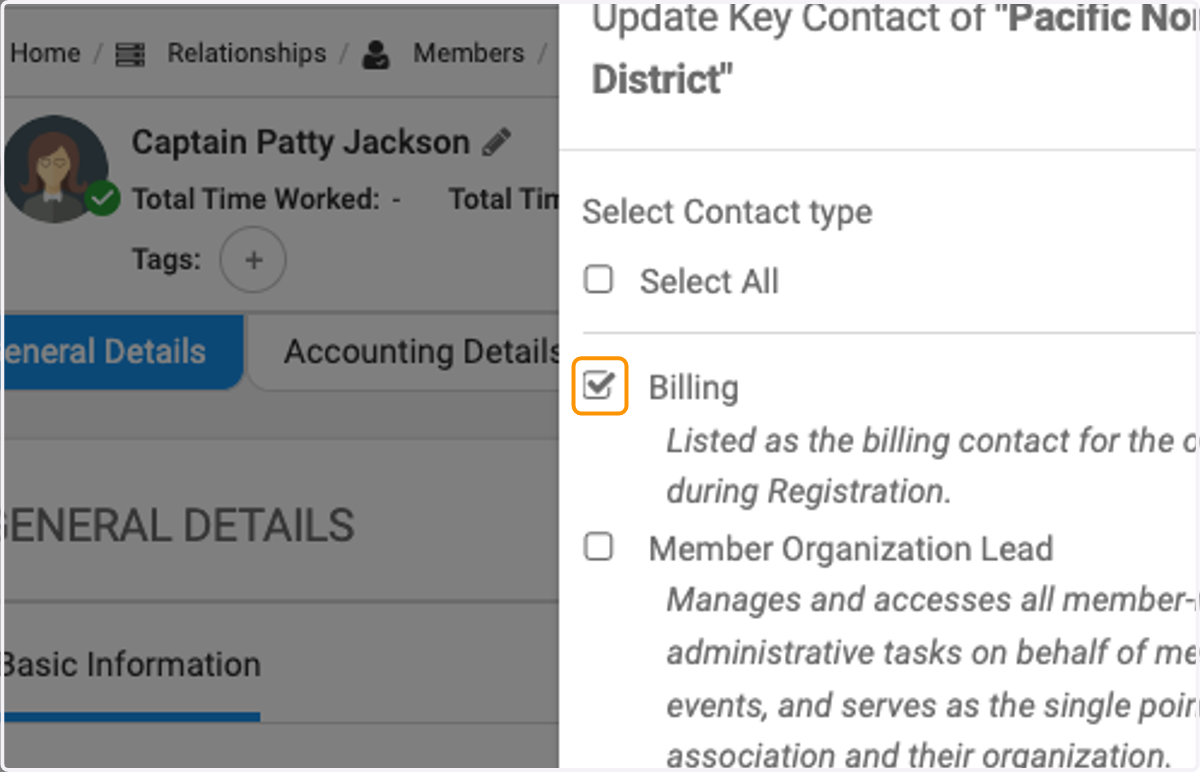
    Check the box or boxes you wish to enable
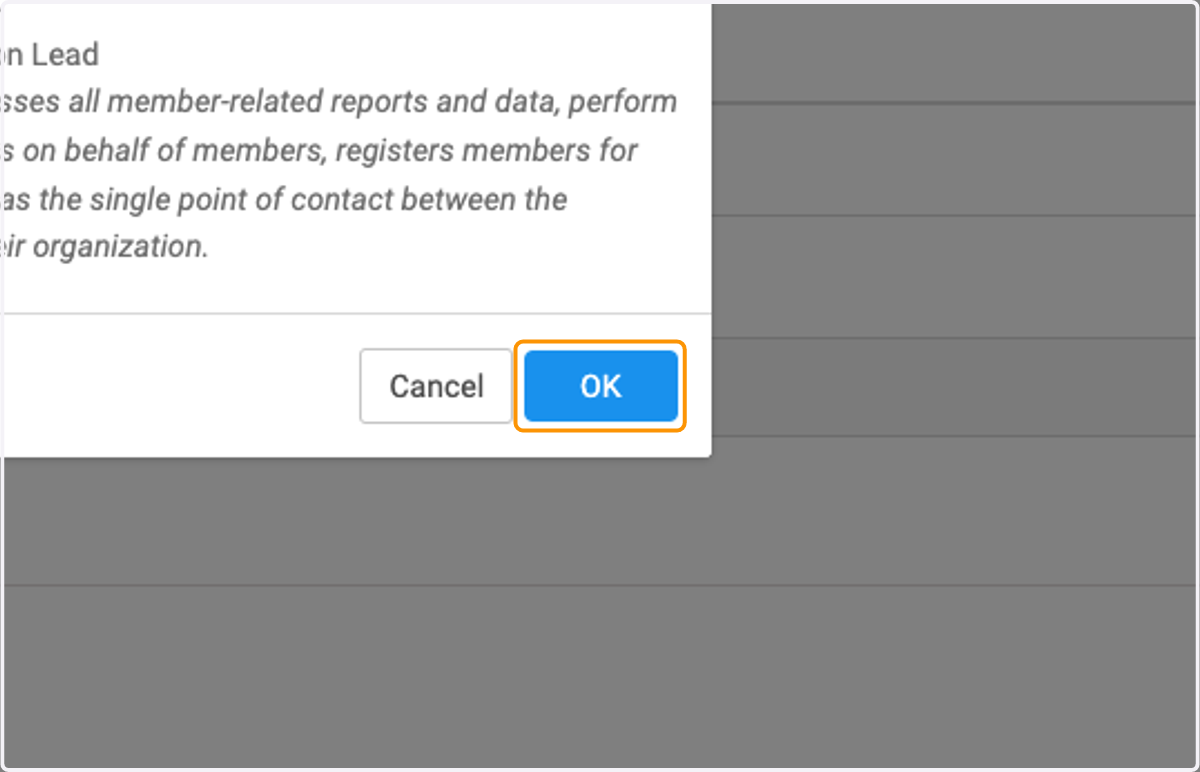
  9. 9. Click on OK

    Click on OK
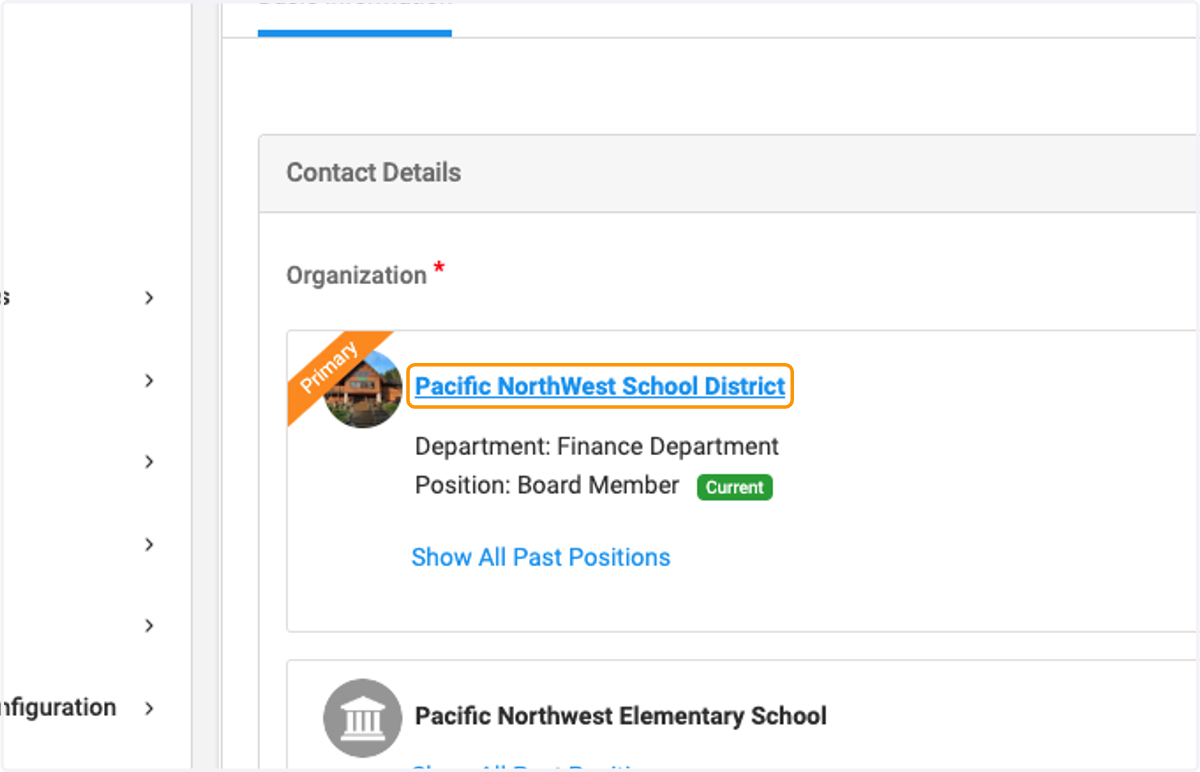
  10. 10. Click back on the organization

    Click back on the organization
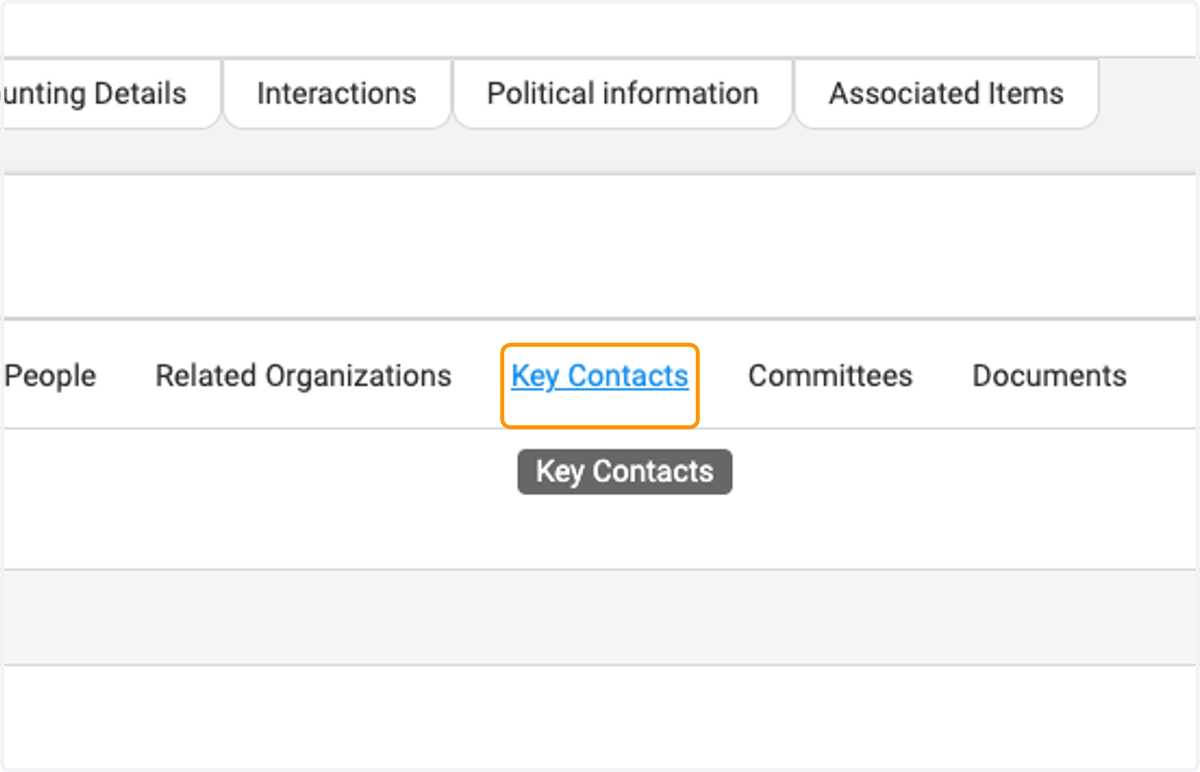
  11. 11. Click on Key Contacts

    Click on Key Contacts
  12. 12. And you will see the individual listed as a key contact and you can scroll over to see the contact type.
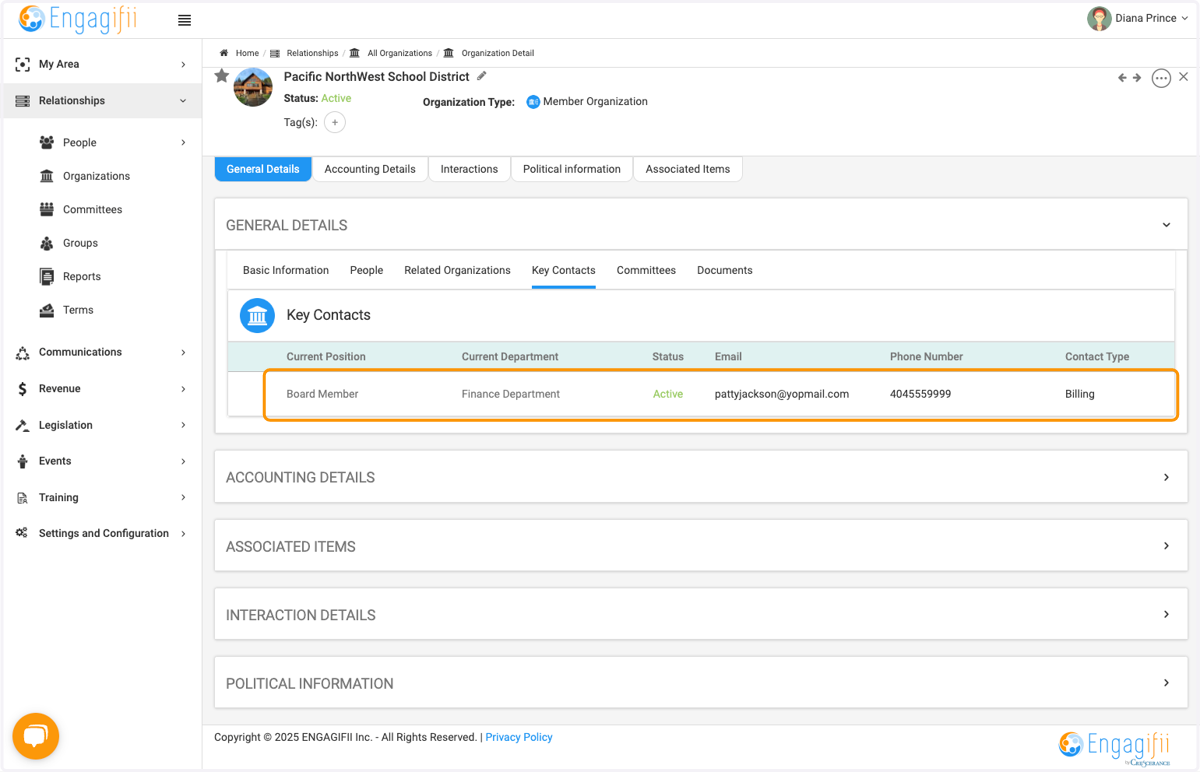
    And you will see the individual listed as a key contact and you can scroll over to see the contact type.