Outbound Payments: how to review vendor payments
Login to your Merchant Portal
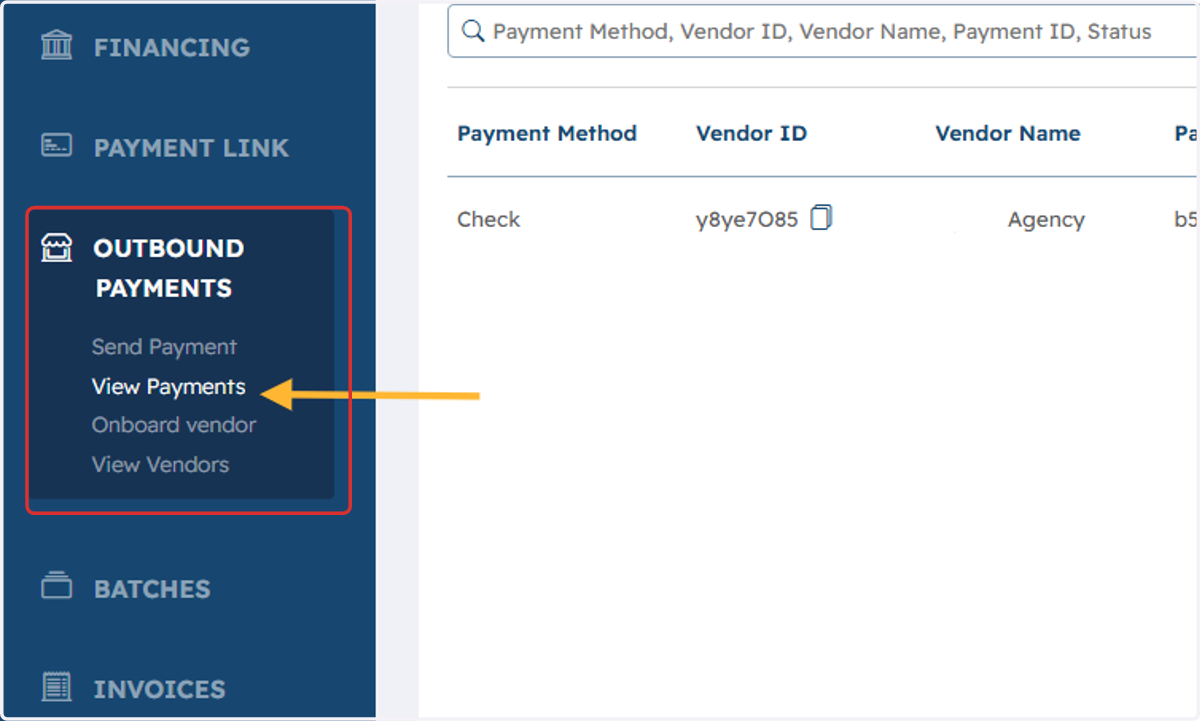
1. On the left hand menu select Outbound Payments, and then View Payments
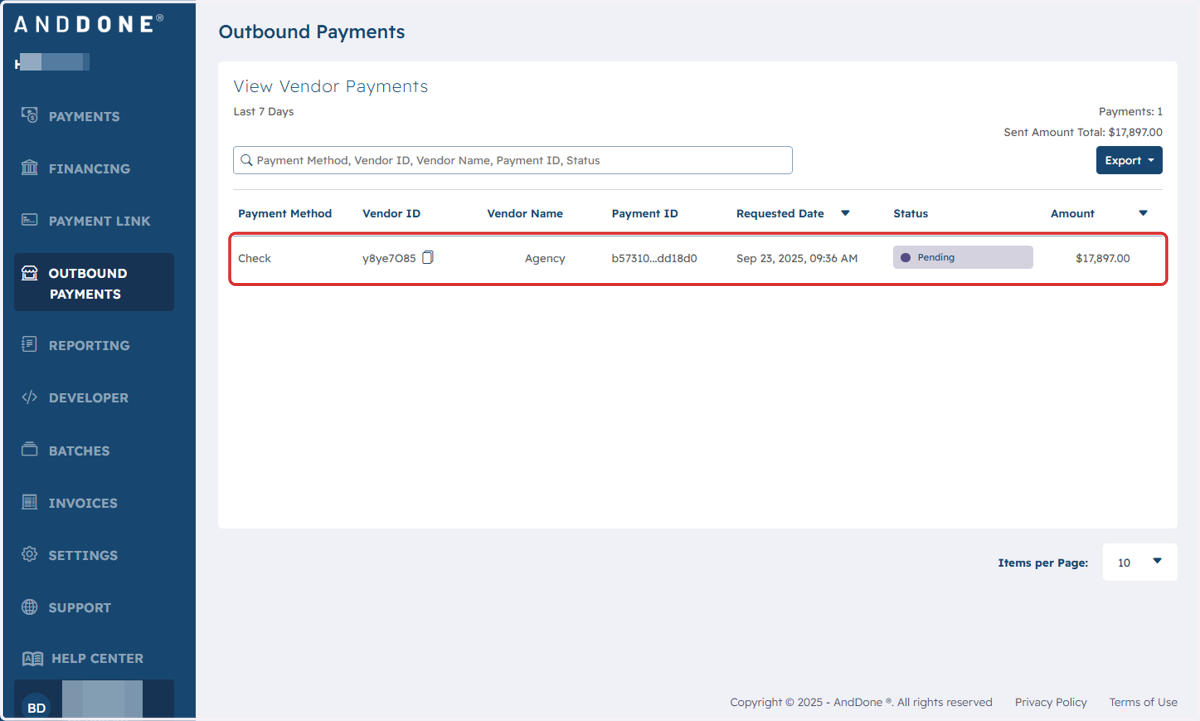
2. Vendor Payments from last 7 days will be listed.
To see beyond 7 days, simply click on Requested Date and enter the preferred date range. You may also filter by all selections in the title row: e.g. Payment Method, Vendor ID, etc... Then you may export your selection by clicking on Export found in the upper right hand corner.
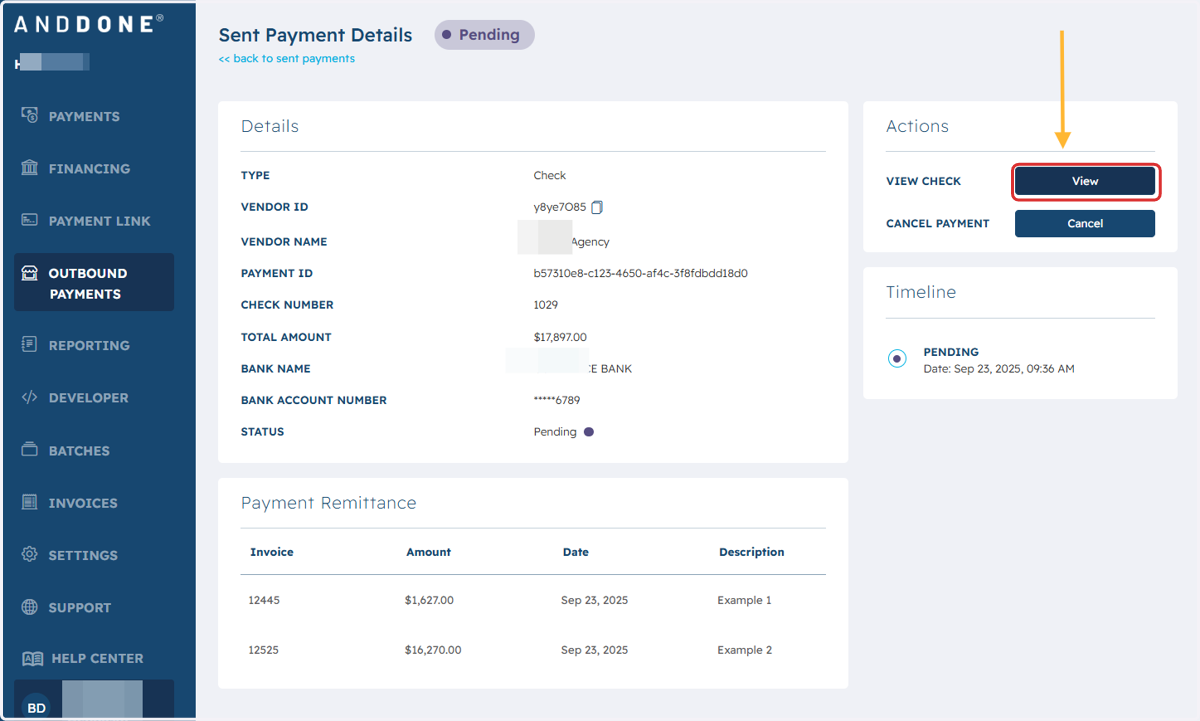
3. Payment details are displayed
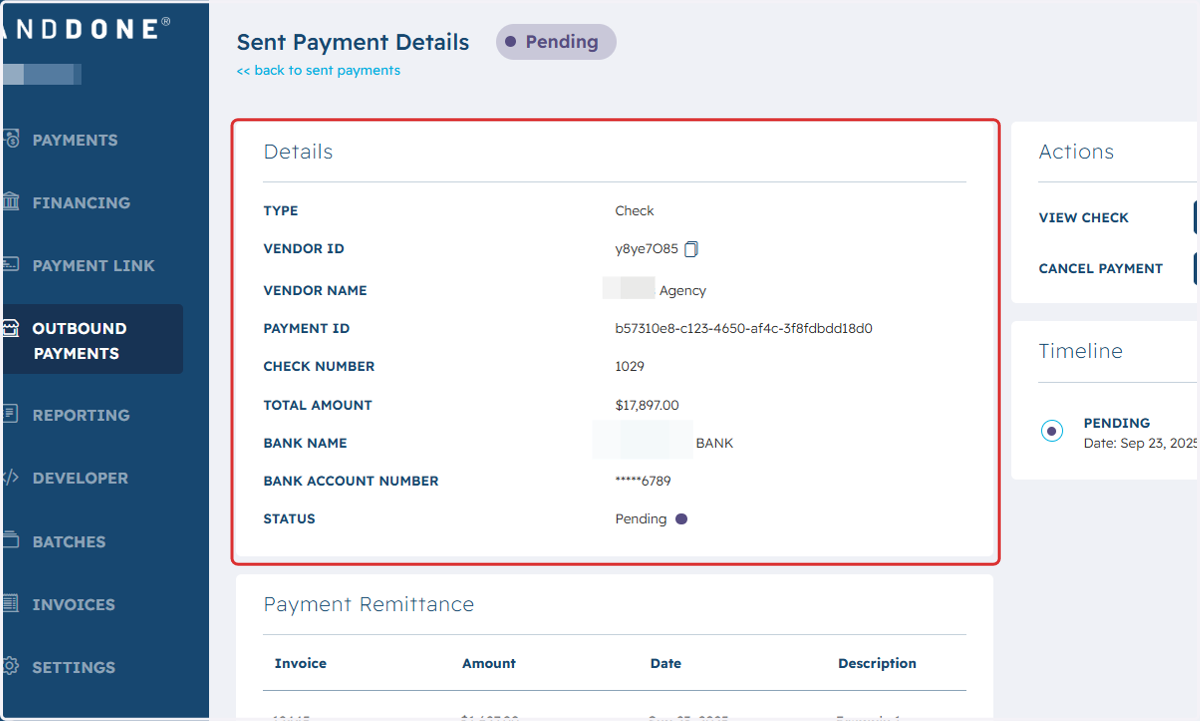
4. To view the check, click on VIEW
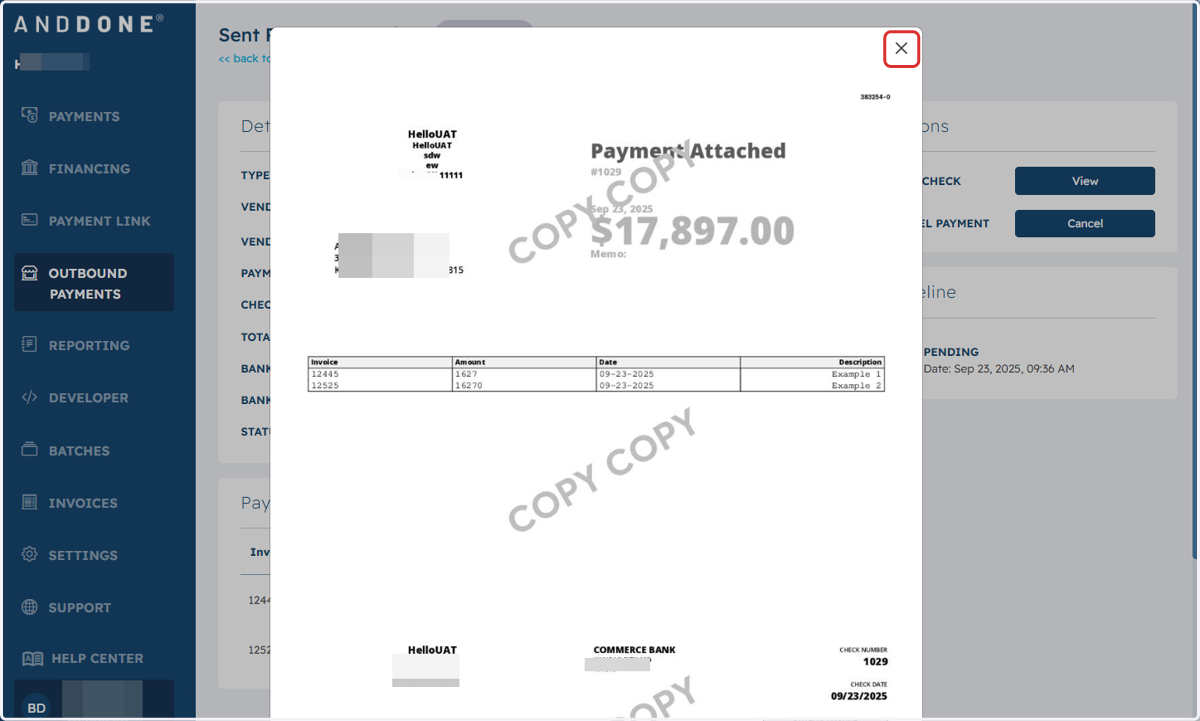
5. Popup of the check and remittance will appear.
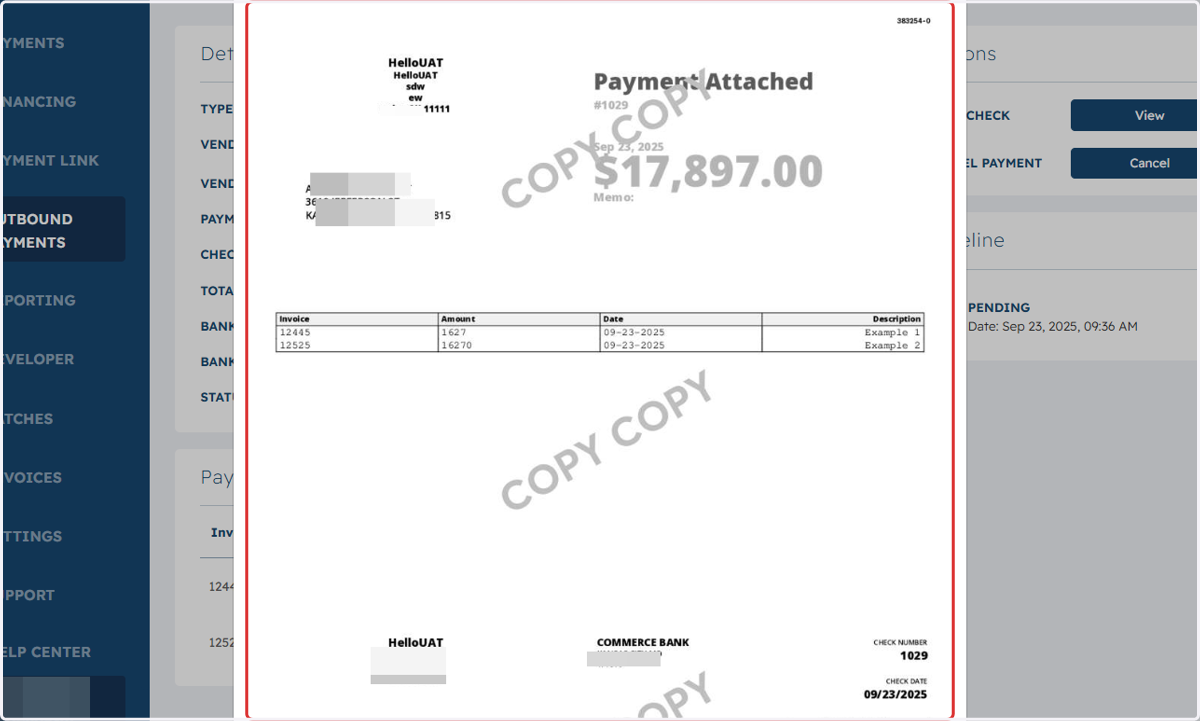
6. Click on Close to return to Vendor Payments