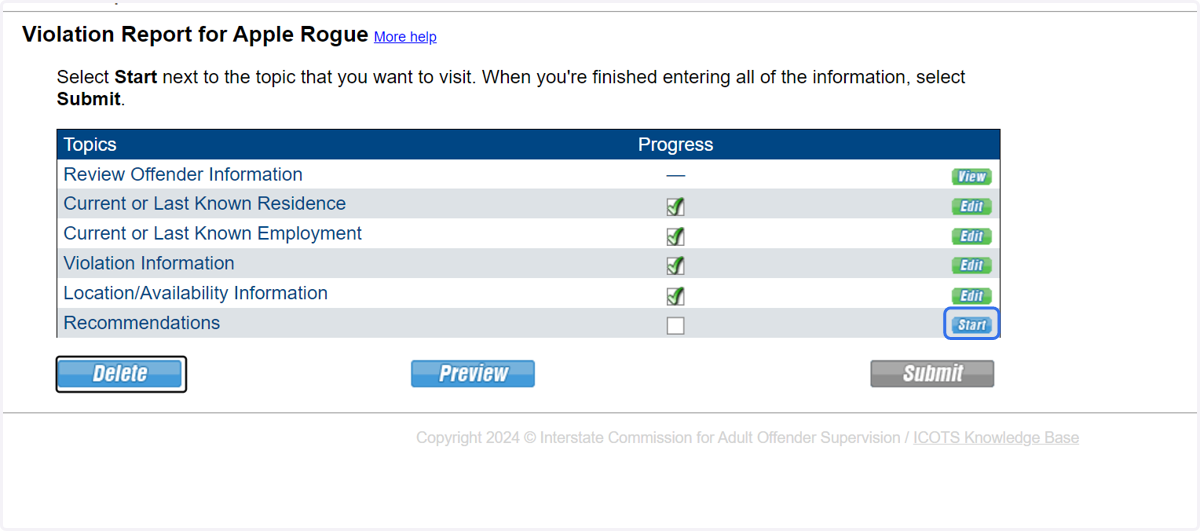
Reporting a New Felony or Violent Crime Requiring Retaking

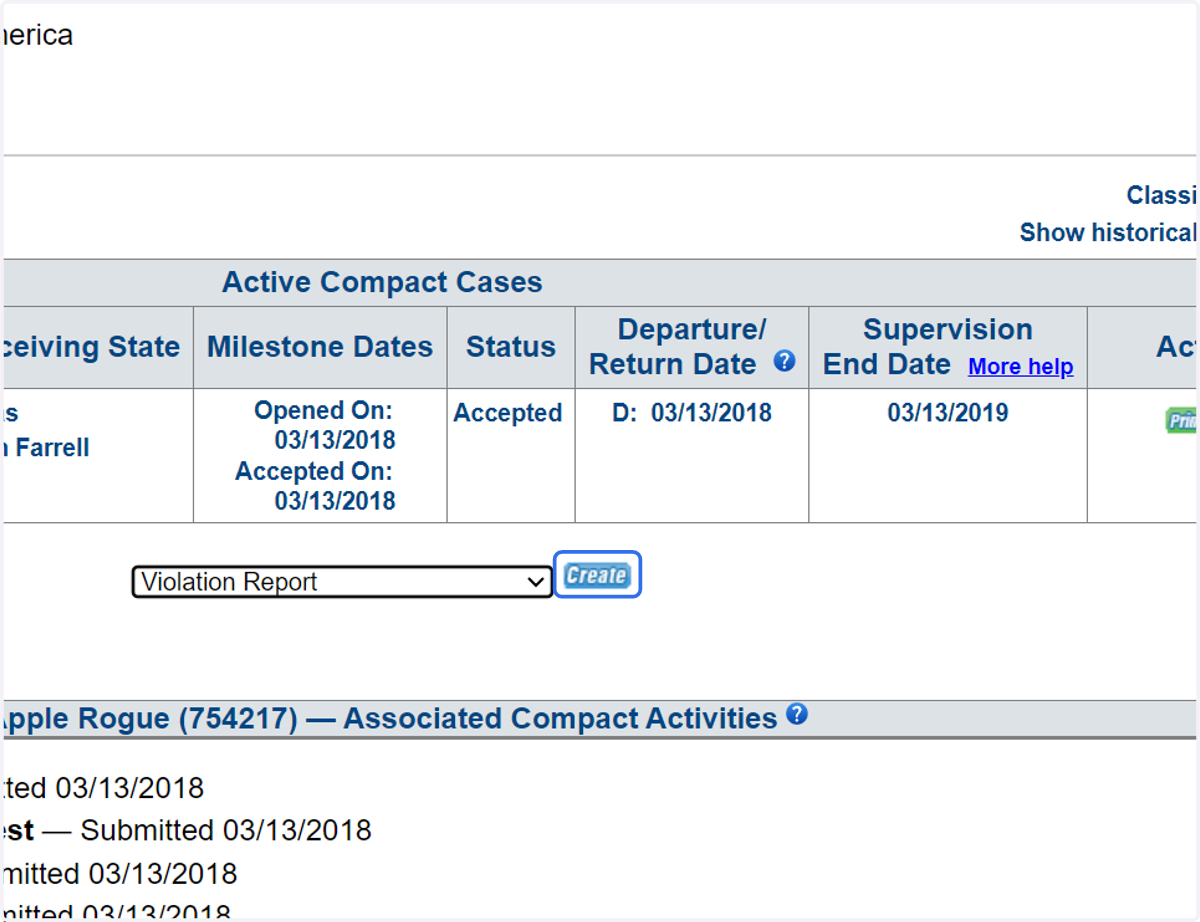
  1. 1. From the Profile Compact Cases tab create the Violation Report Requiring Retaking
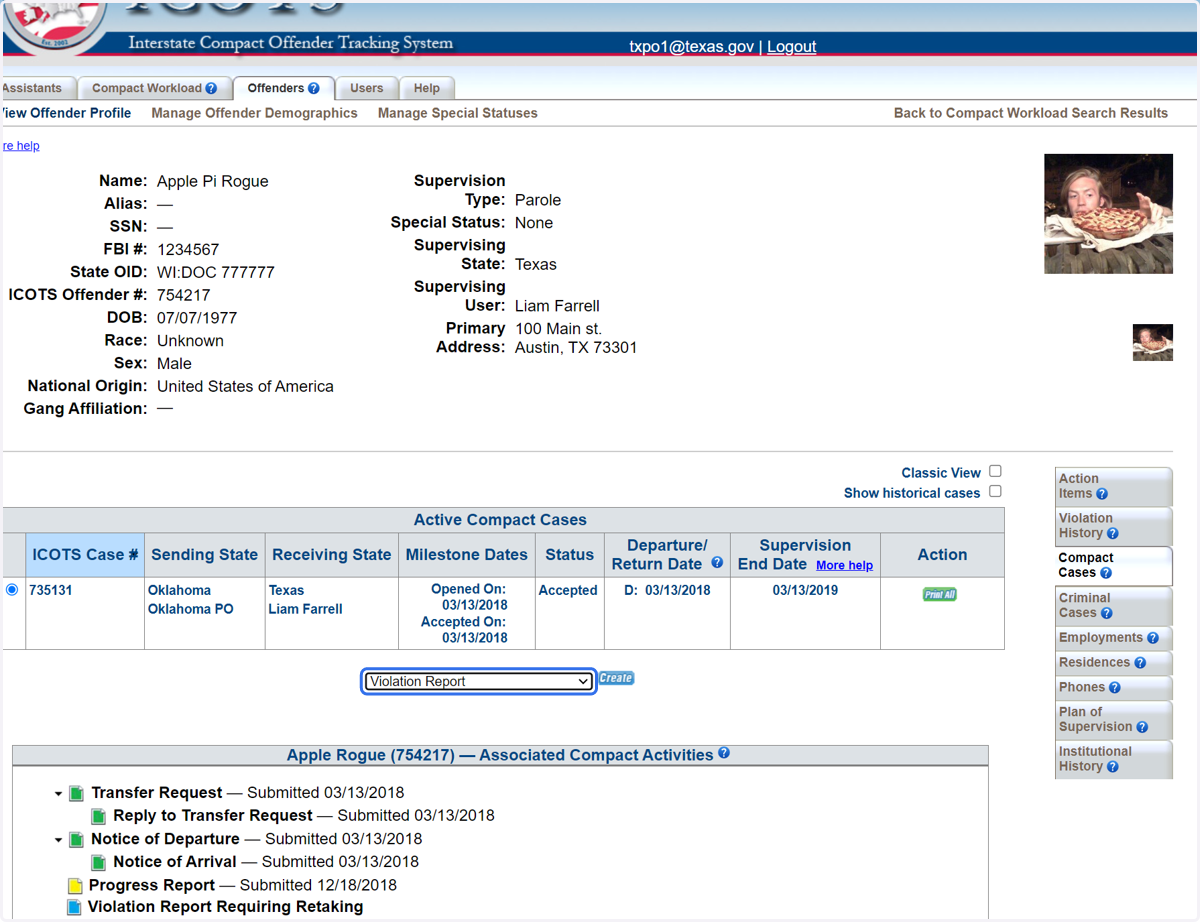
    From the Profile Compact Cases tab create the Violation Report Requiring Retaking
  2. 2. Click create.

    Click create.
  3. 3. To report a new felony or violent crime requiring retaking, chose 'yes.'
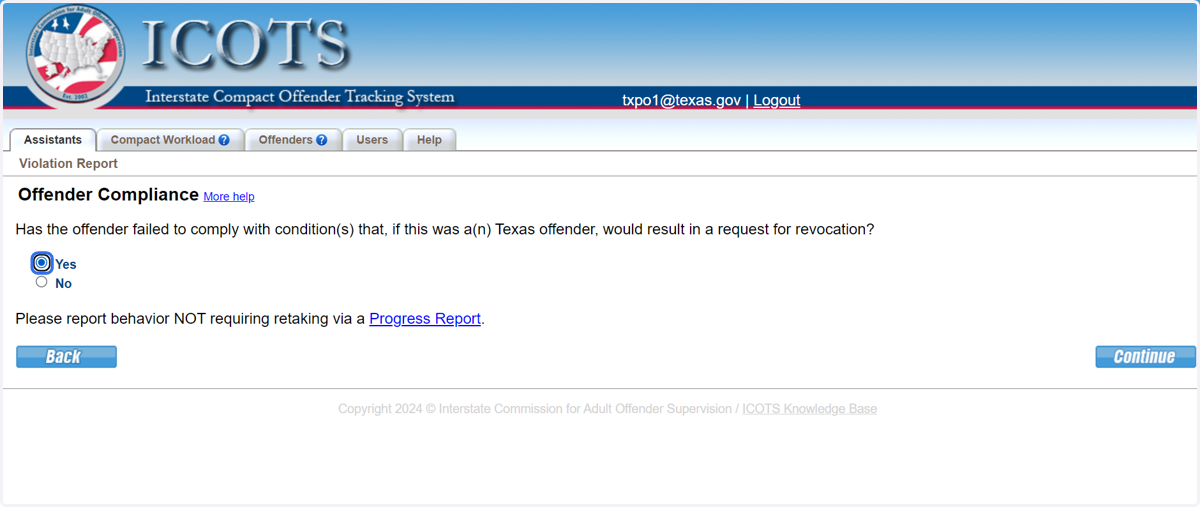
    To report a new felony or violent crime requiring retaking, chose 'yes.'
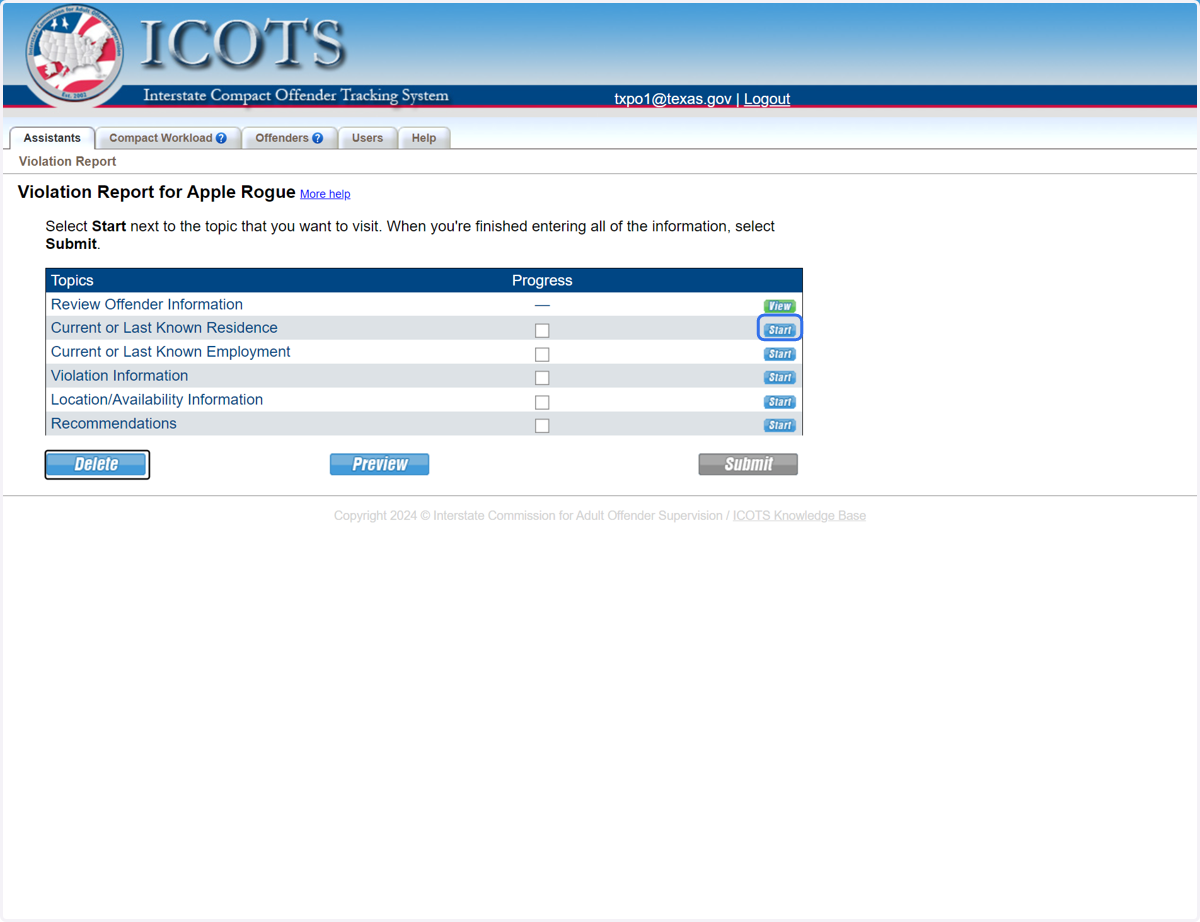
  4. 4. Proceed to Current Residence.

    Proceed to Current Residence.
  5. 5. Select 'No' if the address is current. Select 'Yes' and updated the address if needed.
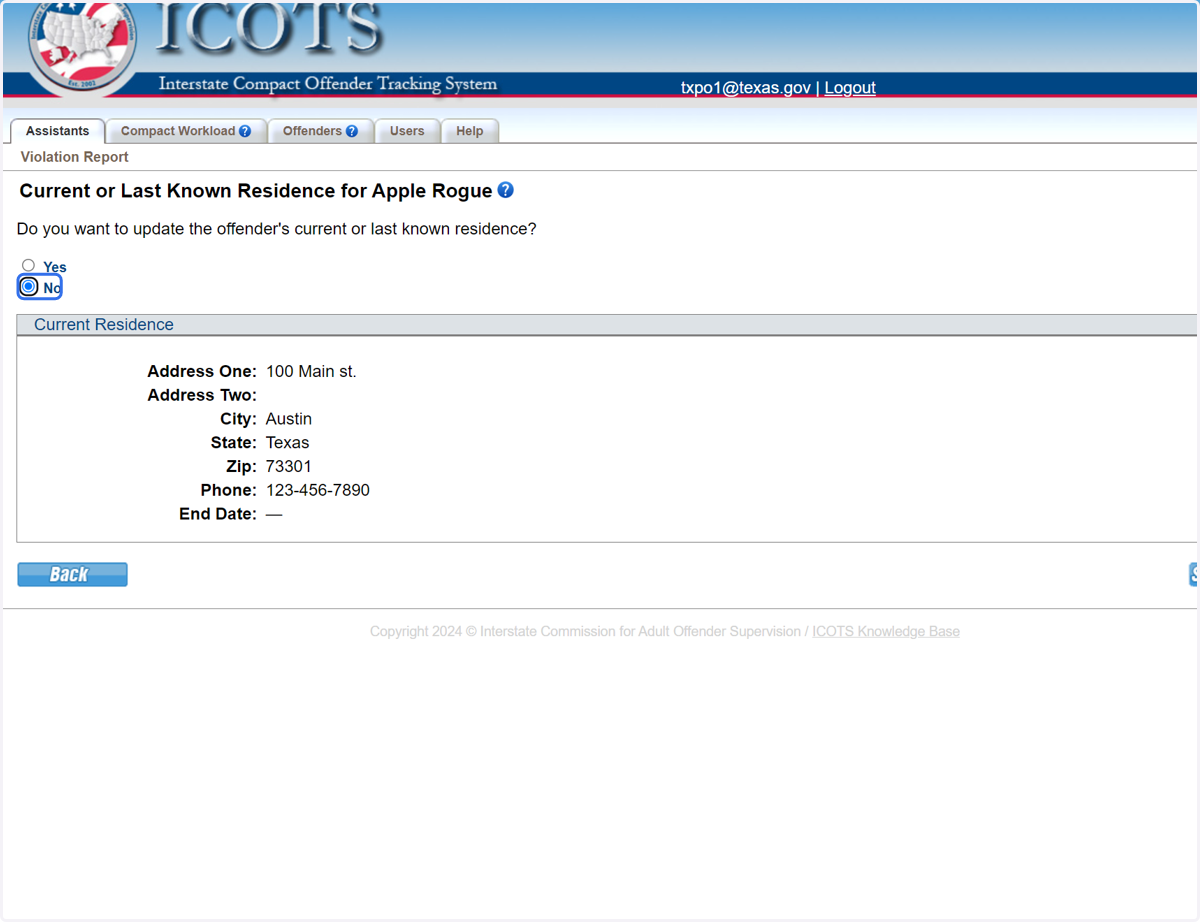
    Select 'No' if the address is current. Select 'Yes' and updated the address if needed.
  1. 6. This screenshot shows where to make the address updates and to add 'other residents' residing in the home.
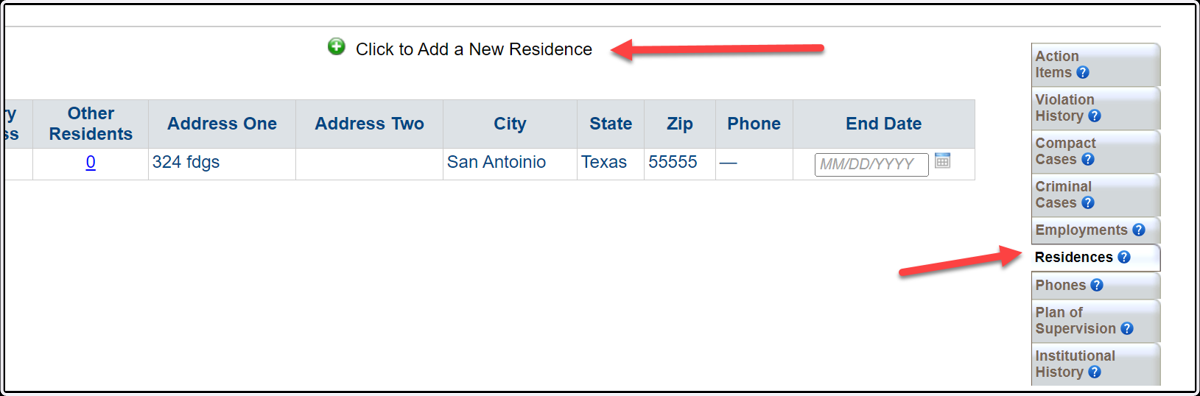
    This screenshot shows where to make the address updates and to add 'other residents' residing in the home.
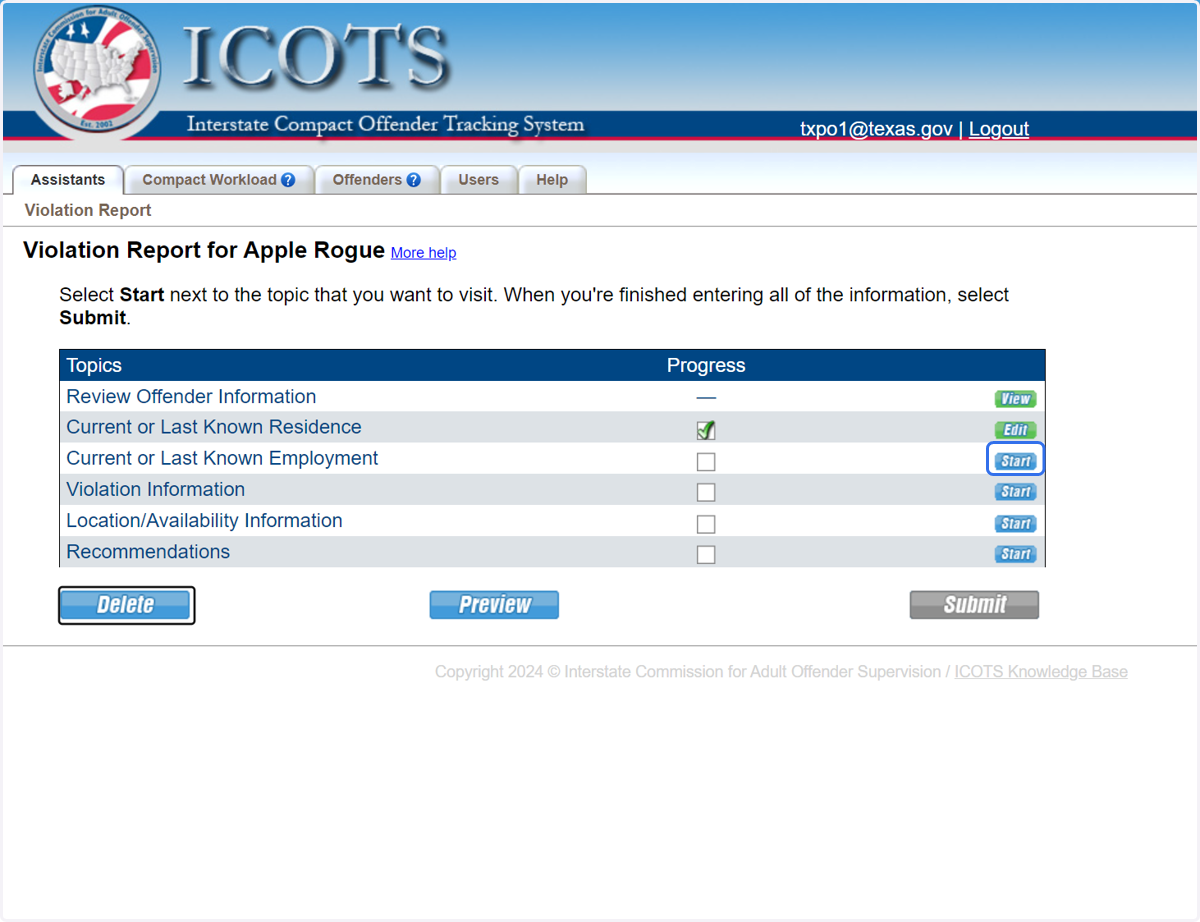
  2. 7. Proceed to Current Employment.

    Proceed to Current Employment.
  3. 8. Select 'No' if the employment is current. Select 'Yes' and update the employment if needed.
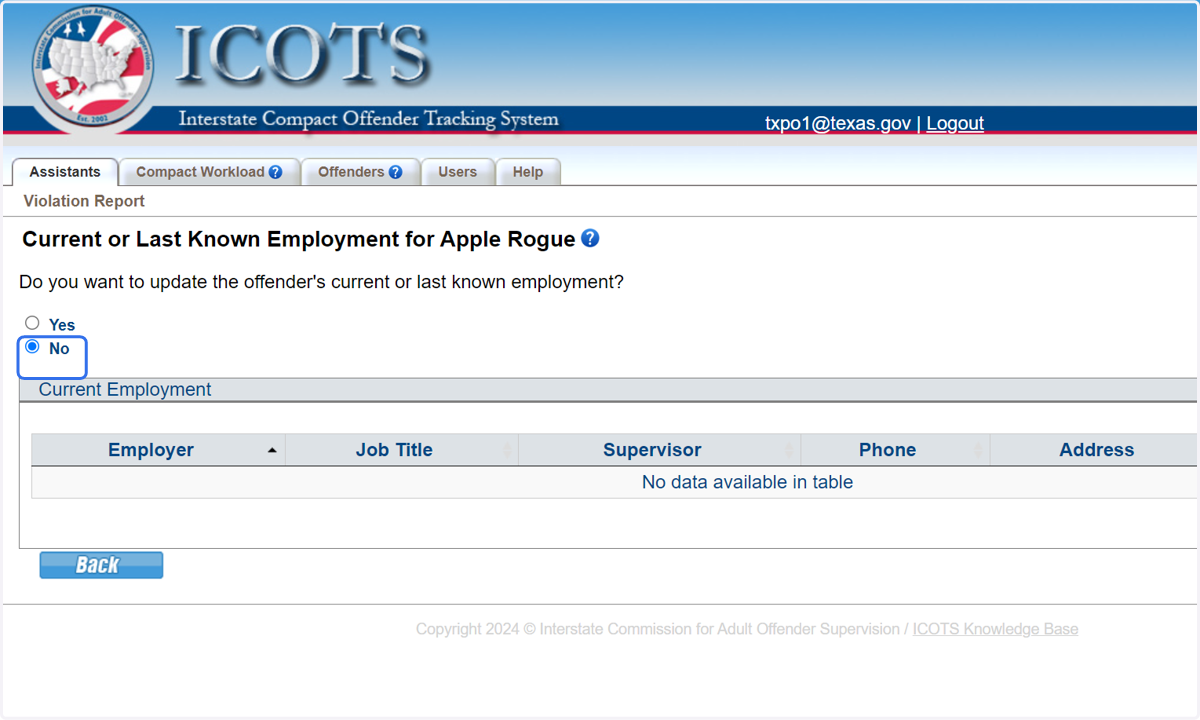
    Select 'No' if the employment is current. Select 'Yes' and update the employment if needed.
  1. 9. This screenshot shows where to make the employment updates.
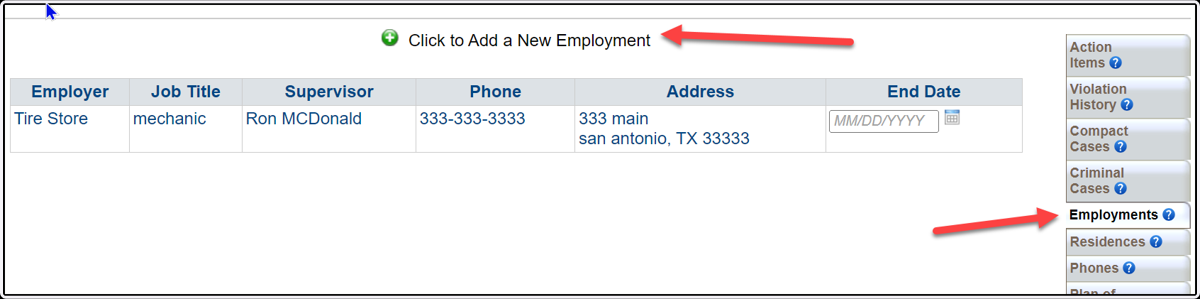
    This screenshot shows where to make the employment updates.
  2. 10. Proceed to Violation Information
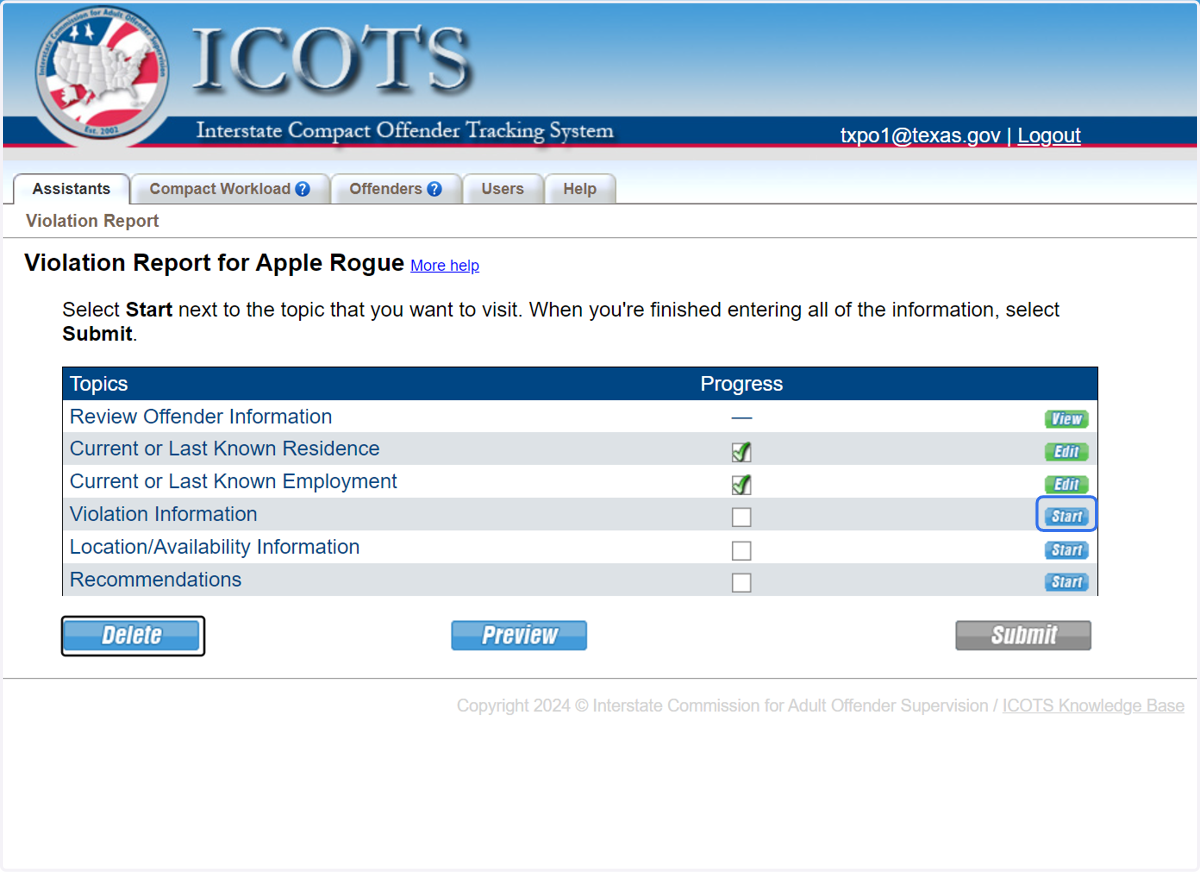
    Proceed to Violation Information
  3. 11. Click to Add a New Violation to the Violation Report
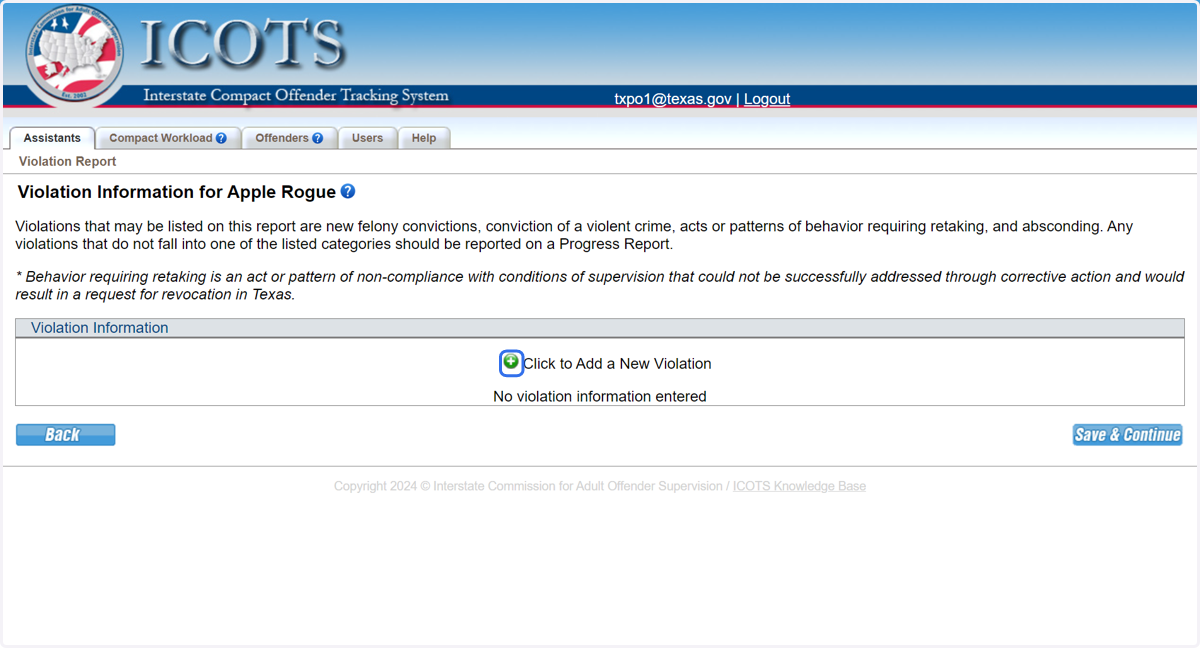
    Click to Add a New Violation to the Violation Report
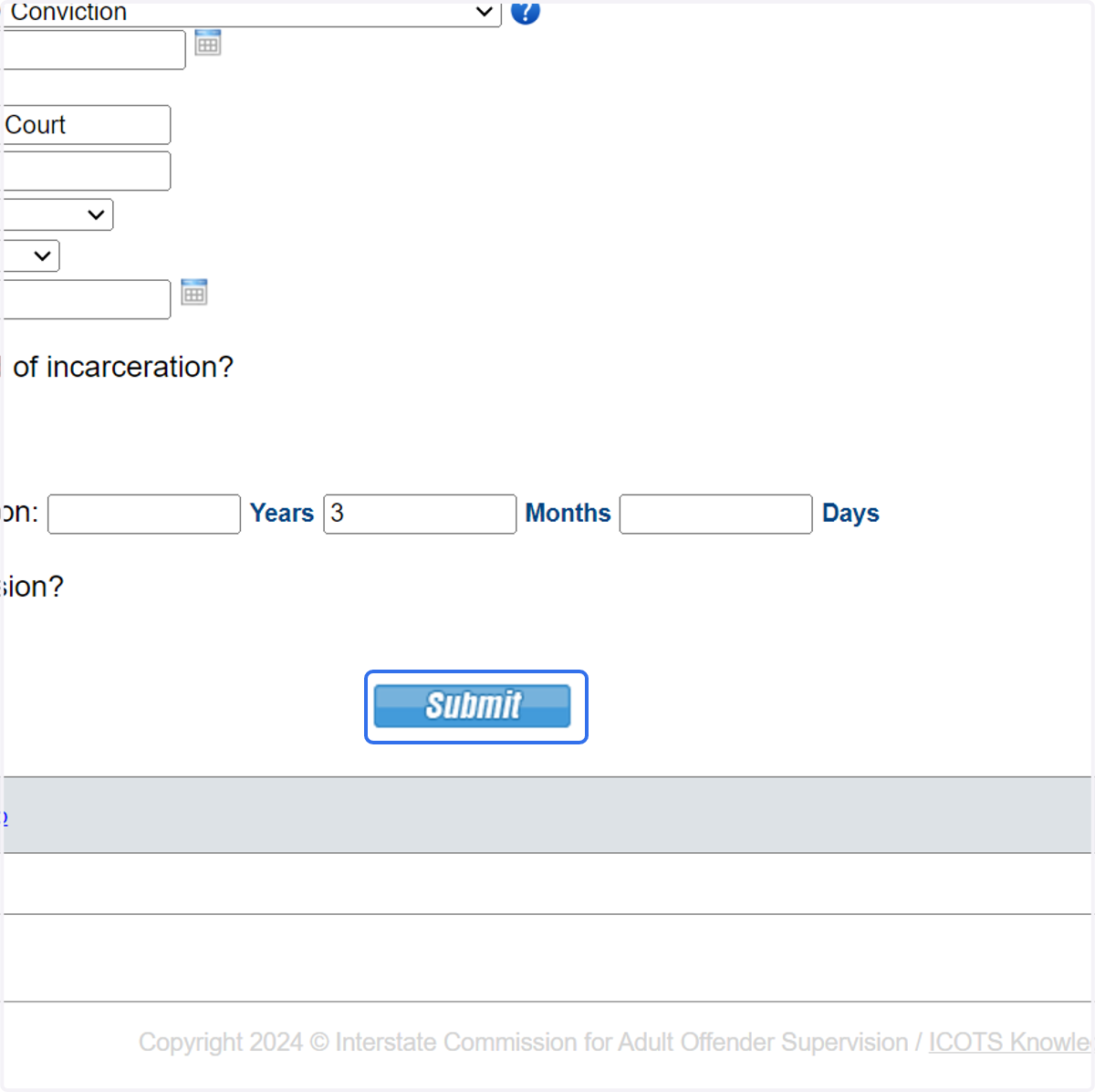
  4. 12. Violation Discovery Date should reference the date your state determined the new conviction should require retaking. Provide details regarding the sentence prior to proceeding.
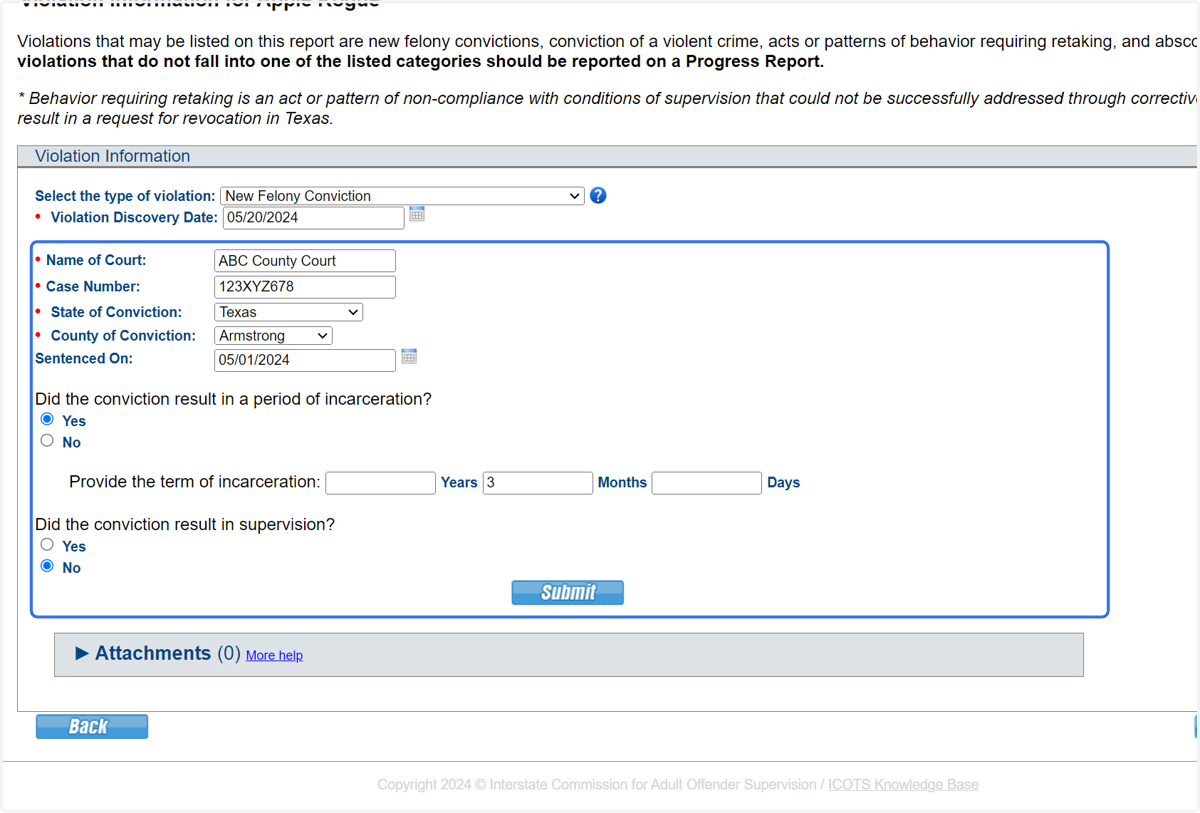
    Violation Discovery Date should reference the date your state determined the new conviction should require retaking. Provide details regarding the sentence prior to proceeding.
  1. 13. Click 'Submit' to proceed.

    Click 'Submit' to proceed.
  2. 14. Select 'Felony' and provide offense information
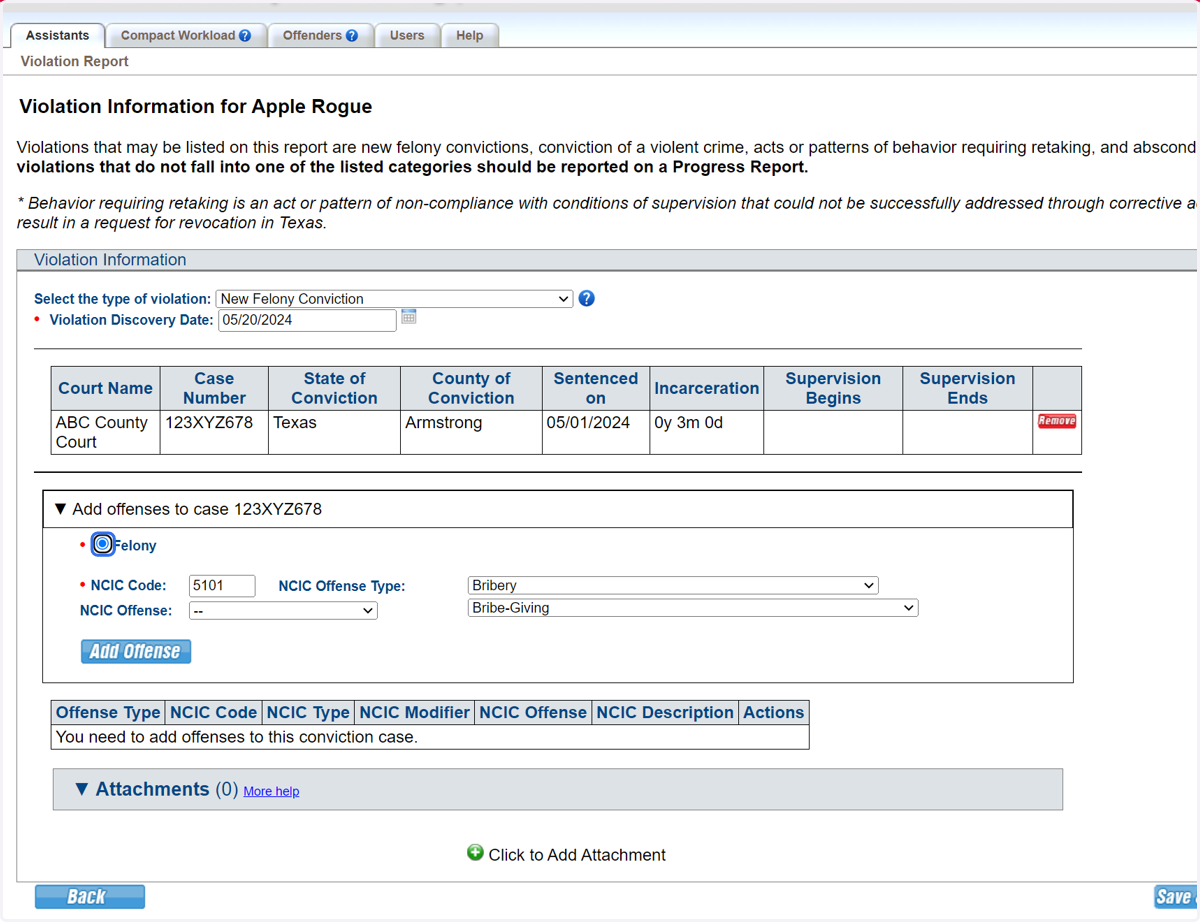
    Select 'Felony' and provide offense information
  3. 15. Click 'Add Offense' to attach the description of the offense.
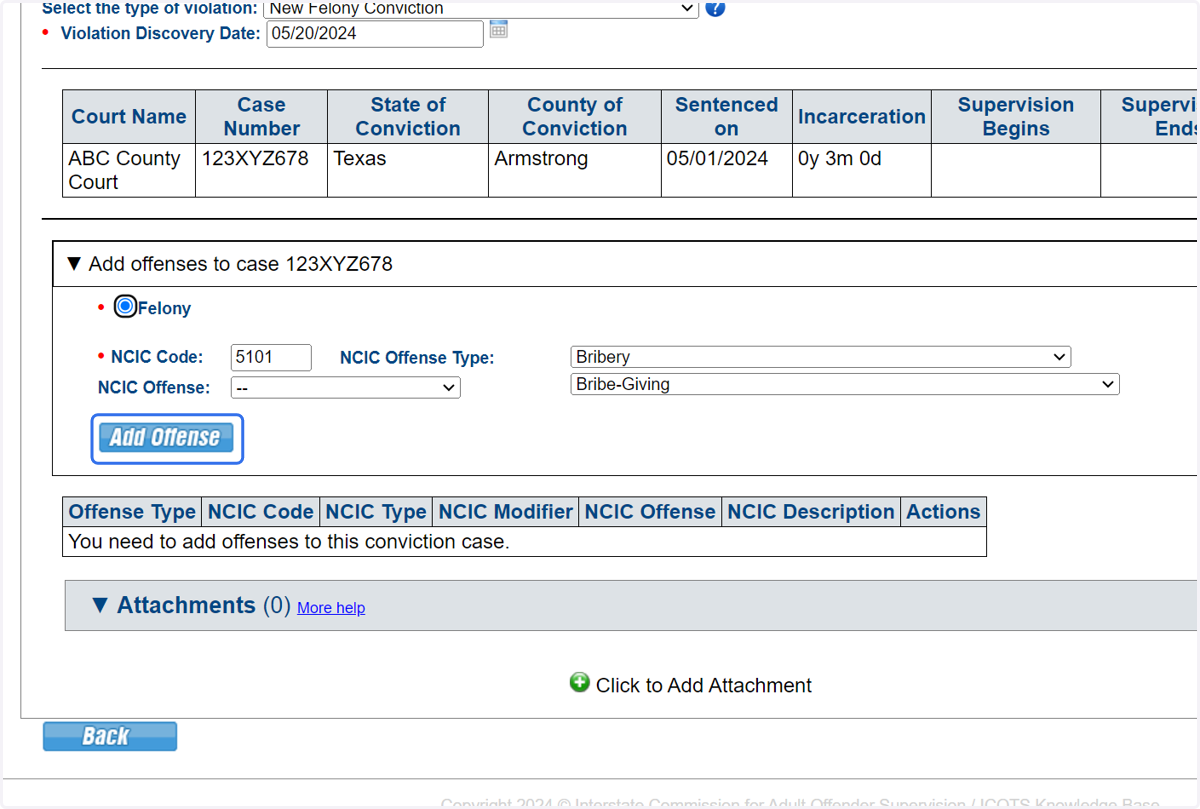
    Click 'Add Offense' to attach the description of the offense.
  4. 16. Click on 'Add' to provide details of the new crime.
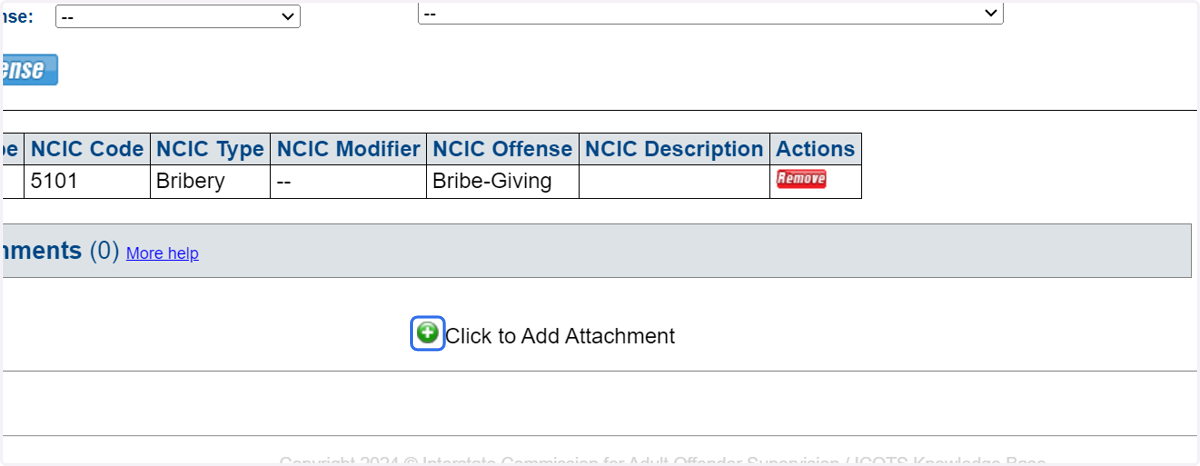
    Click on 'Add' to provide details of the new crime.
  5. 17. Be sure to explain why the new conviction should require retaking.
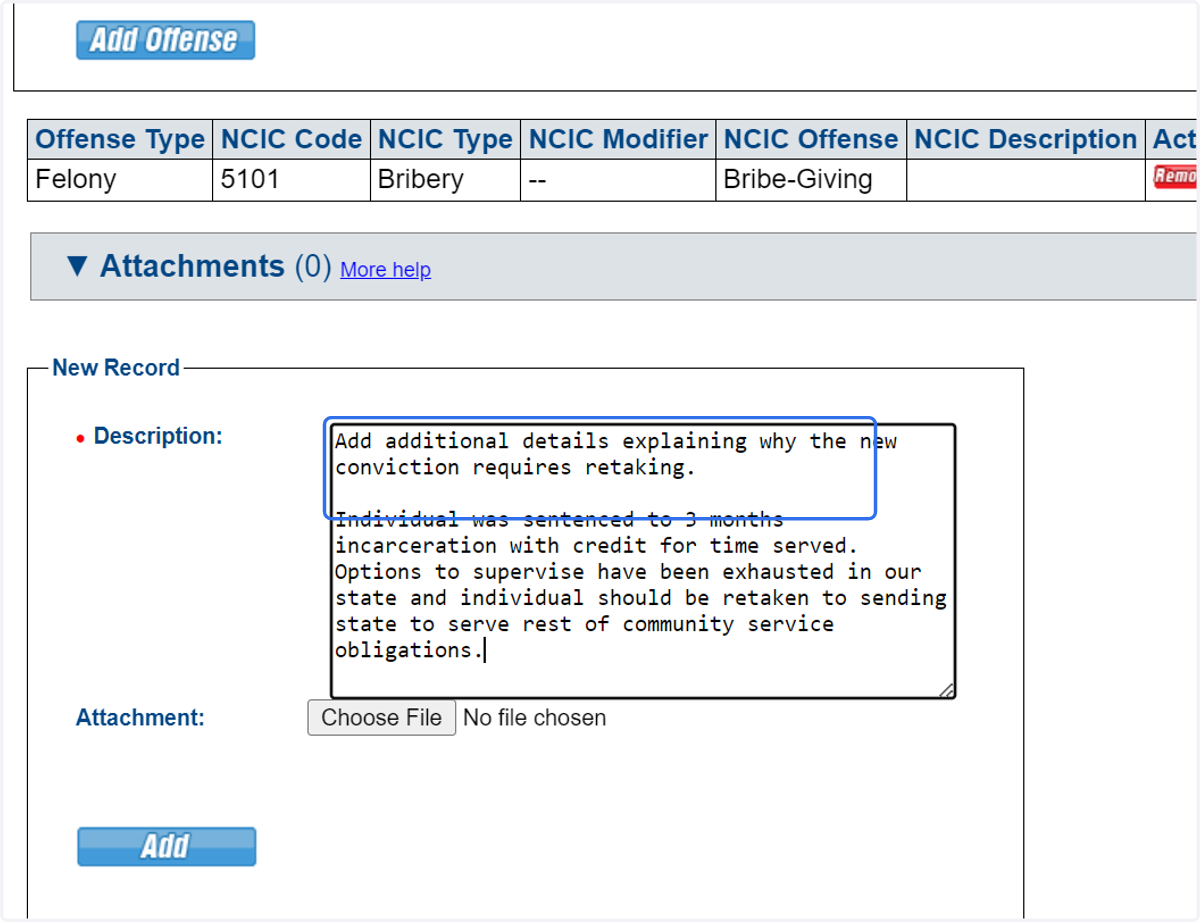
    Be sure to explain why the new conviction should require retaking.
  6. 18. Click 'Add' for every attachment provided.
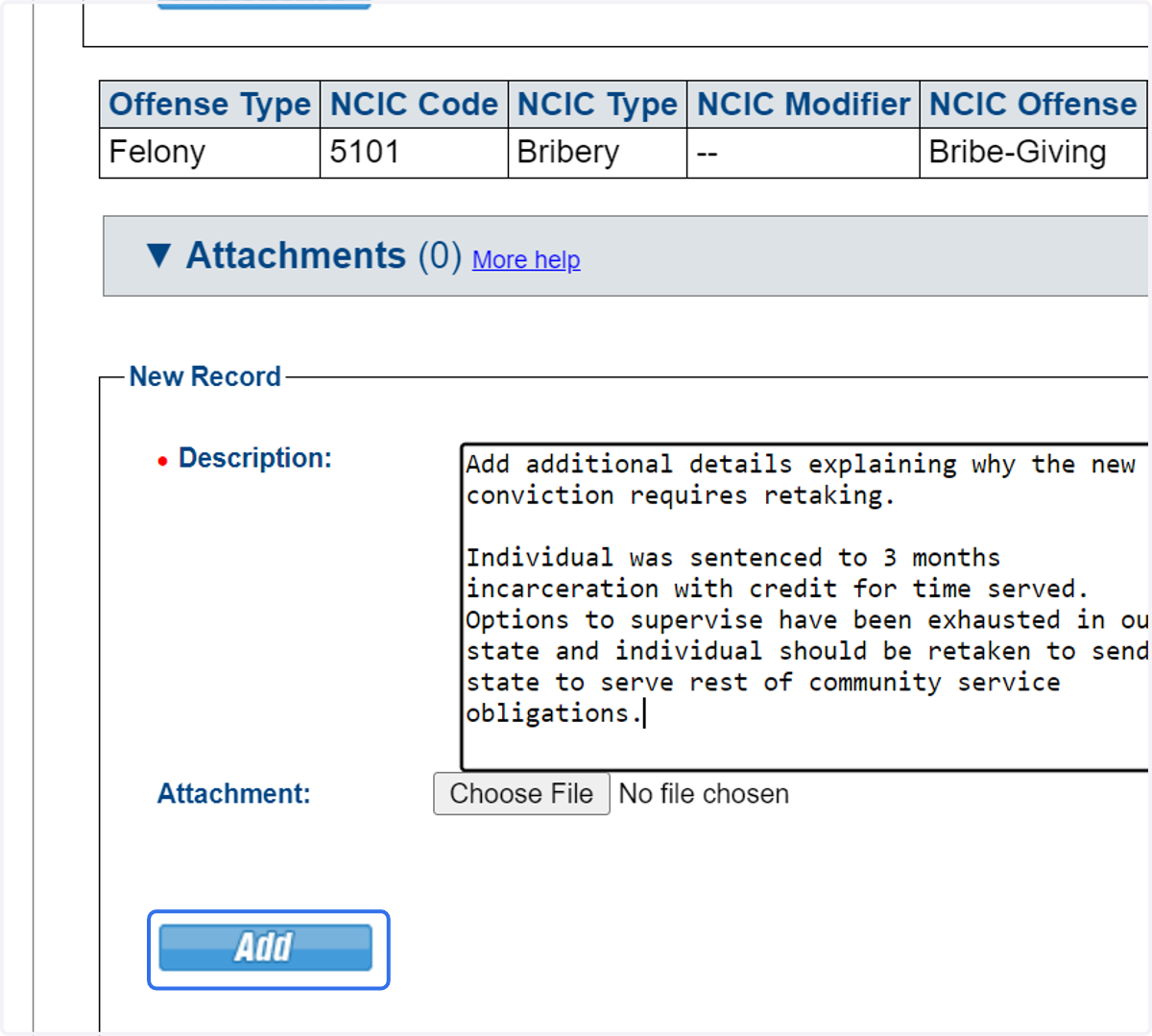
    Click 'Add' for every attachment provided.
  7. 19. Review Violation Overview, then 'Save & Continue' to proceed.
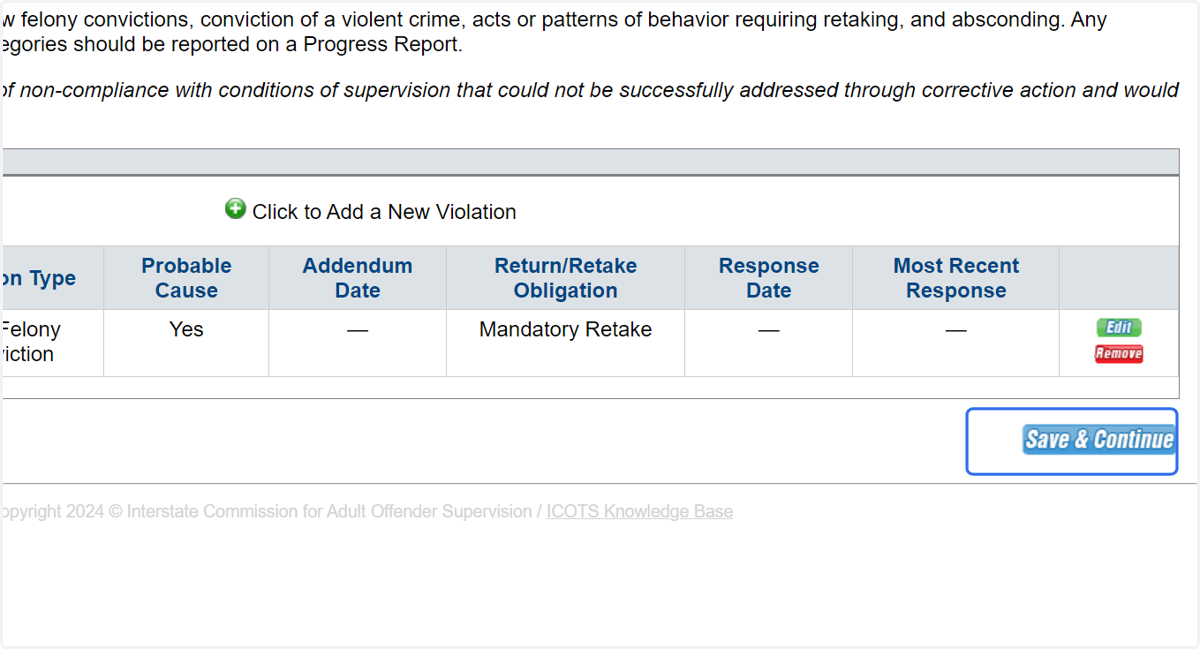
    Review Violation Overview, then 'Save & Continue' to proceed.
  8. 20. Proceed to Location/Availability.
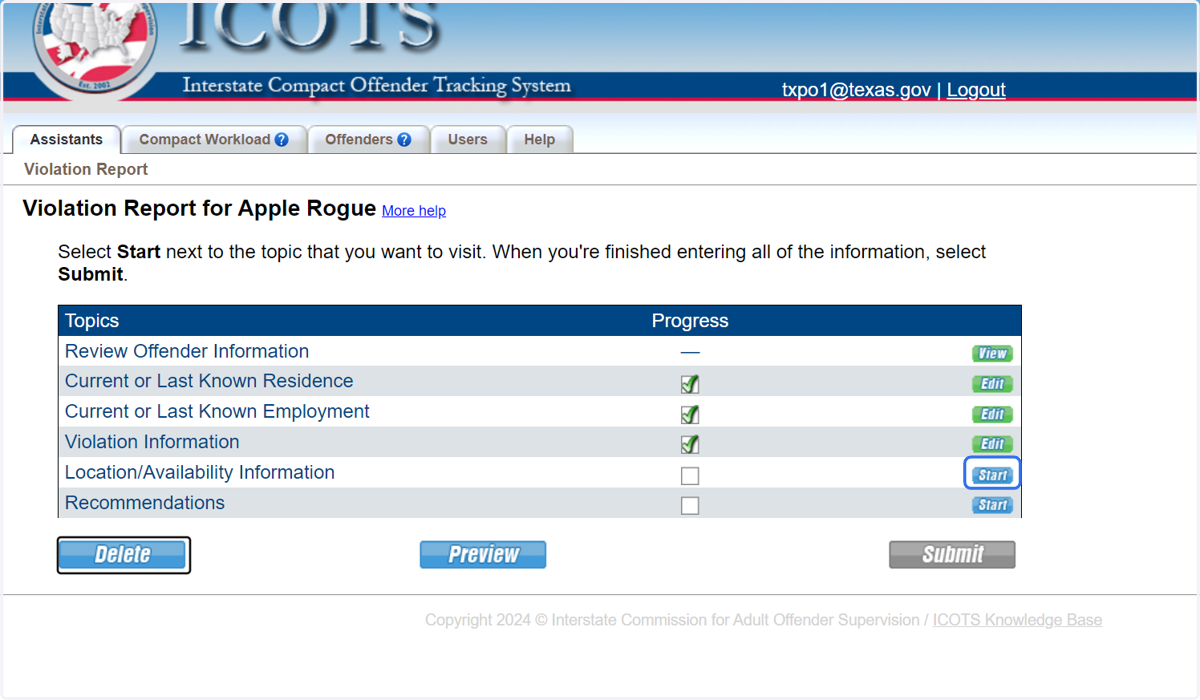
    Proceed to Location/Availability.
  9. 21. Provide availability and location information. It is best practice to use the Violation Report Requiring Retaking once the individual is 'available.'
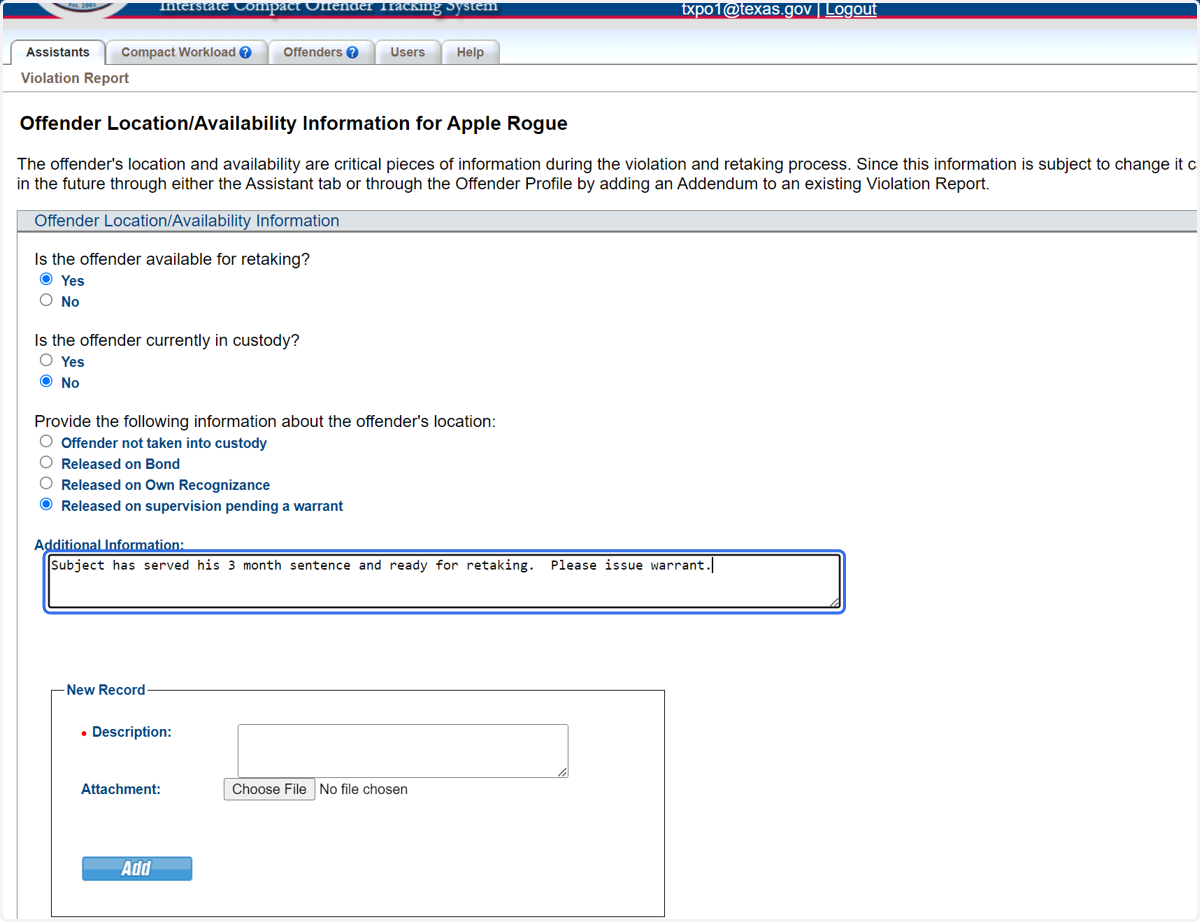
    Provide availability and location information. It is best practice to use the Violation Report Requiring Retaking once the individual is 'available.'
  10. 22. Proceed to 'Recommendations.'

    Proceed to 'Recommendations.'
  11. 23. Provide any additional details confirming need for nationwide warrant for retaking.
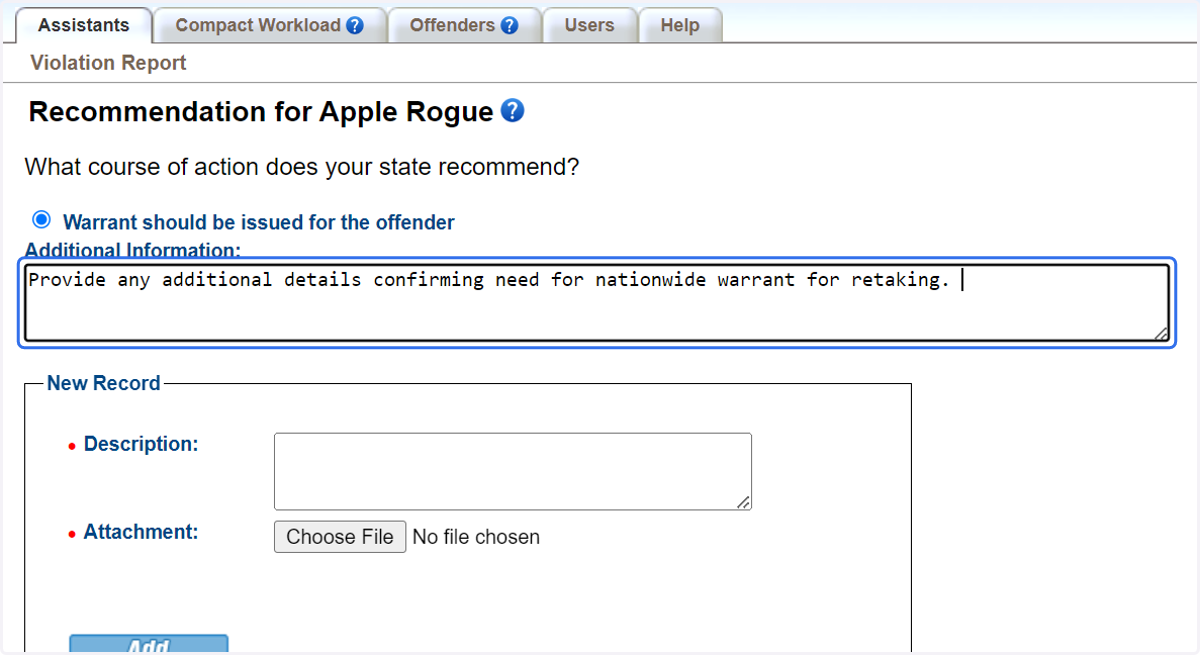
    Provide any additional details confirming need for nationwide warrant for retaking.
  12. 24. Be sure to preview the Violation Report to view how it will be saved and display in ICOTS. When completed, click 'Submit.'
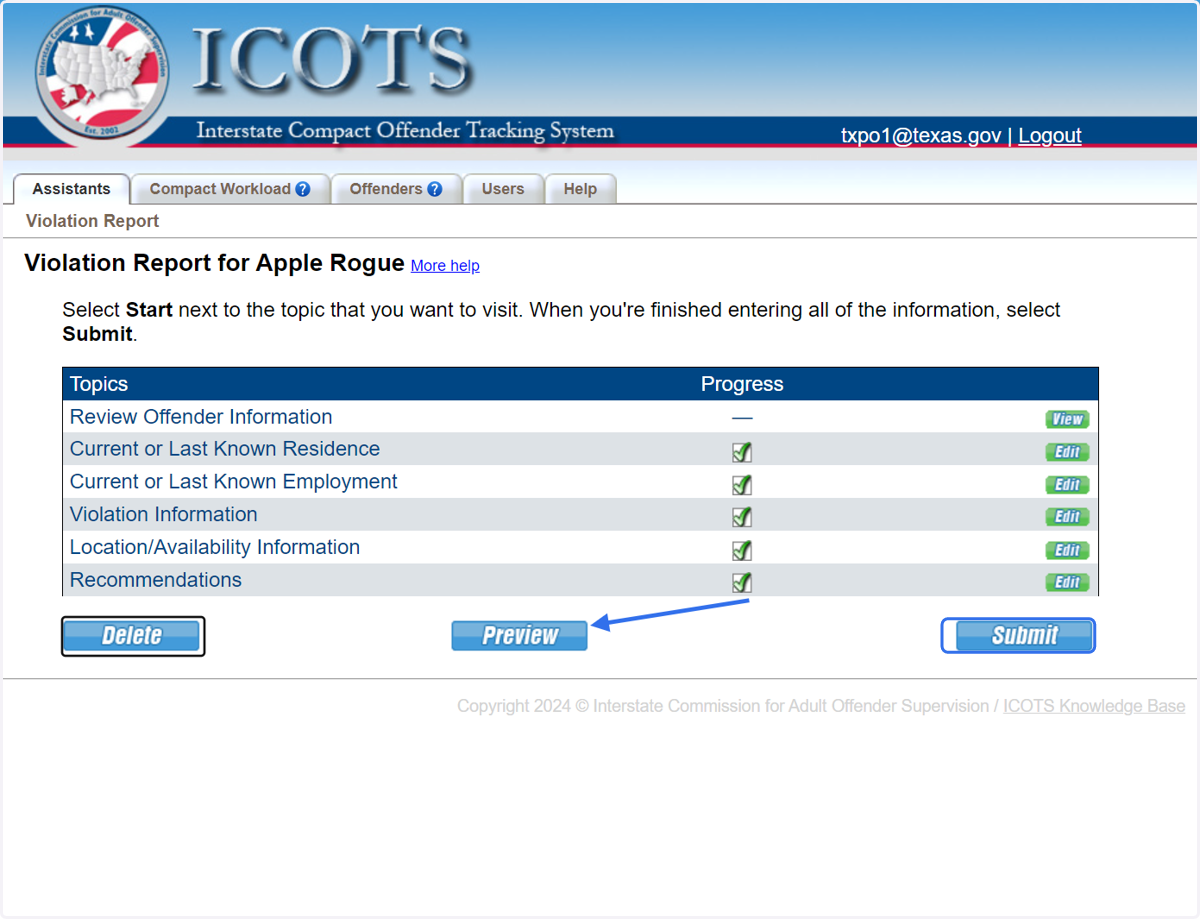
    Be sure to preview the Violation Report to view how it will be saved and display in ICOTS. When completed, click 'Submit.'