Using Bulk Edit to Set Stay Restrictions
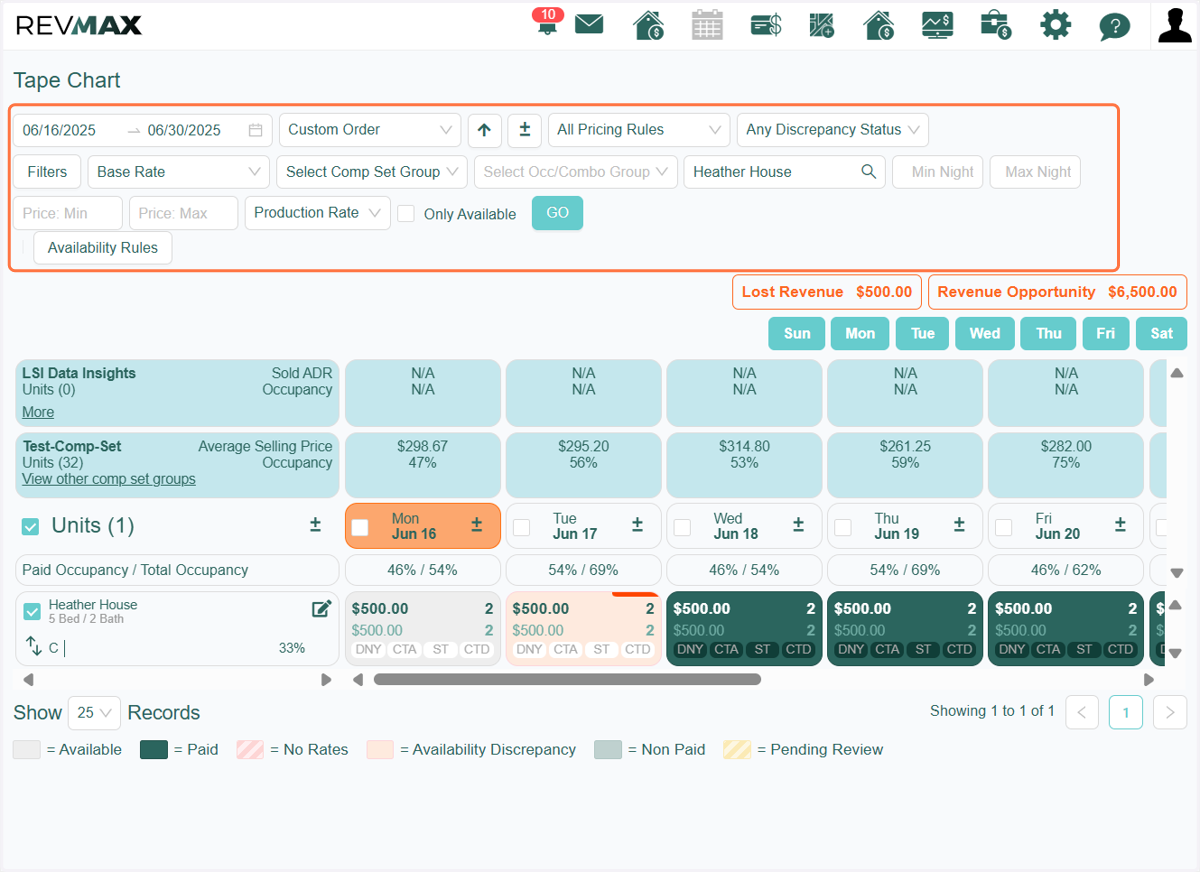
1. Filter the date range and/or select specific units you would like to apply stay restrictions to
You can also apply additional filters such as bedroom count, location, occupancy group, etc
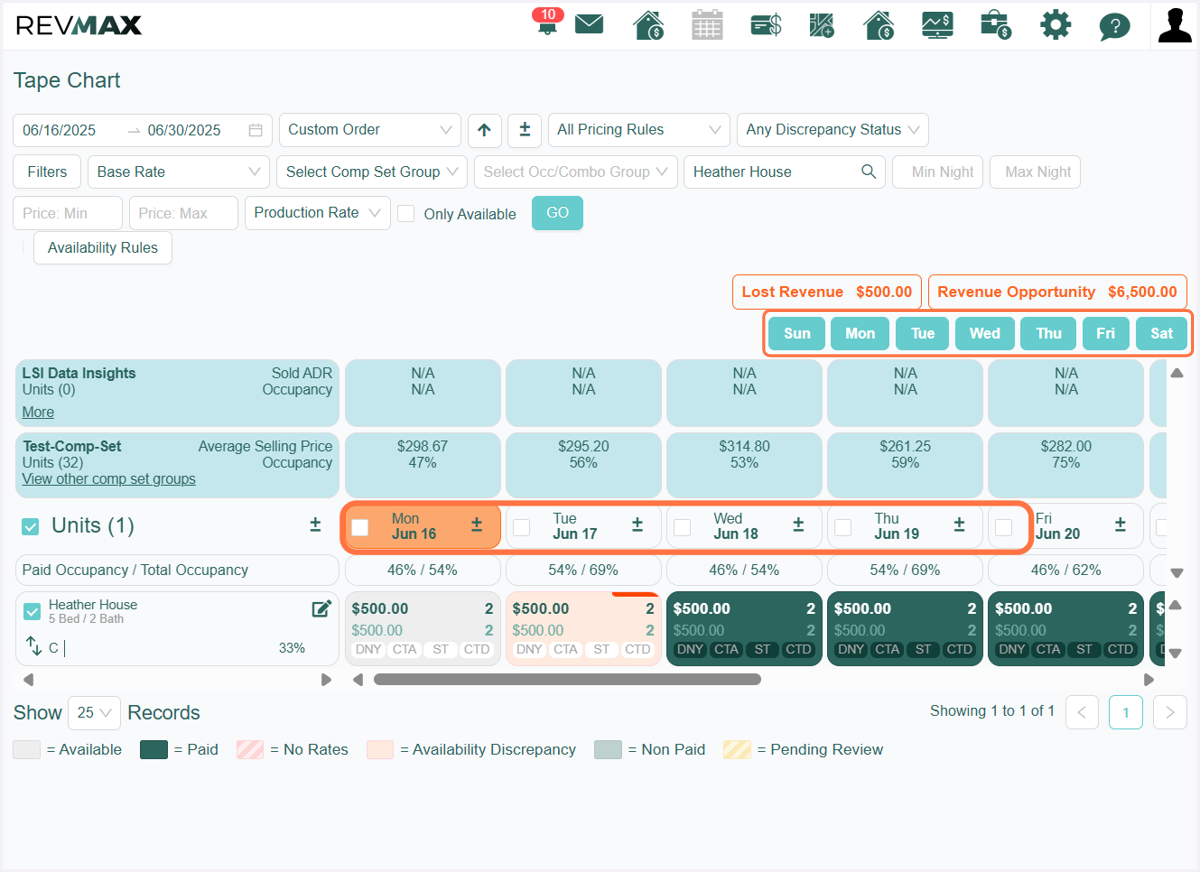
2. A 'Days of the Week' filter is also available for you to select specific days. You can also select specific dates by checking the boxes next to the desired dates
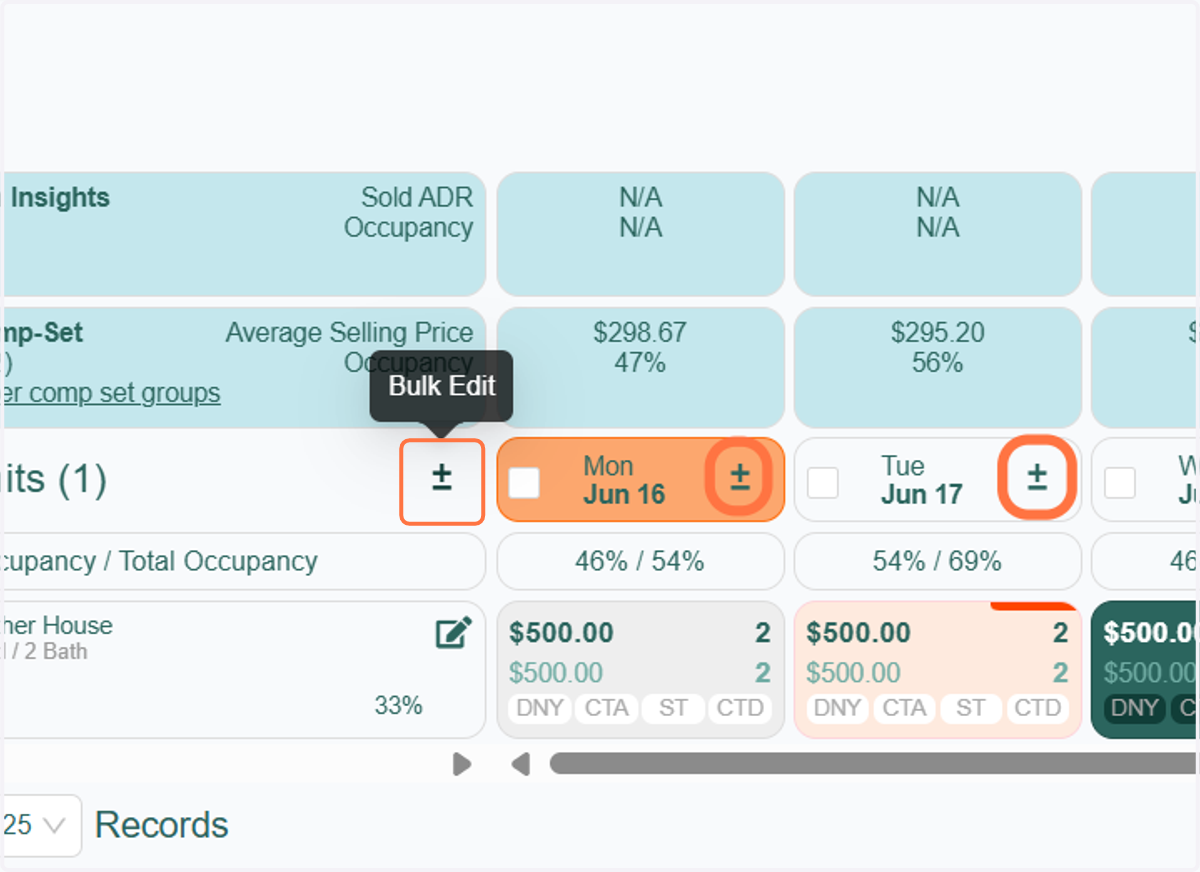
3. Once your dates and units are set, click the 'Bulk Edit' icon.
** If you want to update a specific date for the selected units, click the bulk edit icon located to the right of the date
4. Go to the "Stay Restrictions" tab to apply Closed to Arrival (CTA), Closed to Departure (CTD), and Stay Through (ST).
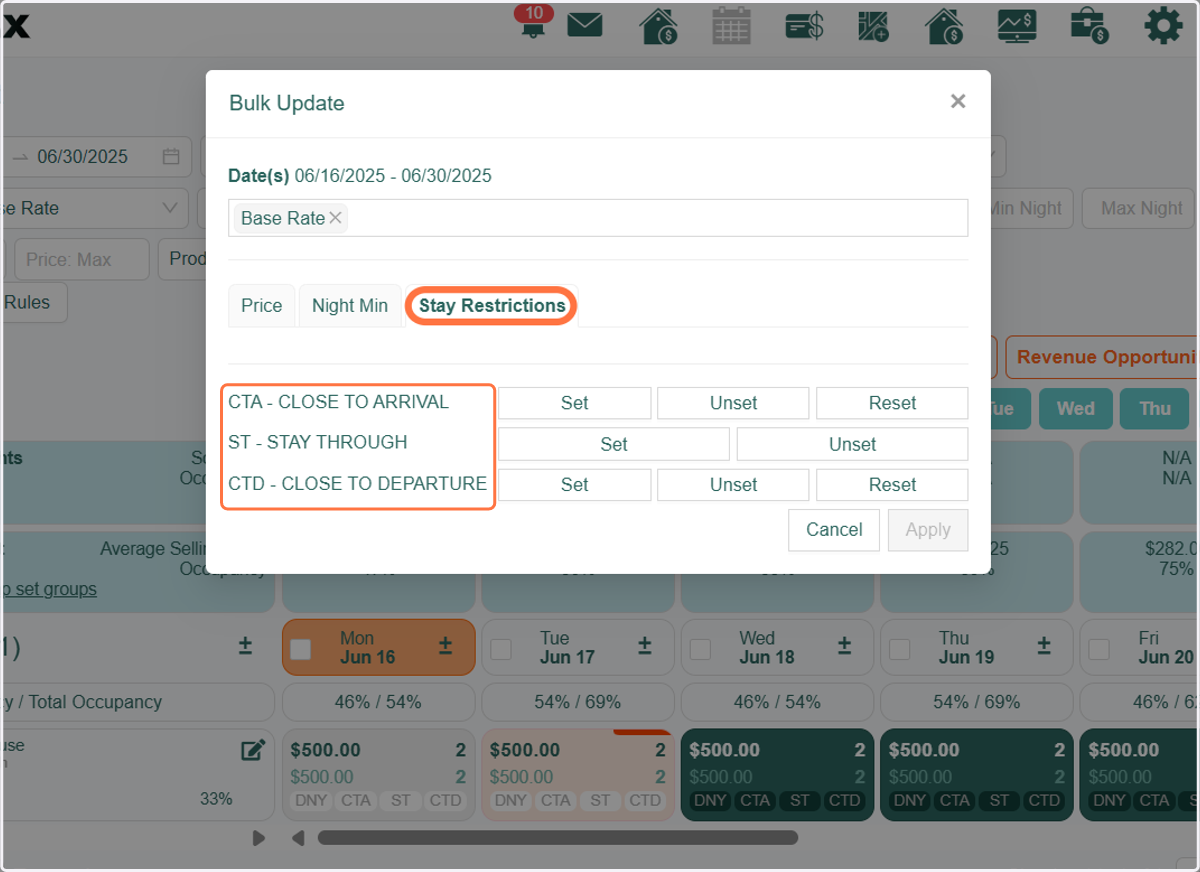
5. To apply any of the three options, click the "Set" button. To remove stay restrictions, simply use the "Unset" or "Reset" buttons.
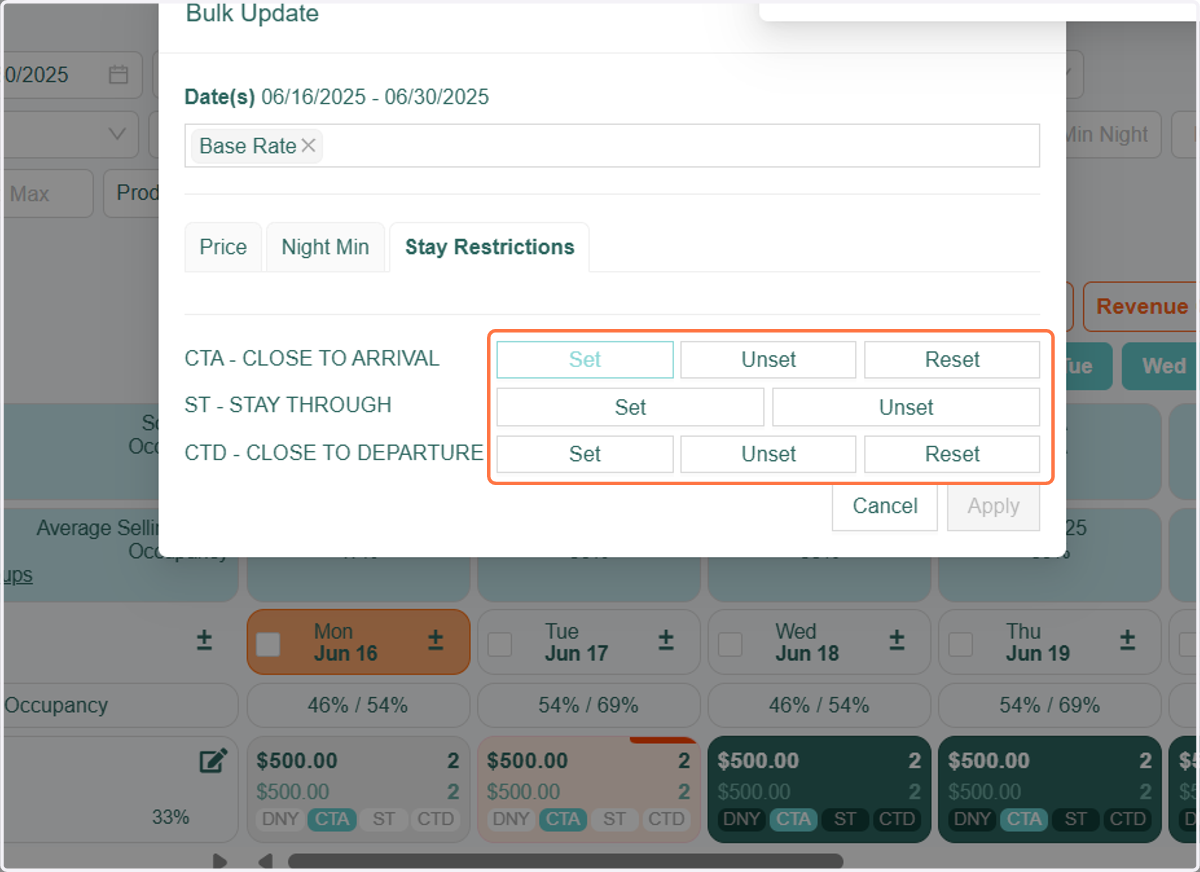
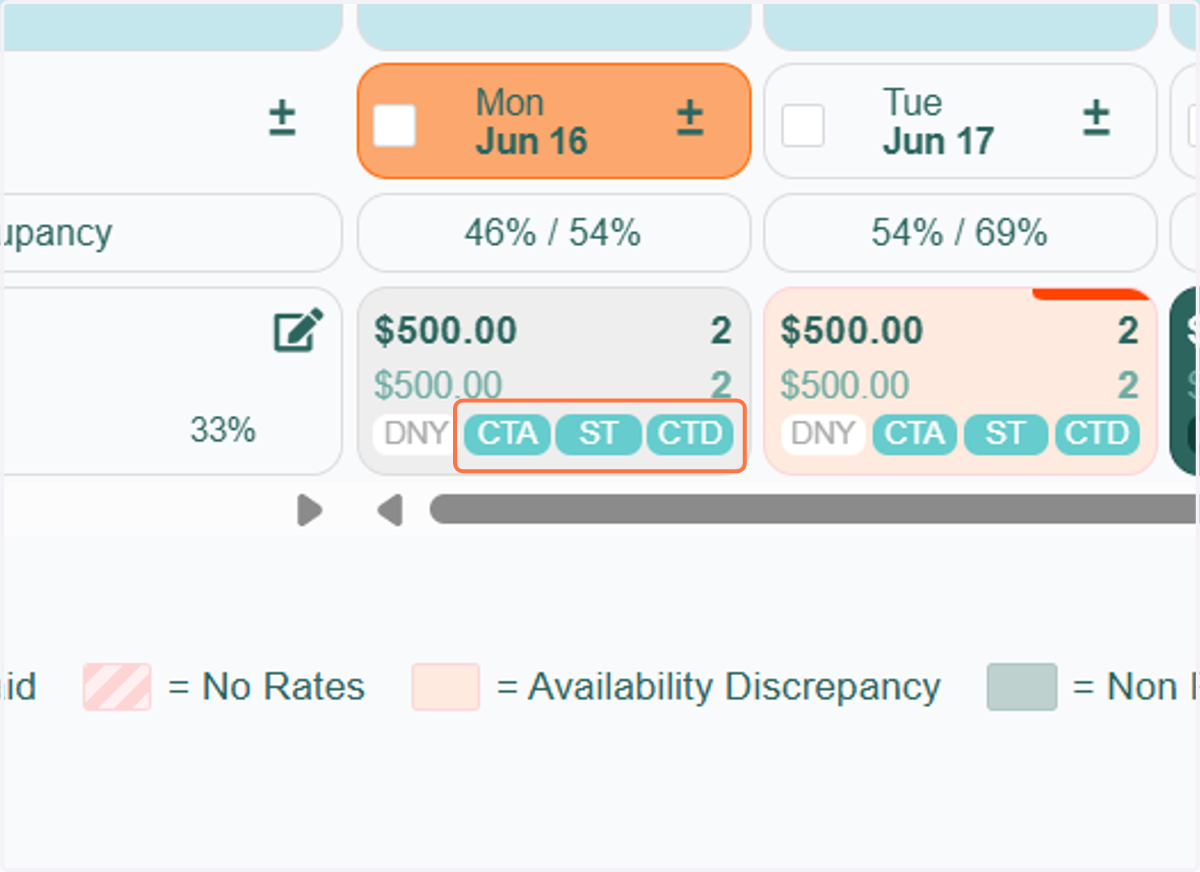
6. Once you've set CTA, CTD, or ST, the corresponding boxes will be highlighted, indicating that a stay restriction is currently active for the selected date(s) and unit(s).