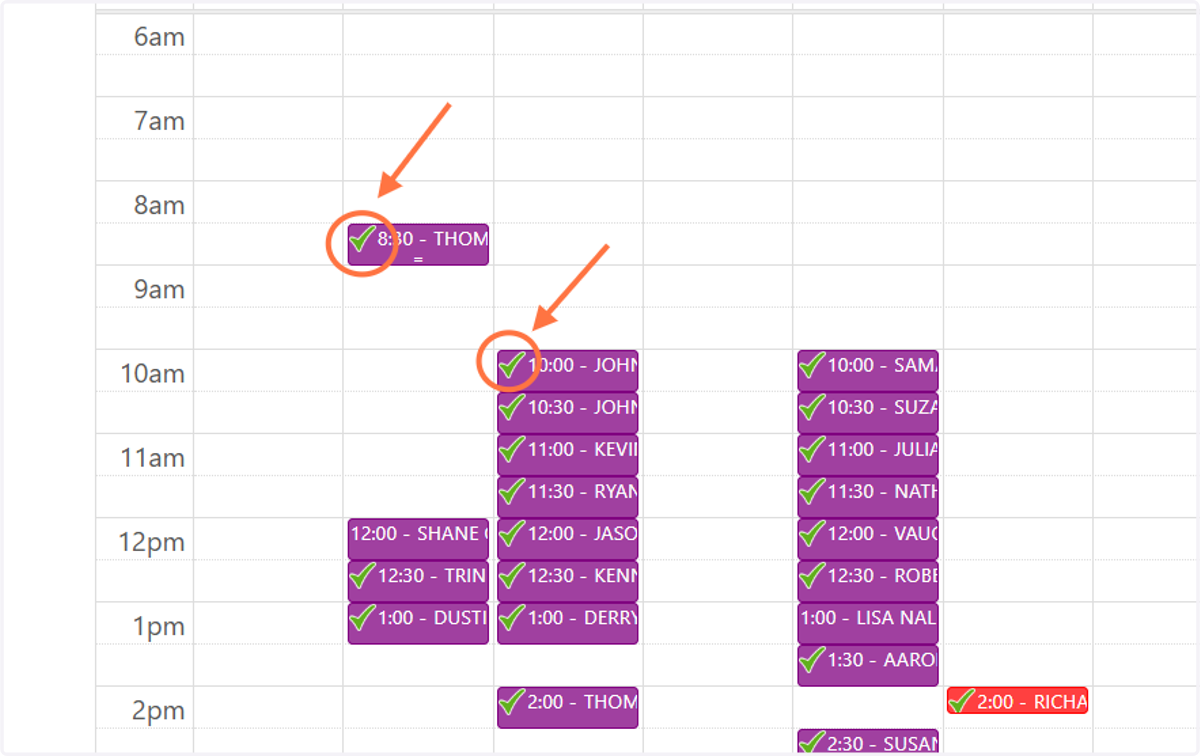
"PDA Complete" Indicator (Green Checkmark)
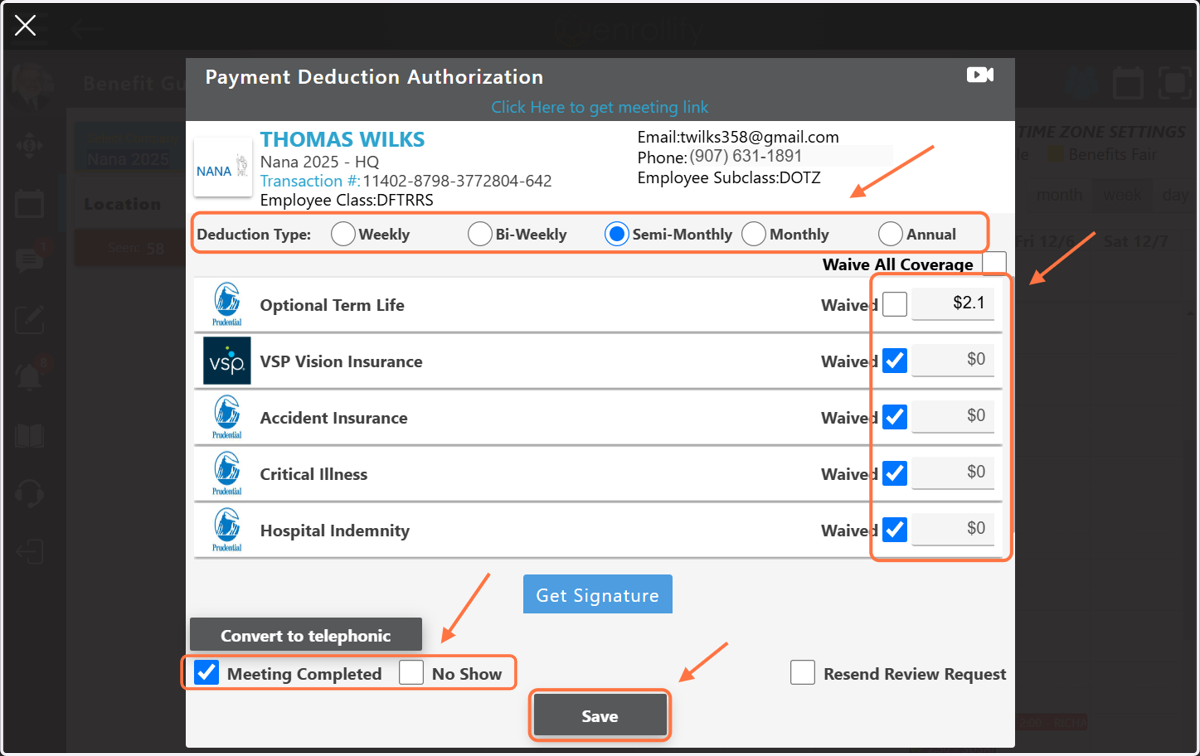
Implementation Coordinators and Benefit Gurus now have quick visibility on their calendar to which PDAs have been successfully completed as there will be a green checkmark on the calendar when a PDA is complete. PDAs are considered 'complete' when all product fields have been filled out with 'Waived' or a dollar amount, the 'Meeting Complete' box on the PDA has been checked, and 'Save' has been clicked. If the employee does not show up for their appointment, the PDA is also considered complete when the Guru marks the 'No Show' box and clicks 'Save'. Both scenarios are considered a 'Complete' PDA.
1. A green checkmark will appear on the calendar for both ICs and Benefit Gurus when a PDA has been completed.
2. In order for a PDA to be "Complete", the Benefit Guru must mark a 'Deduction Type', Waive each product or enter a dollar amount, mark 'Meeting Completed' and click 'Save' OR leave the PDA blank, mark 'No Show' and click 'Save'.
Remember: Benefit Gurus do not get paid any Seen/Sold incentives for PDAs unless they have been completed.