How to add a family member.
****Follow these steps if you would like to add two separate accounts together as a family member account. The two account owners will be able to see both pets on each account or delete/archive one pet account and just use one pet account instead for both users.
1. Go to your RunLoyal staff portal on a google chrome browser.
2. Go to the pet owner profile of the primary account that you would like, then scroll down to the family section on their profile.
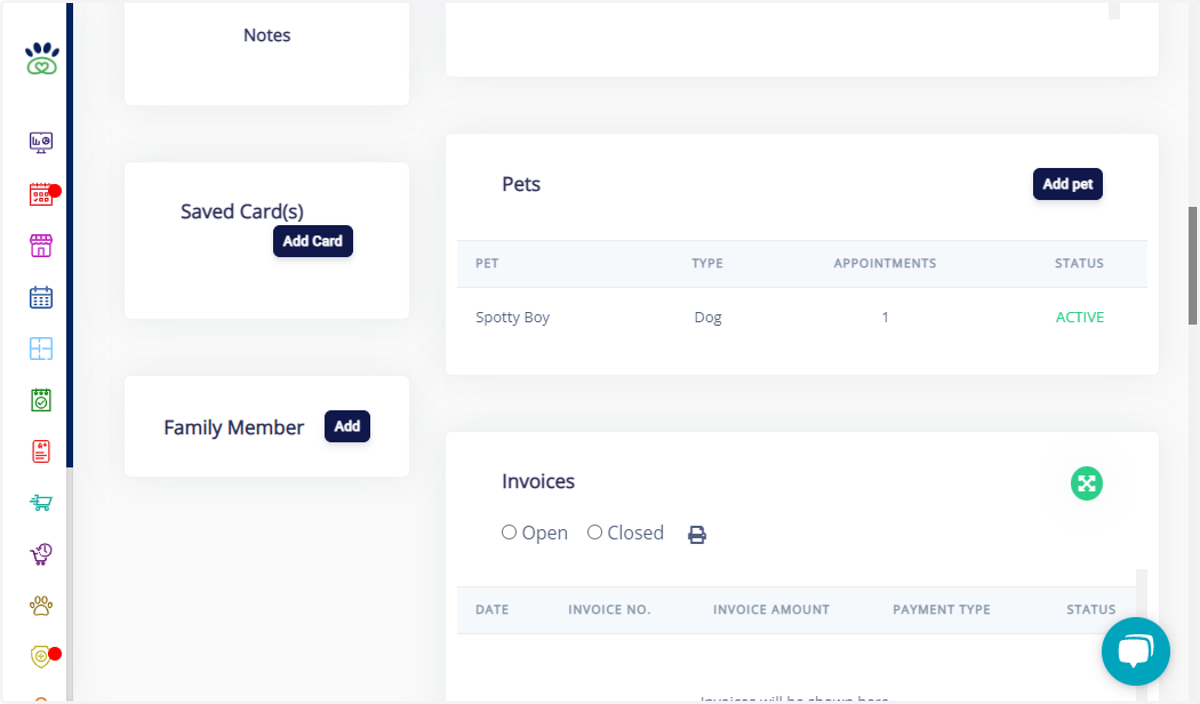
3. Click on Add
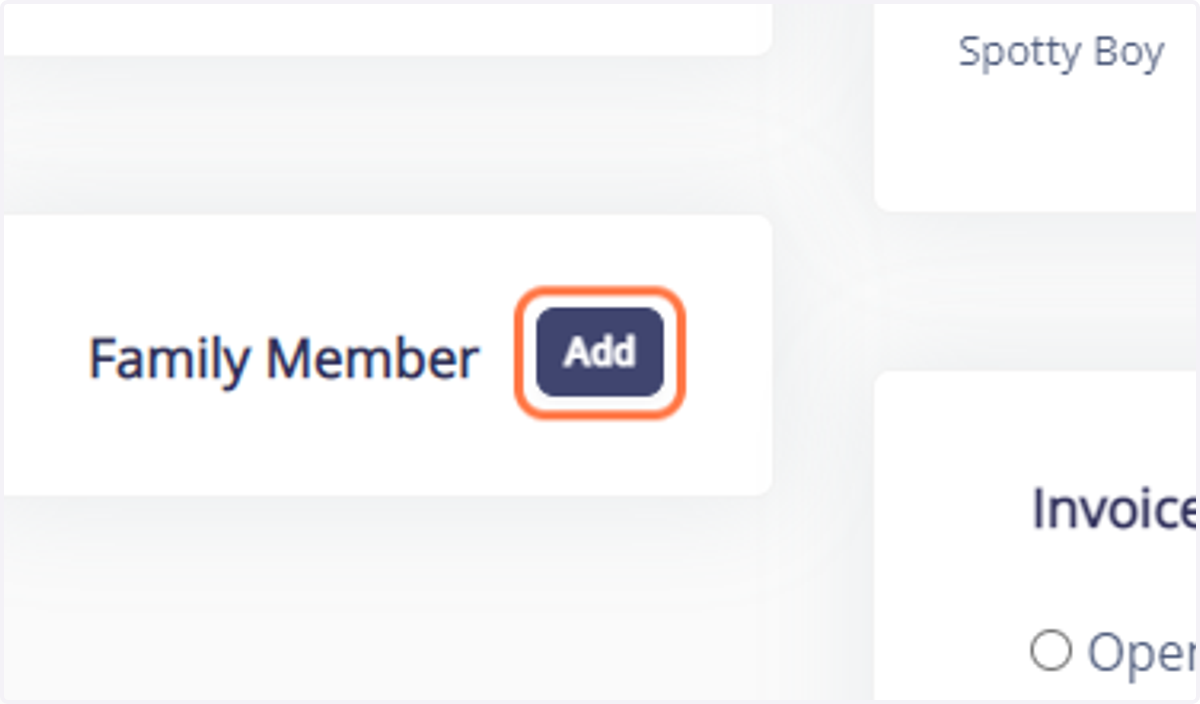
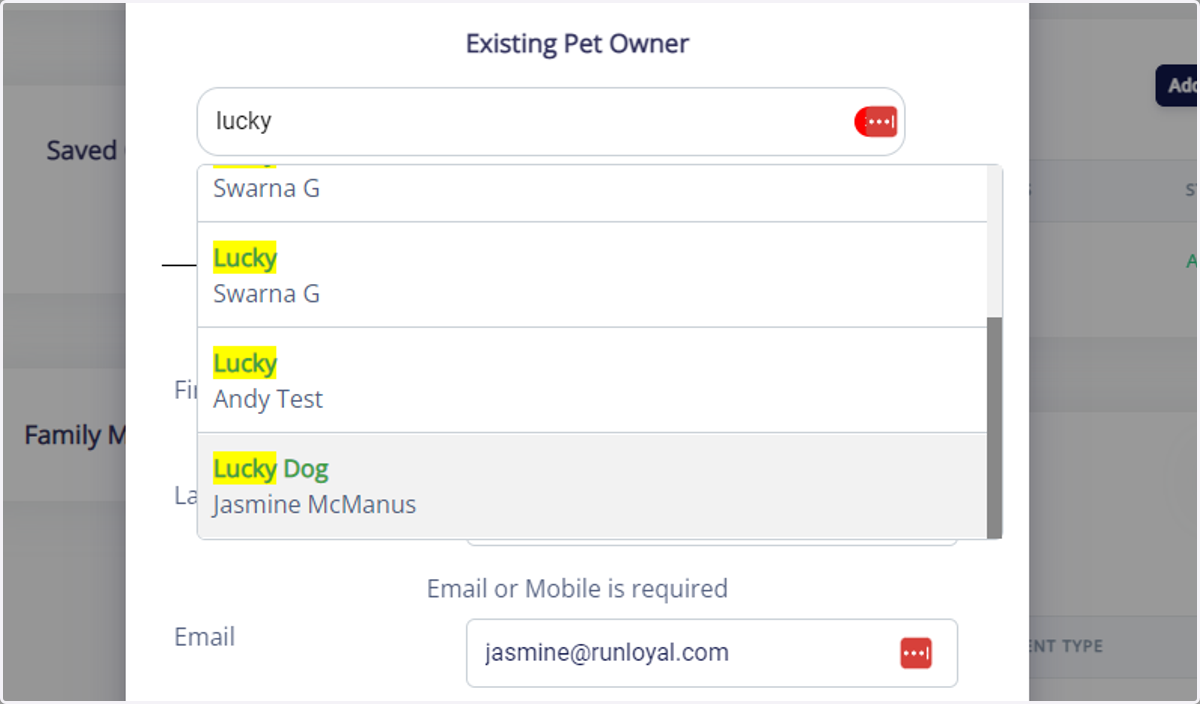
4. Type in the dogs name or the other account name in the search bar. Example: "lucky"
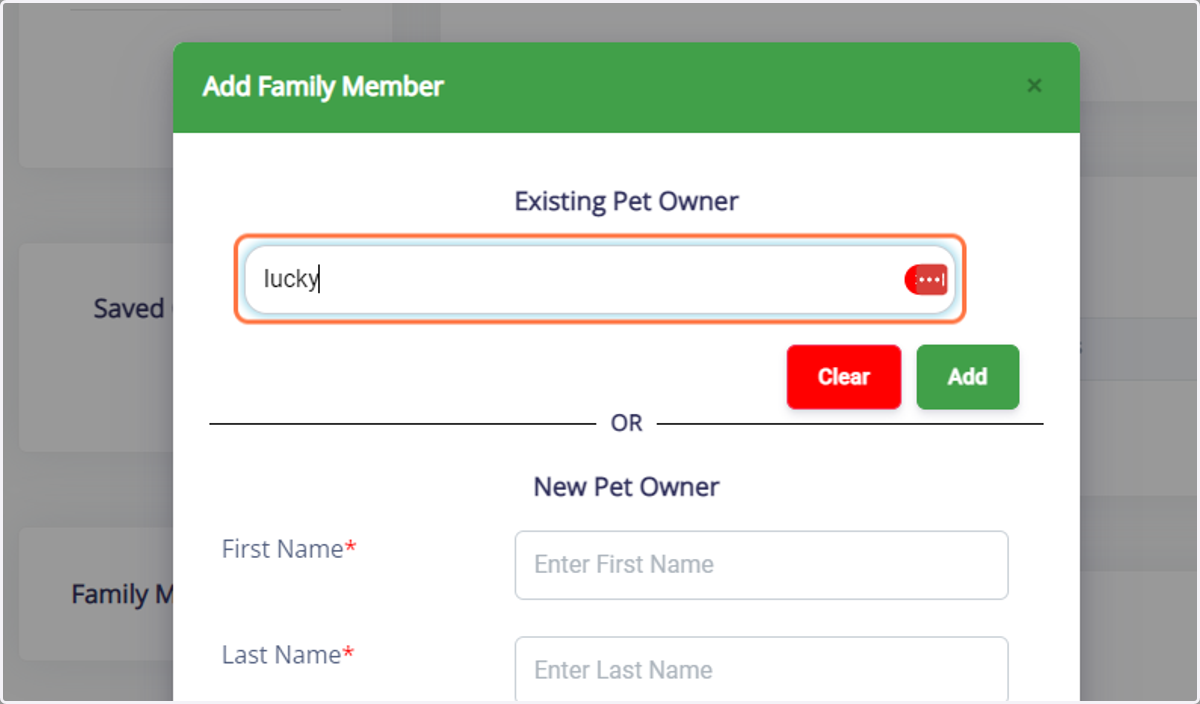
5. Select the associated pet owner that you would like to be merged/added into the primary account and click on the "Add" button to finalize.
*****You can also add a completely new pet owner and add them as a family member at the same time. (Please search their name first to make sure an account is not already present.)
Runloyal
6. Click on OK to exit the family member screen.
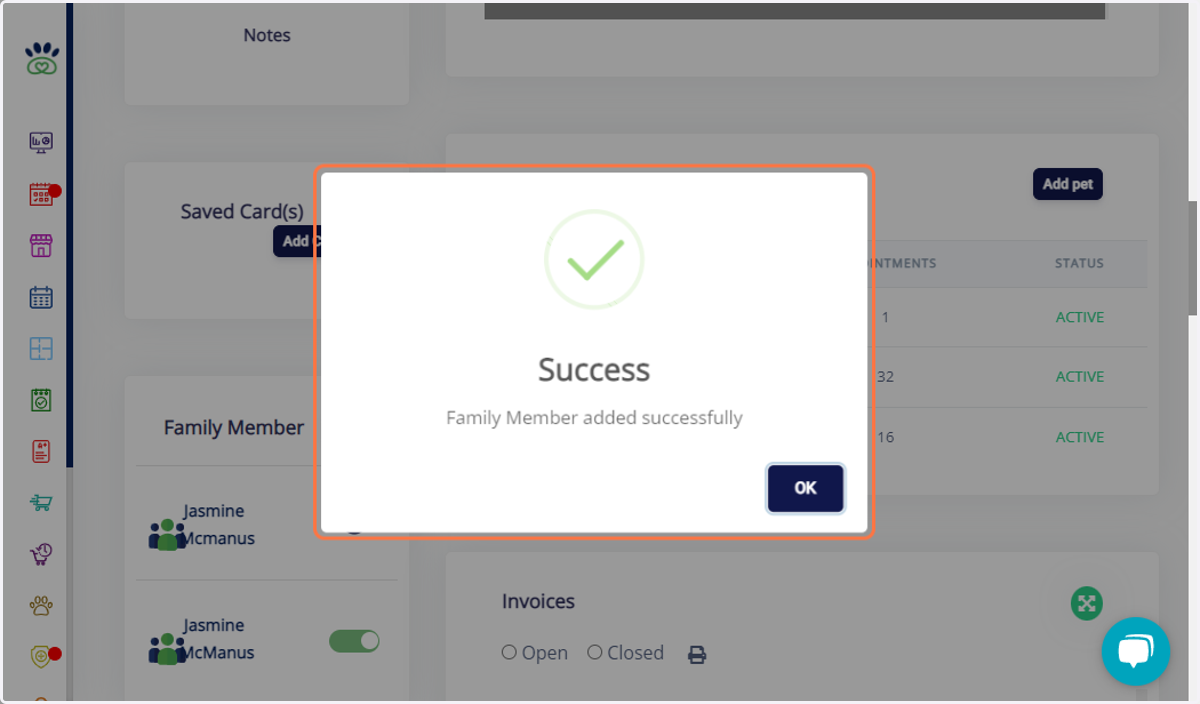
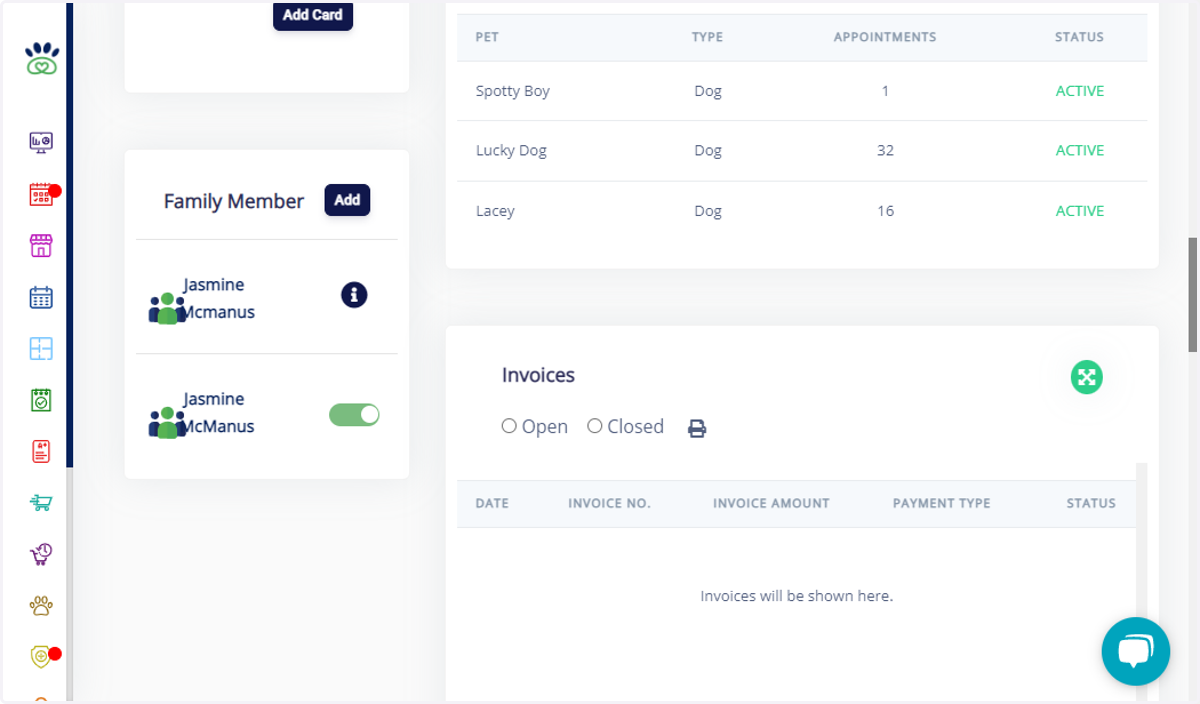
7. Once added, you will see both family member names on each account.
****You will be able to see all dogs from both accounts and scheduled appointments will show on both accounts as well.