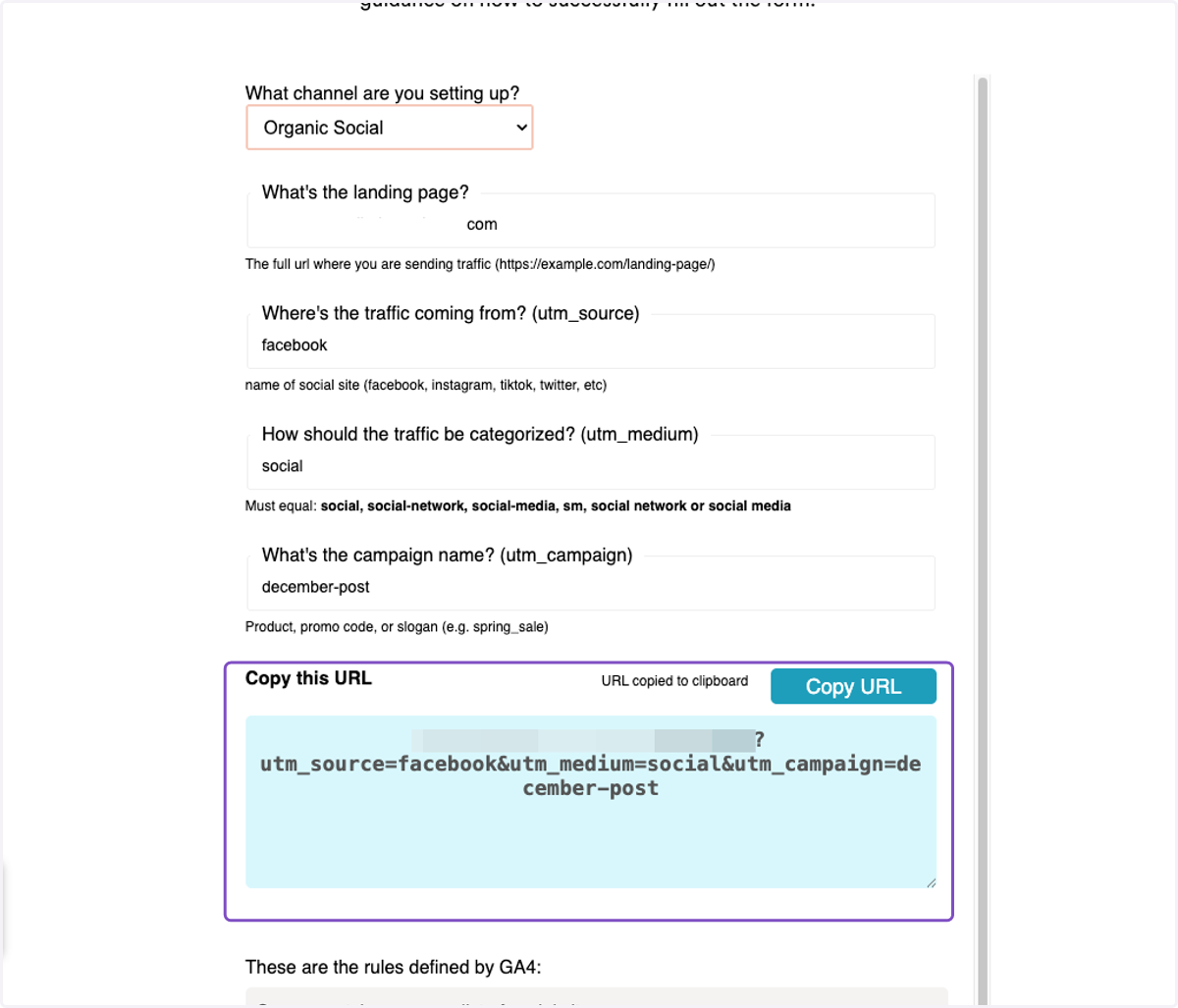
How to Create Facebook UTM For Tracking
Use the following URL: https://www.repli360.com/apartment-marketing-resources/ga4-utm-builder
FB UTM Builder
1. Go to the following website
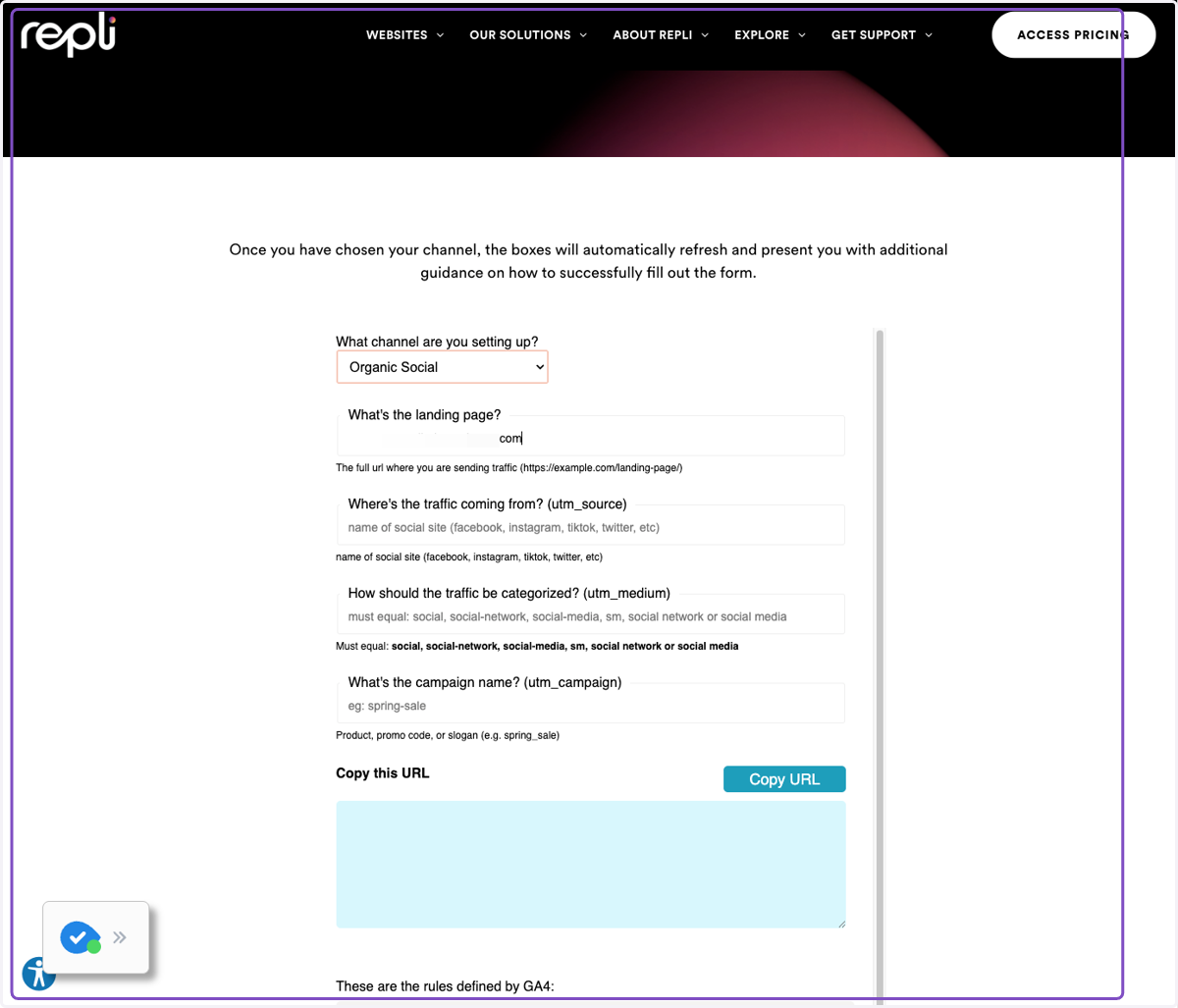
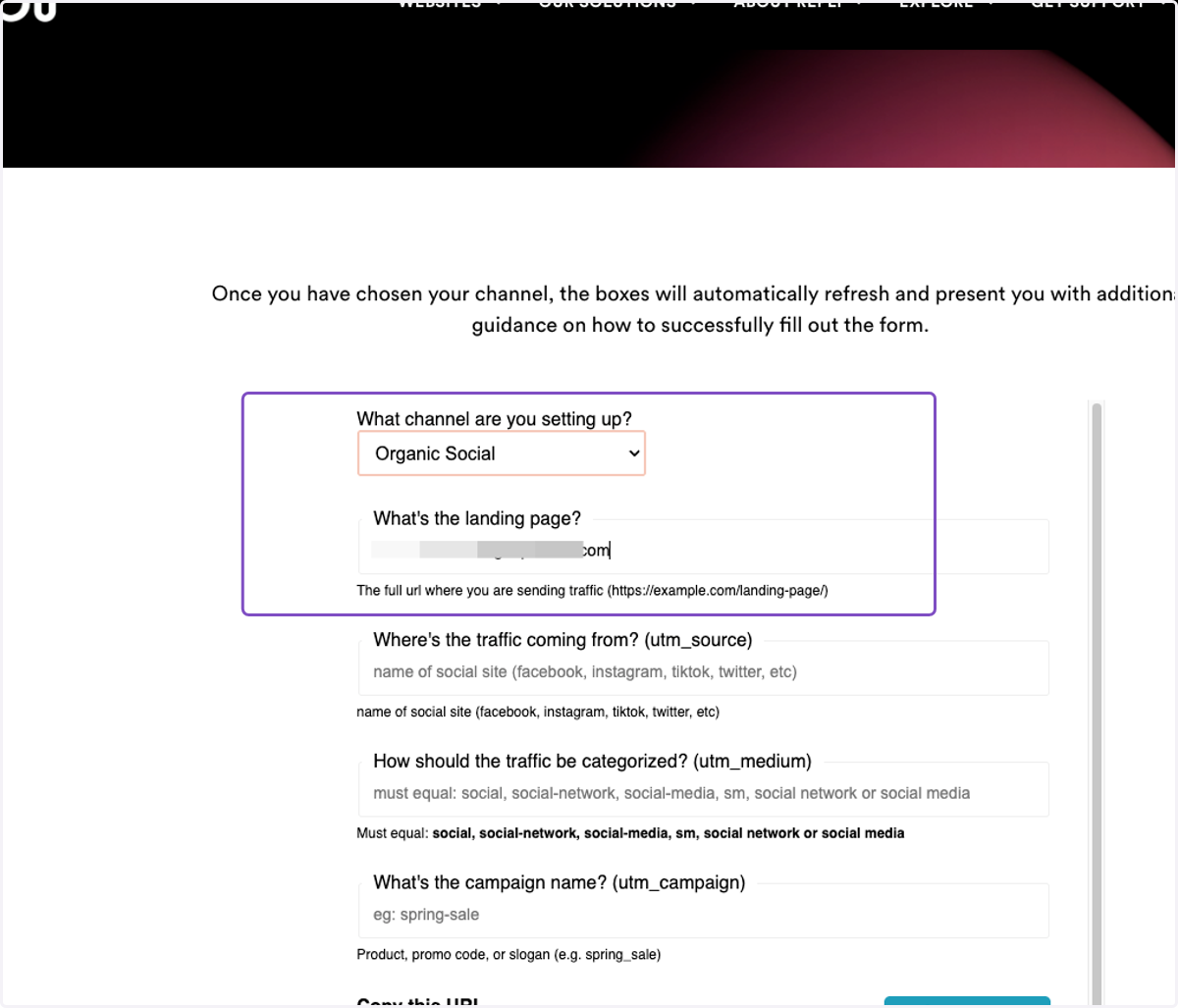
2. Choose the channel you are setting up. In this case, Organic Social
After choosing the channel enter the url of the landing page.
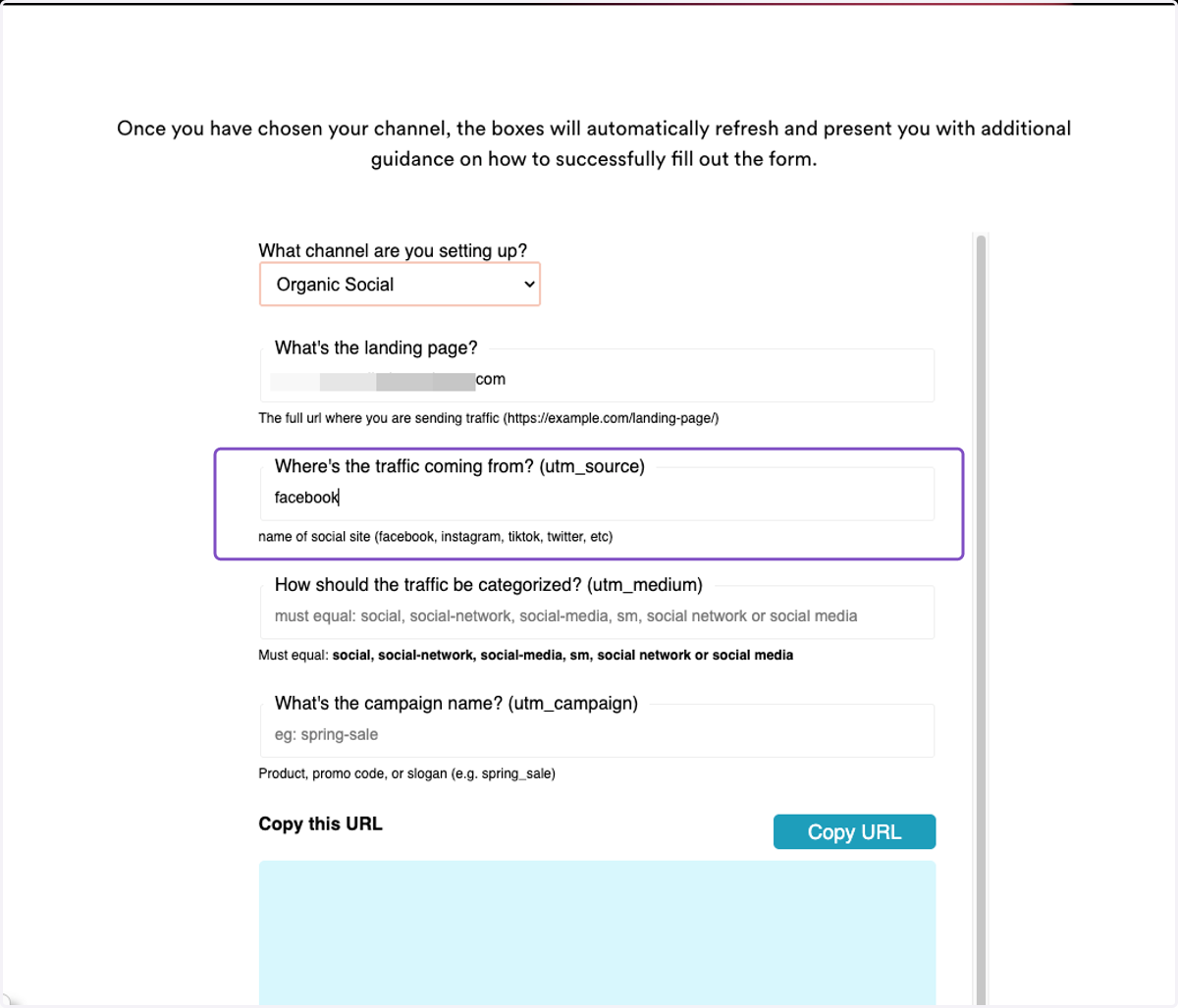
3. Type "facebook" as the UTM_Source
Enter Facebook in the "Where's the traffic coming from? (utm_source)" section
4. Type "social" as UTM_Medium
Type social in the "How should the traffic be categorized? (utm_medium)" section
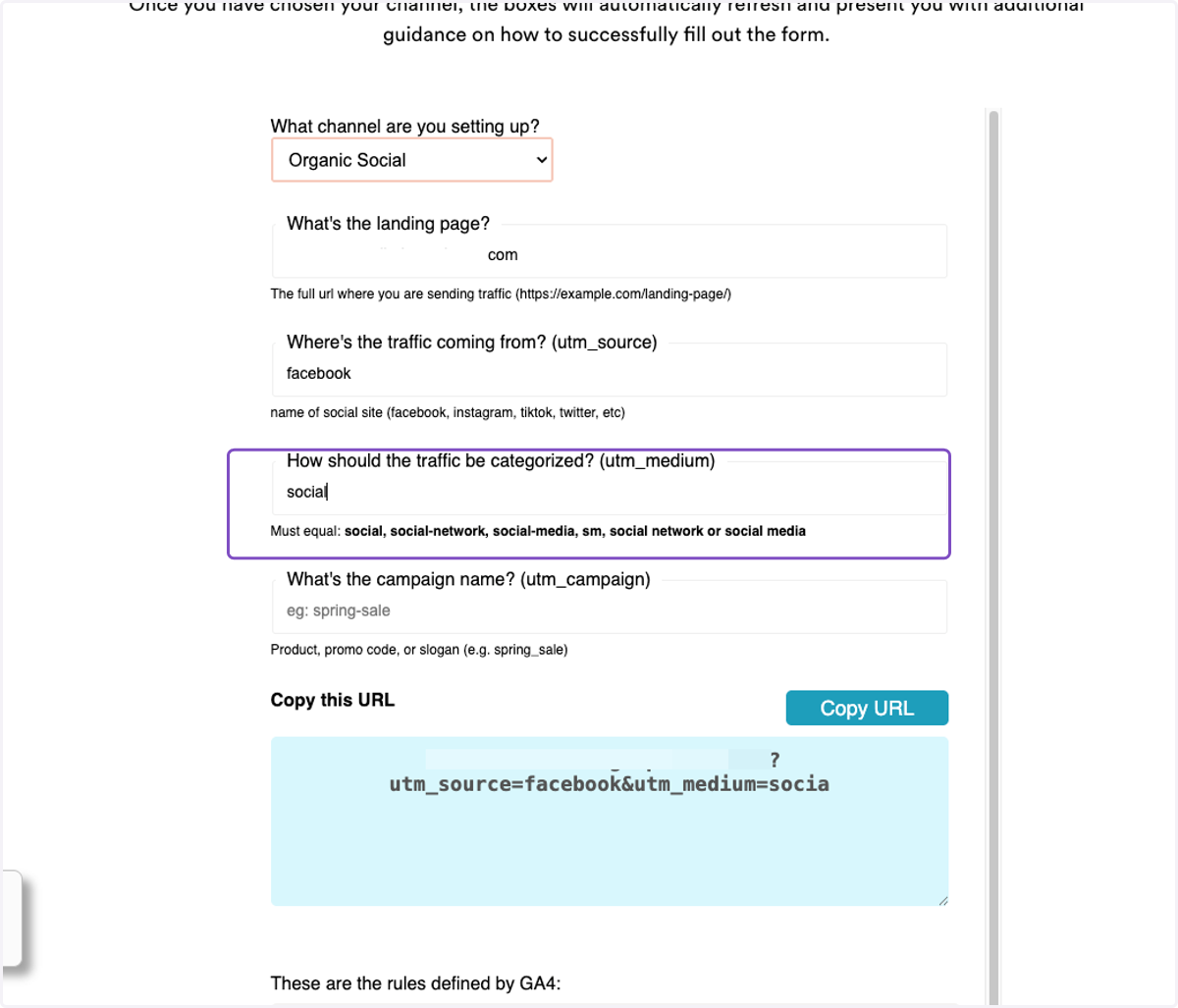
5. Type "december-post"
Type "month-post" in the "What's the campaign name? (utm_campaign)" section
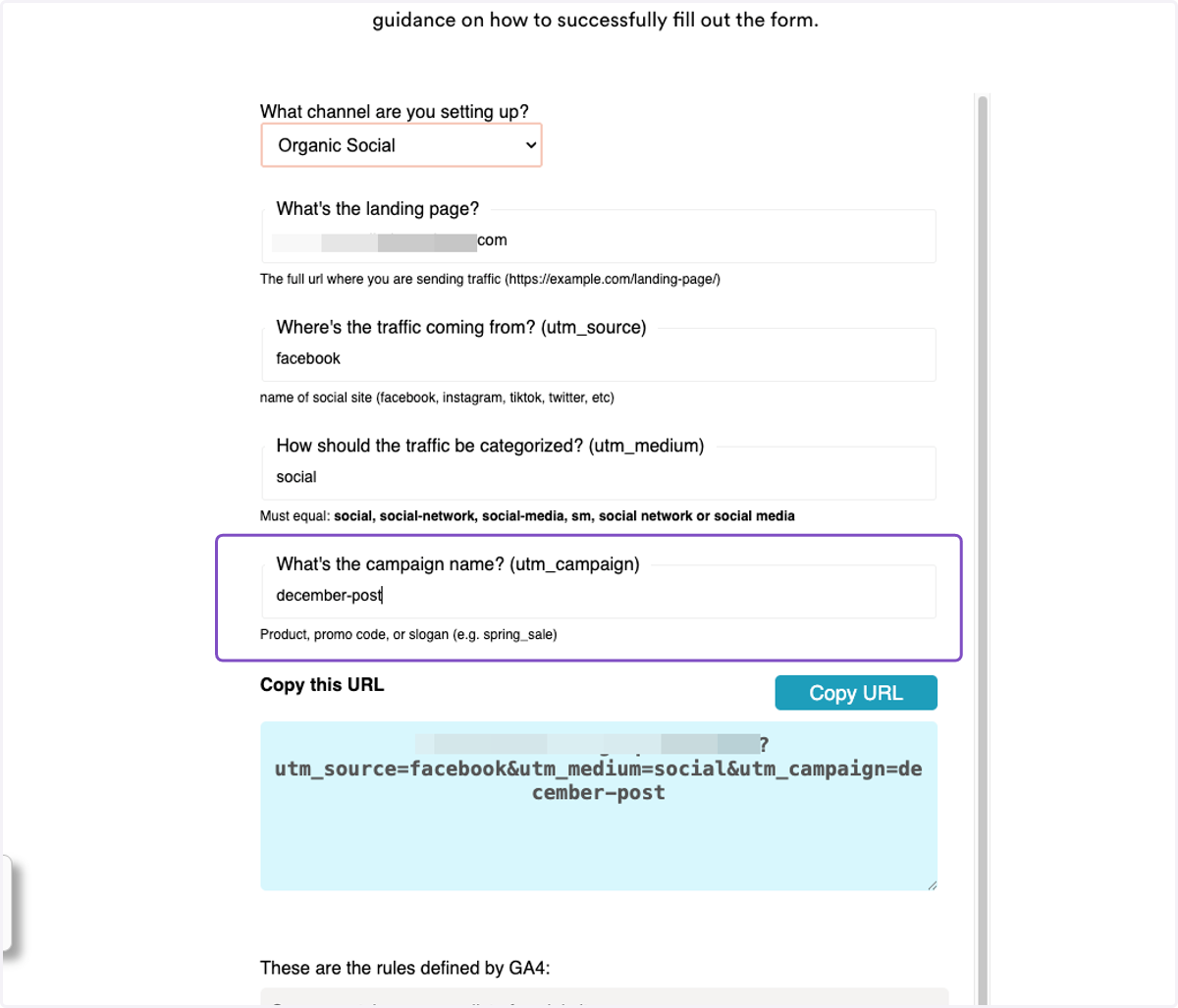
6. Click on Copy URL