OCR - Incorrect Community Reassign Pt2 User Guide
1. A. As the Reassigned BOD, Identify your My to-do list…
1. B. Click to expand your list
In this scenario, you have an invoice in your to do list that was reassigned to you.
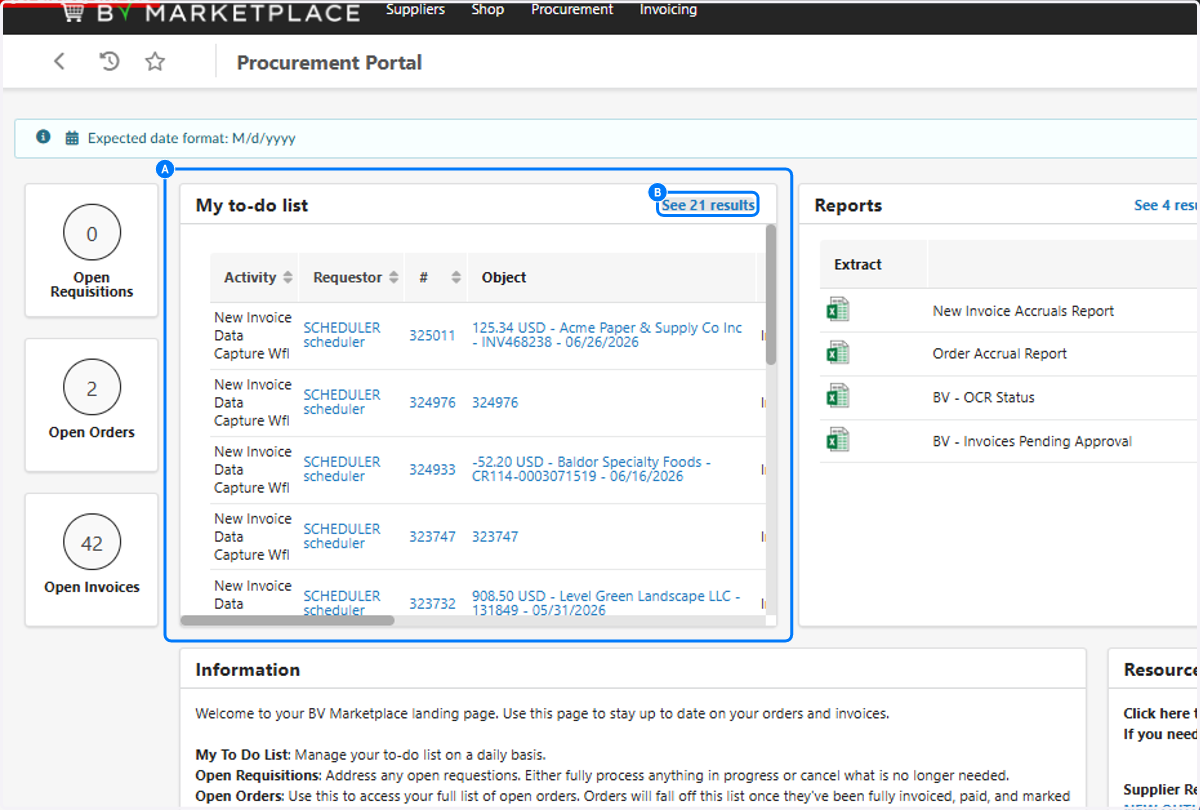
2. Identify the most recent invoice that has been reassigned to you

3. Identify the Initial performer column. This will tell you who the invoice came from

4. Select the invoice #

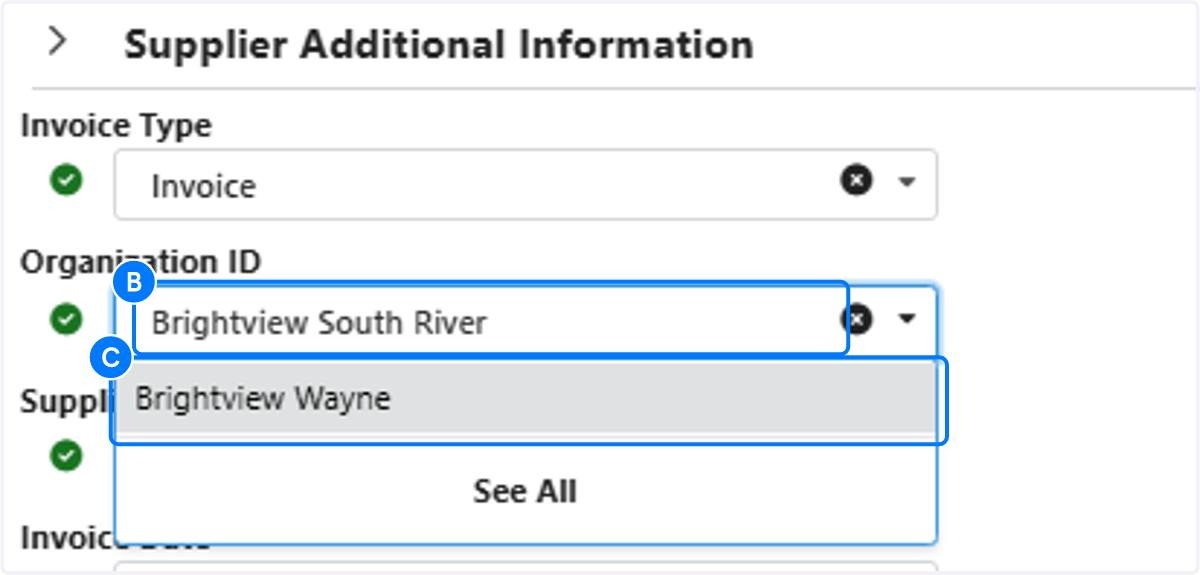
5. A. Identify the incorrectly listed Organization ID
5. B. Click on Organization ID
5. C. Click the correct Organization ID
In this scenario, the only Organization ID that will populate will be assigned to that BOD.
6. Resolve all flags, Click on Submit to Approval!
Once all flags are resolved, this invoice will go to the proper director for approval! You did it
