Finding and Participating in Feedback Discussions

  1. 1. From the Documents List Page, you can view the number of Comments and Feedback on each document
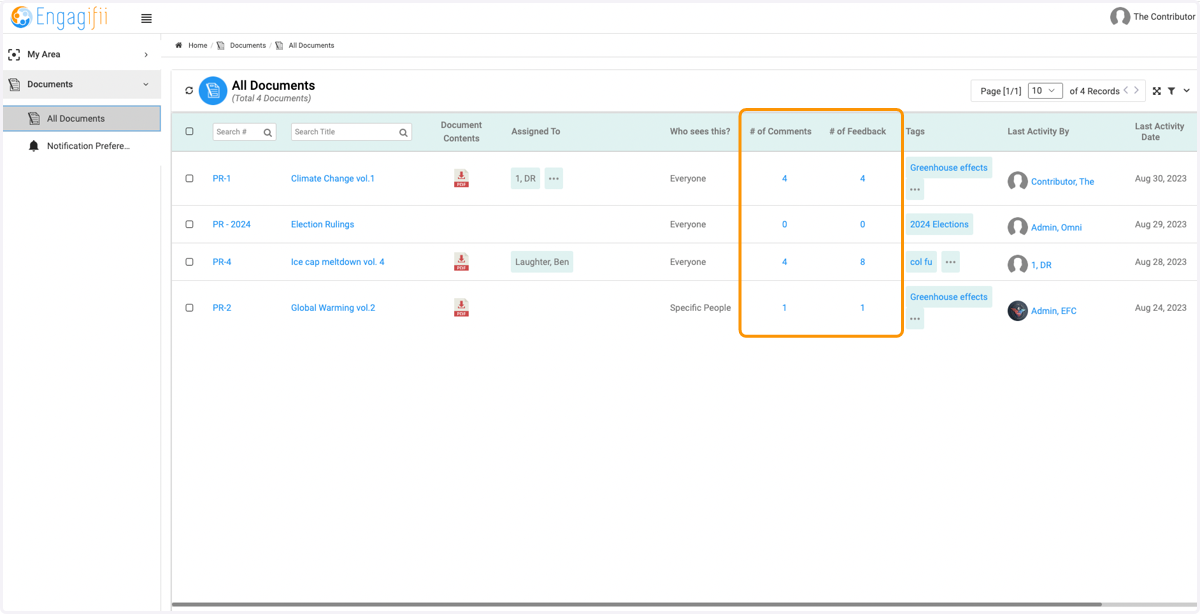
    From the Documents List Page, you can view the number of Comments and Feedback on each document
  2. 2. Click on the document you wish to comment on
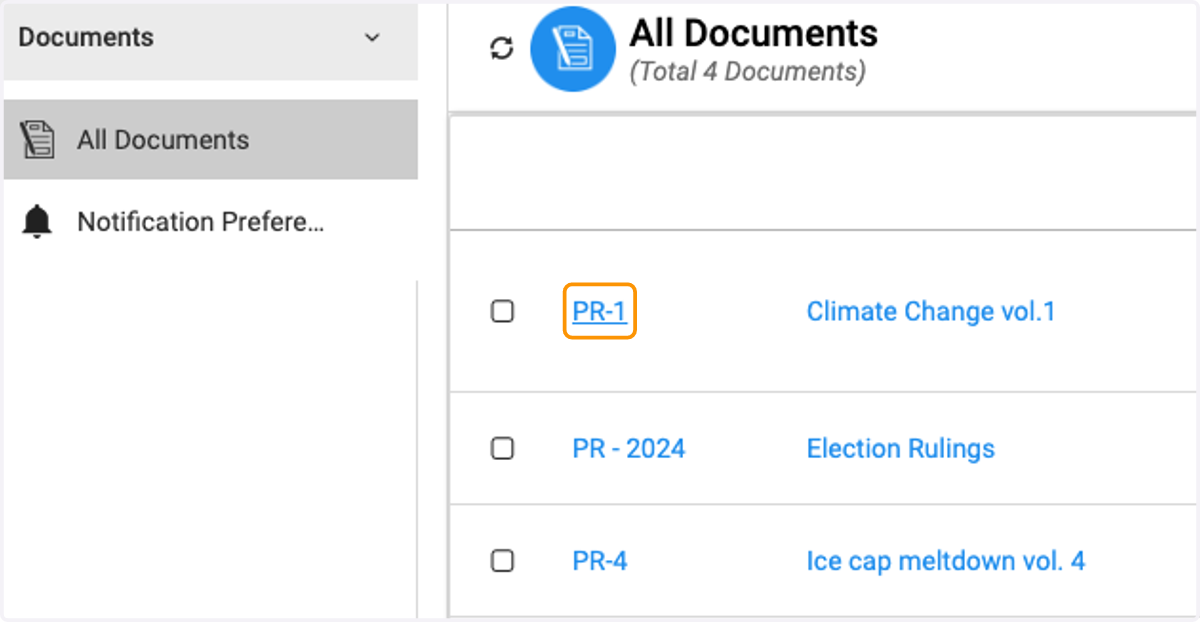
    Click on the document you wish to comment on
  3. 3. View the Comments column on the right side of the page
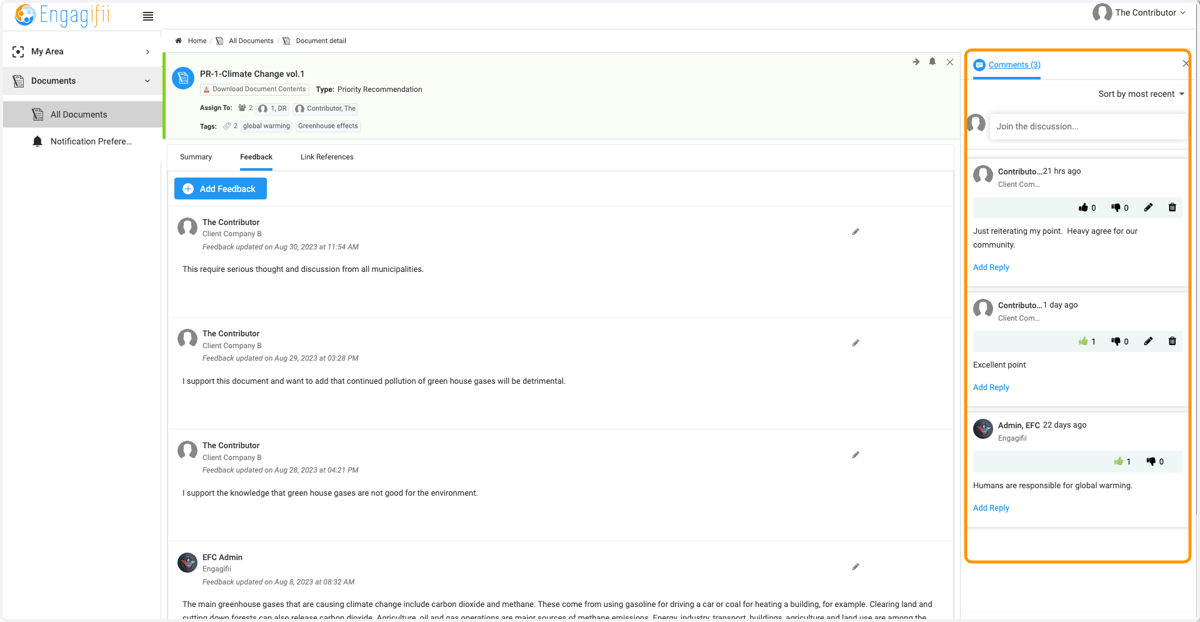
    View the Comments column on the right side of the page
  4. 4. Click on Join the discussion to leave your own comment
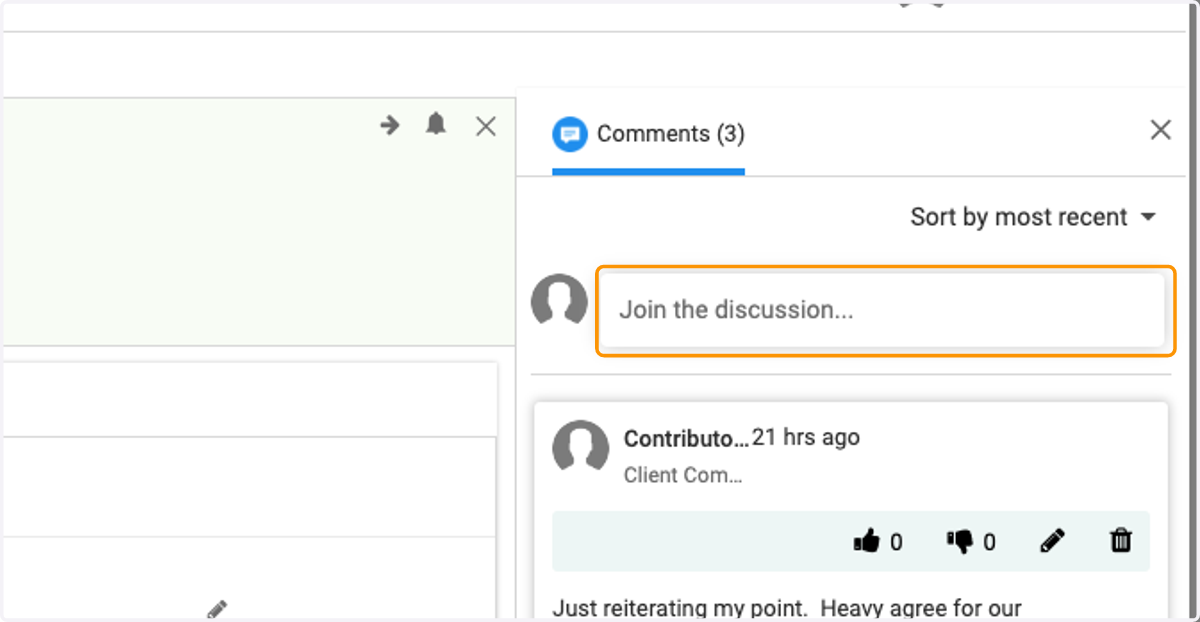
    Click on Join the discussion to leave your own comment
  5. 5. Type your comment, attach files (if applicable) and then Click Post
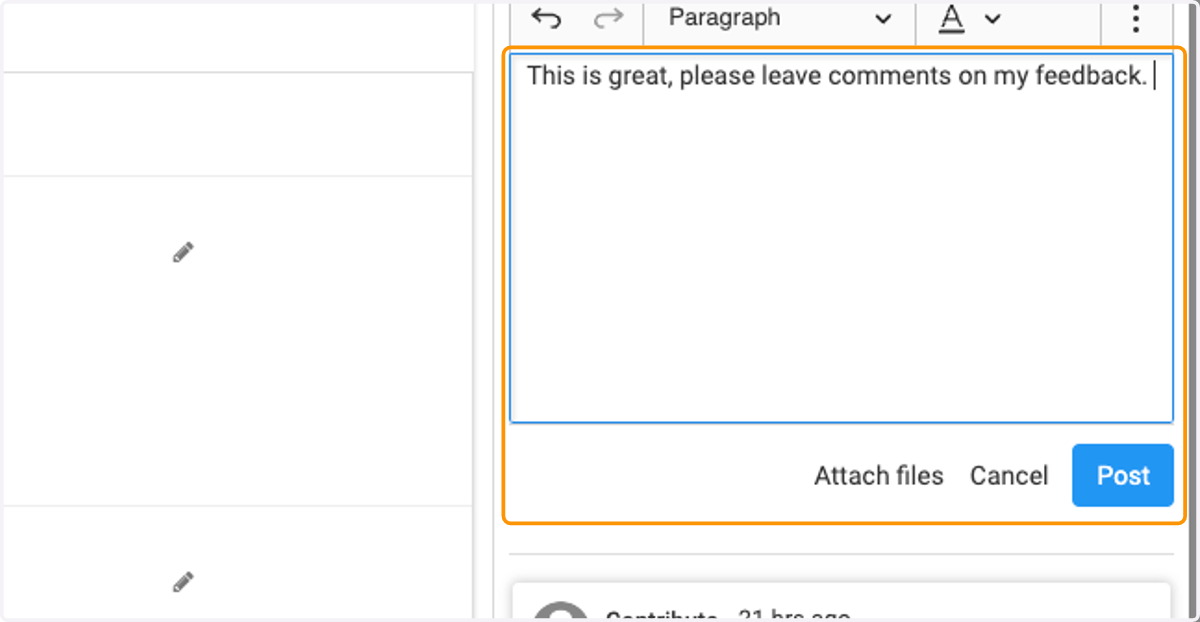
    Type your comment, attach files (if applicable) and then Click Post
  6. 6. Click on Thumbs Up icon to like another's comment
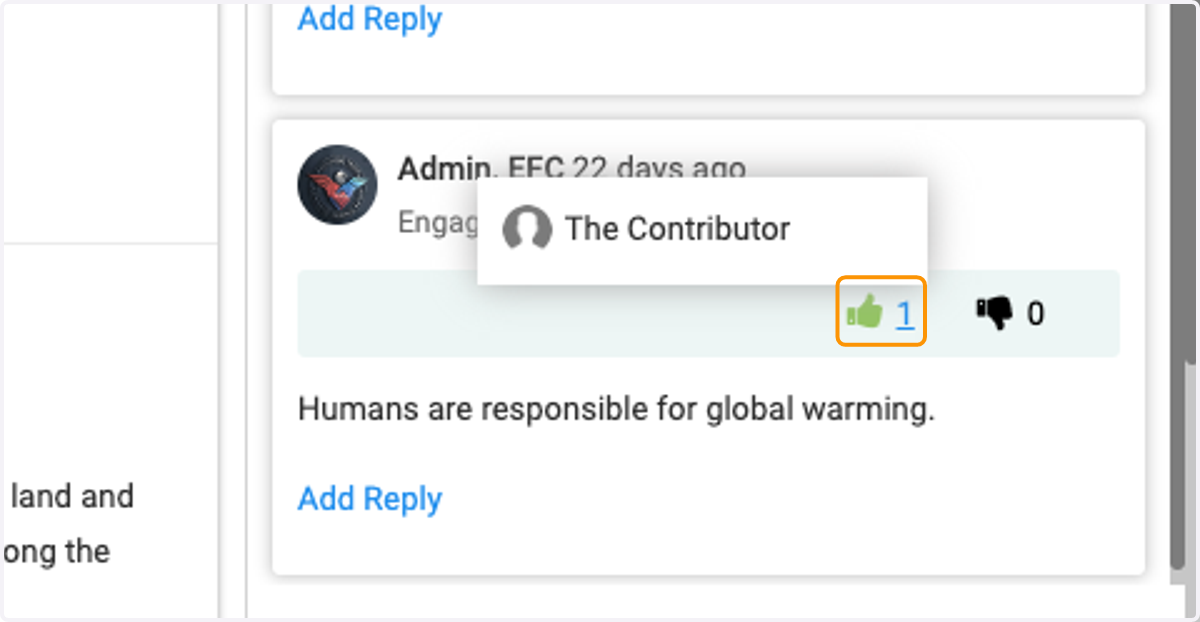
    Click on Thumbs Up icon to like another's comment
  7. 7. Click on Thumbs Down Icon to dislike another's comment
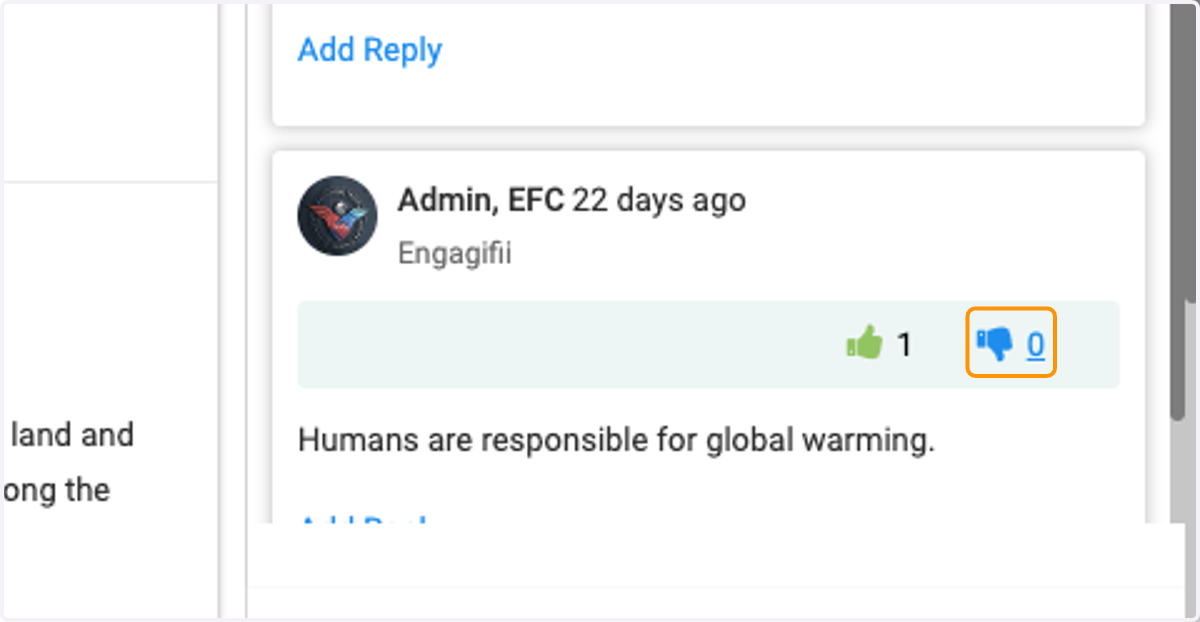
    Click on Thumbs Down Icon to dislike another's comment
  8. 8. Click on Add Reply to comment on thread
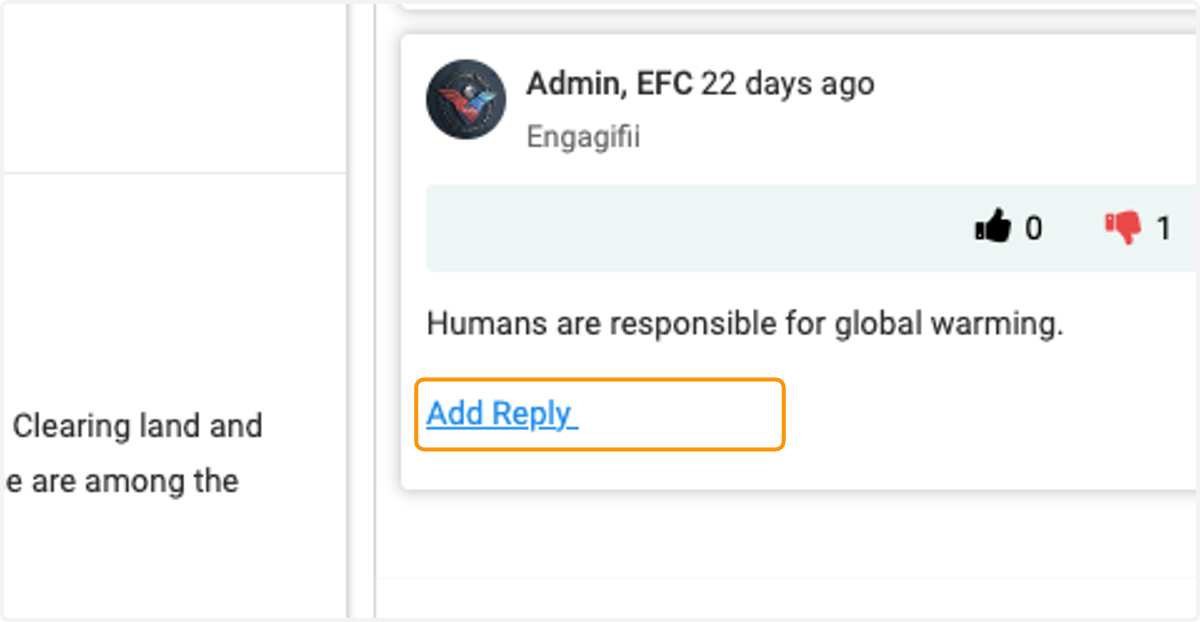
    Click on Add Reply to comment on thread
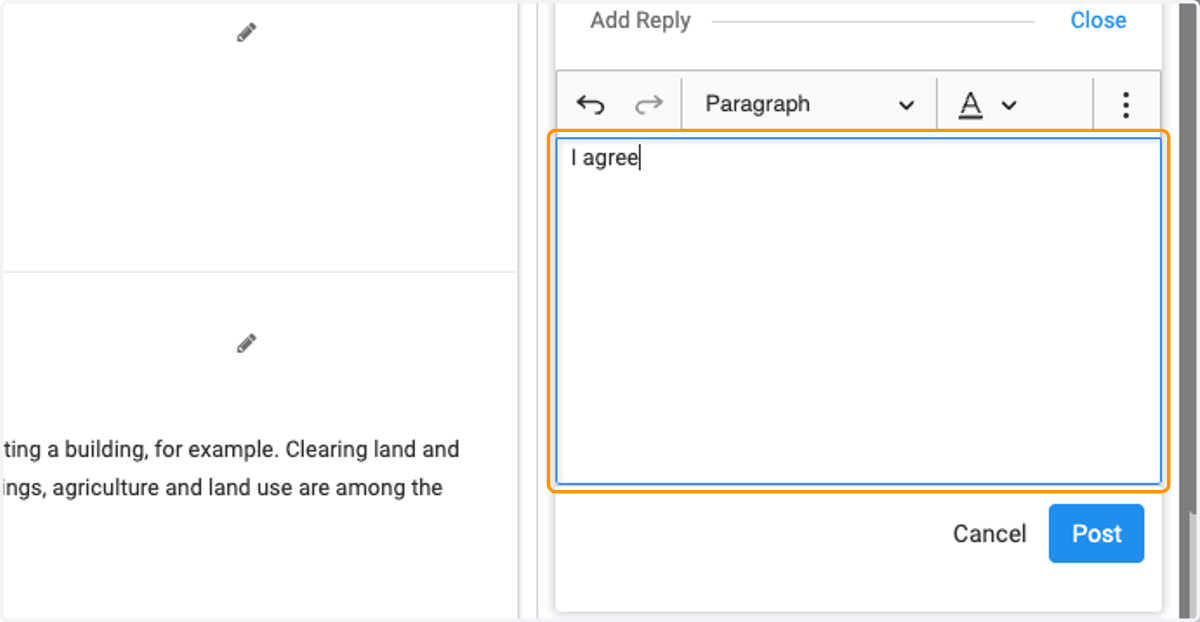
  9. 9. Select Rich Text Editor, main

    Select Rich Text Editor, main
  10. 10. Click on Post to post your reply on the comment
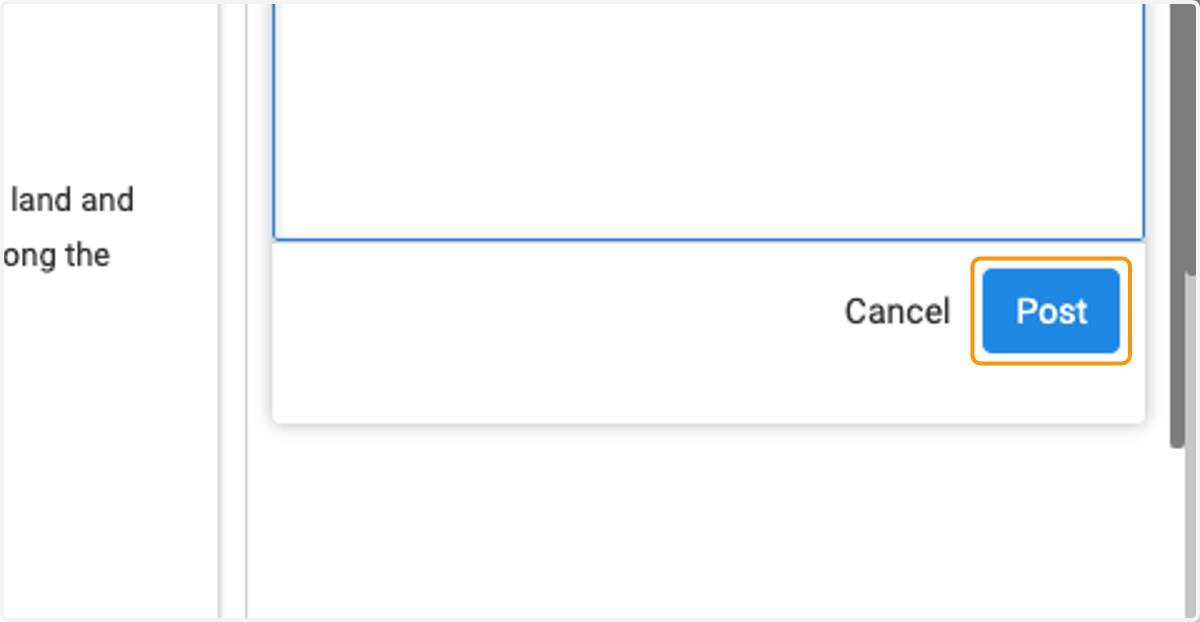
    Click on Post to post your reply on the comment